 Botmonster Tech
Alacritty vs. Kitty: Best High-Performance Linux Terminal (2026)
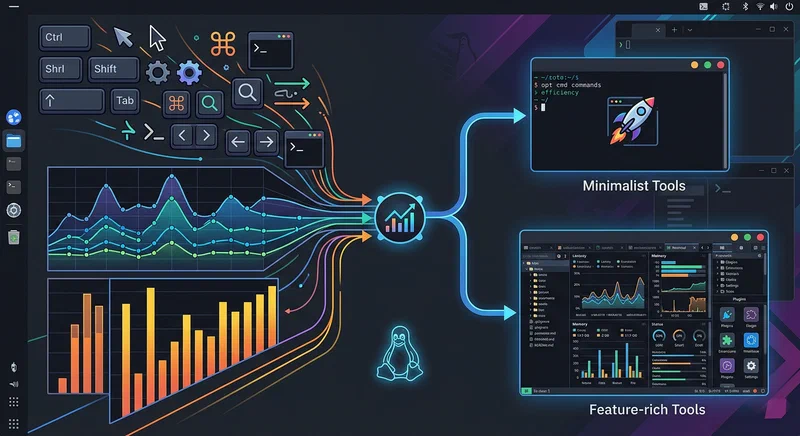
If you want the short answer first: Alacritty is still the best pick when your top priority is raw responsiveness and minimal overhead, while Kitty is the better terminal if you want a complete terminal workspace with graphics, built-in splits, and automation hooks. In 2026, the performance gap is smaller than it used to be, so the real decision is less about “which is fastest” and more about “which workflow do you want to live in all day.”
This guide compares both in real Linux workflows, not just feature checklists. It also covers what most comparison posts skip: Ghostty and WezTerm context, tmux and zellij integration for Alacritty, shell integration in both terminals, and accessibility trade-offs that matter in daily use.
The GPU-Accelerated Terminal Landscape in 2026
Linux terminal performance has improved so much in the last few years that nearly every serious option feels fast on modern hardware. That is good news, but it also means the old advice is outdated. In 2026, you are no longer choosing between “fast” and “slow” terminals. You are choosing between rendering models, feature philosophies, and integration ecosystems.
The current field falls into three broad families:
- OpenGL -first terminals: Alacritty and Kitty remain the most popular examples.
- Wayland -native lean terminals: Foot is still the reference for minimal Wayland-centric setups.
- Cross-platform multi-backend terminals: WezTerm and Ghostty focus on high portability and broader UX goals.
GPU acceleration matters because typing feel is mostly about input-to-display latency and frame stability under bursty output. A terminal that stays smooth while printing logs at high speed feels better and causes less fatigue over long sessions. CPU usage matters too, especially when you keep multiple terminals open all day while builds, tests, and tailing logs run in parallel.
Ghostty changed the discussion in 2026 by proving that a modern terminal can be both highly performant and more native-feeling on each platform. At the same time, WezTerm kept attracting power users with deeply scriptable behavior. The practical result is this: Alacritty and Kitty are still top-tier, but they are no longer the only serious choices.
Still, “fast enough” is a real threshold. On a modern Linux desktop with a reasonable GPU, Alacritty, Kitty, WezTerm, and Ghostty all clear that threshold for most users. What remains are second-order differences: startup time, memory footprint, rendering consistency on Wayland scaling, remote workflow quality, shell integration quality, and whether you prefer external multiplexers or built-in panes.
Alacritty: The Minimalist Case
Alacritty is opinionated by design. It intentionally refuses to become a terminal multiplexer, a GUI IDE, or a kitchen-sink tool. That stance can feel limiting if you want everything built in, but it is exactly why many developers trust it for long-term setups.
The core promise is simple: keep the terminal emulator layer small and predictable, then let other Unix tools handle session structure. In practice, that means no built-in tabs, no built-in splits, and no terminal image protocol focus. If you want panes and sessions, you pair Alacritty with tmux or zellij. If you want file previews, you use CLI-native workflows or multiplexer plugins.
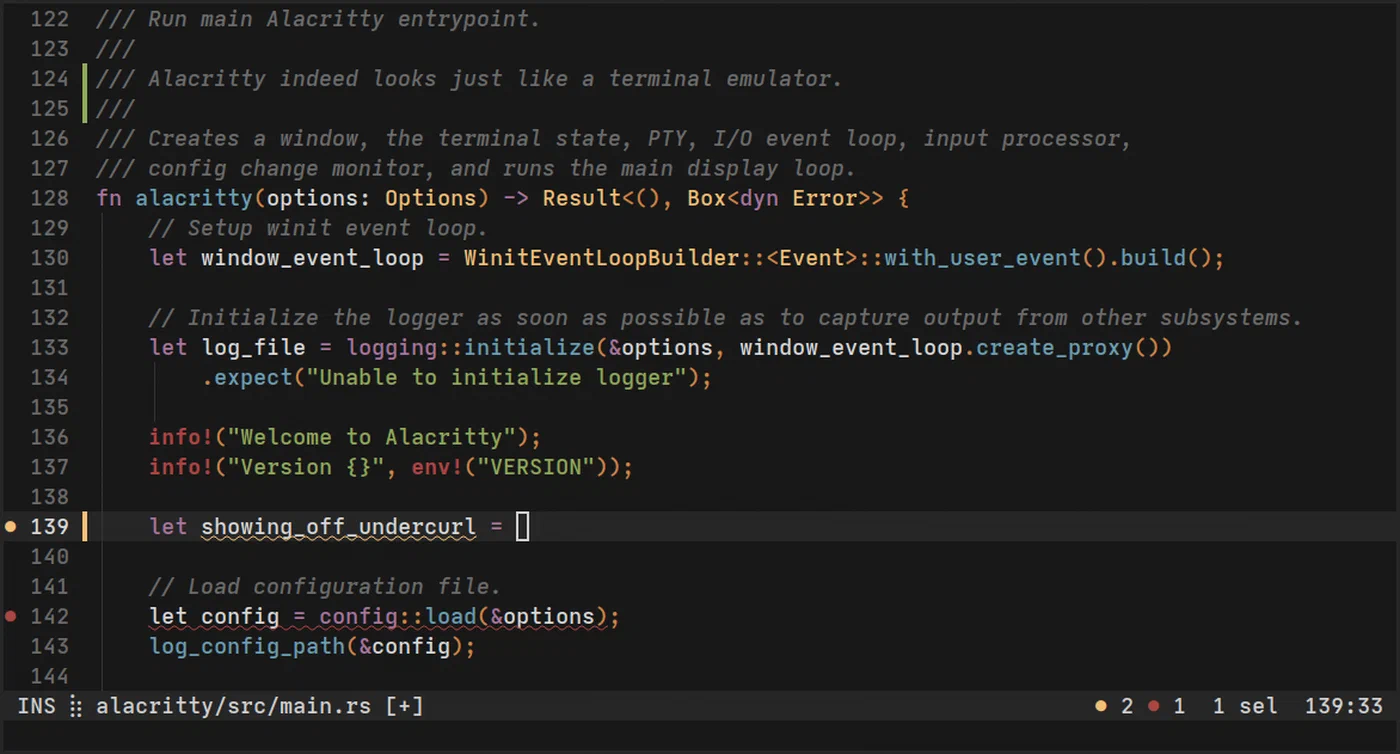
Rendering remains excellent. Alacritty’s GPU path is consistent under heavy output, and it stays responsive even when you run spammy commands. Typical examples include:
journalctl -f
cargo test -- --nocapture
kubectl logs -f deployment/api
When these streams get noisy, Alacritty tends to preserve keyboard responsiveness with very little perceived lag.
Configuration is straightforward and version-control friendly:
~/.config/alacritty/alacritty.toml
A typical compact configuration looks like this:
[window]
opacity = 0.96
padding = { x = 10, y = 10 }

[font]
normal = { family = "JetBrains Mono", style = "Regular" }
size = 12.5

[scrolling]
history = 100000

[selection]
save_to_clipboard = true

[terminal]
shell = { program = "/usr/bin/zsh", args = ["-l"] }
That single-file workflow is a major advantage for teams that sync dotfiles and reproducible environments. You can keep terminal behavior deterministic across machines with one file and a multiplexer config.
Another underrated feature is Alacritty’s Vi mode. It allows keyboard-driven selection and movement through scrollback without grabbing the mouse, which aligns well with modal editor users and remote-first workflows.
Kitty: The Feature-Rich Case
Kitty starts from the opposite philosophy: a terminal can be fast and still include advanced workflow features directly. Instead of pushing all session structure into tmux, Kitty offers first-class tabs, splits, layouts, scripting, and protocol extensions.
The flagship capability is the Kitty Graphics Protocol (KGP) . It allows rendering images directly in terminal surfaces, which is useful in practical workflows, not just demos. For example:
yaziandrangercan preview images in-pane.- Neovim plugins can show diagrams or inline media previews.
- You can inspect generated images in an ML workflow without leaving the terminal context.
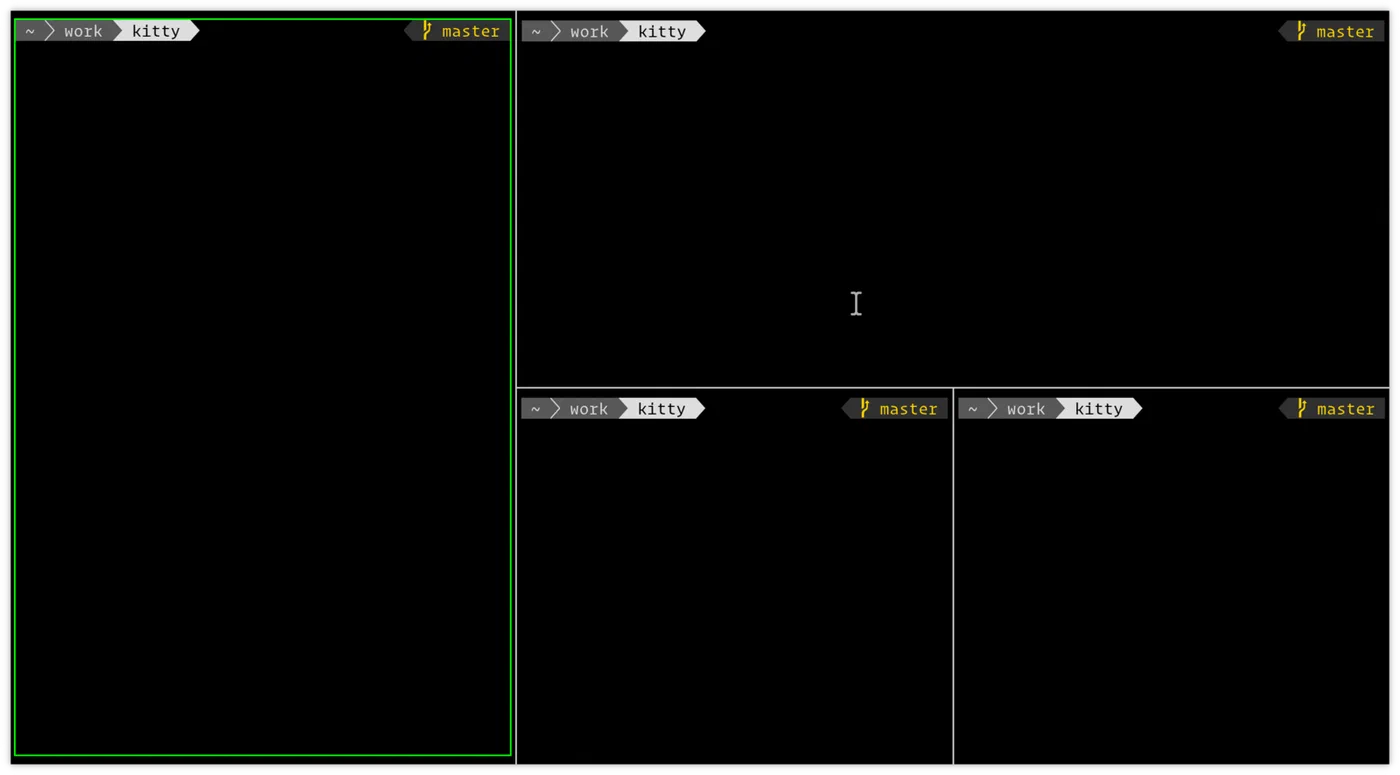
Kitty also includes built-in session primitives:
- OS windows
- Tabs
- Split panes with layout controls
For users who do not want tmux, this is a real productivity boost. You can open a coding pane, a test pane, and a logs pane inside one terminal instance with no extra layer to manage.
Its remote control API is another major strength. Commands like these enable automation:
kitty @ ls
kitty @ send-text --match title:dev "npm run test\n"
kitty @ set-font-size 13
That makes Kitty attractive for scripted workstation routines and tool integrations.
Configuration is extensive but still manageable through kitty.conf and includes. A common setup splits base options and host-specific overrides:
include ~/.config/kitty/theme.conf
include ~/.config/kitty/keys.conf

font_family      JetBrains Mono
font_size        12.5
enable_audio_bell no
scrollback_lines 100000
Ligature support is also meaningful for users who prefer symbolic fonts in coding contexts. Some developers find this improves readability for operators; others dislike it. Kitty gives you that choice cleanly.
Head-to-Head Performance Comparison
Performance is the reason these two terminals dominate, so it is worth looking at practical metrics. Numbers vary by distro, compositor, GPU, and font settings, but the pattern below reflects common 2026 Linux desktop measurements.
| Metric (Linux, Wayland) | Alacritty | Kitty | What It Means in Practice |
|---|---|---|---|
| Cold startup time | ~12-20 ms | ~30-55 ms | Alacritty feels snappier when launched frequently from scripts |
| Idle memory (single window) | ~20-35 MB | ~40-70 MB | Kitty spends more memory to support richer built-in features |
| Input-to-display latency | ~2.8-4.2 ms | ~3.2-4.8 ms | Both are excellent; Alacritty keeps a slight edge |
| Heavy output smoothness | Very high | Very high | Kitty often narrows the gap during high-throughput rendering |
| Long scrollback handling | In-memory | In-memory or persistent options | Kitty can fit workflows that want richer session persistence |
A useful benchmark script for your own system:
#!/usr/bin/env bash
set -euo pipefail

printf "Startup timing (20 launches each)\n"
for term in alacritty kitty; do
  total=0
  for _ in $(seq 1 20); do
    start=$(date +%s%N)
    "$term" -e true >/dev/null 2>&1 || true
    end=$(date +%s%N)
    delta=$(( (end - start) / 1000000 ))
    total=$(( total + delta ))
  done
  avg=$(( total / 20 ))
  printf "%s avg startup: %sms\n" "$term" "$avg"
done
For throughput stress testing, run something intentionally noisy:
time bash -c 'for i in $(seq 1 200000); do echo "line-$i $(openssl rand -hex 8)"; done' | cat >/dev/nullThen repeat similar streaming directly in each terminal and observe latency with typing during output. This is a more realistic check than synthetic micro-benchmarks.
Wayland vs. X11 Compatibility in 2026
Wayland is now the default on most major Linux desktops, so terminal behavior there matters more than legacy X11 edge cases. The good news is that both Alacritty and Kitty are mature on Wayland in 2026.
Alacritty on Wayland is stable on GNOME and KDE, and scaling behavior has improved significantly compared to older releases. It behaves predictably on mixed-DPI setups if your compositor scaling is sane. Kitty also performs well on Wayland and is often praised for IME behavior in multilingual input workflows.
There are still details to keep in mind:
- Clipboard behavior differs from X11 primary selection conventions.
- Fractional scaling can make font hinting feel slightly different between compositors.
- Some global shortcuts handled by desktop environments can conflict with terminal keymaps.
For users on pure Wayland minimal stacks, Foot remains a compelling baseline. It is very lightweight and integrates naturally with Wayland clipboard tools such as wl-clipboard
.
If you still need X11 apps, both terminals handle mixed environments well. In most distributions, your main decision should be compositing and font rendering preferences, not compatibility blockers.
Configuration and Customization
Daily satisfaction with a terminal often comes from small customization details: keybindings, font fallback, color consistency, shell startup behavior, and copy-paste ergonomics.
Alacritty keeps this simple with one TOML file and optional imports. It is ideal if you want strict control and low surface area. Kitty provides deeper runtime controls and interactive helpers, which can reduce friction for users who tweak often.
A practical comparison:
| Area | Alacritty | Kitty |
|---|---|---|
| Main config format | TOML | kitty.conf directives |
| Live config reload | Yes | Yes |
| Built-in theme switcher | No (external files) | Yes (kitten themes) |
| Built-in tabs/splits | No | Yes |
| Automation protocol | Limited external hooks | Rich kitty @ remote control |
Example: keep shared colors in both ecosystems.
Alacritty import model:
import = [
  "~/.config/alacritty/themes/gruvbox-dark.toml",
  "~/.config/alacritty/local.toml"
]
Kitty include model:
include ~/.config/kitty/themes/gruvbox-dark.conf
include ~/.config/kitty/local.conf
Both approaches work well with dotfile repos, but Kitty’s interactive extras can feel friendlier when exploring themes and layouts.
Ghostty Deep Dive
Ghostty is no longer “interesting but early.” In 2026 it is a real contender that appears in nearly every serious terminal discussion. It was designed around a native-platform UX goal while preserving high rendering performance, and that combination resonates with users who felt older terminals either looked too bare or too inconsistent across systems.
Why Ghostty matters in an Alacritty vs Kitty article:
- It targets low-latency rendering and modern text shaping.
- It prioritizes native-feeling UI conventions on each OS.
- It gives power-user performance without requiring a maximal feature surface.
On Linux specifically, Ghostty sits between Alacritty and Kitty philosophically. It is usually less minimal than Alacritty but less feature-opinionated than Kitty’s full ecosystem approach. If you want a modern terminal that feels polished without committing to Kitty’s protocol features or Alacritty+tmux-only discipline, Ghostty is worth a trial.
Current caveats are mostly ecosystem maturity and documentation depth relative to the older projects. If your workflow depends on years of community snippets and battle-tested plugin recipes, Kitty and Alacritty still have the edge.
WezTerm Coverage: Where It Fits
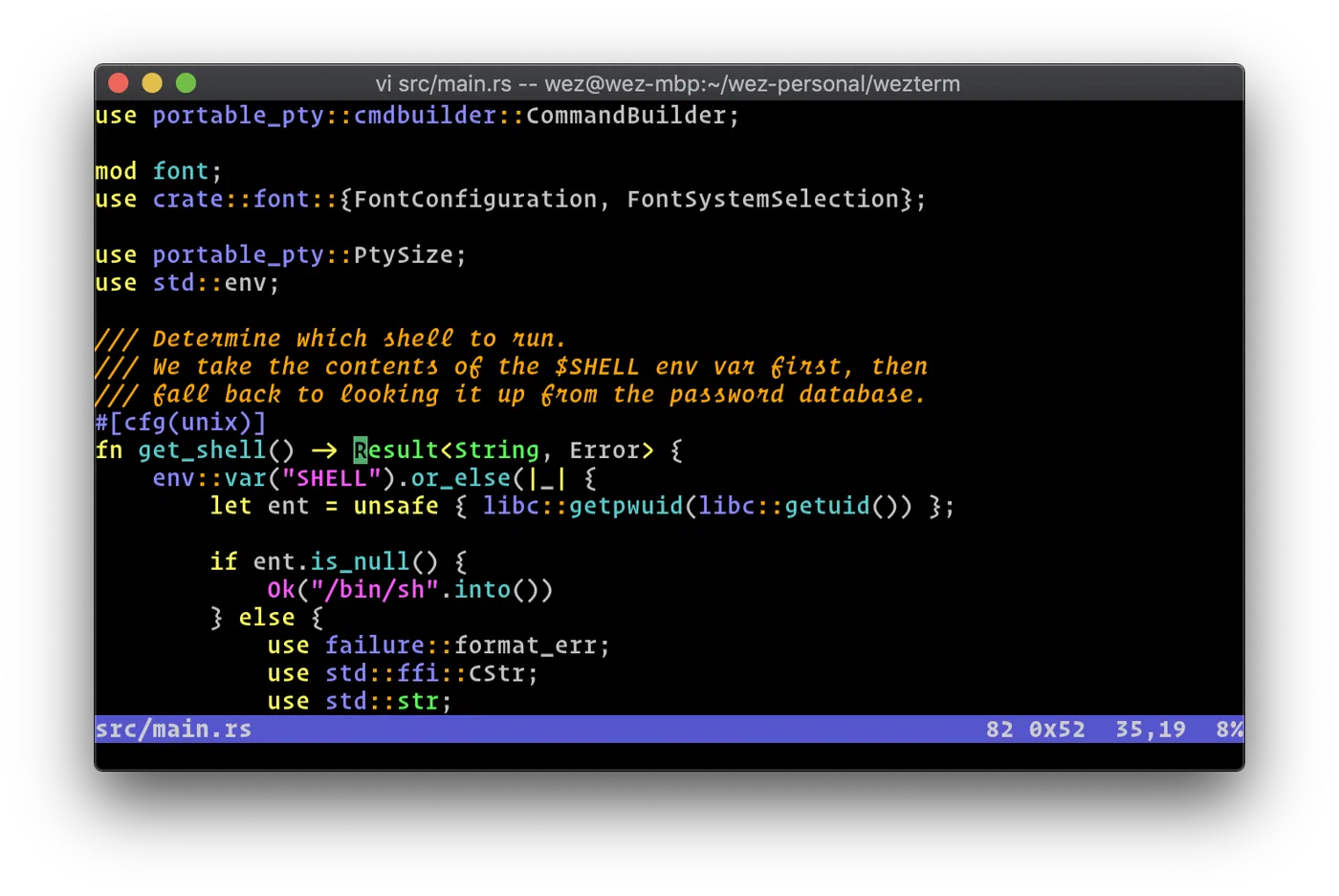
WezTerm deserves explicit coverage because many power users now pick it over both Alacritty and Kitty. It offers a rich cross-platform experience, flexible multiplexing behavior, and Lua-based configuration that can express complex conditional logic.
Where WezTerm shines:
- Cross-platform consistency across Linux, macOS, and Windows.
- Built-in panes and tabs with strong keyboard ergonomics.
- Lua configuration for dynamic behavior based on host, domain, or workspace.
- Good remote and SSH integration for distributed workflows.
Why it is not always the default recommendation in Linux-only performance guides:
- It can use more memory than Alacritty in equivalent setups.
- Lua-driven complexity can be overkill if you want a tiny, static config.
- Startup responsiveness can feel slower than Alacritty on low-end systems.
If your workflow spans multiple operating systems and you want one terminal config to rule them all, WezTerm may beat both Alacritty and Kitty for total productivity even if it is not the absolute latency winner.
Multiplexer Integration Guide for Alacritty Users
A common mistake is evaluating Alacritty alone, then concluding it lacks essential workflow features. Alacritty is designed to pair with multiplexers, so the fair comparison is Alacritty + tmux or Alacritty + zellij.
Alacritty + tmux quick setup
Install tmux:
sudo apt install tmuxMinimal ~/.tmux.conf for modern ergonomics:
set -g mouse on
set -g history-limit 200000
set -g base-index 1
setw -g pane-base-index 1
unbind C-b
set -g prefix C-a
bind C-a send-prefix
bind | split-window -h
bind - split-window -v
bind r source-file ~/.tmux.conf \; display "tmux reloaded"
Launch tmux automatically from interactive shells in Alacritty (optional):
# ~/.zshrc or ~/.bashrc
if [ -n "$PS1" ] && command -v tmux >/dev/null 2>&1; then
  [ -z "$TMUX" ] && exec tmux new-session -A -s main
fi
Alacritty + zellij quick setup
Install zellij:
sudo apt install zellijMinimal config at ~/.config/zellij/config.kdl:
default_shell "/usr/bin/zsh"
simplified_ui true
pane_frames false
scrollback_lines 200000
Start with:
zellijtmux is still the safer choice for long-lived remote workflows and mature plugin ecosystems. zellij is often easier to learn and has cleaner defaults for local terminal-first development.
Shell Integration for Alacritty and Kitty
Shell integration is frequently ignored in terminal comparisons, yet it directly affects prompt marks, command timing, jump navigation, and user feedback loops.
Kitty ships official shell integration scripts. They provide features such as prompt markers, better directory tracking, and richer terminal-aware behavior.
Enable in kitty.conf:
shell_integration enabledThen ensure your shell initialization includes Kitty’s integration path if your distro package requires manual sourcing.
Alacritty does not provide a bundled shell integration framework in the same style. Instead, you typically combine shell-native tooling and prompt frameworks:
starshiporoh-my-poshfor prompt metadatazsh-autosuggestionsandzsh-syntax-highlightingfor command UX- Shell hooks for title updates and current-directory reporting
Example cross-terminal shell title update:
# ~/.zshrc
precmd() {
  print -Pn "\e]2;%n@%m:%~\a"
}
This approach is more modular and Unix-like, but it requires you to compose the pieces yourself.
Accessibility and Inclusive Terminal Setup
Accessibility is still the weakest area of GPU-accelerated terminal discussions, and it should not be an afterthought. If you rely on screen readers, high contrast, large fonts, or reduced motion, terminal choice can have real usability consequences.
Practical guidance:
- Test with your actual assistive stack (for Linux, typically Orca + your compositor).
- Verify focus announcements when switching panes/tabs.
- Prefer explicit high-contrast themes with measured luminance differences.
- Increase line height and font size before experimenting with decorative ligatures.
- Disable cursor effects or blinking modes if they trigger fatigue.
A high-contrast baseline to start from:
| Setting | Recommendation |
|---|---|
| Font size | 13-15 pt on 1440p displays |
| Font family | Atkinson Hyperlegible Mono, JetBrains Mono, or Cascadia Mono |
| Cursor | Block cursor, low blink rate or no blink |
| Contrast target | Strong foreground/background separation |
| Selection color | Distinct from both background and prompt accent |
Screen reader support in terminal ecosystems is still uneven, especially outside VTE-based terminals. That does not make Alacritty or Kitty unusable, but it does mean you should run a real accessibility test before standardizing on one terminal for work.
The Verdict: Which Terminal for Which Workflow
Choose Alacritty if you want minimal latency, minimal complexity, and a terminal that stays out of your way while tmux or zellij provides session structure. It is especially strong for developers who keep everything in reproducible dotfiles and value deterministic behavior more than built-in UI features.
Choose Kitty if you want one integrated terminal workspace with tabs, panes, graphics, and automation APIs. If your workflow includes image previews, rich scripted terminal control, or you simply prefer built-in structure over external multiplexers, Kitty is the better fit.
Keep Ghostty and WezTerm in the shortlist. Ghostty is increasingly relevant for users who want modern native-feeling UX with high performance. WezTerm is often the best answer for people who need one powerful terminal setup across Linux, macOS, and Windows.
A final quick matrix:
| Workflow | Best First Choice |
|---|---|
| Lowest latency + tmux habit | Alacritty |
| Built-in splits/tabs + graphics | Kitty |
| Native-feeling modern UX | Ghostty |
| Cross-platform + deep scripting | WezTerm |
| Pure Wayland minimal footprint | Foot |
If you are undecided, run a one-week test with each candidate using your real workload: coding, logs, SSH, build output, and accessibility needs. In 2026, all top terminals are fast. The best one is the terminal that disappears while you work.