 Botmonster Tech
How to Build a Local Package Registry for Python and Node.js

You can self-host a private PyPI registry with pypiserver and a private npm registry with Verdaccio , both running on a single machine or inside Docker containers. This gives you three things that relying on public registries alone cannot: faster installs by caching packages on your local network, a place to publish proprietary packages without exposing them to the public internet, and protection against upstream outages, typosquatting, and supply chain attacks. Both tools are free, open-source, and take under 30 minutes to configure.
Why Self-Host a Package Registry
Public registries go down. PyPI had multiple partial outages during 2024 and 2025. The npm registry has had its own incidents affecting install speeds and availability. When either one is unreachable, every CI/CD pipeline and developer workstation that depends on it stops installing dependencies. If your deploys depend on pip install or npm install succeeding, a registry outage becomes your outage.
Then there are supply chain attacks. Typosquatting attacks publish malicious packages with names that look like popular libraries. Dependency confusion attacks exploit the way package managers resolve names across public and private registries. Compromised maintainer accounts can push backdoored versions of legitimate packages. A local registry with an allowlist of approved packages eliminates these attack categories entirely because your tools never reach out to the public registry for anything that is not on your list.
Network performance matters too. A registry on your LAN delivers packages in single-digit milliseconds per request instead of the hundreds of milliseconds you get from a CDN. That difference is small for a single install, but CI pipelines that run pip install or npm install dozens or hundreds of times per day accumulate real time savings when packages are served from a local cache.
Private packages are another common motivation. Internal libraries, shared utilities, and company-specific tools can be published to a local registry without ever touching a public server. This avoids the awkwardness of git-based dependency URLs or vendored code checked into repositories. In regulated industries like finance, healthcare, and government contracting, compliance frameworks may require that all third-party code is reviewed and stored in an auditable internal repository before it enters production. A local registry satisfies that requirement.
The cost is effectively zero for software. pypiserver and Verdaccio both run on minimal hardware. A Raspberry Pi 5 or any small VPS with 1 GB of RAM and sufficient disk for your cached packages is enough.
Setting Up pypiserver for Python Packages
pypiserver (currently at version 2.4.x) is the simplest self-hosted PyPI-compatible server. It serves packages from a regular directory and supports both uploads and proxying from upstream PyPI. It requires Python 3.10 or newer.
Installation and Basic Usage
Install it with pip, including the passlib extra for authentication support:
pip install pypiserver[passlib]Create a directory to hold your packages and start the server:
mkdir -p /data/packages
pypi-server run -p 8080 /data/packages
This serves all .tar.gz and .whl files in /data/packages as a PEP 503-compatible simple repository index. Any pip client pointed at this server can install packages from it.
For Docker, the equivalent command is:
docker run -p 8080:8080 \
  -v /data/packages:/data/packages \
  pypiserver/pypiserver:latest run /data/packages
Authentication
By default, pypiserver allows anonymous access for everything. To require authentication for uploads while keeping downloads open, generate an htpasswd file and start the server with authentication flags:
# Requires apache2-utils (apt install apache2-utils)
htpasswd -sc /data/.htpasswd admin

pypi-server run -p 8080 \
  -P /data/.htpasswd \
  -a update \
  /data/packages
The -a update flag means authentication is required only for upload operations. Downloads remain anonymous.
Uploading and Installing Packages
Upload packages using twine
. First, configure ~/.pypirc:
[distutils]
index-servers =
    local

[local]
repository = http://localhost:8080
username = admin
password = yourpassword
Then upload:
twine upload --repository local dist/*To install from your registry, either pass the URL directly:
pip install --index-url http://localhost:8080/simple/ \
  --trusted-host localhost \
  mypackage
Or set it permanently in pip.conf (Linux: ~/.config/pip/pip.conf, macOS: ~/Library/Application Support/pip/pip.conf):
[global]
index-url = http://localhost:8080/simple/
trusted-host = localhost
Caching Upstream Packages
pypiserver supports the --fallback-url flag, which proxies requests for packages not found locally to an upstream registry:
pypi-server run -p 8080 \
  --fallback-url https://pypi.org/simple/ \
  /data/packages
When a client requests a package that does not exist in /data/packages, pypiserver redirects the client to PyPI. This does not cache the package locally on disk automatically - the client downloads from PyPI directly. To build a true local cache, you can pre-download packages with pip download:
pip download -d /data/packages -r requirements.txtThis pulls every package and its dependencies into your local directory, where pypiserver will serve them on subsequent requests.
Systemd Service for Non-Docker Deployments
If you run pypiserver directly on a Linux host instead of Docker, a systemd unit file keeps it running across reboots:
[Unit]
Description=pypiserver - Private PyPI Repository
After=network.target

[Service]
Type=simple
User=www-data
Group=www-data
ExecStart=/usr/local/bin/pypi-server run -p 8080 -P /data/.htpasswd -a update /data/packages
Restart=on-failure
RestartSec=5

[Install]
WantedBy=multi-user.target
Save this as /etc/systemd/system/pypiserver.service, then enable and start it:
sudo systemctl daemon-reload
sudo systemctl enable --now pypiserver
Setting Up Verdaccio for npm Packages
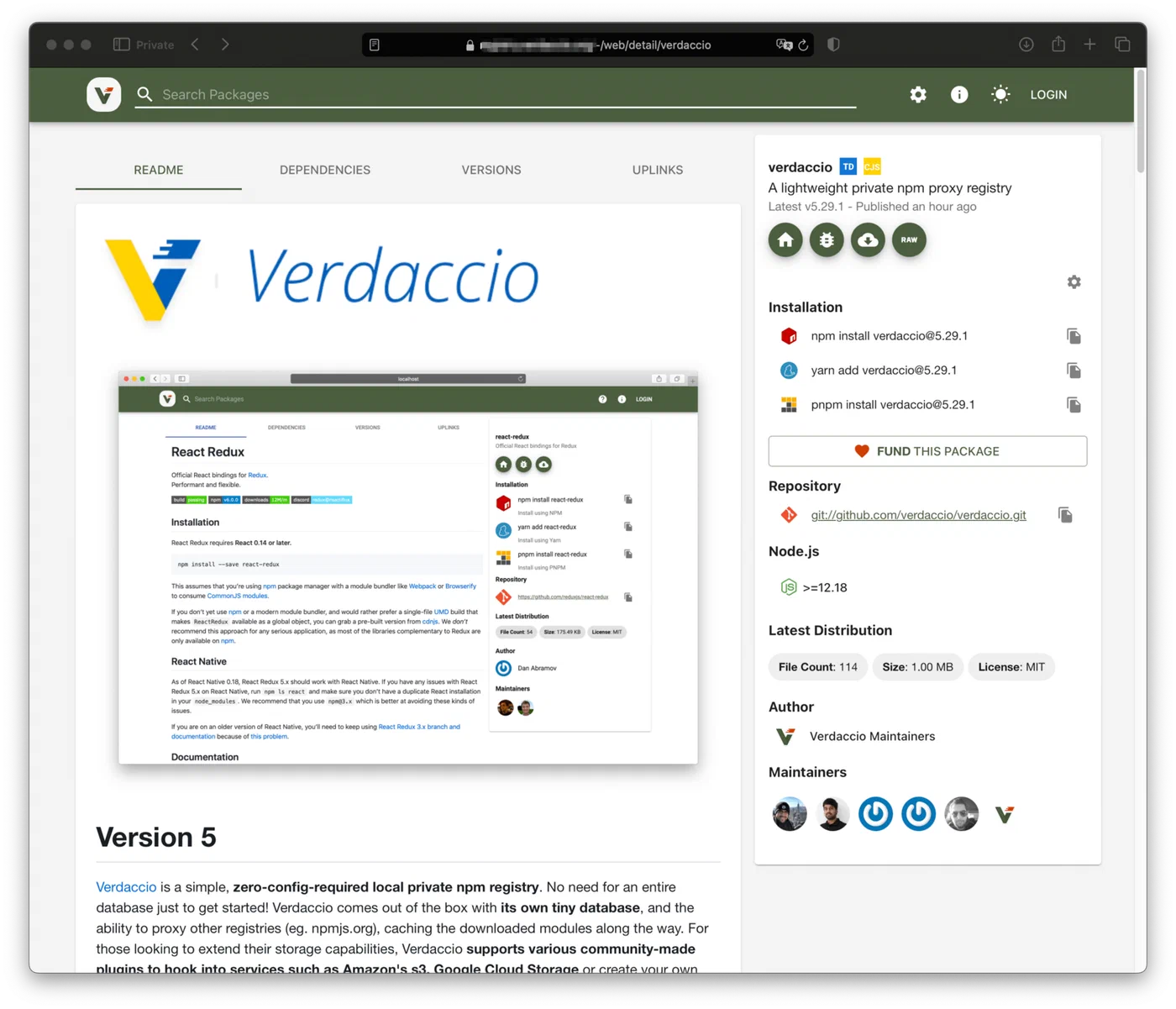
Verdaccio (currently at version 6.3.x) is the most popular self-hosted npm registry. It acts as a caching proxy for the public npm registry and supports publishing private packages, scoped package rules, and fine-grained access control. It requires Node.js 18 or higher, with Node.js 20 LTS recommended.
Installation and Basic Usage
Install globally and run:
npm install -g verdaccio
verdaccio
Verdaccio starts on port 4873 by default and creates its configuration at ~/.config/verdaccio/config.yaml.
For Docker:
docker run -p 4873:4873 \
  -v /data/verdaccio/storage:/verdaccio/storage \
  -v /data/verdaccio/conf:/verdaccio/conf \
  verdaccio/verdaccio:6
Configuration
The configuration file controls storage location, upstream registry connections, package access rules, and authentication. Here is a working config.yaml with scoped package support:
storage: /verdaccio/storage
auth:
  htpasswd:
    file: /verdaccio/conf/htpasswd
    max_users: 100

uplinks:
  npmjs:
    url: https://registry.npmjs.org/

packages:
  '@mycompany/*':
    access: $authenticated
    publish: $authenticated
    unpublish: $authenticated
    # Empty proxy means these packages are never fetched from upstream
    proxy: ''

  '**':
    access: $all
    publish: $authenticated
    proxy: npmjs

listen: 0.0.0.0:4873

middlewares:
  audit:
    enabled: true

log:
  type: stdout
  format: pretty
  level: warn
The @mycompany/* block ensures that any packages under your organization’s scope are never proxied to the public npm registry. The ** catch-all block proxies everything else to npmjs, caching the result locally. Once a package version is cached, subsequent installs are served from disk.
User Management and Client Configuration
Add a user to your registry:
npm adduser --registry http://localhost:4873This uses Verdaccio’s built-in htpasswd authentication plugin. For larger teams, Verdaccio supports LDAP and GitLab authentication plugins.
Point npm at your registry globally:
npm set registry http://localhost:4873Or use a project-level .npmrc file:
registry=http://localhost:4873/Publish packages to the local registry:
npm publish --registry http://localhost:4873Docker Compose Setup for Both Registries
Running both registries together as Docker services makes the setup reproducible and portable. Here is a complete docker-compose.yml:
services:
  pypiserver:
    image: pypiserver/pypiserver:latest
    container_name: pypiserver
    ports:
      - "8080:8080"
    volumes:
      - pypi-data:/data/packages
      - ./pypi-auth:/data/auth
    command: run -p 8080 -P /data/auth/.htpasswd -a update /data/packages
    restart: unless-stopped
    deploy:
      resources:
        limits:
          memory: 128M
    healthcheck:
      test: ["CMD", "curl", "-f", "http://localhost:8080/"]
      interval: 30s
      timeout: 5s
      retries: 3

  verdaccio:
    image: verdaccio/verdaccio:6
    container_name: verdaccio
    ports:
      - "4873:4873"
    volumes:
      - verdaccio-storage:/verdaccio/storage
      - ./verdaccio-conf:/verdaccio/conf
    restart: unless-stopped
    deploy:
      resources:
        limits:
          memory: 256M
    healthcheck:
      test: ["CMD", "curl", "-f", "http://localhost:4873/-/ping"]
      interval: 30s
      timeout: 5s
      retries: 3

volumes:
  pypi-data:
  verdaccio-storage:
pypiserver typically uses around 50 MB of RAM. Verdaccio sits at 100 to 200 MB depending on the number of cached packages and concurrent users. The memory limits above give each service comfortable headroom.
Reverse Proxy with Caddy
To serve both registries over HTTPS with automatic TLS certificates, add Caddy as a reverse proxy:
  caddy:
    image: caddy:2
    ports:
      - "80:80"
      - "443:443"
    volumes:
      - ./Caddyfile:/etc/caddy/Caddyfile
      - caddy-data:/data
    depends_on:
      - pypiserver
      - verdaccio
With a Caddyfile like:
pypi.internal.example.com {
    reverse_proxy pypiserver:8080
}

npm.internal.example.com {
    reverse_proxy verdaccio:4873
}
Caddy handles TLS certificate provisioning automatically with Let’s Encrypt. For internal-only deployments, you can use self-signed certificates or a private CA and configure pip and npm to trust them.
Storage Estimates and Backup
Storage requirements depend on your dependency tree. A typical Python web project (Django or Flask with 50 to 100 transitive dependencies) occupies about 200 to 500 MB of wheel files. A typical Node.js project can be significantly larger - a React application with its full dependency tree might use 500 MB to 1 GB of cached tarballs. If you cache packages for multiple projects, plan for 5 to 20 GB of disk space and monitor growth over time.
Backup is straightforward because both registries store packages as regular files on disk. Mount the storage volumes to host directories and include them in your existing backup system, whether that is restic, borgbackup, rsync, or any other tool. Restoring is just copying the files back.
Integrating with CI/CD and Developer Workflows
Setting up a registry is the easy part. The harder part is making sure developers and CI pipelines actually use it instead of hitting the public registries out of habit.
CI/CD Configuration
In GitHub Actions workflows, configure pip and npm to use your registries:
steps:
  - name: Install Python dependencies
    run: |
      pip install --index-url https://pypi.internal.example.com/simple/ \
        --trusted-host pypi.internal.example.com \
        -r requirements.txt

  - name: Install Node dependencies
    run: npm install
    env:
      NPM_CONFIG_REGISTRY: https://npm.internal.example.com/
For npm, you can also check a .npmrc file into the repository root:
registry=https://npm.internal.example.com/Pre-Populating the Cache
Before CI pipelines hit the registry for the first time, warm the cache on the registry host:
# Python: download all packages from requirements.txt
pip download -d /data/packages -r requirements.txt

# Node: install and let Verdaccio cache automatically
cd your-project && npm install --registry http://localhost:4873
For Verdaccio, the first npm install against it automatically pulls and caches packages from the upstream registry. Subsequent installs by any user or pipeline will be served from the local cache.
Publishing Internal Packages from CI
Add a publish step to your CI pipeline that runs after tests pass on the main branch:
  - name: Publish to internal PyPI
    if: github.ref == 'refs/heads/main'
    run: twine upload --repository local dist/*

  - name: Publish to internal npm
    if: github.ref == 'refs/heads/main'
    run: npm publish --registry https://npm.internal.example.com/
Dependency Allowlisting
For tighter supply chain control, configure Verdaccio to block all upstream packages except those explicitly approved. In config.yaml, remove the proxy: npmjs line from the catch-all rule and add individual entries for each approved package:
packages:
  '@mycompany/*':
    access: $authenticated
    publish: $authenticated

  'react':
    access: $all
    proxy: npmjs

  'express':
    access: $all
    proxy: npmjs

  '**':
    access: $all
    # No proxy - blocks all unapproved packages
For pypiserver, you control the allowlist by only downloading approved packages into the packages directory. If a package is not on disk and there is no fallback URL configured, pip will get a 404.
Air-Gapped Environments
For systems with no internet access at all, pre-load every dependency on a connected machine, then transfer the files:
# Python: download wheels for the target platform
pip download -d ./offline-pypi \
  --platform manylinux2014_x86_64 \
  --python-version 3.12 \
  --only-binary=:all: \
  -r requirements.txt

# Node: pack tarballs
npm pack react express lodash  # produces .tgz files

# Transfer the files to the air-gapped system
# Then point pip/npm at the local directory or registry
Copy the downloaded packages into pypiserver’s package directory and Verdaccio’s storage directory on the air-gapped system. Developers and CI pipelines on that network install packages the same way they would from any registry - the tools do not know or care whether the registry has internet access.
Comparison of Registry Options
If pypiserver and Verdaccio are not the right fit, here are the alternatives worth considering:
| Feature | pypiserver | devpi | Nexus | Artifactory |
|---|---|---|---|---|
| Language focus | Python only | Python only | Multi-format | Multi-format |
| Caching proxy | Redirect only | Full cache | Full cache | Full cache |
| Setup time | 5 minutes | 15 minutes | 30+ minutes | 30+ minutes |
| Resource usage | ~50 MB RAM | ~200 MB RAM | 1+ GB RAM | 1+ GB RAM |
| Cost | Free | Free | Free (OSS) / Paid (Pro) | Free (limited) / Paid |
| Multiple indexes | No | Yes | Yes | Yes |
| Web UI | Basic | Yes | Yes | Yes |
| Feature | Verdaccio | Nexus | GitHub Packages |
|---|---|---|---|
| Language focus | npm only | Multi-format | Multi-format |
| Caching proxy | Full cache | Full cache | No |
| Setup time | 5 minutes | 30+ minutes | 0 (hosted) |
| Resource usage | ~150 MB RAM | 1+ GB RAM | N/A |
| Cost | Free | Free (OSS) / Paid | Free (public) / Paid |
| Scoped packages | Yes | Yes | Scoped only |
| Auth plugins | htpasswd, LDAP, GitLab | LDAP, SAML | GitHub auth |
For small-to-medium teams, pypiserver and Verdaccio are hard to beat: they use almost no resources, take minutes to set up, and cost nothing. If you need a single tool that handles Python, npm, Docker images, Maven, and more, Sonatype Nexus or JFrog Artifactory are the enterprise options, but they need at least 1 GB of RAM, and full-featured licenses can run several hundred dollars per month.
Either way, once your registries are running and your clients are configured, you stop worrying about public registry outages and you stop wondering whether that new transitive dependency is what it claims to be.