 Botmonster Tech
Claude Code vs Cursor vs GitHub Copilot: Which AI Coding Tool Fits Your Workflow (2026)

Claude Code, Cursor, and GitHub Copilot represent three fundamentally different approaches to AI-assisted development: a terminal-native autonomous agent, an AI-native IDE, and a multi-IDE plugin ecosystem. Claude Code leads on raw capability and complex multi-file tasks, scoring highest on SWE-bench at roughly 74-81%. Cursor delivers the best integrated editing experience with background agents and cloud-based automation. GitHub Copilot offers the lowest barrier to entry at $10/month with the broadest IDE support. Most professional developers now use two or more tools together rather than choosing just one, with Claude Code plus Cursor being the most popular pairing according to the JetBrains AI Pulse survey from January 2026.
Three Paradigms of AI-Assisted Coding
These tools are not interchangeable. They represent genuinely different interaction models, and understanding each architecture tells you which workflows a given tool will handle well and where it will fall short.
Claude Code is a terminal-native agentic CLI. It lives in your shell, reads your entire codebase via agentic search, and operates autonomously across dozens of files. It integrates with GitHub, GitLab, and command-line toolchains to handle the full development loop: reading issues, writing code, running tests, committing, and submitting PRs. Its 1M-token context window (GA since March 2026) means it can hold massive codebases in working memory. Agent Teams, an experimental feature introduced in February 2026, let you orchestrate multiple Claude Code sessions as a coordinated team with a lead agent and teammates working in isolated contexts. It works with any editor since it never touches your IDE.
Cursor is a VS Code fork rebuilt around AI from the ground up. It is a complete editor redesigned for AI-first development, not a plugin bolted on. Cursor 3.0, released in early April 2026, centers the experience around agents running in parallel across repos and environments. Its Supermaven-powered autocomplete hits a 72% acceptance rate. Composer enables visual multi-file editing. Background agents (GA since late 2025) run on cloud Ubuntu VMs, clone your repo, do the work, and open PRs without touching your local machine. BugBot (February 2026) automatically reviews PRs and can spin up a cloud agent to propose fixes - 35% or more of its autofix suggestions get merged. Cursor Automations trigger agents on schedules or external events.

GitHub Copilot is a plugin-based assistant embedded across VS Code, JetBrains, Visual Studio, Neovim, and Xcode. Agent mode reached GA in March 2026 on VS Code and JetBrains, with the ability to autonomously create files, edit code, run tests, and iterate. The coding agent handles fully autonomous PR creation from issues. Semantic code search, new in 2026, finds conceptually related code rather than keyword matches. Custom agents get full workspace awareness, tool access, and MCP connections. Its advantage is ecosystem breadth - it works wherever you already code.
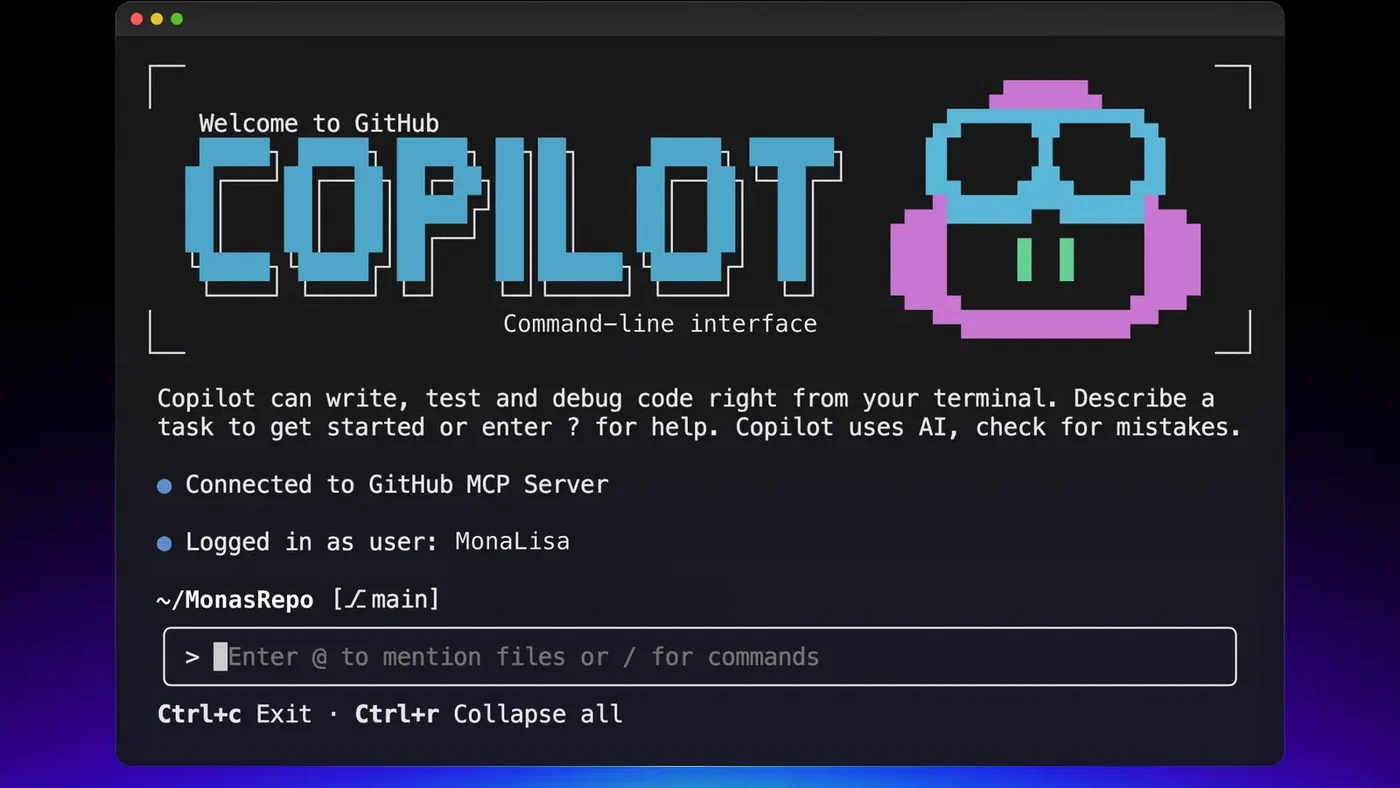
Picking between them comes down to how you prefer to interact with code: from a terminal, from a visual editor, or from within whatever IDE you already use.
Pricing Breakdown
Pricing has diverged significantly, with each tool targeting different willingness-to-pay segments. Hidden costs and credit-based systems make apples-to-apples comparison harder than the sticker prices suggest.
| Feature | Claude Code | Cursor | GitHub Copilot |
|---|---|---|---|
| Free tier | No | Yes (limited) | Yes (2,000 completions + 50 premium requests/mo) |
| Entry paid tier | $20/mo (Pro) | $20/mo (Pro) | $10/mo (Pro) |
| Mid tier | $100/mo (Max 5x) | $60/mo (Pro+) | $39/mo (Pro+) |
| Top individual tier | $200/mo (Max 20x) | $200/mo (Ultra) | $39/mo (Pro+) |
| Team/Business | API pay-per-token | $40/user/mo (Teams) | $19/user/mo (Business) |
| Enterprise | Custom | Custom | $39/user/mo |
| Pricing model | Subscription tiers + API tokens | Credit-based pool | Premium requests |
Claude Code comes in three subscription tiers: Pro at $20/month (included with the Claude Pro subscription), Max 5x at $100/month (roughly 88K tokens per 5-hour window), and Max 20x at $200/month (roughly 220K tokens per 5-hour window). API pay-per-token is also available for teams building custom workflows. Agent Teams multiply token consumption roughly linearly - a 3-agent team burns about 3x tokens.
Cursor starts with a free Hobby tier (limited completions and agent requests), then Pro at $20/month ($16/month annual, includes a $20 credit pool), Pro+ at $60/month (3x credits), Ultra at $200/month (20x credits, priority features), Teams at $40/user/month, and Enterprise with custom pricing. Cursor overhauled its pricing in June 2025 to a credit-based system tied to actual API costs. Auto mode is unlimited and does not draw from credits; manually selecting premium models like Claude Sonnet or GPT-4o does. The rollout was rough - Cursor publicly apologized and issued refunds in July 2025 for unexpected charges.
GitHub Copilot has the most accessible entry: Free ($0, 2,000 completions plus 50 premium requests/month), Pro at $10/month (unlimited completions, 300 premium requests), Pro+ at $39/month (1,500 premium requests, access to all models including Claude Opus 4 and o3), Business at $19/user/month, and Enterprise at $39/user/month. Chat, agent mode, code review, and cloud agents all consume premium requests at varying rates depending on the model.
Copilot Free-to-Pro is the cheapest entry point by a wide margin. Claude Code Pro and Cursor Pro are price-matched at $20/month but deliver very different experiences. For heavy autonomous usage, costs scale fastest with Claude Code Max 20x and Cursor Ultra, both at $200/month. Copilot Enterprise and Cursor Teams target different organizational needs - Copilot emphasizes GitHub-native integration while Cursor emphasizes IDE-level AI.
Benchmarks and Real-World Performance
Benchmarks provide useful orientation but should not be the sole deciding factor. A model scoring 5 points higher on SWE-bench may feel slower or more error-prone in your specific workflow. That said, the capability gaps on complex tasks are real.
| Metric | Claude Code | Cursor | GitHub Copilot |
|---|---|---|---|
| SWE-bench Verified | ~74-81% (Opus 4.6) | ~52% (standard), 61.3 (CursorBench) | ~56% |
| Autocomplete acceptance | N/A (no inline autocomplete) | 72% (Supermaven) | ~35-45% (estimated) |
| “Most loved” rating | 46% | 19% | 9% |
| Context window | 1M tokens | ~128K tokens | Limited to open files |
| CSAT score | 91% | Not published | Not published |
| NPS | 54 | Not published | Not published |
SWE-bench Verified is the most widely cited benchmark for real-world software engineering tasks. Claude Code with Opus 4.6 leads at approximately 74-81% depending on configuration. GitHub Copilot solves about 56% of SWE-bench tasks. Cursor scores roughly 52% on standard SWE-bench but 61.3 on CursorBench and 73.7 on SWE-bench Multilingual.
On speed, Cursor completes benchmark tasks roughly 30% faster than Copilot on average. Claude Code’s speed depends heavily on task complexity - it is slower to start because it reads and maps the full codebase, but faster on multi-step tasks where that upfront understanding prevents backtracking.
The Stack Overflow 2025 survey paints a mixed picture of developer satisfaction with AI tools broadly. 84% of developers use or plan to use them. But positive sentiment dropped from over 70% in 2023-2024 to 60%. 46% actively distrust AI tool accuracy versus 33% who trust it. The most common frustration, cited by 66% of developers: “AI solutions that are almost right, but not quite.” Only 17% report agents have improved team collaboration.
The JetBrains AI Pulse survey from January 2026 (sample: 10,000+ professional developers) provides sharper numbers. Claude Code’s work adoption reached 18%, a 6x increase from about 3% in mid-2025. Its CSAT hit 91% and NPS reached 54 - the highest product loyalty metrics in the category. Google Antigravity , launched in November 2025, already reached 6% adoption by January 2026, making it another contender worth watching.
Security, Privacy, and Compliance
Where your code goes matters, especially in corporate environments. The three tools handle data very differently.
| Feature | Claude Code | Cursor | GitHub Copilot |
|---|---|---|---|
| SOC 2 Type II | No (HIPAA-ready) | Yes (Business plans) | Yes |
| Code used for training | No (API policy) | No (Business/Enterprise) | No (Business/Enterprise) |
| Privacy mode | N/A | Yes (Business) | Organization-level controls |
| IP indemnity | No | No | Yes (Enterprise) |
| Self-hosted option | Via API | Enterprise (self-hosted agents) | Enterprise |
| Audit logging | API logs | Enterprise | Enterprise |
Claude Code sends code to Anthropic’s API, but Anthropic’s data policies state that API inputs are not used for model training. It has the strongest HIPAA story among the three but lacks SOC 2 Type II certification.
Cursor offers SOC 2 Type 2 certification on Business plans. The Enterprise tier includes data encryption at rest and in transit, zero-retention policies, and a privacy mode that ensures code stays within the organization’s infrastructure.
GitHub Copilot leads on compliance and institutional trust. The Enterprise tier includes SOC 2 Type II, centralized billing, organization-level policies, audit logging, and - uniquely - IP indemnity. GitHub will defend you legally if Copilot-generated code is challenged for copyright. If your organization has a strict security review process, Copilot is often the only tool that clears procurement.
MCP and Extension Ecosystems
The Model Context Protocol (MCP) has become the standard way AI coding tools connect to external services, and each tool’s approach to extensibility reflects its design philosophy.
Claude Code supports over 300 MCP integrations including GitHub, Slack, PostgreSQL, Sentry, Linear, and custom internal systems. It has the deepest extensibility story with hooks, MCP, agents, skills, and CLAUDE.md configuration files. Because Claude Code is terminal-native, its extension model is closer to Unix pipes - composable and scriptable.
Cursor supports MCP servers through its settings configuration, making setup straightforward. Its extension model also benefits from inheriting the entire VS Code extension marketplace, giving it access to thousands of existing extensions in addition to AI-specific MCP integrations.
GitHub Copilot supports MCP in Agent Mode, working with standard MCP servers. Copilot’s extensibility lives primarily inside the GitHub platform: Actions, security tooling, PR pipelines, and organization-level policies. In March 2026, Copilot added enterprise MCP governance - admins can specify which MCP servers are allowed within their organizations via allowlist policies. Notably, Claude Code is available as a third-party agent within Copilot Pro+ and Enterprise, meaning teams can run both without choosing sides at the platform level.
Workflow Fit - Matching Tools to How You Work
Your daily development patterns, team structure, and existing toolchain matter more than benchmark scores when picking a tool.
If you are a solo developer who lives in the terminal, Claude Code is the natural choice. It handles the full loop - reading issues, planning, coding, testing, committing, and opening PRs - without leaving your shell. It works best when you think in terms of tasks rather than keystrokes and when your changes span many files across a large codebase.
If you prefer a visual editor, Cursor is where you want to be. Composer gives you a multi-file editing experience that Claude Code’s CLI cannot match for developers who like seeing changes in context. Background agents let you offload heavy tasks while you keep working in the editor, and BugBot adds automated code review without switching tools.
For enterprise teams already invested in the GitHub ecosystem, Copilot creates the least friction. It plugs into GitHub Issues, PRs, code review, and Actions. Enterprise-tier codebase indexing gives it organization-wide code understanding. If your company runs on GitHub, Copilot fits in without a procurement fight.
In practice, most developers in 2026 combine tools rather than picking one. Survey data shows experienced developers use 2.3 tools on average. The most common pairings:
- Cursor for daily editing and autocomplete, Claude Code for complex multi-file tasks and large refactors
- Copilot in your IDE for completions, Claude Code in your terminal for the heavy lifting
- Claude Code as a third-party agent within Copilot Pro+ and Enterprise, so you get both without switching contexts
Each tool has clear weak spots. Claude Code’s primary interface is the terminal, but the official VS Code extension closes much of the GUI gap - it brings Claude Code’s agent capabilities directly into the editor with new features shipping at a rapid pace. That said, developers who rely on inline autocomplete or want the full Cursor-style visual editing experience will still want to pair Claude Code with a dedicated editor. Cursor locks you into a VS Code fork - JetBrains and Vim users cannot use it, though Cursor 3.0 added JetBrains ACP integration. Copilot’s context window is limited to open files, making it the weakest option for large-scale refactoring across an entire codebase.
What Changed in 2026
The AI coding tool market moved fast in late 2025 and early 2026. A handful of releases shifted the competitive dynamics in meaningful ways.
On the Claude Code side, Agent Teams shipped in February 2026 - multiple Claude Code instances working as a coordinated team with a lead agent assigning tasks and teammates working in isolated contexts. It is still experimental and disabled by default, but it is the closest any tool has come to parallelized AI development across frontend, backend, and tests. The 1M-token context window reached GA in March 2026, removing the biggest limitation for large codebase work. No other tool matches this context size for a coding agent.
Cursor released version 3.0 in April 2026, a full redesign centered around running many agents in parallel across repos and environments - locally, in worktrees, in the cloud, and on remote SSH. BugBot Autofix graduated from reviewer to fixer with a 35%+ merge rate. Issues identified per run nearly doubled and resolution rate climbed from 52% to 76%.
GitHub Copilot’s agent mode reached GA in March 2026 on VS Code and JetBrains. It can now autonomously create files, edit code, build, run tests, and iterate. Custom agents gained full access to workspace awareness, code understanding, MCP connections, and the new find_symbol tool for language-aware navigation. The coding agent handles fully autonomous PR creation from issues, and semantic code search finds conceptually related code rather than just keyword matches.
All three tools are converging toward agentic capabilities, but from different starting positions. Claude Code began as an agent and is adding team coordination. Cursor began as an editor and is adding autonomous cloud agents. Copilot began as autocomplete and is adding agent mode. Those origins still shape where each tool performs best.
The Broader Market
These three are not the only players. Windsurf pioneered the “agentic IDE” concept with its Cascade feature and raised its Pro tier from $15 to $20/month in March 2026 to match Cursor. Its SWE-1.5 model scores 40.08% on SWE-Bench but delivers 950 tokens per second - 14x faster than alternatives. Google Antigravity reached 6% adoption within two months of launching. JetBrains Junie sits at 5% adoption and appeals to developers already invested in the IntelliJ ecosystem. OpenAI’s Codex offers yet another approach with cloud-sandboxed agents.
The market has not consolidated. It has fragmented into specialized tools that developers mix and match based on the task at hand. The “winner” of this comparison depends entirely on whether you value raw capability (Claude Code), integrated editing (Cursor), or ecosystem breadth (Copilot). For most working developers in 2026, the answer is: use at least two of them.