 Botmonster Tech
Small HD Camera (1080p/720p) Light Indicators
This guide covers common light patterns and operations for generic Chinese mini cameras (like SQ11, SQ8, SQ12) that use a single LED with multiple colors. For full-scale surveillance setups rather than pocket recorders, see our walkthrough on local AI security cameras with Frigate .
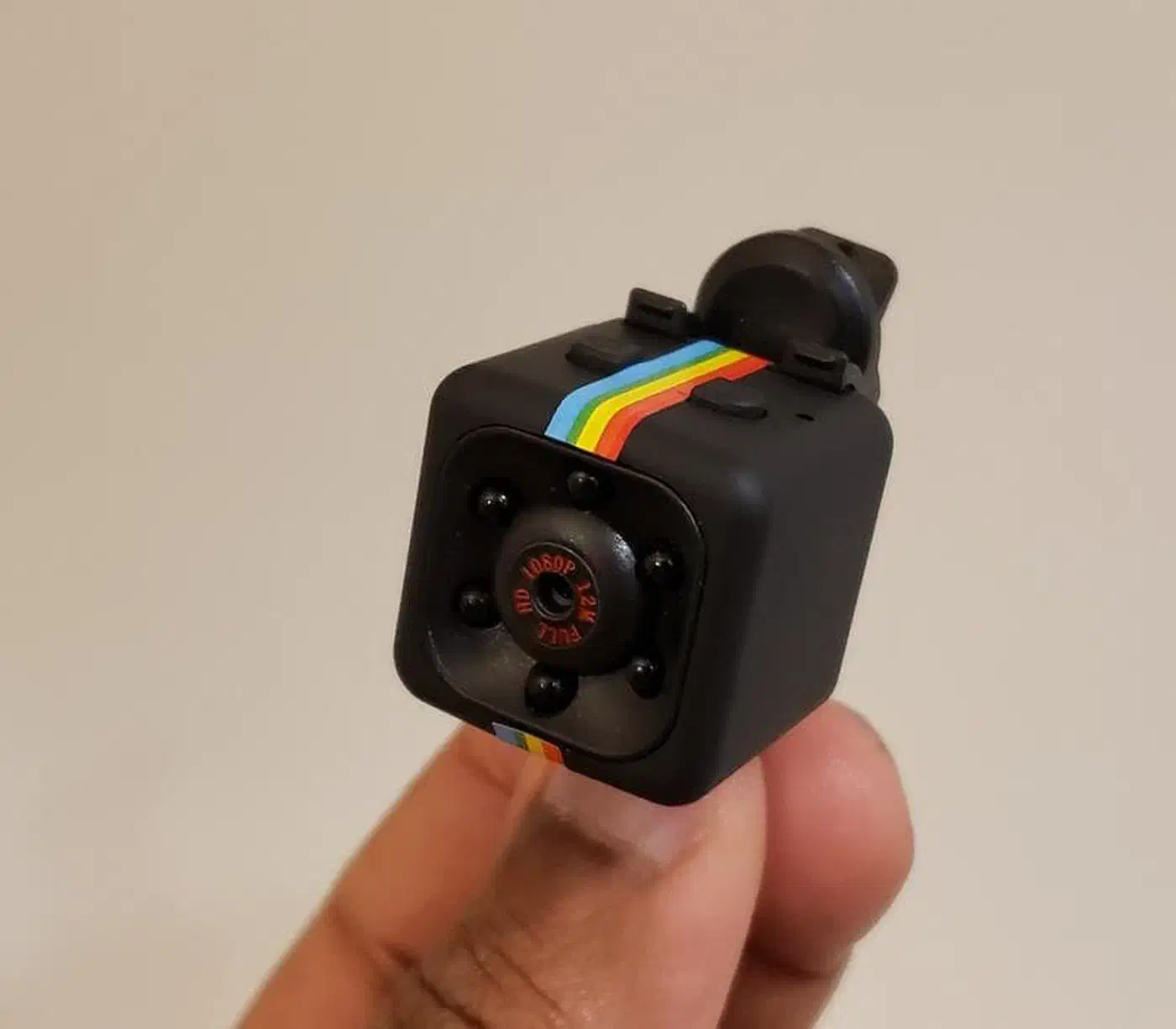
Mode Indicators
The solid light indicates the current resolution in Standby Mode:
- Green Light: 1080p Full HD Standby.
- Blue Light: 720p HD Standby.
What Three Red Flashes Mean
A single red diode flashing 3 times usually indicates one of the following:
- Recording Started (Normal):
- From standby (solid Green or Blue), press the Power/Rec button once.
- The red light will flash 3 times and then turn off.
- Meaning: The camera is actively recording video.
- SD Card Error:
- If the red light flashes 3 times and the camera does not start recording or shuts down.
- Meaning: No SD card detected, card is full, or card is not formatted to FAT32.
- Low Battery:
- The light flashes red 3 times and the device powers off completely.
- Night Vision Toggle:
- On some models, holding the power button for 2 seconds while in standby/recording causes 3 red flashes to signal that Infrared (Night Vision) has been turned on or off.
If an LED code is undocumented for your specific clone, you can capture and decode the camera’s USB traffic as shown in our guide on reverse engineering USB devices with Wireshark .
Basic Operation
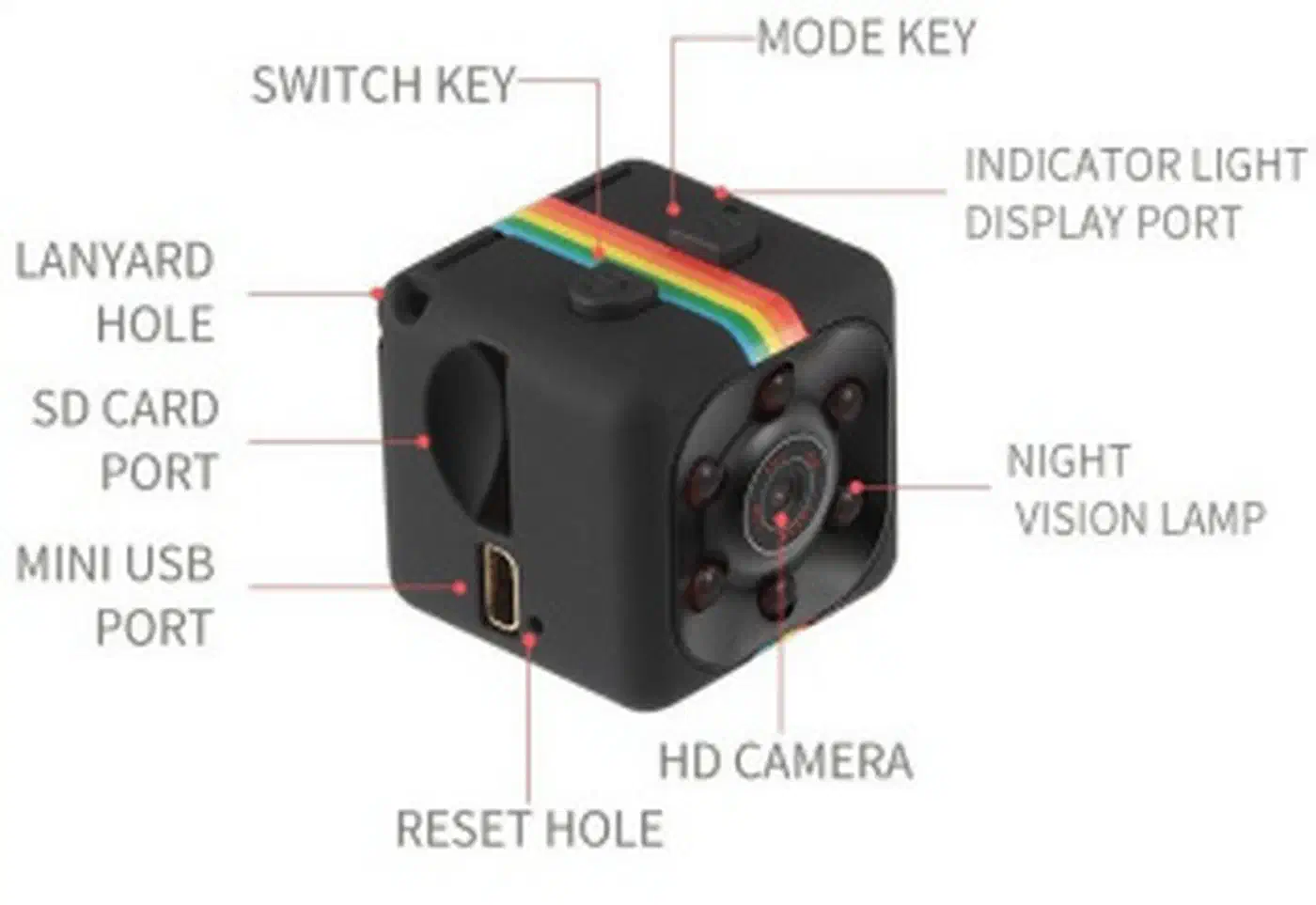
- Power On: Hold Power button for 2–3 seconds (defaults to Blue/720p).
- Switch Mode: Press the Mode button once to cycle between Blue (720p) and Green (1080p).
- Start Recording: Press Power once (3 red flashes, light goes out).
- Stop Recording: Press Power once (solid light returns).
- Reset: Use a pin in the “Reset” hole if the camera becomes unresponsive.
For other obscure USB peripherals that rely on quirky Linux driver support, see our writeup on setting up a USB fingerprint reader on Linux Mint .