 Botmonster Tech
ZFS Snapshots Guide: Protect Your Data from Ransomware
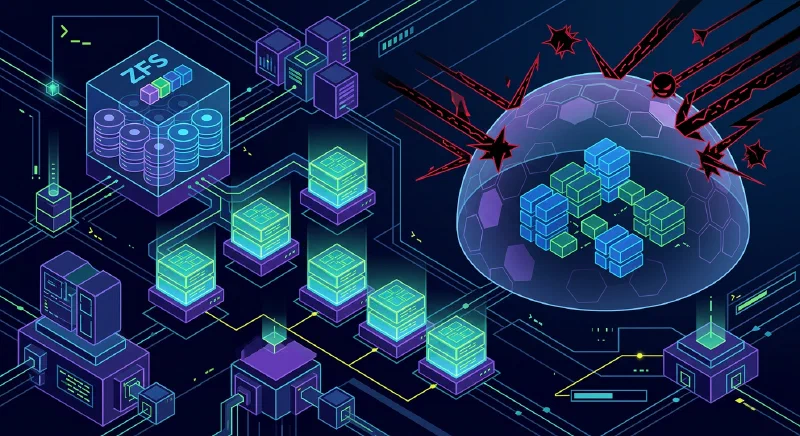
Ransomware has changed from a “big enterprise” problem into a routine risk for freelancers, homelab users, and small teams. In 2026, attacks are faster, quieter, and often start with ordinary credentials stolen from a browser, password vault export, or exposed SSH key. If you run Linux storage and your only protection is “we have backups somewhere,” your recovery window may still be too wide.
ZFS snapshots
give you a practical way to reduce that window. A snapshot is an instant, read-only checkpoint of a dataset at a specific point in time. Because ZFS is copy-on-write (CoW), snapshots are cheap to create, fast to list, and reliable to recover from, as long as you design retention and permissions correctly. This guide covers the full strategy: prerequisites, installation, immutable snapshot controls, automation with sanoid
and syncoid
, recovery steps during an active incident, performance impact, and compliance considerations.
Why ZFS Fits the 2026 Ransomware Reality
The core reason ZFS works against ransomware is architectural, not cosmetic. On CoW filesystems, modified data is written to new blocks, and metadata pointers are updated atomically. Existing referenced blocks remain intact until all references are gone. A snapshot is just another durable set of references to previous blocks. That means a snapshot can preserve pre-attack state even if live files are encrypted minutes later.
Most modern ransomware now follows an “encrypt first, disrupt second” workflow. Attackers avoid obvious destructive behavior until encryption has spread across reachable shares and endpoints. On ext4 with naive backup habits, this can lead to both production and backups being encrypted in sequence. On ZFS with frequent snapshots and restricted deletion rights, the attacker can encrypt the active dataset but cannot silently rewrite historical blocks.
This is where recovery point objective (RPO) becomes concrete. If you snapshot hourly, your worst-case data loss window is close to one hour. If you snapshot every 5 minutes on critical datasets, your blast radius shrinks accordingly. Snapshot cadence is not just a convenience setting; it is a business decision about acceptable loss.
Compared with Btrfs snapshots, ZFS adds two qualities that matter under attack pressure:
- End-to-end checksums for both data and metadata.
- Mature RAID-Z and healing behavior in degraded scenarios.
Btrfs has improved significantly, but many operators still prefer ZFS for conservative recovery workflows because tooling and operational patterns are mature, especially on NAS-like systems.
Prerequisites and Installation Paths
Many guides assume you already have a healthy ZFS pool. For ransomware planning, that assumption is risky. Start with baseline requirements and an installation path that matches your environment.
Baseline prerequisites
| Component | Recommended baseline (2026) | Notes |
|---|---|---|
| CPU | 64-bit with AES-NI support | Strongly helps encrypted datasets |
| RAM | 16 GB minimum, 1 GB per TB rule as planning heuristic | Not a hard rule, but still useful for design |
| ECC memory | Preferred for business/important data | Reduces silent memory corruption risk |
| OS kernel | Modern LTS kernel with OpenZFS support | Keep kernel and ZFS module compatibility aligned |
| Storage | Redundant vdev layout (mirror/RAID-Z) | Single disk pools remove self-healing benefits |
The “1 GB RAM per TB” guidance is still a planning heuristic, not a law. If your workloads are light and mostly sequential, you can run lower. If you deduplicate aggressively or run mixed VM workloads, you may need more. With 64 GB DDR5 in a 2026 home NAS, you can run robust snapshot schedules and replication without pressure.
Ubuntu and Debian quick setup
On current Ubuntu and Debian releases with OpenZFS packages, the fast path looks like this:
sudo apt update
sudo apt install -y zfsutils-linux sanoid
sudo modprobe zfs
sudo zpool create -o ashift=12 tank mirror /dev/sdb /dev/sdc
sudo zfs create tank/data
sudo zfs set compression=zstd tank/data
If you need encryption at rest from day one, create encrypted datasets explicitly:
sudo zfs create \
  -o encryption=aes-256-gcm \
  -o keyformat=passphrase \
  -o keylocation=prompt \
  tank/secure
This encryption setting protects offline media and stolen drives. It does not replace snapshots, because ransomware usually runs after the dataset is unlocked on a live system.
TrueNAS SCALE path
If you prefer an appliance model, TrueNAS SCALE gives you a UI-driven path for pool creation, dataset permissions, snapshot tasks, and replication. Choose SCALE when:
- You want safer defaults and guardrails for a small team.
- You do not want to maintain Linux package/module compatibility manually.
- You need role-based administration with less shell exposure.
Choose native Linux OpenZFS when:
- You need fine-grained automation integrated with existing scripts.
- You already operate Linux services and infra-as-code.
- You want direct control over package versions and CLI workflows.
What Changed in ZFS in 2026
The biggest operator-facing change is RAID-Z expansion in newer OpenZFS releases. Historically, many admins delayed ZFS adoption because scaling RAID-Z often meant pool redesign or migration. Expansion support reduces that operational cliff.
In practical terms, you can add capacity to eligible RAID-Z vdevs and then rebalance over time, rather than rebuild from scratch. Performance during expansion is workload-sensitive: sequential workloads tolerate it well, while random-heavy workloads can feel it more. Plan expansion windows and monitor latency, but the old “destroy and recreate” burden is no longer the default story.
Block cloning is another important improvement. When enabled and supported by your stack, duplicate file copy operations can share block references until divergence, reducing space amplification in versioned workflows and backup staging.
Also worth clarifying: managed platforms and upstream OpenZFS can expose features at different times. Before using newer capabilities in production, verify three items:
- Pool feature flags on source and destination systems.
- Replication compatibility across versions.
- Rollback/upgrade plan if a feature must be disabled.
Designing Snapshot Immutability and Least Privilege
Snapshots only protect you if an attacker cannot trivially delete them. In many incidents, the destructive step comes after privilege escalation. If the compromised account has full ZFS admin rights, snapshots become removable safety glass.
Use snapshot holds for critical restore points
zfs hold prevents deletion of specific snapshots until a matching hold is released:
sudo zfs snapshot tank/data@pre-change-2026-03-07
sudo zfs hold keep tank/data@pre-change-2026-03-07
# Attempted destroy now fails until hold release
For long-term checkpoints (quarter-end, compliance, major migrations), holds are a direct and effective control.
Delegate only the permissions you need
Avoid running every automation task as root. Delegate narrow capabilities to a dedicated service account:
sudo useradd -r -s /usr/sbin/nologin zfs_admin_snapshot
sudo zfs allow zfs_admin_snapshot snapshot,mount,send,hold tank/data
This follows least privilege. Your scheduler can create/send/hold snapshots without broad destroy rights across all datasets.
Keep an offsite copy outside local blast radius
Use zfs send | zfs receive to replicate snapshots to a second host, ideally in another location or at least another trust boundary:
sudo zfs snapshot -r tank/data@auto-$(date +%Y%m%d-%H%M)
sudo zfs send -Rw tank/data@auto-20260307-0100 | \
  ssh backup@offsite "sudo zfs receive -u backup/tank-data"
If ransomware lands on your primary host, local snapshots help. If it also gains destructive admin access, offsite immutable copies are your second line of defense.
Trigger protective snapshots on suspicious activity
zed
(ZFS Event Daemon) can call scripts on pool events. You can pair this with file-activity detection from endpoint telemetry to trigger emergency snapshots. A simple pattern is:
- Detect unusual encryption-like file churn.
- Trigger an immediate recursive snapshot on high-value datasets.
- Alert operators and temporarily restrict write paths.
Even if detection is noisy, an extra snapshot is cheap insurance.
Automating Snapshots and Replication with sanoid and syncoid
Manual snapshots are theater. Real protection means policy-driven creation, retention, and replication.
Example sanoid policy
A common setup is frequent short retention plus longer archival checkpoints. In /etc/sanoid/sanoid.conf:
[tank/data]
        use_template = production
        recursive = yes

[template_production]
        frequently = 0
        hourly = 48
        daily = 30
        monthly = 12
        autosnap = yes
        autoprune = yes
This keeps 48 hourly checkpoints, 30 daily, and 12 monthly. Tune the schedule per dataset value and churn profile.
Replicate with syncoid
syncoid wraps send/receive safely and supports incremental behavior, resume tokens, and useful operational flags:
syncoid \
  --compress=zstd-fast \
  --sshport=22 \
  --no-sync-snap \
  --source-bwlimit=80m \
  tank/data backup@offsite:backup/tank-data
Key points:
--no-sync-snapis useful when you run pull-based backup orchestration and want tighter control of snapshot naming.- Bandwidth limits keep replication from saturating WAN links.
- Use SSH keys restricted to replication commands and host allowlists.
Lightweight property-based option
If you need a minimal start, com.sun:auto-snapshot=true can work with simpler snapshot tooling in some environments. It is not as expressive as sanoid retention templates, but it is better than ad-hoc manual snapshots.
Test restores before an incident
A snapshot policy that has never been tested is an assumption. Run recovery drills quarterly:
# Clone snapshot into isolated test dataset
sudo zfs clone tank/data@autosnap_2026-03-07_0100 tank/restore-test
# Validate application startup and file integrity from clone
Clones let you validate recovery without touching production state.
Recovery Playbook After a Ransomware Event
When an incident starts, stress and speed can cause mistakes. Use a repeatable sequence.
Step 1: Isolate, do not power off
Disconnect network access immediately. Avoid abrupt shutdown if possible; you want forensic traces and intact system state for timeline analysis.
Step 2: Identify safe snapshot boundary
List snapshots and find the most recent pre-encryption checkpoint:
sudo zfs list -t snapshot -o name,creation -s creationIf you also replicated offsite, verify the remote side for a matching clean snapshot.
Step 3: Perform selective recovery first
Before full rollback, inspect .zfs/snapshot read-only paths to recover specific files quickly:
ls /tank/data/.zfs/snapshot/
cp /tank/data/.zfs/snapshot/autosnap_2026-03-07_0100/projects/app/config.yml ./
This is often enough for partial incidents where only subsets were encrypted.
Step 4: Roll back only with clear blast-radius confirmation
If broad encryption occurred and restoration scope is clear:
sudo zfs rollback -r tank/data@autosnap_2026-03-07_0100Then rotate credentials, patch entry vectors, and re-enable writes in controlled phases. Recovery without root-cause containment invites reinfection.
Troubleshooting quick map
| Symptom | Likely cause | Immediate action |
|---|---|---|
| Snapshot missing expected files | Wrong dataset targeted | Check child datasets and recursive snapshot policy |
zfs rollback blocked | Newer snapshots/dependents exist | Use clone path or include -r after validation |
| Replication gap offsite | SSH/auth failure or pool feature mismatch | Validate transport keys and zpool get all feature flags |
| Snapshot deletion succeeded unexpectedly | No hold/delegation guardrail | Add holds and remove broad destroy permissions |
Snapshot Strategy Comparison
Snapshots are not identical across stacks. The right tool depends on data model, operational maturity, and restore workflow.
| Feature | ZFS snapshots | Btrfs snapshots | LVM snapshots | Restic (repo backup) |
|---|---|---|---|---|
| Snapshot speed | Instant metadata operation | Instant metadata operation | Fast but COW volume overhead | N/A (backup, not fs snapshot) |
| Integrity checksumming | End-to-end (data + metadata) | Yes, but operational variance by setup | No end-to-end fs checksumming | Repository-level content checks |
| Native send/receive replication | Mature and efficient | Available, less uniform ops patterns | Limited and tooling-dependent | Strong remote backup workflows |
| Ransomware recovery UX | Excellent with schedule + holds | Good with discipline | Usable but less ergonomic at scale | Excellent for offsite restore, slower full-system rollback |
| Typical use case | NAS, servers, high-value datasets | Desktop/server mixed workloads | Legacy enterprise stacks | Cross-platform backup archive |
A practical model for many teams is hybrid: ZFS snapshots for rapid local rollback plus Restic object backup for cross-platform, long-term, and air-gapped retention.
Performance Impact of Dense Snapshot Schedules
The common fear is that frequent snapshots will crush I/O. In most real workloads, snapshot creation itself is cheap. The heavier impact comes from retention density, metadata churn, and deletion/pruning windows.
What operators typically observe:
- Snapshot creation latency is near-instant.
- Read performance is usually unaffected for active datasets.
- Write-heavy workloads can see moderate overhead when many historical block versions are retained.
- Destroying large numbers of old snapshots can cause temporary I/O pressure.
A realistic planning range for dense schedules on modern SSD-backed pools is low single-digit overhead for normal mixed workloads, increasing under pathological small-file churn or aggressive pruning windows. Measure on your hardware with your dataset shape rather than trusting generic percentages.
Measure with a simple benchmark routine
- Capture baseline latency/throughput (
fio, app-level SLOs). - Enable target snapshot schedule for at least one week.
- Compare daytime and prune-window I/O metrics.
- Tune retention and prune timing to avoid peak business hours.
If write amplification becomes visible, split high-churn data into dedicated datasets with shorter retention and keep long retention for high-value, lower-churn datasets.
Encryption, Compliance, and Retention for Business Data
Ransomware defense is not only technical recovery. For business data, legal obligations shape what you keep, for how long, and where it is replicated.
Encryption at rest and key handling
Encrypted datasets (aes-256-gcm) protect disks at rest and reduce impact of device theft. For compliance-friendly posture:
- Store keys separately from primary data where possible.
- Document key rotation policy.
- Limit who can load/unload keys during maintenance.
Remember: once a dataset is unlocked and mounted, ransomware can still encrypt live files. Encryption at rest complements snapshots; it does not replace them.
GDPR and retention boundaries
For EU personal data, snapshots can conflict with deletion expectations if retention is unlimited. Build explicit retention classes:
- Operational snapshots: short-term, high-frequency.
- Audit/legal snapshots: long-term with documented justification.
- Personal-data minimization: avoid broad indefinite holds unless legally required.
Your incident policy should define how data subject requests interact with immutable backup windows and what legal basis applies to temporary retention.
Policy checklist for regulated environments
| Control area | What to document |
|---|---|
| Retention policy | Snapshot frequency, duration, and deletion schedule by dataset |
| Access control | Who can create, hold, send, release, or destroy snapshots |
| Offsite replication | Region, provider, encryption state, recovery testing cadence |
| Incident response | Isolation steps, recovery authority, notification workflow |
| Audit evidence | Recovery drill logs, restore success proof, policy revisions |
If you run healthcare, finance, or contractual enterprise workloads, review these controls with legal/compliance stakeholders before finalizing retention automation.
Final Implementation Blueprint
If you want a clear rollout path, use this sequence:
- Create or validate pool and dataset layout.
- Enable compression and encrypted datasets for sensitive paths.
- Define snapshot frequency by RPO tier (5 min, hourly, daily).
- Apply least-privilege delegation and snapshot holds for critical checkpoints.
- Configure
sanoidretention templates. - Configure
syncoidreplication to offsite destination. - Test file-level recovery and full rollback in isolated drills.
- Record performance baselines and tune prune windows.
- Document compliance retention classes and access controls.
ZFS snapshots are not magic, but they are one of the few controls that reliably change incident outcomes from “catastrophic” to “recoverable.” The difference is operational discipline: frequent snapshots, protected deletion paths, offsite replication, and tested restores.