 Botmonster Tech
10 Claude Code plugins to 10x your AI development projects

I get better output from Claude Code by adding fewer tools, not more. Piling on MCP servers rarely helps, but the right official marketplace plugins, CLI tools, and skills do. Start with /plugin and picks like typescript-lsp and security-guidance, then add Supabase CLI, Playwright, GitHub CLI, and the GSD framework. That stack handles code, deploys, research, and browser work on its own.
When I first found Claude Code, I tried to connect every MCP server I could find. Within a week, the agent felt slower and less decisive, and it often picked the wrong tool for the job. The fix was almost always a smaller, more careful toolset.
Start With the Official Plugin Marketplace
Before you install anything third-party, type /plugin inside a Claude Code session. Anthropic ships an official marketplace (claude-plugins-official) with 51 plugins: 36 first-party and 15 partner integrations. A highly upvoted r/ClaudeAI thread (1,339 points) went through them, and the community verdict was clear. Four picks come up again and again:
- typescript-lsp gives Claude real type checking and go-to-definition instead of guessing. Twins exist for Go, Rust, Python, and six other languages.
- security-guidance scans passively for hardcoded secrets, auth bypasses, and injection risks. One Redditor reported it caught a real auth bypass Claude itself had written.
- context7 fetches current library docs, so the agent stops suggesting deprecated APIs.
- playwright runs a real browser for end-to-end tests, in plain language.
Nobody in that thread could answer the obvious follow-up: what do these plugins cost in context? So I cloned the marketplace repo (commit 96468b2) and counted the markdown each plugin can inject:
| Plugin | Injectable content | Est. tokens when active |
|---|---|---|
| skill-creator | 10,323 words of skills | ~14k |
| claude-md-management | 2,483 words | ~3.3k |
| feature-dev | 1,702 words | ~2.3k |
| code-review | 1,245 words | ~1.7k |
| frontend-design | 562 words | ~0.7k |
| typescript-lsp | LSP config only | ~0 |
| security-guidance | Python hooks | ~0 prompt cost |
| context7, playwright | MCP servers | tool schemas load every session |
The pattern: “plugin” is just packaging. Some plugins are skills that load on demand, some are hooks that run outside the prompt, some are LSP configs with zero context cost, and some are MCP servers whose tool schemas sit in every session. That last group is why the community calls context7 token-heavy. The cost comes from the layer, not the plugin label. For the wider directory of installable skills beyond the official marketplace, see the Claude Code skills ecosystem.
Plugin, Skill, CLI, or MCP: Picking the Right Layer
Claude Code is a terminal-native agent. It runs in my shell, reads my file system, and runs commands directly. That design shapes how I choose to extend it, and it gives me a simple decision table:
| Layer | What it is | When it wins | Context cost |
|---|---|---|---|
| Skill | Markdown instructions loaded on demand | Teaching the agent a repeatable workflow | Near zero until invoked |
| Command plugin | Slash commands and subagents | Structured flows like code review | Loads when the command runs |
| Hook | Script that fires on agent events | Passive guardrails like security scans | Zero prompt cost |
| CLI tool | Binary on the PATH | Dev work needing speed and local fit | Zero until Claude runs it |
| MCP server | External process exposing tools | Web access and outside APIs | Tool schemas load every session |
MCP servers add overhead: a server to manage, a protocol layer to cross, and tool schemas that occupy context whether or not they get used. For read-heavy jobs like browsing the web they work fine. But for dev work, CLI tools win almost every time. When a CLI tool sits in my path or a project’s node_modules, Claude runs it the way I would: by typing a command. The tool does its job, and Claude gets a clean stdout/stderr reply to reason about.
The best CLI tools also ship with their own Claude Code skills. These are structured Markdown files that teach the agent how and when to use the tool, what the output looks like, and which failures to watch for. I always check for a companion skill before I write my own instructions. For a wider view of community tools, the five open source repos that extend Claude Code most effectively are worth a bookmark before I start installing.
The 10 Essential Plugins and Tools
Supabase CLI - The Foundation
Supabase CLI replaces the Supabase MCP server, and for agent work it is the better pick. I install it once with npm install -g supabase and sign in. After that, Claude can build and manage full PostgreSQL databases, set up row-level security, run migrations, and even start vector stores for RAG pipelines, all from plain language.
My favorite use is pairing it with pgvector. I tell Claude to create a Supabase project, add a documents table with vector embeddings, and write the ingestion script. It does all three steps in order, checking the CLI output after each one to confirm success before it moves on.
Note: Supabase has a free tier. Production deploys and some features need a paid account.
Skill Creator - The Architect
The Skill Creator is Anthropic’s meta-tool for the Claude Code ecosystem. It helps me build, change, and measure other skills, so think of it as a build-and-test loop for agent behavior.
The feature that sets it apart is A/B testing. I can create two versions of a skill, say two ways to write a blog post or run a deploy check. Skill Creator runs both against a test set and compares the output. That is how I avoid tuning a skill on vibes instead of evidence.
I call it with /skillcreator in any Claude Code session, or I just describe what I want in plain language. It reads my existing skill files, learns the pattern, and writes or edits skill Markdown to match.
GSD Framework - The Orchestrator
GSD (Get Shit Done) is an orchestration framework that sits on top of Claude Code. It changes how I manage complex projects. The core idea is spec-driven development: before I write a line of code, I produce a detailed spec, break it into phases, and run each phase in its own fresh context window.
This fixes one of the most common failures in long Claude Code sessions: context rot. With context rot, the agent slowly loses track of earlier decisions. It starts to contradict itself, and it may not notice that a file it wrote in step 3 no longer matches the code it writes in step 12. By giving each phase its own sub-agents with fresh contexts, GSD keeps every unit of work small, focused, and reliable.
The workflow starts in a high-level plan mode. There, Claude and I define the architecture together. Then it shifts into a strict phase-by-phase build. At each step, Claude knows what it is building, what it has already built, and what success looks like.
NotebookLM-PI - The Researcher
NotebookLM-PI is a Python CLI. It pipes Google’s NotebookLM straight into my Claude Code terminal session. If I have used NotebookLM’s Deep Research or audio overview features, I already know its reasoning engine is unusually good at pulling sense from large document sets. This tool brings that engine to the command line.
The value play is to offload research-heavy tasks to NotebookLM’s free tier. Claude Code stays in the driver’s seat for the build. I ask Claude to query NotebookLM about a set of PDFs I have uploaded. It gets back a structured summary as text, then uses that summary to drive the real code or content. Two reasoning systems work in sequence instead of one doing everything.
Setup is a CLI-based OAuth login, then plain language queries. The tool returns clean text that Claude can reason about and act on right away.
Obsidian Vault Integration - The Personal Assistant
Obsidian is a Markdown-based note tool built around a Vault. A Vault is just a folder of linked notes. When I run Claude Code inside a Vault folder, the agent turns into a real personal assistant. It can read, write, search, and cross-link my notes with the same conventions I use by hand.
The setup is tiny: open a terminal in my Vault folder and start a Claude Code session. No MCP server needed. Claude can read every note, follow [[wikilinks]] to related notes, create new notes with the right metadata, and update indexes on its own.
The key habit is to tell Claude, in the agent rules I keep checked into the repo, to follow Obsidian conventions. I ask it to use [[note-name]] syntax for internal links. I tell it to add tags in frontmatter from my existing tag list. I have it place new notes in the right subfolder by topic. Without these notes, Claude writes correct Markdown that does not fit the rest of my vault.
Vercel CLI - The Deployer
Vercel CLI brings one-command deploys into the plain language workflow. I install it with npm install -g vercel and sign in once. After that, Claude can deploy any frontend project to a preview URL or production, all without leaving the terminal.
The more useful pattern is the agent loop. After Claude makes a code change, it runs vercel --prod and waits for the deploy to finish. It checks the deploy status endpoint, then runs a smoke test against the live URL. If the smoke test fails, it rolls back on its own. A multi-step manual chore becomes a full deploy-verify-rollback cycle.
Note: Vercel needs an account. Production deploys past the free tier limits need a paid plan.
Playwright CLI - The Automation Agent
Playwright is Microsoft’s browser automation library, and its CLI makes it callable straight from Claude Code. The agent can launch a headless browser, open any URL, work with UI elements, fill forms, click buttons, and pull data. Plain language instructions drive all of it.
What I value most in Playwright is the show command. It opens a visible browser window next to the headless run. I can watch what the agent does in real time, and that makes debugging much faster. When Claude runs a long form submission or scrapes a paged table, seeing the browser state beats reading a stack trace.
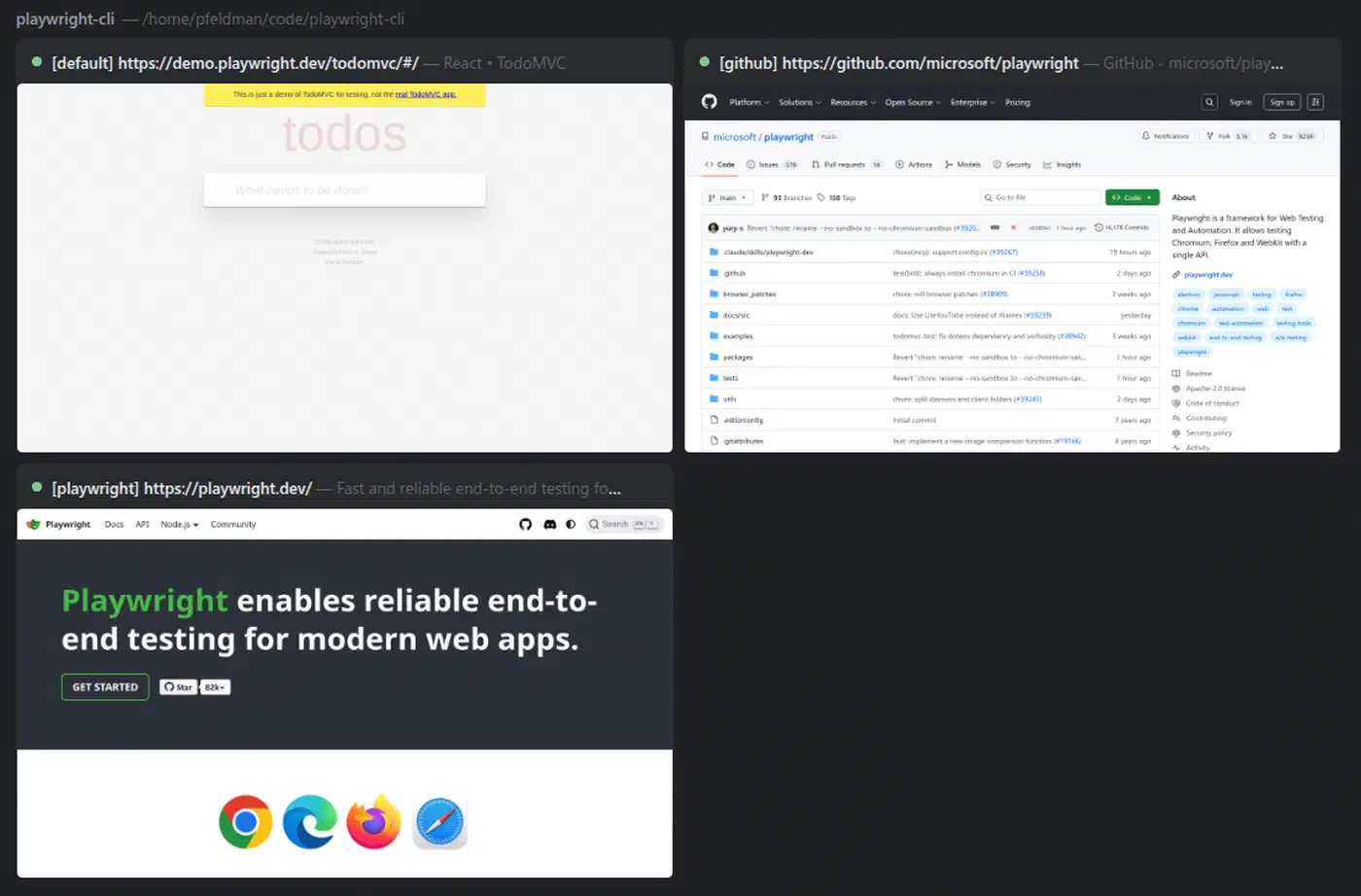
I use it for UI tests after each deploy, for pulling structured data from sites with no API, and for filling forms inside a larger automated workflow.
Install: npm install -g @playwright/test && playwright install
GitHub CLI - The Workflow King
GitHub CLI changes how Claude Code works with Git and GitHub more than almost any other tool. Without it, every PR, issue, push, and review needs manual steps or a fragile MCP server link. With gh installed, Claude handles the full Git workflow from plain language.
I ask it to create a pull request for this branch with a summary of the changes. It writes the PR description, applies labels, and opens it. It pulls context straight from the diff and commit history. It pairs well with Vercel CLI. Claude pushes code, opens a PR, deploys a preview, adds the preview URL as a PR comment, and waits for CI to pass. The whole loop, from write this feature to PR ready for review, can run on its own.
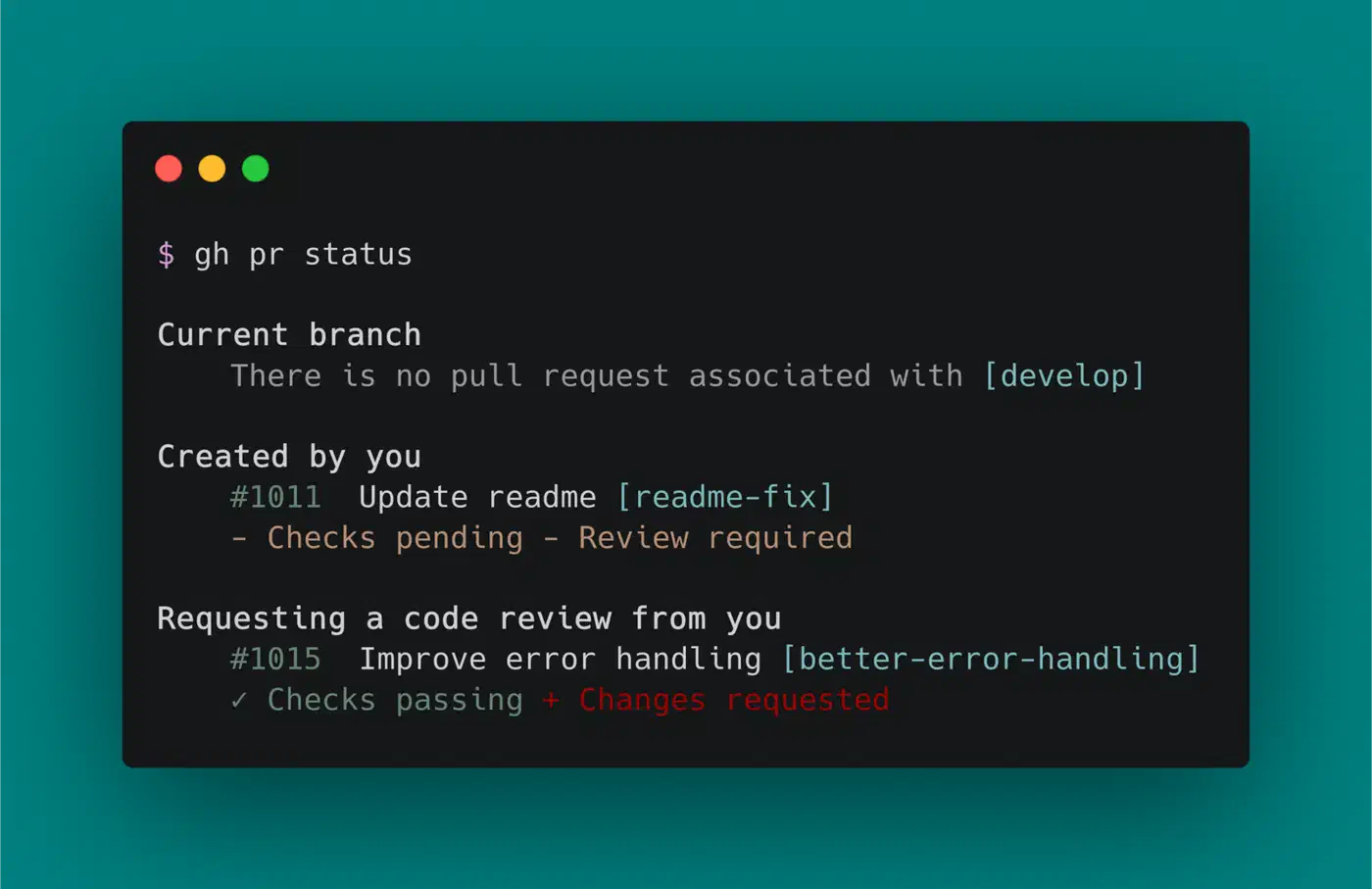
No paid account required beyond a standard GitHub account.
Firecrawl - The Web Scraper
Firecrawl is a web scraping API and CLI built for AI agents. Standard scrapers return raw HTML, while Firecrawl returns clean, structured Markdown that an LLM can reason about right away. The gap in output quality is large.
Its four core commands cover most research work. scrape handles a single URL. crawl takes a whole site. map builds a sitemap. search runs full-text search across crawled content. When Claude needs current, factual web data, like rival research, docs lookup, or news, Firecrawl is the right tool.
Note: Firecrawl needs an API key, and heavy use needs a paid tier.
Excalidraw Diagram Skill - The Visualizer
The Excalidraw Diagram Skill, built by Cole Med, teaches Claude Code to make technical diagrams and architecture charts as Excalidraw files from plain language. Manual diagramming is slow and dull, but this skill turns it into a one-sentence task.
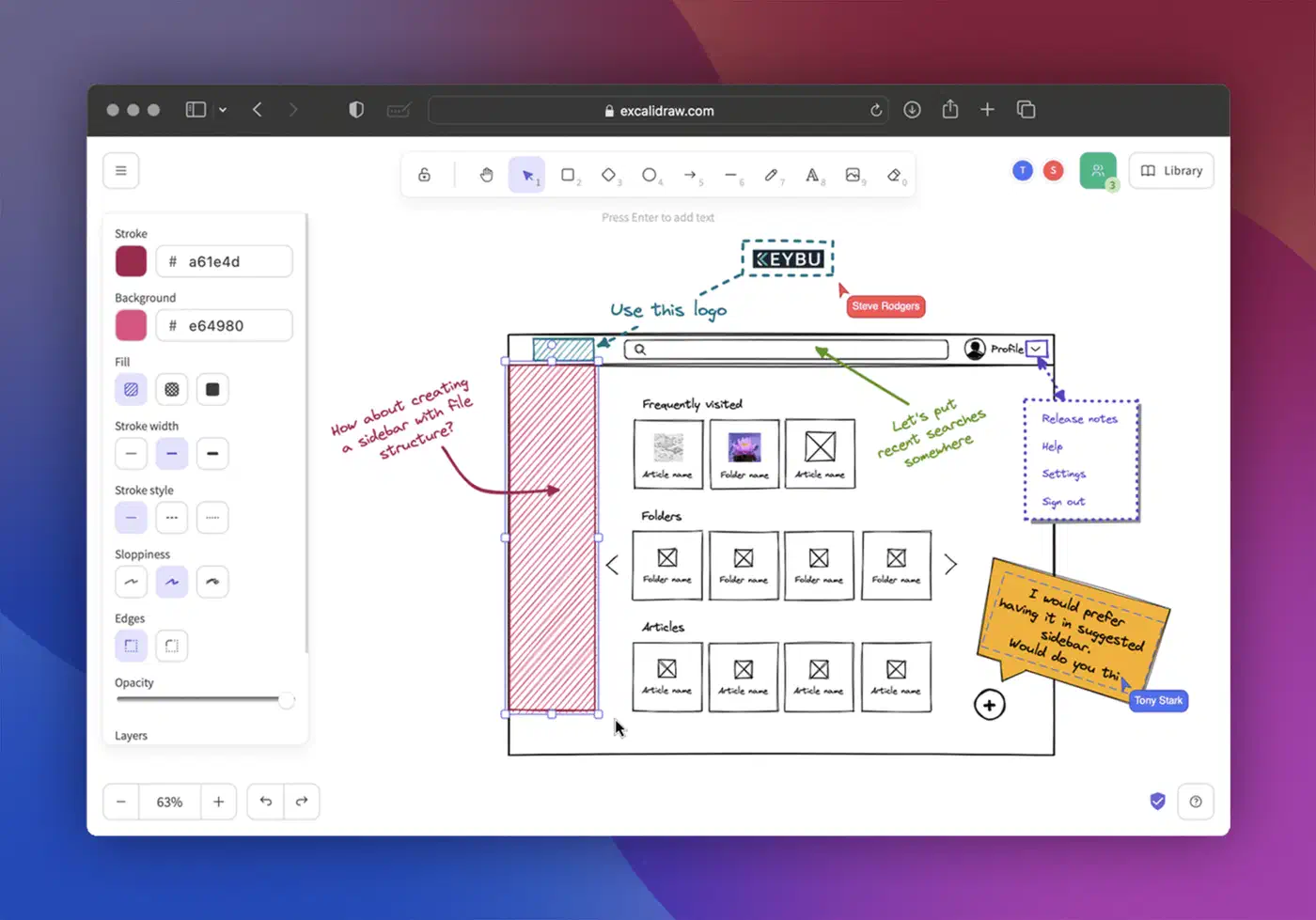
Because the skill can see my project’s codebase, it draws diagrams that match my real architecture, not generic boxes. I ask for a data flow diagram for the authentication service. It reads the right files, learns the real parts and links, and gives me an Excalidraw file I can open and edit at once. For docs, talks, and architecture reviews, this saves me hours.
When Not to Install a Plugin
Three signals tell me to skip or remove a plugin.
It over-triggers. Workflow plugins fire on intent, not on command. A Reddit user complained that the brainstorm plugin kept launching a full development flow for one-line fixes. There is no clean way to gate when a plugin activates, so if one keeps hijacking small tasks, uninstall it and invoke the workflow by hand when you want it.
It overlaps a built-in. Claude Code already plans, reviews diffs, and writes commits. A plugin that restates those behaviors adds context without adding capability. Check what the base agent does before paying for a plugin version of it.
Its weight outruns its use. The marketplace numbers above are the guide. skill-creator is worth ~14k tokens while I am authoring skills and dead weight the rest of the time. I install heavy plugins per project, use them, then remove them.
Finding the Sweet Spot
More tools do not give better results. Every tool I add is one more option the agent must weigh. It is one more source of confusion when two tools could handle the same task. It is one more thing that can fail mid-session and derail a long workflow.
My rule is simple: install globally only what I use in every project. For me, that means GitHub CLI and maybe Playwright. The rest, like Supabase CLI, Vercel, and Firecrawl, goes in per project. I document each one in the project’s CLAUDE.md so the agent knows what is there and when to use it.
A starter stack for three common use cases:
| Use Case | Core Stack |
|---|---|
| Solo developer | GitHub CLI + GSD + Skill Creator |
| Full-stack app | GitHub CLI + Supabase CLI + Vercel CLI + Playwright |
| Content creation | Firecrawl + NotebookLM-PI + Obsidian + Excalidraw Skill |
And a reference table for the marketplace picks plus all ten tools covered here:
| Tool | Type | Primary Use Case | Install |
|---|---|---|---|
| typescript-lsp | Official plugin | Real type checking for the agent | /plugin in Claude Code |
| security-guidance | Official plugin (hooks) | Passive vulnerability scanning | /plugin in Claude Code |
| context7 | Official plugin (MCP) | Current library docs lookup | /plugin in Claude Code |
| Supabase CLI | CLI | Database and auth management | npm install -g supabase |
| Skill Creator | Skill | Build and test Claude skills | /skillcreator in Claude Code |
| GSD Framework | Framework | Orchestrated, spec-driven development | See repo README |
| NotebookLM-PI | CLI | AI-powered document research | pip install notebooklm-py |
| Obsidian | Integration | Personal knowledge management | Direct folder access |
| Vercel CLI | CLI | Frontend deployment | npm install -g vercel |
| Playwright | CLI | Browser automation and UI testing | npm install -g @playwright/test |
| GitHub CLI | CLI | Git and GitHub workflow automation | brew install gh / apt install gh |
| Firecrawl | CLI/API | AI-ready web scraping | npm install -g firecrawl-cli |
| Excalidraw Skill | Skill | Technical diagram generation | Install from skill repo |
Tools that require paid accounts or API keys: Firecrawl (free tier limited), Vercel (free tier available, paid for production scale), and Supabase (free tier available, paid for production projects and advanced features).
No single tool here will fix a bad workflow. Keeping my stack deliberate counts for more than any one pick. A Claude Code session with three well-chosen, well-documented tools beats one with fifteen poorly-fitted ones. I pick the stack that matches my real workflow, document it in the project’s CLAUDE.md, and give the agent a clean, focused scope.