 Botmonster Tech
Best silent mechanical keyboard switches in 2026

The best silent switches in 2026 use dual silicone pads and quality TPE to kill both the “clack” of bottom-out and the “ping” of spring return. They do it without flattening the tactile bump. For quiet office typing, pick a Silent Linear with factory lube and a dampened bottom-out for a deep, muted sound.
Best silent switches 2026
The best silent switches in 2026 are the Gateron Silent Red G Pro for linear typing and the Gazzew Boba U4 for a quiet tactile bump. The Silent Red is factory-lubed and costs about $0.35 per switch in bulk. The Boba U4 is quiet enough for a library, with a 62g actuation. For silent gaming, Hall Effect switches such as the Gateron KS-37 and Wooting Lekker have no mechanical noise to dampen.
Best silent mechanical switches
The best silent mechanical switches dampen both noise sources: the stem hitting the housing floor on bottom-out, and the spring snapping it back against the ceiling on release. Silicone pads are the most common and the most effective, and TPE blends are a little softer. Early silent designs padded only the bottom-out. Factory lube removes the remaining scratch of stem against housing. Heavy damping always softens the tactile bump a little.
What Makes a Switch “Silent”? The Mechanics Explained
A mechanical keyboard has two distinct noise sources, and the best silent switches kill both.
Bottom-out impact happens when you press a keycap down fully and the stem hits the bottom of the switch housing. On a stock Cherry MX Red, that’s a sharp plastic-on-plastic crack. Modern silent switches add a small silicone or TPE (thermoplastic elastomer) pad on the stem legs. The pad cushions the hit and turns the crack into a soft thud.
Top-out return happens when you let go of a key: the spring pushes the stem back up and it hits the top of the housing. It is quieter than bottom-out and most audible on heavy springs. To kill top-out, you dampen the upper stem or add a second pad on the housing ceiling.
Early “silent” designs only dampened the bottom-out and left top-out alone. The Gateron Silent Red G Pro handles both using silicone legs on the stem. Pad material changes the result as well. Silicone pads are the most common and the most effective. Some budget switches use foamed plastic inserts that compress unevenly over time. TPE blends are softer than pure silicone and more stable than foam.
Factory lubing also helps a lot. Even with silicone pads, a dry switch keeps a thin friction noise from stem-to-housing contact. A pre-lubed silent switch wipes out that scratchiness and gives you the “thock” sound enthusiasts prize. Heavy damping always softens the tactile feel, which is why clicky switches like Cherry MX Blues can’t be silenced without killing the click. The click itself needs a snap that travels through the board. Silent tactile switches like the Boba U4 come close to a standard tactile feel, though the bump is softer than on their loud cousins.
Magnetic (Hall Effect) Silent Switches
Hall Effect switches are the biggest shift in silent keyboard tech in years, and 2026 options have grown up. A normal switch uses a leaf spring contact that bounces and makes electrical noise. A Hall Effect switch instead puts a small magnet in the stem and a Hall sensor in the PCB. The press registers when the magnet crosses the sensor threshold, and since nothing touches, there is no contact bounce and no mechanical click. The same sensor is what makes rapid trigger boards possible, so a quiet pick often doubles as a gaming pick.
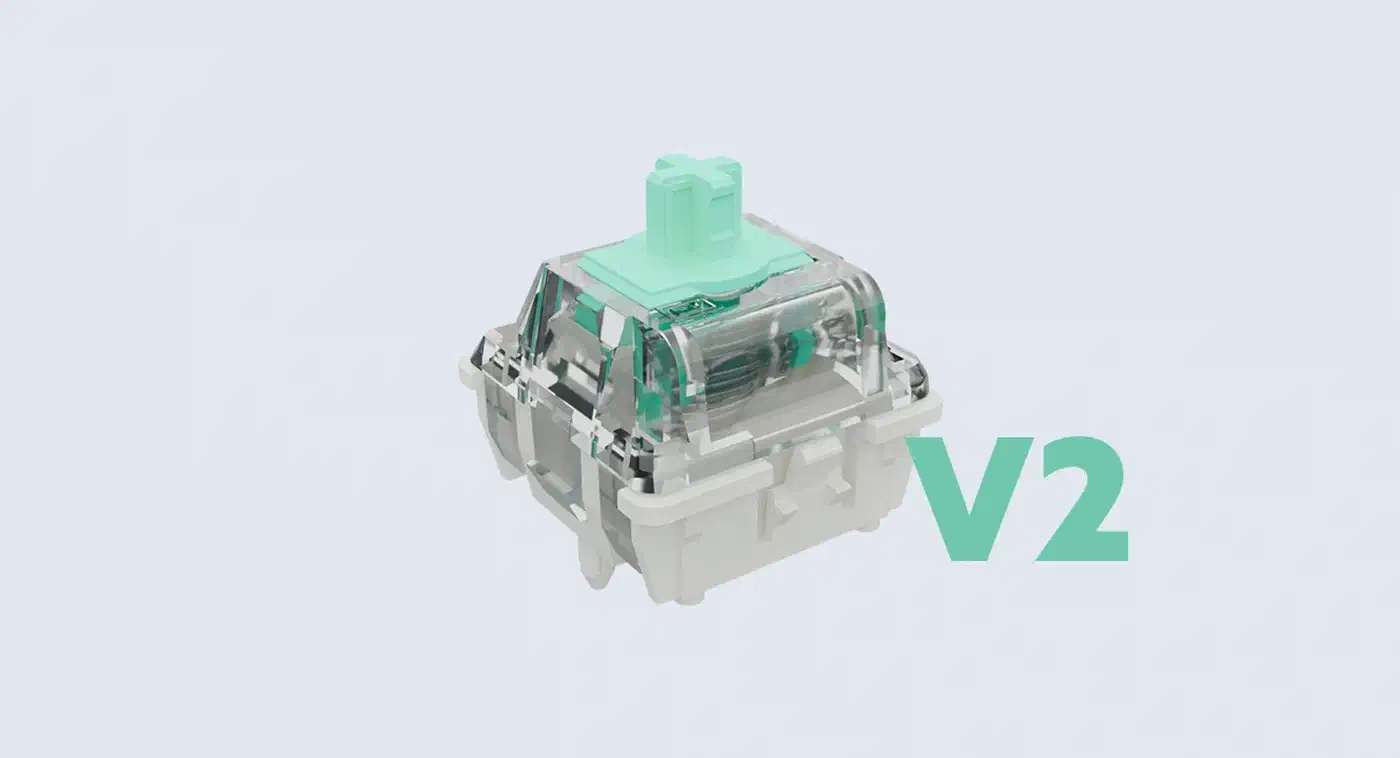
With no contact, the switch is silent at the moment it registers. The only sound left is the stem moving in the housing, and silicone still tames that. The bigger win is adjustable actuation. Because the register point is a programmable magnetic threshold, firmware lets you set each key to fire at 0.1mm of travel or 3.8mm. Wooting’s Wooting 60HE opened the consumer market, and Gateron’s KS-37 made the idea cheap.
Programmers get the most out of per-key actuation. Set modifiers (Ctrl, Alt, Shift) to need full travel and you’ll stop firing them by accident while typing fast. Set shortcut keys to a hair-trigger 0.5mm for combos you use all day. The Geon Raptor HE is the enthusiast pick, with tighter magnet tolerances for a more even actuation curve across the board.
On silence, Hall Effect switches with silicone-dampened stems in a solid housing produce some of the quietest keystrokes you can measure. Skip flex-cut PCBs for these builds. With no leaf spring, there’s none of the spring ping common on heavy traditional switches.
3D-Printed “Elastic” Stems
One of the more fun 2026 ideas in silent switch design is multi-material FDM printing for stems with micro-elastic feel. Stock stems are rigid POM (polyoxymethylene) or nylon, picked for clean tolerances and low friction. The new trick uses TPU-blend filaments printed in thin layers. The stem soaks up the hit through slight elastic give instead of passing it straight to the housing walls.
The old gripe with silent switches was “mushiness”, the sense that key travel has no crisp endpoint. Early silicone pads did cause that, mainly on light linears. Elastic stems fix it by setting a precise deformation zone. The stem body stays rigid through the tactile event, but the damping legs flex just enough to soak the impact at bottom-out. You get a clear endpoint with a soft landing.
The DIY crowd has jumped on it. STL files for compatible stems show up on GitHub and the Keyboard Layout Editor forums. You’ll need a 0.2mm nozzle and careful temperature control to hit the right shore hardness. The results rival shop-bought silent switches at a fraction of the cost for big group-buy builds.
Factory-dampened switches like the Gateron Silent Red use silicone pads that feel even, but can go spongy on a hard bottom-out. Foam inserts inside the switch (the interior “tempest mod”) deaden the sound the same way, but can hurt the tactile feel. Printed elastic stems are quiet with a defined endpoint, and they don’t compress over millions of keystrokes the way foam does.
Top Silent Switch Recommendations by Use Case
For Office Environments
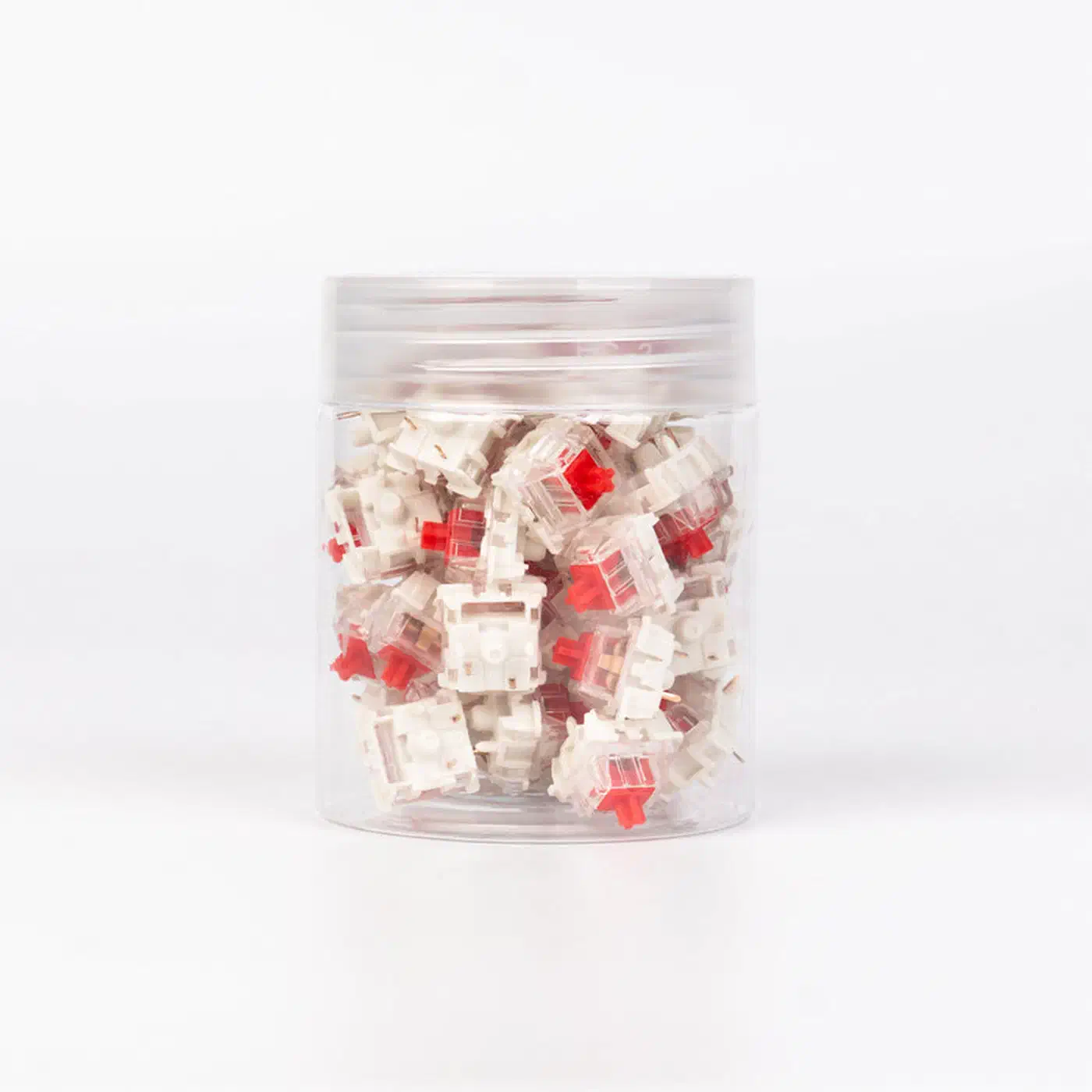
The Gateron Silent Red G Pro is still the top pick for shared workspaces in 2026. It’s easy to find, cheap (about $0.35 per switch in bulk), factory-lubed, and quiet enough for an open office. The linear action gives no tactile bump, which some typists find imprecise, but for email and spreadsheets the trade-off is fine.
The Outemu Silent Peach is the budget pick at about $0.15 per switch. It is less muted than the Gateron, and its softer pads feel a touch dead at bottom-out. For a first mechanical keyboard or a secondary typing board, it’s a sane entry point.
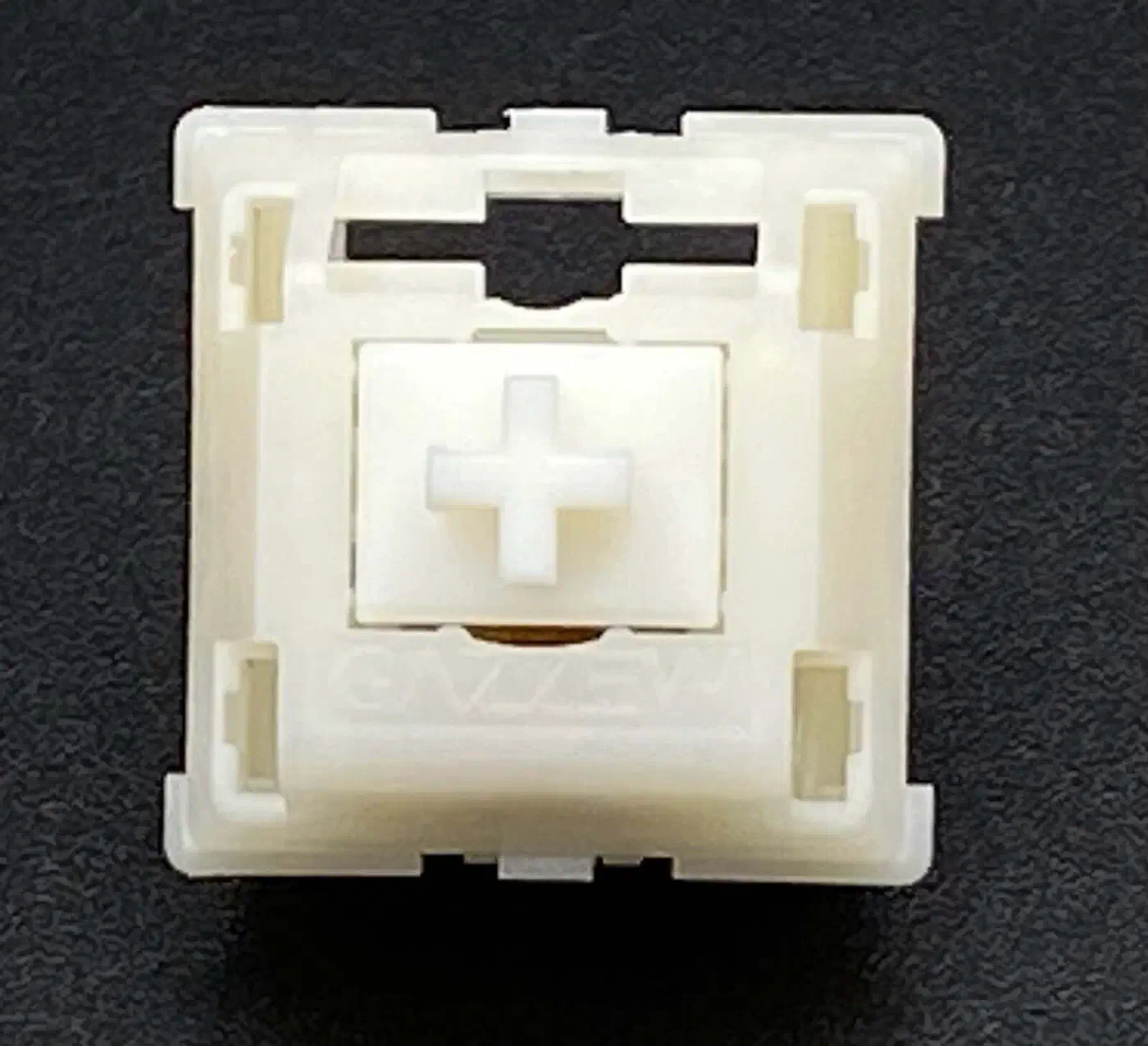
If you want tactile feedback in a quiet space, the Boba U4 from Gazzew is the best pick in its price tier. It gives a clear round bump with no click. It’s quiet enough for a library. A deeper look at the Boba U4 silent tactile shows how the dampened stem keeps the D-shaped bump sharp. The trade-off is a slightly heavier 62g actuation, which cuts fatigue on long sessions compared to lighter linears.
For Long Coding Sessions
The Boba U4T brings a stronger, sharper tactile version of the U4 profile, at the cost of a bit more noise. It’s still office-safe, but gives the feedback many programmers miss on silent linears. With a gasket-mounted board, it lands on a tidy “thonk” instead of the hollow clatter of a cheap plastic case.
The Durock T1 Shrimp is worth a look for devs who want a heavier tactile. At 67g, it cuts the typo rate that light switches cause on eight-hour coding marathons. The sound is close to the U4T, but with a sharper tactile event near the top of travel. Pair a comfortable switch with a WOLED coding display, and long sessions get easier on both your hands and your eyes.
For Writers and Heavy Typists
Writers spend hours bottoming out keys, so the priority is a clear keystroke endpoint without the noise that fills a quiet room. The Boba U4 is the pick here. Its round tactile bump confirms each keystroke, which cuts the second-guessing that slows down fast drafting, and it is quiet enough for a library. If you prefer a smooth glide over a bump, the Gateron Silent Red G Pro is the linear choice for long drafting sessions. Either way, lean toward a lighter spring near 45g to 50g. Lighter springs cut finger fatigue over a full writing day.
For Gaming in Silence
Hall Effect switches own this category. The Gateron KS-37 offers the fast actuation tuning that competitive gaming needs, without any mechanical noise, at a friendly price. The Wooting Lekker (Dutch for “nice”) is still the premium pick. Its tuning software is more polished than Gateron’s, and switch-to-switch consistency is tighter.
Where to Buy in 2026
KBDfans has the widest pick of enthusiast switches and ships worldwide. Drop.com announced its shutdown, so a longtime source for group-buy switches and bundles is gone. Check KBDfans, Divinikey, and Cannonkeys instead. Local group buys on GeekHack forums often surface switches you can’t buy at retail, sometimes at better prices.
Prebuilt Silent Keyboards Worth Buying
If you want a quiet keyboard that works out of the box, a few prebuilts ship with good silent switches and decent sound treatment.
The Keychron V Max series is the safe default. It hot-swaps any MX switch, comes with factory sound-absorbing foam, offers a silent switch option at checkout, and lands around $80 to $100. The NuPhy Air75 V3 is the low-profile pick for a cramped desk or short key travel, with a quiet Blush switch option that suits an open office. The Air75 V3 sees higher return rates than the other two picks, so buy it from a seller with an easy return window in case your unit has a fault. Akko’s own boards also sell with the factory V3 Penguin silent tactile switch if you want a tactile bump on a finished keyboard.
Buy a hot-swap model either way. Even a “silent” prebuilt can be improved later, and hot-swap lets you change switches without a soldering iron.
Sound Decibel Comparisons
To give a concrete sense of the noise drop, here’s a side-by-side of common switch types measured at 30cm during regular typing on an aluminum-case board:
| Switch Type | Approx. dB (typing) | Notes |
|---|---|---|
| Cherry MX Blue (clicky) | 62-65 dB | Loud by office standards |
| Cherry MX Red (linear, stock) | 52-55 dB | Standard reference |
| Gateron Silent Red G Pro | 38-42 dB | ~10-15 dB quieter than standard linear |
| Boba U4 (silent tactile) | 36-40 dB | Near-silent at normal typing pace |
| Hall Effect (KS-37) | 34-38 dB | Quietest class; no mechanism noise |
| Membrane keyboard | 45-50 dB | For reference comparison |
Loudness doubles about every 10 dB, so the 15 dB drop from a stock Cherry MX Red to a good silent linear makes the silent switch sound about one-third as loud to a nearby listener.
Keyboard Case Modifications That Amplify Silence
The best silent switches will fall flat in a hollow polycarbonate or thin plastic case. The case acts as a resonance chamber and amps up whatever sound the switches still make. Case mods pair well with silent switches and are often cheaper than new switches.
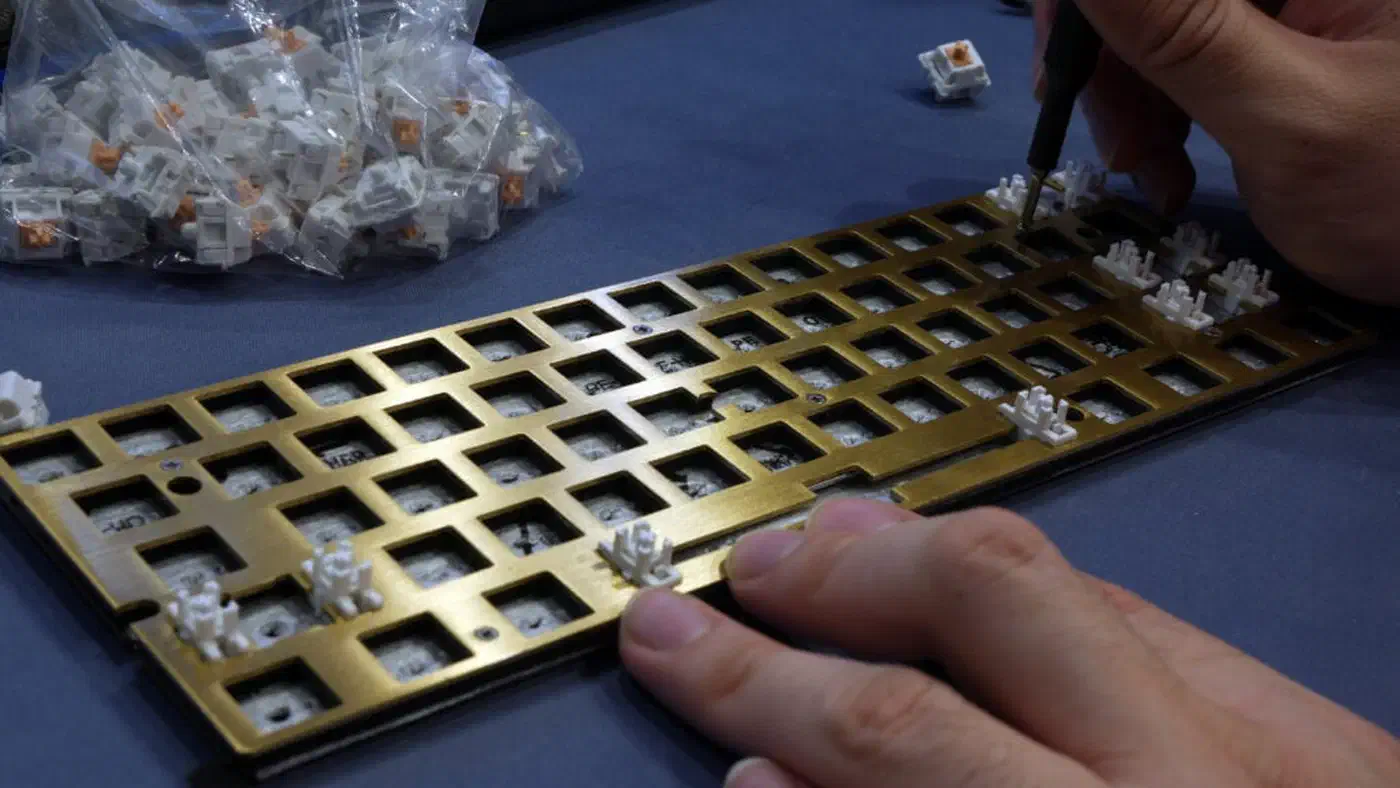
PE foam mod: Drop a layer of polyethylene foam between the PCB and the plate. It’s one of the highest-impact, lowest-cost mods. The foam soaks up vibration before it hits the case walls. A single sheet of craft PE foam costs under $5 and turns a hollow board into a deep, muted thock. The trade-off is a tiny bump in key travel feel, which some typists notice and some don’t.
Tempest mod (case foam): Pack foam into the empty space inside the case to kill the resonant air chamber that amps up switch sound. Acoustic foam, packing foam, or even neatly cut IKEA shelf liner all work. The mod works best on tenkeyless boards with large internal cavities.
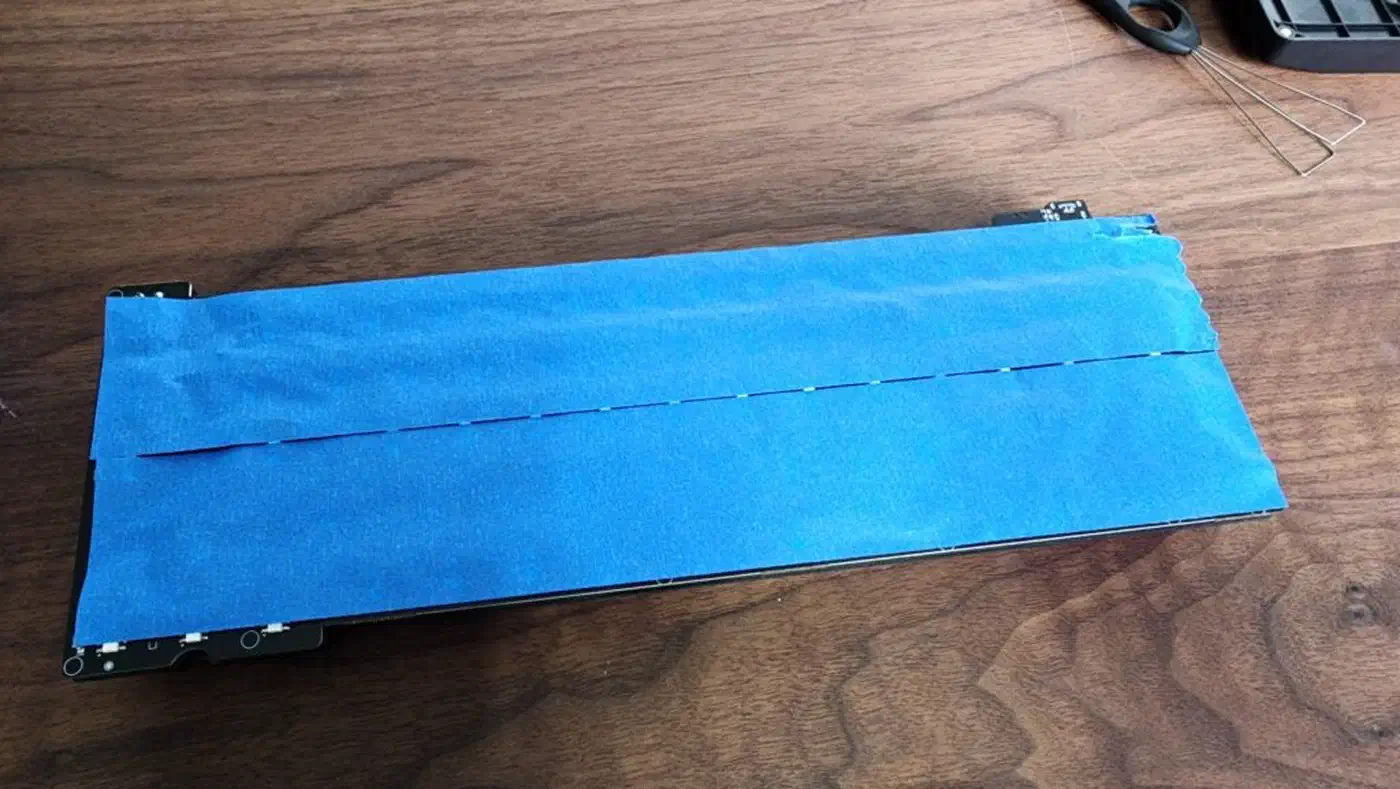
Tape mod: Stick three to four layers of painter’s tape on the back of the PCB to dampen its natural resonance. It’s free and reversible, and it lowers the pitch slightly and evens out the sound across keys.
Gasket mounting: The mount style of a keyboard shapes how sound travels through the case. In a top-mount or bottom-mount, the PCB bolts to the case, so every keystroke sends vibration straight to the outer walls. Gasket-mounted boards hang the PCB on silicone or polymer gaskets that soak up lateral vibration. For silent builds, gasket mounting is the single best case-level upgrade. Budget gasket boards from Akko or the Keychron V series start near $80 and pair well with any good silent switch.
O-rings and switch films: O-rings under keycap stems cut the impact of keycap-to-housing contact, adding one more layer of damping. Switch films are thin PC sheets between the top and bottom of the housing. They tighten tolerances and cut the wobble that creates high-pitched rattle on some switches.
Plate and case material: Aluminum plates push a sharper, higher-pitched sound. Polycarbonate plates flex more and give a lower, softer sound that pairs well with silent switches. Brass plates are heavy and dense, with a very low thud, and they cost more than the other two. If you’re building a quiet board from scratch, pair a polycarbonate plate with a gasket-mounted case and silent tactile switches.
Value and Longevity
Silent pads do wear with time, and the rate depends a lot on material quality. Budget silicone pads on switches like the Outemu Silent Peach can feel uneven after 15 to 20 million keystrokes. Mid-range Gateron and Gazzew options hold their feel past 50 million keystrokes. Hall Effect switches have no contacts to wear, so they last the longest.
For value-first buyers, a $60 kit with Boba U4 switches and a PE foam mod will sound quieter and feel nicer than a $150 pre-built “gaming keyboard” with marketing-first “silent” switches. The enthusiast scene has piled up a decade of know-how, and the gap between good and great sound at each price tier has never been smaller.
Silent Switch FAQ
What is the best silent linear switch?
The Gateron Silent Red G Pro is the best silent linear switch for most people in 2026. It is factory-lubed, cheap in bulk at about $0.35 per switch, easy to find, and quiet enough for an open office. It dampens both bottom-out and top-out, so you get a deep, muted keystroke with a smooth glide and no tactile bump.
What is the best silent tactile switch?
The Gazzew Boba U4 is the best silent tactile switch. It delivers a clear, round tactile bump with no click and is quiet enough for a library. If you want a sharper, stronger bump, the Boba U4T is the same profile turned up, at the cost of a little more noise.
Is there a silent clicky switch?
No. A clicky switch makes its sound on purpose: the click needs a snap that travels through the board, and damping that snap kills the click itself. If you want feedback without the noise, a silent tactile switch like the Boba U4 is the closest you can get. It gives you a bump you can feel without the sound a clicky switch broadcasts across a room.
What does “silicone” mean in a silent keyboard?
It refers to the silicone dampening pads built into the switch. Silent switches add a small silicone pad on the stem legs that cushions the bottom-out impact, turning a sharp plastic crack into a soft thud. Silicone is the most common and most effective damping material, which is why “silicone” and “silent” often show up together in switch listings.