 Botmonster Tech
Claude Code Agent Teams: Orchestrating Multiple AI Sessions on One Project
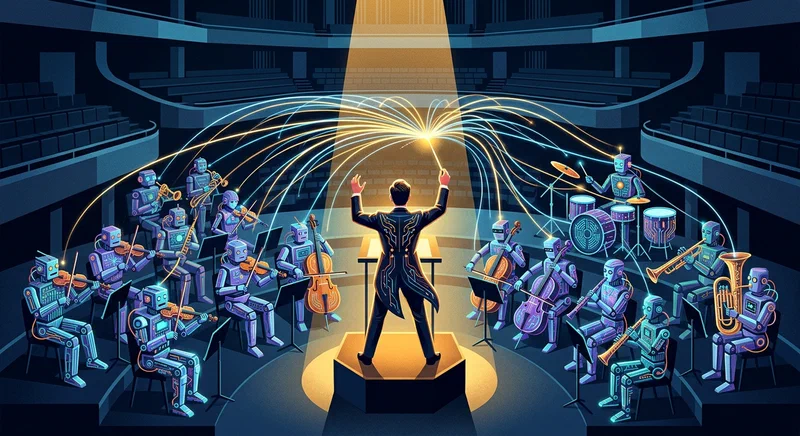
Claude Code Agent Teams is an experimental feature - available since v2.1.32 (February 2026) - that lets you run 2-16 Claude Code sessions coordinated by a single team lead. Each teammate operates in its own context window with full tool access, while communicating through a shared task list and direct peer-to-peer messaging. You enable it with one config change, describe the team you want in natural language, and Claude handles spawning, assignment, and coordination. The feature works best for parallelizable work like multi-file refactors, cross-layer feature builds, and research-and-review workflows, but it costs 3-7x more tokens than a single session and has no session resume capability.
What Agent Teams Are (and How They Differ from Subagents)
Before reaching for agent teams, you need to understand what they replace and what they don’t.
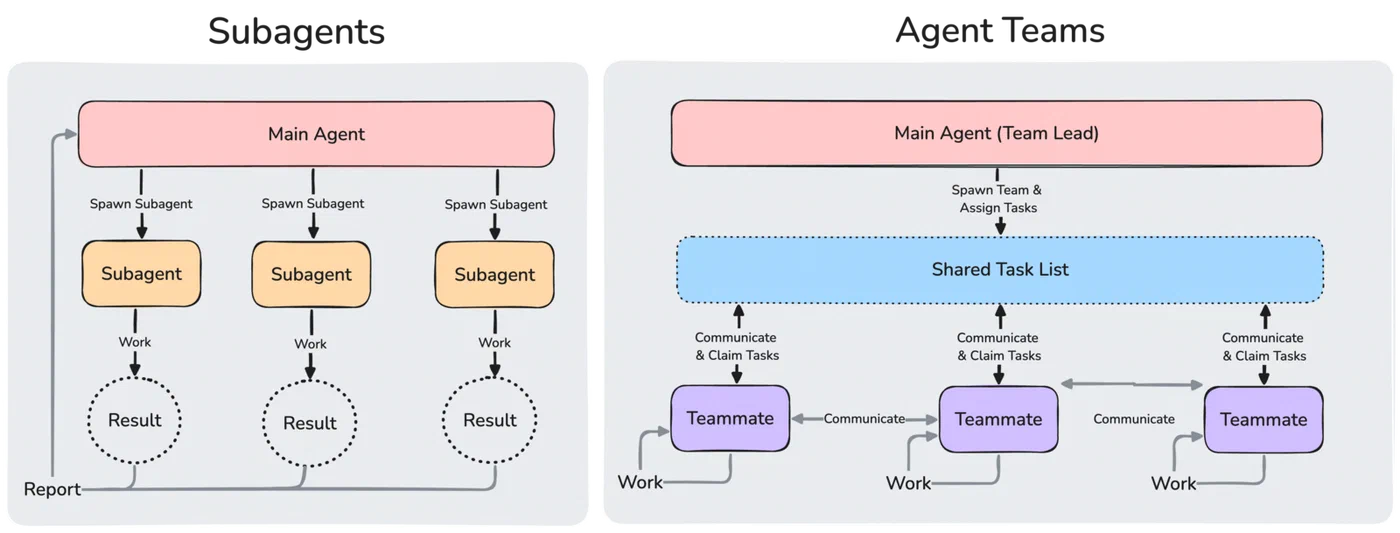
Subagents (the Task tool) run inside a single Claude Code session. They spawn, do focused work, report back to the parent, and terminate. Communication is strictly parent-child - subagent A cannot talk to subagent B. This makes them good for quick, isolated tasks like running tests, formatting a file, or looking something up, but they fall apart when work requires shared context or lateral coordination. As Addy Osmani described at O’Reilly AI CodeCon , subagents give you parallel execution with manual coordination - great for simple decomposition, but when coordination becomes the bottleneck, you need something else.
Agent teams spawn entirely separate Claude Code instances. Each teammate gets its own full context window and tool access. The team lead coordinates but does not bottleneck - teammates can message each other directly via the SendMessage tool, claim tasks from a shared task list, and challenge each other’s approaches. The architecture is closer to a human engineering team than a single developer with helpers.
The key tools unlocked when agent teams are enabled:
TeamCreatespawns the team with defined rolesTaskCreate,TaskUpdate, andTaskListhandle shared task management with dependency trackingSendMessageenables peer-to-peer and broadcast messaging between teammates
These tools are invisible until you flip the feature flag.
| Dimension | Subagents (Task tool) | Agent Teams |
|---|---|---|
| Communication | Parent-child only | Peer-to-peer + lead coordination |
| Context windows | Shared with parent session | Each teammate gets its own |
| Use case sweet spot | Quick lookups, same-file edits | Parallel independent work streams |
| Cost | Near-neutral (~1x) | 3-7x token multiplier |
| Session persistence | Lives within parent session | Dies with the session (no resume) |
| Coordination | Manual (parent manages deps) | Automatic (shared task list + messaging) |
When to pick subagents: sequential tasks, same-file edits, quick lookups, anything where the overhead of spawning a full session is not justified. When to pick agent teams: parallel independent work streams, research where multiple angles need cross-pollination, debugging with competing hypotheses, cross-layer feature development (frontend + backend + tests simultaneously).
Setup and Configuration
Enabling agent teams is a single config change. Getting good results from them requires understanding the terminal modes, keyboard shortcuts, and prompting patterns that keep coordination smooth.
Step 1 - Enable the Feature Flag
Add CLAUDE_CODE_EXPERIMENTAL_AGENT_TEAMS to the env object in ~/.claude/settings.json:
{
  "env": {
    "CLAUDE_CODE_EXPERIMENTAL_AGENT_TEAMS": "1"
  }
}
Alternatively, export it in your shell profile:
export CLAUDE_CODE_EXPERIMENTAL_AGENT_TEAMS=1This requires Claude Code v2.1.32 or later. The current latest release as of April 2026 is v2.1.91.
Step 2 - Choose Your Terminal Mode
Three options are available:
- Auto (default) uses tmux split panes if you’re already inside a tmux session, otherwise falls back to in-process mode
- Tmux mode forces split panes where each teammate gets its own visible pane (requires tmux or iTerm2)
- In-process mode runs all teammates inside your main terminal, and you cycle through them with keyboard shortcuts
Step 3 - Prompt for Team Creation
Describe the task and the team structure in natural language. For example:
Create a 3-person team: one frontend specialist working on the React
components, one backend specialist handling the API endpoints, and one
test engineer writing integration tests for both.
Claude creates the team, spawns teammates, and starts coordinating. Each teammate reads the project’s CLAUDE.md on startup, so put interface contracts and architectural decisions there.
Key Keyboard Shortcuts (In-Process Mode)
| Shortcut | Action |
|---|---|
| Shift+Up/Down | Select a teammate |
| Enter | View a teammate’s full session history |
| Escape | Interrupt a teammate’s turn |
| Ctrl+T | Toggle the shared task list view |
| Shift+Tab | Enable delegate mode (lead becomes coordination-only) |
Delegate Mode
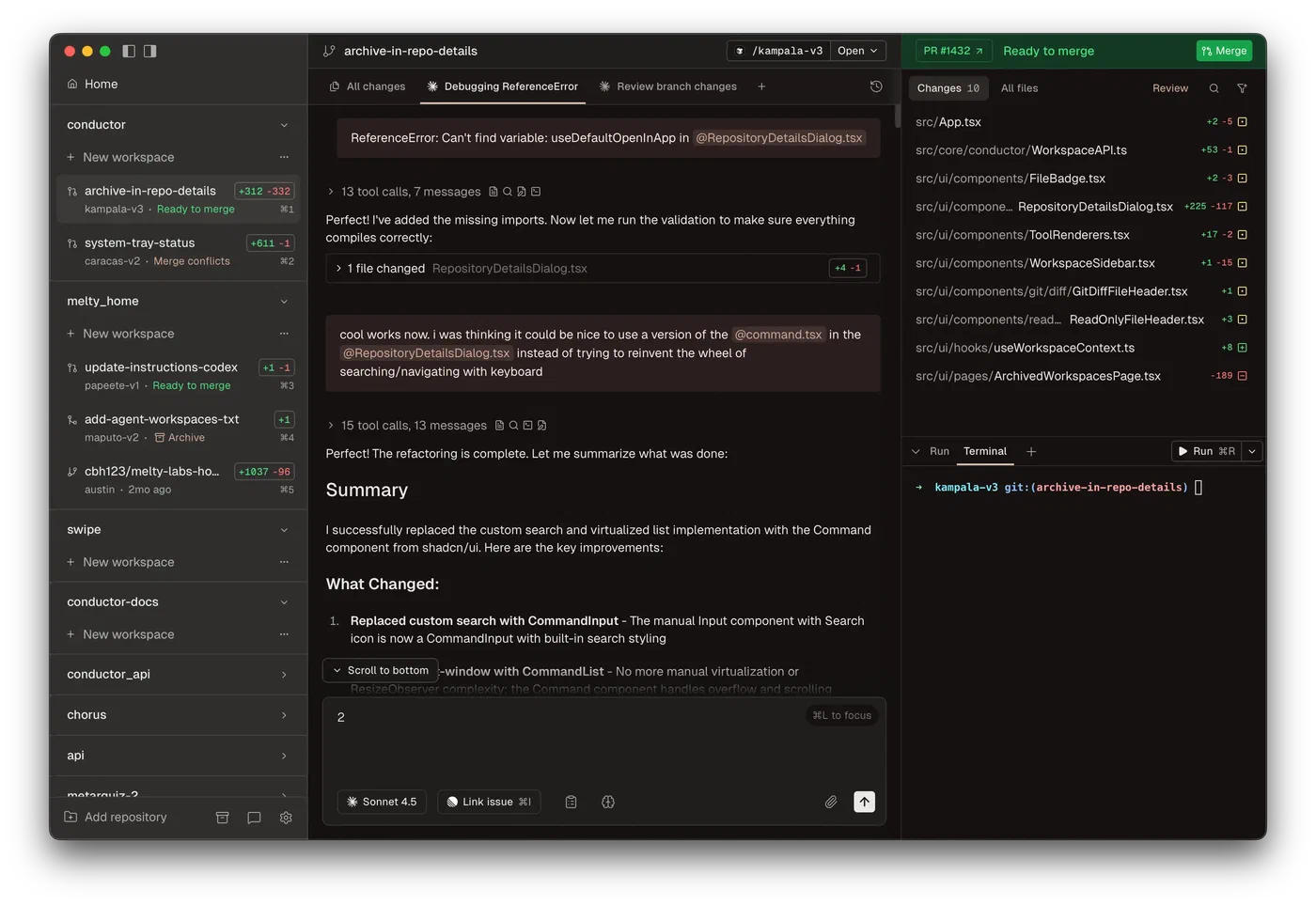
After team creation, pressing Shift+Tab restricts the lead to coordination-only tools: spawning, messaging, task management, and shutdown. This prevents the lead from doing implementation work and forces it to stay in an orchestrator role. For teams of 3 or more, delegate mode generally produces better results because the lead focuses entirely on keeping teammates aligned rather than competing with them for file access.
Task List and Dependency Tracking
The shared task list lives at ~/.claude/tasks/{team-name}/ and supports dependency tracking. Tasks move through states: pending, claimed, in-progress, blocked, completed. When a blocking task completes, downstream tasks automatically unblock. Teammates self-claim tasks or get assigned by the lead.
Where Agent Teams Shine
Agent teams cost 3-7x more tokens than a single session. These are the scenarios where the parallel execution plus active coordination justifies the expense.
Code reviews are a natural fit. Split review criteria into independent domains - security audit, performance analysis, test coverage assessment, code style review. Each teammate dives deep into their domain simultaneously. A 4-teammate code review that would take 20 minutes sequentially finishes in about 5 minutes with deeper coverage per domain.
Cross-layer feature development is where agent teams really pay for themselves. One teammate owns the database migration and models, one handles the API layer, one builds the frontend components, and one writes tests. The shared task list ensures interface contracts are agreed upon before implementation starts. Teammates message each other directly when they need to coordinate on shared interfaces - no routing through the lead required.
Debugging benefits from the competing hypotheses approach. When a bug could have multiple root causes, assign each hypothesis to a different teammate. They investigate in parallel, share findings via messages, and the team converges on the actual cause faster than a single session exploring hypotheses sequentially. Shipyard’s multi-agent guide documents this pattern working well for complex production issues.
Large-scale refactoring across monorepos - renaming, migrating frameworks, updating API versions across dozens of files - maps cleanly to the team model. Each teammate owns a module or directory. File locking prevents double-claiming the same work.
Documentation generation also works well with a research/write/review split. The writer can ask the researcher for clarification directly without routing through the lead.
What Does Not Work Well
Not every task benefits from agent teams. Avoid them for:
- Tasks with deep sequential dependencies where step B cannot start until step A finishes
- Heavy edits to a single file (merge conflicts between teammates are likely)
- Small tasks where coordination overhead exceeds the work itself
- Anything requiring fewer than about 15 minutes of total work
Costs, Limitations, and Failure Modes
Agent teams are experimental for a reason. Understanding the real costs and failure modes up front saves you from expensive surprises.
Token Cost Reality
Each teammate maintains its own full context window. A 3-agent team uses roughly 3-4x the tokens of a single session (coordination messages add overhead beyond the raw 3x multiplier). A 5-agent team can reach 5-7x. At current Opus 4.6 API pricing ($5/million input tokens, $25/million output tokens), a 30-minute team session with 4 teammates can consume what a single session uses in 2-3 hours. On the Max plan, agent teams burn through your usage allocation proportionally faster.
Team Size Sweet Spot
3-5 teammates is the productive range. Beyond 5, coordination overhead - more messages, more task updates, more context for the lead to track - starts eating into the speed gains. The hard maximum is 16 teammates, but diminishing returns kick in hard after 5. Two to three focused teammates consistently outperform larger groups for most tasks.
No Session Resume
The team dies with the session. There is no pause, rewind, or resume capability. If your terminal crashes or you accidentally close it, all teammate state is lost. The /resume and /rewind commands do not restore in-process teammates - after resuming, the lead may attempt to message teammates that no longer exist. Commit frequently or use git worktrees to preserve progress.
Merge Conflicts Between Teammates
If two teammates modify the same file, one will hit a conflict. The task list’s file locking mechanism helps but is not bulletproof. Structure your team prompts to assign clear file ownership boundaries.
Permission Inheritance
Teammates start with the lead’s permission settings. If the lead runs with --dangerously-skip-permissions, all teammates do too. You cannot set per-teammate permission modes at spawn time - this is a known limitation. Pre-approve common operations in your permission settings before spawning teammates to reduce interruptions, since teammate permission requests bubble up to the lead and can create friction.
MCP Server Sharing
Teammates inherit MCP server configuration from the project’s settings. Any MCP tools available to the team lead are also available to teammates. There is no per-teammate MCP isolation - all teammates share the same configured MCP connections.
VS Code Extension Status
As of April 2026, agent teams tools (TeammateTool, SendMessage, spawnTeam) are not reliably available in the VS Code extension. Permission prompts from background agent team members may not display correctly. The terminal CLI remains the supported environment.
Experimental Instability
The feature flag, tool names, and keyboard shortcuts have already changed between v2.1.32 and v2.1.91. Expect further changes before agent teams graduate from experimental status. Anthropic has not announced a specific timeline for when agent teams will exit experimental.
Practical Tips for Productive Teams
The difference between a productive agent team and an expensive mess comes down to how you structure the initial prompt, how you manage task granularity, and whether you let the lead stay in its lane.
Your team creation prompt matters more than anything else. Specify each teammate’s role, the files or directories they own, and what “done” looks like for their work. Vague prompts like “split this work among a few teammates” produce vague results. Be explicit about boundaries.
Every teammate reads the project’s CLAUDE.md on startup, so use it to share context. Put interface contracts, architectural decisions, and coding conventions there so teammates stay aligned without constant messaging.
Task granularity has an outsized effect on team performance. Each task in the shared list should represent 5-15 minutes of work. Tasks that are too large cause teammates to go silent for long stretches. Tasks that are too small create excessive coordination overhead.
The Ctrl+T task list view shows which teammate owns which task and current status. Check it periodically to catch teammates that are stuck or going off-track. Message them directly with course corrections rather than waiting for them to report.
Have the lead instruct teammates to commit after completing each task. This protects against session crashes and creates a reviewable history of each teammate’s contributions.
Start with a 2-teammate team on a well-scoped task before attempting a 5-teammate sprint. Learn the coordination patterns, keyboard shortcuts, and failure modes at low cost before scaling up.
For teams of 4 or more, combine with git worktrees . Each teammate can work in its own worktree to avoid file conflicts entirely. This is the most reliable way to run larger teams without merge issues, giving each teammate a clean working directory that won’t interfere with the others.
Multi-Agent Landscape Comparison
Agent teams are not the only option for multi-agent Claude Code workflows. Here is how they compare to the alternatives as of April 2026:
| Feature | Agent Teams | Subagents (Task) | Cursor Background Agents | Claude Peers MCP |
|---|---|---|---|---|
| Communication model | Peer-to-peer + lead | Parent-child only | Independent (PR-based) | MCP message passing |
| Context isolation | Full (separate instances) | Partial (shared parent) | Full (cloud VMs) | Full (separate instances) |
| Coordination | Shared task list + messaging | Manual dependency graph | Dashboard + diff review | Custom MCP tools |
| Cost multiplier | 3-7x | ~1x | Per-agent cloud pricing | Varies |
| Session persistence | None (dies with session) | Within parent session | Persistent (cloud-based) | Depends on setup |
| Max parallel agents | 16 | Limited by context | 20 | Unlimited (custom) |
| Best for | Cross-layer dev, research | Quick focused tasks | Async PR workflows | Custom orchestration |
Agent teams excel when you need real-time coordination between teammates working on interconnected code. Cursor background agents are better suited for fully independent, async work that produces separate PRs. Subagents remain the right choice for focused, quick tasks that don’t need lateral communication.
The multi-agent coding space is moving fast. Whether you use agent teams or one of the alternatives, the core skill is the same: decomposing work into parallelizable chunks with clear boundaries, and verifying the output rather than writing the code yourself.