 Botmonster Tech
DIY NAS Comparison: Raspberry Pi 5 vs. Intel N100

The Intel N100 is the superior choice for a DIY NAS in 2026 if you plan to run Plex or Jellyfin, need ZFS reliability, or want to expand beyond two drives. But the Raspberry Pi 5 remains the champion for low-power, always-on file storage where idle electricity cost is the primary concern. The right answer depends almost entirely on what you actually want the box to do.
Why Build a DIY NAS in 2026? The Case Against Synology
Synology and QNAP have spent the last few years making themselves harder to recommend. Synology introduced drive compatibility restrictions that reject non-Synology-branded drives in their newer units - drives that work identically to approved alternatives. Their DSM operating system has evolved from a convenient management layer into a proprietary platform with aggressive upselling for cloud services you didn’t ask for. A comparable Synology DS423+ costs around $500 without any drives included, while a comparable DIY N100 build with 4 SATA ports runs under $200.
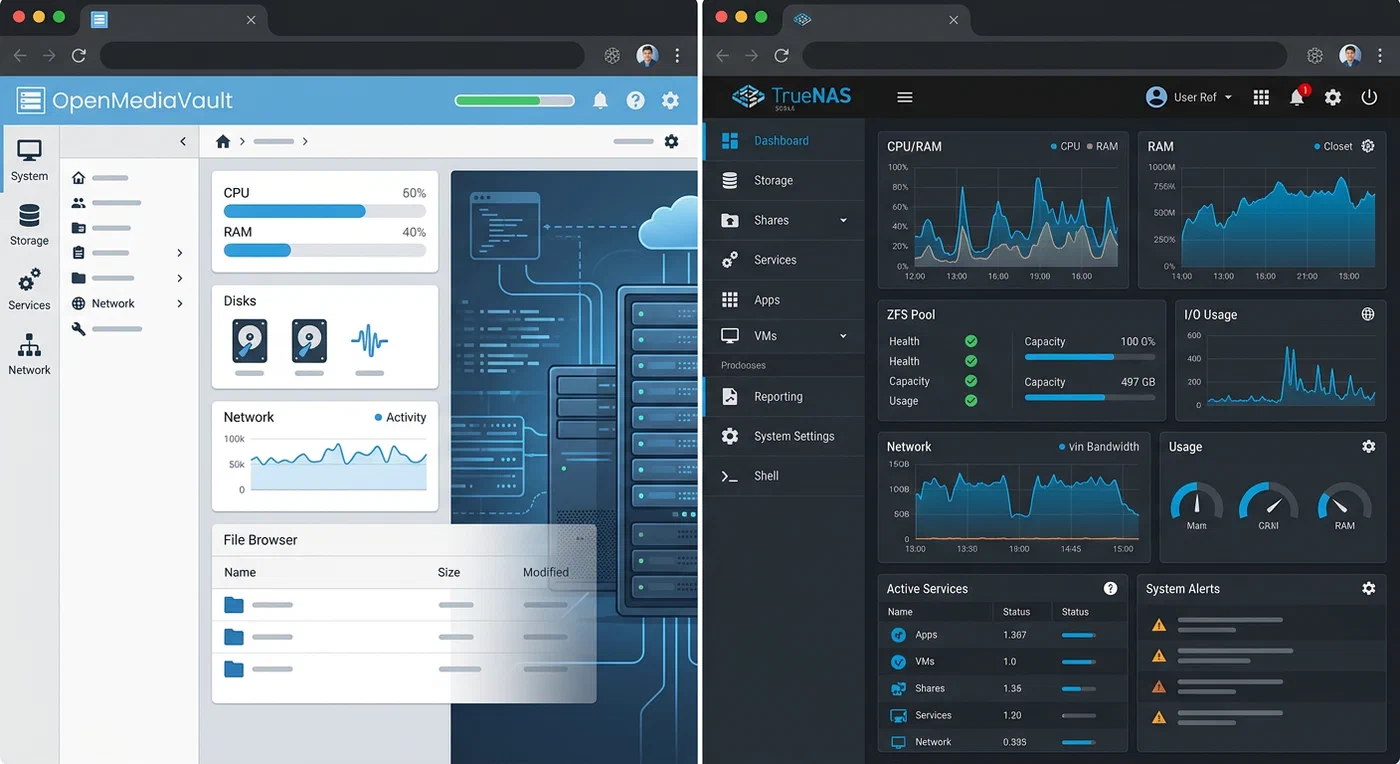
Software freedom is the other argument. Running TrueNAS SCALE or OpenMediaVault on your own hardware means ZFS snapshots, Docker containers for self-hosted services, and zero vendor lock-in. You can migrate your drives to different hardware if the board dies. Synology doesn’t let you do that without a complicated migration process.
Commercial NAS still wins in some scenarios: warranty support, power efficiency at higher drive counts, and mature software for non-technical users. If you want a plug-in, forget-it appliance and don’t mind the cost, Synology is legitimately good. This guide is for the people who want something more.
Hardware Breakdown - Raspberry Pi 5
The Raspberry Pi 5 introduced PCIe 2.0 connectivity for the first time in the Pi lineup, which transforms its NAS viability. Previous models were bottlenecked by USB 3.0’s shared bandwidth and CPU overhead for storage operations. With the M.2 HAT+ accessory, you can attach a single NVMe SSD with direct PCIe access.
The storage configuration options on a Pi 5 NAS build:
- M.2 HAT+ with NVMe: PCIe 2.0 x1 delivers around 350 MB/s sequential read - fast enough for a primary storage pool or cache drive
- USB 3.0 enclosures: For a multi-drive array, USB 3.0 is the only option, and it introduces CPU overhead and bandwidth sharing. Two drives on separate USB 3.0 ports can each achieve around 100–120 MB/s in practice
- USB hub with multiple enclosures: A powered USB hub allows 4–6 drives but bandwidth is shared across the hub’s single controller
Power consumption is where the Pi 5 genuinely excels. At idle with two spinning hard drives connected, the entire system draws around 7–9 watts. Over a year of 24/7 operation at $0.15/kWh, that’s roughly $9–12 in electricity. The Pi 5 board itself is 3–5W at idle; the drives dominate the budget.
The 4GB or 8GB LPDDR4X RAM is sufficient for file serving, Samba, and light Docker workloads. Running TrueNAS SCALE on a Pi 5 is technically possible but not officially supported - OpenMediaVault is the practical choice for Pi-based NAS builds.
Hardware Breakdown - Intel N100
The Intel N100 inside boards like the Beelink EQ12 or Cwwk N100 4-port NAS unit is an Alder Lake-N processor - a power-efficient design that delivers substantially more processing capability than the Pi 5 at reasonable idle power. The key differentiator for NAS use is what comes with typical N100 boards designed for storage: four native SATA ports connected directly to the chipset, an M.2 NVMe slot for a cache drive, and dual 2.5 Gigabit Ethernet for link aggregation.
The Intel UHD Graphics built into the N100 includes AV1 hardware decode via Intel Quick Sync - the feature that makes the N100 compelling for media server use. Running Jellyfin on an N100 box, you can transcode 4-6 simultaneous 4K HEVC or AV1 streams using hardware acceleration, with minimal CPU overhead and negligible added power draw compared to software transcoding. The Raspberry Pi 5 has no hardware video decode pipeline for modern codecs, making it unsuitable for transcoding workloads.

RAM expandability is another N100 advantage. Most N100 NAS boards accept two DDR5 SODIMMs up to 32GB. TrueNAS SCALE’s ZFS uses available RAM aggressively for the ARC (Adaptive Replacement Cache), improving read performance proportionally - 16GB is a reasonable starting point, 32GB is excellent for a family media server.
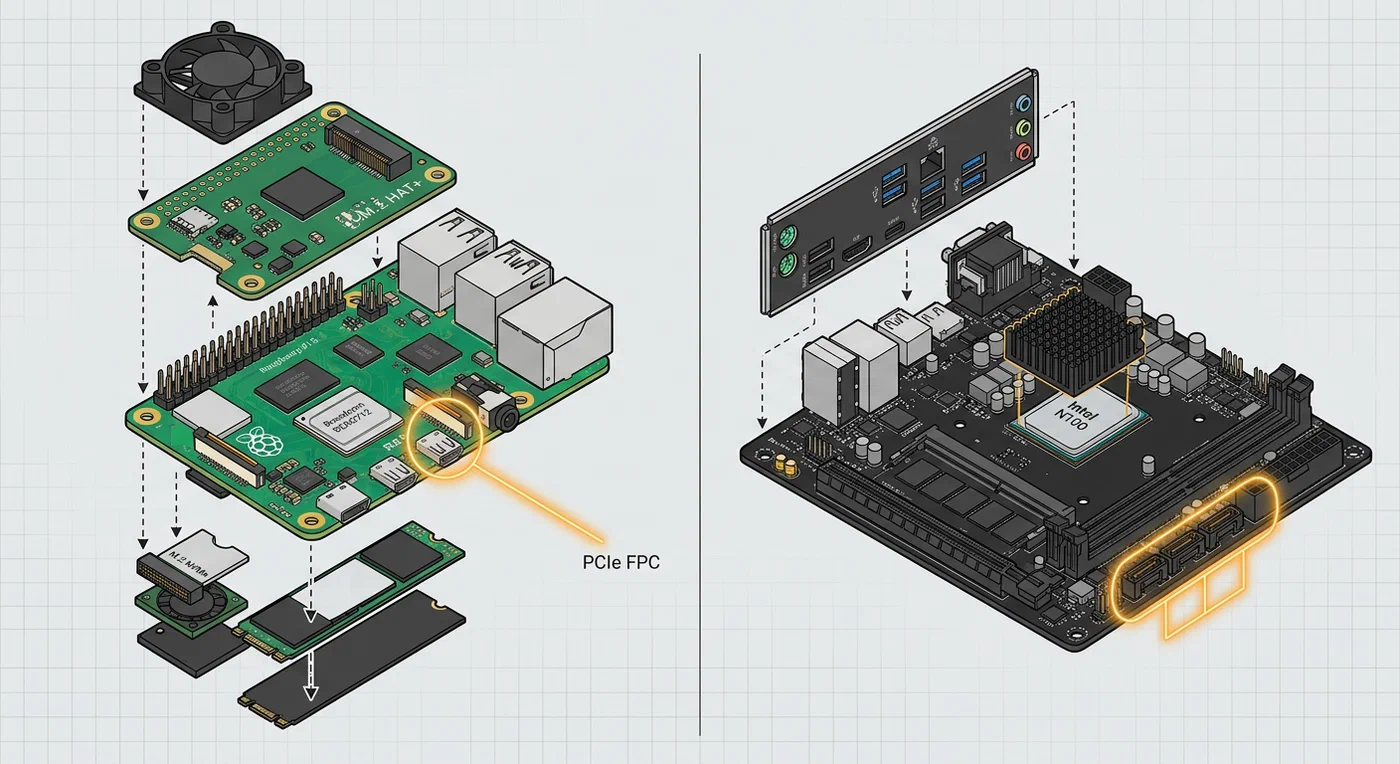
Power consumption at idle with four drives: approximately 15–20 watts depending on drive spindown configuration. The same electricity math gives roughly $20–26 per year. More than the Pi 5, but significantly less than a comparable Synology or QNAP unit.
Software Stack - OpenMediaVault vs. TrueNAS SCALE
OpenMediaVault on Raspberry Pi 5
OpenMediaVault installs cleanly on Raspberry Pi OS and provides a web UI for managing Samba shares, NFS exports, user accounts, and Docker containers via Portainer integration. The mergerfs + SnapRAID combination is the standard storage configuration for a Pi-based multi-drive NAS: mergerfs presents multiple drives as a single unified filesystem (no RAID overhead, full drive utilization), while SnapRAID performs nightly parity calculations that allow recovery from a single drive failure.
The limitation is that mergerfs + SnapRAID isn’t true real-time redundancy - if a drive fails between SnapRAID sync runs, you lose data written since the last sync. For a backup target or media archive where you’re storing content that lives elsewhere too, this is acceptable. For primary storage with no other copies, it’s a risk.
TrueNAS SCALE on Intel N100
TrueNAS SCALE on an N100 platform gives you enterprise-grade ZFS: datasets with native compression, copy-on-write semantics, automatic checksumming that detects silent data corruption, and scheduled scrub operations that verify every bit on disk. ZFS RAIDZ1 across four drives gives you three drives of usable space with one-drive fault tolerance - and unlike RAID5/6 on hardware controllers, ZFS RAIDZ1 doesn’t have the write hole vulnerability.
TrueNAS also includes a proper VM hypervisor and mature app catalog that goes well beyond OpenMediaVault’s Docker integration. Running Nextcloud, Immich (for photo backup), and Jellyfin as TrueNAS apps alongside NAS services is a common configuration.
Cockpit as a Middle Ground
For users who want more control than OpenMediaVault provides but find TrueNAS opinionated, Cockpit on bare Debian is an excellent alternative. It’s a lightweight web UI for Linux that provides disk management, Docker integration, and system monitoring without committing to a NAS-specific distribution. Docker Compose on bare metal alongside Samba works well on both platforms and gives you the most flexibility.
Performance Benchmarks
| Metric | Raspberry Pi 5 | Intel N100 |
|---|---|---|
| Sequential read (SMB, NVMe) | ~310 MB/s | ~950 MB/s |
| Sequential read (SMB, USB HDD) | ~100–120 MB/s | ~450 MB/s (SATA) |
| 4K HEVC simultaneous streams | 0 (no hardware decode) | 4–6 (Quick Sync) |
| Idle power (2 drives) | ~8W | ~18W |
| Idle power (4 drives) | N/A (USB hub limits) | ~22W |
| Annual idle electricity ($0.15/kWh) | ~$10–12 | ~$24–29 |
| RAM max | 8GB | 32GB |
| ZFS ARC cache | Limited | Scales with RAM |
The 10GbE story is worth noting: some N100 NAS boards include 10GbE ports or M.2-to-10GbE cards, making them capable of saturating a 10G home network. The Pi 5 is limited to its built-in 1 Gigabit Ethernet port with no upgrade path.
Drive Selection and Network Configuration
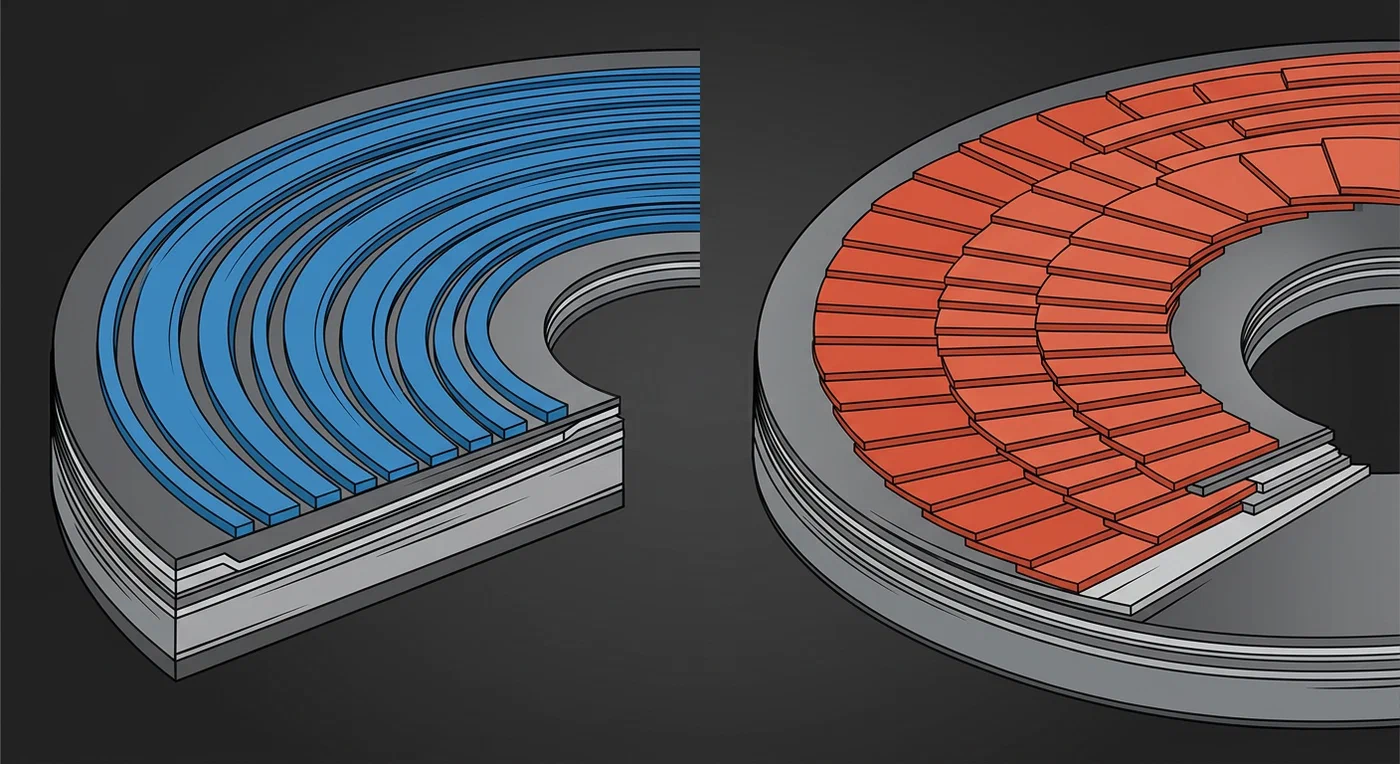
The storage hardware around your NAS matters as much as the compute. For spinning drives, CMR (Conventional Magnetic Recording) drives are strongly preferred over SMR (Shingled Magnetic Recording) for NAS use - SMR drives perform poorly under the random write patterns that ZFS RAIDZ and SnapRAID parity calculations generate. WD Red Plus and Seagate IronWolf are the safe CMR choices; avoid WD Red (non-Plus) models which use SMR.
For network configuration, both platforms benefit from a dedicated VLAN for NAS traffic on a managed switch. This isolates NAS transfers from general home network traffic and simplifies firewall rules. 2.5GbE is the practical sweet spot for home NAS in 2026 - most modern motherboards and many USB 3.0 adapters support it, and it saturates SATA drives without the cost of 10GbE infrastructure.
The 3-2-1 Backup Rule
One critical point that gets lost in NAS discussions: your NAS is not a backup. Whether you’re running a Pi 5 with mergerfs or an N100 with ZFS RAIDZ1, RAID provides fault tolerance, not backup. A ransomware infection, accidental deletion, or fire destroys all your drives simultaneously.
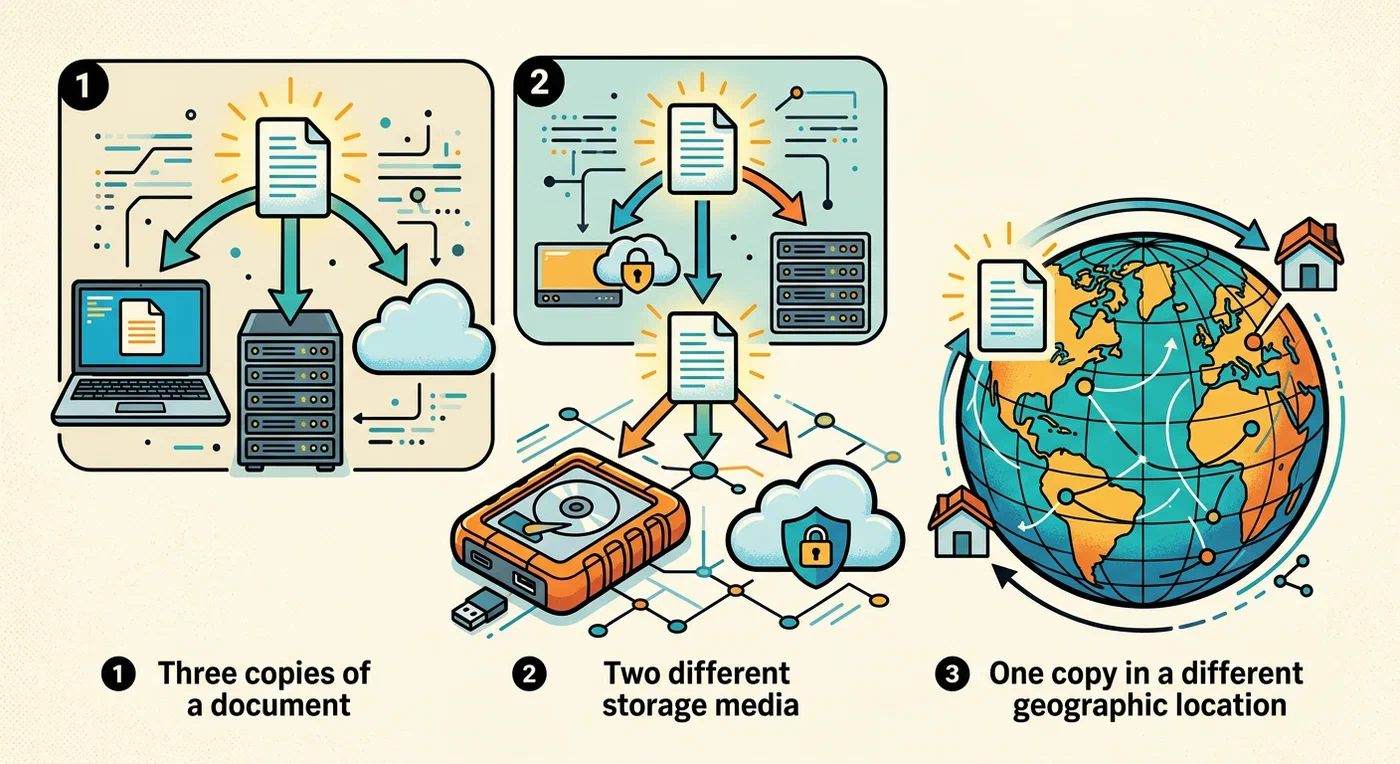
The 3-2-1 rule: 3 copies of your data, on 2 different media types, with 1 copy off-site. Your NAS is one copy. Backing it up to a cloud service (Backblaze B2, Hetzner Storage Box) or a physically separate drive at a different location provides the protection that RAID cannot.
TrueNAS has built-in replication to remote TrueNAS boxes or rsync targets. OpenMediaVault can drive rsync or rclone backups via cron. Neither runs a proper backup strategy by default - configure it explicitly.
Which Should You Build? Decision Framework
Choose the Raspberry Pi 5 if:
- Primary use is file backup or cold storage for photos and documents
- Power consumption is genuinely the primary concern (off-grid, low electricity budget)
- Budget is under $150 total including case and storage
- No transcoding or multi-user media streaming needed
- You enjoy tinkering with ARM Linux and the Pi community
Choose the Intel N100 if:
- Running Plex or Jellyfin for household media consumption
- Want ZFS’s data integrity guarantees and TrueNAS SCALE’s full feature set
- Planning to expand to 3–4 drives in the next year
- Running self-hosted services (Nextcloud, Immich, Home Assistant) alongside storage
- Prioritize a long-lived, performant platform over minimum power draw
Hybrid approach: A Pi 5 as a backup target - pulling nightly backups from other machines via rsync over SSH - paired with an N100 as the primary media and file server is a sensible architecture. The Pi’s low idle power makes it excellent for always-on duty, while the N100 handles heavy lifting when needed.
The N100 has more upgrade headroom and is the platform the NAS software ecosystem is most actively targeting. The Pi 5 is more hackable, has a larger support community, and will remain a capable light-duty NAS platform for years. Neither choice is wrong if it matches your actual workload.