 Botmonster Tech
Build a Private Local AI Voice Assistant (2026 Guide)

A private voice assistant that runs on your own hardware is practical in 2026. No Amazon, no Google, no cloud. With Whisper v3 for speech-to-text, a quantized Llama model for intent, and Piper for natural speech, you can build a voice-controlled setup on a Raspberry Pi 5 that never sends one audio sample to the internet. This guide walks the full stack, from wake word to Home Assistant , with a focus on low latency so it feels like a real assistant.
Architecture Overview: The Five-Component Stack
Every voice assistant runs the same five-step pipeline, whether it ships from Amazon or you build it yourself. Get the architecture right before you write code. It sets your latency ceiling, your privacy guarantees, and how easily you can swap pieces later.
The flow goes like this. A wake word detector listens for your trigger phrase. When it fires, it hands a short audio buffer to a speech-to-text (STT) engine. For our build, that is faster-whisper running Whisper v3. The text passes to an LLM layer (a quantized Llama 3.2 or Phi-4 model) that parses intent and picks an action. The action layer then runs that decision: a Home Assistant REST call, a shell command, a query to a local knowledge base. Finally, a text-to-speech (TTS) engine, Piper, speaks the result back through your speaker.
Each piece stays separate on purpose. You can swap faster-whisper for a future Whisper v4 release without touching TTS. You can run the wake word detector on the main Pi and offload heavier STT and LLM work to a home server. The split is not over-engineering. It is how commercial assistants are built, and it lets you tune each stage on its own.
Two hardware tiers are worth a look. A Raspberry Pi 5 with 16GB RAM is the floor. It runs the full stack, though LLM inference is slow (about 2 to 4 tokens per second on CPU with a 3B quantized model). A mini-PC with an Intel N100 or N305 processor, about $150 to $200 in 2026, is the better pick. You get roughly 3 to 5x faster LLM inference from stronger single-thread CPU speed. ESP32-S3 microcontrollers play a different role. They act as satellite mics for multi-room coverage. They cannot run the AI stack themselves.
Wake Word Detection
The wake word engine runs every second of every day, listening to every sound in your home. Power use, memory, and accuracy all count. False positives (the TV says something that rhymes with the wake word) and false negatives (you say it and nothing happens) are the top complaint from DIY users. They kill the experience faster than anything else.
The best open-source pick in 2026 is openWakeWord, a Python framework that uses learned embeddings from Whisper’s audio encoder to spot custom wake words. Older tools rely on narrow phoneme matching. openWakeWord reads the acoustic shape of a word in context, so it holds up better against noise and speaker variation. Porcupine from Picovoice is the commercial option. It has higher out-of-the-box accuracy and runs well on embedded hardware. The free tier limits you to a small set of pre-built wake words and needs internet for activation. For a truly private offline build, pick openWakeWord.
Training a custom wake word with openWakeWord takes only 5 to 10 minutes of your own voice. You record the phrase about 150 to 200 times, in different rooms and at different distances from the mic. openWakeWord then adds synthetic noise, reverb, and pitch shifts to turn that small set into a sturdy training corpus. The training run finishes in under 30 minutes on a laptop CPU. The result is a small ONNX file you drop into the openWakeWord models folder.
Sensitivity tuning balances two errors. A false positive rate that is too high wakes the assistant on near-matches. Someone on TV says “hey sailor,” and your kitchen lights snap off. A false negative rate that is too high makes you repeat yourself all day. The openWakeWord threshold (a float between 0.0 and 1.0) is tuned per room. Start at 0.5, run for a day, then push toward 0.7 if you see too many false triggers. Run the detector in a dedicated Python thread with threading.Thread(daemon=True) so it never blocks the pipeline. When it fires, drop a signal into a queue.Queue that the STT stage watches. No shared state. No race conditions.
Latency is King: Sub-Second Responses
The latency gap is the top reason DIY users give up and go back to Alexa. Alexa typically replies 400 to 700ms after you stop speaking. A naive DIY build records until silence, transcribes the full clip, waits for the full LLM reply, then synthesizes the whole answer. That stack can run 3 to 5 seconds. In conversation, that feels like forever. To close the gap, you stream at every stage.
faster-whisper is the right pick for STT. It is OpenAI’s Whisper rebuilt on CTranslate2, and it runs 4 to 8x faster than the original on the same hardware. The key win for latency: it streams. faster-whisper processes audio in small chunks as you speak instead of waiting for you to stop. Paired with Silero VAD for speech boundaries, transcription starts while you are still talking and ends 100 to 200ms after your final word. On a Raspberry Pi 5, the medium model (769M parameters) is accurate enough at about 200 to 400ms total. On a mini-PC or any system with a GPU, large-v3 finishes in under 150ms and is meaningfully more accurate.
The LLM stage is where you face the sharpest trade-off between smarts and speed. For everyday commands like “turn off the kitchen lights,” “set a 20 minute timer,” or “what’s the weather,” a 3B quantized model such as Phi-4 (3.8B) or Llama 3.2 3B runs at 3 to 5 tokens per second on a Raspberry Pi 5 CPU. First token lands in 200 to 400ms. That is fast enough for simple intent parsing. For complex multi-step queries that need real reasoning, route to a bigger model on your home server. This two-tier setup keeps daily use snappy and still handles the long tail.
Piper TTS supports streaming synthesis, so playback starts before the full reply is ready. That is key for answers longer than one sentence. Instead of waiting for Piper to render 10 seconds of audio, you feed it sentence-sized chunks. Each chunk plays the moment its audio is ready. A well-tuned pipeline feels conversational even when the LLM takes 1 to 2 seconds for a long answer, because the user hears the start of the reply within 200ms of the first token.
Putting this together into a concrete latency budget:
| Stage | Optimized Target | What Gets You There |
|---|---|---|
| Wake word detection | 0 ms perceived | Runs continuously in background |
| End-of-utterance detection | 300 ms | Silero VAD with 300ms silence threshold |
| STT (faster-whisper streaming) | 150–250 ms | medium model, streaming chunks |
| LLM intent parsing (first token) | 200–400 ms | 3B quantized INT4 model |
| TTS first audio chunk (Piper) | 100–150 ms | Sentence-boundary streaming |
| Total to first audio | ~750–1100 ms | All stages pipelined |
Sub-1-second total latency on a Raspberry Pi 5 is in reach with this stack. On a mini-PC with even light GPU help, sub-600ms is realistic. Aim for 1 second to first audio. At that threshold, the chat feels natural.
Multi-Room Audio and Presence
A voice assistant that works in only one room is limited. You want to walk into the bedroom, say the wake word, and get a reply. You want the kitchen speaker to handle kitchen commands. Multi-room coverage does not mean buying five Raspberry Pi units. It means cheap ESP32-S3 boards as satellite listening nodes spread around your home.
The ESP32-S3 is a dual-core 240MHz chip with built-in WiFi, enough RAM for a steady audio stream, and hardware for I2S microphone arrays. Run open firmware like esp-wr-audio-board. It captures audio from an attached MEMS mic array, compresses it, and streams it over WebSocket or MQTT to your server. The ESP32-S3 does not run wake word detection. That work happens on the server. So the satellites stay simple, cheap (about $8 to $15 per unit with a mic breakout), and very low power (under 200mW active).
The glue is the Wyoming Protocol, an open lightweight format from the Rhasspy project. Home Assistant’s voice pipeline now supports it out of the box. Wyoming defines a simple message format for audio streams, wake events, STT results, TTS audio, and pipeline state. A Wyoming satellite sends audio frames to the server. The server runs wake detection, fires a wake event, runs STT, and sends back a TTS stream. From the satellite’s view, it is a plain WebSocket client. From the server’s view, every satellite looks the same no matter the hardware.
The room-awareness problem is knowing where a command came from so “turn off the light in here” lands on the right bulb. The fix is satellite identity. Each ESP32-S3 node has a unique ID in its MQTT topic or Wyoming session header. The intent layer maps that ID to a room tag. When a command holds a relative pronoun like “in here” or “this room,” it swaps in the known room. The map lives in a YAML config file. No machine learning needed.
Cross-room false activations are a real concern in open-plan homes. The ESP32-S3 supports digital mic beamforming. It focuses the array’s pickup in one direction and rejects audio from behind the device. Pair that with per-satellite sensitivity tuning (higher threshold in open spaces, lower in closed rooms) and false cross-room triggers drop to near zero.
Home Assistant Integration
Home Assistant is the natural control plane for a local voice assistant. It already knows every smart device in your home and has a rich action system. Since the 2024.x release cycle, it ships a first-class voice pipeline built for local privacy-preserving setups. Wiring your Whisper STT and Piper TTS into HA takes less than an hour. Once in, you get HA’s full library of device integrations.
HA’s voice pipeline speaks Wyoming Protocol natively. Run your faster-whisper STT server as a Wyoming service (the wyoming-faster-whisper add-on or Docker container). Point HA at it in Settings, Voice Assistants. HA then routes wake events to your STT and pipes the text to its intent engine. Same idea for wyoming-piper, which wraps Piper TTS in a Wyoming service for all voice replies. You are not rebuilding the HA glue. You are plugging your AI parts into HA’s existing pipeline.
HA’s built-in NLP intent engine handles common commands cleanly: device control, scenes, timers, and basic state queries. For anything more involved like “Is the back door unlocked and did I leave the garage light on?” the rule-based engine falls short. This is where a local LLM via the conversation integration earns its keep. Wire up a local LLM endpoint (say, an Ollama instance on your home server) as a custom conversation agent in HA. Commands HA’s NLP cannot parse are forwarded to the LLM, which sees your HA entity state in a system prompt with your device list. The LLM emits a Home Assistant service call in JSON, which your integration runs. This hybrid setup keeps latency low for 90% of commands and still handles the long tail.
A voice assistant gets useful when it can speak to you on its own. HA’s tts.speak service, pointed at a Wyoming Piper instance and a media player entity, lets any HA automation fire a spoken alert. A front-door motion sensor can say “Someone’s at the front door.” A timer can say “Your oven timer just finished.” A morning routine can read out the weather and calendar. All of it runs on your local network, spoken by Piper, with no cloud TTS in sight.
Privacy Hardening and Security
An always-on listening device in your home is a real privacy commitment, even when you built it. The edge a DIY build has over a commercial one is that you can check what it does with audio. That check is not optional. Trust, but verify.
The first step is making sure no audio leaves your network. The cleanest tool is a Pi-hole DNS sinkhole. If any voice process tries to resolve an outside domain, Pi-hole logs it on the spot. Pair Pi-hole with a tcpdump capture. Run tcpdump -i eth0 -n not host YOUR_HA_IP on the Pi while you speak wake words and commands. That confirms, at the packet level, that no audio is leaving. If your assistant is set up right and runs only local models, those captures should be empty of outbound traffic during voice use. Run this check after every software update.
A hardware mute switch is the only absolute audio-privacy guarantee. Wire a physical button (a latching toggle is best) in series with the mic power line. When the switch is off, no software change, no firmware bug, and no remote exploit can make the mic record. This is not paranoia. It is sound engineering for a device that is always listening. Add a small LED on the same circuit so you can see when the mic is live. Several open hardware mic arrays (like the ReSpeaker series) ship with this feature built in.
Speaker verification confirms that the voice giving a command is on the authorized list. It blocks commands from guests, TV audio, or voices from outside the home. SpeechBrain’s ECAPA-TDNN model produces strong speaker embeddings and runs well on CPU. Enrollment is simple. Record 30 to 60 seconds of each authorized speaker saying any phrase, extract embeddings, and store them locally. At inference time, the pipeline pulls an embedding from the command audio and runs cosine similarity against the stored set. Commands below a tuned threshold get rejected before they hit the intent layer. The check adds about 50ms and shuts the door on unauthorized voice commands.
For logging, the rule is simple: log events, never audio. Logs should hold timestamps of wake detections, parsed intent labels, entity IDs you controlled, and error codes on failure. They should not hold raw audio, audio file paths, or verbatim transcripts. Set up log rotation with Python’s logging.handlers.RotatingFileHandler so files roll weekly and drop after 30 days. If you ever share logs for debugging, there should be nothing in them that reveals what you said or when you were home.
Hardware Bill of Materials
For readers who want to build this from scratch, here is a representative 2026 component list for a single-room setup:
| Component | Recommended Option | Approx. Price |
|---|---|---|
| Main compute | Raspberry Pi 5 (16GB) | $80 |
| MicroSD card | 64GB A2-rated card | $12 |
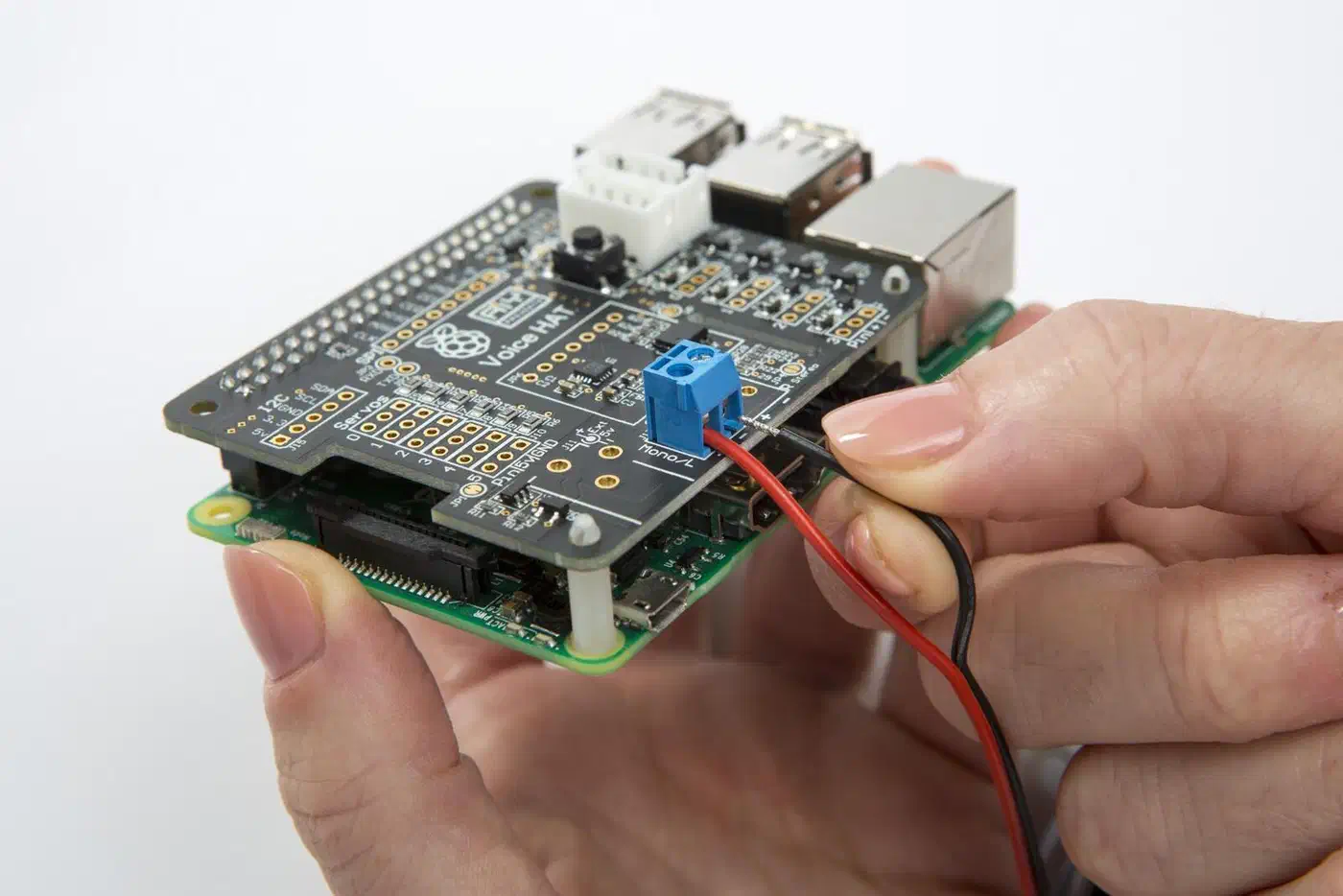
| Microphone array | ReSpeaker 4-Mic Array for Pi | $35 |
| Speaker | Small USB or 3.5mm powered speaker | $20–$40 |
| Power supply | Official Pi 5 27W USB-C PSU | $12 |
| Case | Argon NEO 5 or similar | $15 |
| Total | ~$175–$195 |
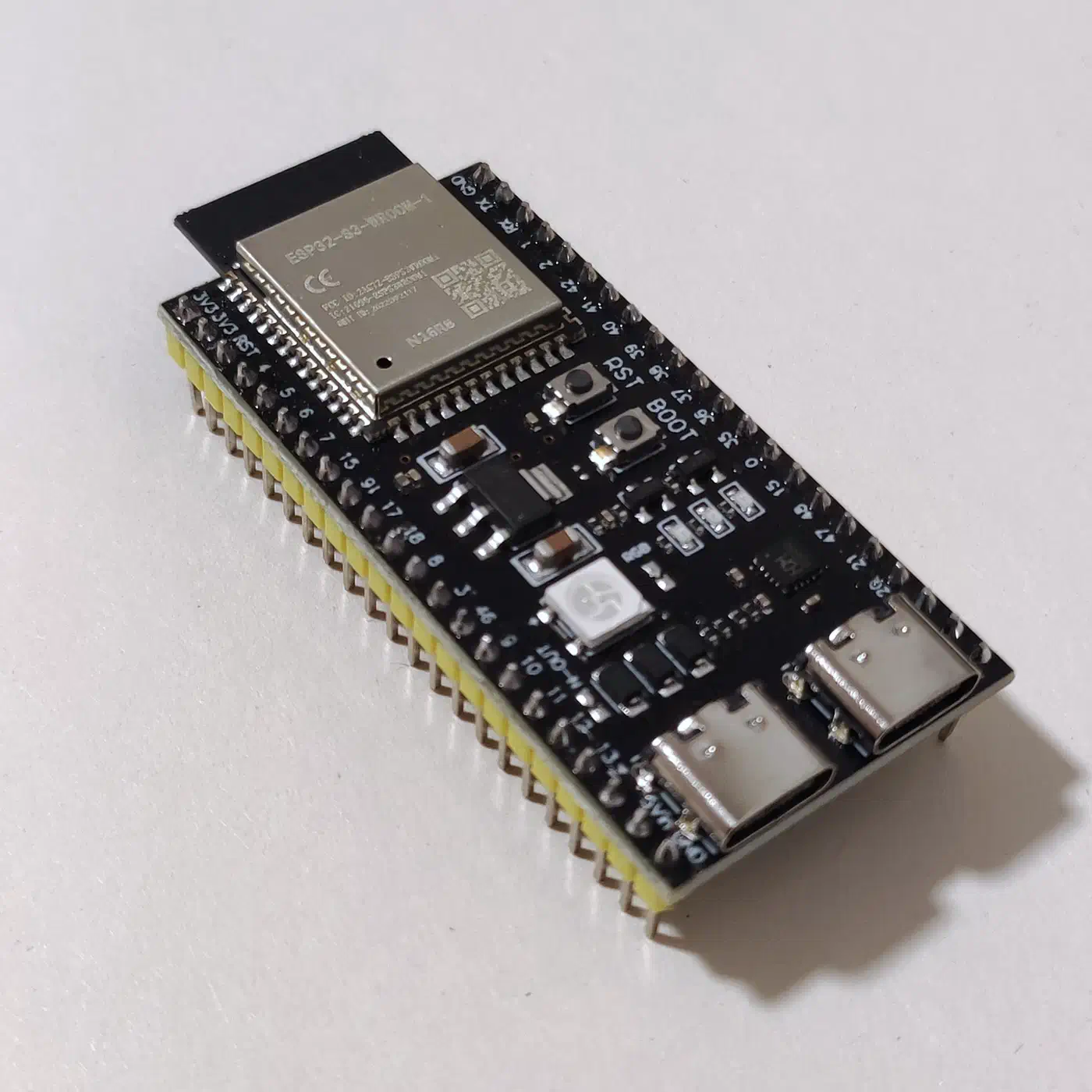
For a multi-room expansion, each ESP32-S3 satellite adds about $15 to $25 in hardware (board plus MEMS mic breakout). Whole-home coverage runs under $100 in satellite nodes.
Getting the Software Running
The fastest path is Home Assistant OS or Home Assistant Supervised as your base. Then install the Wyoming Whisper and Wyoming Piper add-ons from the HA store. That route gives you service management, auto-restart, and HA wiring for free. If you would rather run a plain Linux system (Raspberry Pi OS or Ubuntu), the same parts come as Docker containers:
# Wyoming faster-whisper STT server
docker run -d \
  --name wyoming-faster-whisper \
  -p 10300:10300 \
  -v /data/whisper:/data \
  rhasspy/wyoming-faster-whisper \
  --model medium \
  --language en

# Wyoming Piper TTS server
docker run -d \
  --name wyoming-piper \
  -p 10200:10200 \
  -v /data/piper:/data \
  rhasspy/wyoming-piper \
  --voice en_US-lessac-medium

# openWakeWord server
docker run -d \
  --name wyoming-openwakeword \
  -p 10400:10400 \
  rhasspy/wyoming-openwakeword \
  --preload-model ok_nabu
With these three containers up, go to Home Assistant, Settings, Voice Assistants, Add Assistant, and point each stage at the matching Wyoming service. HA handles the rest of the pipeline. For the custom LLM agent, install Ollama on a home server
or on the Pi itself (slower but workable). Pull a suitable model (ollama pull phi4 or ollama pull llama3.2:3b) and set the Ollama integration in HA as your conversation backend.
What to Expect and Where to Go Next
A well-tuned version of this stack on a Raspberry Pi 5 gives you a useful voice assistant. It handles device control, timers, basic queries, and multi-step commands without touching the internet. Latency in the 750 to 1100ms range feels fast in real use. Piper’s high-quality en_US-lessac-high voice is natural enough that guests will not flag it as synthetic right away.
A few areas still trail commercial assistants. Music needs extra setup with Spotify Connect, MPD, or Mopidy. Complex multi-step reasoning hits the wall of a 3B model on a Pi 5. Automatic speaker recognition for household members takes enrollment effort. All three are solvable, and the Home Assistant voice community is working on them.
The point of this build is not feature parity with Alexa. It is the certainty that the listening device in your home is yours: your software, your hardware, your data, staying exactly where it belongs.