 Botmonster Tech
How to Set Up FLUX 2 Max Locally in 2026
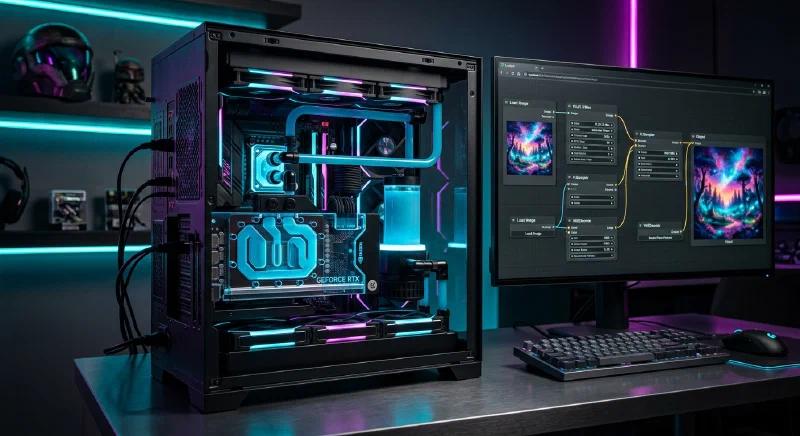
Setting up FLUX 2 Max locally in 2026 is significantly more streamlined than previous years, but because the “Max” variant is a massive 32B+ parameter model, your hardware remains the biggest hurdle.
Here is the step-by-step guide to getting it running.
Hardware Check (The “Max” Requirements)
FLUX 2 Max is designed for high-fidelity output. To run it at a reasonable speed, you need:
GPU: NVIDIA RTX 3090, 4090, or 50-series (minimum 24GB VRAM).
Note: If you have 12GB–16GB, you must use the “Klein” or “FP8” quantized versions.
System RAM: 32GB minimum (64GB recommended for offloading).
Storage: ~60GB of free space (Weights for the model, VAE, and Text Encoders).
Software Prerequisites
- Python 3.10 or 3.11: Stable versions are still preferred over the very newest builds.
- Git : To clone repositories.
- CUDA 12.4+: Ensure your NVIDIA drivers are updated to support the latest kernels.
Recommended Environment: Stability Matrix
In 2026, the easiest way to manage local AI is Stability Matrix . It acts as a “one-click” installer that handles dependencies and keeps your models in a shared folder across different interfaces.
- Download Stability Matrix from GitHub.
- Install an Interface: Inside the app, click “Add Package” and choose ComfyUI (best for FLUX 2 Max’s advanced nodes) or Forge (best for a simple UI).
- Shared Folders: It will automatically create a Models directory.
Downloading FLUX 2 Max Weights
You need three distinct components from Hugging Face (Black Forest Labs official repo):
The Main Model: flux2_max.safetensors
- Move to:
/models/checkpoints/(or/models/diffusion_models/in newer ComfyUI versions).
The Text Encoder: FLUX 2 uses a Mistral
-based encoder (usually mistral_3_small_flux2_fp8.safetensors).
- Move to:
/models/clip/or/models/text_encoders/.
The VAE: flux2_vae.safetensors.
- Move to:
/models/vae/.
Running the Model (The Workflow)
FLUX 2 Max does not use the old “Standard” sampling. You need a FLUX-specific workflow.
- Open ComfyUI.
- Load Workflow: Drag and drop an official FLUX 2 JSON workflow (usually found on the Black Forest Labs GitHub or Civitai ).
- Set the Nodes:
- Point the UNET Loader to your
flux2_max.safetensors. - Point the DualCLIPLoader to your Mistral encoder.
- Point the UNET Loader to your
- Queue Prompt: Type your prompt and hit “Queue.”
Pro Tip for 2026: If your generations are taking longer than 60 seconds, check if “Weight Offloading” is enabled in your settings. This moves parts of the model to your System RAM to prevent crashes, though it slows down the process.