 Botmonster Tech
Stable Diffusion ControlNet: How to Generate Images from Sketches and Depth Maps
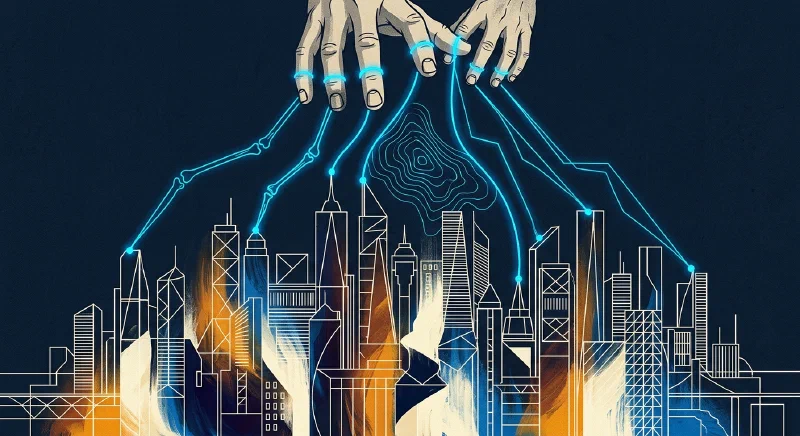
ControlNet lets you guide Stable Diffusion’s image generation with spatial conditioning inputs - hand-drawn sketches, Canny edge maps, depth images, or OpenPose skeletons - so the output follows your compositional intent rather than relying on prompt engineering alone. You feed a preprocessed control image alongside your text prompt, and the model generates artwork that matches the structure of your input while filling in texture, lighting, and detail from the prompt. This gives you pixel-level compositional control that no amount of prompt tweaking can replicate.
If you have ever spent twenty minutes rewording a prompt trying to get a character’s arm in the right position or a building at the correct angle, ControlNet solves that problem directly. You draw it, photograph it, or extract it from an existing image, and the model respects that structure.
What ControlNet Is and How It Works
ControlNet (Zhang et al., 2023) adds a trainable copy of the UNet encoder blocks alongside the frozen Stable Diffusion model. The control image is processed through this copy and injected into the main UNet via zero-convolution layers. These zero-convolution layers start with weights initialized to zero, meaning ControlNet begins with no influence and gradually learns to inject spatial information during training. The result is a conditioning mechanism that preserves the pretrained model’s generation quality while adding precise structural guidance.
This differs from img2img in a significant way. img2img initializes the diffusion process from a noised version of the input image. With img2img, you inherit the color palette and general texture of the input. A rough pencil sketch through img2img produces something that still looks like a rough pencil sketch. With ControlNet, that same pencil sketch can produce a photorealistic photograph, an oil painting, or a 3D render - the sketch only controls where things are, not what they look like.
Each ControlNet model is trained on a specific conditioning type. The main ones you will encounter are:
- Canny edges - extracts hard edges from images, good for preserving structural detail
- Depth maps - grayscale depth information that controls spatial relationships and perspective
- OpenPose skeletons - body, hand, and face keypoints for character pose control
- Scribble/sketch - rough hand-drawn lines interpreted as compositional guidance
- Lineart - clean line drawings for illustration workflows
- Segmentation masks - color-coded regions that control what objects appear where
- Normal maps - surface orientation data for controlling lighting and 3D structure
- MLSD - straight line detection, useful for architectural scenes
- Soft edges (HED/PiDiNet) - softer edge detection that captures broader shapes
The control_weight parameter (0.0 to 2.0, default 1.0) determines how strongly the control image influences generation. Values above 1.3 tend to produce artifacts, while the 0.4 to 0.7 range gives a suggestive rather than strict adherence to the control input. Most workflows land somewhere between 0.6 and 1.0 depending on how tightly you need the output to match.
You can also stack multiple ControlNets simultaneously - depth plus OpenPose plus Canny, each with individual weights - giving layered control over composition, pose, and edge detail in a single generation pass. Multi-ControlNet stacking is what makes complex scenes with multiple constraints tractable.
ControlNet models currently exist for SDXL (recommended for quality), SD 1.5 (widest model availability), and SD 3.5 (newest, with improved detail handling). FLUX.1 ControlNet variants from Jasper AI and InstantX are emerging but less mature as of early 2026.
Setting Up Your ControlNet Environment
You have two main options for running ControlNet locally: ComfyUI or A1111 Forge. Both work, but they suit different workflows.
ComfyUI Setup
ComfyUI is the recommended option. Its node-based workflow gives you explicit control over every pipeline stage, and it handles memory more efficiently than alternatives.
Install it with:
git clone https://github.com/comfyanonymous/ComfyUI.git
cd ComfyUI
pip install -r requirements.txt
Then install the ComfyUI-ControlNet-Aux
custom node pack for built-in preprocessors. This gives you all the standard preprocessors (Canny, depth, OpenPose, lineart, etc.) as drag-and-drop nodes. Place ControlNet models in models/controlnet/ within your ComfyUI directory. Preprocessor models auto-download to annotator/ on first use.
A1111 Forge Setup
A1111 Forge
is a better starting point if you prefer a traditional UI with dropdown menus. Install the sd-forge-controlnet extension, which provides preprocessor and model selection through a straightforward interface. Less flexible than ComfyUI for complex multi-ControlNet workflows, but it gets you generating images faster. Place ControlNet models in extensions/sd-forge-controlnet/models/.
Models to Download
For SDXL ControlNet, grab these from HuggingFace:
| Model | Size | Use Case |
|---|---|---|
diffusers/controlnet-canny-sdxl-1.0 | 2.5 GB | Edge-guided generation |
diffusers/controlnet-depth-sdxl-1.0 | 2.5 GB | Depth-guided composition |
xinsir/controlnet-union-sdxl-1.0 | 2.5 GB | 8 control types in one model |
The ControlNet Union model from xinsir is particularly useful - it packages Canny, depth, pose, and five other control types into a single 2.5 GB file, so you do not need to download separate models for each type.
VRAM Requirements
SDXL with one ControlNet requires 8 GB VRAM minimum in FP16. With two stacked ControlNets, budget 10 to 12 GB. If you are hitting out-of-memory errors on an 8 GB card like the RTX 4060, use the --lowvram or --medvram flags in A1111/Forge.
On a 16 GB card (RTX 5070 Ti) or the RTX 4090 (24 GB), enable FP16 inference with no memory optimizations for maximum speed. Expect 4 to 8 seconds per 1024x1024 SDXL image with one ControlNet on a 5070 Ti.
Preprocessing Your Control Images
The quality of your ControlNet output depends heavily on how you prepare the conditioning image. A sloppy preprocessing step produces sloppy results regardless of your prompt.
Canny Edge Detection
Best for converting photographs or detailed drawings into edge maps. The two key parameters are the low threshold (50 to 100) and high threshold (100 to 200). Lower thresholds capture more detail but can introduce noise. For most photographs, start with low=100 and high=200, then decrease the low threshold if you need finer detail. The output is a black-and-white image where white lines represent detected edges.
Depth Estimation
Depth Anything v2 (2024) is the current best option for monocular depth estimation. It is more accurate than MiDaS 3.1 and runs at 30fps on an RTX 4060. The output is a grayscale image where lighter areas are closer and darker areas are farther away. This is particularly useful for maintaining spatial relationships when you want to completely change a scene’s content while keeping its layout.
OpenPose Skeleton Detection
Extracts body, hand, and face keypoints from photographs. Use this for character art where you need to control pose precisely while changing clothing, style, or identity. The full OpenPose detection (body + hands + face) gives the tightest control but also the most constraints. For looser pose guidance, use body-only detection.
Scribble and Sketch Mode
The most forgiving preprocessor. Draw black lines on a white canvas at any quality level - stick figures, rough shapes, abstract compositions - and the model interprets your intent rather than exact geometry. This is the fastest path from idea to image because it accepts genuinely rough input. If you are drawing on paper, scan or photograph it and run it through the Scribble preprocessor to clean it up.
Lineart
Comes in Anime and Realistic variants. Converts images to clean line drawings or accepts hand-drawn lineart directly. Pair the anime variant with a checkpoint like Animagine XL for illustration workflows where you want to go from rough lineart to finished colored illustration.
Segmentation Masks
Using OneFormer or SAM2 , you color-code image regions using the ADE20K palette (sky=blue, ground=green, building=red) to control which objects appear where. This works well for landscape and architectural composition where you want precise control over the scene layout without drawing edges.
Practical Workflows: From Sketch to Finished Image
The following three workflows cover the most common ControlNet use cases and can be adapted to most projects.
Sketch to Concept Art
Start with a rough pencil sketch - either scanned from paper or drawn digitally as black lines on a white background. If scanned, run it through the Scribble preprocessor to clean it up. If drawn digitally, you can often use it directly.
Set control_weight to 0.8. Write a detailed prompt describing materials, lighting, and style - something like “fantasy castle on a cliff, dramatic sunset lighting, stone walls covered in moss, volumetric fog, highly detailed digital painting.” Generate at 1024x1024 with 30 sampling steps using DPM++ 2M Karras scheduler.
The sketch controls the composition (where the castle sits, the cliff angle, the horizon line) while the prompt controls everything else (materials, lighting, atmosphere, style).
Depth-Guided Scene Transformation
Take a smartphone photo of a room or landscape. Run it through Depth Anything v2 to extract the depth map. Load controlnet-depth-sdxl-1.0 with control_weight set to 0.7, and prompt for a completely different environment.
A living room depth map with the prompt “underwater coral reef, tropical fish, sunlight filtering through water, volumetric lighting” retains the spatial layout of your living room - the couch becomes a coral formation at the right distance, the bookshelf becomes a reef wall - while transforming every surface and object. This technique is useful for concept art, game environment design, and architectural visualization where you want to explore different themes for the same space.
Pose-Controlled Character Art
Find a reference photo with the desired pose (or photograph yourself). Extract the OpenPose skeleton with body, hands, and face keypoints. Set control_weight to 0.9 for strict pose adherence. Write a prompt with your character description.
For additional control over clothing or accessories, stack a second ControlNet using Canny edges from a clothing reference at weight 0.3. The OpenPose skeleton controls the body position while the Canny edges suggest outfit details.
Prompt Strategy with ControlNet
Prompt engineering works differently with ControlNet because the model already knows where things go. Your prompt should focus on what fills the composition rather than spatial arrangement. Front-load quality terms (“masterpiece, best quality, highly detailed”), include style tags (“oil painting,” “3D render,” “photograph”), and describe materials, lighting, and atmosphere.
Negative prompts matter more with ControlNet than in standard generation. Include “deformed hands, extra fingers, blurry, low quality, watermark” as the model can produce artifacts at control points, especially around hand keypoints where the skeleton data is densest.
Batch Generation and Refinement
Generate 4 to 8 images per configuration with different seeds. Take the best result and run it through img2img at 0.3 to 0.4 denoise strength for refinement. For an extra level of polish, extract Canny edges from your best output and apply a second ControlNet pass - this tightens detail while preserving the overall composition you already approved.
Advanced Techniques: Multi-ControlNet and ControlNet Unions
After getting comfortable with single-ControlNet workflows, you can stack multiple control types and combine them with IP-Adapter for much finer control over the output.
Multi-ControlNet Stacking
In ComfyUI, chain multiple Apply ControlNet nodes sequentially, each with its own model, control image, and weight. A powerful combination for character scenes is Depth (weight 0.6) for spatial layout, OpenPose (weight 0.8) for pose, and Canny (weight 0.3) for edge detail. The weights need balancing - if one ControlNet dominates, reduce its weight and increase the others until the result reflects all three inputs.
ControlNet Union Models
The xinsir/controlnet-union-sdxl-1.0 model handles multiple control types in a single model. Pass a control_mode parameter (0 for Canny, 1 for depth, 2 for pose, and so on) to select the conditioning type. This reduces VRAM usage from roughly 7.5 GB (three separate models) to 2.5 GB (one union model), which makes multi-ControlNet workflows feasible on 8 GB cards.
IP-Adapter Plus ControlNet
IP-Adapter injects style or subject identity from a reference image, while ControlNet controls composition. The practical use case is consistent character generation: use IP-Adapter to lock in a character’s face and appearance, then use ControlNet with different poses for each frame. This combination is essential for comic pages, storyboards, or any project requiring the same character across multiple images.
ControlNet Inpainting
Mask a region of an existing image, provide a ControlNet condition for just that region, and regenerate only the masked area. The most common use is fixing hands - apply OpenPose to just the hand region with correct finger positions and regenerate. You can also use depth-guided inpainting to replace backgrounds while keeping foreground subjects intact.
T2I-Adapter as a Lightweight Alternative
T2I-Adapters achieve roughly 70 to 80 percent of ControlNet’s conditioning strength with about half the VRAM usage. If you are on a 6 GB card where full ControlNet plus SDXL does not fit, T2I-Adapter may be your only option for spatial conditioning. The quality gap is noticeable but not dramatic for most use cases.
FLUX.1 ControlNet
InstantX and Jasper AI have released Canny, depth, and pose ControlNets for FLUX.1-dev. Quality rivals SDXL ControlNet, but FLUX.1 requires 12 GB or more VRAM and inference runs 2 to 3 times slower due to the larger architecture. If you already run FLUX.1 for its superior text rendering and prompt adherence, the ControlNet variants are worth testing. If you are choosing a base model primarily for ControlNet work, SDXL remains the more practical option in early 2026 due to wider model availability and better performance per watt.
Quick Start Path
If you want to try ControlNet with minimal setup: install ComfyUI, download the ControlNet Union SDXL model, take a photo of anything with your phone, run Depth Anything v2 on it, and generate with a creative prompt. The whole process takes about ten minutes from install to first image. Once you see a depth map from your living room turned into an alien landscape or a medieval tavern, the appeal of spatial conditioning becomes obvious. From there, try different preprocessors, stack multiple ControlNets, and build workflows around your specific projects.