 Botmonster Tech
What Are the Best WiFi 7 Mesh Routers for a Smart Home in 2026?
The best WiFi 7 mesh routers for a smart home in 2026 are the TP-Link Deco BE85 for overall performance, the Ubiquiti UniFi U7 Pro for advanced users who need VLAN segmentation and centralized management, and the Asus ZenWiFi BT10 for those who want strong Linux client compatibility at a slightly lower price. All three support Multi-Link Operation (MLO), 4096-QAM, and the IoT device isolation that keeps a smart home both fast and secure.
Picking the right mesh system for a smart home goes beyond raw throughput numbers. A household with 40 or 50 connected devices - smart bulbs, motion sensors, IP cameras, thermostats, voice assistants, plus the usual phones and laptops - needs a router that handles concurrent connections gracefully, supports network segmentation to keep IoT devices from snooping on your personal traffic, and works reliably with the operating systems you actually run.
What WiFi 7 (802.11be) Actually Changes for Smart Homes
WiFi 7 brings real improvements to latency, airtime efficiency, and band management. The headline throughput numbers get all the attention, but for a dense smart home, those other factors matter more day-to-day.
Multi-Link Operation (MLO) lets a single device transmit and receive across 2.4GHz, 5GHz, and 6GHz simultaneously. For latency-sensitive devices like security cameras and video doorbells, this can cut round-trip latency from roughly 15ms to 3ms. MLO also provides instant failover - if the 5GHz band gets congested during a video call, traffic shifts to 6GHz without dropping a frame. On the router side, MLO requires firmware support: Ubiquiti’s UniFi Network 8.2.93+ with AP firmware 7.1.18+, and TP-Link enables MLO by default on the Deco BE85 series.
The 320MHz channel width on the 6GHz band (channels 1-59) doubles what WiFi 6E offered at 160MHz. A single 4K RTSP stream at 15Mbps is trivial on 320MHz, while stacking four or five of them on the 5GHz band creates real congestion. Moving camera traffic to 6GHz frees the 5GHz band for phones and laptops.
4096-QAM (up from 1024-QAM in WiFi 6E) packs about 20% more data per symbol, but this only benefits devices within 2-3 meters of the access point. For IoT devices spread throughout a home, the real-world impact is minimal. Do not buy a WiFi 7 router primarily for QAM improvements.
Improved Target Wake Time (TWT) scheduling matters for battery-powered sensors from companies like Aqara and Shelly . WiFi 7’s refined TWT allows these devices to sleep more aggressively between scheduled transmissions, extending battery life measurably compared to WiFi 6.
Backward compatibility is full. Every WiFi 7 router supports WiFi 4, 5, 6, and 6E clients. Your existing Ecobee thermostats, Ring cameras, and Zigbee bridges running on WiFi will work without replacement. You do not need to upgrade client devices to benefit from the improved airtime management that WiFi 7 access points provide.
Top WiFi 7 Mesh Systems Compared
The features that actually matter for a smart home are VLAN support for IoT segmentation, wired backhaul options, the number of simultaneous clients the system can handle, and port availability. Here is how the top four contenders stack up.
| Feature | TP-Link Deco BE85 | Ubiquiti UniFi U7 Pro | Asus ZenWiFi BT10 | Netgear Orbi 970 |
|---|---|---|---|---|
| Configuration | Tri-band | Tri-band | Tri-band | Quad-band |
| Max speed (combined) | 22 Gbps | ~11 Gbps | 18 Gbps | 27 Gbps |
| 6GHz band speed | 11,520 Mbps | 5,765 Mbps | 5,765 Mbps | 10,800 Mbps |
| 10GbE ports | 2 per node | None (2.5GbE PoE) | 2 per node | 1 (WAN only) |
| 2.5GbE ports | 2 per node | 1 (uplink) | 1 per node | 4 per router |
| VLAN support | Limited (HomeShield) | Full (up to 20 networks) | Via AiMesh settings | Requires Insight Pro |
| Wired backhaul | Yes | Yes (designed for it) | Yes | Yes |
| Max devices | 200 | 300+ (controller-managed) | 150 | 200+ |
| Price (2-pack) | ~$900 | ~$900 (with gateway) | ~$850 | ~$1,700 |
| Price (3-pack) | ~$1,300 | ~$1,200 (with gateway) | N/A | ~$2,300 |
| Coverage (2-pack) | 5,500 sq ft | Varies by placement | 6,000 sq ft | 6,600 sq ft |
TP-Link Deco BE85 - Best Overall
The Deco BE85 is the strongest all-around pick for most smart home users. It delivers the fastest WiFi 7 speeds in testing among consumer mesh systems, with real-world throughput exceeding 2 Gbps on the 6GHz band at close range. The dual 10GbE ports per node mean you can run wired backhaul at full speed and still connect a NAS or media server at 10 Gigabit. TP-Link recently rebranded this as the “Deco 7 Elite BE85.”
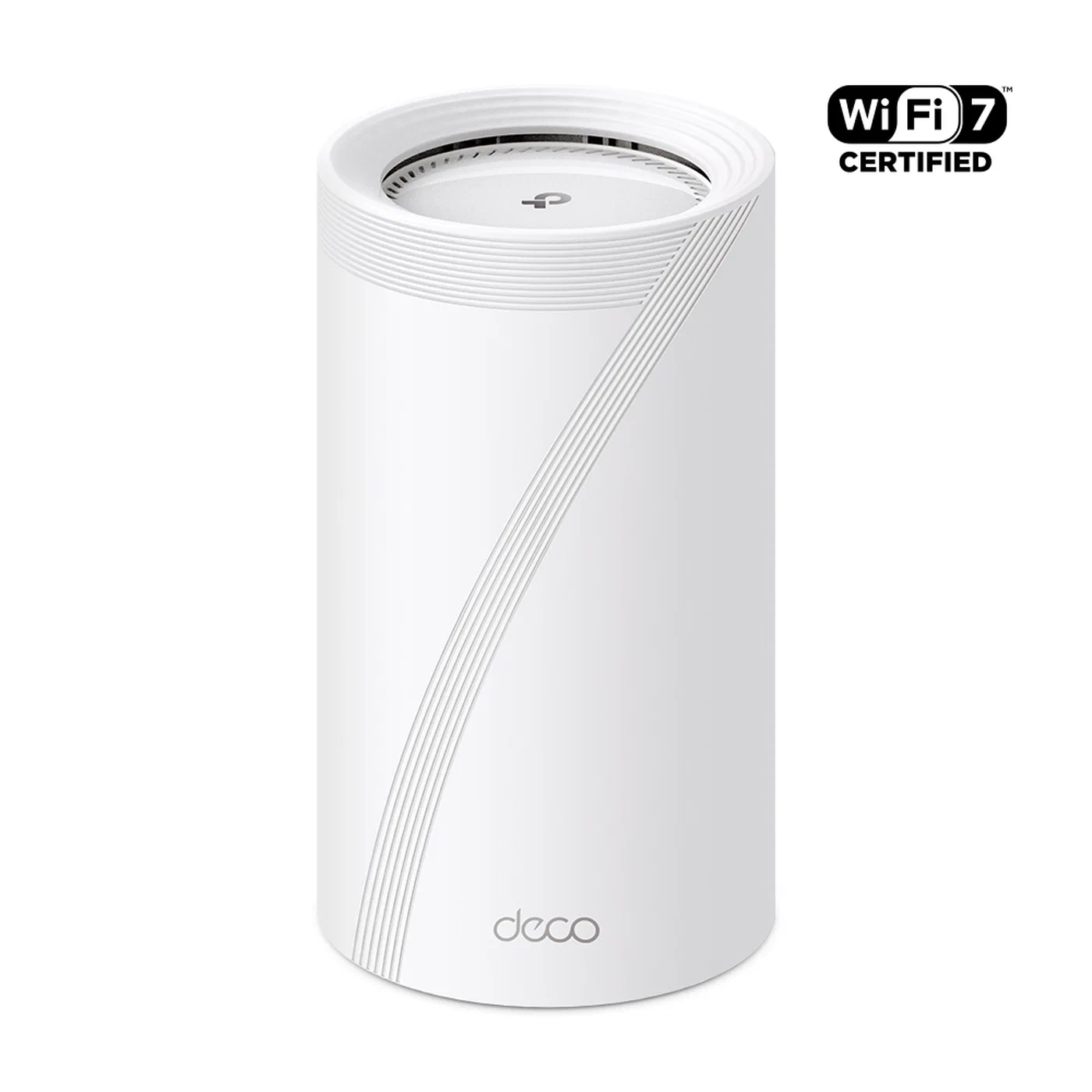
The weak point is VLAN support. TP-Link’s HomeShield app provides basic device grouping and network isolation through guest networks, but it lacks proper 802.1Q VLAN tagging on LAN ports. If you need real network segmentation - and for a serious smart home you do - pair this with a managed switch and a separate firewall, or run it behind an OPNsense or pfSense box.
The BE85 uses Qualcomm’s Networking 1220 platform with a quad-core 2.2GHz CPU. Each unit has active cooling fans, which matters if you are noise-sensitive. Setup is app-only with no web UI, which some users find limiting.
Ubiquiti UniFi U7 Pro - Best for Advanced Users
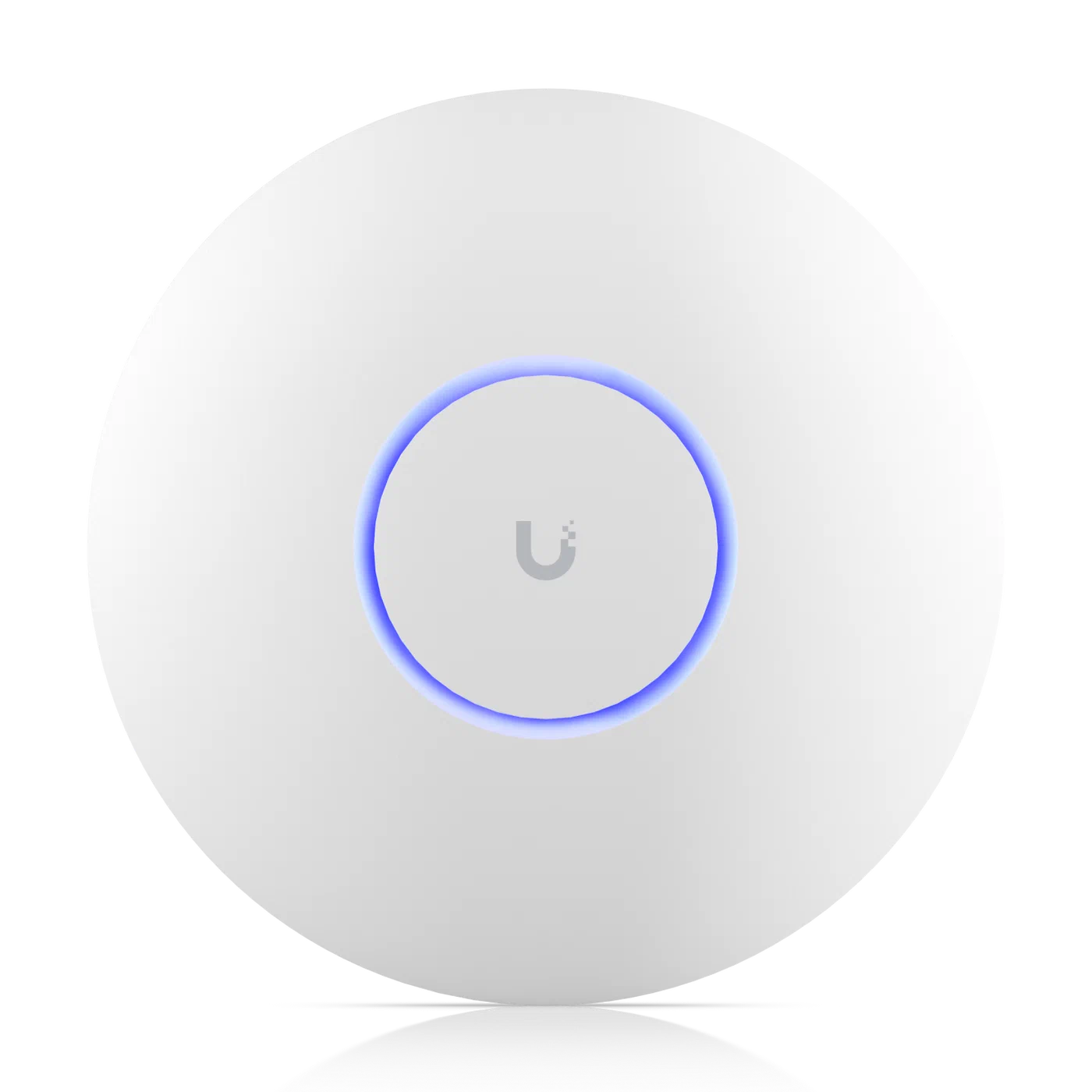
The UniFi U7 Pro is a PoE ceiling-mount access point, not a consumer mesh kit. It requires a UniFi gateway (like the Dream Machine Pro or Cloud Gateway Ultra) and the UniFi Network controller software. That dependency is both its greatest strength and its biggest barrier to entry.
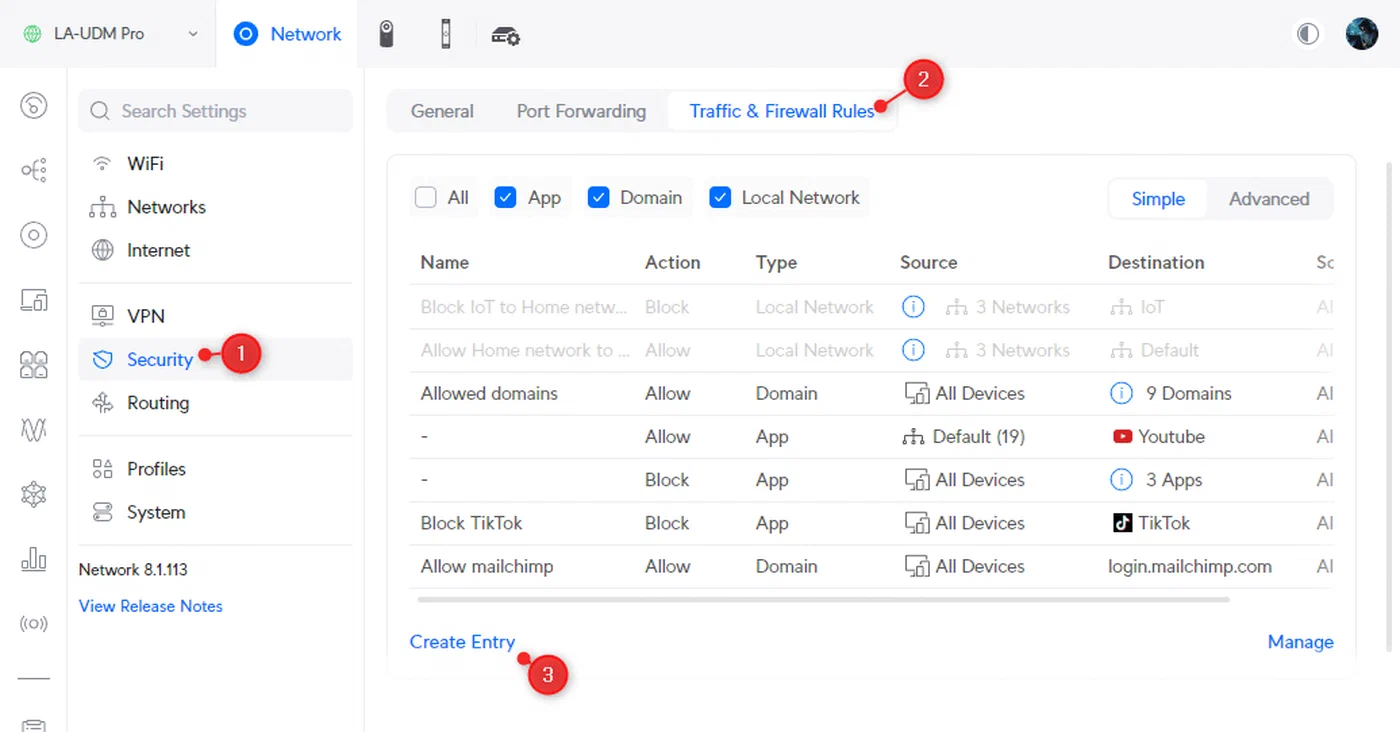
For smart home users already running UniFi gear, or willing to invest in the ecosystem, the result is substantial. Native VLAN support covers up to 20 separate networks, each mappable to its own SSID. Firewall rules between VLANs are configured through a proper GUI under Settings > Firewall & Security > Traffic Rules. Client isolation, traffic analytics, and per-device bandwidth controls are built in. No other option on this list comes close for network segmentation.
The tradeoff is complexity and cost. A functional UniFi WiFi 7 setup requires the access points ($189 each), a gateway ($129-$379), a PoE switch ($109+), and Ethernet runs to each AP location. Three APs with a gateway lands around $900-$1,200 depending on component choices. You get enterprise-grade network management that no consumer mesh system matches.
Asus ZenWiFi BT10 - Best Value with Linux Compatibility
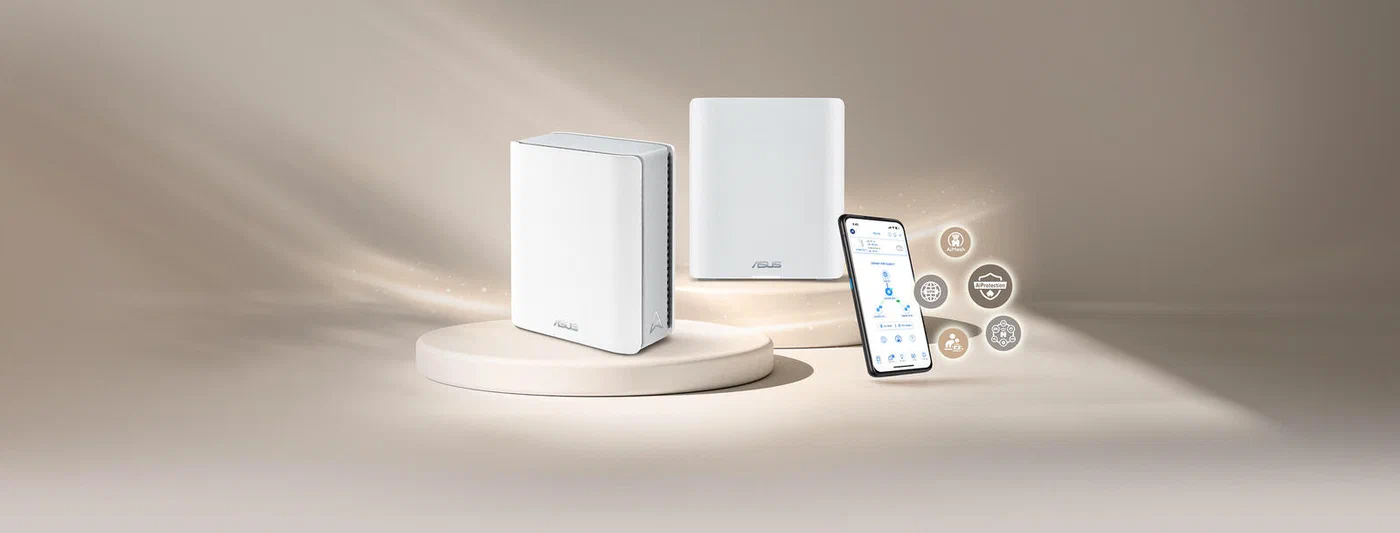
At around $850 for a 2-pack covering 6,000 square feet, the ZenWiFi BT10 offers tri-band WiFi 7 with dual 10GbE ports per node and AiProtection Pro security from Trend Micro at no extra charge.
VLAN tagging is available through the AiMesh settings interface, and the guest network feature with “Access Intranet” disabled provides a simpler IoT isolation method that works for many setups. It is less flexible than UniFi’s VLAN implementation, but it gets the job done without requiring separate infrastructure.
The BT10 is the best-verified option for Linux users. Both the Intel BE200 and MediaTek MT7927 WiFi 7 cards connect reliably, with MLO tested and working on kernel 6.11+ for Intel clients. Real-world testing showed 1,661 Mbps at close range and 614 Mbps through two walls, which is solid for any mesh system.
Netgear Orbi 970 - Fastest but Overpriced
The Orbi 970 is the speed champion. Its quad-band design (2.4GHz, 5GHz low, 5GHz high, and 6GHz) with a dedicated 6GHz backhaul at up to 10 Gbps delivers the fastest mesh throughput available - exceeding 3 Gbps in some tests at close range. The 10GbE WAN port makes it suitable for multi-gigabit internet connections.
The price is hard to justify. A 2-pack costs roughly $1,700 and a 3-pack around $2,300. VLAN support requires an Insight Pro subscription, adding recurring cost on top. There is no web-based remote management. For a smart home that needs network segmentation, the Orbi 970 asks you to pay a premium and then still lacks the VLAN tools that cheaper competitors include.
The Orbi 970 makes sense if you have a very large home (8,000-10,000 square feet), multi-gigabit internet, and do not care about VLAN segmentation. For everyone else, the Deco BE85 or ZenWiFi BT10 delivers 80-90% of the performance at half the cost.
VLAN Segmentation for IoT Device Isolation
A smart home with 30 or more IoT devices on the same flat network as your laptops and phones is a security problem. Cheap smart bulbs and plugs from brands like Tuya regularly phone home to cloud servers in ways you cannot control. VLAN segmentation puts those devices on an isolated network where they can talk to your Home Assistant server but cannot reach your NAS, your workstation, or other sensitive machines.
The Three-VLAN Model
At minimum, create three VLANs:
- Trusted (VLAN 1): PCs, phones, tablets, and your management devices. Full internet access and inter-device communication.
- IoT (VLAN 20): Smart plugs, bulbs, motion sensors, voice assistants, and anything that does not need broad network access. Allow traffic only to your Home Assistant IP (port 8123) and MQTT broker (port 1883). Block internet access for devices that do not need it.
- Cameras (VLAN 30): IP cameras and video doorbells. Zero internet access. Reachable only from the Trusted VLAN on specific ports (RTSP 554, HTTP 80/443). This prevents cloud-dependent cameras from phoning home and leaking video to external servers.
Map each VLAN to a separate SSID. Your IoT devices connect to “Home-IoT” and your cameras to “Home-Cameras,” each with their own firewall rules.
Cross-VLAN Discovery with mDNS
The catch with VLAN segmentation is device discovery. Home Assistant on the Trusted VLAN needs to find devices on the IoT VLAN via mDNS (multicast DNS). Without a reflector, mDNS packets stay within their VLAN and discovery fails.
On UniFi, enable the mDNS reflector under Settings > Networks. On other platforms, install Avahi with reflector mode enabled:
[reflector]
enable-reflector=yes
You also need igmp-proxy if your router does not handle multicast routing natively. This is a common stumbling block - devices disappear from Home Assistant after VLAN setup because mDNS is not being relayed.
Implementation by Platform
On UniFi, create VLANs under Settings > Networks, assign WiFi SSIDs to specific VLANs under Settings > WiFi, and configure traffic rules under Settings > Firewall & Security > Traffic Rules. This is the most capable implementation available in consumer-accessible hardware.
On Asus ZenWiFi, enable VLAN tagging under AiMesh > VLAN settings and create tagged ports for your switch. Alternatively, use the guest network feature with “Access Intranet” disabled as a simpler isolation method. You do not get fine-grained firewall rules between VLANs, but it effectively prevents IoT devices from seeing your main network.
On TP-Link Deco or Netgear Orbi, neither provides proper VLAN tagging through their consumer interfaces. Put the mesh system behind a router/firewall that supports VLANs - such as an OPNsense box, a MikroTik router, or a UniFi Security Gateway - and use the mesh purely as access points.
Linux Client Compatibility and Troubleshooting
WiFi 7 on Linux is functional but still maturing in 2026. MLO now works on mainstream hardware, and the situation has improved steadily since late 2024, but some cards and configurations still need manual attention.
Supported WiFi 7 Cards
The Intel BE200 (M.2 2230) is the best-supported WiFi 7 card on Linux. The iwlwifi driver has included BE200 support since kernel 6.5, and MLO was first functional around kernel 6.11 with appropriate firmware versions (iwlwifi-gl-c0-fm-c0-90 or newer from the linux-firmware
repository). On kernel 6.13+, MLO works reliably for most users. You can verify MLO status with:
iw dev wlan0 infoIf you see multiple links listed, MLO is active. If you only see one link, check that your router has MLO enabled and that your firmware is current.
The MediaTek MT7927 (M.2 2230), commonly found in AMD laptops, is supported via the mt7925e driver in kernel 6.9+. The 6GHz band works reliably in standard mode, but MLO support remains experimental and is disabled by default. For smart home use where the Linux machine runs Home Assistant or acts as a server, this card works fine without MLO.
The Qualcomm WCN7850, found in Snapdragon X Elite laptops, uses the ath12k driver in kernel 6.8+. The 6GHz band and 320MHz channels work, but MLO is not yet supported as of kernel 6.12. Functional, but behind the Intel BE200 in feature completeness on Linux.
| Card | Driver | Min Kernel | MLO Status | 6GHz | 320MHz |
|---|---|---|---|---|---|
| Intel BE200 | iwlwifi | 6.5 (MLO: 6.11) | Working (6.13+) | Yes | Yes |
| MediaTek MT7927 | mt7925e | 6.9 | Experimental | Yes | Yes |
| Qualcomm WCN7850 | ath12k | 6.8 | Not supported | Yes | Yes |
Common Issues and Fixes
If nmcli device wifi list does not show your 6GHz network, check your regulatory domain:
iw reg get
sudo iw reg set US  # Replace US with your country code
The 6GHz band requires WPA3-SAE security. If your router SSID uses WPA2 or WPA2/WPA3 mixed mode, 6GHz clients will not see it.
NetworkManager
1.48+ (shipped in Fedora 41 and Ubuntu 25.04) handles WiFi 7 MLO connections natively. Older versions connect to only one link, losing the latency benefits of MLO. Check your version with nmcli --version.
If your Linux machine runs Home Assistant or other latency-sensitive services, disable WiFi power saving:
sudo iw dev wlan0 set power_save offFor Intel cards, set the iwlwifi parameter for maximum throughput:
echo "options iwlwifi power_level=1" | sudo tee /etc/modprobe.d/iwlwifi.confThis prevents the card from throttling performance to save power, which matters when the machine is acting as a smart home hub.
Should You Wait or Buy Now? WiFi 6E vs WiFi 7
If you already have a working WiFi 6E mesh system, the upgrade calculus is fairly clear: wait unless you have a specific pain point. WiFi 6E delivers roughly 95% of WiFi 7’s real-world performance for most smart home workloads. The price gap has narrowed to $100-300 in the mesh category, but it still exists.
Buy WiFi 7 now if:
- You are setting up a new network from scratch (no reason to buy last-generation equipment at this point)
- You have 2 Gbps+ internet service where WiFi 6E systems bottleneck at the port level
- You are running 50+ concurrent devices and need MLO’s airtime efficiency improvements
- You want to futureproof for the next 5-6 years of smart home expansion
Stick with WiFi 6E if:
- Your current mesh system works and your internet speed is under 1 Gbps
- Budget is a primary concern - a TP-Link Deco XE75 2-pack at $200-250 still delivers excellent smart home performance
- You do not have any WiFi 7 client devices yet and do not plan to for a while
A budget-conscious middle ground is the TP-Link Deco BE63 , a WiFi 7 mesh system at $240-300 for a 2-pack. It lacks the 10GbE ports and some premium features of the BE85, but it brings WiFi 7 basics including MLO to a price point competitive with WiFi 6E systems.
Wired Backhaul: Not Optional for Serious Smart Homes
Every mesh system on this list supports wired Ethernet backhaul between nodes, and for a smart home with 50+ devices, wired backhaul is not optional. Testing consistently shows 40-60% latency reduction compared to wireless mesh backhaul, and throughput becomes far more consistent under heavy load.
If your home does not have Ethernet runs between rooms, consider MoCA adapters that use your existing coaxial cable (the same cable used for TV) to create a wired backbone. MoCA 2.5 provides up to 2.5 Gbps throughput, which is more than enough for mesh backhaul. A pair of MoCA adapters costs $100-150 and installs in minutes.
For the UniFi U7 Pro, wired backhaul is the expected deployment model - these are PoE access points designed to be wired. For the consumer systems (Deco BE85, ZenWiFi BT10, Orbi 970), connect the nodes via Ethernet and they will automatically use the wired connection as backhaul, freeing up the wireless bands entirely for client devices.
Final Recommendations
For most smart home users building a new network, the TP-Link Deco BE85 paired with a managed switch or small firewall appliance gives you the best combination of speed, coverage, and expandability. Run it as access points behind an OPNsense box or MikroTik router for proper VLAN segmentation.
If you want everything managed from a single interface and do not mind the upfront investment, the Ubiquiti UniFi U7 Pro ecosystem is the gold standard for smart home networking. VLAN support, firewall rules, traffic analytics, and per-device management are all native. The learning curve exists but the payoff is worth it.
For Linux users who want a plug-and-play mesh system with confirmed WiFi 7 client compatibility and decent VLAN support without separate infrastructure, the Asus ZenWiFi BT10 is the most sensible choice.
Skip the Netgear Orbi 970 unless you have a mansion-sized home and a budget to match. Its speed is impressive, but the price-to-value ratio falls apart when you factor in the lack of built-in VLAN support and the subscription-gated features.