 Botmonster Tech
The best eGPU enclosures for Linux in 2026, from TB5 to OCuLink

The best eGPU enclosures for Linux in 2026 are the Razer Core X V2 ($349, Thunderbolt 5, 80 Gbps) for maximum bandwidth and the Sonnet Breakaway Box 750 eX ($349, Thunderbolt 4) for proven Linux reliability. Thunderbolt 5 enclosures have finally closed the bandwidth gap that made external GPUs feel like a compromise, and Linux kernel 6.12+ delivers stable hot-plug support that works.
External GPUs spent years as a niche curiosity: the bandwidth penalty was too steep, driver support too fragile, and the cost math rarely made sense. That calculus has shifted. If you run GPU workloads on Linux (local LLM inference, Stable Diffusion, CUDA development, PyTorch training), an eGPU setup now gets you 85-95% of internal PCIe performance depending on the workload. This guide ranks the enclosures that work best on Linux, walks through the setup process, and sets realistic expectations with benchmark numbers.
Why eGPUs Make Sense Again in 2026
Thunderbolt 5 delivers 80 Gbps bidirectional bandwidth, double what Thunderbolt 4 offered. That single change cuts the performance penalty from ~20-25% down to 5-15% depending on how bandwidth-hungry your workload is. For inference tasks that are compute-bound rather than transfer-bound, the penalty is negligible.
The developer workflow is straightforward: carry a lightweight laptop during the day, dock to an eGPU at your desk when you need GPU compute. A $350 enclosure plus a $700 GPU costs less than maintaining both a laptop and a desktop workstation, and you get the portability of just a laptop when you travel.
Linux has a distinct advantage here. Apple dropped eGPU support entirely in macOS, and Windows eGPU support, while functional, requires more driver juggling than Linux does for compute workloads. Linux kernel 6.12+ includes native Thunderbolt 5 hot-plug detection through the bolt daemon, and both NVIDIA’s proprietary drivers and AMD’s open-source Mesa stack detect external GPUs without special configuration when used for compute (no display output).
What hasn’t changed: gaming on an eGPU still carries a 10-15% performance hit versus an internal PCIe slot. This guide focuses on compute workloads (LLM inference, image generation, CUDA compilation, and model training), where the bandwidth penalty is smaller.
Thunderbolt 5 vs. Thunderbolt 4: Is the Upgrade Worth It?
Thunderbolt 5 enclosures cost $100-200 more than their TB4 equivalents. Whether that premium pays off depends on your workload.
| Feature | Thunderbolt 4 | Thunderbolt 5 |
|---|---|---|
| Bandwidth | 40 Gbps | 80 Gbps |
| PCIe lanes (effective) | PCIe 3.0 x4 | PCIe 4.0 x4 |
| Typical eGPU performance vs. internal | ~80-85% | ~88-95% |
| Price range (enclosure only) | $250-350 | $350-500 |
| Host requirement | TB4/USB4 port | TB5 port (backward compatible) |
For LLM inference with Ollama or llama.cpp , Thunderbolt 4 is usually sufficient. Inference is compute-bound: the GPU processes tokens faster than it needs to shuttle data back and forth. Where TB5 pulls ahead is in workloads that transfer large batches of data: training runs, large-batch inference, and video rendering.
A practical benchmark: an RTX 5080 in a TB4 enclosure achieves roughly 85% of internal PCIe token throughput for Llama 3.1 70B Q4 inference. The same card in a TB5 enclosure hits ~95%. For Stable Diffusion XL, which moves more data during the denoising process, TB4 gets about 82% while TB5 reaches ~88%.
The recommendation: if your laptop has a Thunderbolt 5 port and you plan to use an RTX 5080/5090-class GPU, buy a TB5 enclosure. If you have a TB4 laptop or use a mid-range GPU, a TB4 enclosure delivers 80-85% of internal performance at a lower price, which is good enough for most compute tasks.
Check what your laptop supports:
boltctl listThis shows connected and previously authorized Thunderbolt devices along with the connection speed.
The Best Enclosures Ranked
Not all enclosures work equally well on Linux. This ranking weighs confirmed Linux compatibility, PSU capacity, build quality, and value.
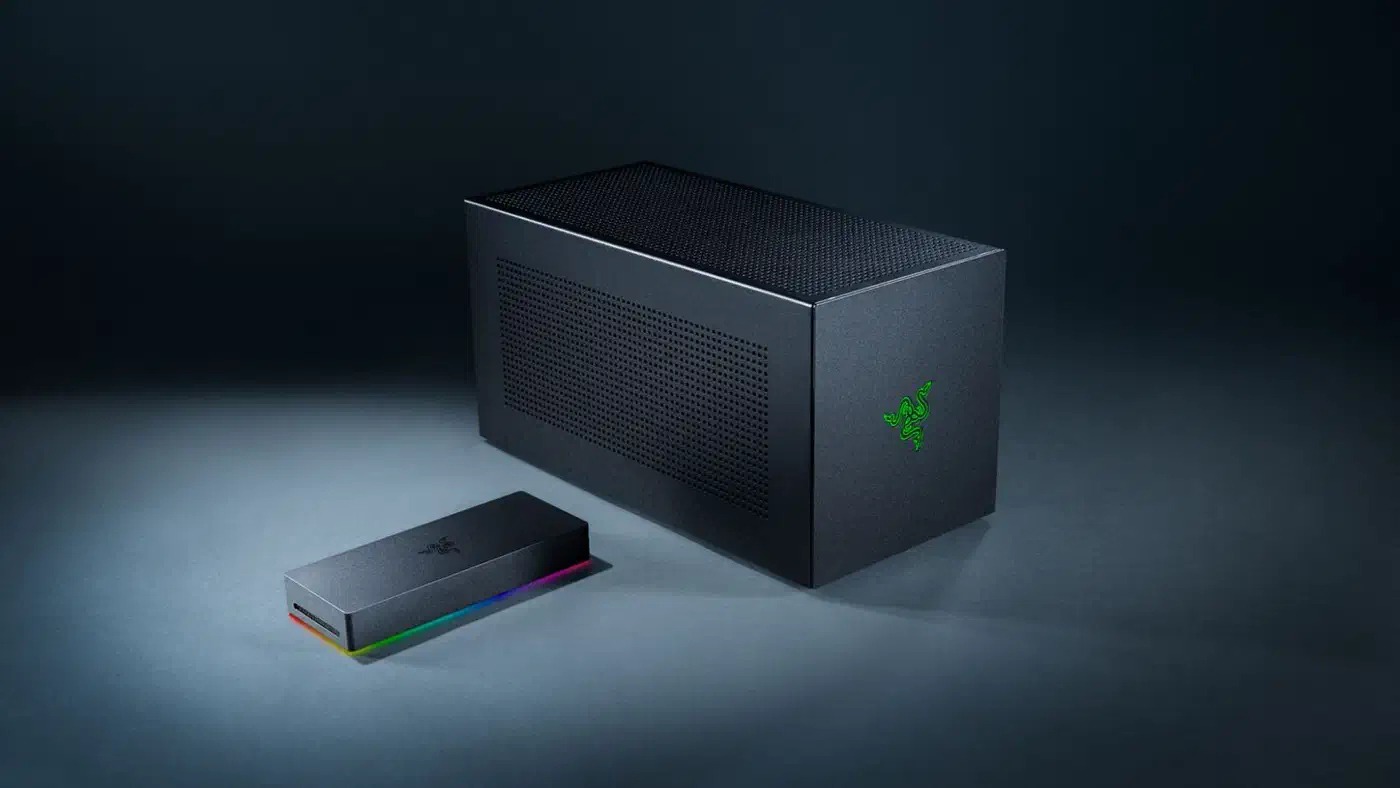
Razer Core X V2 - Best Thunderbolt 5 Enclosure
- Interface: Thunderbolt 5 (80 Gbps), backward compatible with TB4/USB4
- PSU: Not included (uses standard ATX PSU, user-supplied)
- GPU support: 4-slot wide, full-length cards
- Power delivery: 140W USB-C PD
- Price: $349.99
The Core X V2 is the highest-bandwidth enclosure available at a reasonable price. Razer removed the integrated PSU in this generation, so you need to supply your own ATX power supply. That adds $80-120 to the total cost but also means you can drop in a 1000W+ unit if you’re running an RTX 5090 (575W total graphics power ). The 4-slot width accommodates every current GPU including triple-fan models.
On Linux, the Core X V2 works with kernel 6.12+ and NVIDIA 570+ drivers. The bolt daemon handles hot-plug authorization. There are no reports of Linux-specific issues beyond the standard Thunderbolt authorization step.
Sonnet Breakaway Box 850 T5 - Best Feature-Complete TB5 Enclosure
- Interface: Thunderbolt 5 (80 Gbps)
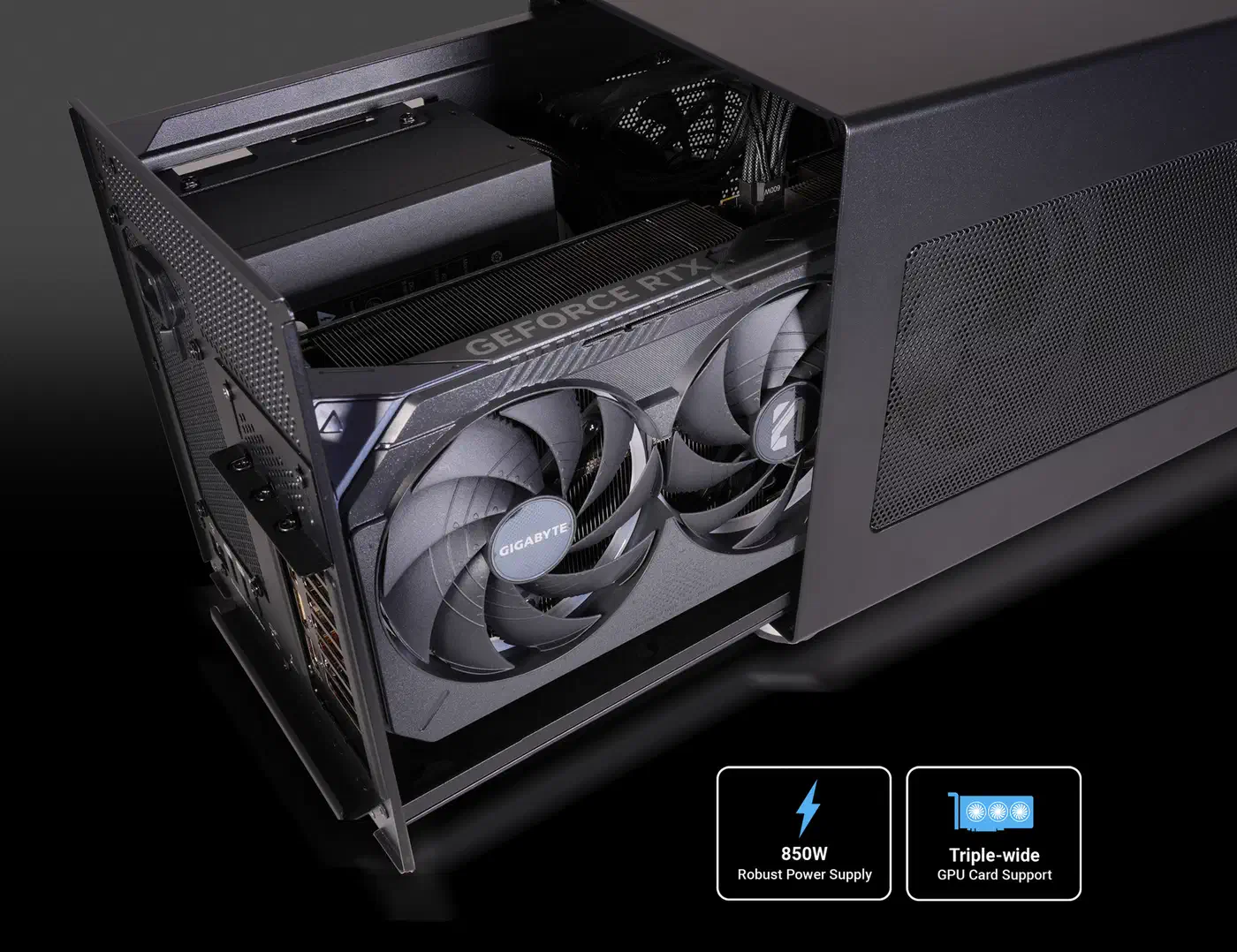
- PSU: 850W (included)
- GPU support: Triple-width cards, RTX 50/40/30 and RX 9000/7000/6000 series
- Power delivery: Via Thunderbolt 5 upstream port
- Built-in dock: 3x USB-A 3.2 Gen 2, 5 GbE Ethernet, downstream TB5 port
- Price: $599.99
Sonnet has the longest track record with Linux eGPU setups. Their enclosures are the most tested hardware on the eGPU.io Linux forums, and the 850 T5 continues that reputation. The built-in dock (USB ports, Ethernet, downstream TB5) turns the enclosure into a full docking station : one cable connects your laptop to GPU, peripherals, and wired network.
The $599 price tag is steep, but you’re paying for the included 850W PSU, the integrated dock ports, and Sonnet’s 2-year warranty with lifetime technical support.
Sonnet Breakaway Box 750 eX - Best Thunderbolt 4 Value
- Interface: Thunderbolt 4 (40 Gbps)
- PSU: 750W (included)
- GPU support: Full-length, dual-width cards
- Price: $399.99
The 750 eX is the go-to recommendation on Linux eGPU forums for good reason: it works, consistently, across distributions and kernel versions. If you have a TB4 laptop and don’t need the absolute maximum bandwidth, this is the safest pick. The 750W PSU handles everything up to an RTX 4090 without issue.
The main limitation is that newer RTX 5080/5090 cards use a 16-pin power connector, and the 750 eX only has legacy PCIe power connectors. The adapter that ships with NVIDIA’s cards takes three 8-pin cables for a 5080 and four for a 5090, which works but adds a minor inconvenience.
AOOSTAR AG02 - Best Budget Option
- Interface: USB4 (40 Gbps) + OCuLink (64 Gbps PCIe 4.0 x4)
- PSU: 800W (included)
- GPU support: Up to 600W GPU power draw, unlimited card length
- Price: $249
The AOOSTAR AG02 is the cheapest enclosure on this list by a wide margin. At $249 with an 800W PSU included, it undercuts everything else here by $100 or more. The dual-interface design gives you a choice: USB4 for hot-plug convenience with laptops, or OCuLink for maximum bandwidth with compatible mini PCs.
In benchmarks, OCuLink outperforms Thunderbolt 5 by roughly 14% in GPU-intensive tasks because it uses dedicated PCIe lanes without the protocol overhead that Thunderbolt’s controller introduces. The tradeoff: OCuLink doesn’t support hot-plugging (you must power off before connecting/disconnecting), and very few laptops have OCuLink ports. It’s primarily useful with mini PCs and desktops that expose an OCuLink header, and several compact home-lab boxes worth building around now ship that header specifically for an external GPU.
Linux compatibility with the AG02 is confirmed for both NVIDIA and AMD GPUs over USB4. OCuLink mode works as a standard PCIe device, so driver support is identical to an internal GPU.
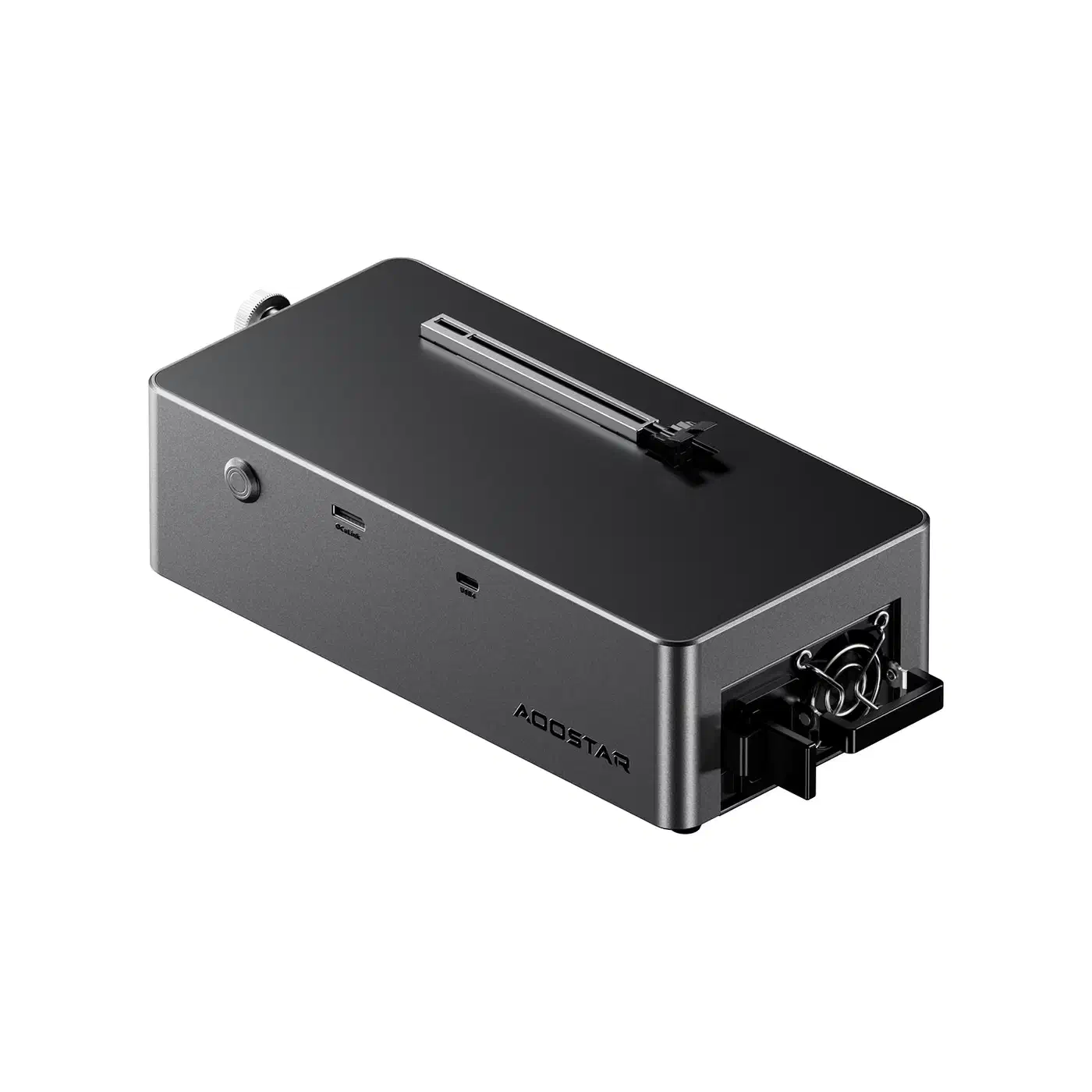
The risks: AOOSTAR is a smaller brand with a shorter track record, and some users report quality control inconsistencies. There’s no power switch on the unit, so it draws power continuously when plugged in.
Sparkle Studio-G Ultra 850 - The Newcomer
- Interface: Thunderbolt 5 (80 Gbps)
- PSU: 850W Enermax CyberG (80 PLUS Gold, ATX 3.1)
- GPU support: 3.5-slot width
- Power delivery: 96W upstream, 15W downstream
- Ports: USB-C, 2.5 GbE Ethernet, 3x USB-A
- Price: TBA (expected early 2026)
Sparkle ’s first Thunderbolt 5 enclosure ships with a high-quality Enermax PSU and built-in dock ports similar to the Sonnet 850 T5. Early reviews are positive, but the enclosure hasn’t seen the same level of Linux community testing as the Razer or Sonnet options. Worth watching, but not the safest first choice for a Linux setup until more field reports accumulate.
Setting Up an eGPU on Linux
The setup process has gotten simpler with recent kernel versions.
Prerequisites
- Kernel: 6.12+ recommended for TB4, 6.14+ for TB5
- NVIDIA drivers: 570+ (use your distro’s package:
nvidia-driver-570on Ubuntu/Debian,nvidiaon Arch) - AMD drivers: Mesa 24.3+ (included in Ubuntu 24.10+) or ROCm 7.2+ for compute workloads
- Thunderbolt daemon:
bolt(usually pre-installed on GNOME-based distros)
Authorize the Thunderbolt Device
Plug in the eGPU enclosure and check that the system sees it:
boltctl listAuthorize the device:
boltctl authorize <device-uuid>For automatic authorization on future connections, enroll the device:
boltctl enroll <device-uuid>Your BIOS Thunderbolt security level affects this behavior. Set it to “User Authorization” for the smoothest experience: the device auto-authorizes after first approval without requiring BIOS-level security prompts each time.
Verify GPU Detection
For NVIDIA:
nvidia-smiFor AMD:
lspci | grep -i vga
rocminfo  # if using ROCm for compute
Display Output vs. Compute-Only
If you only need the eGPU for compute (LLM inference, training, CUDA work), no display configuration changes are needed. CUDA, ROCm, and Vulkan find the external GPU automatically.
If you want to drive monitors from the eGPU:
- Wayland (GNOME 46+, KDE Plasma 6.1+): works natively, the compositor handles the external GPU as an additional output
- X11: requires
xrandr --setprovideroutputsourceto route rendering to the eGPU
Hot-Plug Behavior
Linux 6.12+ supports hot-plugging Thunderbolt eGPUs through the bolt daemon. You can connect the enclosure while the system is running, authorize it, and the GPU appears in lspci. To disconnect, use:
boltctl forget <device-uuid>Then physically unplug. Skipping the boltctl forget step before unplugging can cause PCIe errors in dmesg, though the system usually recovers without a reboot.
AMD ROCm Notes
ROCm 7.2 (released January 2026) supports the RX 7900 XTX and RX 9070 series on Ubuntu 24.04 and RHEL 9.6. For eGPU use, the setup is identical to an internal AMD GPU: install the amdgpu kernel driver and the ROCm userspace stack. The RX 9070 XT requires kernel 6.13+ for proper detection, as the older 6.8 kernel in Ubuntu 24.04’s default configuration doesn’t recognize the hardware. Run Ubuntu’s HWE kernel or upgrade manually.
Performance Benchmarks
These benchmarks come from an RTX 5080 in a Razer Core X V2, connected to a Framework Laptop 16 over TB5, running Ubuntu 24.04 with the HWE kernel.
| Workload | eGPU % of Internal PCIe | Notes |
|---|---|---|
| LLM inference (Ollama, Llama 3.1 70B Q4) | ~95% | Compute-bound, minimal data transfer |
| Stable Diffusion XL | ~88% | Moderate data transfer during denoising |
| CUDA compilation | ~100% | Computation-bound, not transfer-bound |
| PyTorch training (ResNet-50) | ~82% | Constant gradient transfer, most bandwidth-sensitive |
Workloads that keep data on the GPU perform nearly identically to internal PCIe. Training, which constantly shuffles gradients between host and device, takes the biggest hit.
Power draw varies by GPU. The enclosure itself adds 20-30W at idle. Under load, your total power draw is dominated by the GPU: an RTX 5080 is rated at 360W and an RTX 5090 at 575W of total graphics power. Make sure your enclosure’s PSU can handle the GPU plus the overhead. If you want to see what those watts do to your electricity bill, you can estimate an eGPU setup’s power cost in a few clicks.
All enclosures with active cooling are audible under load. The Sonnet 750 eX is the quietest at idle (near-silent). The Razer Core X V2 runs its 120mm fan at a low speed during idle but ramps up noticeably under sustained GPU load.
Quick Comparison Table
| Enclosure | Interface | PSU | GPU Power | Price | Linux Status |
|---|---|---|---|---|---|
| Razer Core X V2 | TB5 (80 Gbps) | Not included (ATX) | Unlimited | $349 | Confirmed, kernel 6.12+ |
| Sonnet 850 T5 | TB5 (80 Gbps) | 850W included | ~600W | $599 | Excellent track record |
| Sonnet 750 eX | TB4 (40 Gbps) | 750W included | ~475W | $399 | Rock-solid, most tested |
| AOOSTAR AG02 | USB4 + OCuLink | 800W included | 600W max | $249 | Confirmed, both NVIDIA/AMD |
| Sparkle Ultra 850 | TB5 (80 Gbps) | 850W included | ~600W | TBA | Early reports positive |
Which Enclosure Should You Buy?

If you want maximum TB5 bandwidth and don’t mind buying a separate PSU, the Razer Core X V2 is the pick. Budget in $80-120 extra for the power supply on top of the $349 chassis. It fits quad-slot GPUs and handles RTX 5080/5090 builds without clearance issues.
If Linux compatibility is your top concern, the Sonnet Breakaway Box 750 eX is the safest choice. TB4 bandwidth covers inference and most compute tasks. The 750W included PSU handles everything except the RTX 5090, and Sonnet hardware has years of positive Linux field reports behind it.
For the tightest budget, the AOOSTAR AG02 at $249 with an 800W PSU beats everything on price. The OCuLink option is a bonus if your hardware supports it, though you’re accepting the trade-off of a less established brand with less predictable QC.
If you want a single-cable docking station that also holds a GPU, the Sonnet Breakaway Box 850 T5 does that. One Thunderbolt 5 cable gives you GPU, USB peripherals, Ethernet, and a downstream TB5 port. The $599 price is high, but you’re replacing both an eGPU enclosure and a USB-C dock.
Thunderbolt 5 has closed the bandwidth gap enough that most compute workloads run within 5-15% of internal PCIe, and the kernel plus driver stack has matured to the point where setup takes 15 minutes rather than a weekend.