 Botmonster Tech
Building multi-step AI agents with LangGraph

AI agents built on LangGraph run as stateful graphs, not linear prompts. The graph can loop, branch on tool output, retry after a failure, and save its progress. That structure is what lets one agent handle long, multi-step tasks reliably.
Key Takeaways
- LangGraph models an agent as a stateful graph, so it can loop, retry, and recover.
- The state schema you design up front decides how stable the agent turns out.
- Built-in checkpointing lets an agent crash, pause for approval, and resume without lost work.
- Conditional edges turn failures into retries instead of dead ends.
- One agent task can fire dozens of LLM calls, so plan for cost before you deploy.
Prerequisites
You should know Python 3.11+ and the LangChain basics: LLMs, tools, prompts. The code below uses these versions:
pip install langgraph==0.3 langchain-openai==0.2 langchain-core==0.3 pydantic==2.7You also need an OPENAI_API_KEY set, or any LangChain-compatible LLM.
Why LangGraph Replaced Chains
Early LangChain chained LLM calls with the Chain. It was a linear pipeline: one step’s output fed the next. That worked for simple, predictable tasks. But add a tool that can fail, or a step that needs a retry, and the model breaks. A chain can’t loop back or branch on a condition. It is a directed acyclic graph in disguise, and a DAG can’t express the retry logic real agents need.
LangGraph fixes this. It treats the agent as a stateful graph with cyclic edges. A cycle is just an edge that points back to a node already visited. That one primitive unlocks retry logic, self-correction, approval flows, and multi-turn chat. You build a state machine, not a pipeline. The LLM stops just writing text at the end of a chain. It makes the routing choices that drive the program. Those choices do not need a full language model. A model that answers in probabilities picks the next node in under half a second and hands your graph a number it can branch on.
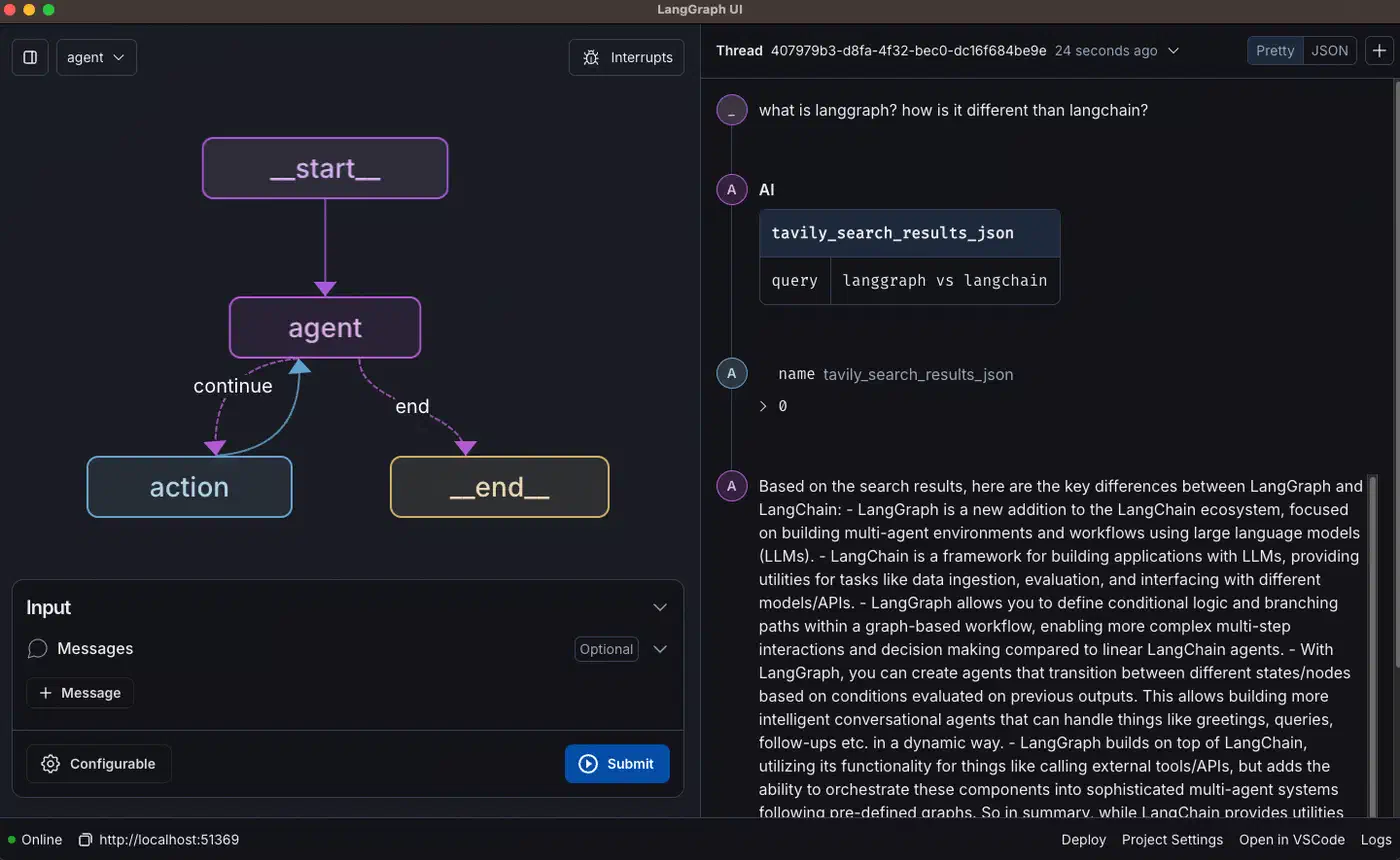
LangGraph’s vocabulary is small. A StateGraph is the container. Nodes are plain Python functions: they take the current state, do work, and return a partial update. Edges are the transitions between nodes, fixed or conditional. The State object is a typed dict that flows through every node. Here is the simplest form:
from typing import TypedDict, Annotated
from langgraph.graph import StateGraph, END
import operator

class AgentState(TypedDict):
    messages: Annotated[list, operator.add]  # append-only list
    task_complete: bool

def my_node(state: AgentState) -> dict:
    # do work, return partial state update
    return {"task_complete": True}

graph = StateGraph(AgentState)
graph.add_node("worker", my_node)
graph.set_entry_point("worker")
graph.add_edge("worker", END)

app = graph.compile()
result = app.invoke({"messages": [], "task_complete": False})
That runs a single-node graph. Memory, self-correction, and multi-agent patterns all build on this base.
LangGraph vs. the Alternatives in 2026
LangGraph sits in a crowded field. Here is how it compares to other popular agent frameworks in early 2026:
| Framework | Paradigm | Cyclic Graphs | Built-in Persistence | Multi-Agent | Best For |
|---|---|---|---|---|---|
| LangGraph | Stateful graph / state machine | Yes (first-class) | Yes (Sqlite, Postgres, Redis) | Yes (via subgraphs) | Complex, production agents requiring reliability |
| CrewAI | Role-based crews | Limited | No (bring your own) | Yes (role abstraction) | Teams of specialized agents, rapid prototyping |
| AutoGen | Conversational agents | Via orchestration | Limited | Yes (agent conversations) | Research, multi-agent dialogue tasks |
| OpenAI Assistants API | Managed, cloud-hosted | No (managed by API) | Yes (cloud-managed threads) | Limited | Simplest path to a working assistant, OpenAI-only |
I reach for LangGraph when I need fine control, solid persistence, and the option to self-host. For a quick proof of concept with role-playing agents, CrewAI starts faster. But for production, where I have to reason about every state change, the explicit graph wins. You can read it and know what the agent will do.
Designing Your State Schema
The State object is the most important design choice in any LangGraph agent. Everything the agent knows lives there: chat history, tool results, error counts, flags. Get it right before you write a node. It heads off the worst bugs: state that grows forever, fuzzy fields, schemas you can’t migrate.
My rule of thumb: if a node reads a value to make a choice, or writes one for a later node, it belongs in state. If a value is used inside one node, keep it local. I once watched a scratchpad-style state object balloon until serializing it dominated every prompt. Every field you add grows the bug surface.
A typical schema looks like this:
from typing import TypedDict, Annotated, Optional
from langgraph.graph.message import add_messages
from pydantic import BaseModel, Field

class ResearchAgentState(TypedDict):
    # The conversation history - LangGraph's add_messages reducer
    # appends new messages rather than replacing the whole list
    messages: Annotated[list, add_messages]

    # URLs discovered during research, to be scraped
    urls_to_scrape: list[str]

    # Scraped content ready for summarization
    scraped_content: list[dict]

    # The final synthesized answer
    final_answer: Optional[str]

    # Error tracking for the self-correction loop
    error_count: int
    last_error: Optional[str]

    # Termination signal
    task_complete: bool
Notice the Annotated[list, add_messages] pattern. LangGraph uses reducers to merge node updates. Without one, a new message would wipe the whole list. The add_messages reducer appends instead. You can also write your own.
TypedDict vs. Pydantic for State Validation
TypedDict is the default and it’s fast. But Python doesn’t check its types at runtime, so bad state spreads quietly. In development, I use a Pydantic model instead:
from pydantic import BaseModel, Field, field_validator
from typing import Optional

class StrictAgentState(BaseModel):
    messages: list = Field(default_factory=list)
    error_count: int = Field(default=0, ge=0, le=10)
    task_complete: bool = False
    final_answer: Optional[str] = None

    @field_validator("error_count")
    @classmethod
    def error_count_non_negative(cls, v: int) -> int:
        if v < 0:
            raise ValueError("error_count cannot be negative")
        return v
Pydantic validates each time a node returns an update. You get clear errors the moment a node returns the wrong type. The runtime cost is tiny next to an LLM call.
Multiple Schemas: Input, Output, and Private State
By default, one schema does triple duty: it validates input, shapes output, and serves as the channel every node reads and writes. For a clean public API, you often want those jobs split. LangGraph lets you pass a separate input schema and output schema to StateGraph, with an internal overall schema in between.
The input schema rejects calls that don’t match its shape. The output schema trims the result to the fields a caller should see. The overall schema, usually the union of the two, is what nodes work against:
from langgraph.graph import StateGraph, START, END
from typing import TypedDict

class InputState(TypedDict):
    question: str

class OutputState(TypedDict):
    answer: str

# Overall (internal) schema: everything nodes can read or write
class OverallState(InputState, OutputState):
    pass

def answer_node(state: InputState) -> dict:
    return {"answer": "bye", "question": state["question"]}

builder = StateGraph(OverallState, input_schema=InputState, output_schema=OutputState)
builder.add_node(answer_node)
builder.add_edge(START, "answer_node")
builder.add_edge("answer_node", END)
graph = builder.compile()

graph.invoke({"question": "hi"})  # returns only {"answer": "bye"}
The call sends question, but the result drops it. Only answer gets through the output filter, so callers never see the graph’s internal state.
You can go further with private state between two nodes. A node returns a TypedDict that isn’t in the overall schema. Only the next node that declares that shape sees the field:
class ScratchState(TypedDict):
    raw_html: str

def fetch_node(state: OverallState) -> ScratchState:
    return {"raw_html": download(state["question"])}

def parse_node(state: ScratchState) -> OverallState:
    # only parse_node sees raw_html; later nodes never do
    return {"answer": extract_answer(state["raw_html"])}
Here raw_html goes from fetch_node to parse_node and stops. It’s the schema-level version of the bloat advice below: keep big or transient data out of the state every node carries.
Avoiding State Bloat
One failure mode deserves a callout: agents that stuff large data into state. If your agent scrapes ten pages, don’t store the full HTML. Write it to a temp file or a store like Redis or S3, and keep only the key in state. State then stays fast to serialize, prompts don’t overflow, and checkpointing stays cheap.
Persistence and Long-Term Memory
One of LangGraph’s most useful features is native persistent checkpointing. After every node runs, LangGraph can save the full graph state to a durable store. If the agent crashes or pauses for review, it resumes from the last checkpoint with no lost work.
LangGraph ships two built-in checkpointers. Use SqliteSaver for dev and single-machine setups. Use PostgresSaver for production, where many instances run at once. Adding persistence takes four lines:
from langgraph.checkpoint.sqlite import SqliteSaver
from langgraph.graph import StateGraph

# Create the checkpointer
checkpointer = SqliteSaver.from_conn_string("agent_state.db")

# Compile the graph with the checkpointer attached
app = graph.compile(checkpointer=checkpointer)

# Each invocation uses a thread_id to identify the conversation
config = {"configurable": {"thread_id": "user-session-42"}}

# First invocation - agent starts working
result = app.invoke({"messages": [], "task_complete": False}, config=config)

# If the process crashes here, the state is safe in SQLite
# Later: resume from the last checkpoint by invoking with the same thread_id
result = app.invoke(None, config=config)  # None resumes from checkpoint
The thread_id is the key concept. Every agent session gets its own thread. LangGraph uses that ID to read and write checkpoints. One deployed agent can handle thousands of concurrent sessions, each with separate state.
Short-Term vs. Long-Term Memory
Think about agent memory in two tiers. Short-term memory is the messages list in state. It’s the rolling chat history that fits the model’s context window. Every node in the current run can read it. It’s fast and managed for you, but it has a hard ceiling and is scoped to one session.
Long-term memory is everything outside the context window. That can be a vector database of notes across sessions, a SQL table of past choices, or a Redis cache for big results. The agent reaches it through tool calls or retrieval nodes. Choosing what goes in each tier is a key design call.
Human-in-the-Loop Checkpoints
Not every action should be autonomous. Sending an email or shipping code is a one-way door, and a human should have the final call. LangGraph handles this with interrupt points: checkpoints where the graph pauses for input.
from langgraph.graph import StateGraph, END
from langgraph.checkpoint.sqlite import SqliteSaver

def draft_email_node(state):
    # Agent drafts an email
    draft = call_llm_to_draft(state["messages"])
    return {"draft_email": draft}

def send_email_node(state):
    # This node only runs after human approval
    send_email(state["draft_email"])
    return {"task_complete": True}

graph = StateGraph(AgentState)
graph.add_node("draft", draft_email_node)
graph.add_node("send", send_email_node)
graph.add_edge("draft", "send")
graph.set_entry_point("draft")
graph.add_edge("send", END)

checkpointer = SqliteSaver.from_conn_string("state.db")
# interrupt_before causes the graph to pause BEFORE entering "send"
app = graph.compile(checkpointer=checkpointer, interrupt_before=["send"])

config = {"configurable": {"thread_id": "email-task-1"}}
# Graph runs "draft" then pauses - human reviews state["draft_email"]
app.invoke(initial_state, config=config)

# After human approves, resume - "send" now executes
app.invoke(None, config=config)
The agent does the thinking. The human approves before any one-way side effect.
Error Handling and Self-Correction
Production agents fail constantly. APIs time out. LLMs return broken JSON. Scrapers hit rate limits. What separates a brittle demo from a solid agent is how it handles failure. LangGraph’s conditional edges make self-correction work.
The base pattern is the retry edge with a counter. Add an error_count field. Bump it in the node that handles failures. Use a conditional edge to route back for another try, or to a clean exit after N attempts. Without the counter, a stuck failure spins forever. I once watched one burn through an API budget overnight.
from typing import TypedDict, Annotated, Optional
from langgraph.graph import StateGraph, END
import operator

class AgentState(TypedDict):
    messages: Annotated[list, operator.add]
    tool_result: Optional[str]
    error_count: int
    last_error: Optional[str]
    task_complete: bool

MAX_RETRIES = 3

def call_api_node(state: AgentState) -> dict:
    try:
        result = call_external_api(state["messages"][-1].content)
        return {"tool_result": result, "error_count": 0}
    except Exception as e:
        return {
            "tool_result": None,
            "error_count": state["error_count"] + 1,
            "last_error": str(e),
        }

def route_after_api(state: AgentState) -> str:
    if state["tool_result"] is not None:
        return "process_result"
    elif state["error_count"] >= MAX_RETRIES:
        return "handle_failure"
    else:
        return "call_api"  # Loop back for retry

graph = StateGraph(AgentState)
graph.add_node("call_api", call_api_node)
graph.add_node("process_result", process_result_node)
graph.add_node("handle_failure", handle_failure_node)
graph.set_entry_point("call_api")
graph.add_conditional_edges("call_api", route_after_api)
graph.add_edge("process_result", END)
graph.add_edge("handle_failure", END)

app = graph.compile()
The Reflexion Pattern: LLM-Guided Self-Correction
A simple retry handles flaky failures. Some failures need the agent to change strategy. The Reflexion pattern routes the agent through a critique node after a failure. The LLM reads what went wrong and proposes a new plan before the next try.
from langchain_openai import ChatOpenAI
from langchain_core.messages import HumanMessage, SystemMessage

llm = ChatOpenAI(model="gpt-4o", temperature=0)

def critique_node(state: AgentState) -> dict:
    """
    After a failure, ask the LLM to reflect on what went wrong
    and generate a revised plan before the next attempt.
    """
    critique_prompt = f"""
    The previous attempt failed with this error:
    {state['last_error']}

    The original request was:
    {state['messages'][0].content}

    Analyze what went wrong and provide a revised approach.
    Be specific about what you will do differently.
    """

    response = llm.invoke([
        SystemMessage(content="You are a debugging assistant."),
        HumanMessage(content=critique_prompt),
    ])

    # The critique is appended to messages, so the next attempt
    # can see what the LLM learned from the failure
    return {
        "messages": [response],
        "error_count": state["error_count"],  # preserve count
    }

# In the graph: failure routes to critique, critique routes back to attempt
graph.add_node("critique", critique_node)
graph.add_edge("critique", "call_api")  # retry after critique
This works well for code-generation agents. In the ones I’ve built, routing a failed test back through a critique node usually lands on a working solution within two or three rounds.
Structured Output Validation
Another common failure: an LLM returns text that doesn’t fit the expected JSON shape. Catch it at the node boundary, before bad output flows downstream:
from pydantic import BaseModel, ValidationError
from langchain_openai import ChatOpenAI

class SearchQuery(BaseModel):
    query: str
    num_results: int
    filter_domain: str | None = None

llm = ChatOpenAI(model="gpt-4o")
structured_llm = llm.with_structured_output(SearchQuery)

def generate_search_query_node(state: AgentState) -> dict:
    try:
        query = structured_llm.invoke(state["messages"])
        # query is guaranteed to be a valid SearchQuery instance
        return {"tool_result": query.model_dump()}
    except ValidationError as e:
        return {
            "error_count": state["error_count"] + 1,
            "last_error": f"Structured output validation failed: {e}",
        }
with_structured_output moves validation into the LangChain layer. The LLM is told to match the Pydantic schema. Any drift raises a ValidationError your error edge can route around.
Multi-Agent Collaboration Patterns
A single agent is powerful. But the strongest LangGraph setups use several specialists at once. Each is tuned for a narrow task. An orchestrator splits the work and merges results. LangGraph supports this through subgraphs: one StateGraph can call another as a node.
The Supervisor-Worker Pattern
The most useful multi-agent pattern is supervisor-worker. A supervisor takes a big task and breaks it into subtasks. It hands each one to a specialist worker. Then it stitches the results together. The supervisor never does the domain work. Its job is planning, delegation, and synthesis.
from langchain_openai import ChatOpenAI
from langchain_core.messages import HumanMessage
from langgraph.graph import StateGraph, END
from typing import TypedDict, Annotated, Literal
import operator

llm = ChatOpenAI(model="gpt-4o", temperature=0)

# --- Worker Agents (simplified) ---

class WorkerState(TypedDict):
    task: str
    result: str

def research_worker(state: WorkerState) -> dict:
    response = llm.invoke([HumanMessage(content=f"Research: {state['task']}")])
    return {"result": response.content}

def coder_worker(state: WorkerState) -> dict:
    response = llm.invoke([HumanMessage(content=f"Write Python code for: {state['task']}")])
    return {"result": response.content}

research_graph = StateGraph(WorkerState)
research_graph.add_node("research", research_worker)
research_graph.set_entry_point("research")
research_graph.add_edge("research", END)
research_app = research_graph.compile()

coder_graph = StateGraph(WorkerState)
coder_graph.add_node("code", coder_worker)
coder_graph.set_entry_point("code")
coder_graph.add_edge("code", END)
coder_app = coder_graph.compile()

# --- Supervisor ---

class SupervisorState(TypedDict):
    original_task: str
    subtasks: list[dict]  # [{"type": "research"|"code", "task": str}]
    results: Annotated[list, operator.add]
    final_answer: str

def plan_node(state: SupervisorState) -> dict:
    """Decompose the task into subtasks."""
    plan_prompt = f"""
    Decompose this task into subtasks. Return a JSON list where each item
    has "type" (either "research" or "code") and "task" (the subtask description).

    Task: {state['original_task']}
    """
    # In practice, use structured output here
    response = llm.invoke([HumanMessage(content=plan_prompt)])
    subtasks = parse_subtasks(response.content)
    return {"subtasks": subtasks}

def delegate_node(state: SupervisorState) -> dict:
    """Execute all subtasks and collect results."""
    results = []
    for subtask in state["subtasks"]:
        worker = research_app if subtask["type"] == "research" else coder_app
        output = worker.invoke({"task": subtask["task"], "result": ""})
        results.append({"type": subtask["type"], "result": output["result"]})
    return {"results": results}

def synthesize_node(state: SupervisorState) -> dict:
    """Combine worker results into a final answer."""
    synthesis_prompt = f"""
    Original task: {state['original_task']}

    Worker results:
    {state['results']}

    Synthesize these into a comprehensive final answer.
    """
    response = llm.invoke([HumanMessage(content=synthesis_prompt)])
    return {"final_answer": response.content}

supervisor = StateGraph(SupervisorState)
supervisor.add_node("plan", plan_node)
supervisor.add_node("delegate", delegate_node)
supervisor.add_node("synthesize", synthesize_node)
supervisor.set_entry_point("plan")
supervisor.add_edge("plan", "delegate")
supervisor.add_edge("delegate", "synthesize")
supervisor.add_edge("synthesize", END)

supervisor_app = supervisor.compile()
The Coder-Reviewer Loop
A useful variant is the coder-reviewer loop. One agent writes code. A second runs it in a sandbox and reviews the output. Failed tests go back to the coder with the report attached. This mirrors test-driven development at the agent level. The code comes out far more reliable than single-pass generation.
def coder_node(state):
    """Generate or revise Python code based on the task and any prior failures."""
    context = "\n".join([
        f"Prior attempt failed:\n{state['last_error']}"
        if state.get("last_error") else ""
    ])
    prompt = f"Write Python code for: {state['task']}\n{context}"
    response = llm.invoke([HumanMessage(content=prompt)])
    code = extract_code_block(response.content)
    return {"generated_code": code}

def reviewer_node(state):
    """Execute the code in a sandbox and capture output or errors."""
    try:
        result = execute_in_sandbox(state["generated_code"], timeout=10)
        if result.tests_passed:
            return {"task_complete": True, "last_error": None}
        else:
            return {
                "error_count": state["error_count"] + 1,
                "last_error": result.test_output,
                "task_complete": False,
            }
    except TimeoutError:
        return {
            "error_count": state["error_count"] + 1,
            "last_error": "Code execution timed out (>10s)",
            "task_complete": False,
        }

def route_after_review(state) -> str:
    if state["task_complete"]:
        return END
    elif state["error_count"] >= MAX_RETRIES:
        return "handle_failure"
    return "coder"  # Loop back to coder with the error context
Avoiding Agent Storms
Multi-agent systems have a failure mode single agents don’t: agent storms. Agents delegate to each other in a loop, spawning a growing tree of subtasks. I keep them in check with explicit limits set up front:
- Cap recursion: keep a
delegation_depthfield in state and enforce it in routing. - Rate limit inter-agent calls with a shared token bucket in Redis.
- Log every agent decision with the calling agent’s ID. Without it, debugging a storm later is near impossible.
- Keep worker agents stateless where you can. Workers that don’t call other workers can’t trigger storms.
Deploying LangGraph Agents to Production
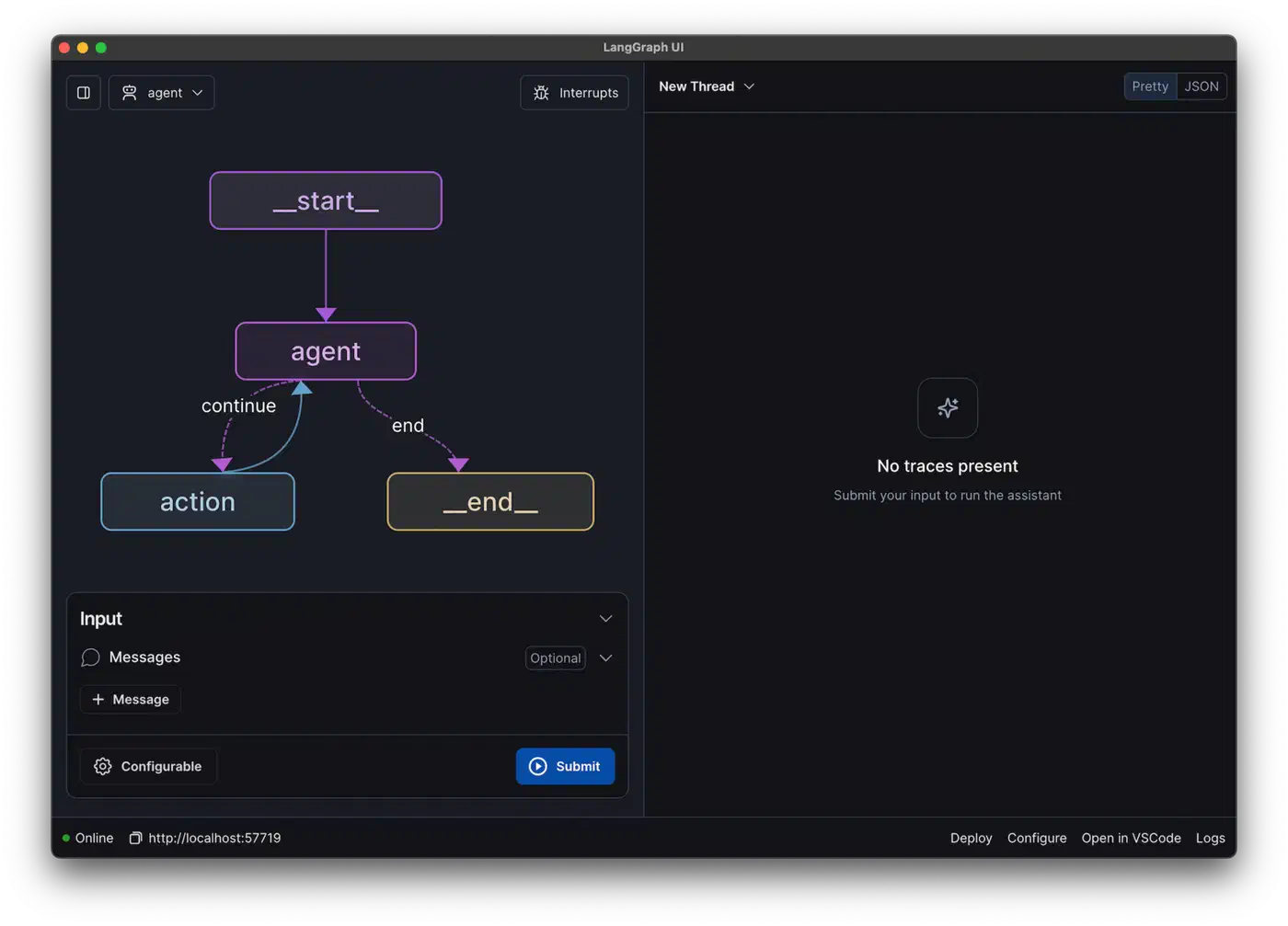
The gap between an agent that works in a notebook and one that holds up in production is wide. Production brings concurrent users, long tasks that span restarts, observability, and cost control. None of that shows up in development.
Wrapping LangGraph in a FastAPI Service
The most portable deployment wraps your compiled graph in an async FastAPI endpoint. LangGraph’s astream method streams node output to the client in real time. The user sees progress during long tasks instead of waiting in silence.
from fastapi import FastAPI, HTTPException
from fastapi.responses import StreamingResponse
from pydantic import BaseModel
from langgraph.checkpoint.postgres import PostgresSaver
import asyncio
import json

app = FastAPI()

# Use PostgresSaver for production (supports concurrent access)
checkpointer = PostgresSaver.from_conn_string(
    "postgresql://user:pass@localhost/agentdb"
)
agent_app = build_agent_graph().compile(checkpointer=checkpointer)

class TaskRequest(BaseModel):
    task: str
    thread_id: str

@app.post("/run-agent")
async def run_agent(request: TaskRequest):
    config = {"configurable": {"thread_id": request.thread_id}}
    initial_state = {
        "messages": [{"role": "user", "content": request.task}],
        "error_count": 0,
        "task_complete": False,
    }

    async def event_stream():
        async for event in agent_app.astream(initial_state, config=config):
            # Stream each node's output as a server-sent event
            yield f"data: {json.dumps(event)}\n\n"
        yield "data: [DONE]\n\n"

    return StreamingResponse(event_stream(), media_type="text/event-stream")

@app.get("/agent-state/{thread_id}")
async def get_state(thread_id: str):
    config = {"configurable": {"thread_id": thread_id}}
    state = agent_app.get_state(config)
    return state.values
Observability with LangSmith
When an agent fails in production, you need to know which node failed, what the state was, and what the LLM saw. LangSmith gives you this for free in LangChain and LangGraph apps. Every node run, LLM call, and tool call is traced.
import os

# Enable LangSmith tracing via environment variables
os.environ["LANGCHAIN_TRACING_V2"] = "true"
os.environ["LANGCHAIN_API_KEY"] = "your-langsmith-key"
os.environ["LANGCHAIN_PROJECT"] = "my-production-agent"

# No code changes required - LangGraph integrates automatically
With tracing on, each call produces a trace. It shows the full path through the graph, latency per node, and the exact LLM inputs and outputs. For debugging production incidents, I treat it as non-negotiable.
LangGraph Platform vs. Self-Hosting
LangGraph Platform (the managed offering, formerly LangServe) handles persistence, scaling, and the REST layer for a monthly fee. For teams without infra engineers, it’s a strong option. If you need full control over your data, self-host instead. The FastAPI pattern above with PostgresSaver is simple and adds no per-request cost.
Cost Management for Multi-Step Agents
A single multi-step task can fire 20 to 50 LLM calls: the plan, each worker, critique nodes, retries, and the final synthesis. At frontier-model prices, that adds up fast. Log token use per node before you scale, then find the heavy ones. On one agent I built, routing simple classification through gpt-4o-mini instead of gpt-4o cut the bill by half with no real quality loss. For high-volume work, running a local LLM on consumer hardware removes per-token cost for the lighter nodes.
Putting It All Together: A Complete Research Agent
Here is a small but complete agent. It uses the patterns from this post: a stateful graph, checkpointing, and conditional routing with retries.
from typing import TypedDict, Annotated, Optional
from langgraph.graph import StateGraph, END
from langgraph.graph.message import add_messages
from langgraph.checkpoint.sqlite import SqliteSaver
from langchain_openai import ChatOpenAI
from langchain_core.messages import HumanMessage, AIMessage
from langchain_community.tools import DuckDuckGoSearchRun

llm = ChatOpenAI(model="gpt-4o", temperature=0)
search_tool = DuckDuckGoSearchRun()

MAX_RETRIES = 3

class ResearchState(TypedDict):
    messages: Annotated[list, add_messages]
    search_results: list[str]
    final_report: Optional[str]
    error_count: int
    last_error: Optional[str]
    task_complete: bool

def search_node(state: ResearchState) -> dict:
    """Perform a web search based on the latest user message."""
    query = state["messages"][-1].content
    try:
        results = search_tool.run(query)
        return {"search_results": [results], "error_count": 0, "last_error": None}
    except Exception as e:
        return {
            "search_results": [],
            "error_count": state["error_count"] + 1,
            "last_error": str(e),
        }

def synthesize_node(state: ResearchState) -> dict:
    """Synthesize search results into a structured report."""
    context = "\n\n".join(state["search_results"])
    prompt = f"""
    Based on these search results, write a concise, accurate research report.
    Address the original query: {state['messages'][0].content}

    Search results:
    {context}
    """
    response = llm.invoke([HumanMessage(content=prompt)])
    return {
        "final_report": response.content,
        "messages": [AIMessage(content=response.content)],
        "task_complete": True,
    }

def route_after_search(state: ResearchState) -> str:
    if state["search_results"]:
        return "synthesize"
    elif state["error_count"] >= MAX_RETRIES:
        return END
    return "search"  # Retry

# Build the graph
graph = StateGraph(ResearchState)
graph.add_node("search", search_node)
graph.add_node("synthesize", synthesize_node)
graph.set_entry_point("search")
graph.add_conditional_edges("search", route_after_search)
graph.add_edge("synthesize", END)

checkpointer = SqliteSaver.from_conn_string("research_agent.db")
research_agent = graph.compile(checkpointer=checkpointer)

# Run the agent
config = {"configurable": {"thread_id": "research-001"}}
initial_state = {
    "messages": [HumanMessage(content="What are the latest developments in quantum computing?")],
    "search_results": [],
    "final_report": None,
    "error_count": 0,
    "last_error": None,
    "task_complete": False,
}

result = research_agent.invoke(initial_state, config=config)
print(result["final_report"])
What to Build Next
Four patterns carried this post: stateful graphs, checkpointed persistence, self-correction loops, and multi-agent supervision. Once your single-agent loop works, a few next steps follow. Add a vector database for long-term memory. Connect real tools through the Model Context Protocol. Deploy behind a streaming API.
LangGraph’s explicitness is its biggest strength. You can read the graph and know exactly what will happen. In my experience, that predictability is the gap between an agent that wows in a demo and one that earns trust in production.