 Botmonster Tech
Claude Code is built entirely on MCP - what the source leak revealed
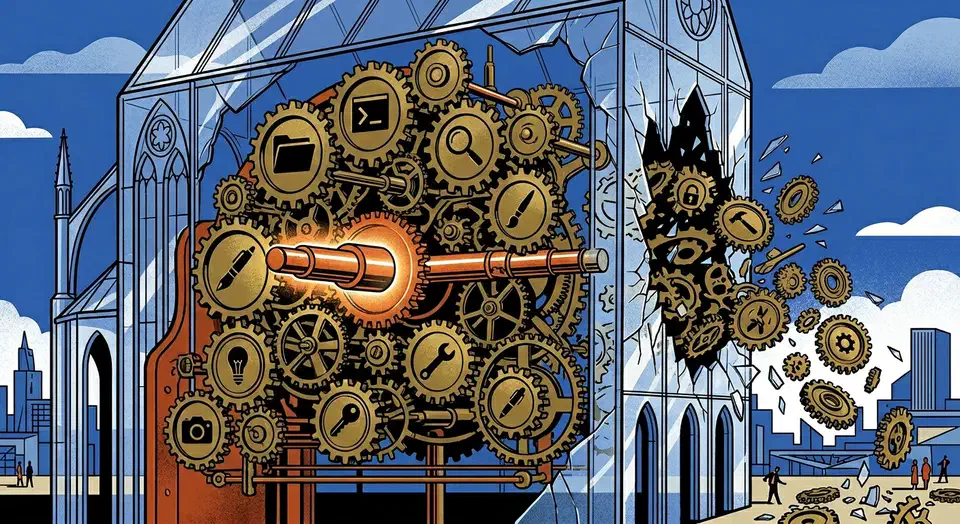
Claude Code doesn’t use MCP as a plugin system. It is MCP. On March 31, 2026, Anthropic shipped a 59.8 MB source map by accident in npm package @anthropic-ai/claude-code v2.1.88. Developers got a rare look at how a real AI coding agent works. That same tool loop is what lets it chew through 500,000 rows of data without you writing a line of pandas. Every capability in Claude Code (file reads, bash, web fetches, Computer Use, IDE bridges) runs as a single permission-gated MCP tool call. There is no special internal API. Third-party MCP servers you connect get the same execution path, permission checks, and error handling as Anthropic’s own built-in tools.
This setup makes Claude Code the largest known production MCP deployment. On the company side, Pinterest’s 66,000 monthly invocations are the clearest published numbers for MCP at work. The leaked code raises real questions about security, extensibility, and where AI agents are going next.
The Accidental Reveal
On March 31, 2026, security researcher Chaofan Shou found that Anthropic’s npm package shipped with a JavaScript source map file. The archive held about 512,000 lines of unobfuscated TypeScript across 1,906 files. That’s the whole Claude Code codebase.
Within hours, the code was mirrored across GitHub. It became what Cybernews called the fastest-growing repository in GitHub’s history. Anthropic sent DMCA takedowns and accidentally took down thousands of unrelated repositories. That drew even more public attention.
The cause was a Bun bug. Anthropic acquired Bun at the end of 2025, and Claude Code is built on it. A bug report filed on March 11 (oven-sh/bun#28001) showed source maps were served in production mode. Bun’s docs said they should be off. The issue was still open when the leak hit. As one Twitter user put it: “accidentally shipping your source map to npm is the kind of mistake that sounds impossible until you remember that a significant portion of the codebase was probably written by the AI you are shipping.”
Anthropic’s official reply to Axios was terse: “Earlier today, a Claude Code release included some internal source code. No sensitive customer data or credentials were involved or exposed. This was a release packaging issue caused by human error, not a security breach.” They said nothing public about the design findings, the feature flags, or the unshipped features the code showed.
Everything Is a Tool Call
The big design finding: Claude Code treats every capability as an MCP tool call. The full tool system covers about 40 discrete tools, each one permission-gated on its own. That covers file read, file write, bash, web fetch, LSP, MCP server calls, and IDE bridges. Computer Use (mouse, keyboard, screenshot) runs through the same pipeline.
Each tool is a standalone module with its own permission boundary. The wiring is spelled out in code. Claude Code finds tools from connected MCP servers at startup and treats them the same way as its own built-in tools. There is no “special” internal API that built-in tools get and extensions don’t.
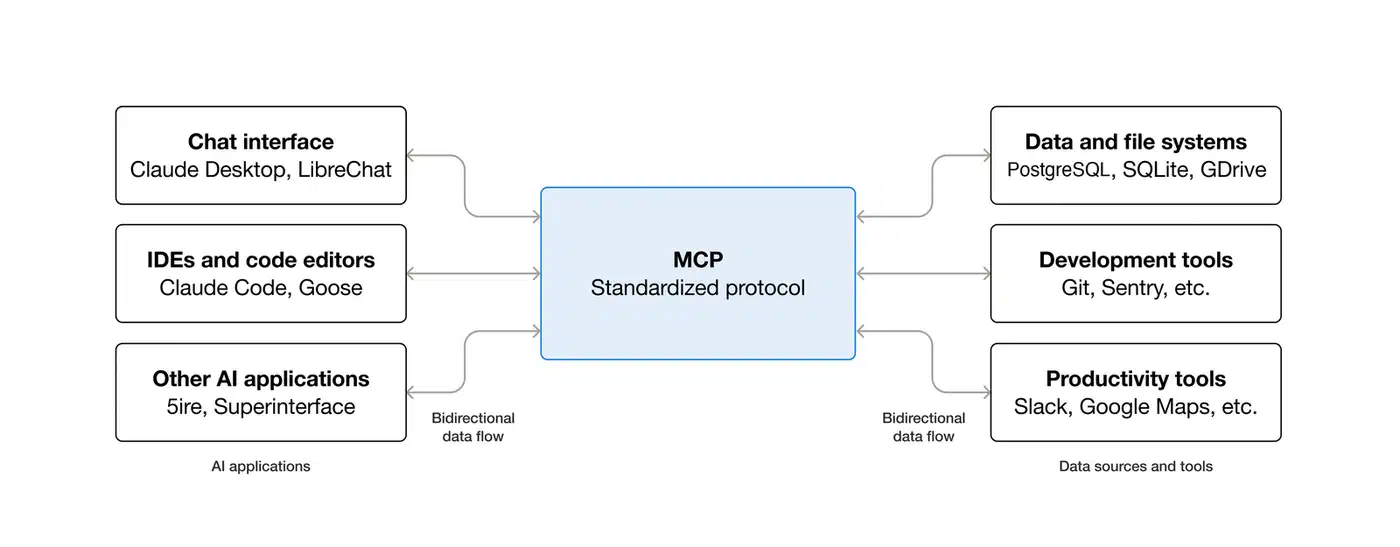
The permission system follows a Deny > Ask > Allow precedence model:
| Priority | Type | Behavior |
|---|---|---|
| Highest | Deny | Blocks execution outright |
| Middle | Ask | Prompts user for approval before running |
| Lowest | Allow | Auto-approved, runs without prompting |
MCP rules support wildcards. You can allowlist all tools from a trusted server (like mcp__github__*) and require approval for tools from less trusted sources. The config lives in settings.json under autoMode.soft_deny and autoMode.allow. It uses plain-language rules that the model reads at runtime.
In practice, a third-party MCP server added via config runs through the same execution path and permission checks as Anthropic’s own file-read tool. Good for extensibility. Less good when you note that a malicious MCP server published on npm and added to someone’s agent config would get the same permission level. That makes MCP supply-chain attacks a real concern. The reverse case is worth holding too: a model chasing a goal can find a path through the tools you did approve, which is how OpenAI’s eval models reached the open internet from a sealed sandbox.
Every bash command also runs through 23 numbered security checks in bashSecurity.ts. The list covers 18 blocked Zsh builtins, defense against Zsh equals expansion (=curl skipping checks for curl), unicode zero-width space injection, IFS null-byte injection, and a malformed token bypass found during HackerOne review. Per Alex Kim’s analysis, no other tool has this kind of Zsh threat model.
Hidden Features Behind the Flags
The leaked code held 44 compile-time feature flags. At least 20 of them gated features that were fully built but not yet shipped. Three stand out.
KAIROS shows up over 150 times in the source. Named after the Ancient Greek idea of “the opportune moment,” KAIROS is an autonomous daemon mode. It turns Claude Code from a request-response tool into a persistent background process. It runs 24/7 with no user input. It gets heartbeat prompts asking “anything worth doing right now?” It has three exclusive tools: push notifications, file delivery, and pull request subscriptions. An autoDream process rolls up learning overnight via append-only daily logs. It’s a form of “memory distillation” where the agent merges notes, drops contradictions, and turns vague hunches into concrete facts.
The code is heavily gated. Anthropic has not publicly named KAIROS or shipped any autonomous background features. But the scaffolding is there. It ships with GitHub webhook subscriptions, background daemon workers, and cron refreshes every five minutes. Until Anthropic ships native autonomy, overnight experiment loops and self-improving skills are already a solved problem in the community.
Anti-distillation is the second big find. When the ANTI_DISTILLATION_CC flag is on, Claude Code sends anti_distillation: ['fake_tools'] in API requests. That tells the server to silently inject decoy tool definitions into the system prompt. The point: if someone records Claude Code’s API traffic to train a rival model, the fake tools pollute that training data. Anthropic had published a report in February 2026 about industrial-scale distillation campaigns by three Chinese AI labs that generated over 16 million exchanges. This mechanism aims to make that kind of theft less useful.
A second anti-distillation trick is connector-text summarization. It buffers the assistant’s reasoning between tool calls, sums it up, and returns the summary with a cryptographic signature. Anyone recording API traffic gets summaries, not the full reasoning chain.
The community reaction was mixed. Most developers agreed Anthropic has a right to protect its IP. But the way it works (silently injecting false data into API responses) struck many as something Anthropic should have disclosed. As one analysis on Winbuzzer put it, “the tool definitions a developer sees should match the tools that actually exist.” Alex Kim’s deeper review found the protections were easy to bypass. A MITM proxy stripping the anti_distillation field from request bodies defeats it. Setting the CLAUDE_CODE_DISABLE_EXPERIMENTAL_BETAS env variable shuts the whole thing off.
Undercover Mode (undercover.ts) tells Claude Code never to mention internal codenames like “Capybara” or “Tengu” in non-internal repos. The module has a hard-coded NO force-OFF. You can force it on, but you can never force it off. In external builds, the whole function gets stripped to a trivial return. So AI-authored commits and PRs from Anthropic staff working on open source projects carry no sign that an AI wrote them.
Desktop Extensions and the .mcpb Ecosystem
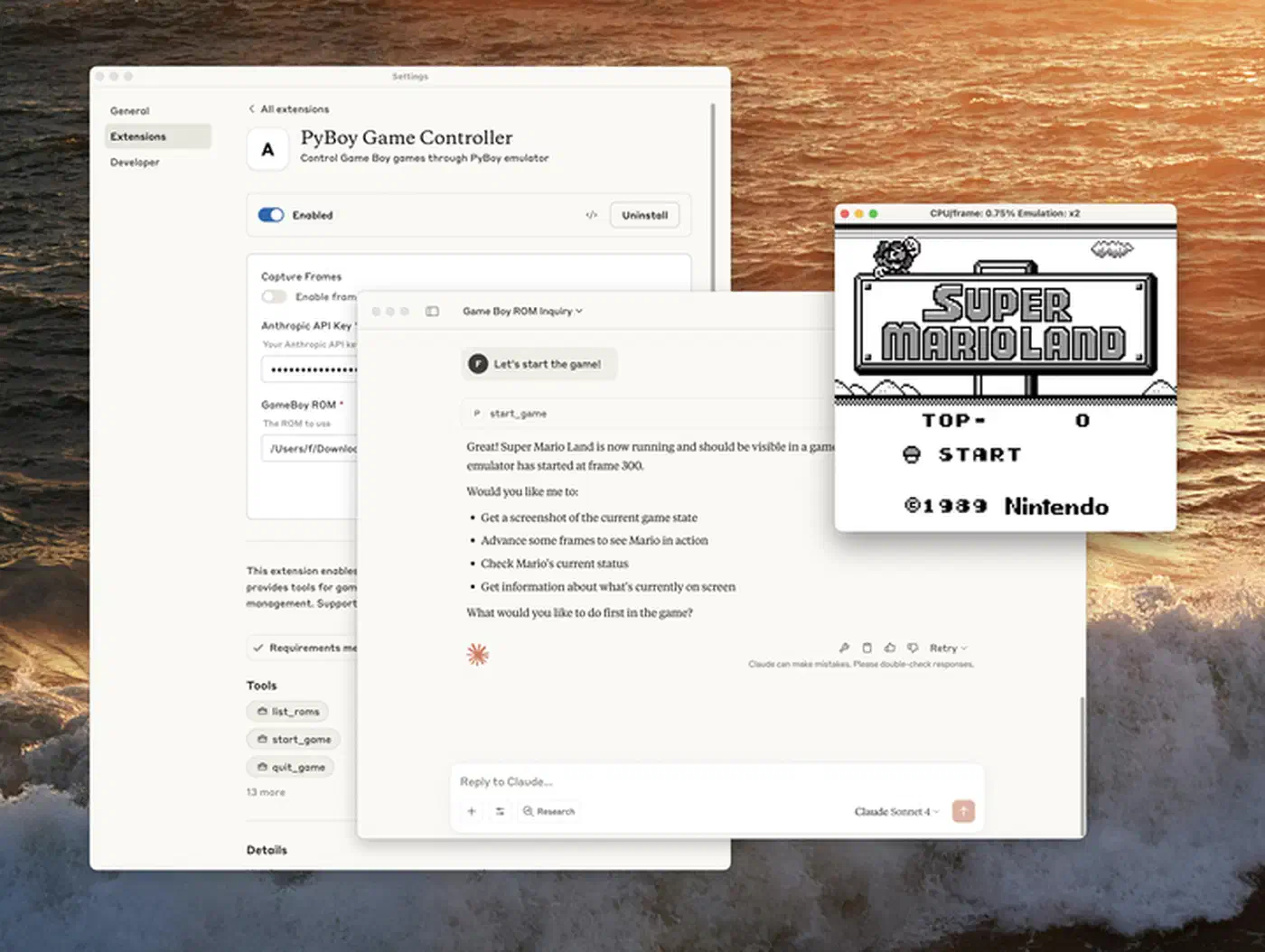
Because Claude Code treats all MCP servers the same way, the Desktop Extensions format (.mcpb) matters more than a typical plugin system. Desktop Extensions are ZIP archives. Each one holds a local MCP server bundled with a manifest.json and all its deps. Think browser extensions, but for AI tools.
One-click install in Claude Desktop solves the biggest MCP adoption block. It gets non-technical users past manual server setup. The Connectors panel and Extensions marketplace let users install MCP servers without editing JSON config files.
For enterprise, Team and Enterprise plan owners get fine-grained admin controls. They can upload custom .mcpb files for team-wide use and turn public extensions on or off based on security policy. Companies are building MCPBs as secure proxies to internal MCP servers, docs tools, and dev tool connectors while keeping their current security setup.
Anthropic open-sourced the Desktop Extension spec, toolchain, and schemas. The hope is that other AI desktop apps adopt the format. Distribution is still evolving. mpak runs as a public registry where developers can publish and find MCP bundles, working like npm for MCP servers. But the ecosystem is young. Most distribution still feels ad-hoc next to mature package registries.
Once installed, a .mcpb extension gets the same execution path and permission model as Claude Code’s own built-in features. First-party and third-party tools run through the same pipeline.
MCP at Production Scale
Forty-plus production tool modules running through one protocol is a strong sign that MCP works beyond demo projects. A comment in autoCompact.ts hints at the scale. Before a three-line fix landed, Claude Code was wasting about 250,000 API calls per day worldwide due to a compaction retry bug. That’s the volume of a production system.
Since built-in and external tools share a permission model, extensions aren’t second-class. A third party can build with the same primitives Anthropic uses inside. For a hands-on walkthrough of standing up your own server, see the guide on MCP server development.
Other AI coding tools are adopting MCP too, but with different depth. Cursor and GitHub Copilot are adding MCP support. OpenAI’s Codex CLI already has MCP built in. As the Generect analysis puts it, MCP is “becoming the USB-C of AI agent tooling.” But there’s a real gap between building on MCP from day one, as Claude Code did, and bolting MCP support onto an existing design later.
| Tool | MCP Approach | Integration Depth |
|---|---|---|
| Claude Code | Native - all capabilities are MCP tool calls | Every feature runs through MCP |
| Cursor | Adding MCP support | Plugin-level, not core architecture |
| Codex CLI | Supports MCP | Structured tool calling, not full architecture |
| GitHub Copilot | Adding MCP support | Extension-level integration |
For a wider look at these tools beyond MCP support, see the breakdown of AI coding editors in 2026.
Security is the obvious weak spot. When every extension gets the same privilege model as built-in tools, supply-chain attacks on MCP servers carry real weight. Package signing, server attestation, and runtime sandboxing are all needed, but none are standard yet. Claude Code already does client attestation at the HTTP transport level. API requests include a placeholder that Bun’s native Zig HTTP stack rewrites with a computed hash. That proves the request came from a real Claude Code binary. But server-side MCP server attestation for third-party extensions isn’t a standard yet.
KAIROS points to the likely next step. Always-on autonomous agents running the same MCP tool stack to watch, learn, and act with no human prompt. The leaked design shows the base can support it. The security and governance side is still catching up.
The core lesson from the leak is structural. Building every action as a tool call from day one gave Claude Code a design that scales from one file read to a fleet of autonomous agents with no structural changes. That same uniform setup is also what makes a compromised MCP server so dangerous. The protocol’s strength and its risk are the same trait.