 Botmonster Tech
Three tiers of AI pair programming: from autocomplete to autonomous overnight agents

The most productive developers in 2026 don’t use a single AI tool. They run a three-tier stack. Tier 1 is inline completions for line-by-line speed. Tier 2 is parallel agent sprints that take on feature-sized work. Tier 3 is overnight batch agents that run 30 to 50 improvement cycles while you sleep. GitHub’s research shows AI pair programming makes developers 55% faster, but that gain comes mostly from Tier 1. The real win comes from running all three tiers at once, with clear rules about which task goes where.
84% of developers now use AI coding tools, and 73% of engineering teams use them daily. So the question isn’t whether to adopt AI help. It’s which mix of tools and workflows gets the best results without burning cash on tokens or rubber-stamping bad code.
Tier 1 - Interactive In-Editor Completions
Tier 1 is where most developers started with AI. It’s still where they spend most of their keystrokes. Tools like GitHub Copilot, Codeium, Tabnine, and Supermaven watch what you type. They suggest inline completions: single lines, multi-line blocks, full functions. The context comes from your current file, open tabs, and project tree.
GitHub Copilot’s free tier gives you 2,000 completions and 50 premium requests per month. The $10/month Pro plan adds 300 premium requests. Pro+ at $39/month gives you 1,500 premium requests and access to all models, including Claude Opus 4 and OpenAI o3. Copilot is still the market leader in this tier. It has the deepest IDE support: VS Code, JetBrains, Neovim, and Visual Studio. Index.dev’s compilation of AI pair programming statistics puts Copilot at 51% adoption for routine autocomplete.
The 55% speedup from GitHub’s research comes mostly from this tier. It cuts keystrokes, fills in boilerplate, and keeps you in flow during routine coding. Acceptance rates run around 30%, so developers reject or tweak most suggestions. That’s the right behavior. Trouble starts when acceptance rates drift toward rubber-stamping.
Tier 1 works best for repetitive patterns, boilerplate, test scaffolding, and docstrings. Any task where you keep full context and just need to type faster. It’s a bad fit for architecture calls, security-sensitive code, or business logic that needs a view of the whole system. Treat completions as suggestions, not answers.
Tier 2 - Parallel Agent Sprints
Tier 2 is where AI pair programming got real in 2025-2026. Tools like Claude Code, Cursor Agent Mode, Aider, and Windsurf run extended sessions, from minutes to hours. They have full codebase access, file system control, shell execution, and step-by-step reasoning.
Claude Code runs in the terminal as a CLI agent. It reads, edits, and reasons over whole codebases while doing real tasks, and it will happily work a 500,000-row CSV that has nothing to do with code. It needs a Pro subscription at minimum ($20/month). The Max 5x plan costs $100/month, and Max 20x is $200/month for heavier use. Cursor Pro is $20/month with unlimited Auto mode. Cursor Ultra at $200/month unlocks up to 8 background agents running at once. Both tools bill on a credit system tied to real model API costs.
The workflow is predictable. You describe a feature or bug. The agent drafts a plan, writes code across files, runs tests, fixes failures, and hands back the result for review. Dave Patten’s overview of the state of AI coding agents in 2026 maps how these tools grew from simple pair programmers into team members. A cheap agent tier like Gemini’s Flash model makes that fan-out affordable to run.
Multi-Agent Parallelism
The biggest Tier 2 win is running several agents at once on separate tasks. A frontend agent, a backend agent, and a test agent each hold context only for their slice. That keeps replies on-topic and cuts token waste. Addy Osmani’s guide to the code agent orchestra walks through these patterns. He covers the shift from conductor (one agent, sync) to orchestrator (many agents, async).
Osmani lays out three levels of multi-agent orchestration:
- In-process subagents: Claude Code’s Task tool spawns child agents from a parent. No extra tooling needed.
- Local orchestrators: Tools like Conductor by Melty Labs, Claude Squad, and oh-my-claudecode run agents in isolated git worktrees with dashboards and diff review. Best for 3 to 10 agents on familiar codebases.
- Cloud async agents: GitHub Copilot Coding Agent, Claude Code Web, Jules by Google, and Codex by OpenAI run in cloud VMs. Assign a task, close your laptop, come back to a pull request.
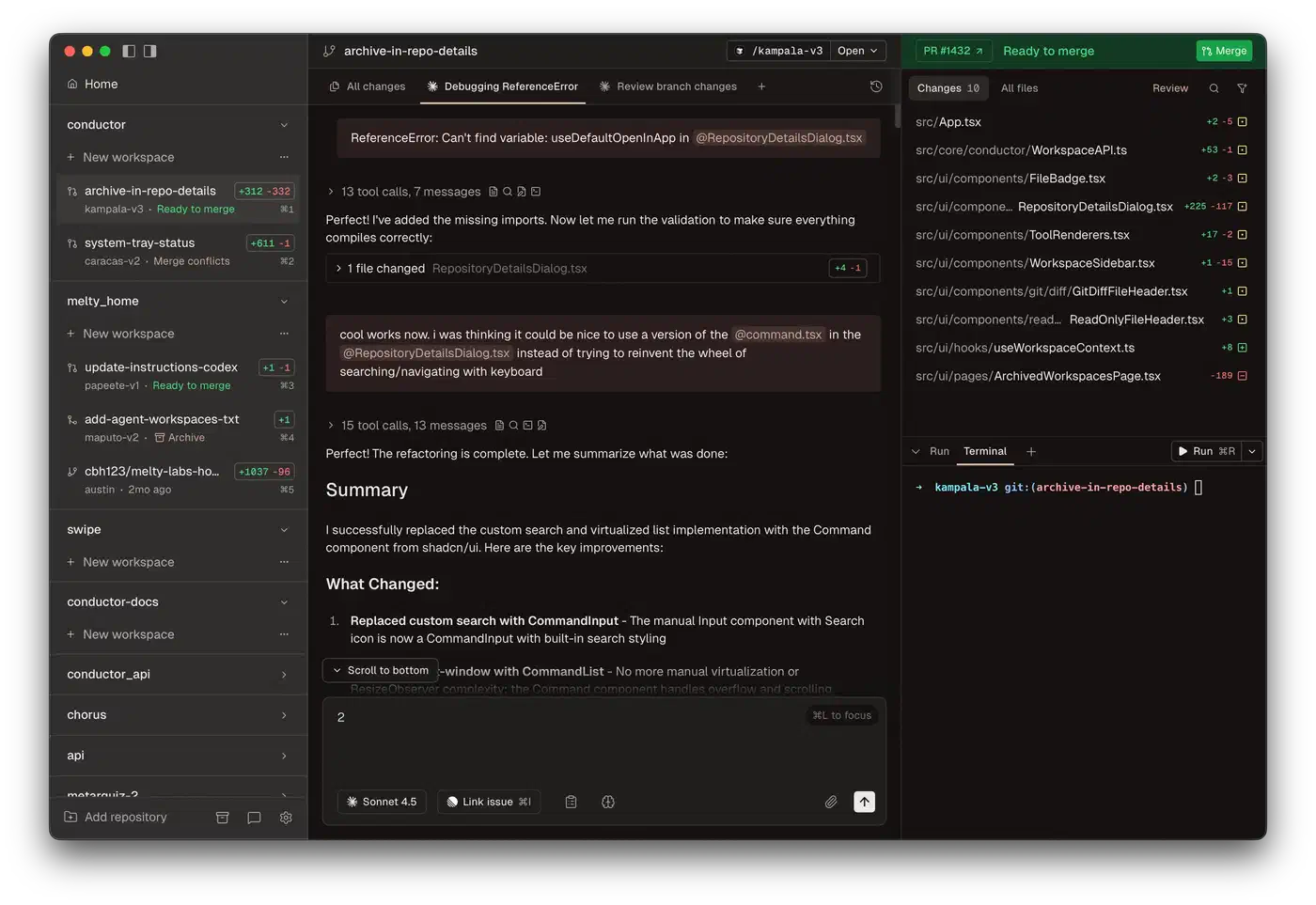
Claude Code’s experimental shared-task-list orchestration mode supports real parallel runs. It has a shared task list, peer-to-peer messages between teammates, and file locks to stop conflicts. Three to five teammates is the sweet spot. Focused agents beat a single generalist working three times as long.
Context File Conventions
CLAUDE.md, GEMINI.md, AGENTS.md, and .cursorrules files give agents persistent project context. They load at session start. Human-curated files beat machine-generated ones. They hold the team’s knowledge: architecture choices, naming rules, deploy constraints. Each agent session should have one clear goal with sharp acceptance criteria. Your role shifts from writing code to writing specs, reviewing output, and steering parallel work.
Tier 3 - Autonomous Overnight Batch Processing
Tier 3 is the frontier. Agents run on their own for hours with no human in the loop. They run dozens of experiment-iterate-evaluate cycles and show you the results in the morning.
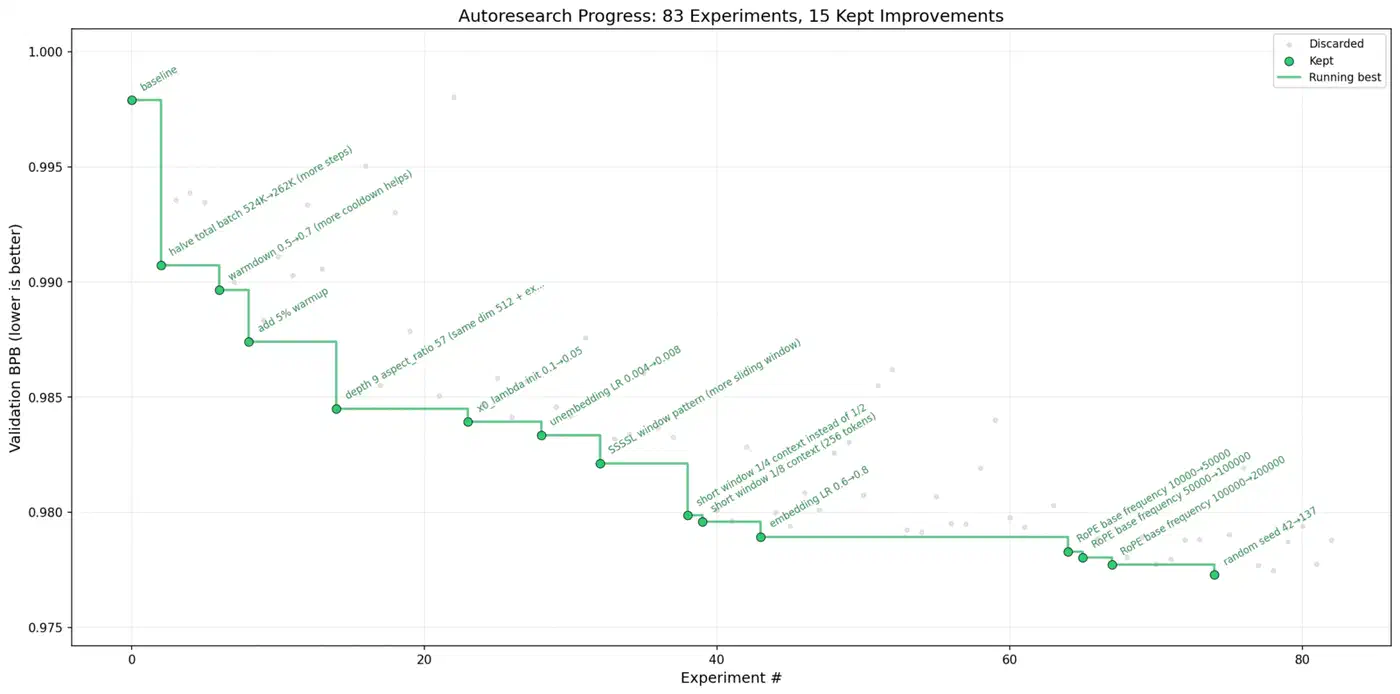
Andrej Karpathy’s autoresearch put this idea on the map. The March 2026 release pulled in over 21,000 GitHub stars within days. The system is a 630-line Python script that improves ML models overnight on its own. You write research directions in a markdown file, point an AI coding agent at the repo, and walk away. It runs about 12 experiments per hour, so roughly 100 experiments per night. In one logged run, 126 experiments cut training loss from 0.9979 to 0.9697. After two days of nonstop runs, around 700 changes went through. About 20 additive wins moved cleanly to larger models, an 11% gain on the “Time to GPT-2” metric.
A few rules make autoresearch work: one metric to optimize, tight scope, fast checks (5-minute training runs), auto-rollback on failure, and git as memory. Every experiment gets a commit. Failed runs revert on their own.
Tools Building on the Pattern
ARIS (Auto-Research-In-Sleep) takes the idea further. It uses markdown-only skills for ML research and runs on Claude Code, Codex, OpenClaw, and any LLM agent. It adds adversarial review (one model writes, another checks), multi-source literature reading, and auto-debug. Auto-debug retries failures up to three times before giving up.
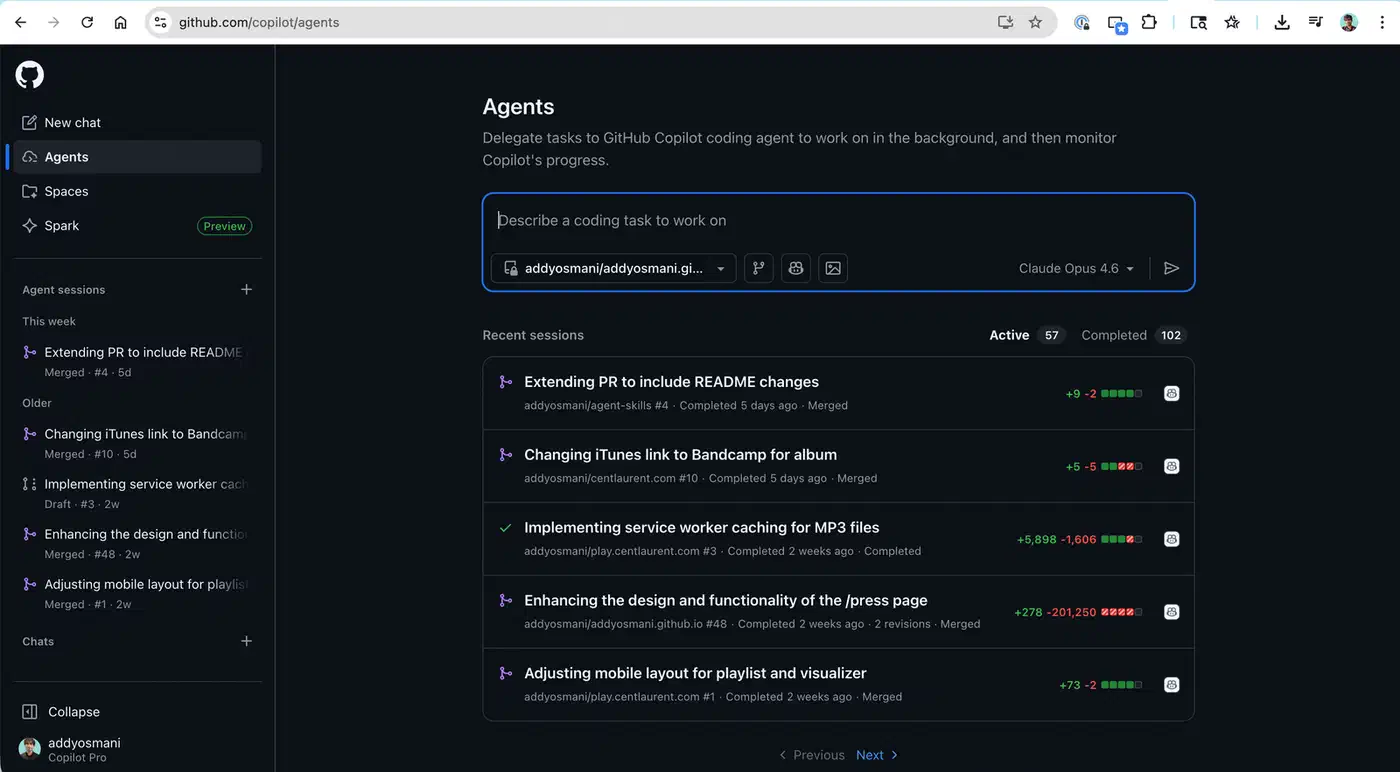
GitHub Copilot Coding Agent runs in the background on GitHub’s own infrastructure. It picks up assigned issues, creates a branch, writes code, runs tests, and opens a pull request on its own. It does a self-review pass before tagging you. It’s on Pro, Pro+, Business, and Enterprise plans.
The Orchestra Research skills library ships 87 skills across 22 categories. It covers the full research cycle, from literature survey to paper writing. Bundle the skills with your Claude Code, Codex, or Gemini CLI agent, and you get a full research agent.
One hard rule for every Tier 3 tool: they only work on tasks with automated checks. If you can’t write an eval script that decides pass or fail, the agent will spin without converging. Good targets: ML metric tuning, prompt engineering, test coverage growth, and performance benchmarking. Bad targets: architecture calls and UX design.
Orchestrating All Three Tiers
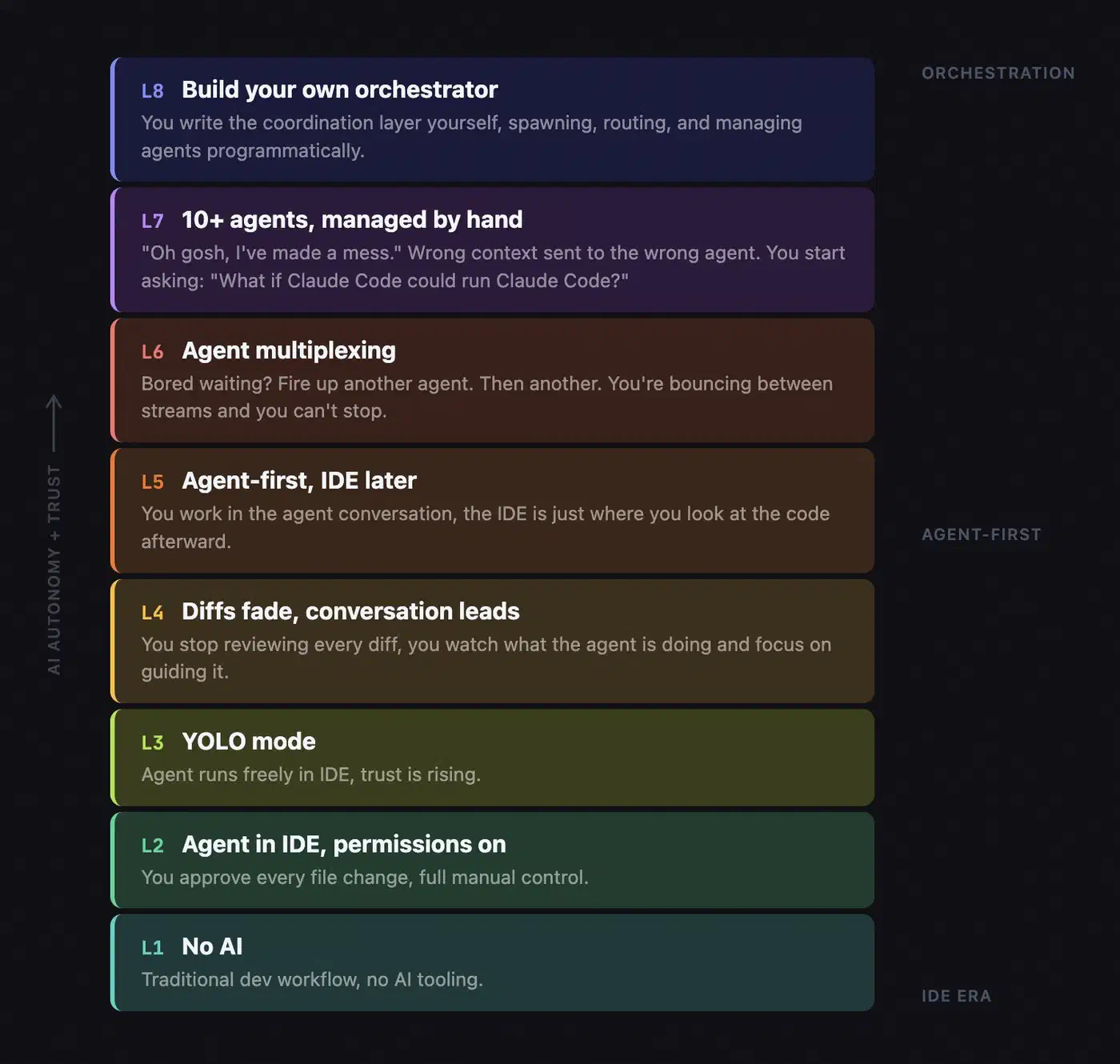
The real productivity unlock isn’t picking the best AI tool. It’s running all three tiers at once. You set clear lines for which tasks belong where, and how context flows between them.
Model Routing and Cost Management
Not every task needs your top model. Route planning and architecture chats to cheaper models (Haiku, GPT-4o-mini). Send code writing to mid-tier (Sonnet, GPT-4o). Save the frontier models (Opus, o3) for hard multi-file reasoning. Tier 1 is near-free on paid plans with unlimited completions. Tier 2 costs $20 to $200 per month, based on plan and use. Tier 3 can run $50 to $500-plus per overnight job, based on model, loop count, and API use.
| Tier | Monthly Cost Range | Typical Use | Token Efficiency |
|---|---|---|---|
| Tier 1 - Completions | $0-39 | Line-by-line flow | Very high - short predictions |
| Tier 2 - Agent Sprints | $20-200 | Feature implementation | Moderate - full context windows |
| Tier 3 - Overnight Batch | $50-500+ per run | ML optimization, bulk testing | Low - iterative trial and error |
Most engineering teams now spend $200 to $600 per engineer per month across all tiers combined. The trick is matching task value to tier cost. Don’t run a Tier 2 agent on work Tier 1 handles fine. Don’t trust Tier 3 output without a human review. Autonomous isn’t the same as right, and reviewing AI-generated commits is now a skill worth practicing on its own.
Handoff Protocols
When a Tier 3 overnight run lands a promising result, you review it in a Tier 2 session to refine and merge. When a Tier 2 session spots a repetitive tuning task, it gets bumped up to Tier 3 for batch runs. Context files act as shared memory across all tiers. Project files (CLAUDE.md, .cursorrules) set the team conventions. Task-level context (issue text, PR templates) scopes each session.
Anti-Patterns to Avoid
- Running Tier 2 agents on Tier 1 tasks wastes tokens and adds lag for no gain
- Trusting Tier 3 output without a human review lets silent regressions slip in
- Using the same context file for every tool ignores each tool’s quirks
- Starting five agents with no clear task lines yields merge conflicts and duplicate work
From Programmer to Orchestrator
The three-tier model doesn’t just change the tools you use. It changes your job, from code writer to system orchestrator.
The core skill shift: writing clear specs beats writing clean code. Developers who break a feature into scoped agent tasks with testable acceptance criteria outpace those who type faster on their own. When AI ships code at 10x speed, your value lives in review quality. That means catching security issues AI misses (SSRF, missing auth, hardcoded secrets). It means keeping the architecture coherent across parallel agent outputs. It means checking that the code actually solves the business problem.
New failure modes show up too. Context fragmentation: agents don’t know what other agents did. Spec ambiguity: the agent built what you asked for, not what you meant. Review fatigue: you stop scrutinizing AI output because the volume is too high.
Automated test suites become core infrastructure, not a nice-to-have. They’re the check layer that makes Tier 2 and Tier 3 work at all. Without tests, you can’t tell if an agent’s output is right. Tier 3 literally can’t run without automated eval.
The meta-skill worth building: knowing which tier a task belongs to. That comes from practice. Junior developers who learn three-tier orchestration early will ship more than seniors who resist it. But developers who skip the basics and jump straight to orchestration won’t know what to review. They’ll wave through the same vulnerability patterns that plague unreviewed AI code.
The future belongs to developers who can run an AI ensemble like a conductor. You route each task to the right tier. You keep the context files sharp. You apply human judgment where it counts most.