 Botmonster Tech
Fish, Zsh, or Nushell: which shell is actually worth switching to?

If you are a casual interactive user who just wants a fast, friendly shell out of the box, install Fish 4 and stop worrying - the Rust rewrite gives you autosuggestions, syntax highlighting, and tab completions with zero configuration. If you love tweaking prompts, plugins, and completion behavior, stay on Zsh with Starship and a lightweight plugin manager like zinit. If your daily work revolves around JSON, CSV, Kubernetes output, or devops pipelines where you constantly parse text, switch to Nushell and let its typed tables do the work.
Those recommendations hide some real tradeoffs around defaults, plugins, startup time, POSIX compatibility, and the kind of daily work each shell actually makes pleasant.
Fish 4: The Rust Rewrite and Batteries-Included Philosophy
Fish has always been the “friendly interactive shell” that shipped sensible defaults. The 4.0 release in February 2025 changed the story by replacing the entire C++ core with Rust - 1,155 files changed, roughly 110,000 insertions, and the codebase grew from about 55,000 lines of C++ to 75,000 lines of Rust. More than 200 contributors landed over 2,600 commits across nearly two years of work. The build no longer needs a C++ compiler, and ncurses is gone too (Fish still reads the terminfo database, but doesn’t link against the library).
The user-visible story is: everything still works the way you remember, but the plumbing is now much easier to maintain and extend. A few small behavior changes landed along with the rewrite. The new key notation lets you write bind ctrl-right or bind alt-backspace instead of cryptic escape sequences. Ctrl-c now calls clear-commandline. OSC 133 prompt markers help modern terminals like WezTerm, Kitty, and Ghostty detect prompt boundaries for features like “jump to previous command”. Generated completions moved to $XDG_CACHE_HOME/fish, and the qmark-noglob feature is on by default, so ? no longer acts as a single-character glob.
What makes Fish compelling for most people is the interactive UX out of the box:
- Syntax highlighting, autosuggestions from history, and fuzzy tab completions work with no dotfiles.
- The
fish_configweb UI lets you pick prompts, colors, and abbreviations from a browser. - Completions are auto-generated by parsing installed man pages, so obscure CLI flags appear in tab-complete without anyone writing a completion script.
- Abbreviations (
abbr) expand inline as you type, which is more discoverable than hidden aliases.
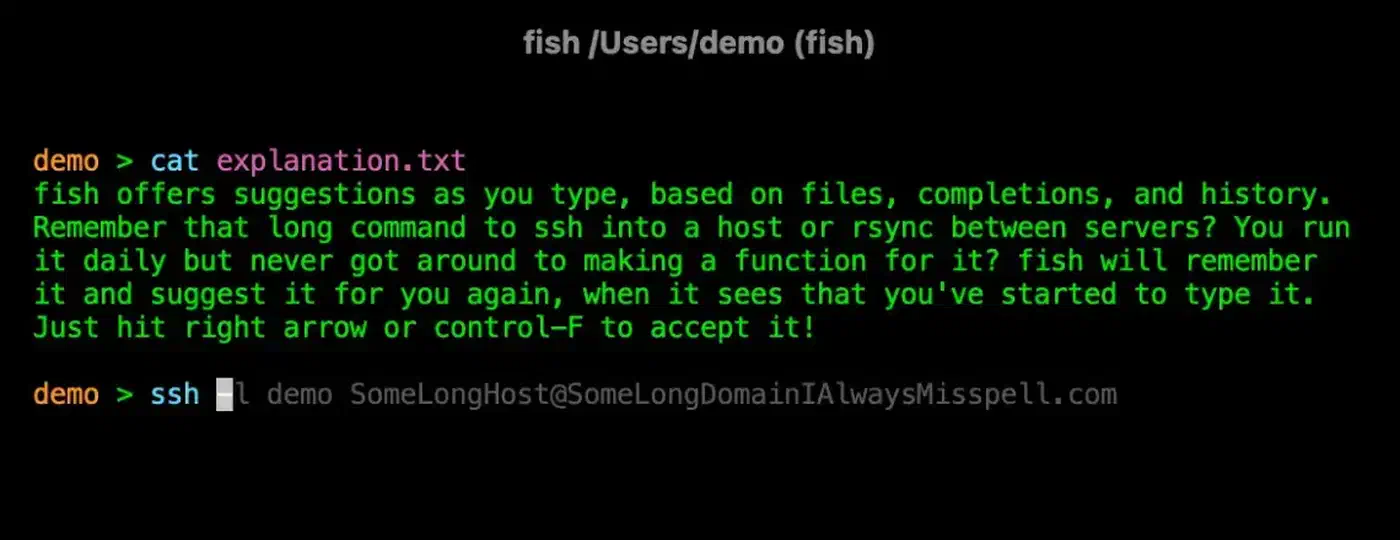
That greyed-out suggestion is a saved SSH command, and the same recall follows you onto a phone when you reach a server through Termius on a phone.
The catch is that Fish is deliberately non-POSIX. Scripting uses set instead of =, if ... end instead of fi, and function scoping that will surprise bash refugees. Copy-pasted snippets from Stack Overflow will often fail. For most people that doesn’t matter for interactive use, but it matters the moment you try to write a reusable script.
Zsh: The Customization King with oh-my-zsh and Starship
Zsh has been the default on macOS since Catalina and remains the most popular bash alternative by a wide margin in 2026. Out of the box it’s fine, but nothing special - a bare Zsh install feels a lot like bash. The value shows up once you layer frameworks, plugins, and prompt tooling on top.
Zsh 5.9 is POSIX-compatible enough to run most bash scripts unmodified. It adds extended globbing (ls **/*.rs walks recursively), parameter expansion flags, associative arrays, and a completion system via compinit that is genuinely more capable than anything Fish or Nushell ships. For people who think of their shell as a tinkerer’s playground, Zsh gives you endless hook points: precmd, preexec, chpwd, zle widgets, custom completions, and decades of community answers on Stack Overflow.
The framework picture in 2026 looks like this:
| Framework | Philosophy | Typical use case |
|---|---|---|
| oh-my-zsh | Kitchen-sink bundle, 300+ plugins and themes | First-timers who want “it just works” |
| zinit | Lazy / turbo-mode plugin loading | Power users optimizing startup time |
| zimfw | Lighter modular approach | People who want oh-my-zsh’s UX without its weight |
| zsh4humans | Opinionated “works out of the box” bundle | Fish fans who want Zsh ergonomics |
Starship has largely replaced powerlevel10k as the default prompt for new setups. It is a Rust-written, cross-shell prompt that works identically in bash, zsh, fish, nu, and PowerShell. A single starship.toml file covers every shell you use, and rendering takes under 10ms even with Git, language, and cloud modules enabled. Pair it with zsh-autosuggestions and zsh-syntax-highlighting and your Zsh setup reaches parity with Fish’s interactive feel.
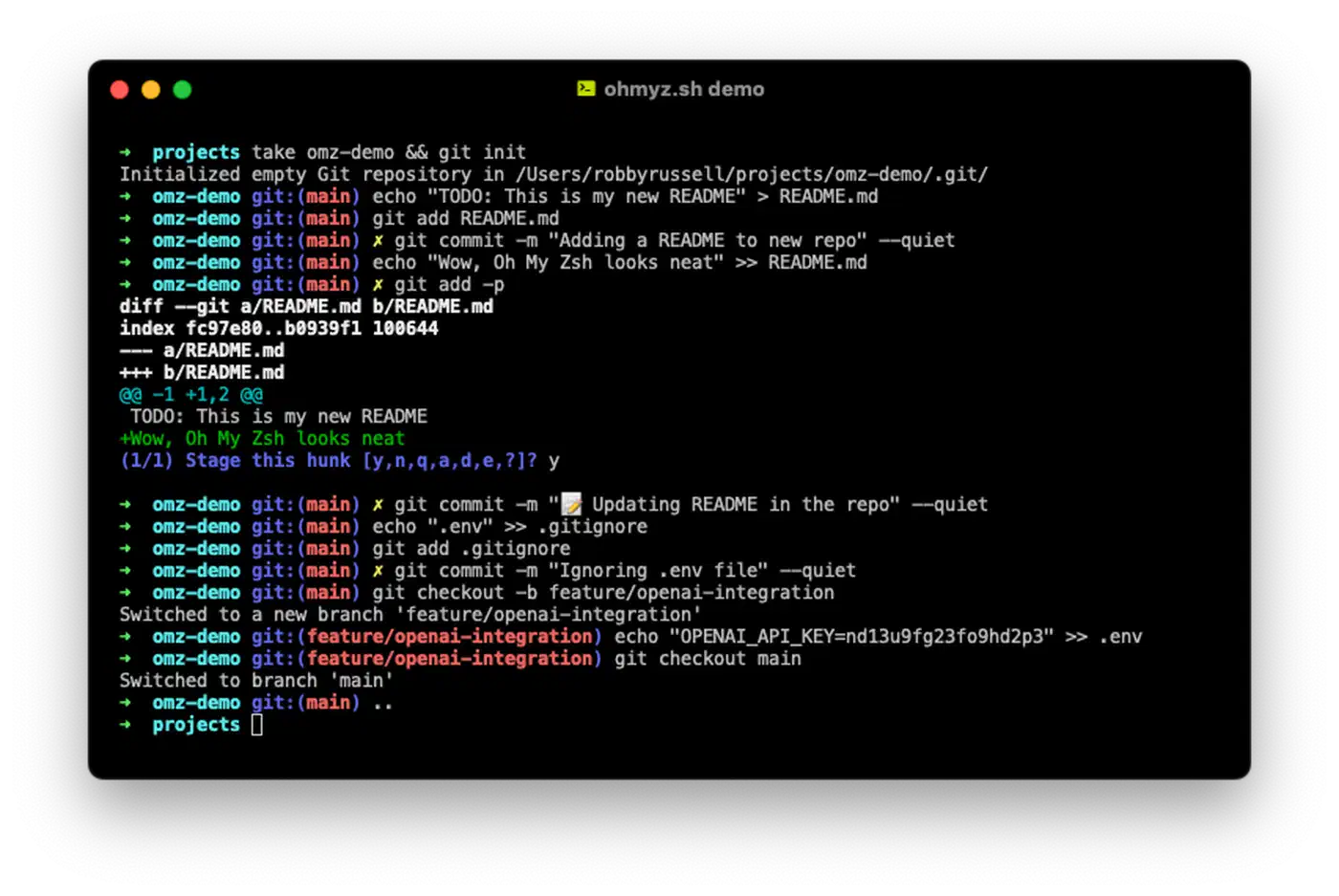
The cost is configuration weight. Oh-my-zsh with a dozen plugins and powerlevel10k can easily hit 400ms startup without instant-prompt tricks, and new users tend to accumulate plugins they never use. That’s where zinit’s turbo mode comes in - plugins load asynchronously after the prompt appears, so your first prompt is fast even when your total plugin set is large.
Nushell: Structured Data Pipelines for Devops
Nushell is the most radical of the three because it isn’t really a Unix shell. Every command returns typed tables, records, or streams instead of raw bytes. ls | where size > 1mb | sort-by modified doesn’t produce text that you re-parse with awk - it returns a real table, and each pipeline stage operates on columns.
Nushell crossed the 0.100 milestone in late 2024 and has been stabilizing its command set, plugin protocol, and config format ever since. By early 2026 the project is past 0.111, and while the pre-1.0 version numbers scare some people off, breaking changes have become smaller and better documented. Many teams treat it as a reasonable daily driver.
The core idea is that structured formats are first-class:
open data.csv | where status == "failed" | to json | save failures.json
open config.toml | get database.host
http get https://api.github.com/repos/nushell/nushell | get stargazers_count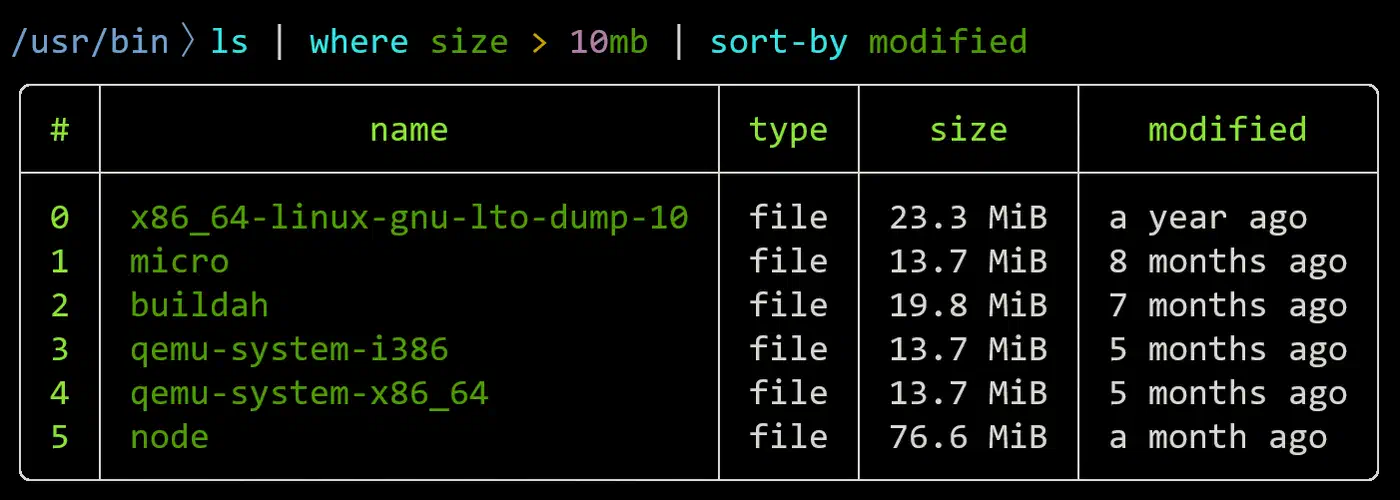
The devops sweet spot shows up clearly with Kubernetes. Instead of chaining jq, grep, and awk to extract pod information, you write:
kubectl get pods -A -o json
  | from json
  | get items
  | flatten
  | select kind metadata.name metadata.namespace status.phase
  | where status.phase == "CrashLoopBackOff"
Every stage operates on a typed table. Column access uses dot notation (metadata.name) that Nushell understands natively. No jsonpath, no memorizing jq’s filter syntax, no hoping your awk '{print $2}' lines up with the columns kubectl decided to print today.
Custom commands feel like a real programming language:
def backup [source: path, dest: path, --compress] {
  let timestamp = (date now | format date "%Y%m%d")
  let name = $"backup_($timestamp).tar"
  if $compress {
    tar czf $"($dest)/($name).gz" $source
  } else {
    tar cf $"($dest)/($name)" $source
  }
}
Typed parameters, default values, flag support, and auto-generated help. Writing a 200-line script in Nushell is genuinely more pleasant than the equivalent bash.
The plugin system is where the shell becomes serious for data work. The polars plugin gives you pandas-like operations directly in the shell via dfr commands, and there are plugins for SQL, Parquet, formats, and cloud providers. The ecosystem is small compared to Zsh, but it is growing and the plugin protocol is stable.
The tradeoff is that Nushell isn’t POSIX. It doesn’t run bash scripts. Subshell semantics are different, && and || behave differently, and many CLI tools still emit unstructured text that you have to coerce with from csv, parse, or split column. If your workflow is mostly text output from older Unix tools, Nushell will feel like friction. If your workflow is mostly JSON, YAML, CSV, and HTTP APIs, it will feel natural within a week.
Startup Time and Scripting Compatibility Compared
Startup time matters because every new terminal tab, tmux split, and script invocation pays the cost. If you open one tab per branch directory, a slow prompt taxes every switch between them. Scripting compatibility matters because you will inevitably copy-paste bash snippets from the internet.
Cold-start benchmarks on a modern Linux laptop look roughly like this. Run hyperfine --warmup 3 'bash -i -c exit' 'fish -i -c exit' 'zsh -i -c exit' 'nu -c exit' on your own box for authoritative numbers:
| Shell | Typical cold start | Notes |
|---|---|---|
| bash | ~3 ms | Bare, no plugins. |
| Zsh (bare) | ~10 ms | POSIX-ish, no frameworks. |
| Fish 4 | ~15-20 ms | Includes syntax highlighting, completions. |
| Nushell | ~30-50 ms | Includes full structured-data engine. |
| Zsh + oh-my-zsh (12 plugins) | 200-400 ms | Synchronous plugin sourcing, compinit. |
| Zsh + zinit turbo | ~20-40 ms | Plugins deferred until after first prompt. |
A known gotcha with Zsh benchmarks: plugin managers advertising “fast startup” are often measuring time to exit, not time to first usable prompt. Zinit’s turbo mode defers plugin loading past the first prompt, which is extremely effective on the exit metric but can still make tab completion feel sluggish for a second or two after the prompt appears. zsh-bench measures time to first prompt separately from time to first completion, which is a more honest benchmark.
For scripting, the hierarchy is straightforward. Zsh runs most bash unmodified. Fish requires rewriting with set, if ... end, and function-scoped variables. Nushell requires rewriting and rethinking - no subshells, no $(...) command substitution in the bash sense, different variable scoping. None of the three replaces bash as a scripting language for portable .sh files. When a script has to run on servers, in CI, or on other people’s machines, you still write bash with #!/usr/bin/env bash at the top and run shellcheck on it.
The pragmatic 2026 default is to split the interactive shell from the scripting shell. Run Fish or Nushell interactively, write bash for anything that needs to be portable. This is what most teams actually do.
Plugin Ecosystems and How to Choose
A shell is only as good as the tools, prompts, and community resources you can lean on. The plugin picture differs sharply between the three.
Fish uses Fisher as the dominant plugin manager. The ecosystem is smaller than Zsh’s but curated, and most plugins are native Fish code rather than bash ports. Notable plugins include tide for prompts, fzf.fish for fuzzy integration, and nvm.fish for Node version management. That same fuzzy-finder pairs nicely with fzf-driven repo cloning, letting you pick a project from a live list instead of pasting a URL.
Zsh has by far the largest plugin ecosystem. Oh-my-zsh alone hosts hundreds of plugins with better completions than the tools themselves ship. If you use a CLI tool, someone has written a Zsh plugin for it. Autosuggestions, syntax highlighting, history-substring-search, and command-not-found handlers all come from this ecosystem.
Nushell has a smaller but growing plugin ecosystem, with official plugins for polars, query (SQL over tables), formats, and a handful of community plugins for cloud providers and specialized data formats. Expect to write a few yourself if you have niche needs, though the plugin protocol is Rust-first and reasonably well documented.
Cross-shell tools worth installing regardless of which shell you pick:
- Starship: prompt that works in all of them.
- zoxide: smarter
cdwith frecency scoring. - atuin: synced shell history across machines.
- fzf: fuzzy file and history search.
- direnv: per-directory environment variables.
Here is how I’d actually pick, by user archetype:
| Archetype | Shell | Why |
|---|---|---|
| Casual desktop user who wants a nice terminal | Fish 4 | Zero config, everything works, fast startup. |
| Developer on macOS who enjoys tweaking dotfiles | Zsh + Starship + zinit | Largest ecosystem, deepest customization. |
| Devops / SRE / data engineer wrangling JSON | Nushell | Typed pipelines turn kubectl and APIs into tables. |
| Cross-machine consistency (laptop + servers) | Bash + Starship | Runs everywhere, accept the limitations. |
| Switching shells to try something new | All three side by side | chsh is reversible, configs coexist. |
If you are stuck between these three, give yourself two weeks on each. None of them lock you in: chsh is reversible, your dotfiles can live side by side, and the only real cost of experimenting is retraining your muscle memory for a fortnight. Install Fish 4 and Nushell this weekend, keep Zsh as a fallback, and see which one you actually reach for when you open a new terminal. Whichever shell you settle on, it is also where the terminal AI coding agents live, so a fast startup pays off every time one spawns a subshell.