 Botmonster Tech
Run SQLite in production with WAL mode and live backups

SQLite in production is a sound choice for any application that runs on one server and can queue its writes. Turn on WAL mode, set a handful of PRAGMAs, and send every write through one connection. You then get unlimited concurrent readers, a single file to back up, and no database server to run. The limits are few. SQLite breaks on network filesystems, across more than one app server, and under heavy write traffic that cannot take turns. When you hit one of those, move to PostgreSQL. For read-only analytics over CSV or Parquet, DuckDB is the better serverless pick.
Key Takeaways
- SQLite’s own docs call 100K hits/day a conservative limit for a website.
- WAL mode lets readers and one writer work at the same time.
- synchronous=NORMAL is fast, but a power cut can roll back the last commits.
- NFS, more than one application server and checkpoint starvation are the main dangers.
- Back up a live database with .backup, VACUUM INTO, sqlite3_rsync or Litestream.
Is SQLite good for production?
Yes, for most web applications. The question is how far SQLite in production goes before it fails. Most posts answer with benchmark tables that cite no source. These numbers all have one.
| Claim | Source | What it proves | What it does not prove |
|---|---|---|---|
| Under 100K hits/day “should work fine”, and SQLite has handled 10 times that | sqlite.org, When to use | The SQLite team’s own floor for websites | A ceiling. They call it conservative |
| sqlite.org served 400K to 500K requests a day on one shared VM, about 200 SQL statements per dynamic page | sqlite.org, When to use (2015) | A real site on modest hardware | A write-heavy load. Only 15 to 20% of those pages touch the database |
| About 4 million queries per second on one server | Expensify (2018) | Read scaling on 192 cores and 1 TB of RAM | Anything about writes. The test did no writes |
| 50,000 or more INSERT statements per second, but only a few dozen separate transactions on a spinning disk | SQLite FAQ | Commit cost, not SQL, is the bottleneck | SSD numbers. The FAQ says SSDs do “far more” |
| Maximum database size of 281 TB | sqlite.org, When to use | You will not run out of room | That your filesystem allows a file that big |
The FAQ row is the most useful one. Database write speed depends on how fast your disk can make a commit durable, and that cost changes a lot from one disk to the next. So no general “writes per second” figure carries over to your hardware. If you need a write throughput number, load test on the disk you will deploy to. Then group related writes into one transaction, which spreads the commit cost across all of them.
Who runs SQLite in production
Expensify built Bedrock, a replicated database layer on top of SQLite, and runs its core production data on it. Tailscale moved its coordination server from etcd to SQLite in 2022. They hit limits on etcd’s database size and write rate. They also chose not to run MySQL or PostgreSQL because live replication meant too much ops work. Tailscale runs SQLite in production with Litestream streaming near-real-time backups to S3. In November 2024, Rails 8 shipped SQLite as a production-ready default, with WAL and IMMEDIATE transactions built in. Its Solid Cache, Solid Queue and Solid Cable adapters run on SQLite too, so a Rails app can skip Redis.
SQLite also ships in every Android and iOS phone and in every major browser. It is likely used more than all other database engines combined. Its test suite reaches 100% branch coverage.
Why an embedded database is simpler to run
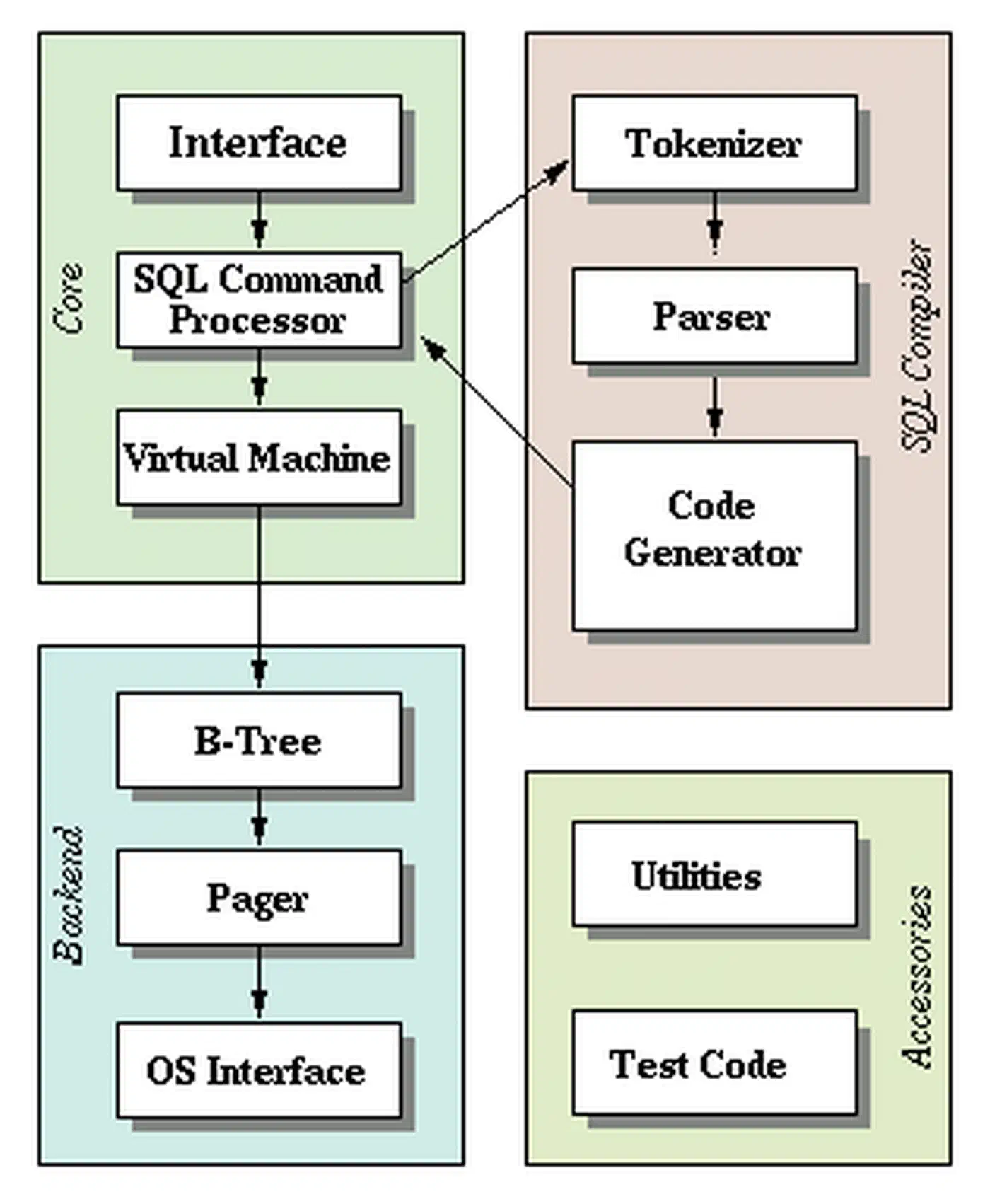
SQLite is an embedded database. It is a C library embedded in your application, not a separate database server process like PostgreSQL or MySQL. You skip the daemon, the port, the user accounts and the connection pooler. The whole database is one file on the file system. Deploying means copying a binary and pointing it at that file. Queries are local reads, with no network round trip between the application and a PostgreSQL or MySQL server.
Every major language has solid bindings. Python ships sqlite3 in its standard library. Go has modernc.org/sqlite in pure Go with no CGo. Rust has rusqlite, Node.js has better-sqlite3, and Java has sqlite-jdbc.
Production PRAGMAs for SQLite WAL mode
SQLite’s defaults favor old code and small embedded systems. For a production web application, apply these settings on every database connection:
PRAGMA journal_mode=WAL;
PRAGMA synchronous=NORMAL;
PRAGMA busy_timeout=5000;
PRAGMA foreign_keys=ON;
PRAGMA cache_size=-64000;
PRAGMA mmap_size=268435456;
PRAGMA journal_size_limit=67108864;
journal_mode=WAL is the big one. In WAL mode, changes go to a separate -wal file first, and readers keep reading the main file while a write runs. Readers don’t block the writer, and the writer doesn’t block readers. The setting is stored in the database file, so you only set it once. WAL also adds a -shm shared memory file next to the database. Keep all three database files together.
synchronous=NORMAL skips the disk sync on each commit and only syncs at checkpoints. That makes commits much cheaper. Many guides on SQLite in production call it fully safe. It isn’t: in WAL mode, committed transactions might roll back after a power failure or hard reset. The database doesn’t corrupt. You may lose the last few commits on a power cut or kernel crash. An app crash alone loses nothing. If a lost commit means lost money or lost data, keep synchronous=FULL in production.
busy_timeout=5000 makes a connection wait up to 5 seconds for a lock instead of failing at once with SQLITE_BUSY. Without it, you get random “database is locked” errors under any load.
foreign_keys=ON is off by default and doesn’t persist. Set it on every database connection, in your connection factory or ORM config.
cache_size=-64000 sets a 64 MB page cache. Negative values mean kilobytes, and the default is about 2 MB. Size it to your application’s working set of data and to free RAM. A guide on measuring a process’s real RAM footprint helps here. mmap_size lets SQLite read through memory-mapped I/O. It helps some read-heavy loads, so measure before and after.
journal_size_limit=67108864 trims the WAL file back to 64 MB after a checkpoint resets it. It doesn’t stop the WAL from growing past that between checkpoints.
A Python connection factory with these settings:
import sqlite3

def get_connection(db_path: str, readonly: bool = False) -> sqlite3.Connection:
    mode = "ro" if readonly else "rwc"
    conn = sqlite3.connect(
        f"file:{db_path}?mode={mode}",
        uri=True,
        check_same_thread=False,
        isolation_level=None,
    )
    conn.execute("PRAGMA journal_mode=WAL;")
    conn.execute("PRAGMA synchronous=NORMAL;")
    conn.execute("PRAGMA busy_timeout=5000;")
    conn.execute("PRAGMA foreign_keys=ON;")
    conn.execute("PRAGMA cache_size=-64000;")
    conn.execute("PRAGMA mmap_size=268435456;")
    conn.execute("PRAGMA journal_size_limit=67108864;")
    return conn
isolation_level=None stops Python’s sqlite3 module from opening transactions behind your back, so your own BEGIN IMMEDIATE works as written.
One writer, many readers
SQLite allows unlimited readers and one writer at a time, so writers queue up. A write usually takes milliseconds, so writers take turns and most applications never notice. PostgreSQL lets many writers work at once with row locks. SQLite in production gets by with a queue instead.
The clean way to run SQLite in production in a threaded application is a pool of read-only connections plus one writer connection fed by a queue:
import threading
import queue

class SQLiteWriter:
    def __init__(self, db_path: str):
        self._conn = get_connection(db_path)
        self._queue = queue.Queue()
        self._thread = threading.Thread(target=self._run, daemon=True)
        self._thread.start()

    def _run(self):
        while True:
            func, event, result_holder = self._queue.get()
            try:
                self._conn.execute("BEGIN IMMEDIATE")
                result_holder["result"] = func(self._conn)
                self._conn.execute("COMMIT")
            except Exception as e:
                if self._conn.in_transaction:
                    self._conn.execute("ROLLBACK")
                result_holder["error"] = e
            finally:
                event.set()

    def execute(self, func):
        event = threading.Event()
        result_holder = {}
        self._queue.put((func, event, result_holder))
        event.wait()
        if "error" in result_holder:
            raise result_holder["error"]
        return result_holder.get("result")
Why busy_timeout does not stop every SQLITE_BUSY
A plain BEGIN is deferred. The transaction starts as a reader and only asks for the write lock at its first write. In WAL mode, a reader works from a snapshot. If another connection commits after that snapshot was taken, the snapshot is stale. SQLite then refuses the upgrade to a write with SQLITE_BUSY at once. Waiting would not help, so busy_timeout never kicks in. That is why you see “database is locked” errors even with a 5 second timeout set.
BEGIN IMMEDIATE takes the write lock at the start, before any reads. Then busy_timeout can do its job. Use it for every transaction that will write. Rails 8 does this by default for SQLite. Django 5.1 added a transaction_mode database option, so you can set it to IMMEDIATE.
Where SQLite in production breaks
These are the documented ways SQLite in production goes wrong. Each one comes from SQLite’s own docs.
Network filesystems and shared volumes
WAL doesn’t work over a network filesystem. Every process that uses the database must run on the same host, because WAL needs shared memory and two machines can’t share memory. Without WAL, file locking is buggy in many network filesystems, and that can corrupt the database. So don’t put the file on NFS, SMB, AWS EFS or any volume that two hosts mount. Use a local disk or a block volume attached to one machine.
More than one application server
Three application replicas behind a load balancer cannot share one SQLite database file. Each replica would need its own copy, and only one of them could take writes. If you need several application servers that all write, that is the clearest sign you need PostgreSQL or MySQL. Several processes on the same host are fine, because file locks work there.
Checkpoint starvation
A checkpoint copies pages from the WAL back into the main file. By default this happens when the WAL reaches 1000 pages. A checkpoint can only finish and reset the WAL when no reader still needs the old pages. If there is always at least one active reader, no checkpoint completes and the WAL file grows without bound. Long-running reports, a cursor held open across requests, and a leaked read transaction all cause this. Keep read transactions short. If the WAL keeps growing, find what is holding it open.
Giant transactions
WAL is built for small and medium transactions. Rollback journal mode is likely faster for transactions over about 100 MB. A transaction over a gigabyte may fail in WAL mode with an I/O or disk-full error. Split bulk data imports and backfills into batches of a few thousand rows.
Ephemeral container disks
A container’s own filesystem goes away on redeploy, and the database and its data go with it. Mount the SQLite database directory from a persistent local volume. During a rolling deploy on one host, the old and new containers can both open the file, because locks work on one machine. Two hosts that mount one network volume bring back the problems above. If your platform has no persistent local disk, such as serverless functions, use a hosted SQLite service or managed PostgreSQL instead. On those platforms, SQLite runs as a service through Cloudflare D1 from a Worker or Turso’s embedded replicas.
Backing up a live SQLite database
Never cp a production database file while the application has it open. Recent committed data may still be in the -wal file, and the copy can catch a half-written page. Use one of these instead:
| Method | What you get | Runs while the application writes | Best for |
|---|---|---|---|
Backup API (.backup in the CLI, conn.backup() in Python) | A consistent copy of the whole file | Yes | Nightly snapshots |
VACUUM INTO '/backups/app.db' | A compacted, consistent copy | Yes | Snapshots that also shrink the file |
sqlite3_rsync | A replica that copies only changed pages | Yes, on both ends | Keeping a standby copy on another host over SSH |
| Litestream | WAL changes streamed to S3 or similar, with point-in-time restore | Yes | Continuous off-site backup |
Since SQLite 3.50.0, sqlite3_rsync no longer needs both files in WAL mode. Litestream v0.5 allows one replica per database and syncs every second by default. The current config uses a single replica: key. The older replicas: list is legacy v0.3 syntax:
dbs:
  - path: /data/app.db
    replica:
      url: s3://my-bucket/app.db
Restore with litestream restore -o restored.db s3://my-bucket/app.db. Test a database restore before you need one. For read replicas on other nodes, LiteFS from Fly.io copies a primary database to read-only replicas through a FUSE filesystem.
Schema migrations and monitoring
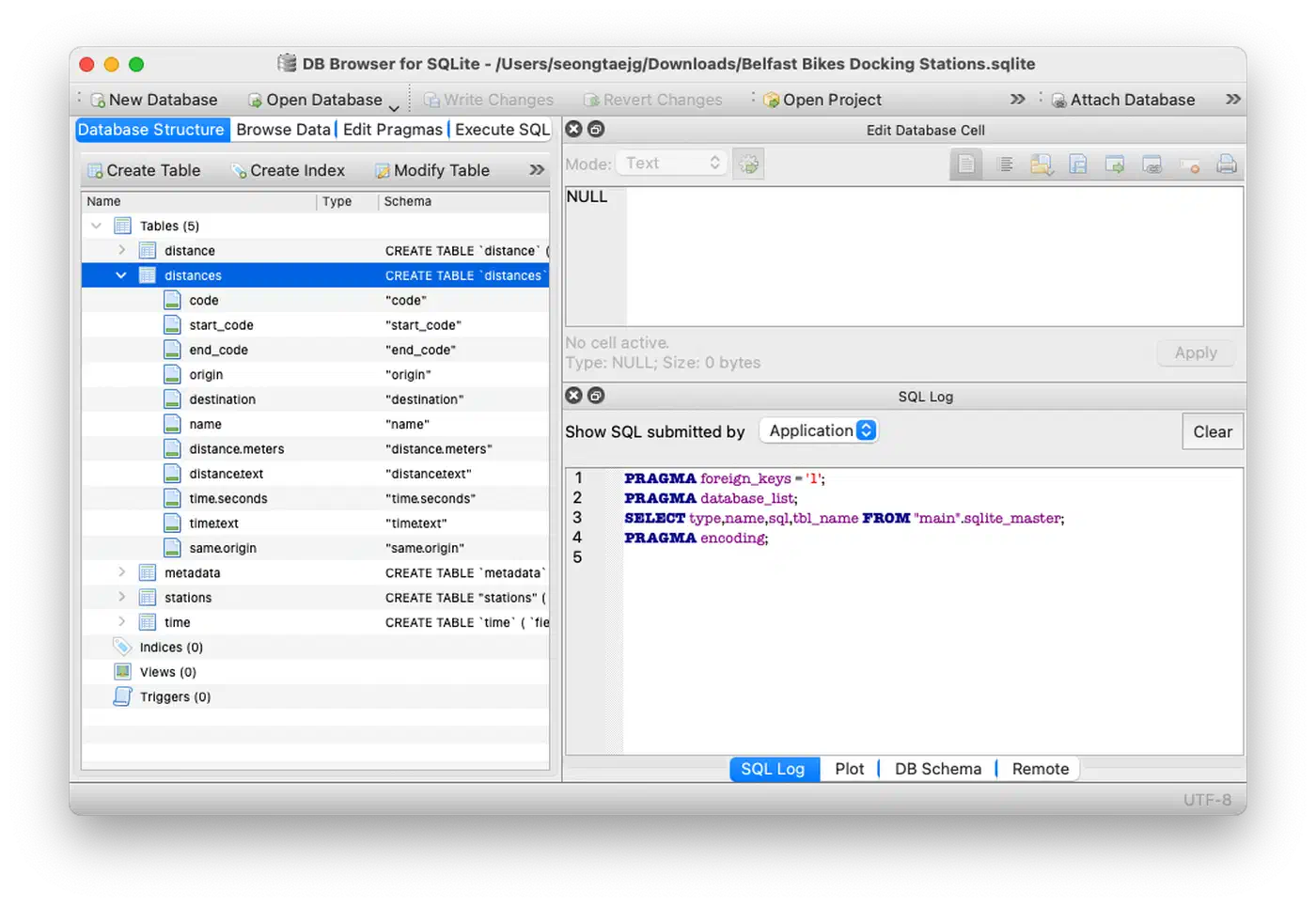
Manage migrations with Dbmate for plain SQL files, Goose for Go, or Alembic for Python. SQLite’s ALTER TABLE gained RENAME COLUMN in 3.25.0 and DROP COLUMN in 3.35.0. It still cannot change a column’s type or add most constraints. For those, create a new table, copy the data, drop the old table and rename the new one, all in one transaction.
Watch three things when you run SQLite in production:
- WAL file size.
PRAGMA wal_checkpoint(PASSIVE);returns whether it was blocked, the WAL size in frames, and how many frames it moved. A WAL that keeps growing means checkpoint starvation. - Write queue wait time. Time how long each job waits in the writer queue. A P95 that keeps rising after you batch your writes means you’re near SQLite’s write limit. That is the time to plan for PostgreSQL.
- File size and free pages. Create the database with
PRAGMA auto_vacuum=INCREMENTAL;and runPRAGMA incremental_vacuum;on a schedule. A fullVACUUMrebuilds the file, blocks writers while it runs, and can need up to twice the file size in free disk.
When to move from SQLite to PostgreSQL
Move when you can point to one of these in your current system:
| Signal | What to do |
|---|---|
| More than one host needs to write | Move to PostgreSQL or MySQL |
| Writer queue P95 keeps climbing after batching | Profile slow writes first, then plan the move |
| You need LISTEN/NOTIFY, row-level security or logical replication | Move to PostgreSQL |
| Your platform has no persistent local disk | Use a hosted SQLite service such as D1 or Turso, or PostgreSQL |
Features like LISTEN/NOTIFY for real-time push only exist in a client-server database. Moving too early costs you as much as optimizing too early does.
SQLite vs PostgreSQL and MySQL
| SQLite | PostgreSQL | MySQL | |
|---|---|---|---|
| Architecture | Embedded library, one database file | Client-server, separate process | Client-server, separate process |
| Concurrent writers | One at a time, others queue | Many, with row-level locks | Many, with row-level locks (InnoDB) |
| Network access | None, local file system only | TCP from any host | TCP from any host |
| Replication | Add-ons: Litestream, LiteFS, sqlite3_rsync | Built-in streaming and logical replication | Built-in replication |
| What you operate | A file and its backups | A server, users, pooling, upgrades | A server, users, pooling, upgrades |
PostgreSQL and MySQL pay for a server so that many hosts can write at once. SQLite skips the server because one host writes.
Start with SQLite
For most applications, from side projects to SaaS products on one server, SQLite in production is the database system with the least to run. Turn on WAL mode, set the PRAGMAs, send writes through one connection with BEGIN IMMEDIATE, and stream backups with Litestream. Keep the SQLite file on a local disk and keep read transactions short. Then move your data to PostgreSQL when your write queue shows it is time.