 Botmonster Tech
The shocking mini PC verdict: Ryzen AI Max 395 dethrones your homelab rack

AMD’s Strix Halo (officially the Ryzen AI Max 300 series ) is the first x86 APU that can replace a discrete GPU for local AI workloads. The flagship Ryzen AI Max+ 395 pairs 16 Zen 5 cores with a 40 CU Radeon 8060S iGPU, a 50 TOPS XDNA 2 NPU, and up to 128GB of LPDDR5X-8000 unified memory on a 256-bit bus. For homelabbers who want one node to run Proxmox, a Llama 3.3 70B inference endpoint, and a handful of VMs without a discrete GPU, Strix Halo delivers what no other single-socket mini PC can. The RAM is soldered at the factory, and 2026’s memory shortage has pushed 128GB machines to $3,449 or more.
The first wave of mini PCs built around this silicon (the Framework Desktop , HP Z2 Mini G1a , GMKtec EVO X-2 , and Minisforum MS-S1 Max) turns a 2-liter chassis into a local-AI box that can load 70B-class LLMs entirely in “VRAM”.
Strix Halo mini PC
A Strix Halo mini PC is a small desktop built on AMD’s Ryzen AI Max 300 series. Four models lead the field: the Framework Desktop, HP Z2 Mini G1a, GMKtec EVO X-2, and Minisforum MS-S1 Max. They share the same silicon, so CPU performance is nearly identical. The differences are thermals, networking, RAM ceiling, and firmware support. Prices have climbed with memory costs: the 128GB Framework now starts at $3,449 , and the 128GB MS-S1 Max sells for $3,799 .
Strix Halo homelab
A Strix Halo homelab node can run Proxmox, several VMs, and a 70B model on one box that idles at 12 to 18W. Proxmox VE 8.3 and later detects the chip correctly, and iGPU passthrough needs kernel 6.17.4 or newer. A reset bug limits the iGPU to one Windows passthrough per host boot. The Minisforum MS-S1 Max is the strongest Strix Halo homelab pick, with dual 10GbE built in. RAM is soldered, and there is no ECC.
What makes Strix Halo different: the 256-bit memory bus
Strix Halo borrows its memory architecture from the console and Apple Silicon playbook, trading dual-channel DDR5 SODIMMs for a quad-channel-equivalent 256-bit LPDDR5X interface. That interface gives the iGPU enough bandwidth for local AI at a scale previously reserved for discrete GPUs, and the soldered memory it requires is the biggest trade-off for buyers. Memory-hungry jobs like AI image upscaling with SUPIR benefit most from the wide pool.
The die layout consists of two Zen 5 CCDs for a total of 16 cores and 32 threads, boosting up to 5.1 GHz with 64 MB of L3 cache. These connect over Infinity Fabric to a large IOD that houses both the iGPU and NPU. The Radeon 8060S integrated GPU packs 40 RDNA 3.5 compute units (2,560 stream processors) running at up to 2.9 GHz, roughly in the ballpark of a mobile RTX 4060 for rasterization and a strong match for discrete cards in memory-bound AI workloads.
The 256-bit LPDDR5X-8000 memory controller delivers approximately 256 GB/s of theoretical bandwidth. That is 4x what a typical desktop Ryzen gets from dual-channel DDR5-5600 and the entire reason a 70B model runs at usable speeds on this chip. Intel’s competing Arrow Lake HX is limited to dual-channel DDR5-6400 at around 100 GB/s, and that 2.5x bandwidth gap is why LLMs run at very different speeds on the two platforms.
The XDNA 2 NPU provides 50 TOPS for Windows Copilot+ features and ONNX Runtime acceleration, though for serious LLM work the iGPU remains the primary compute target via ROCm and Vulkan backends. TDP is configurable from 55W up to 120W sustained, letting OEMs tune the same silicon for a fanless NUC-style box or a workstation with a beefy cooler.
The unified memory pool can be split between CPU and iGPU in UEFI. On a 128GB system, configurations up to 96GB can be allocated as VRAM, leaving 32GB for the OS and VMs. The split is set at boot, so changing it means a reboot.
The main architectural constraint is that LPDDR5X at this speed and width is soldered, so you must buy the RAM capacity you want up front.
The mini PC lineup: Framework, HP, GMKtec, and Minisforum
Every major mini PC vendor shipped a Strix Halo SKU within roughly a year of AMD’s launch, but they target very different buyers. Framework leans into repairability and an open platform. HP sells a workstation-certified box to enterprises. GMKtec and Minisforum compete on price and configurability.
Framework Desktop arrives in a 4.5L Mini-ITX chassis with the Ryzen AI Max+ 395 and 128GB LPDDR5X-8000. It uses a standard FlexATX power supply and supports 120mm CPU fans from Noctua or Cooler Master. Launch pricing ran from $1,099 for the 8-core Max 385 with 32GB to $1,999 for the 128GB configuration. Framework has raised prices repeatedly as LPDDR5X costs climbed, and by late September 2026 the 128GB model started at $3,449 . Framework is the only vendor offering a mainboard-only SKU for DIY builds. Reviews show it delivering around 14% higher performance than the same chip in HP’s ZBook Ultra G1a laptop thanks to better cooling headroom.
HP Z2 Mini G1a is a 2.7L workstation with ISV certification, vPro, and commercial support contracts. It is configurable with the Ryzen AI Max Pro 390 or Max+ Pro 395 and up to 128GB of unified memory. The “Pro” suffix means AMD Pro security features. Pricing runs $2,400 to $3,500 through business channels. HP also offers up to 8TB of storage via dual NVMe modules with RAID support.
GMKtec EVO X-2 is the aggressively priced consumer-focused option. The 64GB configuration with 1TB SSD was listed at EUR 1,499 pre-sale (with deposit), while the 128GB/2TB variant runs around EUR 1,799. It features three performance modes: Quiet (54W), Balanced (85W), and Performance (140W). Connectivity includes dual 2.5GbE, USB4, HDMI 2.1, DisplayPort 1.4, and an Oculink port for external GPU expansion. ServeTheHome’s review confirmed it as a capable platform, though firmware updates historically lag behind Framework and HP.
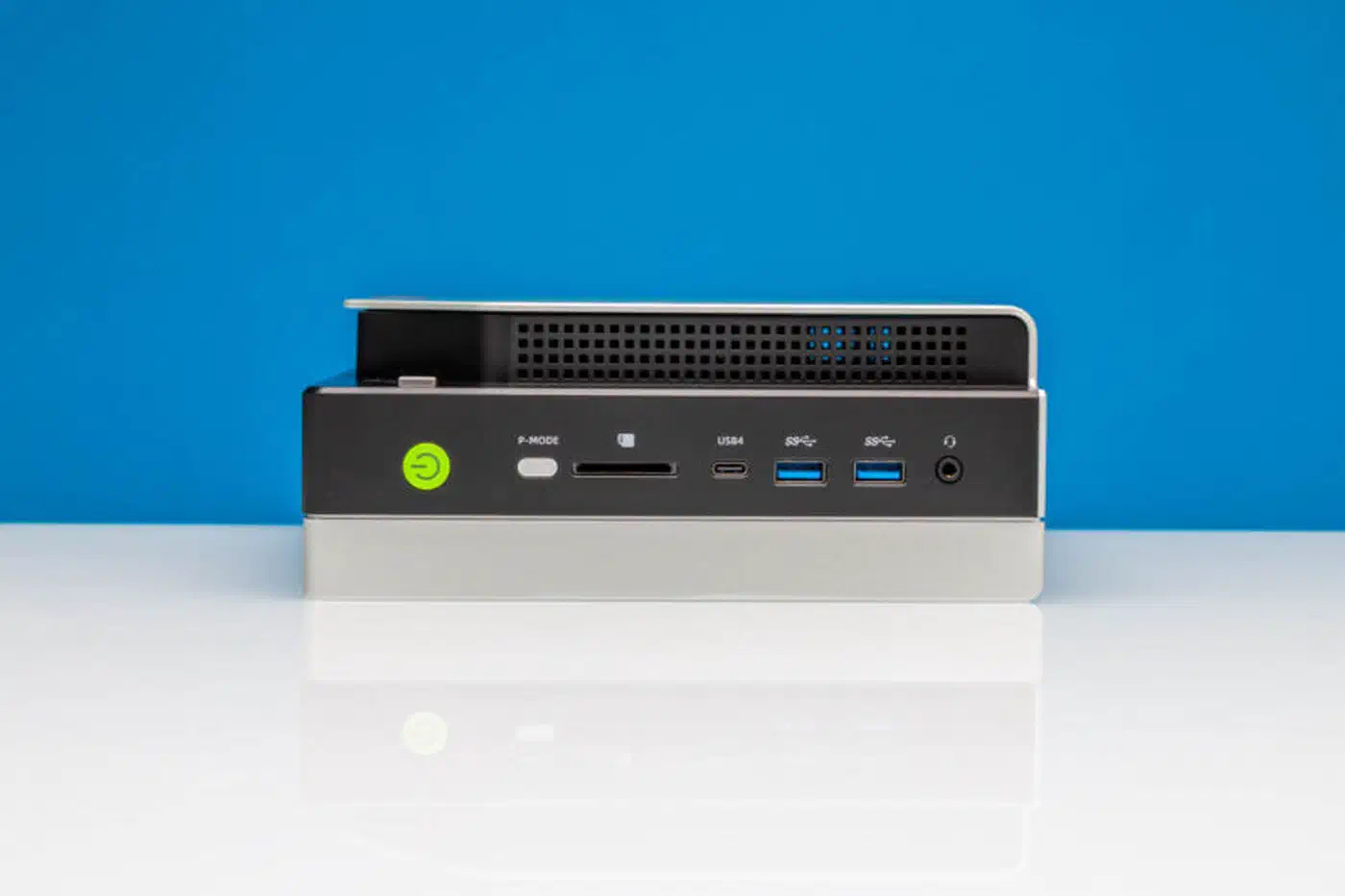
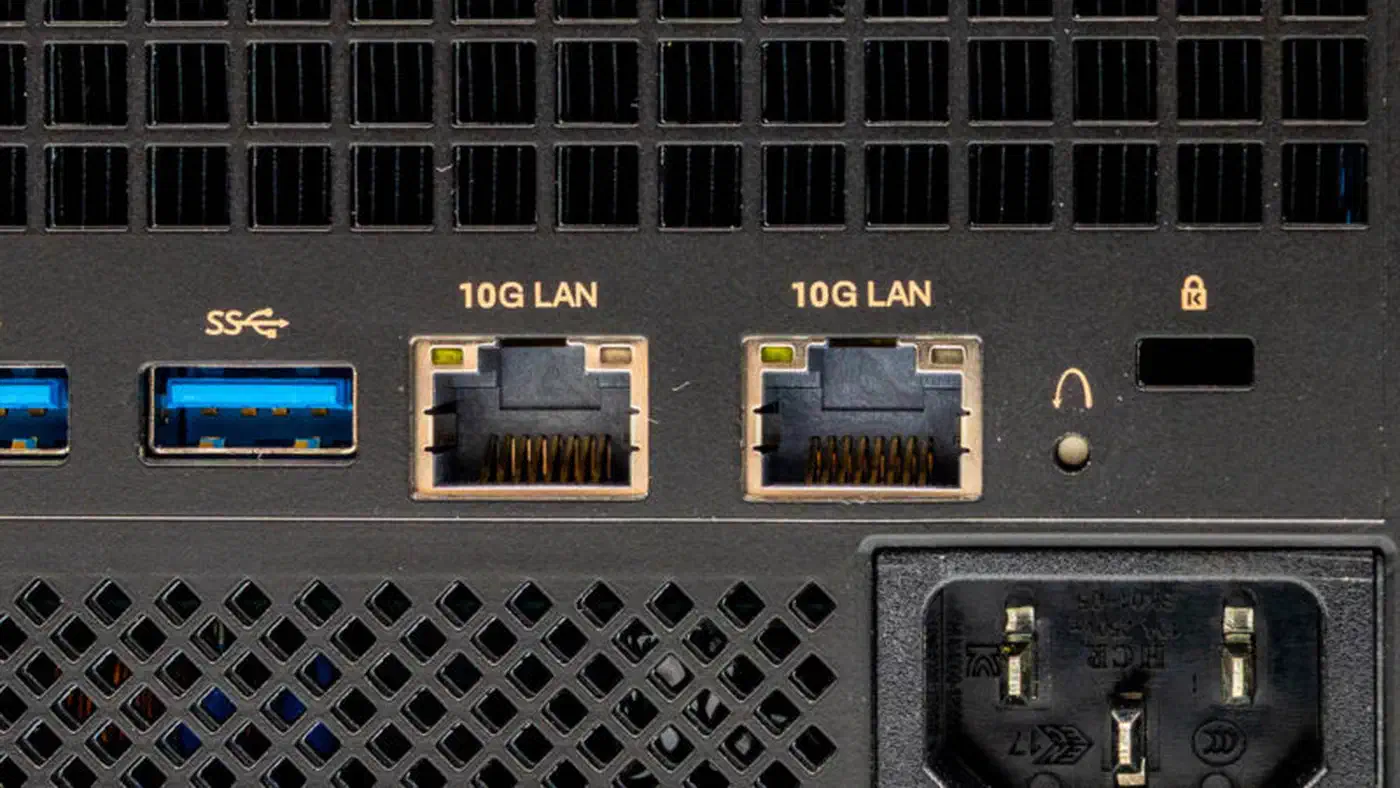
Minisforum MS-S1 Max targets homelabbers directly with dual 10GbE ports, dual USB4 v2 (80 Gbps), a built-in 320W PSU, and a full-length PCIe 4.0 x16 slot wired at x4 speeds. It handles thermal loads up to 130W continuously with peaks of 160W. The system supports both desktop and 2U rack mounting. The 128GB/2TB configuration sells for $3,799 , against a listed regular price of $4,749. For anyone building a serious homelab interconnect without add-in cards, this is the only Strix Halo mini PC with native 10GbE.
All four expose USB4 (40 Gbps), 2x NVMe Gen4 slots, HDMI 2.1 + DisplayPort over USB-C, and Wi-Fi 7, so basic IO is largely a wash. Those outputs are enough to drive a 4K OLED coding monitor at full refresh if you also use the box as a workstation.
Local AI: running 70B models on 128GB unified memory
This is the headline use case and the reason Strix Halo exists as a product. Because the iGPU can address almost the entire system memory pool as VRAM, you can load models that would otherwise require a $6,000+ dual-GPU rig. Bandwidth limits it: 256 GB/s is high for an APU and a quarter of a 4090’s 1 TB/s, so tokens per second scales with model size differently than discrete GPU users expect.
At 96GB VRAM allocation (on a 128GB system), you can fit Llama 3.3 70B at Q6_K (approximately 58GB), Qwen 2.5 72B at Q5_K_M (approximately 50GB), Mixtral 8x22B at Q4_K_M (approximately 80GB), and DeepSeek V2 Lite comfortably with headroom for KV cache at 32k+ context. Llama 3.1 405B remains out of reach even at Q2 quantization, but the 70B class models are the sweet spot most homelabbers will deploy.
Benchmark results from the Level1Techs forum show the Ryzen AI Max+ 395 achieving:
| Model | Quantization | Prompt Processing (PP512) | Token Generation (TG128) |
|---|---|---|---|
| Llama 2 7B | Q4_0 (Vulkan) | 1,014 tok/s | 45.8 tok/s |
| Qwen 3 30B-A3B MoE | Q4 (Vulkan) | 604.8 tok/s | 72.0 tok/s |
| Llama 3.3 70B | Q4_K_L | - | ~5 tok/s |
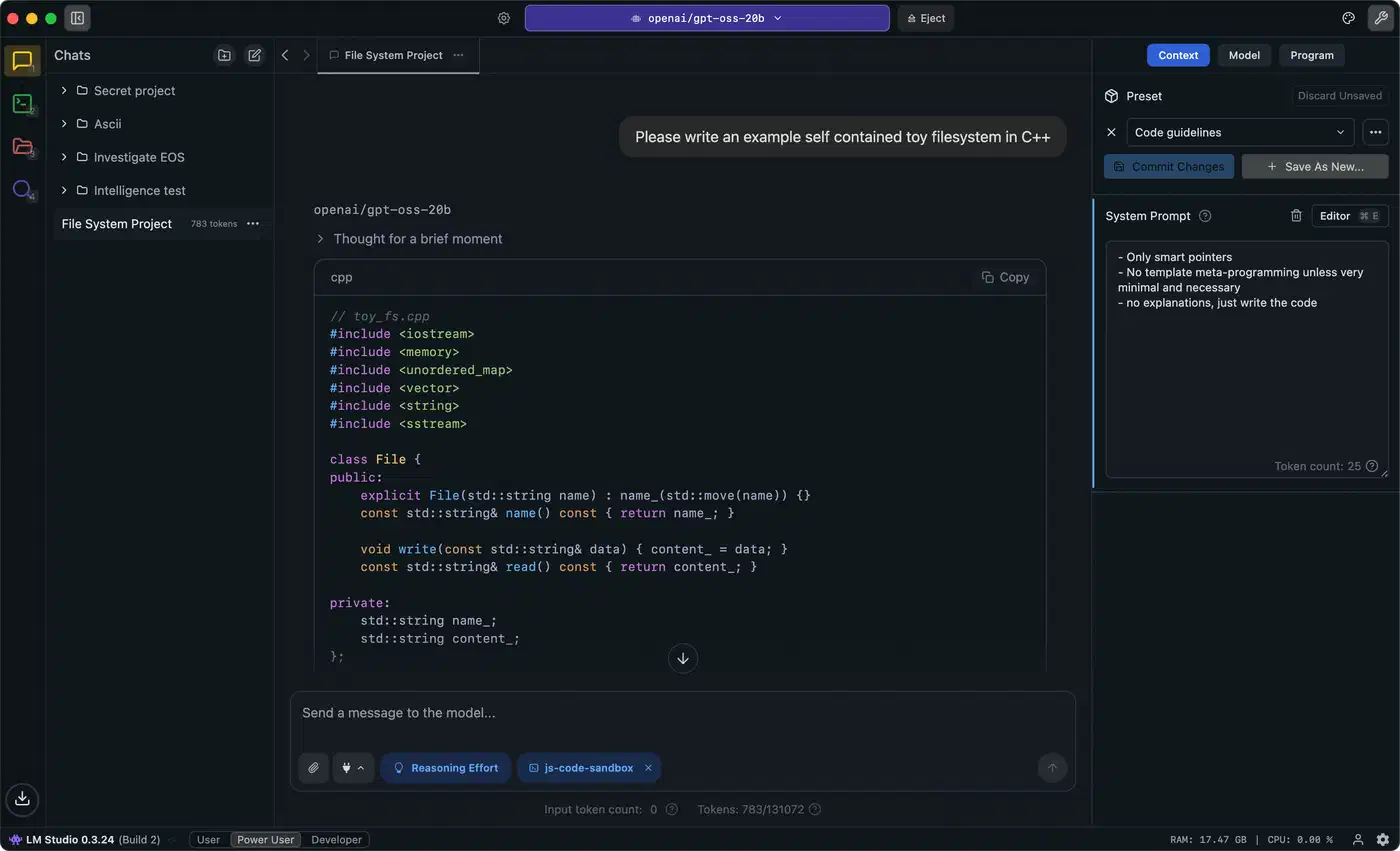
For 70B models, expect around 5 tokens per second for generation, which is usable for chat interfaces and batch processing. Smaller models in the 7B-30B range hit 40-70 tok/s generation speeds. The Vulkan backend in llama.cpp is currently the most mature path. ROCm 6.2+ on Linux adds HIP acceleration, and LM Studio and Ollama both ship Strix Halo-aware builds.
Prompt processing (prefill) is compute-bound and benefits from the 40 CU iGPU. Token generation (decode) is memory-bound and is where the 256 GB/s bandwidth sets the ceiling. The XDNA 2 NPU is currently underused for LLMs, since most inference engines target the iGPU, but it handles Whisper, diffusion models, and background Copilot+ tasks running concurrently.
For multimodal workloads, a 70B LLM plus a diffusion model plus a Whisper endpoint can share the unified pool without swapping, which is impossible on a single 24GB discrete card.
ROCm support and Linux setup
ROCm 7.2 is the first major stable release to officially include Strix Halo’s gfx1151 architecture. The kernel driver loads, rocminfo detects the GPU, and PyTorch can allocate tensors and dispatch compute kernels. The gfx11-generic ISA target provides a compatibility path for software that has not been explicitly compiled for gfx1151.
On Ubuntu 24.04, AMD lists OEM kernels 6.14.0-1018 or later as stable with ROCm 7.2. Other distributions need upstream kernel 6.18.4 or newer, where the required patches landed. The Framework Community documented stable configurations for ROCm + Linux and Ubuntu 25.10 with newer ROCm builds shows improving stability.
For inference, llama.cpp with the Vulkan backend works out of the box on most distributions. ROCm requires more setup but unlocks HIP acceleration for PyTorch and other frameworks. The Strix Halo Wiki and various GitHub guides provide step-by-step walkthroughs for Ubuntu 24.04 and Proxmox installations.
Homelab workloads: Proxmox, TrueNAS, and virtualization
Local AI gets the headlines, but homelabbers care just as much about whether Strix Halo makes a good all-in-one hypervisor node. Mostly it does, though iGPU passthrough is immature and the soldered RAM sets a fixed ceiling. One good use for the idle capacity is feeding server logs to a local model and letting it flag the odd ones.
Proxmox VE 8.3+ recognizes Strix Halo out of the box. The Zen 5 cores, SMT, and NUMA topology are reported correctly, and VM pinning works as expected. For iGPU passthrough via VFIO, you need kernel 6.17.4 or later. The Proxmox Support Forum and dedicated GitHub repositories document the process for passing the Radeon 8060S to a Windows or Linux guest.
There is a known reset bug with Strix Halo iGPU passthrough that limits you to passing through the iGPU to a Windows guest only once per boot of the host. Sharing the iGPU between VMs requires SR-IOV, which AMD has not yet enabled on the 8060S; watch the amd-gfx mailing list for updates. Required ROM files include vbios_8060s.bin and AMDGopDriver.rom, which need to be uploaded to /usr/share/kvm/.
TrueNAS SCALE runs well as a VM, but with only two M.2 slots the realistic storage ceiling is 2x 8TB NVMe in a mirror. Serious bulk storage requires USB4 or Oculink enclosures. The Minisforum MS-S1 Max’s dual 10GbE makes it the strongest candidate for NAS-adjacent workloads.
Power draw numbers from Phoronix and community testing:
| State | Power (at wall) |
|---|---|
| Idle | 12-18W |
| Mixed homelab load | 35-55W |
| Sustained AI inference | 100-130W |
| Peak stress test | 140W+ |
For a box that can replace a 3-node Raspberry Pi cluster and a separate GPU server, the efficiency is excellent. Plug in your own electricity rate to see what a Strix Halo box costs to run around the clock. LPDDR5X at these speeds does not offer ECC, so TrueNAS purists will still prefer a traditional AM5 build for primary ZFS storage.
Strix Halo vs Arrow Lake HX vs last-gen Ryzen
Intel’s Arrow Lake HX (Core Ultra 9 285HX) is the obvious competitor for raw CPU performance in mini PCs, and last year’s Ryzen 7945HS/8945HS boxes are still on sale at steep discounts.
For raw multi-threaded CPU workloads, Arrow Lake HX 285HX (24 cores, 8P + 16E) narrowly beats Ryzen AI Max+ 395 in Cinebench 2024 nT, roughly 2,100 vs 1,950 points at similar 120W sustained TDP. Single-threaded performance is functionally a tie, with both around 135-140 points in Cinebench 2024 1T.
Arrow Lake HX ships with a 4 Xe-core Arc iGPU, roughly 1/6 the compute and 1/4 the memory bandwidth of the Radeon 8060S, so it is not a serious AI target.
Last-gen Ryzen 9 7945HS and 8945HS (8 Zen 4 cores, Radeon 780M 12 CU, dual-channel DDR5-5600) can be found for $700-$900 in mini PC form. They make excellent CPU hosts but cannot meaningfully run models larger than 13B.
Price/performance for pure CPU workloads favors Arrow Lake HX, whose mini PCs often run $300-$500 cheaper at the 64GB tier. If your homelab plan includes running a 70B model or a Stable Diffusion endpoint, Strix Halo is the only single-socket mini PC that makes sense in 2026. If it does not, a 7945HS box or an Arrow Lake HX box is a smarter use of money.
Who should not buy this
Skip a Strix Halo mini PC if:
- You need ECC memory for ZFS or database workloads. LPDDR5X does not support ECC.
- You want discrete GPU upgrade paths. The Oculink and USB4 options work for eGPU, but PCIe 4.0 x4 bandwidth limits their usefulness for LLM inference. A 7900 XTX or RTX 5090 via Oculink will bottleneck on the link, not the GPU. The eGPU enclosure roundup for Linux lays out where TB5 and OCuLink each land.
- You need more than 2 NVMe slots without external enclosures.
- You are budget-constrained. A $700 7945HS mini PC plus a used RTX 3090 for $600 delivers similar AI capability for half the cost, at 3x the power draw and noise.
- You need more than 128GB of RAM. There is no upgrade path.
Which one to buy
For homelabbers who want a single, quiet, efficient node that can run Proxmox, serve a 70B LLM, handle Whisper transcription, and run a few VMs without a discrete GPU and its power and heat, Strix Halo is the best option in 2026. The Framework Desktop at $3,449 for 128GB offers the best combination of performance, repairability, and community support. The Minisforum MS-S1 Max at $3,799 is the pick for serious homelab networking with its dual 10GbE ports. GMKtec’s EVO X-2 undercuts both on price if you can tolerate slower firmware updates.