 Botmonster Tech
Claude Code agent teams: orchestrating multiple AI sessions on one project
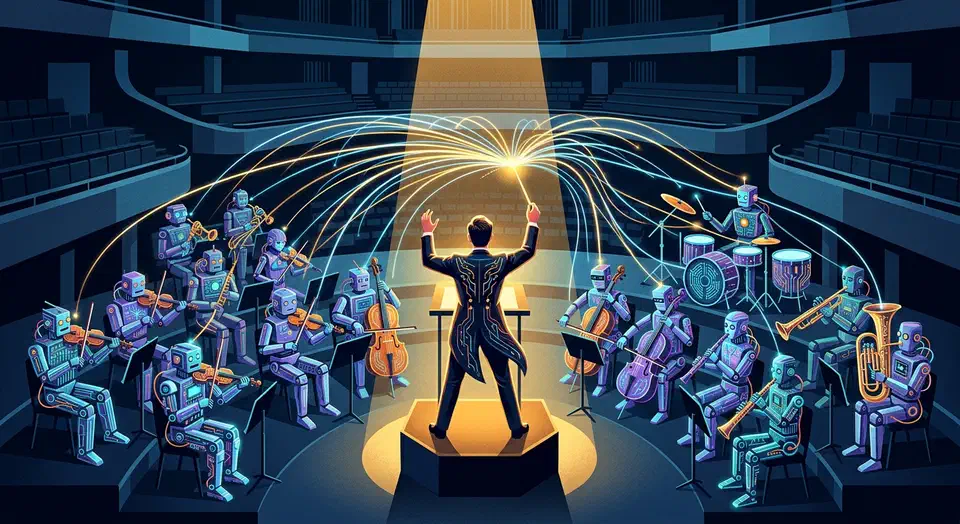
This post is open for corrections. Highlight any line of text to challenge it or ask for a clearer explanation and leave a comment.
Claude Code Agent Teams is an experimental feature. It lets you run 2-16 Claude Code sessions under one team lead. Each teammate gets its own context window and full tool access. They talk through a shared task list and direct peer-to-peer messages. You turn it on with one config change, then describe the team you want in plain language. Claude handles the spawning, the assignment, and the coordination. The feature shines on work you can split up: multi-file refactors, cross-layer feature builds, and research-and-review jobs. The catch is that it costs 3-7x more tokens than a single session, and it cannot resume a session.
What Agent Teams Are (and How They Differ from Subagents)
Before you reach for agent teams, you need to know what they replace and what they don’t.
Subagents (the Task tool) run inside a single Claude Code session. They spawn, do focused work, report back to the parent, and end. Communication is strictly parent-child. Subagent A cannot talk to subagent B. That makes them good for quick, isolated jobs like running tests, formatting a file, or looking something up. They fall apart when work needs shared context or side-to-side coordination. As Addy Osmani described at O’Reilly AI CodeCon, subagents give you parallel work with manual coordination. That is fine for simple splits. When coordination becomes the bottleneck, you need something else.
Agent teams spawn fully separate Claude Code instances. Each teammate gets its own full context window and tool access. The team lead coordinates but does not bottleneck the work. Teammates can message each other directly with the SendMessage tool, claim tasks from a shared list, and challenge each other’s approach. The setup looks more like a human engineering team than one developer with helpers.
The key tools unlocked when agent teams are enabled:
TeamCreatespawns the team with defined rolesTaskCreate,TaskUpdate, andTaskListhandle shared task management with dependency trackingSendMessageenables peer-to-peer and broadcast messaging between teammates
These tools are invisible until you flip the feature flag.
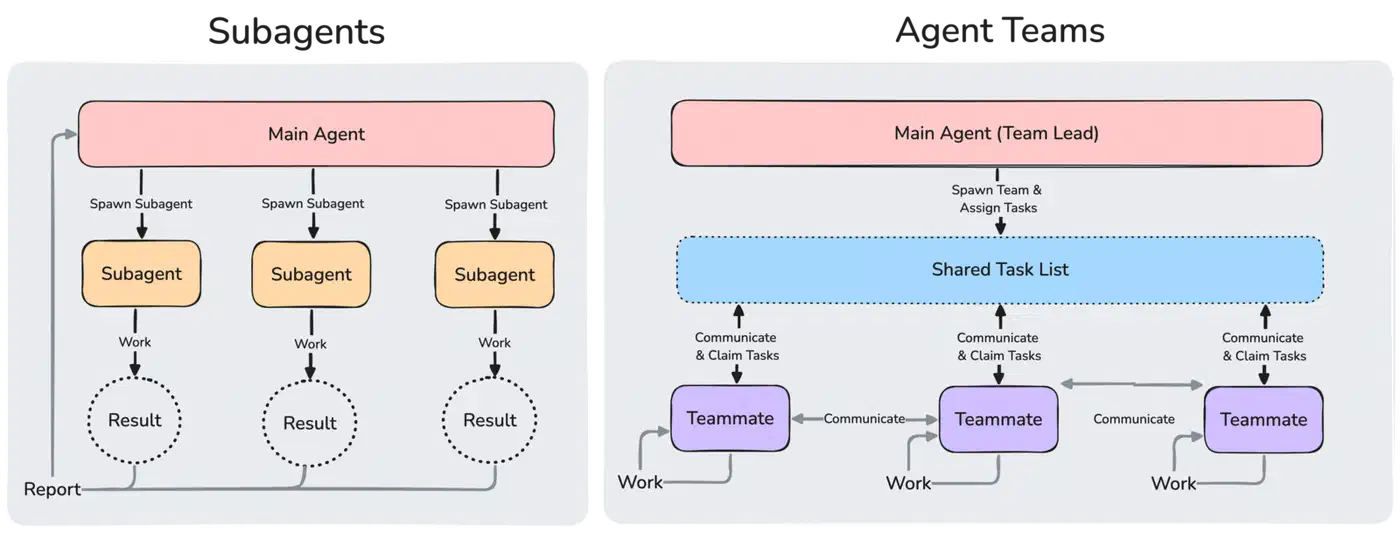
| Dimension | Subagents (Task tool) | Agent Teams |
|---|---|---|
| Communication | Parent-child only | Peer-to-peer + lead coordination |
| Context windows | Shared with parent session | Each teammate gets its own |
| Use case sweet spot | Quick lookups, same-file edits | Parallel independent work streams |
| Cost | Near-neutral (~1x) | 3-7x token multiplier |
| Session persistence | Lives within parent session | Dies with the session (no resume) |
| Coordination | Manual (parent manages deps) | Automatic (shared task list + messaging) |
When to pick subagents: tasks that run in order, same-file edits, quick lookups, anything where spawning a full session is not worth the overhead. When to pick agent teams: parallel work streams, research where many angles need to cross-pollinate, debugging with competing theories, cross-layer feature work that touches frontend, backend, and tests at once.
Setup and Configuration
Turning on agent teams is a single config change. Getting good results takes more: you need to know the terminal modes, the keyboard shortcuts, and the prompting habits that keep coordination smooth.
Step 1 - Enable the Feature Flag
Add CLAUDE_CODE_EXPERIMENTAL_AGENT_TEAMS to the env object in ~/.claude/settings.json:
{
  "env": {
    "CLAUDE_CODE_EXPERIMENTAL_AGENT_TEAMS": "1"
  }
}
Alternatively, export it in your shell profile:
export CLAUDE_CODE_EXPERIMENTAL_AGENT_TEAMS=1This needs Claude Code v2.1.32 or later.
Step 2 - Choose Your Terminal Mode
You have three options:
- Auto (default) uses tmux split panes if you are already in a tmux session. If not, it falls back to in-process mode.
- Tmux mode forces split panes. Each teammate gets its own visible pane. It needs tmux or iTerm2.
- In-process mode runs all teammates inside your main terminal. You cycle through them with keyboard shortcuts.
Step 3 - Prompt for Team Creation
Describe the task and the team structure in natural language. For example:
Create a 3-person team: one frontend specialist working on the React
components, one backend specialist handling the API endpoints, and one
test engineer writing integration tests for both.
Claude creates the team, spawns teammates, and starts coordinating. Each teammate reads the project’s CLAUDE.md on startup. Put your interface contracts and design decisions there.
Key Keyboard Shortcuts (In-Process Mode)
| Shortcut | Action |
|---|---|
| Shift+Up/Down | Select a teammate |
| Enter | View a teammate’s full session history |
| Escape | Interrupt a teammate’s turn |
| Ctrl+T | Toggle the shared task list view |
| Shift+Tab | Enable delegate mode (lead becomes coordination-only) |
Delegate Mode
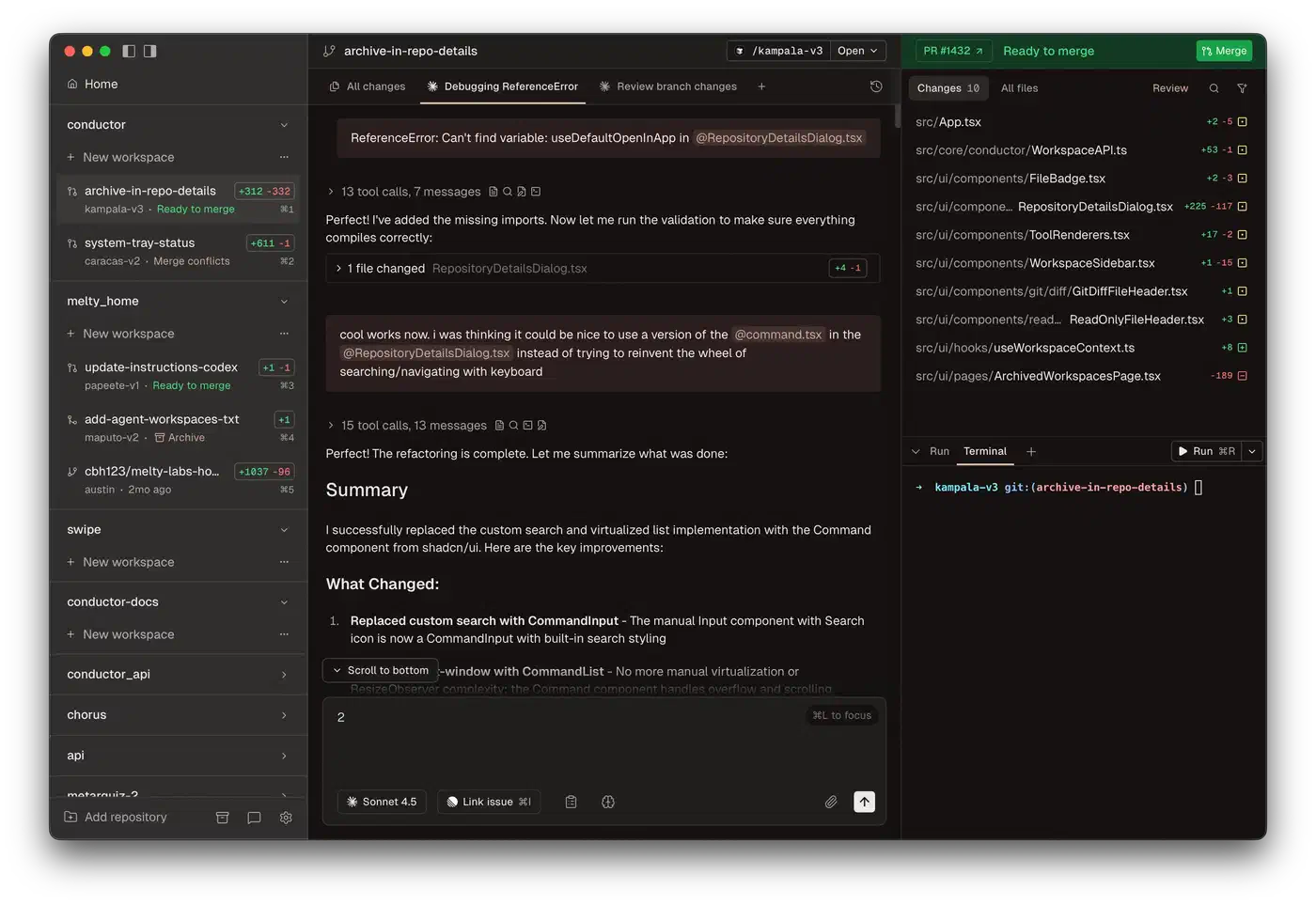
After you create the team, press Shift+Tab to limit the lead to coordination-only tools: spawning, messaging, task management, and shutdown. This stops the lead from doing build work and keeps it in an orchestrator role. For teams of 3 or more, delegate mode tends to give better results. The lead can focus on keeping teammates aligned instead of fighting them for file access.
Task List and Dependency Tracking
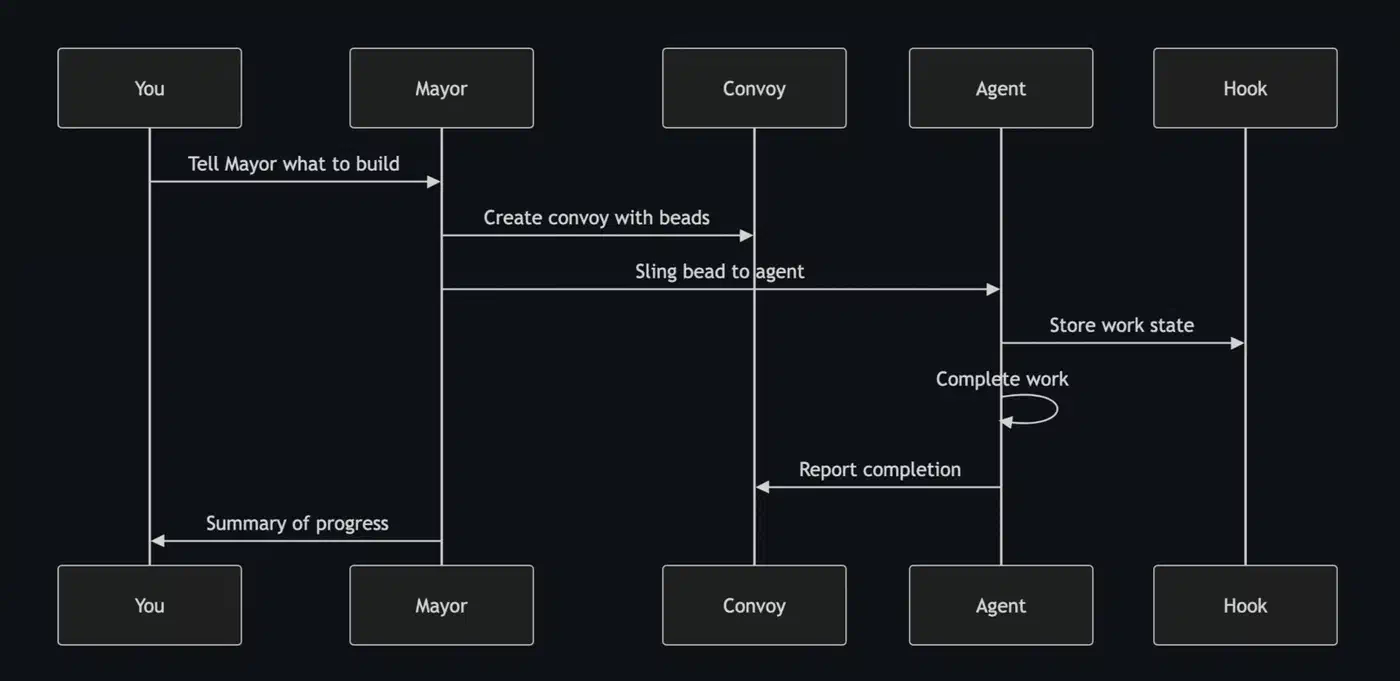
The shared task list lives at ~/.claude/tasks/{team-name}/ and tracks dependencies. Tasks move through states: pending, claimed, in-progress, blocked, done. When a blocking task finishes, the tasks waiting on it unblock on their own. Teammates claim tasks themselves or get them from the lead.
Where Agent Teams Shine
Agent teams cost 3-7x more tokens than a single session. Here are the cases where parallel work plus active coordination is worth the spend.
Code reviews are a natural fit. Split the review into separate domains: security audit, performance, test coverage, code style. Each teammate digs deep into one domain at the same time. A 4-teammate code review that would take 20 minutes one step at a time finishes in about 5 minutes, with deeper coverage per domain.
Cross-layer feature work is where agent teams really pay off. One teammate owns the database migration and models. One handles the API layer. One builds the frontend. One writes tests. The shared task list makes sure interface contracts are agreed on before build work starts. Teammates message each other directly when they need to line up shared interfaces. Nothing routes through the lead.
Debugging gains from the competing-theories approach. When a bug could have many root causes, give each theory to a different teammate. They dig in parallel, share findings by message, and the team lands on the real cause faster than one session that checks theories one at a time. Shipyard’s multi-agent guide shows this pattern working well for hard production issues.
Large refactors across monorepos map cleanly to the team model. Think renaming, migrating frameworks, or updating API versions across dozens of files. Each teammate owns a module or directory. File locking stops two teammates from claiming the same work.
Doc generation also works well with a research, write, and review split. The writer can ask the researcher to clarify something directly, with no detour through the lead.
What Does Not Work Well
Not every task gains from agent teams. Skip them for:
- Tasks with deep chains where step B cannot start until step A finishes
- Heavy edits to a single file, where merge conflicts between teammates are likely
- Small tasks where the coordination overhead beats the work itself
- Anything that needs less than about 15 minutes of total work
Costs, Limitations, and Failure Modes
Agent teams are experimental for a reason. Knowing the real costs and failure modes up front saves you from costly surprises.
Token Cost Reality
Each teammate keeps its own full context window. A 3-agent team uses about 3-4x the tokens of a single session. Coordination messages add overhead on top of the raw 3x. A 5-agent team can reach 5-7x. At current Opus 4.6 API pricing ($5 per million input tokens, $25 per million output tokens), a 30-minute team session with 4 teammates can burn what a single session uses in 2-3 hours. On the Max plan, agent teams eat your usage allowance just as fast.
Team Size Sweet Spot
3-5 teammates is the productive range. Past 5, the coordination overhead grows: more messages, more task updates, more context for the lead to track. That overhead eats into the speed gains. The hard cap is 16 teammates, but returns drop off fast after 5. Two or three focused teammates beat larger groups for most tasks.
No Session Resume
The team dies with the session. There is no pause, rewind, or resume. If your terminal crashes or you close it by accident, all teammate state is lost. The /resume and /rewind commands do not bring back in-process teammates. After a resume, the lead may try to message teammates that no longer exist. Commit often, or use git worktrees to keep your progress.
Merge Conflicts Between Teammates
If two teammates edit the same file, one will hit a conflict. The task list’s file locking helps, but it is not bulletproof. Write your team prompts to give each teammate clear file ownership.
Permission Inheritance
Teammates start with the lead’s permission settings. If the lead runs with --dangerously-skip-permissions, all teammates do too. You cannot set per-teammate permission modes at spawn time, and that is a known limit. Approve common operations in your permission settings before you spawn teammates. Teammate permission requests bubble up to the lead and can create friction.
MCP Server Sharing
Teammates inherit MCP server config from the project’s settings. Any tools exposed through the Model Context Protocol the lead can use, teammates can use too. There is no per-teammate MCP isolation. All teammates share the same MCP connections.
VS Code Extension Status
The agent teams tools (TeammateTool, SendMessage, spawnTeam) are not reliably available in the VS Code extension. Permission prompts from background team members may not show up right. The terminal CLI is still the supported environment.
Experimental Instability
The feature flag, the tool names, and the keyboard shortcuts have already changed between v2.1.32 and v2.1.91. Expect more changes before agent teams leave experimental status. Anthropic has not given a timeline for when that happens.
Practical Tips for Productive Teams
The gap between a productive agent team and a costly mess comes down to three things: how you write the first prompt, how you size the tasks, and whether you let the lead stay in its lane.
Your team creation prompt counts more than anything else. Spell out each teammate’s role, the files or directories they own, and what “done” looks like for their work. Vague prompts like “split this work among a few teammates” give vague results. Be clear about the boundaries.
Every teammate reads the project’s CLAUDE.md on startup, so use it to share context. Put interface contracts, design decisions, and coding rules there. Teammates stay aligned without constant messaging.
Task size has an outsized effect on how the team performs. Each task in the shared list should be 5-15 minutes of work. Tasks that are too large make teammates go quiet for long stretches. Tasks that are too small create too much coordination overhead.
The Ctrl+T task list view shows which teammate owns which task and its status. Check it now and then to catch teammates that are stuck or off-track. Message them directly with course corrections instead of waiting for a report.
Have the lead tell teammates to commit after each task. This guards against session crashes and builds a reviewable history of each teammate’s work.
Start with a 2-teammate team on a well-scoped task before you try a 5-teammate sprint. Learn the coordination patterns, the keyboard shortcuts, and the failure modes at low cost first.
For teams of 4 or more, pair them with git worktrees. Each teammate works in its own worktree, so file conflicts go away. This is the most reliable way to run larger teams without merge trouble. Every teammate gets a clean working directory that won’t step on the others.
Multi-Agent Landscape Comparison
Agent teams are not the only option for multi-agent Claude Code work. Here is how they stack up against the alternatives:
| Feature | Agent Teams | Subagents (Task) | Cursor Background Agents | Claude Peers MCP |
|---|---|---|---|---|
| Communication model | Peer-to-peer + lead | Parent-child only | Independent (PR-based) | MCP message passing |
| Context isolation | Full (separate instances) | Partial (shared parent) | Full (cloud VMs) | Full (separate instances) |
| Coordination | Shared task list + messaging | Manual dependency graph | Dashboard + diff review | Custom MCP tools |
| Cost multiplier | 3-7x | ~1x | Per-agent cloud pricing | Varies |
| Session persistence | None (dies with session) | Within parent session | Persistent (cloud-based) | Depends on setup |
| Max parallel agents | 16 | Limited by context | 20 | Unlimited (custom) |
| Best for | Cross-layer dev, research | Quick focused tasks | Async PR workflows | Custom orchestration |
Agent teams shine when you need live coordination between teammates working on linked code. Cursor background agents fit better for fully independent, async work that ships separate PRs. Subagents are still the right pick for quick, focused tasks that don’t need side-to-side talk.
The multi-agent coding space moves fast. Whether you pick agent teams or an alternative, the core skill stays the same: break work into parallel chunks with clear boundaries, then check the output rather than write the code yourself. The Claude Peers MCP project, one of five community repos worth wiring into your setup, takes a different route. It lets separate sessions message each other directly.