 Botmonster Tech
Running Multiple AI Coding Agents in Parallel: Patterns That Actually Work
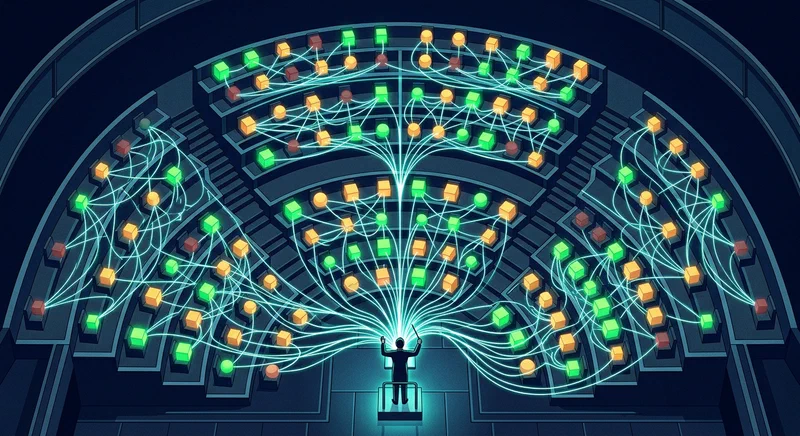
Three focused AI coding agents consistently outperform one generalist agent working three times as long. That finding, presented by Addy Osmani at O’Reilly AI CodeCon in March 2026, captures the central promise - and central difficulty - of multi-agent development. The throughput gains are real, but they only materialize when you solve the coordination problem. Without file isolation, iteration caps, and review gates, parallel agents produce a mess of merge conflicts and duplicated work that takes longer to untangle than doing everything sequentially.
In practice, the tooling breaks into three tiers: in-process subagents for focused delegation within a single terminal, local orchestrators for running 3-10 agents with dashboard control, and cloud-async tools for unattended overnight runs. Most developers working with AI coding agents in 2026 use all three tiers daily, switching based on task size and whether they plan to stay at the keyboard.
The Three-Tier Framework
Before picking a pattern, you need to understand which tier you are operating in. Each tier has different coordination overhead, tooling requirements, and failure modes.
Tier 1 - In-Process (Interactive). Claude Code
subagents and Agent Teams run inside a single terminal session with no external tooling. You stay in the loop and get immediate feedback. Subagents use the Task tool to spawn specialized child agents from a parent orchestrator. Agent Teams, enabled with CLAUDE_CODE_EXPERIMENTAL_AGENT_TEAMS=1, add a shared task list with dependency tracking, peer-to-peer messaging between teammates, and file locking to prevent conflicts. 3-5 teammates works best. Token costs scale linearly with team size - three teammates cost roughly three times what one agent costs, but they finish the work far faster.
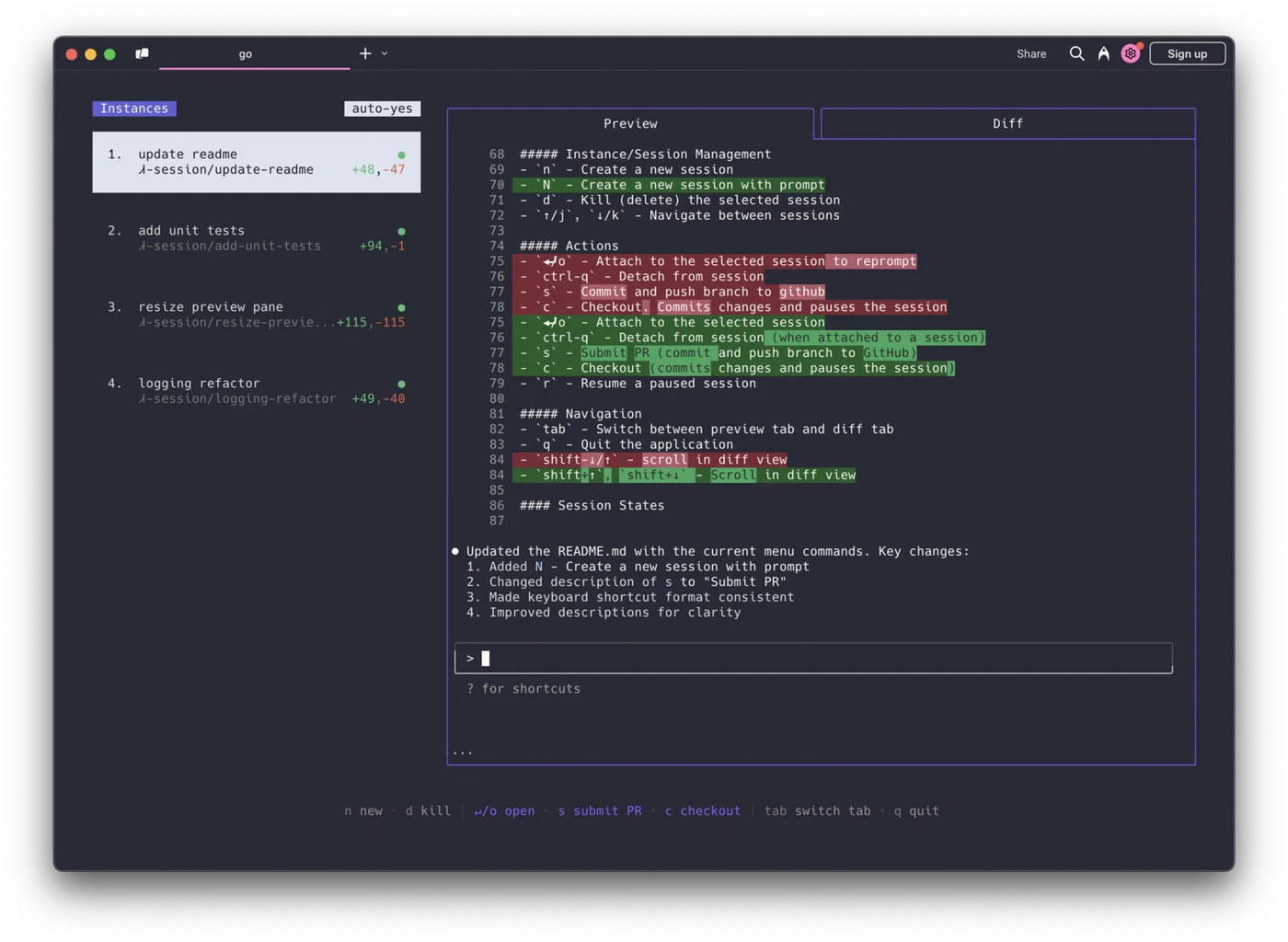
Tier 2 - Local Orchestrators. Multiple agents spawned in isolated git worktrees with visual dashboards, diff review, and merge control. This works best with 3-10 agents on known codebases where you want visual oversight without staying glued to each terminal. The major tools in this space:
| Tool | Platform | Key Feature | Agent Support |
|---|---|---|---|
| Conductor (Melty Labs) | macOS | Visual dashboard with diff review, checkpoints, spotlight testing | Claude Code, Codex |
| Vibe Kanban | Mac, Windows, Linux | Kanban board with in-board diff review, drag-to-start workflow | Claude Code, Codex, Gemini CLI, Amp, Cursor |
| Claude Squad | Mac, Linux | tmux-based session management, background completion | Claude Code, Codex, Aider |
| OpenClaw + Antfarm | Any OS | Messaging-app interface (Telegram, Slack, Discord), Ralph Loop built-in | OpenClaw agents |
| Antigravity | Mac, Linux | Skills library with 1,340+ agentic skills | Claude Code, Cursor, Codex CLI, Gemini CLI |
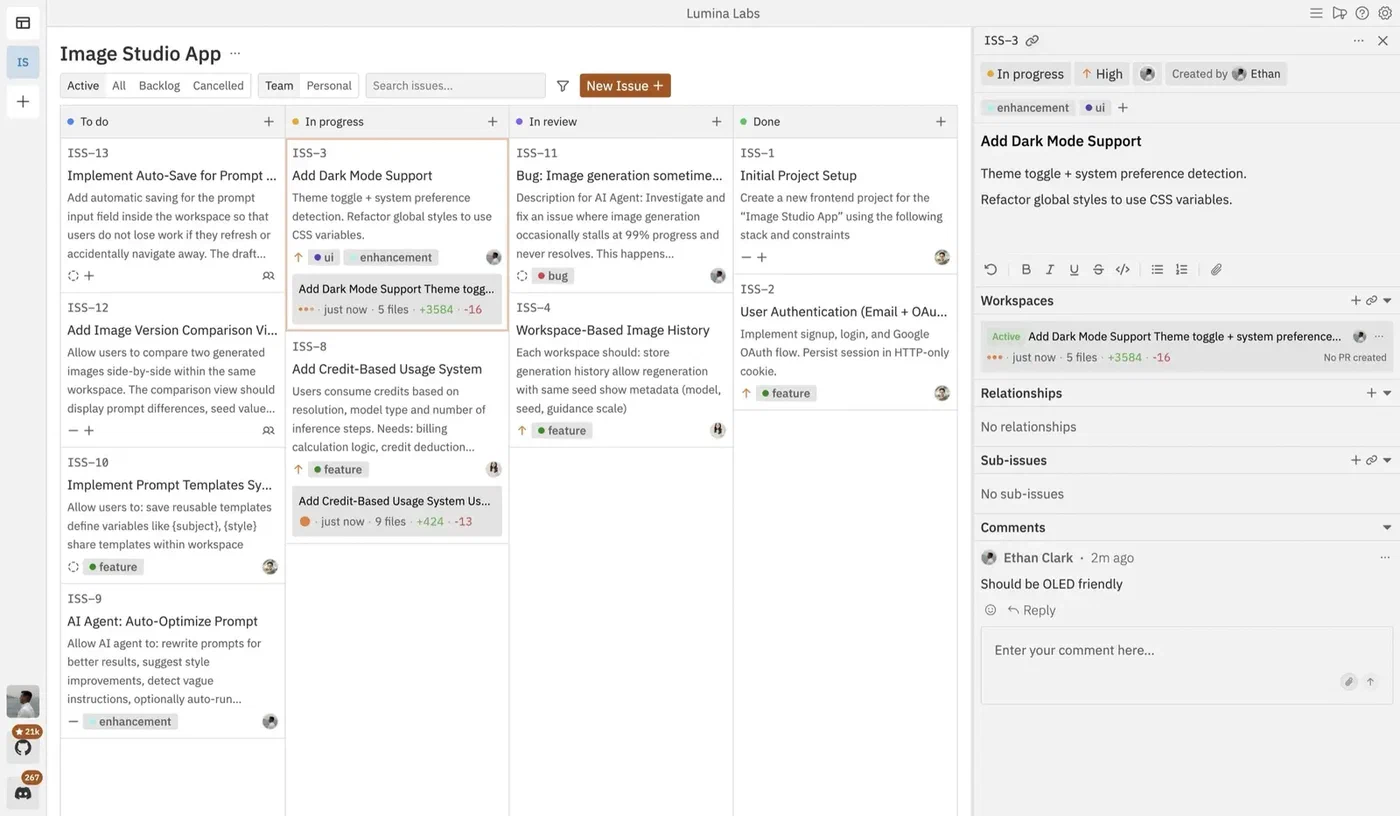
Conductor offers checkpoints (automatic snapshots for rollback), spotlight testing (sync changes back to your main repo for testing), and multi-model mode (run Claude and Codex on the same prompt in different tabs to compare). Vibe Kanban takes a different approach - it fills the “doomscrolling gap” during those 2-5 minutes when an agent is working and you have nothing to do.
Tier 3 - Cloud Async. Fire-and-forget task assignment where agents run in cloud VMs. You assign a task, close your laptop, and return to a pull request. Claude Code Web
runs in Anthropic-managed VMs with automatic PR creation. GitHub Copilot Coding Agent
lets you assign any issue to @copilot and get a draft PR from a GitHub Actions environment. Jules
by Google generates a plan you approve before coding starts, then returns a PR with full reasoning logs. Codex Web
by OpenAI runs each task in a sandboxed container with verifiable evidence - terminal logs and test outputs for every step.
Pattern Deep-Dive: Subagents, Agent Teams, and the Ralph Loop
The three core patterns solve different coordination problems. Picking the right one depends on whether you need focused delegation, true parallel execution, or overnight autonomous shipping.
Subagents (Focused Delegation)
The simplest multi-agent pattern. A parent orchestrator decomposes work into specialized child agents with specific file ownership. In Osmani’s Link Shelf demo, the parent spawned three subagents - Data Layer, Business Logic, and API Routes - consuming roughly 220k tokens total across all three. The first two ran in parallel (independent tasks), while the third waited for their output before starting.
What subagents solve: context isolation, specialization, and parallel execution for independent tasks. What they do not solve: peer messaging, shared task lists, or preventing two agents from touching the same file if you are not careful with scoping.
Agent Teams (True Parallel in tmux)
Agent Teams add the coordination primitives that subagents lack. The architecture has three layers: a Team Lead at the top that decomposes work and creates the task list, a Shared Task List in the middle with statuses (pending, in_progress, completed, blocked) and dependency tracking, and Teammates at the bottom - each running as an independent Claude Code instance in its own tmux split pane.
To enable Agent Teams, you need Claude Code v2.1.32 or later:
export CLAUDE_CODE_EXPERIMENTAL_AGENT_TEAMS=1Teammates self-claim tasks from the shared list. They message each other directly - peer-to-peer, not through the lead. When a teammate finishes a task, any blocked tasks that depended on it automatically unblock. Press Ctrl+T to toggle a visual overlay of the task list. You can also cycle through teammates with Shift+Down when running in-process mode, or use tmux/iTerm2 split panes to see everyone’s output at once.
3-5 teammates is the practical ceiling. Going beyond that degrades review quality faster than it improves throughput.
The Ralph Loop (Stateless Iteration)
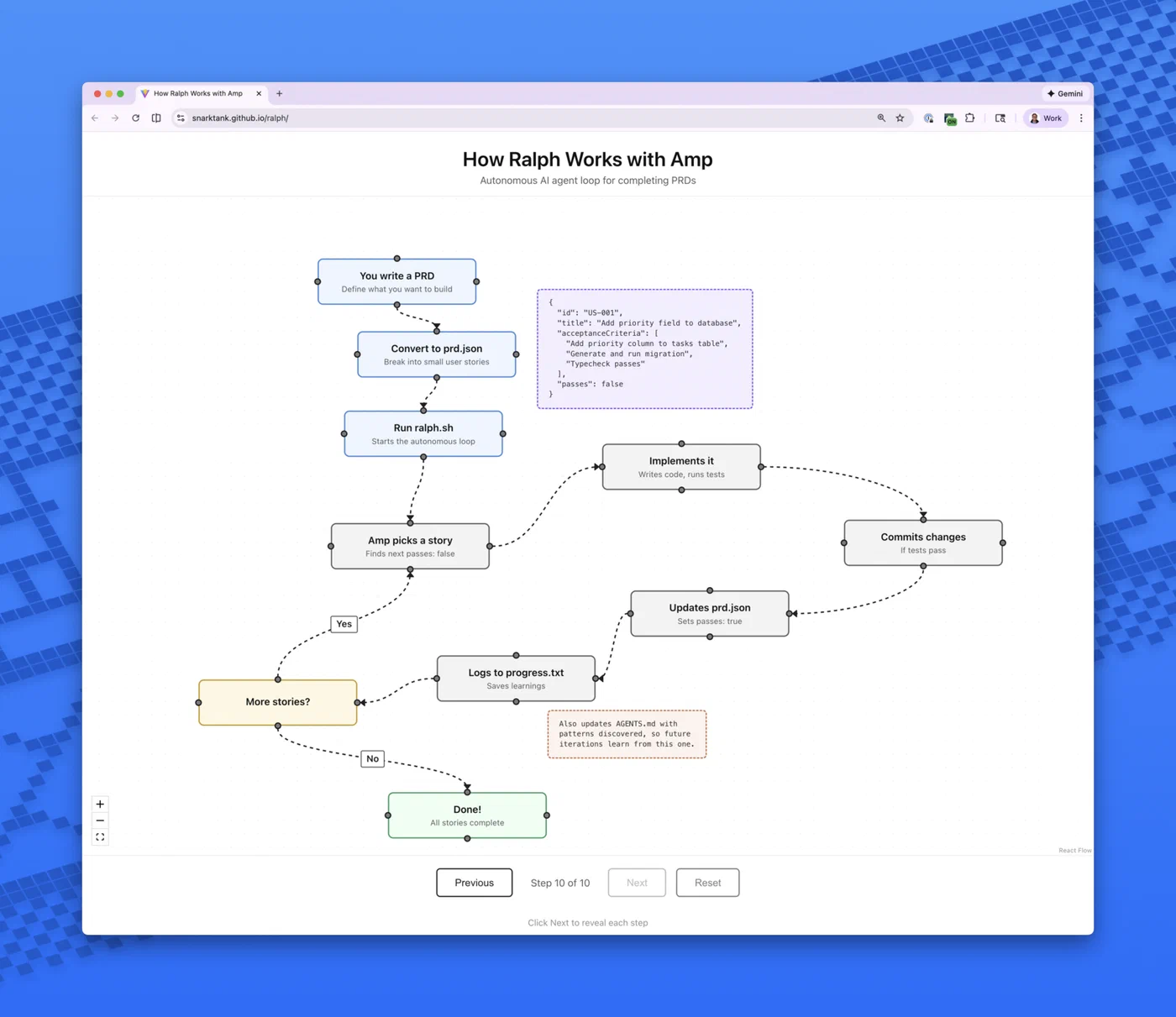
Named after a pattern of naive persistence, the Ralph Loop works through a five-step cycle:
- Pick the next task from
tasks.json - Implement the change
- Validate with tests, type checks, and linting
- Commit if checks pass, update task status
- Reset - clear context and begin a fresh iteration
State lives on disk, not in the model’s context window. Four persistent memory channels bridge iterations: git commit history, a progress log file, the task state file, and an AGENTS.md file serving as long-term semantic memory. Context accumulation - the problem where failed attempts pile up in conversation history and confuse the model - is solved by design, since each iteration starts fresh.
A typical tasks.json entry looks like this:
{
  "id": "task-003",
  "title": "Add search endpoint",
  "status": "pending",
  "dependencies": ["task-001", "task-002"],
  "files": ["src/routes/search.ts", "src/services/search.ts"],
  "validation": "npm test -- --grep search"
}
Kill criteria matter: if an agent gets stuck on the same error for 3+ iterations, reassign the task. The Ralph Loop works best for bugfixes with reproducible test cases, framework migrations with well-defined target states, and test coverage expansion where progress is measurable. It struggles with tasks requiring architectural coherence, since the code reflects the agent’s path to a solution rather than intentional design.
Hierarchical Subagents
For large projects, you can go deeper: spawn feature leads that each spawn their own 2-3 specialists. The parent orchestrator only interfaces with lead agents, keeping its context clean. Feature Lead A gets a brief like “Build the search feature” and decomposes it into Data, Logic, and API subagents on its own. This mimics real engineering team structure with intermediate tech leads and prevents context fragmentation across three organizational levels.
Quality Gates That Keep the Orchestra in Tune
Without guardrails, parallel agents produce merge-conflict chaos. These five quality gates separate teams that ship from teams that spend all day resolving conflicts.
Plan Approval. Teammates write a plan before coding. The lead reviews and approves or rejects before implementation begins. This catches architectural problems pre-code and prevents agents from making incompatible assumptions about shared interfaces.
Lifecycle Hooks. TeammateIdle hooks verify that tests pass before an agent stops working. TaskCompleted hooks run lint and tests before marking a task done. If a hook fails, the agent keeps working rather than marking incomplete work as finished.
MAX_ITERATIONS=8 Hard Limit. Prevents runaway token spend on stuck tasks. Combine this with a forced reflection step before each retry: “What failed? What specific change would fix it? Am I repeating the same approach?” This reflection prompt alone cuts stuck-agent loops substantially. Pair it with per-agent token budgets (for example, Frontend 180k tokens, Backend 280k tokens) and an auto-pause trigger at 85% budget consumption.
1 Reviewer per 3-4 Builders. A dedicated @reviewer teammate with read-only access, running Claude Opus 4.6, reviews every completed task. Only green-reviewed code reaches the lead. Too few reviewers creates a quality bottleneck; too many wastes tokens without improving output.
One-File-One-Owner Rule. Each file is assigned to exactly one agent. No two concurrent tasks touch the same file. This eliminates merge conflicts by design rather than trying to resolve them after the fact. When merging, do it sequentially - pick one agent’s work first, then rebase remaining branches.
When Multi-Agent Setups Fail
The tooling is maturing fast, but multi-agent coding still has sharp edges. Understanding the failure modes is more valuable than memorizing the happy path.
Context accumulation kills long-running agents. Standard agent loops keep every failed attempt in conversation history, confusing the model into repeating mistakes. The Ralph Loop solves this by design, but subagent and team patterns still suffer when tasks are too large for a single context window.
LLM-generated AGENTS.md files make things worse. Research from ETH Zurich (Gloaguen et al.) found that LLM-generated rules files reduce success rates by roughly 3% while increasing costs by 20%. Human-curated AGENTS.md files, by contrast, provide a modest 4% improvement. The lesson: let humans write the project conventions file. Keep it short, with clear sections for style, gotchas, architecture decisions, and test strategy.
WIP limits matter more than parallelism. 3-5 agents is the practical ceiling for meaningful review capacity. Beyond that, the reviewer becomes the bottleneck and code quality degrades silently. This applies to both Agent Teams and Tier 2 orchestrators.
Use cheaper models for planning, expensive models for implementation. Route task decomposition and plan generation to Sonnet-tier models. Reserve Opus-tier for actual code implementation. Multi-model routing typically delivers 30-50% cost savings without sacrificing output quality. Some teams report API costs of $500-2,000/month for regular multi-agent usage; model routing is the single biggest lever for reducing that.
The “three focused agents” rule is conditional. Three agents outperform one only when tasks are genuinely independent and file ownership is clean. Tightly coupled code with shared state files negates the parallelism benefit entirely. If your codebase has high coupling between modules, refactor the boundaries before throwing agents at it.
Practical Cost Reality
Multi-agent setups consume tokens linearly with agent count - three agents cost roughly three times one agent. For Claude Code API usage, individual developers report $500-2,000/month depending on intensity. The Link Shelf demo used roughly 220k tokens across three subagents. A single autonomous agent running a complex multi-step task can burn through $5-15 in API calls in minutes.
The main cost levers:
- Prompt caching cuts repeated-context costs by up to 90%
- Multi-model routing (cheap models for planning, expensive for implementation) saves 30-50%
- Token budgets per agent with auto-pause at 85% prevent runaway spend
- The Ralph Loop’s context reset avoids the snowballing token costs of long conversations
For teams on Claude Max plans ($100-200/month), Agent Teams running in-process avoid API billing entirely, making Tier 1 the most cost-effective starting point. Tier 2 and Tier 3 tools that use API keys will incur separate API costs on top of any subscription.
Where to Start
If you have never tried multi-agent coding, the progression path is clear:
- Start with subagents. Give Claude Code a task that decomposes into 2-3 independent pieces. Watch how the parent orchestrator manages the dependency graph and how each subagent stays focused on its file scope.
- Graduate to Agent Teams when you need peer messaging and shared task lists. Set
CLAUDE_CODE_EXPERIMENTAL_AGENT_TEAMS=1, start with 3 teammates, and use plan approval for every task. - Add a Tier 2 orchestrator when you want visual oversight across multiple features. Conductor if you are on macOS, Vibe Kanban if you need cross-platform.
- Use Tier 3 cloud agents for backlog drainage. Assign issues to
@copilotor fire off tasks in Claude Code Web before leaving for the day.
The pattern that works is the one where you solve coordination before you add parallelism. File ownership, iteration caps, review ratios, and plan approval are not bureaucratic overhead - they are the difference between three agents that ship and three agents that produce a mess.