 Botmonster Tech
Do You Need Wi-Fi 7 for Matter? What a Smart Home Really Uses
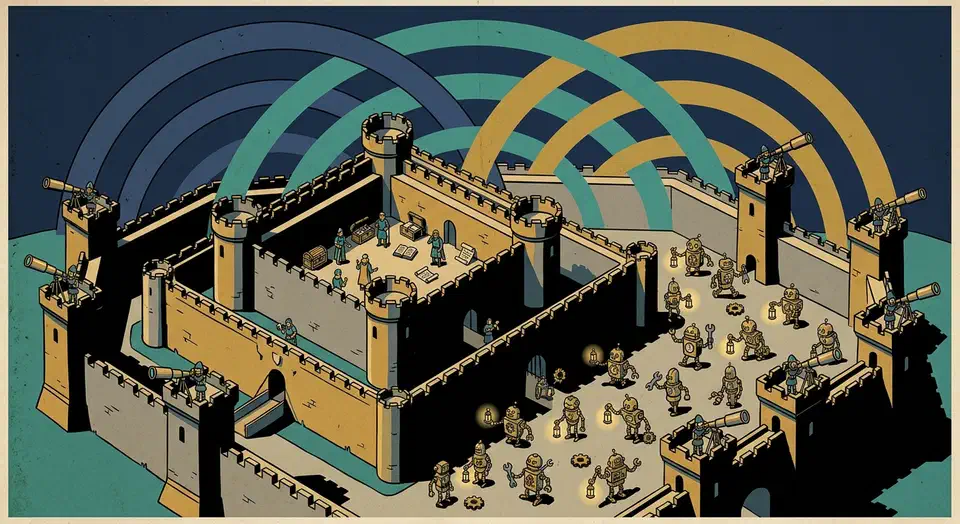
No, you don’t need Wi-Fi 7 for Matter. Every Matter device on my network connects over 2.4GHz Wi-Fi or Thread, and neither path touches Wi-Fi 7’s headline features. A Wi-Fi 7 router still helps a busy smart home in three indirect ways, but device compatibility is not one of them.
Key Takeaways
- Matter devices use 2.4GHz Wi-Fi or Thread, never Wi-Fi 7’s fast 6GHz band.
- A Wi-Fi 7 router helps indirectly: it handles a crowded network better.
- Thread devices need a border router, and your Wi-Fi router probably isn’t one.
- The 6GHz band requires WPA3, which locks out many older smart home gadgets.
- Skip the upgrade unless you run 30+ active devices or multi-gigabit internet.
What Matter Actually Runs On
Matter is an application protocol, not a radio. It runs over standard IP networks, and the spec defines three transports: Wi-Fi, Thread, and Ethernet. Bluetooth LE is used only for the initial pairing handshake. Consequently, your router doesn’t need any “Matter support” checkbox; it just needs to move IP packets on a network the device can join.
The marketing leaves out one detail: Matter-over-Wi-Fi devices almost always ship a single-band 2.4GHz radio. A smart plug maker choosing a chipset cares about three things: unit cost, range through walls, and idle power draw. The 2.4GHz band wins on all three. The Home Assistant Matter docs even tell you to keep your phone on the 2.4GHz band while pairing. Many devices can’t see any other band.
Matter-over-Thread devices skip Wi-Fi entirely. Thread is a low-power mesh built on 802.15.4, the same radio family as Zigbee. A Thread sensor never associates with your access point, so the Wi-Fi generation printed on your router’s box is irrelevant to it.
The practical consequence: a $25 Matter plug will never use the 6GHz band, never see a 320MHz channel, and never negotiate 4096-QAM. Those are the three features that justify a Wi-Fi 7 router’s price.
Will a Wi-Fi 7 Router Help Smart Home Devices?
Indirectly, yes. Directly, almost never. I went through each Wi-Fi 7 feature and asked one question: does a Matter device ever touch this?
| Wi-Fi 7 feature | What it does | Does a Matter device use it? |
|---|---|---|
| MLO (Multi-Link Operation) | One client transmits on 2.4, 5, and 6GHz at once | No. Phones and laptops benefit; IoT radios can’t |
| 6GHz band + 320MHz channels | Doubles Wi-Fi 6E channel width for huge throughput | No. A 2.4GHz radio can’t see the band |
| 4096-QAM | About 20% more data per symbol within 2-3 meters | No, and it barely helps anything past one room |
| Improved Target Wake Time | Lets battery devices sleep longer between check-ins | Partly. Better 2.4GHz scheduling reaches IoT clients |
| Better airtime management | Schedules many clients more efficiently | Indirectly, and this is the real win |
The congestion-relief effect deserves a closer look. When your phones, TVs, and laptops move to the 6GHz band, they stop competing for the 2.4GHz airtime your smart home lives on. My network carries about 50 clients, and roughly 30 of them sit on 2.4GHz. Clearing the fast devices off that band does more for sensor reliability than any spec-sheet number.
MLO also gives latency-sensitive clients an escape hatch. A video doorbell with a 5GHz radio can fail over to another band without dropping a frame when one band gets congested. However, that doorbell needs a Wi-Fi 7 radio of its own to use MLO, and almost no smart home device ships one.
The sentiment among people who actually bought in matches the spec analysis. The top answer in an r/UNIFI thread asking whether Wi-Fi 7 is worth it puts it bluntly:
I’ve spent the money, it’s not worth it and I have a handful of clients that support it.
The WPA3 Trap Nobody Mentions
This is the one place where a careless Wi-Fi 7 upgrade actively breaks a smart home. The 6GHz band mandates WPA3-SAE security, and an MLO-enabled SSID needs WPA3 across every band it spans. Meanwhile, a large share of 2.4GHz-only IoT devices speak WPA2 and nothing newer.
The failure mode looks like this: you buy a Wi-Fi 7 router, and the setup wizard enables MLO on your main SSID. The SSID flips to WPA3-only. A drawer full of smart plugs silently refuses to reconnect, and nothing in the router app explains why.
The fix is structural, not a firmware toggle hunt. Run two SSIDs:
- Main SSID: MLO enabled, WPA3, for phones, laptops, and anything modern.
- IoT SSID: 2.4GHz, WPA2/WPA3 mixed mode, for every smart home device.
A dedicated IoT SSID also happens to be the foundation for network segmentation, which I cover below. Therefore the WPA3 constraint pushes you toward a setup you should want anyway.
Your Wi-Fi Router Probably Isn’t a Thread Border Router
Half of Matter’s promise rides on Thread, and Thread needs a border router: a device that bridges the 802.15.4 mesh onto your IP network. Mesh router marketing blurs this line badly. A $900 Wi-Fi 7 mesh kit moves Thread traffic exactly as well as a $60 Wi-Fi 5 router: not at all. Neither has a Thread radio.
The devices that actually work as Thread border routers are mostly things you may already own. The Matter Alpha border router list tracks the full set; the common ones are:
- Apple TV 4K (2nd generation and later) and HomePod / HomePod mini
- Google Nest Hub (2nd gen) and Nest Hub Max
- Amazon Echo (4th generation and later)
- Aqara hubs like the M3 and M100
- Home Assistant Connect ZBT-2 running OpenThread Border Router
The notable exception proves the point. Google’s Nest Wifi Pro is one of the few mainstream Wi-Fi routers with a built-in Thread border router, and it’s a Wi-Fi 6E unit, not Wi-Fi 7. The one router feature that directly serves Matter shipped a generation before the standard everyone assumes it needs.
If you’re still weighing protocols for new devices, my comparison of Zigbee2MQTT versus Matter covers device breadth, battery life, and Home Assistant integration in depth.
Put Smart Home Devices on Their Own Network Anyway
Whatever router generation you land on, 30+ IoT devices on the same flat network as your laptop is a security problem. Cheap plugs and bulbs phone home to cloud servers you can’t audit. VLAN segmentation puts them on an isolated network where they can reach your Home Assistant server and nothing else.
The three-VLAN model I run:
- Trusted (VLAN 1): PCs, phones, tablets. Full internet and inter-device access.
- IoT (VLAN 20): plugs, bulbs, sensors, voice assistants. Allowed to reach Home Assistant (port 8123) and the MQTT broker (port 1883) only. No internet for devices that don’t need it.
- Cameras (VLAN 30): zero internet access, reachable from the Trusted VLAN on RTSP and HTTP ports only.
Map each VLAN to its own SSID, so IoT devices join “Home-IoT” and cameras join “Home-Cameras” with separate firewall rules.
The catch is device discovery. Home Assistant on the Trusted VLAN finds devices on the IoT VLAN via mDNS, and mDNS packets don’t cross VLANs without a reflector. On UniFi, enable the mDNS reflector under Settings > Networks. Elsewhere, install Avahi with reflector mode:
[reflector]
enable-reflector=yes
Devices vanishing from Home Assistant right after a VLAN migration is almost always this, not the VLAN itself.
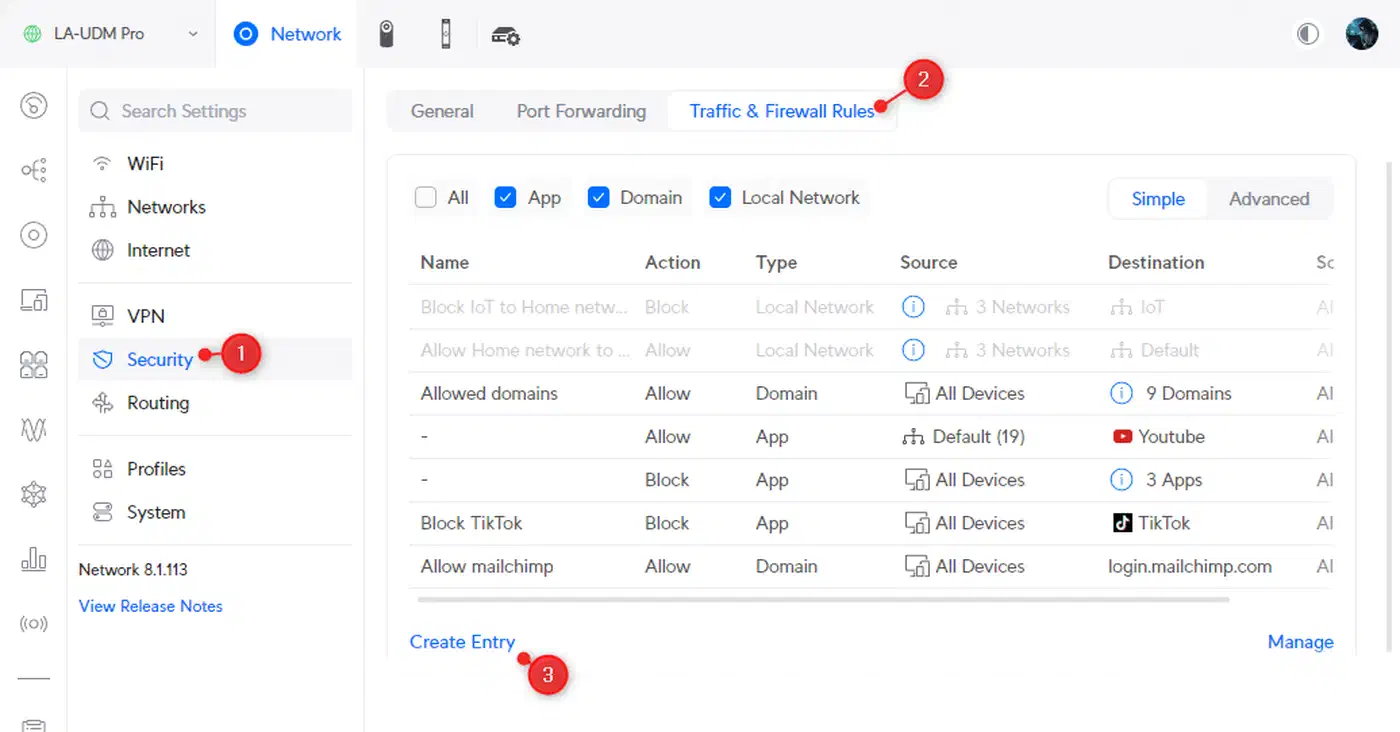
Platform support varies more than spec sheets admit. UniFi gives you full VLAN and firewall control in a GUI. Asus exposes basic VLAN tagging plus a guest-network isolation mode that covers simple setups. TP-Link Deco and Netgear Orbi offer no real 802.1Q tagging in their consumer interfaces. They belong behind an OPNsense or MikroTik box, working as pure access points.
What to Buy If You’re Upgrading Anyway
Sometimes the router is due for replacement regardless, and then the smart home criteria are not the ones on the box. Throughput past 1 Gbps is wasted on IoT. What counts is 2.4GHz capacity, real VLAN support, a separate IoT SSID, and wired backhaul between nodes.
| Model | Wi-Fi gen | VLAN support | Max devices | Thread border router | Price (2-pack) |
|---|---|---|---|---|---|
| TP-Link Deco BE85 | 7 | Limited (guest isolation) | 200 | No | ~$900 |
| Ubiquiti UniFi U7 Pro + gateway | 7 | Full (up to 20 networks) | 300+ | No | ~$900-1,200 |
| Asus ZenWiFi BT10 | 7 | Basic tagging | 150 | No | ~$850 |
| Google Nest Wifi Pro | 6E | None | 100+ | Yes, built in | ~$300 |
For a Matter buyer, the last row is the interesting one: the cheapest unit in the table is the only one that does Matter-specific work.
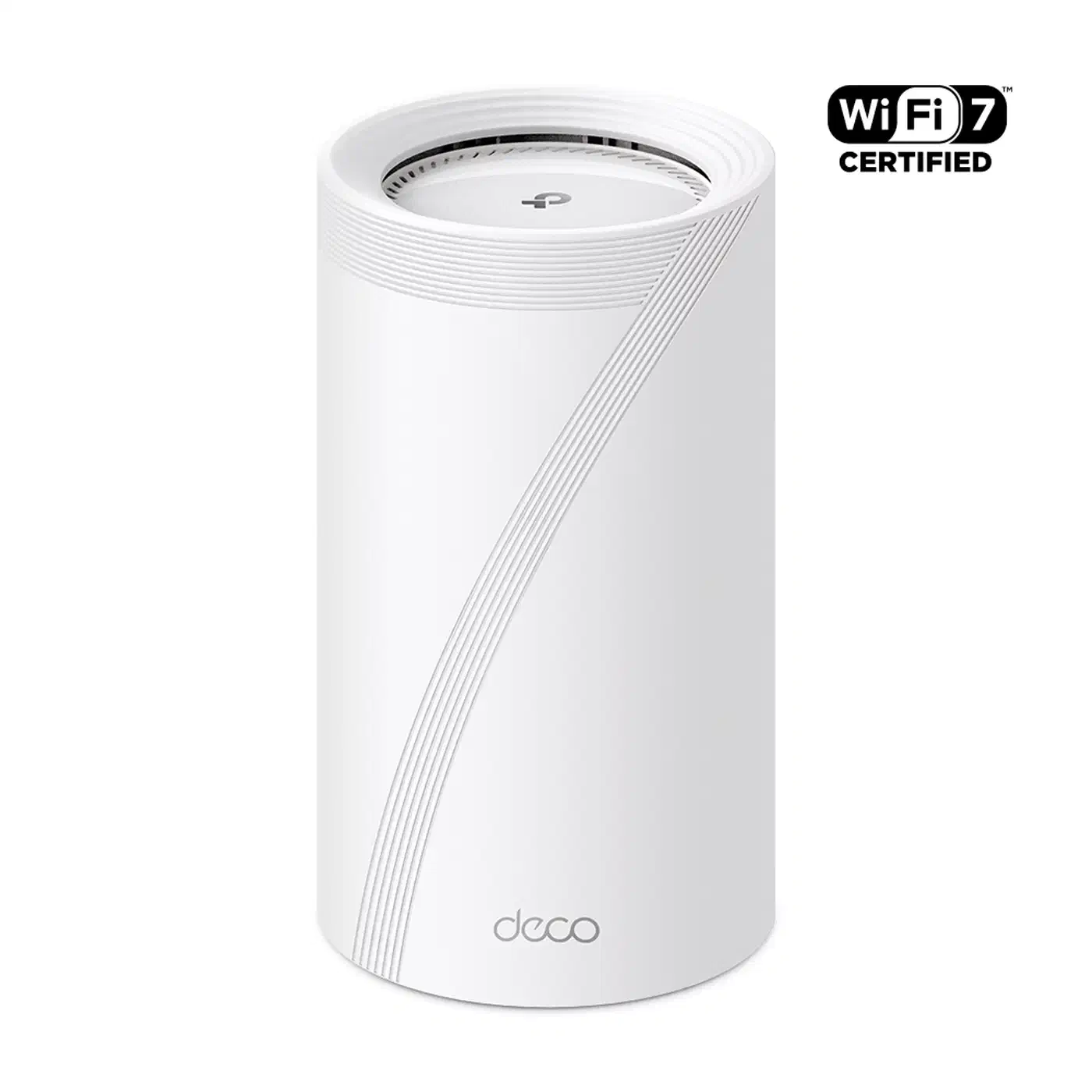
The Deco BE85 remains the speed pick among consumer kits, with dual 10GbE ports per node, but its HomeShield grouping is not real segmentation. The UniFi U7 Pro path costs about the same once you add a gateway and PoE switch. In return, it’s the only option here with proper inter-VLAN firewall rules. The ZenWiFi BT10 splits the difference for people who want one app and decent isolation.
Whichever you pick, wire the backhaul. Wireless mesh backhaul costs 40-60% in latency under load. If Ethernet runs aren’t an option, a pair of MoCA 2.5 adapters over existing coax gets you a 2.5 Gbps backbone for about $120.
Wi-Fi 6E vs Wi-Fi 7: When the Upgrade Pays Off
A working Wi-Fi 6E mesh already delivers roughly 95% of Wi-Fi 7’s real-world performance for smart home workloads. The upgrade math only works in specific situations.
Buy Wi-Fi 7 now if:
- You’re building a new network from scratch and the price gap to 6E is under $150.
- Your internet plan exceeds 2 Gbps and the old router’s ports bottleneck it.
- You run 50+ active clients and congestion is measurable, not hypothetical.
Stick with Wi-Fi 6E (or plain Wi-Fi 6) if:
- The current network works and your internet is under 1 Gbps.
- Your client devices top out at Wi-Fi 6 anyway. The client side is a separate question; my laptop Wi-Fi 7 upgrade guide covers when a card swap makes sense.
- Budget rules: a Deco XE75 2-pack at $200-250 still handles a 40-device smart home without complaint.
The budget middle ground is the Deco BE63 at $240-300 for a 2-pack. It brings Wi-Fi 7 basics including MLO, minus the 10GbE ports, at a Wi-Fi 6E price.
FAQ
Do Matter devices connect to Wi-Fi?
Will Wi-Fi 7 help with smart home devices?
Is Wi-Fi 7 overkill for most homes?
Does Matter over Wi-Fi need a hub?
The Verdict
Matter gave me a reason to audit what my smart home actually asks of a router. The answer: a clean 2.4GHz band, WPA2 compatibility on an isolated SSID, VLAN support, and a Thread border router somewhere on the network. Wi-Fi 7 provides exactly one of those things, the cleaner 2.4GHz band, and only as a side effect of moving other traffic off it.
So buy a Wi-Fi 7 router for your laptops, your camera streams, or your multi-gigabit fiber. Don’t buy one for Matter. Put the saved money into an Apple TV or a ZBT-2 dongle for Thread, and a managed switch for segmentation. Your smart home will notice those upgrades; it will never notice 4096-QAM.