 Botmonster Tech
Sandbox Untrusted Linux Apps and CLI Tools with Bubblewrap
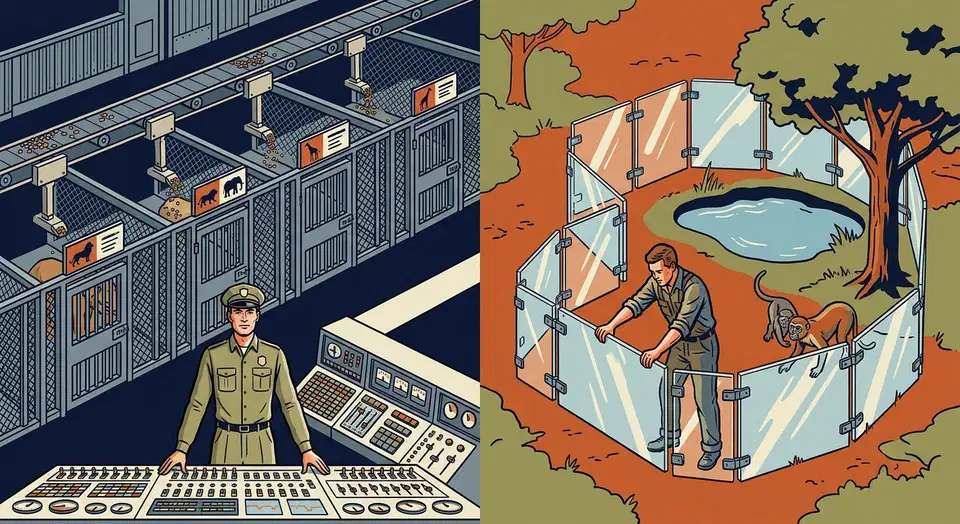
Bubblewrap (bwrap) is a small, unprivileged tool that sandboxes untrusted Linux apps and CLI tools with no root and no SUID binary. You build the sandbox mount by mount, so you control exactly what a program can see. It’s the same engine Flatpak runs inside. There is no daemon and no container image.
This guide is built around Bubblewrap: sandboxing desktop apps, locking down CLI tools and build scripts, network isolation, and runtime overhead. It also weighs bwrap against Firejail , the friendlier SUID-root sandbox with 1,000-plus ready-made profiles. That way you can see which one fits your threat model.
Why Sandbox Desktop Applications at All?
Every process under your Linux user account inherits your full rights. So any app, a browser, a chat client, a stray Electron tool, can read ~/.ssh/, ~/.gnupg/, your cookies, and every file you own. Programs run by the same user have no wall between them.
This isn’t a theory. Supply chain attacks via npm and PyPI packages happen all the time. Browser zero-days still show up. Electron apps like Discord, Zoom, and Slack read your clipboard and file paths far past their stated job. One hacked app or bad browser extension then reaches everything your user account can touch.
Sandboxing restricts what an application can see and do:
- Filesystem view: hide folders like
~/.ssh,~/.gnupg, and~/.configfrom apps that have no need to read them - Network access: block the network or limit it to set protocols
- IPC isolation: stop X11 keylogging, a real risk under Xorg where any app can grab keystrokes from any other
- Device access: block webcam and microphone unless granted
- Syscall filtering: seccomp-bpf filters limit which kernel calls the process can use
The same seccomp filters and dropped capabilities also show up when you harden container images . What you learn here carries straight over to Docker.
Flatpak and Snap already sandbox apps. Still, not every app ships as a Flatpak, and many Flatpak packages ask for --filesystem=home, which guts the point. Firejail and Bubblewrap let you sandbox any native package from your distro’s package manager.
Wayland keeps each app’s input and output to itself by default, so no app can spy on another. But Xwayland, which many older apps still need, breaks that wall. Sandboxing fills the gap.
Sandboxing adds to patched software, it does not replace it. When prevention fails, the damage stays inside the sandbox instead of spreading across your home folder.
Bubblewrap: Minimal Unprivileged Namespace Sandboxing
Bubblewrap is a small, low-level tool for building Linux namespaces without SUID-root. You build the sandbox mount by mount. For each folder you say whether the process can see it, and whether it is read-only or writable. You get full control and an easy audit, but you pay in setup time per app.
The stable version is 0.11.1.
Installation
On Debian 13+ or Ubuntu 24.04+:
sudo apt install bubblewrapOn Fedora 41+:
sudo dnf install bubblewrapVerify with bwrap --version.
How It Works
Bubblewrap calls clone() with CLONE_NEWUSER, CLONE_NEWNS, CLONE_NEWPID, and related flags to spawn unprivileged user namespaces
. On most modern distros (Ubuntu 24.04+, Fedora 40+, Arch), kernel.unprivileged_userns_clone is on by default, so bwrap runs with no SUID binary. That smaller trust base is one of its main wins.
Basic Sandbox Example
Launch Firefox with a tiny root filesystem and an empty home folder:
bwrap \
  --ro-bind /usr /usr \
  --ro-bind /lib /lib \
  --ro-bind /lib64 /lib64 \
  --ro-bind /etc/fonts /etc/fonts \
  --ro-bind /etc/resolv.conf /etc/resolv.conf \
  --proc /proc \
  --dev /dev \
  --tmpfs /tmp \
  --tmpfs /home \
  --unshare-all \
  --share-net \
  --new-session \
  -- /usr/bin/firefox
This sets up a read-only view of the system libs, an empty home, and a shared host network (Firefox needs it). Everything else is hidden.
Mount Types
| Flag | Effect |
|---|---|
--bind src dest | Read-write bind mount |
--ro-bind src dest | Read-only bind mount |
--tmpfs path | Ephemeral tmpfs (contents lost on exit) |
--dev-bind src dest | Device access (for GPU, etc.) |
--symlink src dest | Create a symlink for FHS compatibility |
--unshare-net | Loopback-only network namespace |
--share-net | Keep host networking |
--die-with-parent | Kill sandboxed process when parent exits |
Network Isolation
Adding --unshare-net gives the process a loopback-only network namespace with no outside link. Use --share-net to keep host networking. Unlike Firejail, there’s no built-in support for bridges, bandwidth caps, or DNS filtering. It’s strictly all-or-nothing.
Wrapper Scripts
Bwrap commands run long, so the standard fix is a shell wrapper script. For example, ~/bin/sandboxed-firefox.sh:
#!/bin/bash
exec bwrap \
  --ro-bind /usr /usr \
  --ro-bind /lib /lib \
  --ro-bind /lib64 /lib64 \
  --ro-bind /etc/fonts /etc/fonts \
  --ro-bind /etc/resolv.conf /etc/resolv.conf \
  --bind ~/.mozilla ~/.mozilla \
  --bind ~/Downloads ~/Downloads \
  --proc /proc \
  --dev /dev \
  --tmpfs /tmp \
  --unshare-all \
  --share-net \
  --new-session \
  -- /usr/bin/firefox "$@"
Bubblejail: A Higher-Level Frontend
If raw bwrap commands feel tedious, Bubblejail
sits on top of Bubblewrap with a Firejail-like feel. It gives you a GUI, and each sandboxed app gets its own home folder. You set up profiles in a services.toml file. That file lists which host parts (PulseAudio, GPU, network) the sandbox can reach.
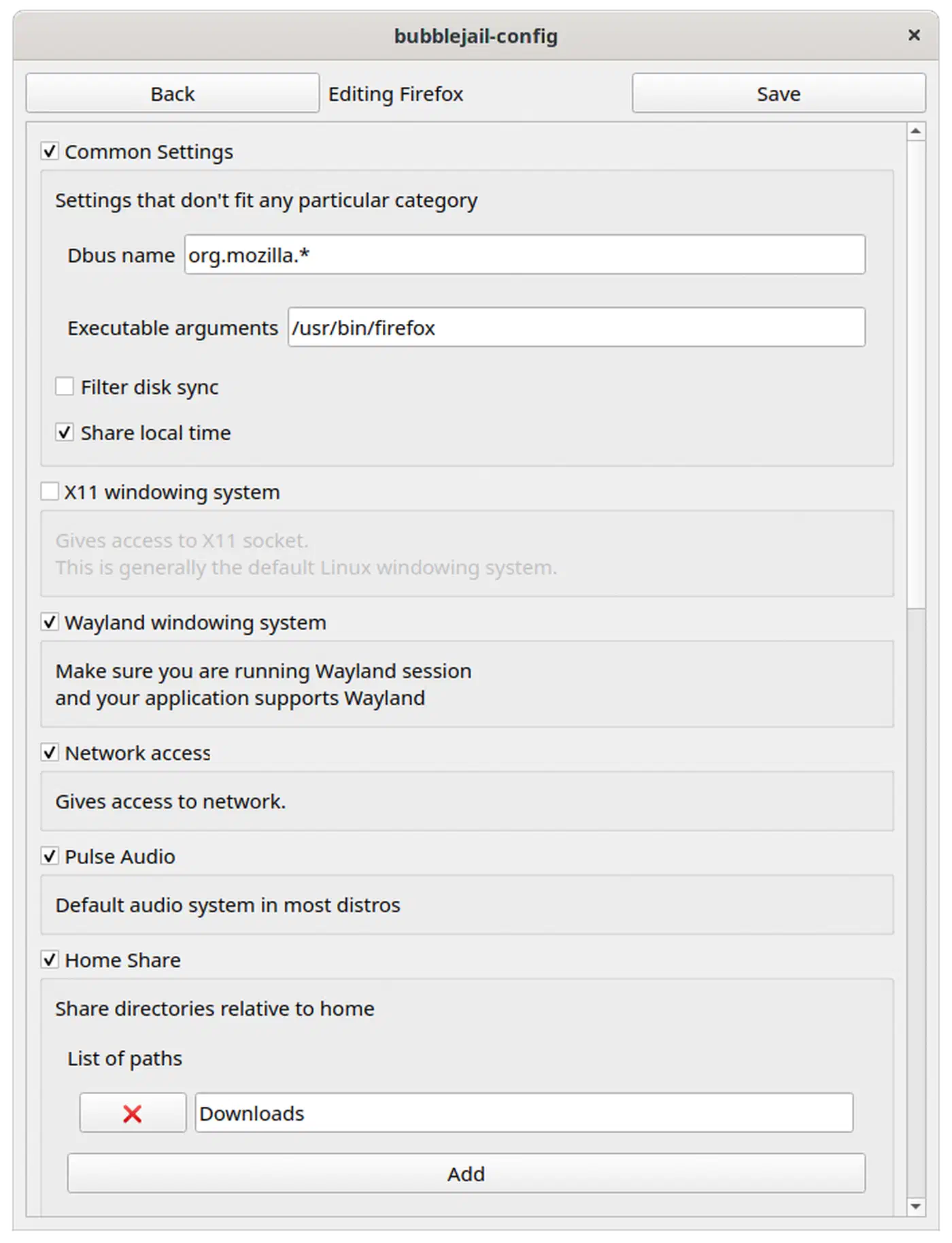
Create a sandboxed Firefox instance:
bubblejail create --profile firefox FirefoxInstanceBubblejail ships about 50 pre-built profiles versus Firejail’s 1,000+. Still, it covers the most common desktop apps.
Head-to-Head Comparison
The right pick depends on your threat model, your comfort with config, and how much time you want to spend tuning.
| Dimension | Firejail | Bubblewrap |
|---|---|---|
| Setup effort | firejail app-name works immediately | Manual mount construction required |
| Profile ecosystem | 1,000+ upstream profiles | None built-in (Bubblejail has ~50) |
| SUID requirement | Yes (SUID-root binary) | No (unprivileged namespaces) |
| Attack surface | Larger (SUID binary has had CVEs) | Smaller (no privileged binary) |
| Network sandboxing | Per-app bridges, bandwidth limits, DNS filtering | All-or-nothing namespace isolation |
| D-Bus filtering | Built-in proxy support | Requires external xdg-dbus-proxy |
| Landlock support | Experimental (0.9.74+) | Not applicable (use with other tools) |
| Performance overhead | Negligible (~5ms namespace setup) | Negligible (~5ms namespace setup) |
| Desktop integration | firecfg auto-sandboxes all profiled apps | Manual (wrapper scripts or Bubblejail) |
The SUID Question
Firejail’s SUID-root binary has caused real security bugs. CVE-2022-31214 was a flaw in Firejail’s join.c that let a local user gain root. The attacker built a fake Firejail container, tricked the SUID-root binary into joining it, and broke out to full root. The bug hit versions before 0.9.68 and got patched. Still, it shows the core tension: a security tool with root rights becomes a target itself.
Bubblewrap sidesteps this by running inside unprivileged user namespaces. There’s no privileged binary to attack. The trade-off: bwrap needs the kernel to have unprivileged user namespaces on. That’s the default on most distros since 2024, but admins can turn it off.
When to Pick Which
Choose Firejail when:
- You want to sandbox many desktop apps with little effort
- You need network filtering, DNS overrides, or bandwidth caps per app
- You’re on a system without unprivileged user namespaces
- You want the
firecfgauto-sandbox for your whole desktop
Choose Bubblewrap when:
- SUID-root binaries are off the table in your threat model
- You need to audit every part of the sandbox config
- You’re sandboxing a small set of specific apps and can spend time per app
- You already use Flatpak and want to learn or tweak its built-in sandbox
Practical Sandboxing Recipes
Firefox with Firejail
Allow only Downloads and the Firefox profile folder:
firejail --whitelist=~/Downloads --whitelist=~/.mozilla firefoxAdd DNS override for privacy:
firejail --whitelist=~/Downloads --whitelist=~/.mozilla --dns=9.9.9.9 firefoxDiscord with an Isolated Home
Give Discord its own home folder, kept apart from your real one:
firejail --private=~/.sandboxes/discord discordAnalyzing an Untrusted Binary
Run a shady binary with no network, no home folder, and auto cleanup:
bwrap \
  --ro-bind /usr /usr \
  --ro-bind /lib /lib \
  --ro-bind /lib64 /lib64 \
  --proc /proc \
  --dev /dev \
  --tmpfs /tmp \
  --tmpfs /home \
  --unshare-all \
  --new-session \
  --die-with-parent \
  -- ./suspicious-binary
The --die-with-parent flag kills the sandboxed process when your terminal session exits, cleaning up resources automatically. This pattern is essential for running untrusted code in throwaway sandboxes.
VS Code with Restricted Filesystem
Limit VS Code to only your Projects and Downloads folders:
firejail --whitelist=~/Projects --whitelist=~/Downloads --seccomp codeVS Code’s built-in terminal inherits the same sandbox rules, so shell commands inside VS Code are confined too.
Browser Profile Isolation
Run separate browser instances for separate tasks, each with its own storage:
# Banking browser, no access to other profiles
firejail --private=~/.sandboxes/browser-banking firefox --no-remote

# Social media browser
firejail --private=~/.sandboxes/browser-social firefox --no-remote

# General browsing
firejail --private=~/.sandboxes/browser-general firefox --no-remote
Each one keeps its own cookies, history, and extensions with no cross-access.
Steam with Restricted Access
Stop Steam from reading your documents, SSH keys, or browser data:
firejail --whitelist=~/.local/share/Steam --whitelist=~/Games steamFull GPU and network access stays in place since games need both.
Sandboxing CLI Tools and Build Scripts with Bubblewrap
Most sandboxing advice stops at browsers and chat apps, but command-line tools carry the same risk. A single npm install, pip install, or curl | bash runs arbitrary post-install code with full reach into ~/.ssh, ~/.aws, and your shell history. Bubblewrap fits this job well, because it wraps any command without needing a profile.
The recipe below sandboxes a dependency install. It binds only the project folder, hides your home directory, and keeps the network so the download still works:
cd ~/projects/my-app
bwrap \
  --ro-bind /usr /usr \
  --ro-bind /lib /lib \
  --ro-bind /lib64 /lib64 \
  --ro-bind /etc/resolv.conf /etc/resolv.conf \
  --ro-bind /etc/ssl /etc/ssl \
  --bind "$PWD" "$PWD" \
  --chdir "$PWD" \
  --proc /proc \
  --dev /dev \
  --tmpfs /tmp \
  --tmpfs /home \
  --unshare-all \
  --share-net \
  --die-with-parent \
  -- npm install
A malicious post-install script now sees only the project folder. Your SSH keys and cloud credentials are not in the sandbox, so they cannot leak.
Once dependencies are in place, a build step rarely needs the internet. Drop --share-net and the process gets a loopback-only network namespace, so a compromised build script cannot send your code out or pull a second-stage payload:
bwrap \
  --ro-bind /usr /usr \
  --ro-bind /lib /lib \
  --ro-bind /lib64 /lib64 \
  --bind "$PWD" "$PWD" \
  --chdir "$PWD" \
  --proc /proc --dev /dev \
  --tmpfs /tmp --tmpfs /home \
  --unshare-all \
  --die-with-parent \
  -- make build
These commands run long, so wrap them in a shell function or a script, the same pattern shown earlier for desktop apps. That gives you a reusable sandboxed-install you can run in any project.
Firejail: The Pre-Built-Profile Alternative
If building sandboxes by hand sounds like work, Firejail
is the friendlier route. It ships over 1,000 ready-made profiles, so firejail firefox drops your browser into a sandbox with no setup at all. The cost is a SUID-root binary, the very thing Bubblewrap avoids. The comparison above weighs that trade-off.
Install it from your distro’s repositories:
sudo apt install firejail firejail-profiles   # Debian / Ubuntu
sudo dnf install firejail                     # Fedora
Launch any app through it. The --private flag hands the app a throwaway home folder that is wiped on exit:
firejail firefox
firejail --private discord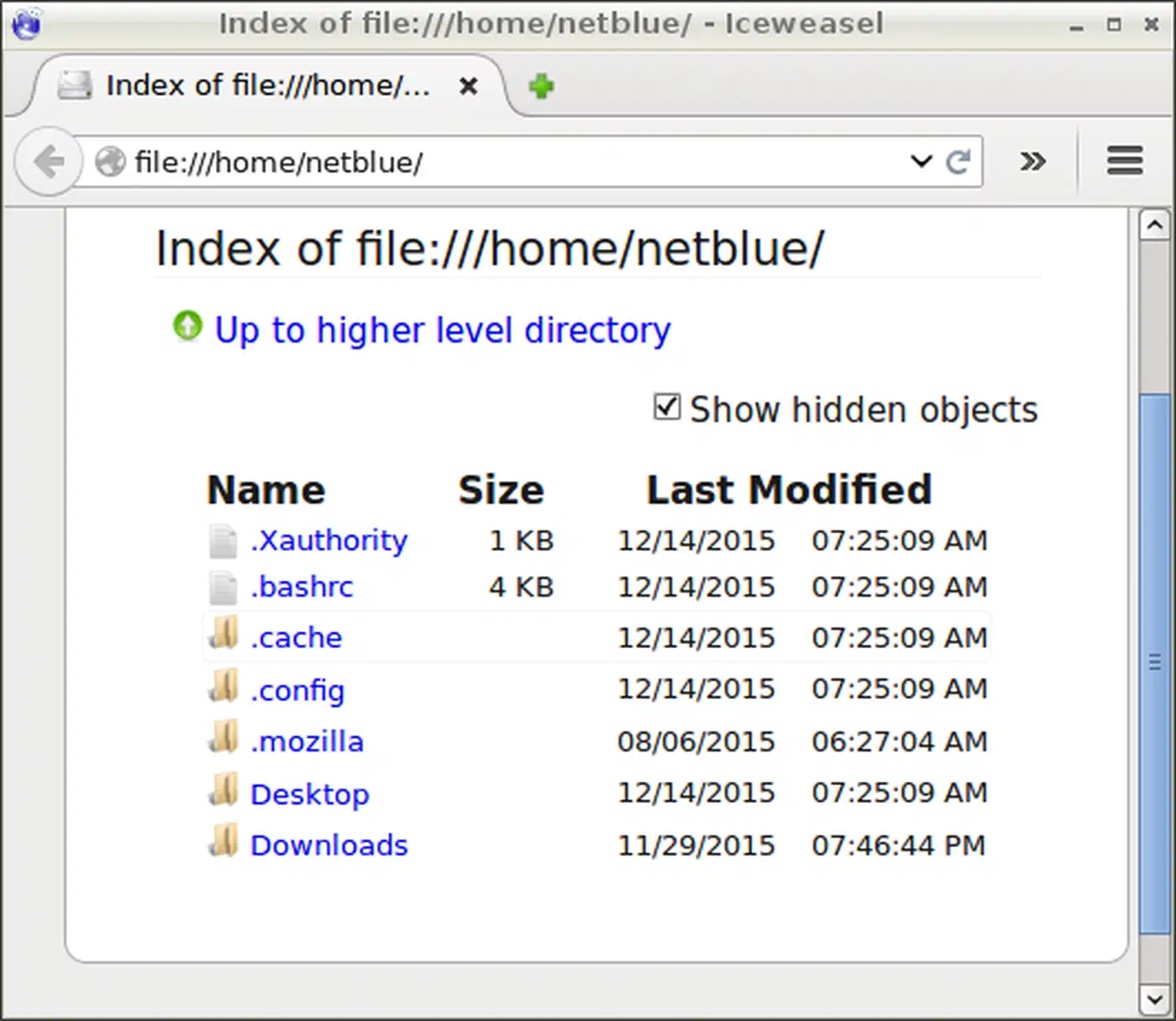
Profiles use a plain syntax for the common limits. Copy one to ~/.config/firejail/ to override its rules, and your copy wins over the system version:
| Directive | Effect |
|---|---|
whitelist ~/Downloads | Only expose the Downloads directory |
blacklist ~/.ssh | Hide SSH keys from the sandboxed app |
net none | Disable all network access |
seccomp | Enable the default syscall filter |
caps.drop all | Drop all Linux capabilities |
To sandbox a whole desktop at once, run sudo firecfg. It rewrites the symlinks in /usr/local/bin/. After that, every profiled app you start from a menu, dmenu, or rofi runs through Firejail, with no change to your habits.

Beyond Firejail and Bubblewrap
A few related tools overlap with or pair well with these two:
Landlock
is a kernel security module. It lets a process cap its own file access with no root rights. Landrun
is a stand-alone tool built on Landlock that feels like Firejail with no SUID. Firejail 0.9.74+ can use Landlock as an extra layer through the --landlock flag.
For system services rather than desktop apps, systemd has its own sandbox knobs: DynamicUser=, ProtectHome=, PrivateNetwork=, and more. They lock down a service with no extra tools.
AppArmor and SELinux are MAC systems. They push rules at the kernel level, apart from namespaces. Both stack cleanly on top of Firejail or Bubblewrap.
The xdg-desktop-portal system hands out gated access to host features over D-Bus: the file picker, screen sharing, printing. A sandboxed app asks for each right on demand instead of getting the whole filesystem.
For most desktop Linux users, Firejail’s profile library and easy on-ramp make it the practical start. If the SUID-root model worries you, Bubblejail sits between Firejail’s ease and Bubblewrap’s small trust base. And for the security-minded who can spend time per app, raw Bubblewrap gives you the tightest sandbox with a full audit trail.
Frequently Asked Questions
How much overhead does Bubblewrap add?
Almost none. The only real cost is sandbox setup: a few milliseconds to create the namespaces and bind mounts. After that the process runs at full speed. Namespaces are kernel-enforced views, not a virtual machine, and a bind mount is not a copy. That makes bwrap far lighter than Docker, which carries a daemon and image layers. It suits short-lived CLI commands you run hundreds of times.
Firejail vs AppArmor: what is the difference?
They work at different layers. Firejail is an opt-in sandbox you launch per app. AppArmor is a kernel policy system: an admin writes profiles, and the kernel enforces them on matching programs at all times, sandbox or not. Firejail is per-launch; AppArmor is always on. The two stack cleanly, so a Firejail-wrapped app can also sit under an AppArmor profile.
Landlock vs Bubblewrap: which should I use?
They solve different problems. Landlock lets a program restrict its own filesystem access from inside its own code, with no root and no helper binary. Bubblewrap builds a full namespace sandbox (filesystem, network, PID, IPC) around a process from the outside. Use Bubblewrap to confine an app you did not write, and Landlock for a program you control. They also combine, and Firejail 0.9.74+ can call Landlock as an extra layer.