 Botmonster Tech
Docker image hardening: minimal bases, non-root, and Trivy scans
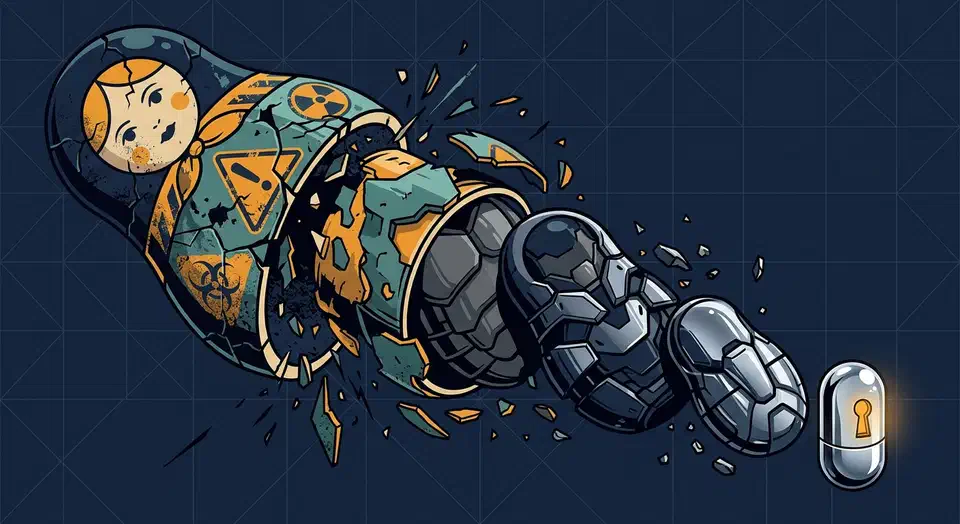
Hardening a Docker image means cutting the attack surface at every layer. Start from a minimal base like distroless or Alpine. Run as a non-root user. Set the filesystem read-only. Drop all Linux capabilities and add back only what the app needs. Pin dependency versions with checksums. Scan images with Trivy or Grype before you push. Each layer of this checklist stands on its own, so you can adopt them one at a time.
Most container security incidents trace back to a small set of preventable mistakes. The sections below cover each one and the exact commands and Dockerfile patterns to fix it.
Why Docker Images Are a Common Attack Vector
Container flaws map onto the OWASP Top 10. Knowing the mappings helps you pick the hardening steps with the biggest payoff for your stack.
Outdated components (OWASP A06) drive most production Docker CVEs. A FROM ubuntu:22.04 base in a 2023 Dockerfile picks up hundreds of known CVEs unless you rebuild it against fresh packages. The fix is simple: rebuild often and scan before deploy. Teams that treat images as “build once, run forever” get burned here constantly.
Broken access control (OWASP A01) is a problem because Docker containers run as root by default. If an attacker pops a bug inside a root container and finds a container-escape, they land on the host as root. Running as a non-root user with a UID above 1000 caps the blast radius at the unprivileged user’s perms.
Supply chain attacks (OWASP A08) are a real concern with Docker. Pulling FROM node:latest or FROM python:3.11 without a digest pin lets a compromised registry push silently swap your base image. The 2024 Codecov breach, Docker Hub namespace squatting, and cryptominer injection via typosquatted names all show the same pattern. Pinning to SHA256 digests blocks silent swaps.
Secrets in images (OWASP A02) catch teams off guard. API keys and passwords added via ENV or COPY stay visible in docker history even after you delete them in a later layer. Image layers are append-only by design, so you can’t truly wipe data from an earlier layer. Use Docker BuildKit secrets or multi-stage builds to keep secrets out of the final image.
Loose network exposure rounds out the list. A container that doesn’t need to listen on any port shouldn’t EXPOSE one. Cut unused port exposures, and use Docker networks to limit container-to-container traffic to the paths you allow.
Start with a Minimal Base Image
Every package in a base image is a potential bug. The right starting point is the smallest base that can run the app, even when it’s less handy than a full-featured one.
scratch
The scratch base is the empty image. No shell, no package manager, no libc. It only works for static Go or C binaries. Scratch images are usually 5 to 20 MB and have zero CVEs by definition, since there are no OS packages to scan.
FROM scratch
COPY myapp /myapp
ENTRYPOINT ["/myapp"]
Google Distroless
Google Distroless images (gcr.io/distroless/base-debian12) include only libc, CA certs, and timezone data. No shell, no package manager. Variants exist for Java (JRE), Python, Node.js, and Go. Google patches them on a regular CVE cadence. For most production services, Distroless is the recommended starting point.
Chainguard Images
Chainguard Images (cgr.dev/chainguard/) are rebuilt daily from source with zero known CVEs at build time. They’re distroless-compatible and ship SBOM and provenance attestations signed with Sigstore/cosign. If your org needs supply chain compliance at SLSA Level 3, Chainguard is the strongest option on the market.
Alpine Linux
Alpine Linux weighs in at roughly 5 MB and ships the ash shell and apk package manager. The CVE surface is much smaller than Debian or Ubuntu. Alpine is handy when you need a debug shell inside the image during dev. Pick Alpine over ubuntu:24.04 for smaller images, but prefer Distroless when no shell is needed in production.
What to Avoid
Skip FROM ubuntu:latest, FROM debian:latest, FROM python:3.11 (full Debian Bullseye with dev tools), and FROM node:20 (full Debian plus npm plus all Node.js tooling). These convenience images add hundreds of megabytes and thousands of OS packages that bloat your CVE surface for no production payoff.
Here is a comparison of common base images:
| Base Image | Size | Approx. CVE Surface | Shell | Package Manager |
|---|---|---|---|---|
scratch | 0 MB | None | No | No |
gcr.io/distroless/base-debian12 | ~20 MB | Minimal | No | No |
cgr.dev/chainguard/static | ~5 MB | Zero at build | No | No |
alpine:3.19 | ~5 MB | Low | Yes | apk |
ubuntu:24.04 | ~78 MB | High | Yes | apt |
node:20 | ~350 MB | Very High | Yes | apt + npm |
Multi-Stage Builds
For compiled apps, use a full builder image in the first stage and copy only the compiled binary to a minimal final stage. The production image never holds the compiler, build tools, or source code.
FROM golang:1.22-alpine AS builder
WORKDIR /app
COPY . .
RUN go build -o /app/server .

FROM gcr.io/distroless/base-debian12
COPY --from=builder /app/server /server
ENTRYPOINT ["/server"]
This pattern keeps the build stage rich, with all the tools you need to compile, while the runtime image stays small and hardened.
Runtime Security: Non-Root Users, Read-Only Filesystems, and Capability Dropping
A hardened Dockerfile also pins down what the running container can do at the OS level. These runtime controls cap the damage an attacker can cause, even if they exploit a bug inside the container.
Run as a Non-Root User
Add a dedicated app user and switch to it as the final Dockerfile step:
# Alpine
RUN addgroup -S app && adduser -S app -G app
USER app

# Debian/Distroless
RUN useradd --system --no-create-home --uid 10001 appuser
USER appuser
Check it works with docker run --rm myimage whoami. The output should show your non-root username. This one change blocks a whole class of container-escape attacks that lean on root.
Read-Only Filesystem
Run containers with a read-only root filesystem:
docker run --read-only --tmpfs /tmp myimageThis locks the whole container filesystem to read-only. Any write fails unless a --tmpfs mount or named volume covers that path. An attacker who lands code inside the container can’t drop a malicious binary on disk.
In Docker Compose:
services:
  app:
    image: myimage
    read_only: true
    tmpfs:
      - /tmp
Drop All Linux Capabilities
Docker grants a default set of 14 or more caps, including NET_RAW (raw socket attacks) and SYS_PTRACE. Drop them all and add back only what the app needs:
docker run --cap-drop ALL --cap-add NET_BIND_SERVICE myimageA web server that binds port 80 needs NET_BIND_SERVICE and nothing else. A background worker that never opens a socket may need zero caps at all.
In Docker Compose:
services:
  app:
    image: myimage
    cap_drop:
      - ALL
    cap_add:
      - NET_BIND_SERVICE
Prevent Privilege Escalation
The --no-new-privileges flag stops processes inside the container from gaining more privileges via setuid or setgid binaries:
docker run --security-opt no-new-privileges:true myimageOr in Docker Compose:
services:
  app:
    image: myimage
    security_opt:
      - no-new-privileges:true
Seccomp and AppArmor Profiles
Docker’s default seccomp profile blocks 44 risky syscalls out of the box. For tighter hardening, write a custom seccomp profile that allows only the syscalls your app actually uses. Tools like strace or Falco help spot the syscalls you need during dev.
Docker’s default AppArmor profile (docker-default) gives you basic Mandatory Access Control. For production, write a custom AppArmor profile that whitelists the file and network paths your app binary uses.
Dependency Pinning, Checksums, and Build Reproducibility
Unpinned dependencies cause both security drift and non-reproducible builds. When the same Dockerfile builds a different image on Monday and Friday because an upstream package changed, you lose the ability to audit what’s running in production.
Pin Base Images by Digest
Instead of FROM gcr.io/distroless/base-debian12:latest, pin to an exact digest:
FROM gcr.io/distroless/base-debian12@sha256:6ae5fe659f...This locks in the exact bytes pulled every time. Pair it with Renovate Bot or Dependabot to auto-update digests when new patched images ship. You get reproducible builds without falling behind on security patches. Teams that want full control over their software supply chain can also run a private package registry to cache and audit upstream packages before they hit the build.
Language-Specific Pinning
For Python, use pip-tools or uv with a lockfile. Add --require-hashes to pip install so package content is checked against known-good hashes:
RUN pip install --require-hashes -r requirements.lockFor Node.js, always use npm ci or pnpm install --frozen-lockfile in Dockerfiles. Never use npm install, which can skip the lockfile. Commit package-lock.json or pnpm-lock.yaml to source control.
For Go, the go.sum file checks every module hash against the Go checksum database during go mod download. The Go toolchain does this by default, no extra setup needed.
SBOM Generation and Image Signing
Build a Software Bill of Materials as part of your build:
docker buildx build --sbom=true --provenance=true -t myimage .This builds an SBOM as an OCI attestation attached to the image manifest. Enterprise compliance at SLSA Level 2 and up increasingly demands one.
Sign your images with cosign:
cosign sign --key cosign.key myregistry/myimage:tagCI pipelines can then run cosign verify before deploy, so unsigned or tampered images never reach production registries.
Scanning and CI Integration with Trivy and Grype
Image hardening is not a one-time job. New CVEs land daily against packages that were clean at build time. A scanner in the CI pipeline makes bug-finding continuous.
Trivy
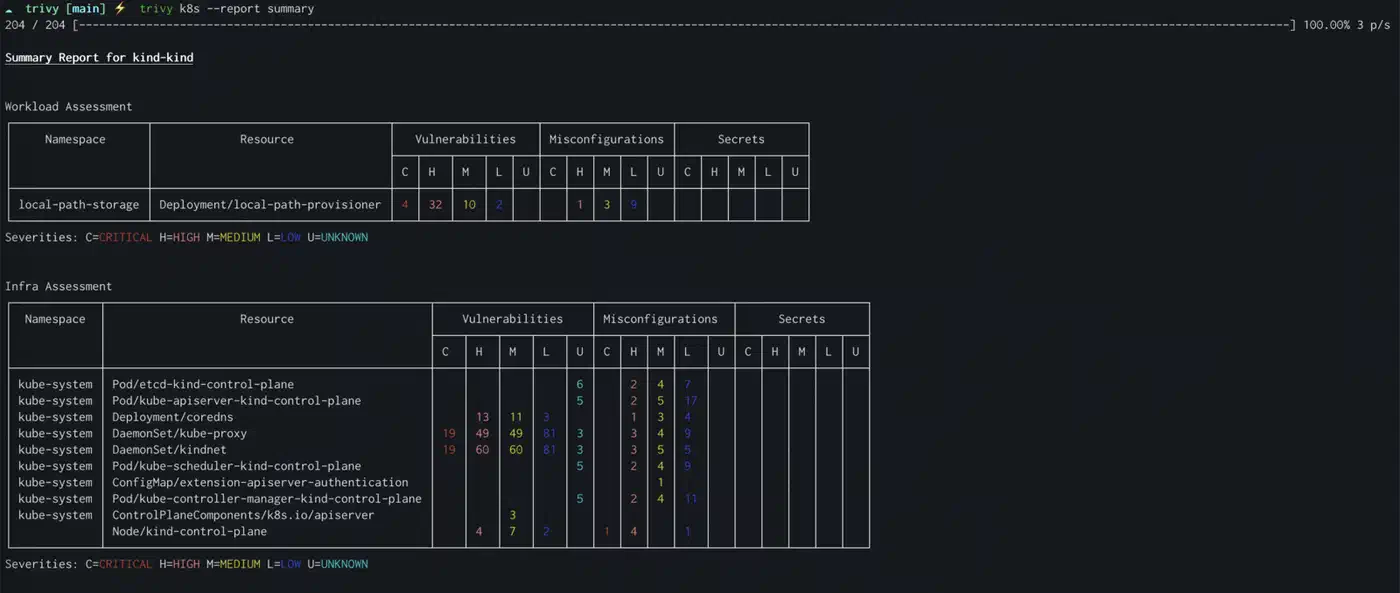
Trivy is the most widely used open-source container scanner today. It scans for OS CVEs, language package CVEs, misconfigs, and embedded secrets. These are the same flaws that a large-scale audit of AI-generated apps found in over a third of scanned apps:
trivy image --severity HIGH,CRITICAL --exit-code 1 myimage:tagThe --exit-code 1 flag fails the CI pipeline when findings show up. Trivy is free and open source under Apache 2.0, maintained by Aqua Security.
Grype as a Second Opinion
Grype brings a second vulnerability database from Anchore:
grype myimage:tag --fail-on highRunning both Trivy and Grype catches CVEs that land in one database before the other. Consider a weekly scheduled Grype scan separate from the Trivy commit-gate to balance thoroughness with pipeline speed.
GitHub Actions Integration
Use the official Trivy action in your build-and-scan workflow:
- name: Scan image
  uses: aquasecurity/trivy-action@v0.20.0
  with:
    image-ref: myimage:${{ github.sha }}
    severity: HIGH,CRITICAL
    exit-code: 1
    format: sarif
    output: trivy-results.sarif

- name: Upload results
  uses: github/codeql-action/upload-sarif@v3
  with:
    sarif_file: trivy-results.sarif
This uploads SARIF results to the GitHub Security tab, where security teams see findings next to code scanning alerts.
GitLab CI Integration
For GitLab, run Trivy in a Docker-in-Docker stage:
container_scan:
  stage: test
  image: aquasec/trivy:latest
  script:
    - trivy image --severity HIGH,CRITICAL --exit-code 1 $CI_REGISTRY_IMAGE:$CI_COMMIT_SHA
  artifacts:
    reports:
      container_scanning: trivy-report.json
Results show up in merge request security widgets for review before you merge. The same scan stage runs on a self-hosted Gitea instance, whose Actions runner and built-in container registry let you build, scan, and store images without leaving your own server. For a full production deploy flow that pairs scanning with TLS and routing, see how to set up Docker Compose with Traefik as your production reverse proxy.
Runtime Scanning with Falco
Static image scanning has a blind spot: it can’t catch attacks that happen at runtime. Falco is an eBPF-based syscall monitor that spots odd outbound connections, new process spawns, and writes to sensitive directories while the container runs. Pairing Falco with static scanning gives you both pre-deploy and runtime coverage.
Putting It All Together
Here is a full hardened Dockerfile for a Node.js API that uses most items on this checklist:
FROM node:20-alpine AS builder
WORKDIR /app
COPY package.json pnpm-lock.yaml ./
RUN corepack enable && pnpm install --frozen-lockfile
COPY . .
RUN pnpm build

FROM gcr.io/distroless/nodejs20-debian12
COPY --from=builder /app/dist /app
COPY --from=builder /app/node_modules /app/node_modules
WORKDIR /app
USER nonroot
EXPOSE 3000
CMD ["server.js"]
And the matching Docker Compose config with runtime hardening:
services:
  api:
    build: .
    read_only: true
    tmpfs:
      - /tmp
    cap_drop:
      - ALL
    cap_add:
      - NET_BIND_SERVICE
    security_opt:
      - no-new-privileges:true
    ports:
      - "3000:3000"
None of these steps need exotic tooling or deep kernel knowledge. Each one is a concrete change to a Dockerfile or a docker run command. Start with the items that pay off most for the least work: non-root user, minimal base image, and a Trivy scan in CI. Work through the rest as your team’s container practices mature. Every new image you ship should be a bit harder to exploit than the last, and this checklist gets you there step by step.