 Botmonster Tech
Framework 16 vs. ThinkPad X1 Carbon: best Linux dev laptop in 2026
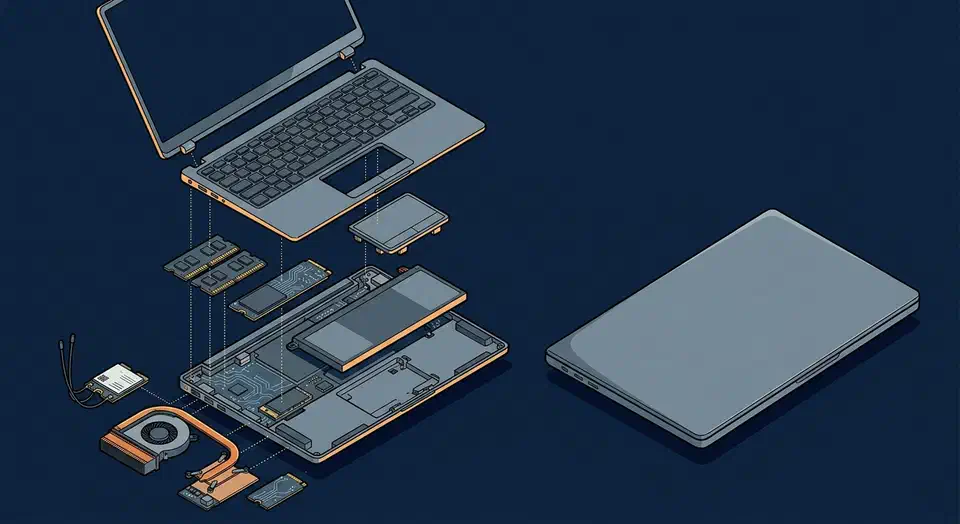
The ThinkPad X1 Carbon Gen 13 is the better daily-driver for developers who prioritize battery life, keyboard quality, and a polished out-of-the-box Linux experience. The Framework Laptop 16 wins if you value user-replaceable components, GPU modularity, and the ability to upgrade RAM and storage years down the line. Both run Linux excellently in 2026, but they serve different philosophies: the ThinkPad is a refined appliance, and the Framework is a repairable platform.
The specs, Linux quirks, keyboard feel, repairability, and real-world battery behavior covered here should give you a clear answer based on how you work.
Hardware Specs and Configuration Options
Both laptops ship in multiple configurations for 2026. Comparing the developer-tier builds makes the tradeoffs concrete.
The ThinkPad X1 Carbon Gen 13 runs Intel’s Core Ultra 7 265H (Arrow Lake), supports up to 64 GB of soldered LPDDR5x-8400 on H-series models, and ships with either a 14-inch 2.8K OLED or a WUXGA (1920x1200) IPS display, per Lenovo’s spec sheet . Battery capacity is 57 Wh. Pricing starts around $1,449 direct from Lenovo.
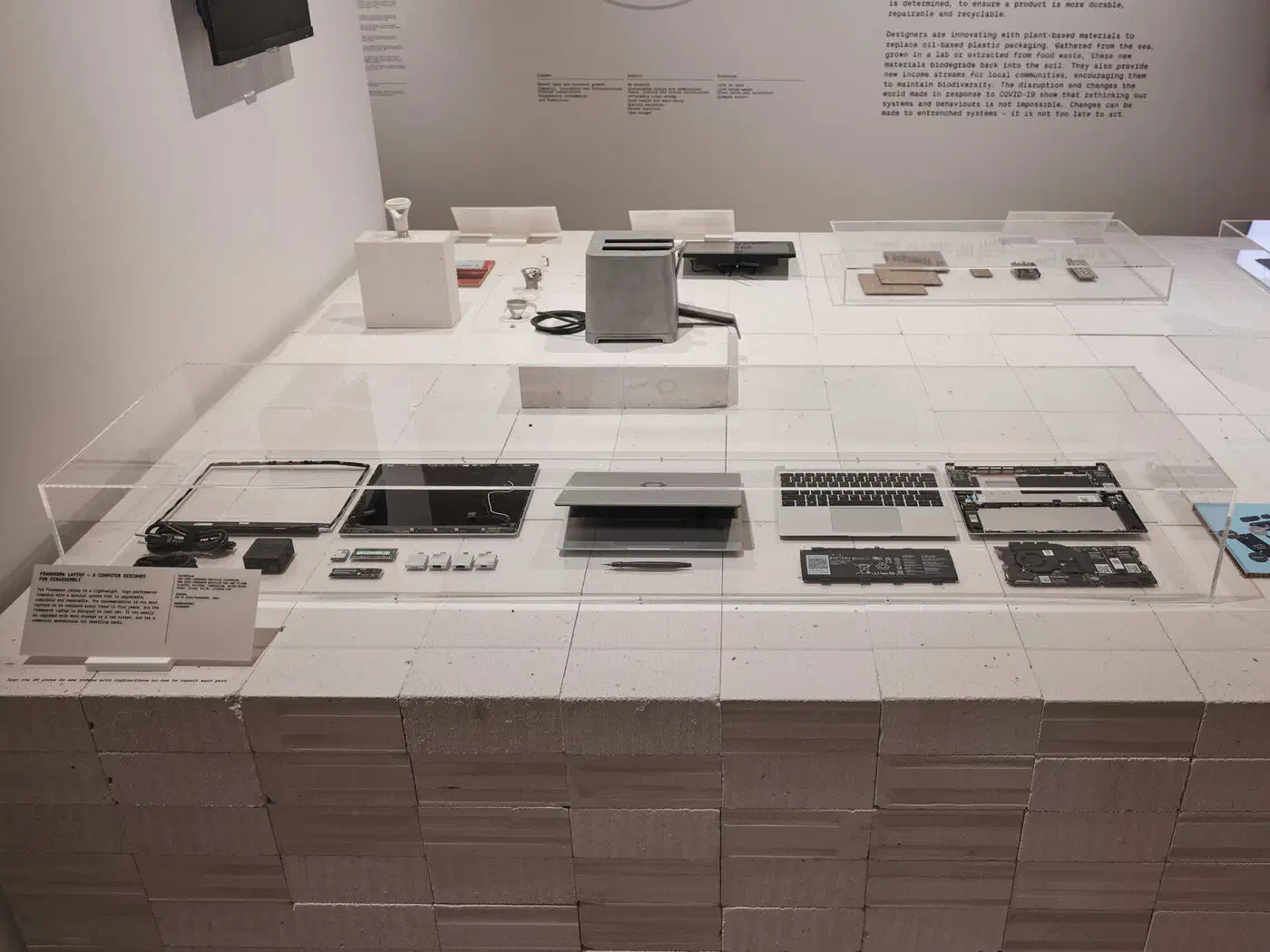
The Framework Laptop 16 (2026 refresh) offers AMD Ryzen AI 300 series chips up to the Ryzen AI 9 HX 370 , with no Intel option, and up to 96 GB of DDR5 across two user-replaceable SO-DIMM slots. The display is a 16-inch 2560x1600 IPS panel at 165 Hz, backed by an 85 Wh battery. Framework’s marketplace pricing starts around $1,399.
| Spec | ThinkPad X1 Carbon Gen 13 | Framework Laptop 16 |
|---|---|---|
| CPU | Intel Core Ultra 7 265H | AMD Ryzen AI 9 HX 370 |
| RAM | Up to 64 GB (soldered) | Up to 96 GB (SO-DIMM) |
| Display | 14" 2.8K OLED or WUXGA IPS | 16" 2560x1600 IPS 165 Hz |
| Battery | 57 Wh | 85 Wh |
| Weight | from 1.01 kg | 2.1-2.4 kg |
| GPU | Integrated (Arc 140T) | Integrated + optional dGPU module |
| Starting price | ~$1,449 | ~$1,399 |
The Framework 16’s GPU module bay has no direct competitor. The current options are an NVIDIA GeForce RTX 5070 Laptop GPU module and an AMD Radeon RX 7700S module; if you don’t need it, a blank spacer keeps the weight down. The X1 Carbon has integrated graphics only.
Storage: both use M.2 2280 NVMe. The X1 Carbon has one slot (up to 2 TB). The Framework 16 has two M.2 slots (one 2280, one 2230), giving you room for a secondary drive without USB adapters.
Framework’s modular expansion card system lets you pick any six ports from USB-C, USB-A, HDMI, DisplayPort, Ethernet, MicroSD, or storage modules. The X1 Carbon ships with 2x Thunderbolt 4 USB-C , 2x USB-A 3.2, HDMI 2.1, and a 3.5mm combo jack, a fixed set that suits most travel scenarios.
Linux Compatibility and Driver Support
Both vendors have put real work into Linux support, but the implementation details affect daily use more than the marketing does.
Lenovo certifies the X1 Carbon for Ubuntu and RHEL. The Intel Core Ultra 7 265H is fully supported in kernel 6.12+: power management works, the Arc 140T integrated GPU has solid Mesa support, and Thunderbolt operates without quirks. The WiFi card
on H-series models is an Intel AX211 or BE201, handled by the iwlwifi driver - one of the most reliable wireless drivers on Linux. Suspend to idle (s2idle) behaves well on Fedora 41 and Ubuntu 24.10, with less than 1% battery drain per hour in sleep.
Framework ships the 16 with a Fedora or Ubuntu pre-install option and maintains detailed Linux setup guides on their knowledge base. The AMD Ryzen AI 9 HX 370 works with kernel 6.11+ via full amdgpu support. WiFi uses the AMD RZ616 (MediaTek MT7922, mt7921e driver), which had shaky firmware behavior in earlier kernels but has been stable since 6.8. Sleep drain runs around 1.5% per hour - slightly higher than the ThinkPad but acceptable.
Fingerprint readers on both use Goodix sensors supported by libfprint 1.94.9+. GNOME and KDE both handle enrollment without manual configuration.
The Framework’s GPU module uses the amdgpu driver and is detected cleanly on boot with kernel 6.10+. Hot-swapping the module without rebooting is not yet supported - you need to cold boot after changing the hardware configuration. For most developers the GPU is either permanently installed or left out, so this limitation rarely causes problems.
Both laptops support Secure Boot with TPM 2.0. Setting up LUKS encryption on either is straightforward during the Fedora or Ubuntu installer - select the encryption option, set a passphrase, and the TPM can optionally store the unlock key for automatic decryption on trusted boots. Neither laptop requires disabling Secure Boot to run a mainstream Linux distribution, which helps in corporate environments with security policy requirements.
Keyboard, Trackpad, and Daily Ergonomics
Specs count for less than you’d expect once you’re spending eight hours a day typing. The X1 Carbon’s keyboard is the reason many developers buy it without seriously considering anything else. Lenovo has maintained 1.5mm key travel, slightly curved keycaps, and firm tactile feedback through multiple generations. The layout has stayed consistent for over a decade - muscle memory transfers across ThinkPad models. The TrackPoint nub with dedicated physical buttons above the trackpad keeps your hands near the home row without lifting to a mouse.
The Framework 16 keyboard improved in the 2026 revision: 1.4mm travel, a new scissor mechanism, and better stabilizers on the spacebar and shift keys. Side-by-side, the ThinkPad still has a crisper actuation point. The Framework’s larger chassis allows adding a full numpad module if you work with numbers regularly.
The Framework 16’s glass haptic trackpad measures 130mm wide versus the X1 Carbon’s 115mm Mylar surface. The Framework’s haptic click feels consistent across the whole pad. The ThinkPad’s smaller trackpad has excellent palm rejection and precise cursor tracking. Given the ThinkPad has a TrackPoint, many users barely touch the trackpad at all - the size difference becomes moot.
The X1 Carbon’s 2.8K OLED option delivers perfect black levels, 100% DCI-P3 coverage, and 500 nits brightness on H-series models. For terminal work, dark-mode editors, and reading documentation, OLED contrast makes a noticeable difference. The Framework 16’s 2560x1600 IPS runs at 165 Hz and hits 500 nits brightness - brighter outdoors, smoother for UI animations or light gaming, but without OLED’s contrast ratio.

The X1 Carbon ships with a 1080p IR webcam with a hardware privacy shutter - a physical slider that mechanically covers the lens. The microphone array handles voice calls clearly in typical office noise. The Framework 16 uses a 1080p webcam module that is, consistent with its design philosophy, user-replaceable. Audio capture on both is solid for video conferencing; neither has firmware-level noise cancellation, so software handles it (PipeWire + EasyEffects, or Zoom’s own filters).
Repairability, Upgradeability, and Long-Term Value
The Framework Laptop 16 earns a 10/10 repairability score on iFixit. RAM, SSD, battery, keyboard, trackpad, display, WiFi card, and speakers are all user-replaceable with Phillips-head screwdrivers. Framework sells every part through their public marketplace with listed prices: battery $59, display $199, mainboard $449. If your battery degrades after three years, you order a new one and swap it yourself in 20 minutes.
The X1 Carbon’s RAM is soldered. Whatever you configure at purchase is what you have for the life of the machine. The SSD and battery can be replaced, but doing so requires removing the bottom panel and is not a routine maintenance task. Lenovo parts for authorized repair are available but not consumer-facing in the same direct way; the secondary market (eBay, Lenovo refurb) fills the gap.
Framework’s expansion card system eliminates the dongle problem for developers. Need Ethernet for a network debugging session? Swap in an Ethernet card. Need HDMI for a client presentation? Swap it back. The cards cost $9-$29 each and take seconds without tools.
Framework has sold mainboard upgrades for the Framework 13, allowing owners to replace just the CPU board while keeping the chassis, display, keyboard, and battery. They’ve committed to a similar path for the Framework 16. If AMD ships a significantly better CPU in 2028, you can potentially upgrade your processing power without buying a new laptop.
Lenovo’s value proposition goes a different direction: the X1 Carbon comes with a 3-year on-site warranty through Lenovo’s global service network. If a component fails while you’re traveling, Lenovo can send a technician to you. For developers in corporate environments where IT handles repairs, that support structure counts for more than self-repairability.
Thermals and Fan Noise
Under sustained compilation workloads - building a large Rust project or running a full test suite - both laptops reach their thermal limits and the fans spin up.
The X1 Carbon’s smaller chassis limits sustained CPU performance. The Core Ultra 7 265H can hit its full 45W TDP briefly, then throttles to around 25-28W sustained to stay within temperature targets. Fan noise at full load is audible but not aggressive - around 38-40 dBA at desk distance.
The Framework 16 has more thermal headroom. The Ryzen AI 9 HX 370 sustains higher wattage longer before throttling, which translates to faster build times on CPU-intensive tasks. Fan noise under full load runs higher - 42-45 dBA - and the dual-fan design is more noticeable. With the GPU module installed and active, expect additional heat and noise from GPU compute tasks.
For developers who compile large codebases frequently, the Framework 16 finishes jobs faster. For developers who mostly write code with occasional builds, the X1 Carbon’s quieter, cooler behavior is more comfortable.
Battery Life and Travel Readiness
The X1 Carbon’s 57 Wh battery lasts 10-14 hours of typical web browsing and code editing (VS Code, terminal, browser) on Fedora with TLP power management. Under heavier compilation workloads, expect 7-9 hours. The 65W USB-C charger is compact enough to fit in a jacket pocket.
The Framework 16’s 85 Wh battery delivers 8-11 hours of light development work. The larger display, AMD chipset, and discrete GPU all draw more power, narrowing the real-world advantage of the bigger battery. With the GPU module active under load, battery life drops further. The Framework ships with a 180W barrel charger for GPU-equipped configs - bulky for travel. Without the GPU module, you can charge via 100W USB-C PD, though 65W charges slowly.
The weight difference is the clearest summary: about 1.01 kg vs 2.1-2.4 kg. The X1 Carbon disappears in a bag, while the Framework 16 is noticeable every day. On a transatlantic flight with no power outlet, the X1 Carbon lasts the whole trip. The Framework 16 may or may not, depending on workload.
If you work from a fixed desk most of the time, the weight difference counts for less. If you’re commuting, conference-hopping, or working from cafes regularly, the X1 Carbon’s portability compounds across months.
Which One Should You Buy?
Buy the ThinkPad X1 Carbon Gen 13 if you travel frequently and battery life or bag weight is a daily constraint, if you value the TrackPoint and a proven keyboard above all else, if your company handles repairs and a service warranty counts for more than self-repair, if you don’t need a discrete GPU, or if you want the best OLED display for terminal and reading work.
Buy the Framework Laptop 16 if you want to upgrade RAM or storage yourself now or in the future, if you need a discrete GPU for ML training, rendering, or game testing on Linux, if you work primarily at a desk and portability is secondary, or if faster sustained CPU performance for compilation workloads is a priority.
Configured at equivalent specs (32 GB RAM, 1 TB SSD, no GPU module, base display): the Framework 16 comes in around $1,499 and the X1 Carbon around $1,549 with comparable storage. The price difference is small enough that it shouldn’t drive the decision: the weight, keyboard, and repairability tradeoffs separate them.
Both run Linux well in 2026. Neither will leave you fighting drivers or hunting forum posts to get suspend working. The X1 Carbon is the laptop for developers who want something that disappears into their workflow. The Framework 16 is for developers who want to own their hardware fully, from the RAM slots to the GPU bay.