 Botmonster Tech
Gemini CLI: Google's Free AI Coding Agent with 1,000 Requests Per Day

Gemini CLI is Google’s open-source (Apache 2.0) terminal AI coding agent, and its defining feature is a free tier that no competitor matches: 1,000 requests per day and 60 requests per minute using nothing more than a personal Google account. No credit card required, no API key, no trial period that expires after 30 days. This persistent free tier, combined with a 1M token context window and Gemini 3 Flash as the default model, has driven Gemini CLI to roughly 97K GitHub stars - making it the most-starred AI coding CLI on the platform. The catch is code quality: Gemini 3 Flash gets things right on the first try about 50-60% of the time on complex tasks, well behind Claude Code’s 95%. That trade-off defines who should and should not use it.
The Free Tier That Drove 97K GitHub Stars
Gemini CLI’s roughly 97K GitHub stars exceed Codex CLI ’s 73K and significantly outpace Claude Code ’s numbers. The reason is not mysterious: Gemini CLI is the only major terminal AI agent with a persistent, no-strings-attached free tier.
Here is what the competitive pricing landscape looks like:
| Tool | Free Tier | Paid Starting Price | Model |
|---|---|---|---|
| Gemini CLI | 1,000 req/day, 60 req/min | Google Cloud billing for higher limits | Gemini 3 Flash (default) |
| Claude Code | None | $20/month (Pro) or API tokens | Claude Opus 4.x |
| Codex CLI | $5-$50 credits (30 days) | $20-$200/month or API tokens | GPT-5.4 |
| Aider | None (bring your own key) | Pay-per-token only | Model-agnostic |
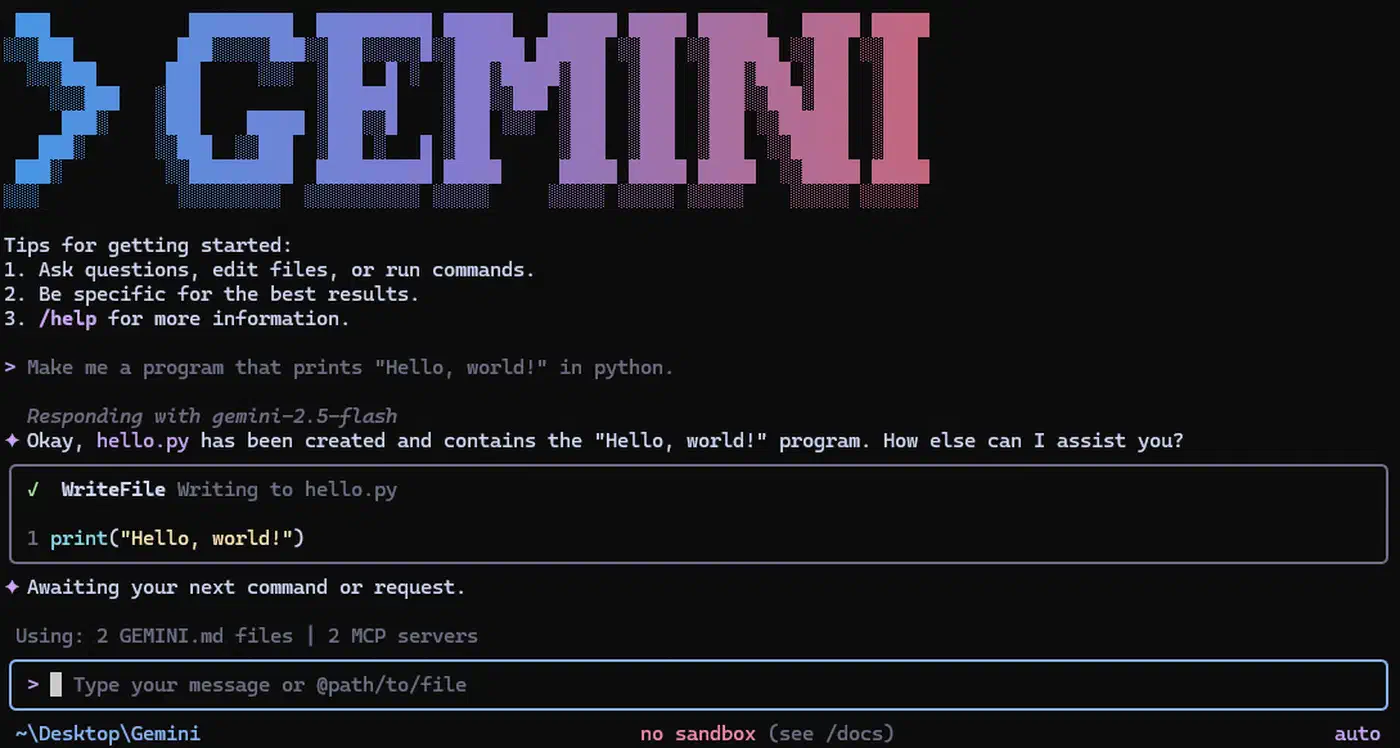
Installation is one command: npm install -g @google/gemini-cli. Three release channels are available - preview, stable (latest), and nightly. The current stable release is v0.36.0, which shipped on April 1, 2026, with weekly stable releases published every Tuesday at 20:00 UTC.
Authentication works through Google account OAuth or a Gemini API key, both granting the same free tier limits. For heavier usage, Google Cloud billing integration unlocks higher rate limits and additional Gemini models including Gemini 3 Pro.
One important nuance about the 1,000 request limit: a single prompt entry does not necessarily equal one model request. Gemini CLI uses a blend of models internally - for instance, it may use Flash to assess complexity before routing to the main model for the actual response. A multi-step coding task can consume dozens of model requests from a single prompt. In practice, 1,000 daily requests translates to roughly 100-125 multi-turn coding conversations, which covers a full workday for most developers. When you hit the limit, you get a “Rate Limit Exceeded” error. No graceful degradation, no queueing - it is a hard stop until the daily counter resets. The workaround is switching to pay-as-you-go via an API key or Vertex AI integration.
Architecture, Models, and the 1M Token Context Window
Gemini CLI is written in TypeScript with over 100,000 lines of code organized in a monorepo using npm workspaces. This stands in contrast to Codex CLI’s compiled Rust binary and Claude Code’s proprietary architecture. The Node.js foundation means you need a Node.js runtime installed, which adds a dependency Codex CLI avoids with its self-contained binary. On the other hand, the TypeScript stack makes contributing familiar to any web developer.
The default model is Gemini 3 Flash , which Google states outperforms the previous Gemini 2.5 Pro while running 3x faster at a fraction of the cost. Independent benchmarks confirm a surprising result: Gemini 3 Flash actually scores higher than Gemini 3 Pro on coding-specific tasks. On SWE-bench Verified, Flash achieves 78% compared to Pro’s 76.2%. Flash is purpose-built for agentic workflows - tasks requiring multiple iterations, tool use, and real-time feedback loops. Coding is fundamentally this kind of task, and Flash’s ability to modulate thinking depth based on complexity makes it more efficient for iterative development cycles.
Users can switch to Gemini 3 Pro for more complex reasoning tasks, though the benchmarks suggest this mainly helps with long-form analysis and planning rather than code generation itself. Gemini 3 Pro costs more and runs slower, so the upgrade needs to be deliberate.
The 1M token context window is the largest default among the major CLI agents. In practice, this means Gemini CLI can ingest entire codebases in a single session. Google’s demos show it handling simulated PRs with 1,000 comments, distinguishing signal from noise within the massive context. Claude Code’s context window is smaller by default, while Codex CLI can be configured for 1M tokens but does not ship with it as the standard.
Built-in tools include Google Search grounding for real-time information retrieval, file operations, shell command execution, and web fetching. The Google Search integration matters because no other CLI agent has native access to live web search results without adding an MCP server or extension.
Code Quality: The Honest Numbers
The free tier stops being an advantage when you account for code quality. Independent testing and user reports place Gemini 3 Flash at roughly 50-60% first-try accuracy on complex code generation tasks. Claude Code with Opus 4.x scores around 95% first-try accuracy, and Codex CLI lands in the 60-70% range.
What does 50-60% mean in practice? For structured tasks - configuration updates, straightforward refactoring, documentation generation, boilerplate code - Gemini CLI performs well. The model understands patterns, follows instructions, and produces correct output on the first try more often than not. The trouble starts with complex logic, multi-file refactoring across unfamiliar codebases, and tasks requiring deep reasoning about architectural trade-offs.
The iteration cost partially offsets the price advantage. If Gemini CLI takes 2-3 prompting rounds to produce correct output where Claude Code gets it right on the first attempt, you are spending more time reviewing and re-prompting. For a solo developer on a budget, that trade-off may be acceptable. For a team billing against project hours, the “free” tool can become expensive in developer time.
The practical workaround many developers have adopted: use Gemini CLI for routine tasks where first-try accuracy matters less (file operations, simple refactoring, documentation, test scaffolding) and switch to Claude Code or Codex CLI for complex architecture decisions and security-sensitive code.
GEMINI.md, Agent Skills, and the Extensibility Model
Gemini CLI’s extensibility system centers on three mechanisms: GEMINI.md files, agent skills, and MCP server integration.
GEMINI.md files work like Claude Code’s CLAUDE.md or Codex CLI’s AGENTS.md. Place one in your project root and it tailors Gemini’s behavior for that specific codebase - coding conventions, architectural constraints, testing requirements, deployment procedures. The agent reads it at session start and incorporates the context into every interaction. For a detailed look at how these repository context files affect agent performance in practice, the analysis covers what makes them useful versus noise.
Agent Skills, introduced in early 2026 , are the more interesting extensibility mechanism. A skill is a self-contained directory with a SKILL.md file at its root that packages instructions, scripts, and assets into a discoverable capability. At session start, Gemini CLI scans for skills and injects their names and descriptions into the system prompt. When Gemini identifies a task matching a skill’s description, it activates the skill and loads the full instructions on demand.
Skills live in .gemini/skills/ (workspace-level, committed to version control) or ~/.gemini/skills/ (user-level, personal across all workspaces). The .agents/skills/ alias works for both paths. Creating a custom skill can be done manually or using the built-in skill-creator skill. Google’s Codelabs tutorial
walks through creating Firebase-specific agent skills as a practical example.
The skills system is conceptually similar to Claude Code’s skills but with a key difference: skills activate on demand through a matching system rather than being loaded upfront. This means you can have dozens of specialized skills installed without bloating the base context window.
MCP support provides full Model Context Protocol integration with OAuth 2.0 authentication for connecting to local or remote servers. Gemini CLI uses a reason-and-act (ReAct) loop combining built-in tools and MCP servers to complete multi-step workflows. Google announced official MCP support for Google Cloud services in early 2026, which means Gemini CLI can interact with GCP resources, Cloud Build, and Vertex AI through standardized tool interfaces. If you want to extend Gemini CLI with project-specific capabilities, building a custom MCP server is the most powerful way to add proprietary tools to its toolkit.
Additional features include an experimental browser agent for navigating dynamic web pages from the CLI, and the AgentSession memory manager (introduced in v0.36.0) with conversation checkpointing that provides session persistence across interactions. The v0.36.0 release also added a multi-registry architecture for subagents with strict sandboxing for macOS (Seatbelt) and Windows, plus Git worktree support for isolated parallel sessions.
Strengths, Weaknesses, and the Google Lock-In Question
Where Gemini CLI wins:
- Zero-cost entry for real development work
- 1M token context window as the default, not a configuration option
- Google Search grounding for live web information during coding sessions
- Native Google Cloud integration including Vertex AI model access and GCP resource management
- The largest open-source community (97K+ stars) with active weekly releases
- Agent skills framework with on-demand activation
Where it falls short:
- Code quality trails Claude Code significantly (50-60% vs 95% first-try accuracy)
- No OS-level kernel sandboxing - Codex CLI enforces Seatbelt/Landlock/seccomp restrictions; Gemini CLI relies on user judgment and shell permission boundaries
- Requires Node.js runtime, unlike Codex CLI’s self-contained binary
- The 1,000 request/day limit can surprise power users when multi-step tasks consume requests faster than expected
Gemini CLI works with any codebase regardless of your cloud provider. You can use it purely as a free terminal coding agent with zero Google Cloud ties. But its deepest integrations - Vertex AI model access, Cloud Build pipelines, GCP-specific agent skills, the MCP servers for Google services - all point toward Google’s infrastructure. Teams already running on GCP get outsized value. Teams on AWS or Azure can still use Gemini CLI effectively, but they leave those integrations unused.
This is not lock-in in the traditional sense. The tool is open source, the Apache 2.0 license is permissive, and nothing prevents you from switching to another agent tomorrow. But the value proposition is strongest when your infrastructure aligns with Google’s ecosystem.
Who Should Use Gemini CLI
Gemini CLI fits solo developers, open-source contributors, students, and teams on tight budgets who need a capable terminal coding agent without spending anything. Google Cloud-native teams get additional value from the deep GCP integration. Developers working with large codebases benefit from the 1M token context window, which is larger than what the competitors default to.
It is less suited for teams requiring top-tier first-try code quality for production work (Claude Code leads here), enterprises needing OS-level sandboxing for compliance requirements (Codex CLI leads here), or workflows requiring model-agnostic flexibility across providers (Aider leads here). DataCamp’s detailed comparison of Gemini CLI vs. Claude Code covers these trade-offs with benchmarks.
A typical development workflow involves 8-10 multi-turn conversations with 10-12 messages each. At those numbers, 1,000 daily requests provides comfortable headroom. Power users running automated workflows, multi-agent pipelines, or batch processing will hit the ceiling and should plan for paid usage through Google Cloud billing or an API key.
Many developers have settled on a pairing approach in 2026: Gemini CLI handles routine work (file operations, documentation, simple refactoring, test generation) where the free tier covers daily needs and first-try accuracy matters less. Claude Code or Codex CLI handles complex architecture decisions, security-sensitive code, and tasks where getting it right the first time saves meaningful developer hours. The two tools complement each other well, and the zero cost of Gemini CLI makes it a natural addition to any developer’s toolkit even if it is not the primary agent. If you are evaluating the broader field of model-agnostic alternatives, our review of Aider as an open-source AI pair programmer covers how it stacks up with any LLM backend.