 Botmonster Tech
Monorepo Management with Turborepo: A Practical Guide

Turborepo
is a high-performance build system for JavaScript and TypeScript monorepos. It uses content-aware caching, parallel task execution, and dependency-aware task ordering to make multi-package repositories fast and practical to work with. You define your workspace packages in a pnpm-workspace.yaml file (or npm/yarn workspaces), configure a turbo.json that declares task dependencies and caching behavior, and Turborepo handles the rest. Running turbo run build only rebuilds packages whose source files have actually changed, with cache hits restoring build outputs in milliseconds instead of minutes.
This guide walks through setting up a Turborepo monorepo from scratch, configuring caching for local and remote environments, building shared internal packages, and wiring everything into CI/CD pipelines that stay fast as your codebase grows.
Why Turborepo and Monorepo Architecture
The monorepo approach keeps shared code between services - your API, web app, mobile app, CLI tools - in internal packages with TypeScript type safety across boundaries. A single pull request can update a shared library and all its consumers simultaneously, eliminating version drift between repositories. When your button component changes, the web app and the admin dashboard both pick up the change in the same commit.
The challenge is performance. A naive npm run build in a 20-package repo rebuilds everything every time. CI times balloon to 15-30 minutes. Developers sit waiting for builds of packages they never touched. Dependency ordering becomes manual and error-prone - you build package A before package B because B imports from A, and if you forget the order, things break silently.
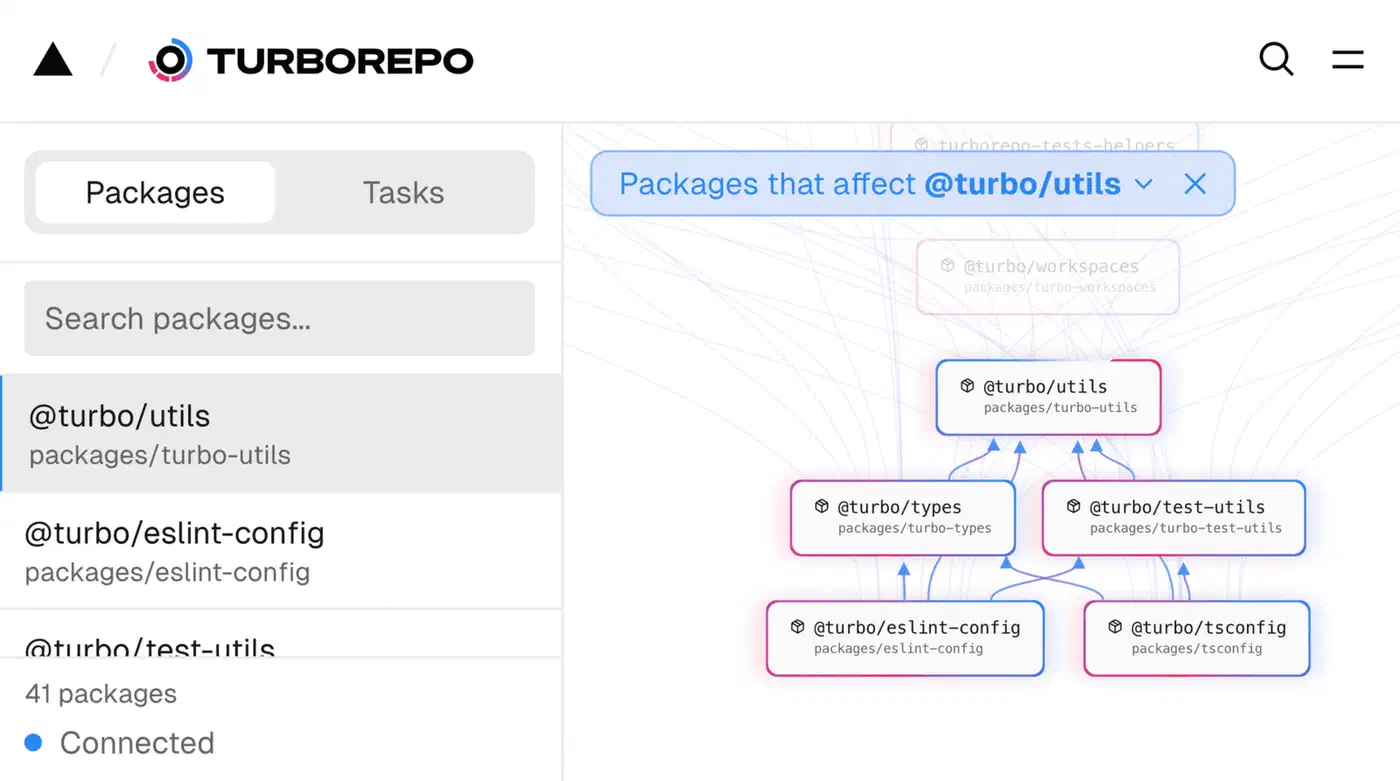
Turborepo solves this with three mechanisms. First, content-aware hashing: it fingerprints input files, environment variables, and dependency outputs to know exactly what changed. Second, topological task scheduling: it builds packages in the correct dependency order automatically by reading your workspace graph. Third, local and remote caching: it stores build outputs keyed by content hash so it never rebuilds what hasn’t changed.
Turborepo vs. Nx
Nx
is more feature-rich. It has generators for scaffolding new packages, a graph visualization tool, and plugins for non-JavaScript languages like Go and Rust. But that comes with complexity. Turborepo is simpler - one turbo.json config file, fewer concepts to learn, and a faster onboarding experience. It focuses exclusively on task running and caching. For JavaScript/TypeScript-only repos under about 50 packages, Turborepo is usually the better fit. If you need multi-language support or heavy code generation, Nx is worth the extra learning curve.
Turborepo vs. Lerna
Lerna (now maintained by the Nx team) is primarily a versioning and publishing tool. Turborepo is a build orchestrator. They solve different problems and can actually be used together - Turborepo handles builds and task scheduling while Changesets manages versioning and changelogs.
What Turborepo v2 Brings
Turborepo v2 is written in Rust for better performance. It supports task dependencies with file outputs through the outputs key in turbo.json, watch mode via turbo watch for development workflows, daemon mode for persistent background caching, and Boundary rules for enforcing package dependency constraints at build time.
Setting Up a Turborepo Monorepo from Scratch
Let’s build a monorepo step by step. We’ll use pnpm as the package manager since its workspace support is straightforward and its strict dependency resolution prevents phantom dependency issues.
Initialize the Workspace
Start by creating the root project and installing Turborepo:
mkdir my-monorepo && cd my-monorepo
pnpm init
pnpm add -Dw turbo
Create pnpm-workspace.yaml to define your package directories:
packages:
  - "apps/*"
  - "packages/*"
This tells pnpm that any directory under apps/ or packages/ with a package.json is a workspace package.
Create the Directory Structure
A practical monorepo typically separates deployable applications from shared libraries:
my-monorepo/
  apps/
    web/          # Next.js frontend
    api/          # Express or Fastify backend
  packages/
    ui/           # Shared React components
    config-ts/    # Shared tsconfig.json bases
    eslint-config/ # Shared ESLint configuration
  turbo.json
  pnpm-workspace.yaml
  package.json
Each package gets its own package.json with a scoped name. For example, the UI package:
{
  "name": "@myorg/ui",
  "version": "0.0.0",
  "private": true,
  "scripts": {
    "build": "tsup src/index.ts --format esm,cjs --dts --external react",
    "lint": "eslint src/",
    "test": "vitest run"
  },
  "dependencies": {
    "@myorg/config-ts": "workspace:*"
  }
}
The "workspace:*" version specifier tells pnpm to resolve that dependency from the local workspace rather than the npm registry.
Configure turbo.json
Create turbo.json at the root to define your task pipeline:
{
  "$schema": "https://turbo.build/schema.json",
  "tasks": {
    "build": {
      "dependsOn": ["^build"],
      "outputs": ["dist/**", ".next/**"]
    },
    "lint": {
      "dependsOn": ["^build"]
    },
    "test": {
      "dependsOn": ["^build"]
    },
    "dev": {
      "cache": false,
      "persistent": true
    }
  }
}
The "dependsOn": ["^build"] syntax means “before building this package, build all of its dependencies first.” The caret (^) indicates upstream dependencies in the package graph. The outputs array tells Turborepo what files to cache - these get stored and restored on cache hits.
The dev task has "cache": false because development servers produce no cacheable output, and "persistent": true because they run indefinitely.
TypeScript Project References
Each package’s tsconfig.json should use project references for cross-package type checking:
{
  "extends": "@myorg/config-ts/library.json",
  "compilerOptions": {
    "composite": true,
    "outDir": "dist"
  },
  "references": [
    { "path": "../config-ts" }
  ]
}
The @myorg/config-ts package exports shared compiler options that all packages extend, keeping TypeScript configuration consistent across the monorepo.
First Run
Run the build:
pnpm turbo run buildTurborepo builds everything in topological order. The first run takes whatever time your packages need. Run it again with no changes:
>>> FULL TURBOAll tasks hit cache and complete in under a second. Now modify one file in packages/ui/ and build again - only @myorg/ui and its downstream dependents (apps/web, apps/api) rebuild. Everything else stays cached.
Caching: Local, Remote, and Content Hashing
Caching is the main reason to use Turborepo. Understanding how it works helps you debug cache misses and get the most out of shared builds.
How Content Hashing Works
Turborepo computes a hash for each task based on several inputs:
- The source files in the package (respecting
.gitignore) - The resolved dependencies from
package.json - The task configuration from
turbo.json - Specified environment variables (via
envandglobalEnvkeys) - The output hashes of upstream dependencies
If any of these inputs change, the hash changes, and the task reruns. If everything is identical, the cached output is restored.
Local Cache
By default, cached artifacts live in node_modules/.cache/turbo/. Each cached task stores its stdout/stderr output and the files listed in outputs as a compressed archive, keyed by the content hash. This works out of the box with no configuration.
Remote Caching with Vercel
Remote caching lets your entire team and CI runners share the same cache. If one developer builds a package, everyone else gets the cached result.
To set up remote caching with Vercel :
npx turbo login
npx turbo link
This connects your repo to a Vercel project. Cached artifacts are stored in Vercel’s CDN. The free tier includes 10GB of cache storage, which is plenty for most teams.
Self-Hosted Remote Cache
If you need to keep build artifacts on your own infrastructure, you can deploy the open-source turborepo-remote-cache server backed by S3, GCS, or local filesystem storage. Set the environment variables in your CI:
export TURBO_API=https://your-cache.internal
export TURBO_TOKEN=your-token
Environment Variable Handling
Environment variables that affect build output need to be declared in turbo.json so they become part of the hash. Use env for per-task variables and globalEnv for variables that affect all tasks:
{
  "tasks": {
    "build": {
      "dependsOn": ["^build"],
      "outputs": ["dist/**"],
      "env": ["NODE_ENV", "API_URL"]
    }
  },
  "globalEnv": ["CI"]
}
Changing API_URL invalidates the build cache for tasks that declared it, even if no source files changed. This prevents stale environment-specific builds from being served from cache.
Troubleshooting Cache Issues
When builds aren’t caching as expected, Turborepo has diagnostic commands:
# See what inputs go into each task's hash
turbo run build --dry=json

# Bypass cache entirely for debugging
turbo run build --force

# Get a detailed cache hit/miss report
turbo run build --summarize
The --dry=json output is particularly useful. It shows the exact list of files, environment variables, and dependency hashes that contribute to each task’s hash, making it easy to spot what’s causing unexpected cache misses.
Shared Packages: UI Libraries, Configs, and Utilities
Most of the value in a monorepo comes from shared internal packages. Getting these right means your applications stay consistent and your teams stop duplicating work.
Shared UI Library
A shared UI package (packages/ui/) exports React components from a single entry point. Use tsup
(an esbuild-based bundler) for fast builds:
tsup src/index.ts --format esm,cjs --dts --external reactThis produces dist/index.js (ESM), dist/index.cjs (CommonJS), and dist/index.d.ts (TypeScript declarations). Configure the exports field in package.json so consumers get the right format:
{
  "exports": {
    ".": {
      "import": "./dist/index.js",
      "require": "./dist/index.cjs",
      "types": "./dist/index.d.ts"
    }
  },
  "main": "dist/index.cjs",
  "module": "dist/index.js"
}
Shared TypeScript Config
The packages/config-ts/ package exports multiple tsconfig files - base.json, nextjs.json, library.json - that consuming packages extend:
{
  "extends": "@myorg/config-ts/library.json"
}
This package needs no build step. It’s consumed directly as JSON files. Set "private": true and you’re done.
Shared ESLint Config
With ESLint’s flat config format, your shared config package exports an array that apps extend:
// packages/eslint-config/index.js
import tsPlugin from "@typescript-eslint/eslint-plugin";
import tsParser from "@typescript-eslint/parser";

export default [
  {
    files: ["**/*.ts", "**/*.tsx"],
    plugins: { "@typescript-eslint": tsPlugin },
    languageOptions: { parser: tsParser },
    rules: {
      "@typescript-eslint/no-unused-vars": "error",
      // your team's custom rules here
    },
  },
];
Consuming packages import it in their eslint.config.js:
import config from "@myorg/eslint-config";
export default [...config];
Internal vs. Published Packages
For packages used only within the monorepo, set "private": true and use "workspace:*" version specifiers. For packages you want to publish to npm, use Changesets to manage versioning and changelogs. These approaches work side by side - some packages stay internal while others get published. If you need to share packages across teams without publishing to the public registry, you can also run a self-hosted npm registry
with Verdaccio to host internal packages privately.
Just-in-Time Transpilation
An alternative to building shared packages is configuring your bundler to compile internal packages on the fly from TypeScript source. Next.js supports this with transpilePackages, and Vite has optimizeDeps.include. This is simpler because there’s no build step for shared packages, but it gets slower as packages grow since every consumer recompiles the source independently.
CI/CD, Task Orchestration, and Scaling
Monorepos pay off the most when CI is fast. Turborepo’s filtering and caching make this practical even as your repo grows.
GitHub Actions Workflow
A typical GitHub Actions setup for a Turborepo monorepo:
name: CI
on: [push, pull_request]

jobs:
  build:
    runs-on: ubuntu-latest
    steps:
      - uses: actions/checkout@v4
      - uses: pnpm/action-setup@v4
        with:
          version: 9
      - uses: actions/setup-node@v4
        with:
          node-version: 20
          cache: "pnpm"
      - run: pnpm install --frozen-lockfile
      - run: pnpm turbo run build lint test
        env:
          TURBO_TOKEN: ${{ secrets.TURBO_TOKEN }}
          TURBO_TEAM: ${{ secrets.TURBO_TEAM }}
The remote cache secrets let CI share cached artifacts with your development machines and other CI runs. A build that takes 8 minutes cold can finish in 15 seconds when the relevant packages haven’t changed. If you want full control over your pipeline infrastructure, you can run a self-hosted CI/CD pipeline with Gitea Actions and Docker on your own hardware using a GitHub Actions-compatible workflow syntax.
Affected Package Detection
The --filter flag is where things get efficient:
# Only build packages changed since main
turbo run build --filter=...[origin/main]

# Build a specific package and its dependents
turbo run build --filter=@myorg/ui...

# Build everything in apps/
turbo run build --filter=./apps/*

# Only what changed since last commit
turbo run build --filter=...[HEAD~1]
In a 20-package repo, a change to one shared library might trigger 3 builds instead of 20. Combined with remote caching, even those 3 builds might be cache hits if another developer already built them.
Watch Mode for Development
Instead of managing multiple terminal tabs or wiring up concurrently scripts, use Turborepo’s watch mode:
turbo watch devThis starts all dev tasks in dependency order and restarts downstream tasks when upstream packages change. Edit a component in packages/ui/ and both apps/web and apps/api pick up the change automatically.
Turborepo Boundaries
Boundaries let you enforce architectural rules about which packages can depend on which. Define them in turbo.json:
{
  "boundary": {
    "@myorg/ui": {
      "dependsOn": ["@myorg/config-ts"]
    },
    "apps/*": {
      "dependsOn": ["packages/*"]
    }
  }
}
This ensures apps can depend on packages but packages cannot depend on apps. Violations fail the build, catching architectural drift before it reaches main.
Scaling Beyond 50 Packages
As your monorepo grows past 50 packages, a few strategies help:
- Split into focused monorepos. Separate platform infrastructure from product code so each monorepo stays manageable and teams have clear ownership.
- Use
turbo prune @myorg/web --dockerto create minimal Docker build contexts that only include the files needed for a specific deployable, cutting down image sizes and build times. - If you start adding Rust, Go, or Python packages alongside JavaScript, consider Bazel for the non-JS parts. Turborepo handles JS/TS well, but it wasn’t designed for other language ecosystems.
Where to Go from Here
If you haven’t used Turborepo before, start small: two apps sharing one UI package and one config package. Get the caching working locally, then add remote caching. The setup cost is low - one turbo.json file and workspace configuration - and you’ll see results on your very next build. Once >>> FULL TURBO shows up on a build that used to take five minutes, monorepo skepticism tends to evaporate pretty quickly.
From there, the path forward is incremental. Add more shared packages as you find duplicated code between apps. Wire in CI with the --filter flag so pull requests only build what they touch. For teams working on multiple features simultaneously, git worktrees for multi-branch development
pair well with Turborepo’s --filter flag, letting each worktree run its own incremental build without sharing cache state. Set up Boundaries once your package graph is complex enough that you want to enforce architectural rules. Turborepo scales well into the dozens-of-packages range, and by the time you outgrow it, you’ll have a clear picture of whether Nx, Bazel, or splitting into multiple repos is the right next step.