 Botmonster Tech
RTX 5080 vs. RTX 5090: The Best GPU for Local AI Workloads in 2026

For most local AI workloads in 2026, the RTX 5080 with 16 GB of GDDR7 is the better buy. It delivers 40-60 tokens per second on quantized 7B-13B parameter models at roughly half the price of the RTX 5090. The RTX 5090’s 32 GB of GDDR7 only justifies the premium if you regularly run 30B+ parameter models or full-precision fine-tuning jobs that cannot fit in 16 GB of VRAM. If either of those describes you, the 5090 earns its keep. If not, you are paying $1,000 extra for headroom you will not use.
Specs at a Glance: RTX 5080 vs. RTX 5090 for AI
Before looking at benchmarks, you need to understand the raw hardware differences between these two cards. For AI workloads specifically, three specs matter more than anything else: VRAM capacity, memory bandwidth, and Tensor Core throughput.
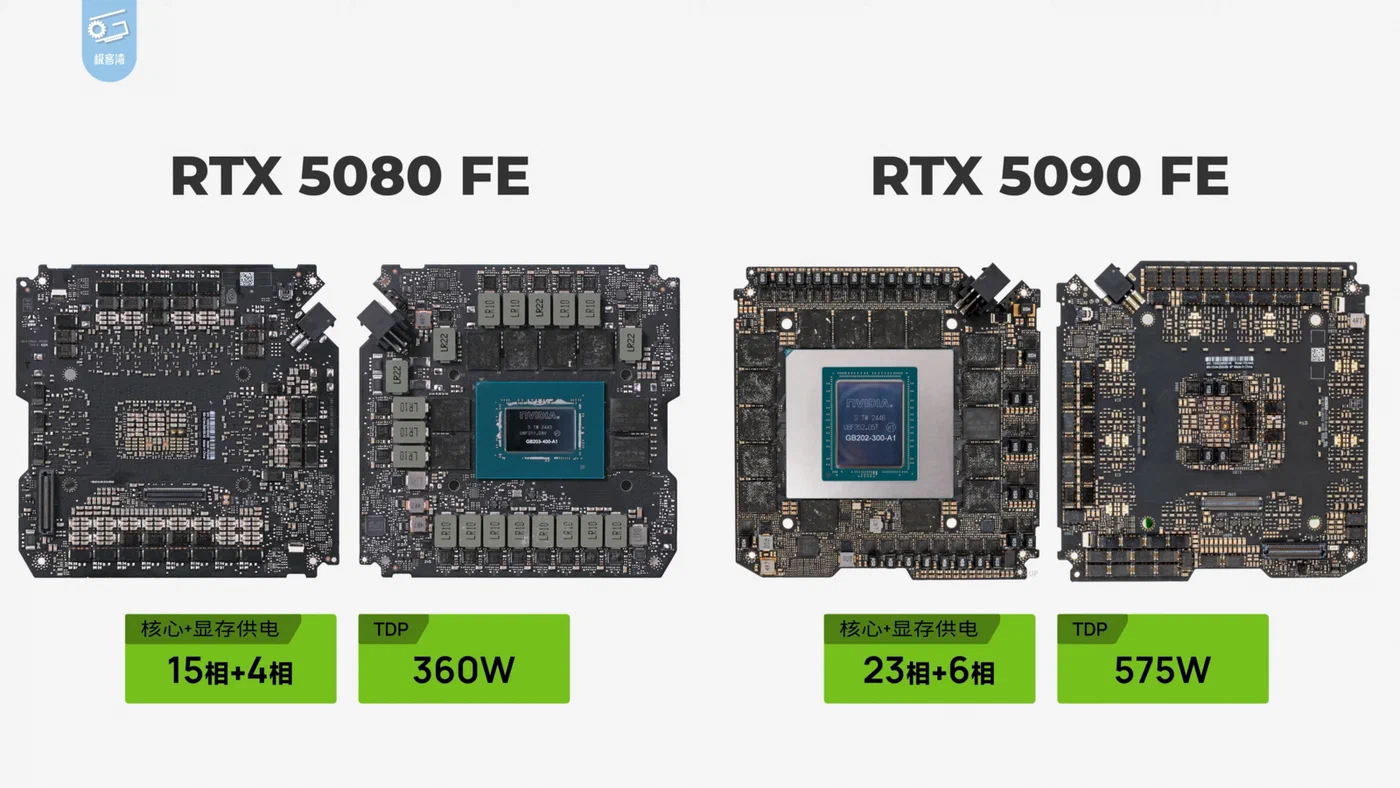
Both cards are built on NVIDIA’s Blackwell architecture , but they use different dies - the 5090 uses the full GB202 die, while the 5080 uses the smaller GB203. The practical consequence is that the 5090 has nearly double the CUDA core count and double the VRAM.
| Spec | RTX 5080 | RTX 5090 |
|---|---|---|
| CUDA Cores | 10,752 | 21,760 |
| VRAM | 16 GB GDDR7 | 32 GB GDDR7 |
| Memory Bus | 256-bit | 512-bit |
| Memory Speed | 30 Gbps | 28 Gbps |
| Memory Bandwidth | 960 GB/s | 1,792 GB/s |
| FP4 TOPS | ~1,801 | ~3,352 |
| TDP | 360W | 575W |
| MSRP | $999 | $1,999 |
The memory bandwidth gap is the most important number here for inference. The 5090’s 1,792 GB/s is nearly double the 5080’s 960 GB/s, and since LLM inference is memory-bandwidth-bound (not compute-bound) for most model sizes, this translates directly into faster token generation.
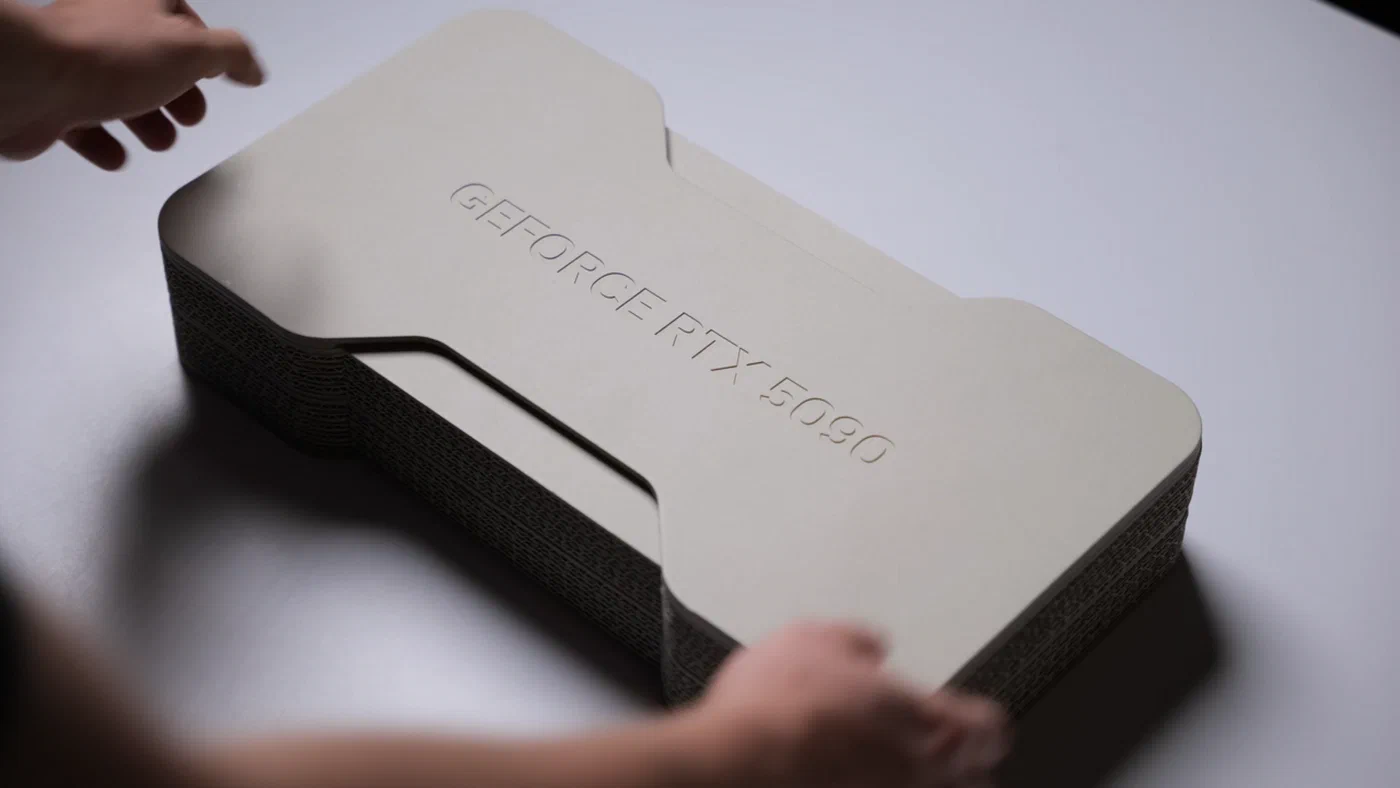
Both cards support 5th-gen Tensor Cores with native FP4 precision, PCIe 5.0 x16, and NVLink - though NVLink on the 5080 is largely theoretical for home users given the cost. Physically, the 5090 Founders Edition is a triple-slot card requiring a 16-pin 12VHPWR connector (or three 8-pin adapters), while the 5080 fits a standard dual-slot form factor. If you are building in a smaller case or working with a tight PSU, this is not a minor detail.
Street pricing in early 2026 is another factor. The RTX 5090 launched at $1,999 MSRP but has been selling for $2,200-$2,500 at retail due to tight supply. The 5080 at $999 MSRP has been more available, often found at $1,050-$1,150. Factor that into your math when comparing value.
LLM Inference Benchmarks: Tokens Per Second Across Model Sizes
Inference speed - measured in tokens per second during generation - is what matters most for running local LLMs. Tools like llama.cpp , Ollama , and vLLM all rely on the CUDA backend to push tokens out of the model. VRAM capacity determines whether a model fits at all; memory bandwidth determines how fast it runs once it does.
The numbers below use Q4_K_M quantization with llama.cpp’s CUDA backend:
| Model | VRAM Required | RTX 5080 tok/s | RTX 5090 tok/s |
|---|---|---|---|
| Llama 3.3 7B (Q4_K_M) | ~4.5 GB | ~58 | ~85 |
| Llama 3.3 13B (Q4_K_M) | ~8.5 GB | ~32 | ~52 |
| Mixtral 8x7B (Q4_K_M) | ~26 GB | Does not fit | ~18 |
| Llama 3.3 70B (Q4_K_M) | ~40 GB | Does not fit | Does not fit |
For the 7B model, both cards are fast enough that the difference is academic - 58 tok/s and 85 tok/s are both well above human reading speed. At 13B, the 5080’s 32 tok/s is still comfortable for interactive use, and there is enough remaining VRAM for a reasonable KV cache.
The Mixtral 8x7B is where the 5080 hits a wall. At roughly 26 GB needed for Q4_K_M, it simply does not fit. The 5090’s 32 GB handles it, though at only ~18 tok/s due to the sheer size of the mixture-of-experts architecture. The 70B model fits on neither card without CPU offloading, which drops generation speed dramatically regardless of GPU.
For server deployments using vLLM with batched requests, the gap between the two cards widens. The 5090’s larger KV cache capacity means it can hold more concurrent conversation contexts in VRAM, and its higher bandwidth keeps throughput up under load. On a 13B model, the 5090 handles 4-8 concurrent users without significant degradation; the 5080 starts to struggle past 2-3 concurrent users as the KV cache competes with model weights for VRAM.
If you are running Ollama or LM Studio for personal use, both tools auto-detect CUDA and use flash attention on Blackwell automatically. No manual tuning needed. The 5080 is genuinely excellent for single-user inference on models up to 13B.
Image Generation and Stable Diffusion Performance
AI image generation is the second most common local AI workload, and it behaves differently from LLMs. Image generation models like FLUX.1 and Stable Diffusion are less VRAM-constrained at standard resolutions but are more compute-bound, so raw CUDA core count and Tensor Core throughput matter more here.
| Workflow | VRAM Required | RTX 5080 | RTX 5090 |
|---|---|---|---|
| FLUX.1 dev (BF16, 1024x1024) | ~12 GB | ~3.2s/img | ~1.8s/img |
| SD 3.5 Large (BF16, 1024x1024) | ~10 GB | ~2.8s/img | ~1.5s/img |
| FLUX FP8 quantized | ~8.5 GB | ~3.8s/img | ~2.1s/img |
Using ComfyUI with the torch 2.6 CUDA backend, the 5080 generates a 1024x1024 FLUX.1 dev image in about 3.2 seconds. The 5090 does it in 1.8 seconds. For SD 3.5 Large, those numbers are 2.8s and 1.5s respectively.
The 5080 handles these standard pipelines comfortably. The tension comes when you start stacking models. A pipeline with FLUX, multiple LoRAs, a ControlNet model, and an upscaler loaded simultaneously can push past 14 GB of VRAM, which puts the 5080 right at its limit. FP8 quantized FLUX workflows cut VRAM usage by roughly 30% with minimal visible quality loss, bringing a heavy pipeline from 14+ GB down to around 10 GB - enough to keep the 5080 viable.
The 5090 avoids all of this. With 32 GB available, you load everything at once and batch freely. Batch generation is the clearest win for the 5090 in the image category. A 4x batch of FLUX images at 1024x1024 requires around 22 GB of VRAM - well within the 5090’s budget - and is roughly 2.5x faster than generating four images sequentially on the 5080. If you are running a workflow that produces dozens or hundreds of images, this matters.
Video generation is a harder line. Models like Mochi and CogVideoX require 20+ GB of VRAM for usable resolutions. The 5080 cannot run them without heavy degradation in resolution or frame count. The 5090 is the only consumer card that can handle local video generation at reasonable quality settings in 2026.
Fine-Tuning: QLoRA and Full LoRA VRAM Requirements
VRAM requirements for training are significantly higher than for inference. You need to store not just model weights but also gradients and optimizer states, which roughly triples the memory pressure compared to running the same model for generation.
QLoRA (the most VRAM-efficient approach for adapting a pre-trained model) is workable on the 5080 for 7B models and tight but possible for 13B with careful gradient checkpointing. A 7B model in 4-bit typically requires 10-12 GB during training, leaving the 5080 with just enough room. At 13B, you are looking at 14-16 GB, which means batch size 1 and aggressive gradient checkpointing to avoid OOM errors.
Full LoRA fine-tuning in BF16 on a 7B model needs roughly 28-32 GB of VRAM across weights, gradients, and Adam optimizer states. That exceeds even the 5090’s 32 GB in practice. The 5090 can handle it with aggressive gradient checkpointing at batch size 1-2; the 5080 needs CPU offloading for optimizer states, which slows training significantly. At 13B full LoRA, the 5090 is the minimum. Anything larger requires multi-GPU setups or cloud compute regardless of which card you buy.
Training throughput follows the same pattern as inference - the 5090 is roughly 40-50% faster for the same training configuration due to higher compute and bandwidth. If you are running repeated fine-tuning experiments, that time difference adds up.
Power Draw, Thermals, and Total Cost of Ownership
A GPU’s purchase price is only part of the cost. Power consumption, PSU requirements, and cooling constraints all affect the real cost of building and running a local AI machine.
Under sustained AI inference load, the RTX 5080 draws around 340W and the RTX 5090 draws around 550W. Running each card for 8 hours per day at $0.15/kWh:
- RTX 5080: ~340W x 8h x 365 days = ~993 kWh/year = ~$149/year
- RTX 5090: ~550W x 8h x 365 days = ~1,606 kWh/year = ~$241/year
About $92/year difference in electricity - real but unlikely to be the deciding factor for most buyers.
PSU requirements are more constraining. The 5090 needs a minimum 1,000W PSU, with NVIDIA recommending 1,200W for a full system. The 5080 runs comfortably on a quality 850W unit. If you are upgrading an existing build without a high-wattage PSU, the 5080 lets you skip that additional cost.
For always-on inference servers running Ollama or vLLM 24/7, idle power draw matters too. The 5080 idles at roughly 15W and the 5090 at roughly 25W. At continuous 24/7 idle:
- RTX 5080: 15W x 8,760h = 131 kWh/year = ~$20/year
- RTX 5090: 25W x 8,760h = 219 kWh/year = ~$33/year
Either card is manageable for a 24/7 home server on idle power alone.
For compact builds, thermals deserve attention. The 5090 needs real airflow - a well-ventilated case with at least three intake fans to sustain boost clocks under load. In a compact Mini-ITX build, it will throttle. The 5080’s lower TDP makes it practical in SFF cases and small home lab setups.
At MSRP, the RTX 5080 delivers roughly 58 tok/$/s (per $1,000 spent) on a 7B model, vs roughly 42 tok/$/s for the 5090. The 5080 is about 38% more cost-efficient for small-to-mid model inference. The 5090 may hold its resale value better as models grow larger through 2026-2027, but that is a speculative argument.
Linux Setup: Drivers and CUDA Toolkit
Both cards work well on Linux. The NVIDIA 570+ driver series supports all Blackwell GPUs, and CUDA 13.x brings improved FP4 support and better performance for both inference and training workloads.
On Ubuntu 24.04, the fastest path to a working setup:
# Add NVIDIA package repository
sudo add-apt-repository ppa:graphics-drivers/ppa
sudo apt update

# Install the driver
sudo apt install nvidia-driver-570

# Verify installation
nvidia-smi

# Install CUDA Toolkit 13.x
wget https://developer.download.nvidia.com/compute/cuda/repos/ubuntu2404/x86_64/cuda-keyring_1.1-1_all.deb
sudo dpkg -i cuda-keyring_1.1-1_all.deb
sudo apt install cuda-toolkit-13-0
After installing the driver, PyTorch
with CUDA 13 support and llama.cpp
compiled with -DLLAMA_CUDA=ON will pick up both cards without additional configuration. The main thing to verify is that nvidia-smi shows the correct VRAM amount and that nvcc --version matches your installed CUDA toolkit version.
One practical note: Blackwell requires driver 565 or newer for CUDA support. Older LTS driver channels may not have this. The graphics-drivers PPA on Ubuntu or the official NVIDIA CUDA repository are the most reliable sources for current packages.
The AMD Alternative: RX 9070 XT
The AMD RX 9070 XT deserves mention as a budget alternative. At $549-$599, it comes with 16 GB of GDDR6 and ROCm support for AI workloads. If the price is right, it is a compelling entry point.
ROCm’s software ecosystem still lags behind CUDA in 2026. llama.cpp’s ROCm backend works and delivers reasonable performance - roughly 40-50 tok/s on a 7B model - but you will hit edge cases that just work on CUDA and require workarounds on ROCm. ComfyUI and most Stable Diffusion frontends support ROCm, but not all custom nodes and extensions do.
For pure LLM inference with llama.cpp or Ollama (which has its own ROCm path), the RX 9070 XT is a legitimate option if you are on a tight budget and primarily running 7B-13B models. For anything involving training, fine-tuning, or complex ComfyUI workflows, the CUDA ecosystem is significantly less friction.
If budget is the main constraint and you are comfortable troubleshooting occasional compatibility issues, the RX 9070 XT at $549 is worth considering. If you want things to work reliably out of the box, stick with NVIDIA.
Verdict: Which GPU Should You Buy?
The right choice comes down to whether your current models fit in 16 GB of VRAM.
Buy the RTX 5080 ($999) if:
- You primarily run 7B-13B quantized LLMs for personal use
- Your image generation workflows use FLUX or SD 3.5 without heavy stacking of models
- You want single-user inference with the best performance per dollar
- You are building in a compact case or working with an 850W PSU
- You do QLoRA fine-tuning on 7B models
Buy the RTX 5090 ($1,999) if:
- You need to run 30B+ parameter models without CPU offloading
- You serve multiple concurrent users via vLLM or a similar server
- You generate AI video locally with Mochi or CogVideoX
- You do LoRA fine-tuning on 13B+ models regularly
- You batch-generate images at scale
Consider a used RTX 4090 (24 GB GDDR6X) if:
- You find one under $1,000 - its 24 GB VRAM covers models in the 13B-30B range that fall through the gap between 5080 and 5090, even if its memory bandwidth is lower
RTX 5070 Ti (12 GB GDDR7, $749) only if:
- You are confident you will never need more than 12 GB VRAM and want to save money at the cost of headroom
On the multi-GPU question: two RTX 5080s connected via PCIe do not effectively replace one 5090 for inference. llama.cpp and vLLM split model layers across GPUs, but PCIe inter-GPU transfer overhead is significant enough that a single 5090 consistently outperforms dual 5080s for LLM workloads. The only exception is training jobs that can be parallelized across GPUs using tools like DeepSpeed or FSDP, but that is a different use case.
The “just buy the 5090” argument only holds if VRAM is your actual bottleneck today. If 16 GB covers your current models and workflows, the $1,000 difference is better spent on more system RAM (for CPU offloading headroom), a fast NVMe drive (for model swap speed), or toward a second machine for distributed workloads.