 Botmonster Tech
SQLite Scales to Production: 10K TPS, WAL Mode, Real Benchmarks

SQLite is the right default database for most apps. With WAL mode on, it gives you unlimited concurrent readers and one writer. That writer can sustain thousands of transactions per second on modern NVMe drives. SQLite also handles files up to 281 TB and needs zero config, zero extra processes, and zero network hops. Start with SQLite. Move to PostgreSQL only when you hit a real, measured limit, not a guess.
Most developers reach for PostgreSQL or MySQL by reflex, even for apps that will never need that weight. This post covers why SQLite should be your first pick, how to set it up for production, what its real concurrency limits are, and how to handle backups and migrations.
Why SQLite Deserves to Be Your Default
The case for SQLite
starts with how simple it is to deploy. SQLite is a C library linked right into your app, not a separate server. You skip daemon management, port config, auth setup, pool tuning, and backup cron jobs. Your whole database is one file. A backup is cp database.db database-backup.db, or better, the .backup API for a clean snapshot. To deploy, you copy a binary and a file. The filesystem guarantees atomic writes.
Performance for typical workloads is more than enough. On an NVMe SSD, one SQLite database handles 50,000+ reads per second and 10,000+ writes per second in WAL mode. That covers apps with up to 100,000 daily active users. Most apps never come close.
Every major language has battle-tested SQLite bindings. Python ships sqlite3 in its standard library. Go has modernc.org/sqlite
, pure Go with no CGo. Rust has rusqlite
. Node.js has better-sqlite3
, with a synchronous API that runs about 3x faster than the older sqlite3 package. Java has xerial/sqlite-jdbc
. You won’t hit a language wall.
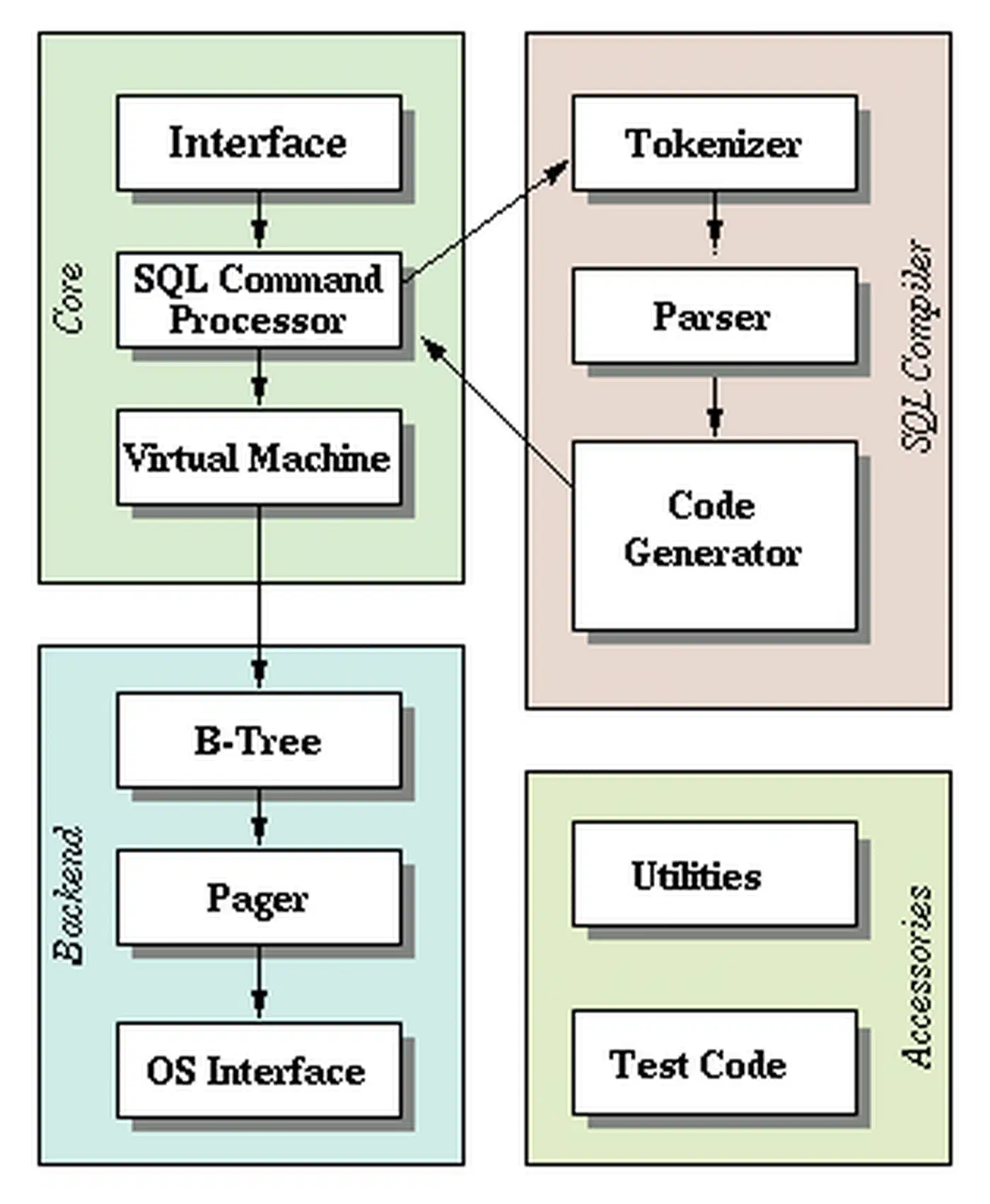
SQLite already powers more deployments than all other databases combined. Every Android phone, every iOS device, every Firefox and Chrome browser, every macOS system runs it. It is the most tested, most deployed database engine that exists. The code has 100% branch test coverage, and no other database can claim that. Your own data-access layer rarely gets that scrutiny. So pair it with randomized property checks to catch the bad inputs and boundary conditions that handwritten tests skip.
Then there is the cost. PostgreSQL on a managed service such as RDS, Supabase, or Neon runs $25 to $500+ per month by tier. SQLite costs nothing. The server you already pay for has plenty of room to run it. For a solo developer or a small team, that gap adds up fast over the life of a project.
Configuring SQLite for Production Performance
The default SQLite settings are conservative, tuned for embedded devices and backward compatibility. A handful of PRAGMA changes gets you production-grade speed. Apply these on every connection:
PRAGMA journal_mode=WAL;
PRAGMA synchronous=NORMAL;
PRAGMA cache_size=-64000;
PRAGMA mmap_size=268435456;
PRAGMA busy_timeout=5000;
PRAGMA foreign_keys=ON;
PRAGMA journal_size_limit=67108864;
Here is what each one does and why it helps.
journal_mode=WAL switches from the default rollback journal to Write-Ahead Logging. That lets reads run during writes. It is a one-time setting that survives a database close and reopen. Set it once and forget it. This single change is the most important speed gain you can make.
synchronous=NORMAL cuts fsync calls during commits. The default FULL mode fsyncs after every transaction. In WAL mode, NORMAL stays safe against power loss for all committed transactions. Only uncommitted WAL entries can be lost in a crash, and that is fine for nearly all web apps. Expect 2-5x faster writes.
cache_size=-64000 sets a 64MB page cache. Negative values are read as kilobytes. The default is about 2MB, too small for any real workload. Size it to 10-25% of your available RAM. If your server has 4GB of RAM, a 512MB cache is reasonable. Knowing your app’s full memory footprint helps you tune this. Our guide on measuring a process’s real RAM footprint
covers tools like memray and tracemalloc.
mmap_size=268435456 turns on a 256MB memory-mapped region. SQLite reads the database file via mmap instead of read() system calls. That cuts kernel context switches by 50% or more on read-heavy workloads. Adjust it to your file size and free memory.
busy_timeout=5000 makes writers wait up to 5 seconds for the write lock instead of returning SQLITE_BUSY right away. Without it, you will see random write failures under any concurrent load.
foreign_keys=ON must be set on every connection because it is not persistent. SQLite ships with foreign key checks off by default for backward compatibility. Set it in your connection setup code, ORM config, or a connection factory function.
journal_size_limit=67108864 caps the WAL file at 64MB. Without this cap, the WAL file can grow without bound during write-heavy bursts. SQLite truncates it after a checkpoint once it passes this size.
In Python, a production-ready connection setup looks like this:
import sqlite3

def get_connection(db_path: str, readonly: bool = False) -> sqlite3.Connection:
    mode = "ro" if readonly else "rwc"
    conn = sqlite3.connect(
        f"file:{db_path}?mode={mode}",
        uri=True,
        check_same_thread=False,
    )
    conn.execute("PRAGMA journal_mode=WAL;")
    conn.execute("PRAGMA synchronous=NORMAL;")
    conn.execute("PRAGMA cache_size=-64000;")
    conn.execute("PRAGMA mmap_size=268435456;")
    conn.execute("PRAGMA busy_timeout=5000;")
    conn.execute("PRAGMA foreign_keys=ON;")
    conn.execute("PRAGMA journal_size_limit=67108864;")
    return conn
Concurrent Access: What Actually Works
The biggest myth about SQLite is that it cannot handle concurrency. It can, but with limits you need to know.
WAL mode gives you unlimited concurrent readers plus one writer at a time. Readers never block writers. Writers never block readers. The single-writer rule means only one transaction can write at any moment. That rule is less limiting than it sounds.
A typical INSERT or UPDATE transaction finishes in 0.1 to 1 millisecond on NVMe storage. So a single writer can handle 1,000 to 10,000 transactions per second in theory. Most web apps run a few hundred write transactions per second at peak. You have plenty of headroom.
For multi-threaded apps, the practical setup is simple. Use a pool of read-only connections for SELECT queries. Each read connection runs at the same time as every other read connection and as the writer. The write connection should be a singleton with a queue of pending writes. In Python, that means a dedicated writer thread with a queue.Queue feeding it transactions.
import threading
import queue

class SQLiteWriter:
    def __init__(self, db_path: str):
        self._conn = get_connection(db_path)
        self._queue = queue.Queue()
        self._thread = threading.Thread(target=self._run, daemon=True)
        self._thread.start()

    def _run(self):
        while True:
            func, event, result_holder = self._queue.get()
            try:
                result_holder["result"] = func(self._conn)
            except Exception as e:
                result_holder["error"] = e
            finally:
                event.set()

    def execute(self, func):
        event = threading.Event()
        result_holder = {}
        self._queue.put((func, event, result_holder))
        event.wait()
        if "error" in result_holder:
            raise result_holder["error"]
        return result_holder.get("result")
A common gotcha: use BEGIN IMMEDIATE for write transactions, not BEGIN DEFERRED. The default deferred mode takes the write lock only on the first write statement. So a transaction can do several reads, then fail with SQLITE_BUSY when it tries to write. BEGIN IMMEDIATE grabs the lock upfront, so you know right away if the writer is busy.
When You Actually Need PostgreSQL
SQLite does not cover every case. You need PostgreSQL, or another client-server database, when:
- Multiple app instances need to write to the same database. SQLite has no network access. If you run three replicas of your API server behind a load balancer and they all need write access, SQLite is not the answer.
- Your write workload stays above 10,000 transactions per second. This is rare, but it happens with high-frequency data ingestion, real-time analytics, or large-scale event processing.
- You need features like LISTEN/NOTIFY for real-time push, logical replication for data pipelines, row-level security for multi-tenant isolation, or recursive CTEs with materialization hints.
You should be able to point to each of these in your current architecture, not in a plan for two years out. Migrating to PostgreSQL too early is as much of an anti-pattern as optimizing too early.
Migrations, Backups, and Operational Concerns
If you run SQLite in production, you need a plan for schema migrations, backups, and monitoring. The good news is the tooling has caught up.
Schema Migrations
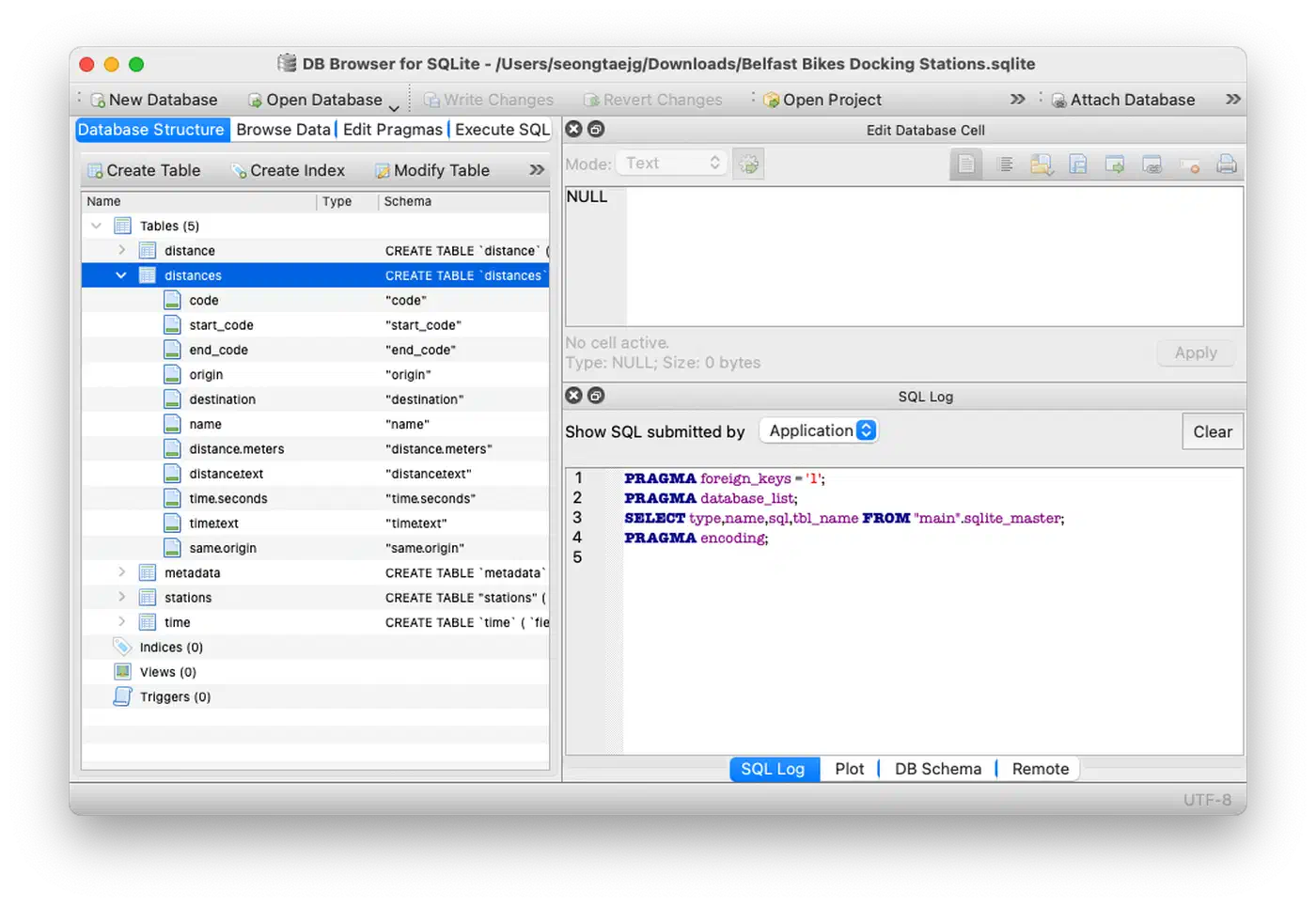
Use Dbmate
, which is language-agnostic and uses plain SQL files, Goose
for Go, or Alembic
for Python to manage migrations. SQLite 3.35.0 and later supports ALTER TABLE DROP COLUMN. So on SQLite 3.46+, released in 2024, you get full ALTER TABLE support: ADD COLUMN, RENAME COLUMN, and DROP COLUMN. For older versions, the standard fix is to create a new table, copy the data, drop the old table, and rename.
Backups and Replication
The SQLite backup API, sqlite3_backup_init(), exposed as .backup() in Python, takes a clean snapshot while the database is in use. This is the right way to back up a running SQLite database. Do not just copy the file while it is open, since the WAL file might not be checkpointed.
For continuous replication, Litestream v0.4 streams WAL changes to S3, GCS, or SFTP in near real time with sub-second lag. It gives you point-in-time recovery with no manual backup schedule. Setup is minimal:
# litestream.yml
dbs:
  - path: /data/app.db
    replicas:
      - url: s3://my-bucket/app.db
Restore with a single command: litestream restore -o restored.db s3://my-bucket/app.db.
For multi-node read replicas, LiteFS from Fly.io is a FUSE-based filesystem. It replicates a primary SQLite database to read-only replicas across many nodes. The primary handles writes, and replicas serve reads with under 100ms lag. You get horizontal read scaling and keep the simplicity of SQLite.
Monitoring
Four metrics are worth tracking in production.
Query PRAGMA wal_checkpoint(PASSIVE); on a schedule to check WAL checkpoint status. If the WAL file passes 100MB, your checkpointing is falling behind and you need to find what is blocking it.
Watch database file size growth for unexpected bloat. That can point to missing vacuuming or a stray data retention pattern.
Instrument your writer queue to track how long transactions wait for the write lock. Alert if the P95 wait time passes 100ms. That is your early sign that you are nearing SQLite’s write concurrency limits.
For vacuuming, set PRAGMA auto_vacuum=INCREMENTAL; when you create the database. Then run PRAGMA incremental_vacuum(1000); on a schedule to free pages from deleted rows. For full compaction, run VACUUM during off-peak hours, since it locks the whole database while it runs.
Real-World SQLite in Production
SQLite in production is not a fringe choice. Plenty of well-known companies and profitable products run on it.
Expensify runs its entire backend on SQLite. It serves millions of users, and each user’s data lives in its own SQLite file. That setup drops multi-tenant query complexity and makes per-user backup and restore easy.
Fly.io’s LiteFS powers their platform’s internal services. They report SQLite handling 200,000+ reads per second per node, with P99 latency under 1ms for cached queries.
The Tailscale coordination server uses SQLite as its primary datastore. It tracks millions of connected devices with a single-writer setup.
Pieter Levels runs several profitable SaaS products, over $2M ARR, on single-server SQLite. That shows SQLite scales well past what most apps will ever need. No managed database service, no connection pool layer, no replica management.
Here are concrete benchmarks. On a 2026 AMD Ryzen 9 9900X with NVMe Gen5 storage, SQLite in WAL mode hits about 85,000 point reads per second, 18,000 range queries per second at 100 rows each, and 12,000 inserts per second with a single writer.
The Migration Decision Framework
Instead of guessing when to move off SQLite, measure. Watch three things:
| Metric | Threshold | Action |
|---|---|---|
| Write lock contention | >5% of writes wait >100ms | Investigate query optimization first |
| Write throughput | Sustained >10K TPS | Evaluate connection architecture |
| Multi-process writes | More than one app instance needs writes | Consider PostgreSQL |
Migrate to PostgreSQL when you hit two or more of these thresholds at once. Not before. The odds are good that you never will.
Start with SQLite
The default database for a new app should be the one that adds the least operational overhead while still meeting your performance needs. For most apps, from personal projects to SaaS products with tens of thousands of users, that choice is SQLite. Turn on WAL mode, set the right PRAGMAs, and use a single-writer pattern with pooled readers. You then have a production database that costs nothing, needs no infrastructure management, and runs faster than your app actually needs.
For most projects, SQLite is the pragmatic default. Migrate later if and when your metrics say so, not because a blog post other than this one scared you into it.