 Botmonster Tech
Multi-modal RAG with CLIP: 75-85% retrieval accuracy
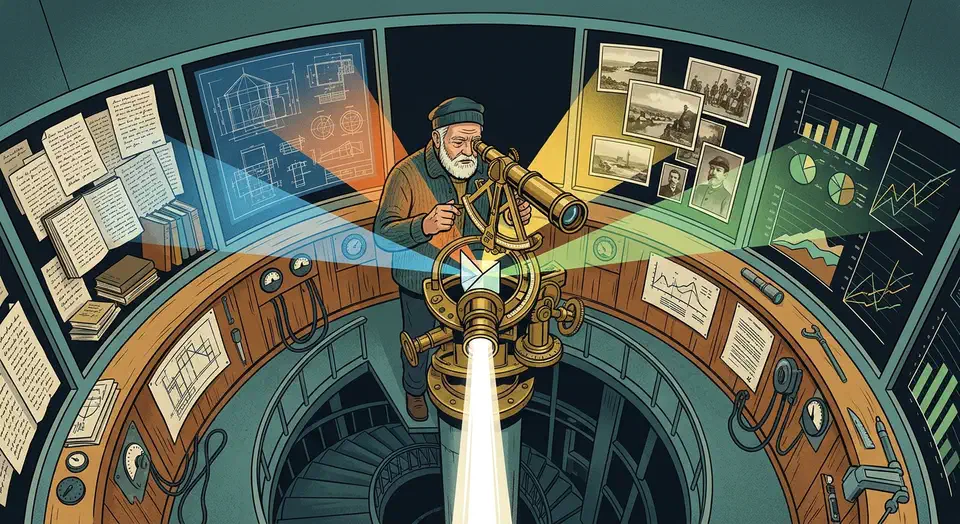
You can build a multi-modal RAG pipeline that searches text, diagrams, and screenshots at once. The trick is to mix CLIP-based image embeddings with text embeddings in one shared vector space. Store them in a ChromaDB or Qdrant collection. Route queries through a retrieval layer that returns both passages and images. Feed it all to an LLM. With OpenCLIP ViT-G/14 for images plus a self-hosted Llama 4 Scout as the LLM, the whole pipeline runs offline on an RTX 5070 or better.
This setup fills a real gap. Most RAG pipelines only index text, so they ignore what lives inside diagrams, charts, drawings, and screenshots. For tech docs, manuals, and research papers, that missing visual context can be 30-50% of the actual content.
Why Multi-Modal RAG Beats Text-Only Retrieval
Text-only RAG has obvious failure modes that most teams hit the hard way. Tech docs are full of flowcharts where the key info never shows up in the surrounding text. Product manuals rely on annotated screenshots to show where to click. Research papers embed charts that tell a different story than their captions. If your pipeline only indexes the text, you’re working from an incomplete picture.
Multi-modal retrieval opens up new query types. Users can ask things like “Show me the network diagram for the microservices setup” or “Find the screenshot where the error dialog appears.” Those queries can’t run on a text-only index. In any company with a real knowledge base, visual content carries weight, and those questions come up often.
The trick that makes it work is a shared embedding space. CLIP (Contrastive Language-Image Pre-training) learns a joint space where text and images about the same idea end up with high cosine similarity. So you can encode a text query and compare it right against image embeddings, or the other way around. One query hits both at once, no split pipelines.
In practice, a well-built pipeline gets 75-85% retrieval accuracy (Recall@5) on mixed-media data. Text-only setups land at 40-50% on the same docs. That gap shows up in answer quality. Users get full replies, not half-replies that miss the visual side.
Common uses: internal knowledge bases with mixed media (every company has them), support systems built on annotated screenshots, and medical record review that pairs clinical notes with imaging reports.
Architecture - Embedding, Indexing, and Retrieval Flow
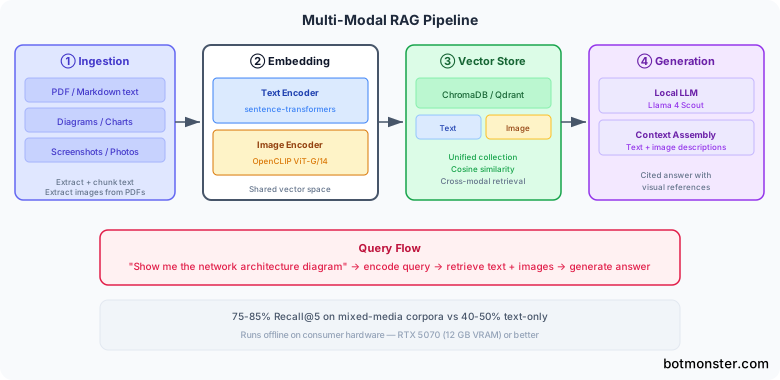
The pipeline has four stages: ingest, embed, store, and generate. Knowing the data flow up front saves you from common traps like mismatched embedding dimensions or bad similarity scoring.
Ingestion Stage
Ingestion needs to pull text and images as two separate streams from the same source files. For PDFs, use PyMuPDF (pymupdf v1.25+) to pull text chunks and embedded images on their own. For web pages, Playwright can grab screenshots of rendered content next to the extracted text. Pure image files get indexed as-is.
The key call here is the text chunking strategy. Standard approaches work fine: split text into chunks of 256-512 tokens with 50-token overlap. For images, each one becomes its own embedding unit. Track the source file, page number, and position for both types so you can show proper citations later.
Embedding Models
Text embedding has two paths based on what quality you need. The simpler one uses sentence-transformers with all-MiniLM-L6-v2 (384 dims, fast) or nomic-embed-text-v2 (768 dims, higher quality). The catch is that these models live in a different vector space than CLIP, which makes cross-modal search harder.
Image embedding uses OpenCLIP with ViT-G-14 pretrained on laion2b_s34b_b88k. That gives you 1024-dim vectors. Images are resized to 224x224 and normalized before encoding.
The dim alignment problem is the first real call you have to make. Text embeddings (384d or 768d) and image embeddings (1024d) live in different spaces. You’ve got two options:
Use CLIP’s own text encoder for everything. Encode both text queries and text chunks with CLIP, keeping it all in the same 1024d space. Simpler, and it dodges alignment issues. But CLIP’s text encoder is weaker than dedicated sentence-transformer models for pure text similarity.
Train a projection layer. Use sentence-transformers for text and CLIP for images, then train a light linear projection to push the sentence-transformer embeddings into CLIP space. Better text retrieval, more moving parts.
For most projects, option 1 is the right starting point. You can always upgrade to option 2 later if text retrieval quality falls short.
Vector Storage
Qdrant (v1.13+) or ChromaDB (v0.6+) both work fine here. You can use one collection per modality, or one collection with metadata tags (type: "text" or type: "image") for filtered retrieval. A single collection with metadata filtering is easier to manage and query.
Retrieval Flow
At query time, encode the user’s query with the CLIP text encoder (we’re on option 1), search the unified collection, and return the top-k results. The results come back as a natural mix of text chunks and images, ranked by relevance. Want more control over the mix? Search each modality on its own and merge with reciprocal rank fusion (RRF). For richer patterns, see our guide on letting the LLM decide when and what to search.
Implementing the Pipeline Step by Step
Here is the concrete build. Every code example pins library versions and parameter values, so you can reproduce the results.
Environment Setup
pip install open-clip-torch sentence-transformers chromadb pymupdf Pillow torchThis requires Python 3.11+ and PyTorch 2.5+ with CUDA 12.4.
Loading the CLIP Model
import open_clip
import torch

model, _, preprocess = open_clip.create_model_and_transforms(
    "ViT-G-14", pretrained="laion2b_s34b_b88k"
)
model = model.eval().cuda()
tokenizer = open_clip.get_tokenizer("ViT-G-14")
This takes about 6 GB of VRAM. If you’re tight on memory, load in float16 with model.half() to cut that to about 3 GB.
Image Embedding Function
from PIL import Image
import torch.nn.functional as F

def embed_image(image_path: str) -> list[float]:
    image = preprocess(Image.open(image_path)).unsqueeze(0).cuda()
    with torch.no_grad():
        embedding = model.encode_image(image)
        embedding = F.normalize(embedding, dim=-1)
    return embedding.cpu().numpy().flatten().tolist()
For batch processing, wrap your images in a DataLoader with num_workers=4 and run them in batches of 32 for better throughput.
Text Embedding Function
Use CLIP’s text encoder to stay in the same embedding space as images:
def embed_text(text: str) -> list[float]:
    tokens = tokenizer([text]).cuda()
    with torch.no_grad():
        embedding = model.encode_text(tokens)
        embedding = F.normalize(embedding, dim=-1)
    return embedding.cpu().numpy().flatten().tolist()
ChromaDB Indexing
import chromadb

client = chromadb.PersistentClient(path="./vector_store")
collection = client.get_or_create_collection(
    name="multimodal_docs",
    metadata={"hnsw:space": "cosine"}
)

def index_document(doc_id: str, embedding: list[float], metadata: dict):
    collection.add(
        ids=[doc_id],
        embeddings=[embedding],
        metadatas=[{
            "source_file": metadata["source_file"],
            "page_number": metadata.get("page_number", 0),
            "chunk_index": metadata.get("chunk_index", 0),
            "modality": metadata["modality"],  # "text" or "image"
            "content_preview": metadata.get("content_preview", ""),
        }]
    )
Query Function
def query_multimodal(query: str, n_results: int = 10) -> dict:
    query_embedding = embed_text(query)
    results = collection.query(
        query_embeddings=[query_embedding],
        n_results=n_results,
        where={"modality": {"$in": ["text", "image"]}}
    )
    return results
The results come back ranked by cosine similarity, with metadata telling you whether each hit is a text chunk or an image. Use the content_preview field for text results and the source_file path to load image results.
Generating Answers from Multi-Modal Context
With a mix of text and images retrieved, you need an LLM that can read both and answer with one coherent reply. The generation step ties the retrieval pipeline to actual user-facing output.
Context Assembly
For text results, drop the raw text chunk straight into the prompt. For image results, you’ve got two options based on your LLM:
- Pass images straight to a vision-capable LLM. Best quality, since the model reads the image natively.
- Generate text descriptions with a captioning model and add those as text context. Works with any text-only LLM, but you lose visual nuance.
Vision-Capable Local LLMs
A few local models handle mixed text and image context well:
| Model | Parameters | Strengths | VRAM Required |
|---|---|---|---|
| Llama 4 Scout | 17B | Native multi-modal, strong reasoning | 12 GB |
| LLaVA v1.6 | 34B | Excellent image understanding | 20 GB |
| Moondream2 | 1.8B | Lightweight, good for captioning | 2 GB |
Ollama Integration
Serve the vision model locally with Ollama and send multi-modal messages through the API:
import ollama
import base64

def generate_answer(query: str, text_contexts: list[str],
                    image_paths: list[str]) -> str:
    # Build context string from text results
    context = "\n\n".join(
        f"[Text Source {i+1}]: {text}"
        for i, text in enumerate(text_contexts)
    )

    # Encode images
    images = []
    for path in image_paths:
        with open(path, "rb") as f:
            images.append(base64.b64encode(f.read()).decode())

    prompt = (
        f"Answer the question using ONLY the following context. "
        f"Context includes both text passages and images. "
        f"Cite which source supports each claim.\n\n"
        f"{context}\n\n"
        f"Question: {query}\nAnswer:"
    )

    response = ollama.chat(
        model="llama4-scout",
        messages=[{
            "role": "user",
            "content": prompt,
            "images": images
        }]
    )
    return response["message"]["content"]
Image-to-Text Fallback
If you’re running a text-only LLM and can’t pass images straight in, pre-process image results through a captioning pipeline:
from transformers import pipeline

captioner = pipeline(
    "image-to-text",
    model="Salesforce/blip2-opt-6.7b",
    device="cuda"
)

def caption_image(image_path: str) -> str:
    result = captioner(image_path, max_new_tokens=200)
    return result[0]["generated_text"]
Generate captions for each retrieved image and inject them as text context next to the regular text chunks. You lose some detail compared to native vision models, but this works with any LLM backend.
Citation and Attribution
Include source metadata in the response, so users can check claims against the original file or image. Format citations inline: [Source: diagram from page 3 of architecture.pdf]. That lets users drill into the source when they need more detail. It also keeps the RAG system honest about where its answers came from.
Performance Optimization and Production Considerations
A naive build will be slow and memory-hungry. These tweaks make the pipeline viable for real knowledge bases with thousands of documents.
Batch Embedding Throughput
Process images in batches of 32 and text in batches of 128 with PyTorch’s DataLoader and num_workers=4. On an RTX 5080, expect about 200 images/second and 500 text chunks/second. Even on an RTX 5070, you’ll see 150+ images/second. That means a base of 10,000 images gets fully indexed in about a minute.
VRAM Management
VRAM is the main limit on consumer hardware. Load CLIP in float16 with model.half() to cut usage from 6 GB to 3 GB. Between the embedding phase and the generation phase, offload models on purpose:
model.to("cpu")
torch.cuda.empty_cache()
# Now load the generation model
This lets you run both the CLIP encoder and a 17B generation model on a single 12 GB GPU, just not at the same time.
Index Persistence and Incremental Updates
Use ChromaDB’s persistent client (chromadb.PersistentClient(path="./vector_store")) or Qdrant with on-disk storage, so you don’t re-embed your whole corpus on every startup. Track file mtimes and only re-embed changed files. Use a content hash (SHA-256 of file bytes) as the dedup key in the vector store. That way, renames and moves don’t make new copies.
import hashlib

def file_hash(path: str) -> str:
    with open(path, "rb") as f:
        return hashlib.sha256(f.read()).hexdigest()
Query Latency
The full pipeline latency breaks down like this:
| Stage | Time |
|---|---|
| Query embedding (CLIP text encoder) | ~10 ms |
| Vector search (100K documents, HNSW) | ~5 ms |
| LLM generation | 2-5 seconds |
| Total | Under 6 seconds |
LLM generation owns the latency budget. Vector search and embedding are tiny by comparison.
Scaling Beyond 1M Vectors
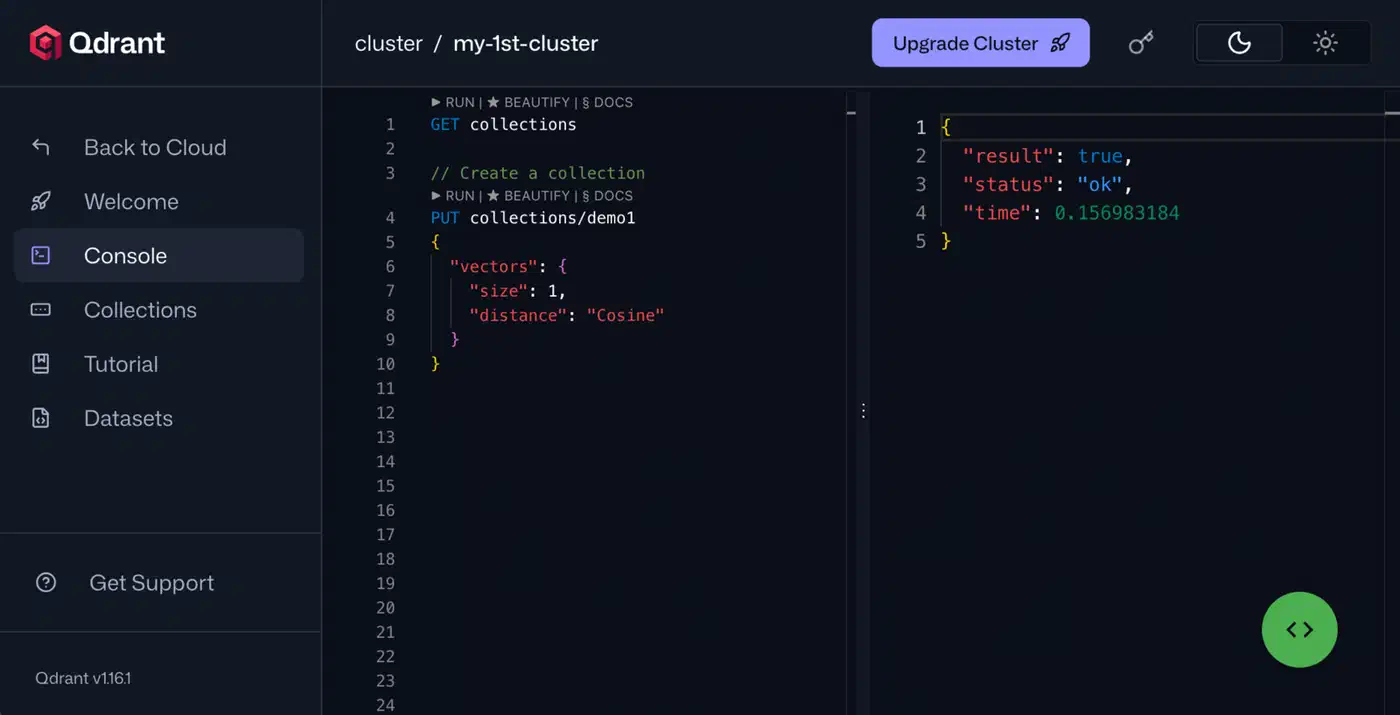
Past 1 million vectors, ChromaDB starts to show strain. Switch to Qdrant with quantized vectors (binary or scalar) to keep RAM use under 4 GB while holding 95%+ recall. Qdrant’s built-in quantization makes this a config change, not a rewrite:
from qdrant_client import QdrantClient
from qdrant_client.models import VectorParams, Distance, \
    ScalarQuantizationConfig, ScalarType

client = QdrantClient(path="./qdrant_store")
client.create_collection(
    collection_name="multimodal_docs",
    vectors_config=VectorParams(
        size=1024, distance=Distance.COSINE
    ),
    quantization_config=ScalarQuantizationConfig(
        type=ScalarType.INT8,
        always_ram=True
    ),
)
What to Do Next
The pipeline here runs on one machine with a decent GPU. OpenCLIP handles the unified embeddings, ChromaDB or Qdrant stores the vectors, and a vision-capable LLM answers from mixed text and image context. Start with the CLIP-only path (option 1) and a small knowledge base to prove out the design. Then scale up the corpus and tune as your usage patterns become clear. The biggest win comes from indexing visual content that text-only pipelines skip. Once that content is searchable, retrieval quality jumps across any mixed-media corpus.