 Botmonster Tech
Automate Code Reviews with Local LLMs: A CI Pipeline Integration Guide

You can integrate a local LLM into your Gitea Actions (or any CI system) to automatically review pull requests by extracting the diff, feeding it to a model running on Ollama , and posting structured feedback as PR comments - all without sending a single line of code to an external API. The setup requires a self-hosted runner with GPU access, a review prompt template, and a short Python wrapper to connect the pieces.
Why Local LLM Code Reviews Make Sense
Traditional static analysis tools like ESLint , Ruff , and Semgrep are excellent at catching syntax errors, style violations, and known vulnerability patterns. What they miss are logical bugs, unclear variable names, missing edge cases, and architectural concerns. An LLM fills that gap because it reads code contextually - it can tell you that a function does the wrong thing, not just that it’s formatted wrong.
Cloud-based AI review tools like CodeRabbit, Sourcery, or Copilot PR reviews work well enough, but they route your entire diff through a third-party API. For proprietary software, financial systems, or anything subject to data residency requirements, that is a non-starter. Running review on your own machine with Ollama means the code never leaves your network.
The economics work in your favor too. A local 7B model like Qwen 2.5 Coder running on a mid-range GPU can review a typical PR diff (under 500 lines) in 10 to 30 seconds. There are no per-review costs, no rate limits, and no dependency on a vendor’s uptime. The tradeoff is that you’re responsible for the hardware - but if you already run a machine with a GPU in your homelab or office, the marginal cost is just electricity.
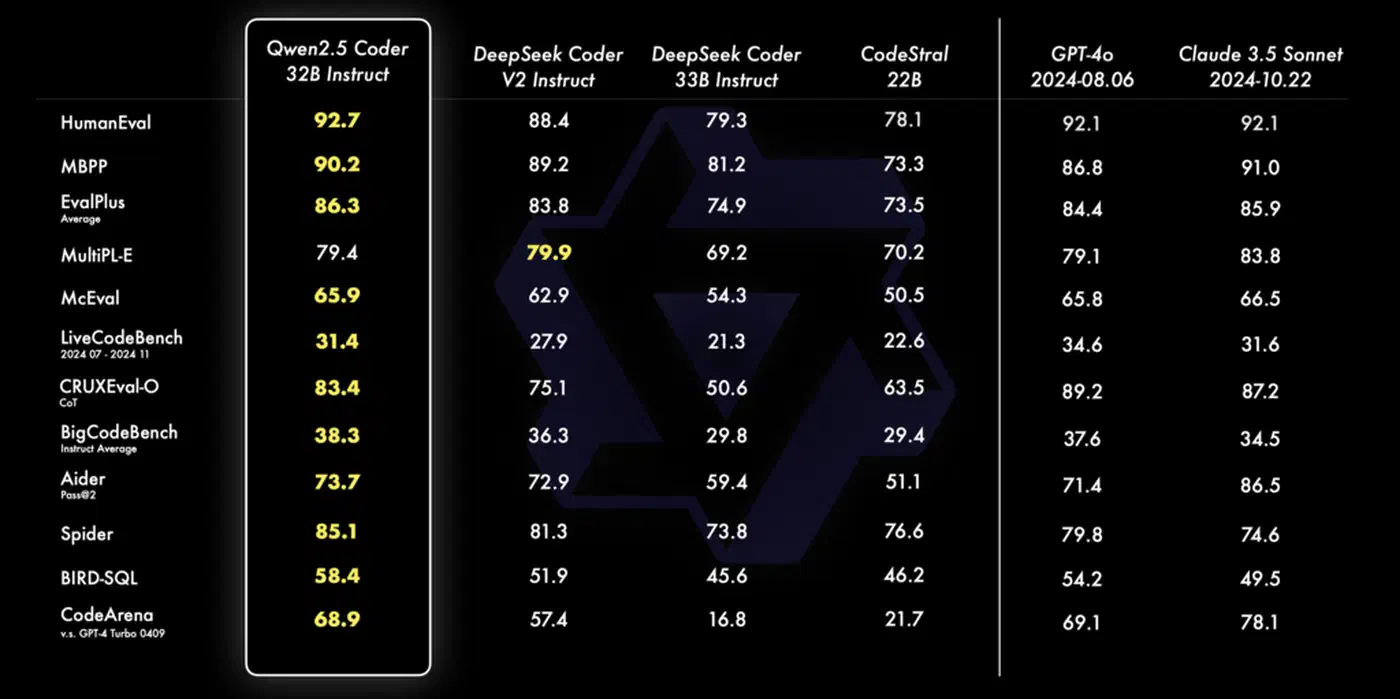
One framing that helps with team adoption: treat it as a pre-reviewer, not a replacement for humans. The LLM catches the obvious issues - off-by-one errors, unchecked return values, SQL queries missing parameterization - before a human reviewer sees the PR. That reduces review fatigue and lets the human reviewer focus on architecture and edge cases that a 7B model genuinely can’t reason about well. For a more interactive complement to automated CI review, AI pair programming tools like Aider work with local Ollama models to provide real-time coding guidance before code even reaches the pipeline.
Setting Up a Gitea Actions Runner with GPU Access
The runner is a machine with an NVIDIA GPU that the CI system can dispatch jobs to. Gitea Actions
uses act_runner, a single Go binary available from Gitea’s releases page. The setup takes about 15 minutes.
Install and register the runner:
# Download act_runner for your platform
wget https://gitea.com/gitea/act_runner/releases/download/v0.2.11/act_runner-0.2.11-linux-amd64
chmod +x act_runner-0.2.11-linux-amd64
mv act_runner-0.2.11-linux-amd64 /usr/local/bin/act_runner

# Register with your Gitea instance
act_runner register \
  --instance https://gitea.example.com \
  --token <registration-token> \
  --name gpu-runner-01 \
  --labels gpu,linux
The --labels gpu part matters - it’s how your workflow file targets this specific runner rather than any generic one.
Install Ollama and pre-pull the model:
curl -fsSL https://ollama.ai/install.sh | sh
ollama pull qwen2.5-coder:7b-instruct-q4_K_M
Pre-pulling the model is important. If you wait until the first CI run to download a 4GB model, your first review will time out. The q4_K_M quantization gives a good balance between inference speed and review quality. On a GPU with 8GB VRAM (RTX 3070, for example), the model loads in about 2 seconds and generates tokens at roughly 60 tokens per second.
If you’re running the runner as a systemd service, make sure the service user has access to the GPU:
[Service]
User=cirunner
Group=video
Environment="CUDA_VISIBLE_DEVICES=0"
ExecStart=/usr/local/bin/act_runner daemon
Verify inference is working before wiring up the CI pipeline:
ollama run qwen2.5-coder:7b-instruct-q4_K_M \
  "What does this Python code do: x = [i for i in range(10) if i % 2 == 0]"
If you get a response in under 3 seconds, the GPU path is active and you’re ready to proceed.
Writing the Review Workflow
The workflow file lives at .gitea/workflows/llm-review.yaml in your repository. It triggers on pull requests and handles four steps: check out the code, generate a diff, send the diff to Ollama, and post the response as a PR comment
.
name: LLM Code Review

on:
  pull_request:
    types: [opened, synchronize]

jobs:
  review:
    runs-on: [gpu]
    timeout-minutes: 5
    if: github.event.pull_request.draft == false
    steps:
      - name: Checkout
        uses: actions/checkout@v4
        with:
          fetch-depth: 0

      - name: Generate diff
        id: diff
        run: |
          DIFF=$(git diff \
            ${{ github.event.pull_request.base.sha }}...${{ github.event.pull_request.head.sha }} \
            -- '*.py' '*.ts' '*.js' '*.go' '*.rs' '*.java' \
            ':!*.lock' ':!*_pb.go' ':!*.min.js' \
            | head -c 32000)
          echo "diff<<EOF" >> $GITHUB_OUTPUT
          echo "$DIFF" >> $GITHUB_OUTPUT
          echo "EOF" >> $GITHUB_OUTPUT

      - name: Run LLM review
        id: review
        run: |
          REVIEW=$(python3 .gitea/scripts/review.py "${{ steps.diff.outputs.diff }}")
          echo "review<<EOF" >> $GITHUB_OUTPUT
          echo "$REVIEW" >> $GITHUB_OUTPUT
          echo "EOF" >> $GITHUB_OUTPUT

      - name: Post comment
        run: |
          curl -s -X POST \
            "https://gitea.example.com/api/v1/repos/${{ github.repository }}/issues/${{ github.event.pull_request.number }}/comments" \
            -H "Authorization: token ${{ secrets.GITEA_TOKEN }}" \
            -H "Content-Type: application/json" \
            -d "{\"body\": \"### AI Code Review\n\n${{ steps.review.outputs.review }}\"}"
A few decisions here worth explaining.
The diff is scoped to source files only (.py, .ts, .go, etc.) and excludes lock files and generated protobuf code. Sending package-lock.json through the model wastes its context window on content it can’t meaningfully review. The head -c 32000 cap keeps the diff within the model’s effective context - 32KB is roughly 8,000 tokens depending on code density.
The timeout-minutes: 5 guard prevents a runaway inference job (or a GPU OOM that causes Ollama to hang) from blocking the pipeline indefinitely.
The if: github.event.pull_request.draft == false check skips review for draft PRs. When a developer marks a PR as draft, they’re signaling that it isn’t ready for feedback. Automated comments during work-in-progress add noise without value.
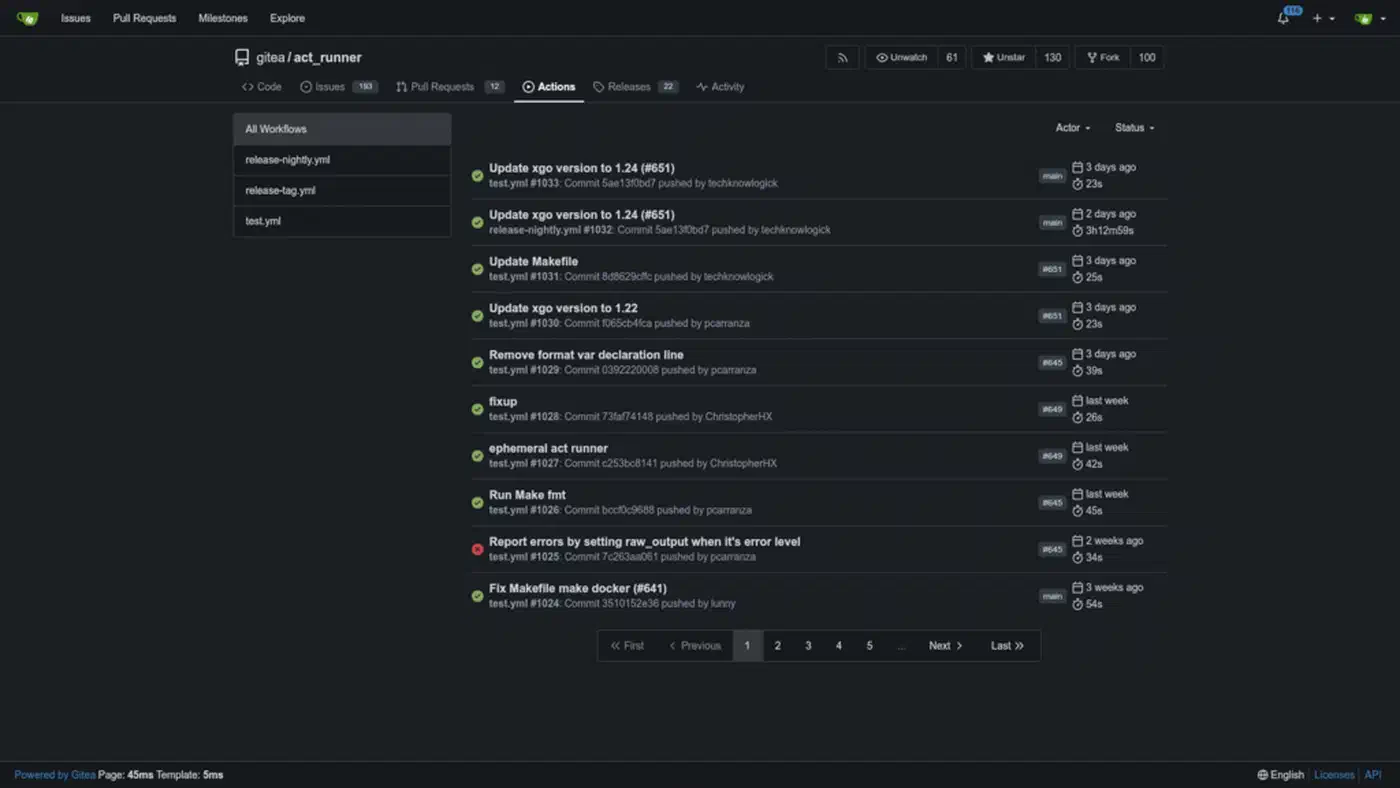
The Python review script (.gitea/scripts/review.py):
import sys
import requests

OLLAMA_HOST = "http://localhost:11434"
MODEL = "qwen2.5-coder:7b-instruct-q4_K_M"

SYSTEM_PROMPT = """You are a senior code reviewer. Analyze the git diff below and identify:
1. Potential bugs or logic errors
2. Security vulnerabilities (injection, missing auth checks, unsafe deserialization)
3. Performance concerns
4. Readability improvements

Be specific. Reference line numbers when possible. Use Markdown with these sections:
### Bugs
### Security
### Performance
### Suggestions

If the diff looks correct and you have no concerns, respond only with: LGTM - No issues found."""


def review_diff(diff: str) -> str:
    if not diff.strip():
        return "LGTM - Empty diff, nothing to review."

    payload = {
        "model": MODEL,
        "prompt": f"{SYSTEM_PROMPT}\n\n```diff\n{diff}\n```",
        "stream": False,
        "options": {"temperature": 0.1},
    }

    try:
        resp = requests.post(
            f"{OLLAMA_HOST}/api/generate", json=payload, timeout=120
        )
        resp.raise_for_status()
        return resp.json()["response"]
    except requests.RequestException as e:
        return f"Automated review unavailable: {e}"


if __name__ == "__main__":
    diff = sys.argv[1] if len(sys.argv) > 1 else ""
    print(review_diff(diff))
The except block is not optional. If Ollama crashes or the GPU runs out of memory mid-inference, the script returns a graceful error message instead of exiting with a non-zero code that would block the PR merge.
Crafting a Review Prompt That Gets Results
The system prompt determines most of the output quality. A vague prompt like “review this code” produces vague output. The structured prompt above does several specific things.
Role definition. “You are a senior code reviewer” primes the model to apply code-specific reasoning rather than general language understanding. The same 7B model gives noticeably different output with and without explicit role framing.
Categorized output. Asking for four specific sections (Bugs, Security, Performance, Suggestions) forces the model to think across dimensions rather than fixating on whatever caught its attention first. It also makes the resulting comment scannable in the PR thread.
An escape hatch. The “LGTM - No issues found” instruction prevents the model from manufacturing feedback on clean code. Without this, models sometimes generate weak suggestions just because the prompt structure implies they should find something. The escape hatch also keeps PR threads clean when there’s genuinely nothing actionable.
Temperature 0.1. Pure greedy decoding (temperature 0) is too rigid and occasionally produces awkward phrasing. A small amount of randomness at 0.1 makes the feedback read more naturally while keeping it consistent enough for CI. Going higher (0.5+) introduces too much variability - the same diff might produce different feedback on consecutive runs.
A useful variant to keep around: a security-focused prompt that omits the Suggestions section and asks the model to be especially aggressive about OWASP Top 10 patterns. This is practical for repositories that handle authentication, payments, or user data where security review deserves its own dedicated pass.
Handling Edge Cases in Production
A few situations come up once you run this at any real scale.
Large diffs. When a PR changes 800 or more lines, the diff exceeds the model’s effective context window. The fix is to split the diff by file, review each file separately, and concatenate the results. Per-file review also tends to produce sharper feedback because the model isn’t trying to hold an entire PR in context simultaneously.
def split_diff_by_file(diff: str) -> dict[str, str]:
    files: dict[str, str] = {}
    current_file = None
    current_lines: list[str] = []

    for line in diff.splitlines():
        if line.startswith("diff --git"):
            if current_file:
                files[current_file] = "\n".join(current_lines)
            current_file = line.split(" b/")[-1]
            current_lines = [line]
        else:
            current_lines.append(line)

    if current_file:
        files[current_file] = "\n".join(current_lines)

    return files
Duplicate comments. If someone re-runs a workflow or pushes a fixup commit, you’ll get a second review comment for the same code. Guard against this by including the short commit SHA in the comment body and checking for it before posting:
def has_existing_review(pr_comments_url: str, token: str, commit_sha: str) -> bool:
    resp = requests.get(
        pr_comments_url,
        headers={"Authorization": f"token {token}"}
    )
    return any(commit_sha[:8] in c.get("body", "") for c in resp.json())
GPU OOM and model errors. Ollama returns HTTP 500 when the model runs out of VRAM during inference. The try/except in the review script handles this gracefully at the script level, but you should also log failures. A simple approach: write failed reviews to a log file and alert if more than three fail within an hour. This pattern often surfaces another process that’s competing for GPU memory.
Advisory vs. blocking. Start with advisory mode - the review posts a comment but doesn’t block the merge. Run it this way for a few weeks while you tune the prompt and build confidence in the output quality. Once the team trusts the feedback, you can optionally make the review a required status check in Gitea’s branch protection settings . That said, most teams find advisory mode is the right long-term configuration anyway. No automated system should be the sole gate on merging code.
Scaling Across Repositories
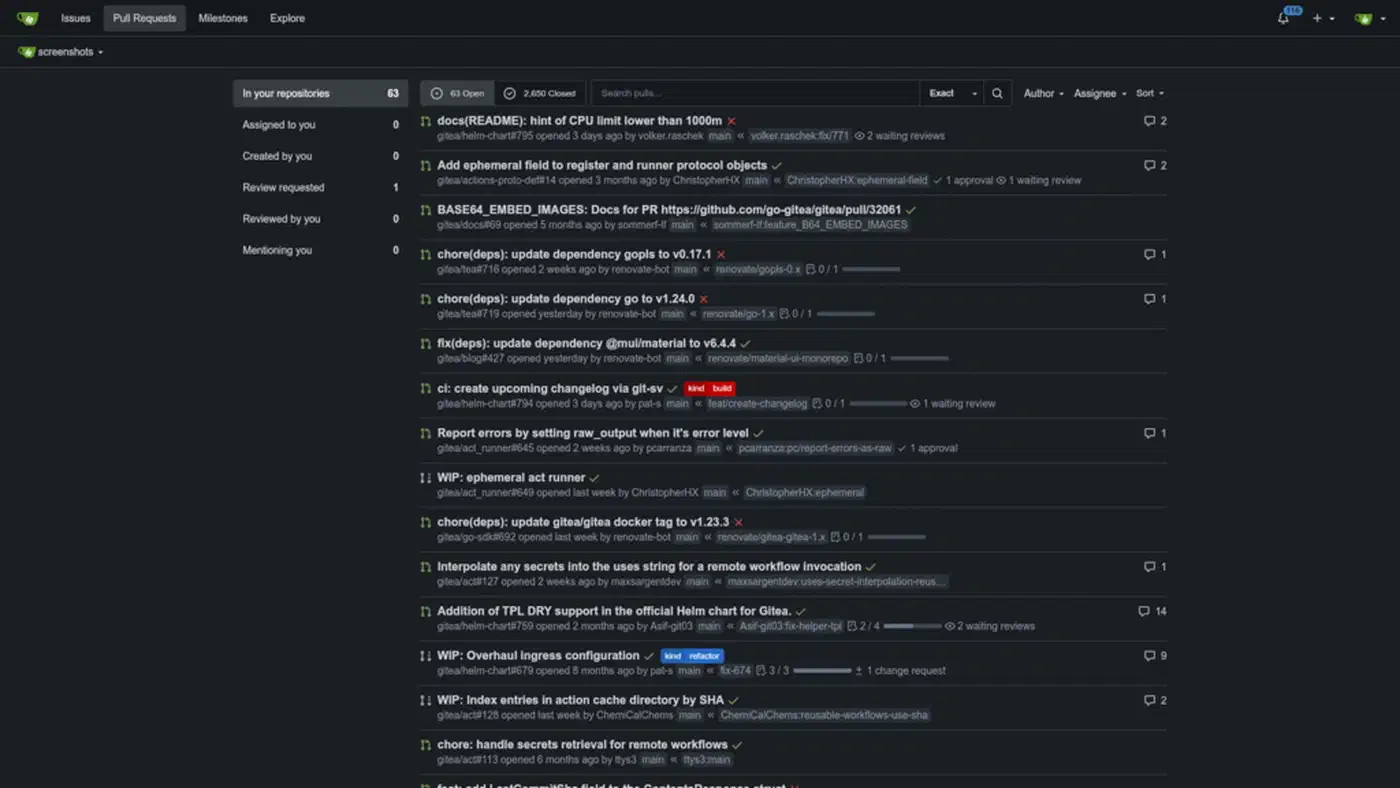
A single GPU runner handles review jobs from all your Gitea repos without any special configuration. Reviews are short-lived (15 to 30 seconds), so serial execution is fine for typical development velocity. If you find the queue backing up during busy periods, Ollama’s OLLAMA_NUM_PARALLEL environment variable lets you run two or three concurrent inference sessions at the cost of slightly higher per-review latency:
# In /etc/systemd/system/ollama.service
Environment="OLLAMA_NUM_PARALLEL=2"
On a GPU with 16GB VRAM like an RTX 4080, two parallel 7B model instances fit comfortably. On 8GB, stick to one. If you run multiple specialized models across different repositories - a coding model for review, a smaller model for changelog summarization - routing them through a unified OpenAI-compatible proxy simplifies endpoint management across your CI workflows.
One metric worth tracking from day one: review latency per commit. Log it to a SQLite table or expose it as a Prometheus counter. You’ll catch GPU degradation early, and the data is useful when justifying hardware upgrades or explaining value to management.
The combination of a local Ollama instance, a GPU-backed act_runner, and a focused review prompt gives you a code review pipeline that runs entirely on infrastructure you control. For teams shipping proprietary code or working under compliance requirements, that kind of data sovereignty is often the deciding factor over any cloud-based alternative - regardless of model quality differences.