 Botmonster Tech
Soldering Irons Tested: Pinecil, Hakko FX-888D, TS101
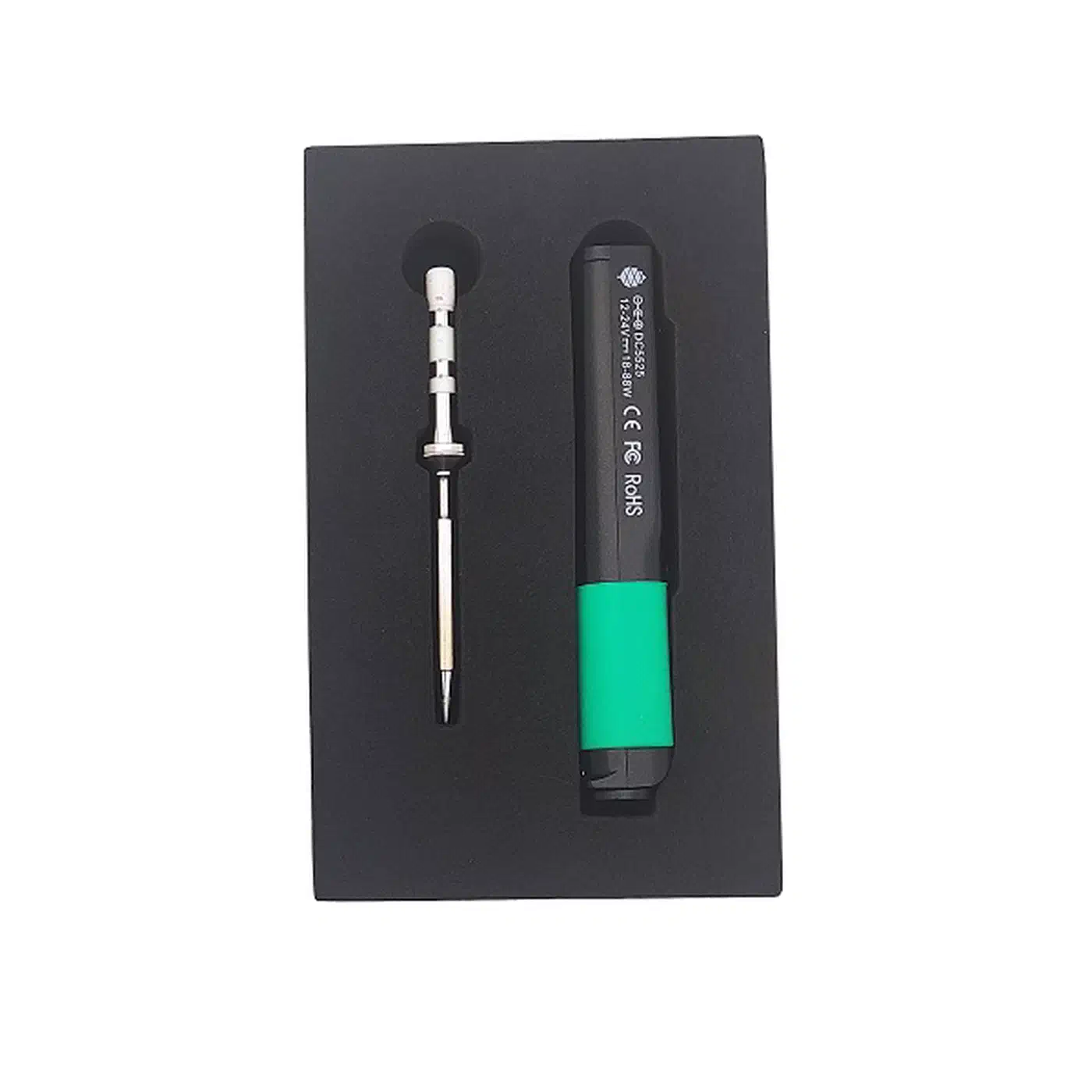
For most hobbyist PCB work, the Pinecil V2 at around $26 is the best value soldering iron thanks to its USB-C PD and QC3.0 power flexibility, RISC-V open-source firmware (IronOS ), and sub-10-second heat-up time. But the Hakko FX-888D (now succeeded by the FX-888DX at around $130-150) remains the superior benchtop station for marathon soldering sessions due to its thermal recovery and ceramic heater. The Miniware TS101 at roughly $50-70 splits the difference as a portable iron with an OLED display and dual power input that handles everything from SMD rework to through-hole joints with interchangeable TS-series tips.
Picking the right soldering iron is one of those decisions that either makes electronics projects enjoyable or turns them into a frustrating mess of cold joints and burned pads. The three irons above cover three distinct price tiers and use cases, and the best one for you depends on what you actually build, where you build it, and how much time you spend at the bench.
What Actually Matters in a Soldering Station
Before comparing specific models, it helps to understand the four specs that separate a productive soldering experience from a miserable one. Marketing sheets love to emphasize peak wattage and fancy displays, but the numbers that actually affect solder joint quality are different.
Thermal recovery rate is the single most important spec for PCB work. It measures how quickly the tip returns to the set temperature after you touch it to a copper pad or ground plane. A 65W iron with poor thermal coupling between the heater and the tip can perform worse than a well-designed 30W iron with tight coupling. When you solder a large connector pin on a 2oz copper ground plane, the tip temperature can drop 50-100C instantly. A good station recovers in 2-4 seconds; a bad one takes 10+ seconds, during which you are pumping heat into surrounding components while waiting.
Tip-to-ground resistance gets less attention than it deserves. For working with ESD-sensitive components like MOSFETs, op-amps, and microcontrollers, the resistance between your soldering tip and earth ground should be below 2 ohms. The Hakko FX-888D/DX series achieves this by design with a grounded tip path built into the station. Cheap unbranded irons often exceed 10 ohms, which creates enough static potential to damage sensitive ICs during soldering. If you are using a portable USB-C iron without a grounding path, connecting a separate ground wire from the tip to your ESD mat is worth the effort.
Temperature stability at idle should stay within +/-2C of the set point. The Hakko FX-888D achieves +/-1C thanks to its PID-controlled ceramic element. Unbranded irons can swing +/-15C, meaning your actual tip temperature is unpredictable. This matters less for chunky through-hole work, but for fine-pitch SMD where the difference between a good joint and a lifted pad is a few degrees and a fraction of a second, stability counts.
Wattage ratings are also frequently misleading. A station rated at 65W may deliver only 45W to the heating element after power supply losses. USB-C PD irons like the Pinecil V2 and TS101 negotiate 20V/3A (60W) from compatible chargers, but actual delivered wattage depends on the charger’s PD profile and the cable rating. You need at minimum a 3A-rated USB-C cable, and for full 65W delivery, a 5A e-marked cable is necessary.
Pinecil V2 vs. Hakko FX-888D vs. TS101: Head-to-Head Comparison
These three irons cover three price tiers for hobbyist electronics work. Here they are side by side on the specs that actually matter.
| Feature | Pinecil V2 | Hakko FX-888D/DX | TS101 |
|---|---|---|---|
| Price | ~$26 (iron only) | ~$130-150 (station) | ~$50-70 (iron only) |
| MCU | RISC-V BL706 | Dedicated PID controller | STM32 |
| Firmware | IronOS (open source, v2.23+) | Proprietary | Proprietary (updatable) |
| Max Wattage | 65W (USB-C PD) | 65W (FX-888D) / 95W (FX-888DX with FX-8806) | 45W (USB-C PD) / 65W (DC) |
| Heat-up Time | ~6-8 seconds to 350C | ~20 seconds to 350C | ~9-15 seconds to 350C |
| Temp Range | 100-400C | 50-480C | 50-400C |
| Temp Stability | +/-2C | +/-1C | +/-2C |
| Power Input | USB-C PD + DC barrel 12-24V | AC mains (station) | USB-C PD + DC barrel 9-24V |
| Weight (iron) | 28g | ~60g (FX-8801 handpiece) | 30g |
| Display | OLED | Digital LED (station) | OLED |
| Tip System | TS-series short tips | T18-series (FX-888D) / T32-series (FX-888DX) | TS-series (standard length) |
| ESD Ground Path | No (needs external ground) | Yes (built into station) | No (needs external ground) |
| Sleep/Wake | Accelerometer-based | Manual | Accelerometer-based |
Tip Compatibility Across the Portable Ecosystem
Whether tips are interchangeable between the Pinecil, TS100, and TS101 is one of the most common questions, and the answer involves a few caveats.
The TS100 and TS101 use the same standard-length TS-series tips and are fully cross-compatible. The Pinecil V2 is designed for the newer short TS-series tips (6.2 ohm), which deliver better performance. It can auto-detect and run standard-length TS-series tips (8.0 ohm), but the short tips are the intended choice. The Pinecil V1 only supports standard-length TS100-style tips without firmware modifications. Many third-party tips on Amazon are marketed as compatible with all three (TS100/TS101/Pinecil), but verify the length matches your iron before buying in quantity.
If you own multiple portable irons, you can share tips between them with some caveats. Third-party TS-series tips from brands like FEITA run $3-8 each compared to $8-15 for Miniware originals.
Which Iron for Which Job
For SMD work (0402 components, QFN reflow), the Pinecil V2 and TS101 win. At 28-30g, neither fatigues your hand during extended SMD sessions. Pair them with a TS-B2 conical tip (1.0mm) for fine-pitch work. The fast heat-up also means you can power off between components to avoid accidentally reflowing nearby joints. This is the right setup for assembling something like a DIY air quality sensor where most of the work is fine-pitch ESP32 and breakout-board joints.
For through-hole work and large connectors (barrel jacks, USB-A shields), the Hakko FX-888D/DX is the better choice. The thermal mass of T18-D24 chisel tips (2.4mm) combined with the station’s continuous power delivery means you can solder heavy copper pours without waiting for recovery. If you assemble through-hole kits or solder thick wires to PCBs regularly, the Hakko saves real time.
For field work and portable repair, the Pinecil V2 paired with a 65W USB-C PD power bank (something like a Baseus 65W 20000mAh) creates a complete portable soldering kit for under $60 total. It works well for field repairs, drone fixes, or soldering at a hackerspace where hauling a full station is impractical.
A Note on the Hakko FX-888DX
Hakko has discontinued the FX-888D and replaced it with the FX-888DX . The upgrade brings a rotary encoder instead of the two-button interface, a parameter lock to prevent accidental calibration changes, and compatibility with the new 95W FX-8806 soldering iron and T32 tip series. All existing FX-888D handpieces (FX-8801 through FX-8805) still work with the DX station, so upgrading from a FX-888D is painless. If you are buying new, go with the FX-888DX.
Essential Accessories and Tip Selection
Tips, flux, and supporting tools determine whether your solder joints are reliable or cold. Getting these right matters as much as the iron itself.
Tip Geometry
Choosing the right tip shape matters more than most people expect:
- Conical / B-series (1.0mm): best for fine-pitch SMD work, individual pins, and precision rework. The small contact area gives you control but transfers less heat.
- Chisel / D-series (2.4mm): the workhorse tip for through-hole soldering and drag soldering. Good thermal transfer and a flat edge that lets you bridge solder across multiple pads quickly.
- Knife / K-series: useful for rework and removing solder bridges. The angled edge lets you approach joints at low angles.
- Hoof / C-series: designed specifically for drag soldering QFP packages. The curved cup holds a small reservoir of solder as you drag across pins.
If you buy one tip to start, get a chisel (D-series, 2.4mm). It handles 80% of hobbyist work. Add a conical (B-series, 1.0mm) when you start doing SMD.
Tip Plating and Longevity
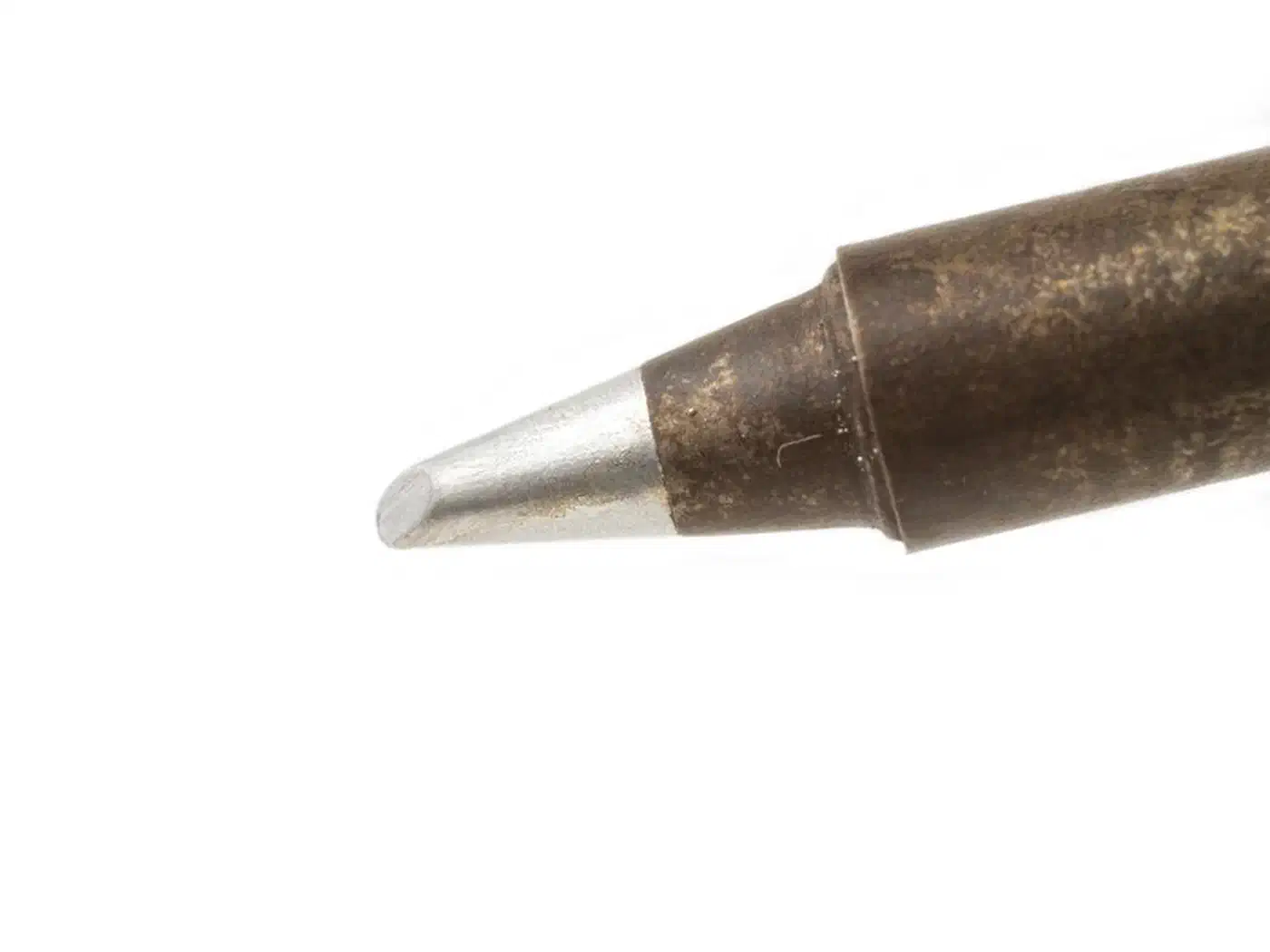
Authentic Hakko T18 tips are iron-plated over a copper core with a chrome backing layer. This construction lasts 6-12 months of daily use. Cheap clone tips use thinner iron plating that erodes within weeks, exposing the copper underneath. Once the copper is exposed, the tip wets poorly and solder beads up instead of flowing. The $3 you save on a clone tip costs you $20 in wasted solder and reworked boards .
For TS-series tips (Pinecil/TS101), the original Miniware tips are good quality. Third-party alternatives vary widely, so read reviews before buying in bulk.
Tip Cleaning
Get a brass wool tip cleaner ($4) and ditch the wet sponge. Wet sponges thermal-shock the tip every time you wipe, causing rapid expansion and contraction of the iron plating. This accelerates erosion and can reduce tip life by up to 40%. Brass wool cleans effectively at temperature without the thermal shock. Stab the tip into the brass curls a few times between joints and move on.
Solder
For hobbyist work, 63/37 tin-lead eutectic solder in 0.6mm diameter with rosin core is the right choice. It melts at exactly 183C with no pasty range (the temperature zone where the alloy is partly solid and partly liquid), which means joints solidify cleanly and predictably. A 100g spool of quality 63/37 (Kester 44 or MG Chemicals) runs $10-15 and lasts months of hobby use.
Lead-free SAC305 (96.5% tin, 3% silver, 0.5% copper) is the industry standard for RoHS-compliant manufacturing. It requires a higher working temperature of 217-220C and has a small pasty range that makes joints slightly less forgiving. If you are building products for sale in the EU or other RoHS-regulated markets, you will need lead-free solder, lead-free flux, and higher temperature settings (around 350-380C tip temperature). For personal projects and prototyping, leaded solder is legal and much more pleasant to work with.
Flux
Rosin-based flux is the right choice for general PCB work. Amtech NC-559-V3 and MG Chemicals 835 are both reliable options. Apply flux before soldering and it cleans the oxidation from pads and pins, letting solder flow freely.
No-clean flux pens like the Kester 951 are convenient for quick repairs but leave a residue. This residue is generally harmless on exposed boards, but can cause problems under conformal coating and may affect high-impedance or high-frequency circuits. If your project needs conformal coating, use water-soluble flux and clean the board with IPA (isopropyl alcohol) and a brush after soldering.
PCB Holders
The classic alligator-clip “helping hands” that come with cheap soldering kits are nearly useless for PCB work. They slip, scratch boards, and never hold anything at the right angle. Two better options:
- Quadhands Jumbo (~$40): flexible arms with magnetic bases that stay where you put them.
- Stickvise (~$30): a magnetic PCB holder that grips your board flat. Excellent for through-hole soldering where you need the board level.
Both are cheap enough that the improvement in build quality pays for them almost immediately.
Setting Up Your Soldering Workspace
Burned fingers and ESD damage almost always come from the same source: a workspace that hasn’t been set up to prevent them.
Fume Extraction
A desktop fume extractor with an activated carbon filter ($25-40) removes rosin flux fumes that cause respiratory irritation over time. The Hakko FA-400 is the standard recommendation, though cheaper KOTTO-brand units work nearly as well. Position the intake 4-6 inches from the tip. The fan should pull fumes away from your face, not blow them around. If you solder more than a few hours per week, fume extraction is not optional - rosin fumes are a known respiratory sensitizer.
ESD Protection
An ESD mat ($15) connected to earth ground via a grounding cord, combined with an ESD wrist strap when handling sensitive ICs, covers the basics. The Hakko FX-888D/DX has a grounded tip by design, which is one of its real advantages over portable irons. If you use a Pinecil V2 or TS101, run a separate ground wire from the tip barrel to your ESD mat.
For casual through-hole work with passive components and robust ICs (like 555 timers or voltage regulators), ESD protection is less critical. For anything with MOSFETs, microcontrollers, or RF components, take it seriously.
Temperature Settings
- 350C (660F): the default for 63/37 leaded solder. Works for most through-hole and SMD work.
- 370-380C: better for lead-free SAC305 or when working on boards with heavy copper pours that sink heat quickly.
- 300-320C: use for delicate components or when working near heat-sensitive parts like electrolytic capacitors.
- Do not exceed 400C on standard tips. Above this temperature, the oxidation rate of the iron plating increases exponentially. Tips that would last months will burn through in days.
Other Workspace Items
A silicone soldering mat ($10) protects your desk and provides a heat-resistant work surface. Mats with built-in screw-sorting compartments (Kaisi brand makes popular ones) are useful for teardown and repair work.
Lighting matters more than people expect. A magnifying desk lamp with a 6500K LED makes inspecting SMD joints much easier on your eyes. The daylight color temperature lets you see solder quality accurately - warm incandescent lighting hides bridges and cold joints.
A USB microscope ($30-50) is essential for verifying solder bridges on fine-pitch QFP packages. You do not need an expensive stereo microscope - a basic USB microscope with 50-200x zoom is sufficient for hobby QC.
Beyond the Iron: When You Need Hot Air
A soldering iron handles about 90% of hobbyist PCB work. But if you work with BGA packages, QFN components with thermal pads, or do frequent SMD rework, a hot air rework station becomes necessary. An iron cannot reflow a QFN ground pad or remove a BGA chip.
For hobbyists, a combination station that includes both a soldering iron and a hot air gun is the most practical option. Models like the WEP 882D ($60-80) combine both functions in a single unit with PID temperature control and adjustable airflow. This is a reasonable entry point before committing to a dedicated rework station.
The key hot air specs to look for: PID temperature control (prevents overshoot that can damage components), adjustable airflow (lower flow for small components, higher for large ground planes), and a good set of nozzles sized for the packages you work with most.
Recommended Starter Kits by Budget
Here is what to buy at each price point, starting from zero.
| Budget | Iron | Solder | Tips | Accessories | Total |
|---|---|---|---|---|---|
| $50 | Pinecil V2 ($26) | 63/37 0.6mm 100g ($10) | TS-D24 chisel ($5) | Brass wool cleaner ($4), flux pen ($5) | ~$50 |
| $100 | TS101 ($55) | 63/37 0.6mm 100g ($10) | TS-D24 + TS-B2 ($10) | Brass wool ($4), flux ($8), silicone mat ($10), ESD strap ($5) | ~$102 |
| $200 | Hakko FX-888DX ($140) | 63/37 0.6mm 100g ($10) | T18-D24 + T18-B ($15) | Brass wool ($4), flux ($8), silicone mat ($10), fume extractor ($25) | ~$212 |
The $50 kit gets you soldering immediately and handles everything up to moderate SMD work. The $100 kit adds comfort and safety gear. The $200 kit is the “buy once, cry once” setup that will last years of regular use.
Whatever you choose, the most important thing is to start building. A cheap iron with proper technique produces better joints than an expensive iron in untrained hands. Practice on scrap boards, watch a few drag-soldering tutorials, and you will be soldering SMD components faster than you expect. Once your joints are reliable, the natural next step is building something useful with those skills - a good starter project is wiring up a microcontroller as a custom MQTT device for Home Assistant .