 Botmonster Tech
Should you move from Zigbee2MQTT to Matter in 2026?
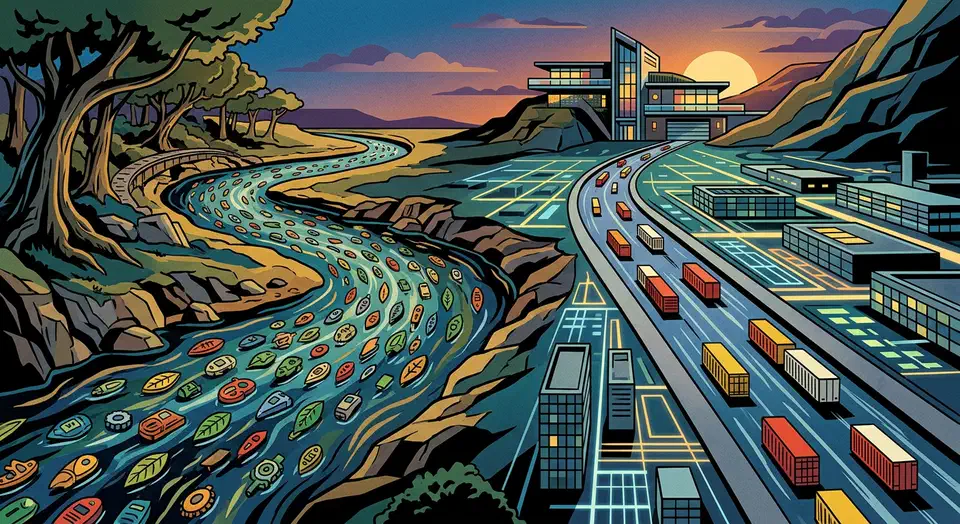
Matter-over-Thread gives you one standard that works across Apple, Google, and Amazon. But Zigbee2MQTT still wins for power users who want deep local control over old hardware. In 2026, run both: Matter for new buys and energy gear, Zigbee for battery sensors and the long tail of devices that won’t ever get a Matter firmware update.
What Is Matter and Why Does It Exist?
For nearly a decade, the smart home was a patchwork of rival ecosystems. A Philips Hue bulb worked fine in Apple HomeKit, but pairing it with Google Home meant jumping through extra hoops. An Amazon-branded device wouldn’t talk to an Apple TV at all. Brands had to pick a platform alliance and live with it. Buyers paid the hidden cost every time they bought from a brand that didn’t play well with their hub of choice.
The Matter standard was built to end that mess. It came from the Connectivity Standards Alliance (CSA), with Apple, Google, Amazon, and Samsung as founders. Instead of each ecosystem running its own protocol, Matter defines one open, IP-based layer that every certified device must speak. The radio under it can be Wi-Fi or Thread (a low-power mesh), but the API that Home Assistant or any other controller sees stays the same. That is also why Wi-Fi 7 buys a smart home almost nothing: the devices are not the ones asking for the bandwidth.
This is a very different setup from Zigbee. Zigbee runs on the IEEE 802.15.4 radio and uses its own application layer. You need a USB coordinator dongle, plus Zigbee2MQTT itself to turn Zigbee packets into MQTT messages that Home Assistant can read. Matter devices, by contrast, are first-class on your IP network the moment you commission them. Home Assistant’s Matter integration talks to them over IPv6 with no broker in the middle.
The promise is huge. Buy any Matter-certified device, commission it once, and it works across every hub at once. Your Thread contact sensor can report to Home Assistant, Apple Home, and Google Home at the same time, with no re-pairing and no vendor lock-in.
Zigbee2MQTT in 2026: Still the Power User’s Choice
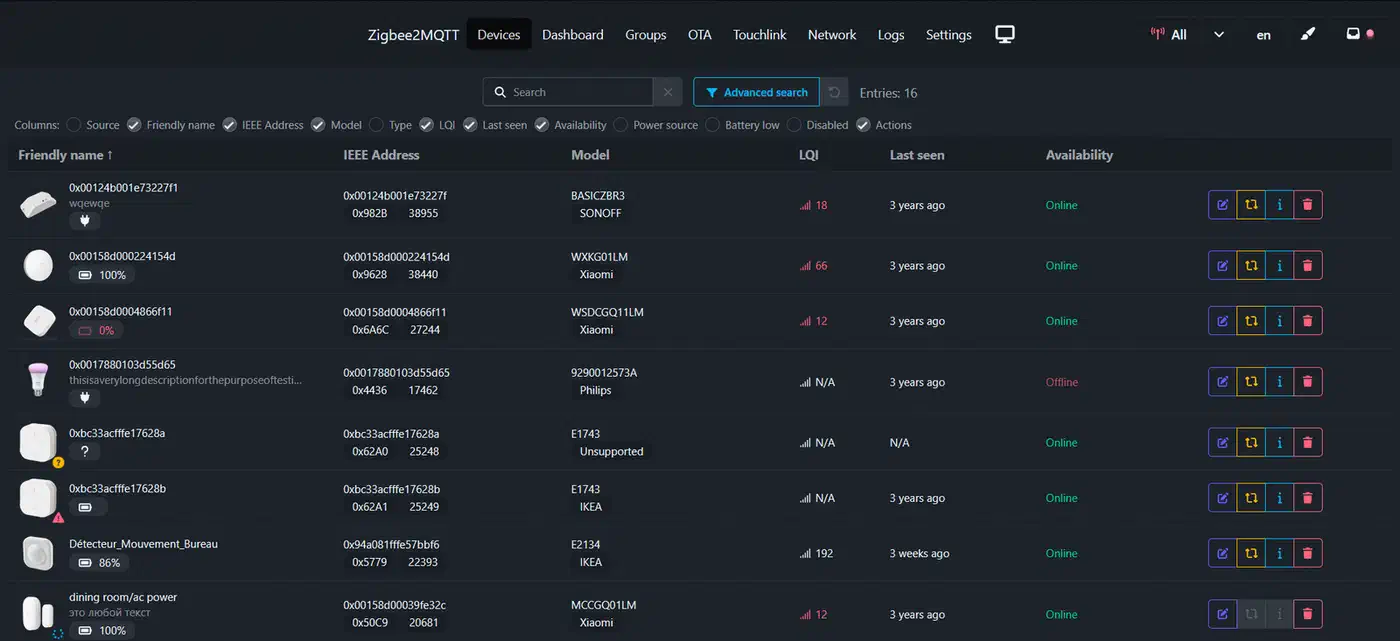
None of that erases the edge Zigbee2MQTT still has today. The device database supports over 5,000 unique devices from hundreds of brands, built up over nearly a decade by the community. Matter is growing, but covers a small slice of that range. Most certified Matter devices are bulbs, plugs, and thermostats: the high-margin gear that pays for the certification fee.
Coordinator hardware stays cheap and easy to find. The Sonoff Zigbee 3.0 USB Dongle Plus sells for about $20 and handles 100+ devices with no trouble. The older HUSBZB-1 dual Zigbee and Z-Wave stick is just as cheap and still fully supported. Entry-level Thread border router hardware costs a lot more. An Apple HomePod mini, Google Nest Hub Max, or Amazon Echo will do the job, but they aren’t bare dongles.
Battery life is where Zigbee still wins clearly. A well-meshed Zigbee setup, with mains-powered routers (bulbs, plugs) and battery end devices (door, motion, and temperature sensors), gets multi-year life on plain AA or CR2032 cells. Thread can be just as efficient in theory. But the Thread device market in 2026 still leans on mains-powered nodes. Battery Thread sensors exist, mostly from Eve Systems. They’re still the exception, and their real-world battery life in dense homes hasn’t yet matched mature Zigbee sensors from Aqara or SONOFF. The radio debate on Reddit lands in the same place, with Z-Wave in the mix too.
Zigbee2MQTT also shows you diagnostic data that Matter hides. You get per-device Link Quality (LQI), Signal Strength (RSSI), Zigbee OTA firmware updates, and raw access to any cluster the device exposes. Want to know why your living room sensor drops packets? Or push a beta firmware before the brand ships it? Zigbee2MQTT lets you. Matter hides these details on purpose for the sake of simplicity. That’s a fine trade for most users, but a real loss for the power-user crowd that built Home Assistant into what it is today.
Matter 1.4: The Energy Management Milestone
Matter 1.4 shipped in late 2024 and added device types that change things for anyone tracking home energy. Older Matter versions handled lighting, climate, and security. Matter 1.4 adds solar inverters, home battery systems like the Tesla Powerwall, and EV Supply Equipment (EVSE): the smart charging stations for electric cars.
This is a big shift because one open protocol now covers the full arc of home energy: solar (production), battery (storage), EV charger and HVAC (use), and smart plugs (metering). Before Matter 1.4, hooking a solar inverter into Home Assistant meant vendor REST APIs, cloud polling with rate limits, or a reverse-engineered local plugin that broke at every firmware update. A Matter 1.4 inverter is a first-class HA entity. It updates locally, in real time, with no cloud in the loop.
Here’s a concrete example. When solar drops below 1.5 kW (typically late afternoon, as the sun moves past the roof line), an automation pauses the EV charger so you don’t draw grid power at peak-rate hours. In Home Assistant YAML, this is a trigger on the inverter’s power sensor and an action on the EVSE entity’s charging state. No Python scripts, no custom plugins, no polling delay.
automation:
  - alias: "Pause EV charging when solar drops"
    trigger:
      - platform: numeric_state
        entity_id: sensor.matter_solar_inverter_power
        below: 1500
        for:
          minutes: 5
    action:
      - service: switch.turn_off
        target:
          entity_id: switch.matter_ev_charger_active
The honest caveat: very few Matter 1.4 energy devices were shipping in early 2026. Tesla announced Powerwall 3 Matter support but hadn’t pushed the firmware update yet. A handful of European EV charger brands (Wallbox, ABB) have Matter 1.4 units in certification. Solar inverters are moving even slower. Broad Matter 1.4 energy hardware is really an H2 2026 to 2027 story. It’s coming, though, and it’s a strong reason to plan new energy buys around Matter.
Thread 1.4: Mandatory Border Router Interoperability
Thread is the network layer under Matter for low-power wireless devices. It’s worth knowing how it differs from Zigbee. In a Zigbee network, every device talks to one coordinator, in a hub-and-spoke pattern where the coordinator is a single point of failure. In a Thread network, every mains-powered device is a full router. The mesh joins your IP network through one or more Thread Border Routers (TBRs).
A Thread Border Router bridges the Thread mesh to your IP network. It hands out IPv6 addresses, routes packets between the mesh and your router, and shares Thread credentials so new devices can join. Until Thread 1.4, each vendor ran its own silo. The Apple HomePod mini, Google Nest Hub Max, and Amazon Echo (4th gen) each kept a separate Thread network. Devices from different brands couldn’t share a mesh even sitting two meters apart.
Thread 1.4 says every certified border router must accept and pass on Thread credentials from another vendor’s router. In plain terms: add an Apple HomePod mini to a home that already runs a Google Nest Hub as a TBR, and the HomePod joins the same mesh rather than starting a new one. Your Home Assistant instance, running a Silicon Labs-based Thread stack on the Home Assistant Yellow or the Home Assistant Connect ZBT-1 USB dongle (formerly SkyConnect), joins this shared mesh as a full border router.
The upshot: a stronger, larger Thread mesh. An Apple HomePod mini in the kitchen boosts the mesh that your Home Assistant Thread devices use, even devices that never touched Apple’s ecosystem. Coverage gaps that used to need another HA-controlled Thread coordinator can now be filled by any certified TBR from any vendor, with no reconfiguration.
Prerequisites: What You Need Before Going Matter-Native
Before you commission your first Matter device in Home Assistant, a few things need to be in place.
Home Assistant version: Matter needs Home Assistant 2023.6 or later. The Matter integration ships built-in. No separate add-on is needed on Home Assistant OS or Supervised installs. Home Assistant Core users in a custom Python environment need the python-matter-server running as its own process.
Thread Border Router hardware: For Thread-based Matter devices, which is most battery-operated Matter sensors, you need at least one TBR. Options include the Home Assistant Yellow (its built-in Silicon Labs MGM210P radio acts as both a Zigbee coordinator and a Thread border router at once), the Home Assistant Connect ZBT-1 USB dongle, a second-gen Apple HomePod mini, a Google Nest Hub (2nd gen or newer), or an Amazon Echo (4th gen). Wi-Fi Matter devices don’t need a TBR. They join your regular Wi-Fi directly.
Mobile app for commissioning: Pairing a Matter device for the first time needs a phone running the Home Assistant Companion app (iOS 16+ or Android 8.1+). The phone is the controller. It scans the QR code or takes the 11-digit setup code, then hands over the network credentials. That requirement went away in Home Assistant 2026.1, which commissions Matter devices with no phone.
IPv6 on your local network: Matter uses IPv6 to address devices. Most modern routers ship with IPv6 on by default. If you’ve turned it off or have an odd ISP setup, turn it back on before you try to pair a Matter device.
The Hybrid Strategy: Running Both in Parallel
Good news: Home Assistant treats Matter and Zigbee2MQTT as separate integrations that don’t fight each other. You can run both on the same HA instance. Zigbee2MQTT handles your existing Zigbee network through its coordinator dongle. The Matter integration handles Thread and Wi-Fi Matter devices through the python-matter-server backend. Entities from both sources show up on the same dashboard, run in the same automations, and live in the same entity registry.
The real question isn’t whether to run both. You almost certainly should. The real question is which device types to move first, and which to leave on Zigbee for good.
Migrate to Matter first:
- Smart bulbs and switches from brands that now ship Matter versions (IKEA, Philips Hue with the v3 bridge, Nanoleaf). The feel is the same, but you gain ecosystem freedom.
- Smart plugs with energy monitoring, especially if you plan to use them in energy automations.
- EV chargers and solar-adjacent hardware as Matter 1.4 devices ship.
Keep on Zigbee indefinitely:
- Battery-powered door, window, and motion sensors. Zigbee’s battery life wins clearly here, and there are few good Thread options at the same price.
- Devices with no Matter version and no public roadmap: most Aqara sensors, the SONOFF SNZB series, and specialty gear (soil moisture sensors, air quality monitors with CO₂) that the Matter spec doesn’t cover yet.
- Any device where you rely on LQI/RSSI diagnostics or manual OTA firmware control.
When you add a Matter version of a device that was on Zigbee, you’ll often see two entities for the same physical device. This happens in a bridge setup (see below), or for a short overlap during switchover. Use Home Assistant’s entity registry to disable the Zigbee2MQTT entity instead of deleting it. You keep the device history and can roll back if you need to.
Cost reality check: Matter-certified devices cost more. In early 2026, similar gear runs about 20-40% higher on the Matter side. An IKEA TRADFRI bulb is around $8 on Zigbee; its Dirigera-backed Matter version is $12-14. An Aqara door sensor (Zigbee) is $15; a comparable Thread sensor is $22-28. The gap will close as the ecosystem grows, but it’s a real cost if you’re kitting out a large home.
Zigbee-to-Matter Bridge Devices
One path worth a look is the Zigbee-to-Matter bridge. It’s a device that exposes your existing Zigbee gear as Matter endpoints, with no need to swap the Zigbee devices.
The easiest example is the Philips Hue Bridge v3, released in 2024. It can act as a Matter controller for every Hue Zigbee bulb paired to it. From Home Assistant’s side, the Hue bulbs show up as native Matter lights. You keep the bulbs, keep the Hue app’s scenes and gradients, and gain Matter support, all with no new hardware. The trade-off: the Hue Bridge v3 becomes an extra dependency. If the bridge loses power, those Matter entities go dark even though the Zigbee mesh is still up.
IKEA is doing the same with Dirigera, and Aqara has announced a Matter bridge for its M3 hub. The bridge path is likely the best route for anyone with a big stack of one brand’s Zigbee gear.
Device Comparison: Matter Availability by Brand
| Brand | Popular Zigbee Device | Matter Version Available? | Notes |
|---|---|---|---|
| Philips Hue | Color bulbs, motion sensor | Yes (via Hue Bridge v3) | Bridge acts as Matter controller |
| IKEA Tradfri | Bulbs, plugs, blinds | Yes (select models, Dirigera required) | Older TRADFRI bulbs not upgradeable |
| Aqara | Door sensor, motion sensor, temp | Partial (newer models only) | M3 hub adds Matter bridge for legacy |
| SONOFF | SNZB series sensors, plugs | Limited (SNZB-06P has Matter) | Most SNZB sensors remain Zigbee-only |
| Eve Systems | Energy plug, door sensor | Yes (Thread-native) | No Zigbee versions; Thread-first brand |
| Nanoleaf | Light panels, smart bulbs | Yes | Matter support added via firmware |
| Third Reality | Sensors, switches | Partial | Some newer models ship Matter |
Performance Comparison: Latency, Reliability, and Range
Across community benchmarks and test setups, Thread/Matter has a real latency edge over Zigbee for direct commands. A typical Zigbee round-trip (HA sends, device replies, state confirmed) sits in the 50-150 ms range. The high end shows up in busy networks or when the mesh has to route through several hops. Thread/Matter command latency usually lands at 30-80 ms. IP-native addressing skips the coordinator bottleneck baked into Zigbee’s hub-and-spoke design.
Range is broadly similar. A mains-powered Zigbee router stretches the mesh about 10-15 meters indoors per hop. Thread routing devices reach about the same. The key design split is that Thread Border Routers are hard gateways. All Thread traffic must pass through a TBR to reach your HA instance on the IP network. So TBR placement is more critical than coordinator placement is in a Zigbee setup.
In dense setups (100+ devices), Zigbee networks can hit channel congestion, mostly in the 2.4 GHz band they share with Wi-Fi. Thread uses the same IEEE 802.15.4 radio in the same band, so it faces the same risk. But Thread’s spread-out routing model dodges the coordinator throughput bottleneck that can spike latency in very large Zigbee networks.
Reliability and firmware management is one area where Zigbee2MQTT’s age shows. The Zigbee OTA update flow in Zigbee2MQTT is well-known, community-tested, and works across hundreds of device models. Matter’s OTA is in the spec, but vendor quality varies a lot in 2026. Some brands push Matter firmware updates with no issues. Others are flaky enough that you fall back to app-based updates. This will improve as the ecosystem grows up, but it’s worth weighing if you run a serious home setup where surprise firmware behavior is a real worry.
The Verdict: A Protocol for Every Layer
The binary framing here, Zigbee2MQTT or Matter, is the wrong lens. The right question: what does each protocol do best for your device mix, and how do you build a setup that uses both where they shine?
Matter-over-Thread wins on cross-ecosystem reach, energy device types (once hardware ships), and the clean design of IP-native addressing. Thread 1.4’s border router rule means the mesh you build today gains strength from every certified TBR you add, no matter the brand.
Zigbee2MQTT wins on device breadth, battery life, diagnostic depth, and cost per device. The long tail of specialty sensors (soil probes, CO₂ monitors, leak detectors, vibration sensors) will stay Zigbee-only for years.
The hybrid 2026 stack looks like this. A Zigbee coordinator (Sonoff Zigbee 3.0 USB Dongle Plus) runs your existing sensors through Zigbee2MQTT. A Home Assistant Connect ZBT-1 or Yellow acts as a Thread Border Router for Matter devices. Both feed one Home Assistant instance with a single entity registry. New buys go Matter when a good option exists. Existing Zigbee devices stay put until they fail or a solid bridge ships. Energy gear, when it ships, goes Matter 1.4 from day one.
That isn’t a compromise. That’s the best setup.