 Botmonster Tech
Automate Linux desktop setup with Ansible and dotfiles
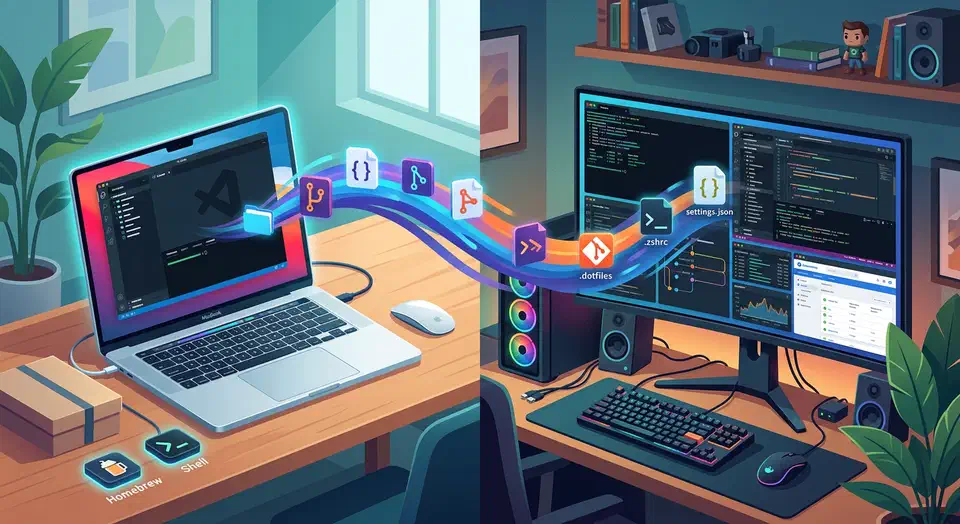
If you reinstall Linux more than once a year, your setup is probably still too manual. Most people keep a checklist in their head: install packages, copy shell config, fix fonts, set up Git and SSH, restore editor plugins. Then they spend a week finding what they forgot. That works until it doesn’t. A failed SSD, a new laptop, or a distro hop shows how fragile the workflow is.
A better model is to treat your desktop like infrastructure: declarative, version-controlled, and repeatable. Ansible handles package and system state. GNU Stow links your dotfiles cleanly. The result is a setup you can rebuild in 20 to 40 minutes with few hand edits. It also keeps improving over time instead of drifting.
This guide walks through a practical structure. It works on Debian/Ubuntu and Arch, and you can adapt it for WSL2. It also covers the parts most posts skip: a comparison with Chezmoi and Nix Home Manager, CI tests on fresh VMs, secret rotation, and rollback with filesystem snapshots.
Why automate your desktop setup
The obvious win is speed, but speed is not the main gain. The main gain is confidence. If every step of your setup lives in code, you can wipe and rebuild without worry. You already tested that path.
Typical triggers where automation pays for itself:
- New laptop migration, including a hand-me-down Mac moved to Linux.
- Reinstall after disk corruption.
- Moving between Ubuntu and Arch.
- Standardizing a team laptop baseline.
- Rebuilding after experimentation broke local configs.
The payoff grows over time. With Git history, you can answer real questions: when did I switch shells, why did this terminal setting change, which commit broke this alias. Manual setup gives you no audit trail. Automated setup gives you controlled change.
Design a dotfiles repository that scales
Start with a Stow-friendly layout. Keep one directory per tool, and mirror the final paths under each one.
~/.dotfiles/
  bash/
    .bashrc
    .bash_aliases
  git/
    .gitconfig
    .config/git/ignore
  nvim/
    .config/nvim/init.lua
  tmux/
    .tmux.conf
  alacritty/
    .config/alacritty/alacritty.toml
  scripts/
    .local/bin/bootstrap-tools
With this structure, stow nvim creates ~/.config/nvim/init.lua as a symlink to your repo. The package boundary is clean. Enable only what you need on each machine.
A few repo hygiene rules save you pain later:
- Never commit private keys, tokens, browser profiles, or machine-specific secrets.
- Keep a
README.mdin the repo with bootstrap commands and role and tag notes. - For per-machine config, use local include files like
~/.config/git/local, then source them from committed config. - Keep shell scripts POSIX-friendly when you can. Your next system may not have your favorite shell yet.
A minimal .gitignore for dotfiles:
*.env
*.pem
*.key
secrets/
.cache/
.local/share/keyrings/
Structure your Ansible project for desktop use
A simple role layout is enough for most personal setups and team baselines:
~/desktop-setup/
  ansible.cfg
  inventory/
    hosts.ini
  group_vars/
    all.yml
  host_vars/
    laptop-work.yml
  roles/
    base/
    shell/
    editor/
    terminal/
    fonts/
    devtools/
    gui_apps/
    dotfiles/
  site.yml
site.yml can stay compact while roles keep complexity contained:
---
- name: Configure Linux workstation
  hosts: localhost
  connection: local
  become: true
  vars:
    dotfiles_repo: "https://github.com/yourusername/dotfiles.git"
  roles:
    - base
    - shell
    - editor
    - terminal
    - fonts
    - devtools
    - gui_apps
    - dotfiles
Use tags from day one. They turn your setup from one big script into a tool you can maintain.
ansible-playbook -i inventory/hosts.ini site.yml --tags "editor,terminal"Idempotency is non-negotiable. If you run the playbook twice and it reports surprise changes, the setup is not ready yet.
Manage packages across distros without chaos
Package management is where many desktop playbooks turn brittle. Keep shared packages in distro-agnostic tasks. Fence off distro-specific packages with conditions. For a closer look at how these two distros differ in practice, see our Debian vs. Arch comparison.
Here is an example role task that uses facts:
---
- name: Install common packages
  ansible.builtin.package:
    name:
      - git
      - curl
      - stow
      - tmux
      - ripgrep
    state: present

- name: Install Debian-specific packages
  ansible.builtin.apt:
    name:
      - build-essential
      - python3-pip
    state: present
    update_cache: true
  when: ansible_facts['os_family'] == 'Debian'

- name: Install Arch-specific packages
  community.general.pacman:
    name:
      - base-devel
      - python-pip
    state: present
    update_cache: true
  when: ansible_facts['distribution'] == 'Archlinux'
Flatpak support is a practical bridge across distros for desktop apps:
- name: Install Flatpak apps
  community.general.flatpak:
    name:
      - com.visualstudio.code
      - md.obsidian.Obsidian
      - org.gimp.GIMP
    state: present
For Arch AUR packages, handle them in their own role and note which helper you need (paru or yay). Keep AUR use light for core tools. It is more fragile than the main repos.
Deploy dotfiles with Stow from Ansible
Ansible orchestrates, Stow links. Don’t swap Stow for fragile custom symlink loops unless you have a strong reason.
---
- name: Clone dotfiles repository
  ansible.builtin.git:
    repo: "{{ dotfiles_repo }}"
    dest: "{{ ansible_env.HOME }}/.dotfiles"
    version: main

- name: Ensure config directories exist
  ansible.builtin.file:
    path: "{{ ansible_env.HOME }}/.config"
    state: directory
    mode: "0755"

- name: Stow selected packages
  ansible.builtin.command:
    cmd: "stow --dir {{ ansible_env.HOME }}/.dotfiles --target {{ ansible_env.HOME }} {{ item }}"
  args:
    chdir: "{{ ansible_env.HOME }}/.dotfiles"
  loop:
    - bash
    - git
    - nvim
    - tmux
    - alacritty
  changed_when: false
Two real-world conflict strategies:
stow --adopt: pulls existing unmanaged files into your dotfiles tree. Good for first migration.- Backup then link: move existing files to
~/.config-backup/<date>/and stow cleanly. Better for strict repos.
Use Ansible templates for per-machine values that should never be symlinked, such as git user.email, company proxy values, or host aliases.
Add fonts, shell, and developer toolchains
A full desktop bootstrap goes beyond packages and symlinks. Fonts and language toolchains are often the hidden time sink.
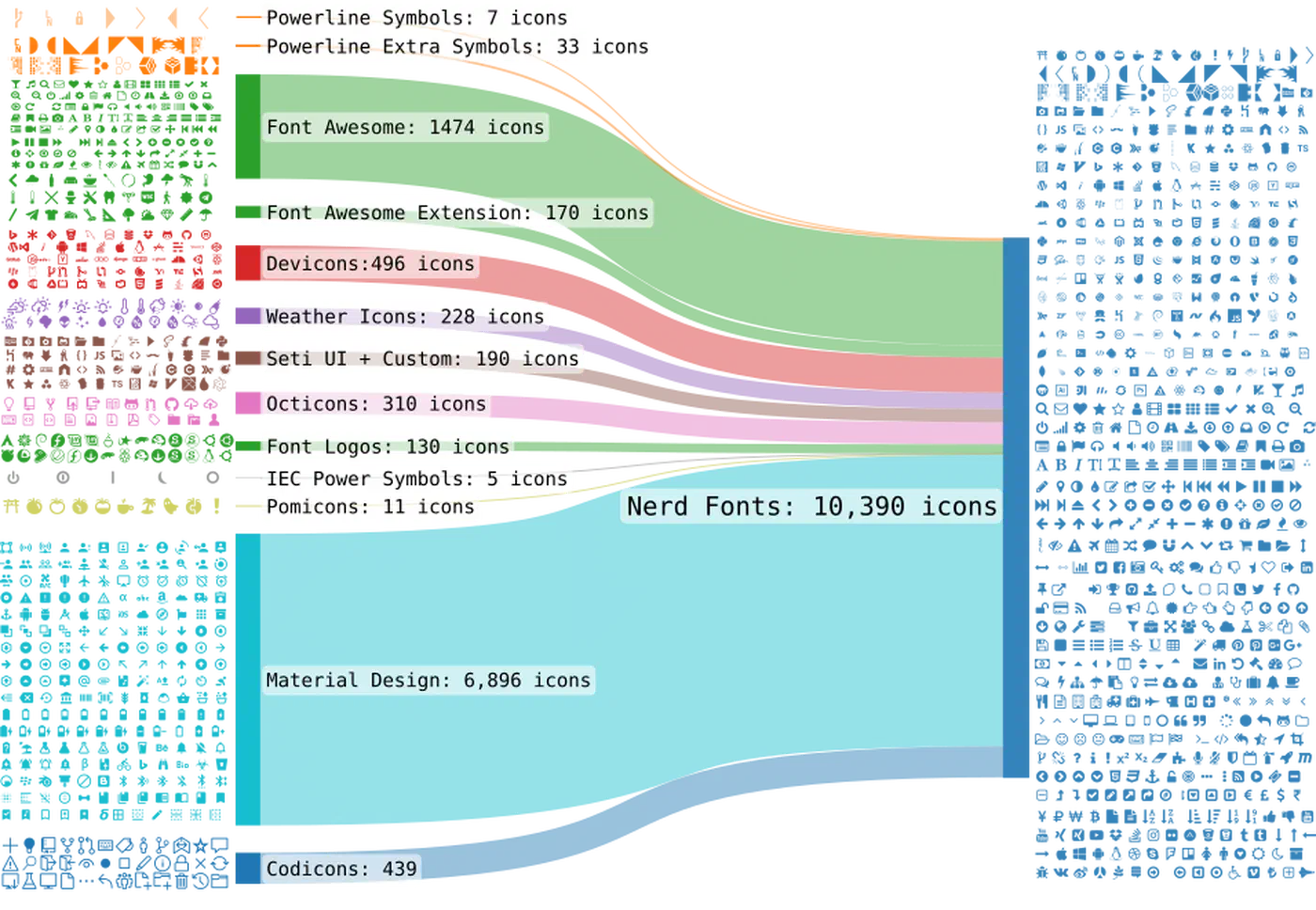
Nerd Fonts example role:
---
- name: Download JetBrainsMono Nerd Font archive
  ansible.builtin.get_url:
    url: "https://github.com/ryanoasis/nerd-fonts/releases/latest/download/JetBrainsMono.zip"
    dest: "/tmp/JetBrainsMono.zip"

- name: Unpack Nerd Font
  ansible.builtin.unarchive:
    src: "/tmp/JetBrainsMono.zip"
    dest: "{{ ansible_env.HOME }}/.local/share/fonts"
    remote_src: true

- name: Rebuild font cache
  ansible.builtin.command: fc-cache -fv
  changed_when: false
Shell setup ideas:
- Install
zsh, set default shell if needed. - Install plugin manager (
zinit,antidote, or your preferred choice). - Link
.zshrcvia Stow. - Add a post-task that validates shell startup with
zsh -i -c exit.
For language and runtime versions, mise is handy and works across distros. Keep versions in .tool-versions, then let Ansible run mise install after the packages land.
Bootstrap and day-to-day workflow
Fresh machines have a chicken-and-egg problem. You need Ansible to set up the machine, but Ansible is not installed yet. Solve it once with a small bootstrap script.
#!/usr/bin/env bash
set -euo pipefail

if command -v apt >/dev/null 2>&1; then
  sudo apt update
  sudo apt install -y git ansible stow
elif command -v pacman >/dev/null 2>&1; then
  sudo pacman -Sy --noconfirm git ansible stow
else
  echo "Unsupported package manager" >&2
  exit 1
fi

git clone https://github.com/yourusername/desktop-setup.git "$HOME/desktop-setup"
cd "$HOME/desktop-setup"
ansible-playbook -i inventory/hosts.ini site.yml -K
Here are the commands you will actually use each week:
- Full apply:
ansible-playbook -i inventory/hosts.ini site.yml -K - Dry run:
ansible-playbook -i inventory/hosts.ini site.yml --check --diff -K - Partial apply:
ansible-playbook -i inventory/hosts.ini site.yml --tags "dotfiles" -K - Target host profile:
ansible-playbook site.yml -e profile=work -K
A small Makefile keeps the muscle memory easy:
install:
	ansible-playbook -i inventory/hosts.ini site.yml -K

check:
	ansible-playbook -i inventory/hosts.ini site.yml --check --diff -K

dotfiles:
	ansible-playbook -i inventory/hosts.ini site.yml --tags "dotfiles" -K
Ansible + Stow vs Chezmoi vs Nix Home Manager
Most guides skip this comparison, but it decides whether your tools match your goals.
| Approach | Strengths | Trade-offs | Best fit |
|---|---|---|---|
| Ansible + Stow | Easy mental model, strong package/system automation, incremental adoption, works across many distros | More YAML to maintain, rollback not native, can become verbose | Most Linux users and teams wanting practical reproducibility |
| Chezmoi | Excellent dotfile templating, secret integrations, very fast dotfile workflows | Not a full system config manager by itself | Users focused mainly on dotfiles, not full machine bootstrap |
| Nix Home Manager | Declarative and reproducible to an extreme level, strong rollback model, consistent packages | Steeper learning curve, Nix ecosystem concepts are non-trivial | Users who want deep determinism and accept ecosystem shift |
For most readers, start with Ansible + Stow. It teaches the right habits without forcing a whole new package manager on you. If you later need stronger reproducibility and atomic rollbacks, move toward Nix step by step.
Secrets management and rotation plan
ansible-vault solves encrypted storage, not the full lifecycle. A solid setup covers both storage and rotation.
Here is the baseline pattern:
- Store encrypted vars in
group_vars/all/vault.yml. - Keep vault password outside the repo, preferably in a password manager.
- Reference secrets in templates and tasks, never hardcode in plain YAML.
Example usage:
ansible-vault create group_vars/all/vault.yml
ansible-vault edit group_vars/all/vault.yml
ansible-playbook site.yml --ask-vault-pass -K
Rotation policy you can enforce:
- API tokens: rotate every 90 days.
- SSH deploy keys: rotate every 180 days.
- GPG keys: evaluate yearly and replace on role change or compromise.
One practical tip: create a security tag in Ansible for key regeneration and config updates, then run it on a schedule.
ansible-playbook site.yml --tags "security" --ask-vault-pass -KCI/CD test your setup on every push
If your playbook only ever runs on your own laptop, breakage will slip in quietly. Add CI that spins up a clean Linux VM or container, runs your playbook, and fails the build when something regresses.
Here is a practical GitHub Actions flow:
- Lint YAML and Ansible tasks (
ansible-lint). - Run syntax check.
- Launch fresh Ubuntu VM/container.
- Apply playbook in local mode.
- Run a smoke test script that verifies expected binaries and symlinks.
Minimal workflow sketch:
name: test-desktop-playbook
on: [push, pull_request]

jobs:
  test:
    runs-on: ubuntu-latest
    steps:
      - uses: actions/checkout@v4
      - name: Install Ansible
        run: sudo apt update && sudo apt install -y ansible ansible-lint stow git
      - name: Lint
        run: ansible-lint
      - name: Syntax check
        run: ansible-playbook -i inventory/hosts.ini site.yml --syntax-check
      - name: Dry run
        run: ansible-playbook -i inventory/hosts.ini site.yml --check --connection=local
Once the basics are stable, you can add Molecule for role-level tests and a multi-distro matrix (Ubuntu plus Arch container images).
WSL2 support: what transfers and what does not
Many developers want one repo for Linux laptops and WSL2. That works if you separate the Linux-native UI parts from the terminal and dev tooling.
What transfers well to WSL2:
- Shell configuration (
bash,zsh, aliases, prompt). - Git config and SSH agent integration.
- Neovim/Tmux setup.
- CLI toolchains managed via
mise.
What needs conditional handling:
- GUI app installs via distro package manager or Flatpak.
- Systemd user services (WSL systemd availability varies by config).
- Linux desktop environment components (window manager, waybar, notification daemons).
Use Ansible facts to branch tasks cleanly:
- name: Skip Linux desktop packages on WSL
  ansible.builtin.debug:
    msg: "Skipping GUI desktop role on WSL"
  when: ansible_facts['kernel'] is search('microsoft')
This keeps one codebase and skips the fragile hacks.
Troubleshooting and rollback strategy
Automation cuts mistakes, but when a bad change lands, recovery speed counts more than blame.
Here are common symptoms and their fixes:
| Symptom | Likely cause | Fix |
|---|---|---|
stow refuses to link files | Existing unmanaged file conflicts | Backup existing file or run stow --adopt during first migration |
| Playbook always reports changed | Non-idempotent command task | Add creates, removes, or rewrite task with idempotent module |
| Missing packages on Arch only | Task condition mismatch on distro facts | Verify ansible_facts['distribution'] values with debug output |
| Fonts installed but not visible | Font cache not refreshed | Run fc-cache -fv and restart terminal/session |
| SSH setup applied but pushes fail | Key not loaded into agent | Ensure agent service is running and key is added |
For rollback, remember one thing: Ansible has no transactional undo. Capture a rollback point on the underlying filesystem before you apply large updates.
Here are the snapshot commands to run first:
# [Btrfs](https://btrfs.readthedocs.io/) example
sudo btrfs subvolume snapshot -r / @pre-ansible-$(date +%F-%H%M)

# [ZFS](https://openzfs.github.io/openzfs-docs/) example
sudo zfs snapshot rpool/ROOT@pre-ansible-$(date +%F-%H%M)
Then run your playbook. If a run goes sideways, roll back with filesystem tools. Don’t untangle dozens of changed files by hand.
Final implementation checklist
Use this checklist to turn the approach into a working baseline fast:
- Create dotfiles repo with Stow-compatible structure.
- Build Ansible role layout (
base,devtools,dotfiles,fonts,shell). - Implement distro-aware package tasks.
- Add dotfiles clone + Stow tasks.
- Add vault-encrypted secrets and a
securityrotation tag. - Add bootstrap script for fresh installs.
- Add CI workflow for lint/syntax/dry-run checks.
- Add WSL2 conditionals for desktop-specific roles.
- Snapshot filesystem before major apply runs.
Once this is in place, rebuilding your desktop stops being a manual project. It becomes one repeatable command. That is the real goal. Not just a faster reinstall, but a Linux setup you can reason about, test, and grow like any other serious codebase.