 Botmonster Tech
Debian vs. Arch 2026: choosing the best daily driver
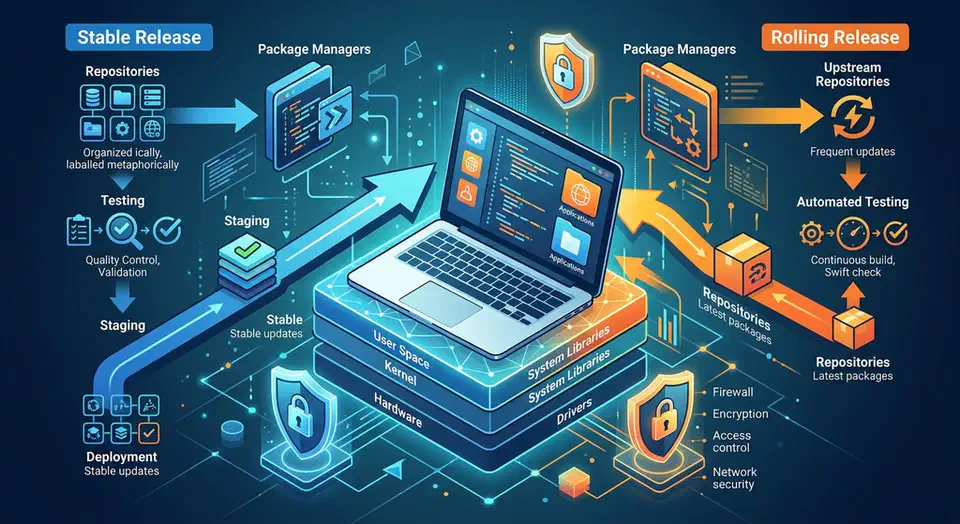
Picking between Debian and Arch in 2026 is less about which distro wins and more about which failure mode you can live with every week. Debian fails slowly and predictably. Arch fails fast and in plain sight. Both can be great daily drivers. Both can be painful if you pick the wrong fit. And both now sit in a Linux world where Flatpak, containers, and user-level tool managers blunt the impact of distro packaging.
If you’ve been away from Linux for a while, the debate also changed shape. Arch is easier to install than it used to be, thanks to archinstall covering most common desktop paths. Debian desktop installs are less “old school” than their reputation suggests. They’re also Flatpak-ready out of the box on common spins. On top of that, immutable derivatives now offer a third path that borrows from both camps.
This guide is a practical daily-driver decision aid. You get a side-by-side table, a security read, and real-world speed notes. It also shows where Ubuntu and Fedora fit, so you don’t fall into a false either/or.
Key Takeaways
- The choice is really about failure modes: Debian breaks slowly and quietly, Arch breaks fast and in plain sight.
- Pick Debian for a low-effort machine that stays out of your way; pick Arch for the newest tools if you don’t mind the upkeep.
- Flatpak makes apps about as fresh on both, so the real gap is system packages and kernel age.
- A snapshot before each update makes either distro safe to run for years.
- Ubuntu, Fedora, and immutable distros are real options too, not just Debian or Arch.
The Core Philosophy Divide Still Drives Everything
The oldest Debian vs. Arch split still drives everything else. It shapes what breaks, when it breaks, how you recover, and how much daily attention your machine needs.
Debian Stable is conservative on purpose. In early 2026, most users are still on Debian 12 Bookworm for production-style uptime. Debian 13 Trixie is landing in the mid-2026 window for those who want a new stable base. “Stable” in Debian-speak means interfaces and package behavior stay the same through the lifecycle. Security patches get backported instead of big version churn.
Arch is the opposite model. One rolling branch, constant updates, very current kernels and userland, and no pretense that a machine left alone for months should sync without reading the release notes. The old “update lottery” gripe is still partly fair. In practice, the odds get a lot better with steady upkeep and a quick read of Arch news before big syncs.
The two camps have grown closer, though. Debian desktops now lean on Flatpak and third-party app sources for fast-moving GUI apps. Arch added a guided install and ships more mainstream defaults than it did years ago. So the philosophical gap is still there. The day-to-day gap for desktop users has shrunk.
A useful framing is this:
- Debian suits people who want the OS to disappear into the background.
- Arch suits people who want the OS to be a controllable toolchain substrate.
- Both can run identical apps and developer stacks when those stacks are containerized or managed per user.
Side-by-Side Snapshot for 2026
Before diving into nuance, compare the baseline characteristics most readers care about first.
| Area | Debian (Stable) | Arch Linux |
|---|---|---|
| Release cadence | Point releases with long support cycles | Rolling release, continuous |
| Typical kernel track | LTS-oriented, backported fixes | Very recent mainline, rapid adoption |
| Init system | systemd | systemd |
| Repo package style | Conservative, curated stability | Fast-moving, latest userland |
| Total software availability | Large official repos + Backports + Flatpak | Official repos + very large AUR + Flatpak |
| Installer quality | Mature graphical/text installers, predictable defaults | archinstall guided flow plus manual install option |
| Update risk profile | Low frequency, low drama | Higher frequency, higher change velocity |
| Best fit | Servers, conservative desktops, low-maintenance users | Tinkerers, developers, users needing latest kernel/tooling |
If you want a one-line take: Debian tunes for the boring path over the new path. Arch tunes for the new path with your name on the work order.
Installer Experience and the First Week
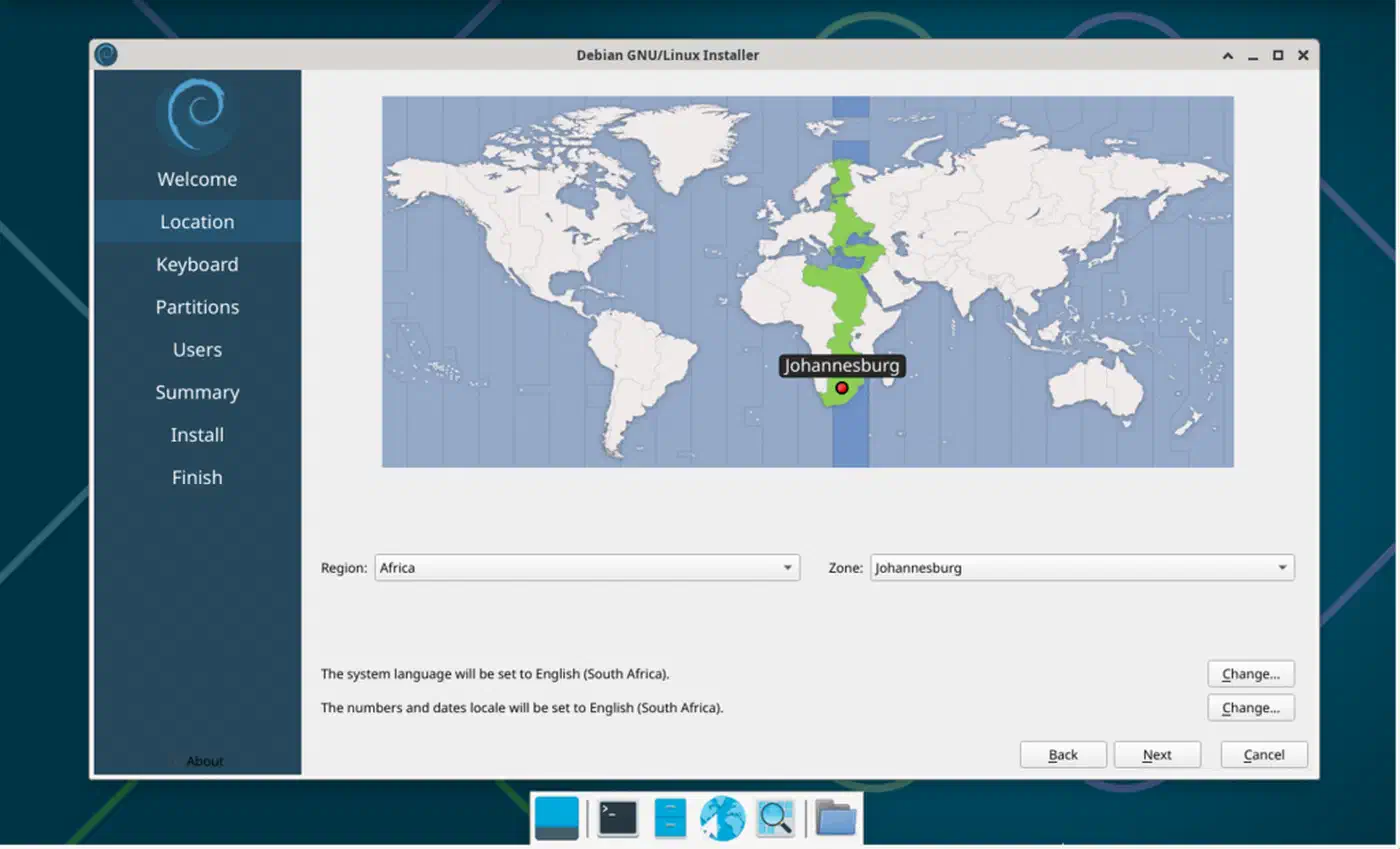
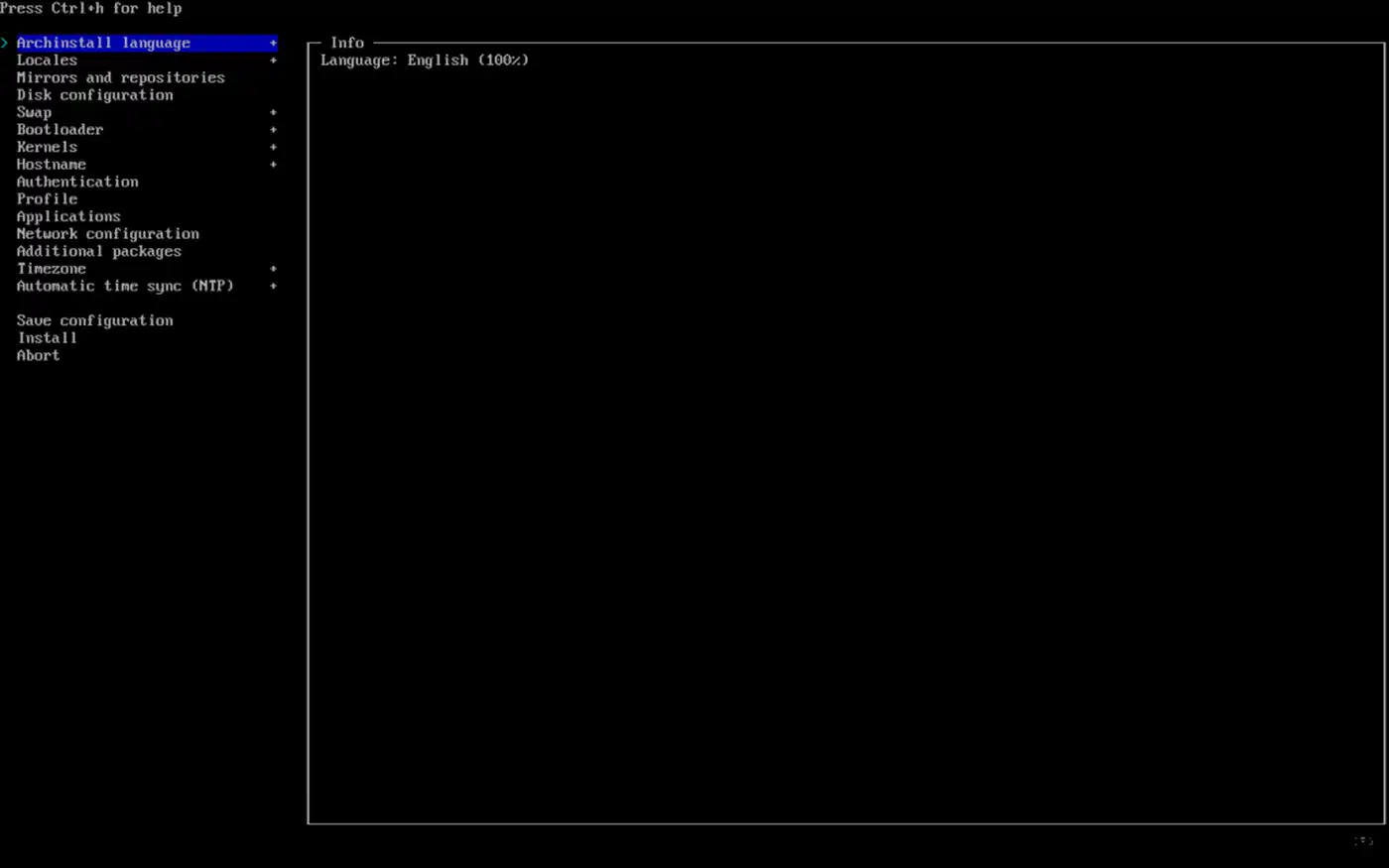
In 2026, install is no longer a clear weak spot for Arch. That’s true unless you pick the old fully manual path on purpose. archinstall walks you through filesystem choice, desktop, network, bootloader, and user setup. You can still do it all by hand. You only need to if your case is unusual, or you want the learning exercise.
Debian install is still a strength for people who want boring uptime. Hardware detection, disk partition flows, and desktop presets stay consistent and well documented. For new Linux users, or laptops that need to “just work,” Debian gives you fewer surprises in the first week. The same low-drama argument applies when you put Linux on aging Apple hardware, where you want drivers to settle without weekly tinkering.
What changes after install is where most people miss the gap:
- Debian’s first week is usually about adding a few newer apps (often via Flatpak) and turning on auto security updates.
- Arch’s first week is about setting an upkeep rhythm, picking helper tools with care, and deciding what belongs in official repos vs AUR.
If your goal is to keep mental load low after work, Debian often wins this phase. If your goal is fast access to current kernels, Mesa stacks, and compilers, Arch starts paying off right away.
AUR vs Debian Backports in the Flatpak and Nix Era
For years, package freshness sat at the heart of this debate. In 2026, that’s still true for system pieces, less true for desktop apps.
Arch’s AUR is still a huge real-world edge for software breadth. You get build scripts from the community for niche tools and fast-moving apps that never reach a stodgy distro repo. The trade-off is trust. AUR packages don’t get a central audit to enterprise standards. Read PKGBUILD content before you install, and skip the blind-automation habits.
Debian Backports gives you a safer but narrower freshness path. Packages are official and slot into Debian’s quality model. The set is small, and versions sit behind Arch pace on purpose. For many users, that’s a feature, not a bug.
Two ecosystem trends blunt the difference:
- Flatpak coverage is now wide enough that many GUI apps are distro-agnostic. On the desktop, Flathub can cover most common software needs, no matter the base distro.
- Nix-based user tooling, like Home Manager, lets you spell out user-space packages and dotfiles on top of Debian or Arch.
A practical mixed strategy that works well in 2026:
- Keep core system packages in native repos.
- Use Flatpak for GUI apps that need rapid updates.
- Use
mise/language-specific managers for runtimes. - Use Nix/Home Manager if you need reproducible user environments across machines.
That setup gives Debian users freshness without rocking the base. It gives Arch users structure, so the system doesn’t drift into a mess.
Developer Toolchains and Kernel-Driven Features
If your daily driver is mainly a dev machine, package freshness counts most in two places: language toolchains and kernel features.
On Arch, Rust, Go, Python 3.13+, and the current Node.js LTS land fast. That’s helpful for folks who track new language features, test against new compilers, or need quick access to SDK updates.
On Debian Stable, toolchain versions are older on purpose, but patched and steady. Debian Testing can close the gap a bit, though it’s still not Arch-level current. Many devs sidestep this split with version managers and container workflows.
mise shines here. It pulls runtime control into one place across projects. A team can lock in on .mise.toml and cut “works on my distro” drift:
# Install and pin toolchain versions per project
mise use python@3.13
mise use node@22
mise use go@1.24
mise use rust@stable
Container tooling is mostly the same across Debian and Arch in 2026. If you run rootless Podman or Docker CE, the day-to-day feel differs less than most forum debates suggest. Where distro choice still counts is kernel age:
- Arch gets kernel 7.x features quickly.
- Debian Stable generally follows long-term kernels with backports.
That gap shows up in real work, like RDNA 4 graphics support, newer NPU drivers, and shifting io_uring behavior. If your hardware is very new, Arch often cuts friction. If your hardware is mature and your projects need steady output, Debian’s slower pace can be a win.
Security Posture: AppArmor, SELinux, and Baseline Hardening
Security talk often gets boiled down to “Debian is secure” vs “Arch is DIY.” The truth has more shading, and it leans on your threat model.
Debian often ships with AppArmor profiles on by default in many desktop and server setups. That gives you mandatory access control (MAC) coverage with little user effort. Arch doesn’t push a MAC framework by default in the same way. You can still run AppArmor or SELinux once you set it up. Fedora, by contrast, is known for SELinux-first defaults. That’s one reason it shows up in many security-leaning picks.
A practical posture comparison:
| Distro family | Default MAC posture | Security experience in practice |
|---|---|---|
| Debian | AppArmor commonly enabled | Strong baseline isolation for common services, low tuning burden |
| Arch | No equivalent default MAC enforcement out of box | Very flexible, but hardening depends on user initiative |
| Fedora | SELinux enforcing by default | Strong policy enforcement, more explicit policy interactions |
No matter the distro, baseline hardening steps count more than tribe loyalty:
- Keep firmware and kernel updated.
- Use full-disk encryption on laptops.
- Minimize exposed services.
- Prefer rootless containers.
- Enable firewall defaults.
- Audit third-party package sources.
On Debian, you tend to get a safer baseline with fewer choices to make. On Arch, you can hit the same or better result. You just have to build that posture on purpose.
Performance Benchmarks You Will Actually Notice
Raw distro speed gaps are usually small on the same kernel and desktop. But the update model and default service set do shape daily feel. The table below sums up real-world, single-user workstation notes from comparable hardware in 2026 (modern 8-core laptop CPU, NVMe SSD, 32 GB RAM, Wayland desktop).
| Metric (fresh install + common dev tools) | Debian Stable | Arch Linux |
|---|---|---|
| C/C++ compile benchmark (lower is better) | 100% baseline | 97-100% of Debian, often slightly faster with newer toolchain |
| Rust cargo build (medium project) | Baseline | Often 2-6% faster with newer LLVM/rustc |
| Idle RAM after login (GNOME/KDE range) | Slightly lower variance, conservative defaults | Similar average, can be lower or higher based on chosen services |
| Cold boot to login manager | Typically very consistent | Similar average, more variance across update windows |
| Resume/suspend behavior on new laptops | Stable once supported | Often supports newest hardware earlier |
A key read: these are not “Arch always wins” results. They show Arch can grab small compile-time wins from newer compilers. Debian wins on steady output and fewer regressions across long stretches.
For your own machine, measure directly instead of relying on anecdotes:
# Boot time view
systemd-analyze

# Service impact
systemd-analyze blame | head -20

# CPU/memory snapshot after login
free -h
systemd-cgtop --iterations=1
If raw speed is your only goal, kernel and driver choice usually count more than distro brand. If upkeep cost counts too, Debian often gives better long-run output.
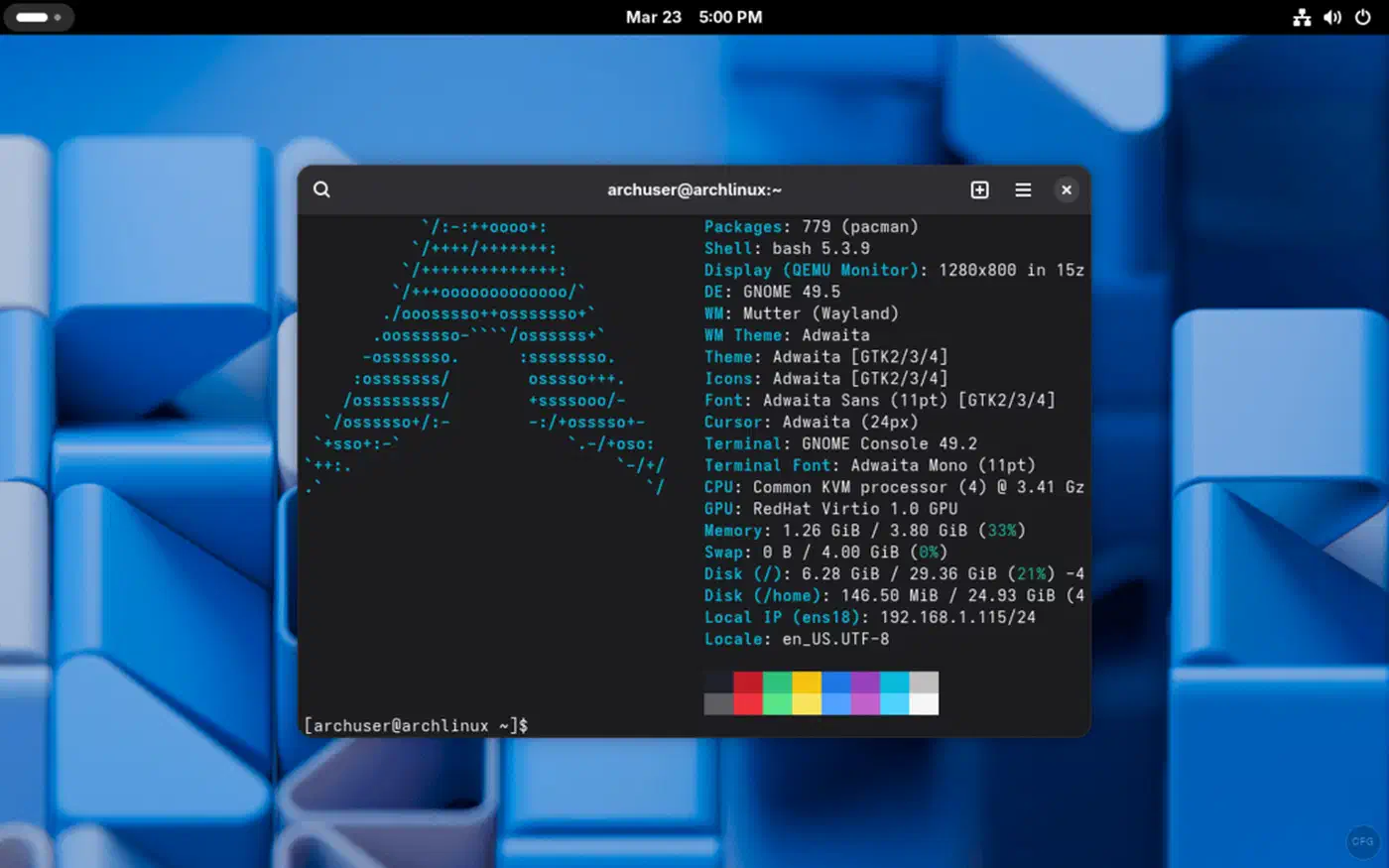
Package Management and Maintenance Workflows
Daily-driver quality is mostly upkeep quality over six to twelve months. Here’s where the two distros feel very different.
Arch upkeep is simple, but not optional. Update often, read Arch news, and don’t run partial upgrades. A solid Arch routine looks like this:
sudo pacman -SyuIf your machine has been offline for weeks, check Arch announcements before you sync. That one habit stops most of the breakage you could have dodged.
Debian upkeep is calmer. Security patches get backported. You can put them on autopilot with unattended-upgrades. That makes Debian a draw for folks who want low-touch uptime.
sudo apt update
sudo apt upgrade
sudo apt full-upgrade
Why run both upgrade and full-upgrade: Debian’s dependency graph shifts over time. full-upgrade (similar to the old dist-upgrade) handles package swaps and removals when needed. If you only run the safe upgrade forever, held-back packages pile up. In time, that builds its own partial-upgrade mess.
Rollback is the safety net that turns either distro into a long-haul daily driver. Btrfs snapshots with snapper are great for pre-update checkpoints on both Debian and Arch. ZFS can do the same if that’s already your storage stack. On Arch, snapshots are close to required if uptime is at stake. On Debian, they’re still worth turning on before big jumps.
The Immutable Shift: Debian-Atomic, SteamOS, and bootc
A big 2026 truth: many users who ask “Debian or Arch?” really want immutable behavior. That means atomic upgrades, safe rollback, and less config drift, which systemd-sysupdate now offers without leaving your current distro.
Read-only root models are now mainstream across many ecosystems. Fedora Silverblue set the pattern. Debian-derived projects like Vanilla OS brought the same ideas to Debian-leaning users. Universal Blue made polished immutable desktops practical for daily use. SteamOS is the most visible proof point. It’s an Arch-based system that feels rock-solid to non-tinkerers, mostly because the OS layer is locked down and updated atomically.
bootc and image-based Linux delivery are part of the same trend. The model treats the OS as an image, often OCI-backed, with transactional updates and clean rollback.
The trade-offs are clear:
- Immutable systems cut accidental breakage and make rollback easy.
- They also turn direct
/usrtweaks into a non-default workflow. - If you mostly use containers, Flatpaks, and declarative user config, the trade tilts in your favor.
- If you often patch system internals, classic mutable Debian or Arch is still more flexible.
If your top priority is uptime with a modern UX, immutable derivatives belong on your short list, next to plain Debian and plain Arch.
Ubuntu and Fedora: The Missing Comparison You Should Not Skip
If you’re weighing Debian vs Arch, also weigh Ubuntu and Fedora. Each one hits a different sweet spot.
Ubuntu sits close to Debian in feel. It offers wider commercial hardware support, more turnkey setups for common desktops, and LTS rhythms most teams already know. If you like Debian’s values but need more vendor-tested paths, Ubuntu can be the pragmatic pick.
Fedora sits closer to Arch on freshness. It keeps a curated release cadence and a strong default security stance (SELinux enforcing). It’s often the “latest without pure rolling” pick for devs.
Quick positioning guide:
- Pick Ubuntu when you want Debian-like uptime plus ecosystem ease.
- Pick Fedora when you want modern kernels and toolchains with guardrails.
- Pick Debian when your top priority is low-upkeep, steady output.
- Pick Arch when you want max freshness and control.
Treating Debian and Arch as the only real options skips two great middle paths.
Practical Daily-Driver Playbooks
If you want decision-ready advice, use these playbooks.
Debian playbook for most professionals:
- Install Debian Stable with Btrfs.
- Enable
unattended-upgrades. - Use Flatpak for fast-moving GUI apps.
- Use
misefor language runtimes. - Snapshot before major changes.
Arch playbook for hands-on developers:
- Install via
archinstalland document choices. - Update on a routine cadence, not randomly.
- Read Arch news before large update gaps.
- Keep AUR usage intentional and audited.
- Snapshot before every major upgrade.
Immutable playbook for reliability-first desktop users:
- Pick an image-based distro aligned with your hardware goals.
- Keep customization in user space (Flatpak, containers, dotfiles).
- Use atomic rollback instead of ad-hoc repair.
These are all viable in 2026. The best one is the one you will actually maintain consistently.
Verdict: Which Should Be Your Daily Driver in 2026
Pick Debian if you want your laptop or workstation to be quiet, steady, and boring in the best way. It’s a strong fit for mixed personal and work machines, servers, and users who prize trust over early access to new stacks.
Pick Arch if you gain from fast kernel and toolchain updates, like active system ownership, and treat upkeep as part of your workflow. Arch is still great for devs on new hardware and for folks who want very current Linux features without waiting for downstream backports.
Pick an immutable derivative if your real ask is “modern packages with rollback safety,” not classic distro identity. SteamOS shows this can make even an Arch base feel appliance-stable. Debian-flavored immutable projects keep getting better, too.
Finally, pick NixOS or a Nix-heavy workflow when reproducibility itself is the top need. If your pain comes from config drift across machines, neither Debian nor Arch alone fixes that as cleanly as declarative systems do.
The short answer in 2026 is not “Debian vs Arch.” It’s “which way of running a system fits how you work when you’re busy.” Pick the model first, then pick the distro.
Frequently Asked Questions
Is Arch Linux stable enough to be a daily driver in 2026?
Yes, for users who keep up with updates. Arch stability is mostly upkeep, not luck. Update on a routine, read Arch news before big syncs, and never run partial upgrades. In my experience the “won’t boot after update” reports almost always come from machines left unsynced for weeks. A Btrfs snapshot before each upgrade turns a bad sync into a two-minute rollback. If you want zero maintenance, Debian or an immutable distro is the safer pick.
How do I get the latest packages without a rolling release?
You have several semi-fresh paths. Fedora ships modern kernels and toolchains on a six-month cadence with no rolling churn. Debian Testing tracks newer packages than Stable while staying short of Arch’s pace. openSUSE Leap pairs a stable base with fresher desktop stacks. For single apps, Flatpak and mise give you current versions on any base. When I need fresh without the babysitting, Fedora is usually where I land. The trade is timing: you wait weeks for what Arch ships the same day.
Which firewall should I use on Debian or Arch?
Pick one tool and stick with it. On Debian, ufw gives readable defaults in a few commands, and it is what I run on every Debian box I manage. On Arch, ufw works the same way, or use firewalld if you want zone-based rules. Both sit on top of nftables, the kernel backend on most 2026 systems. Reach for raw nftables only when you need named sets or rate limiting. Never run two firewall front-ends on one machine, since overlapping rules create holes that are hard to audit.
Should I pick Btrfs or ext4 for Arch or Debian?
Pick Btrfs if you want snapshots. archinstall defaults to ext4 on unencrypted disks and Btrfs on encrypted ones, so the choice stays yours. ext4 is simpler and battle-tested, a fine pick when snapper rollback is not a priority. Btrfs adds copy-on-write snapshots that pair well with pre-update checkpoints on a rolling Arch system. I run Btrfs on my own Arch laptop purely for that safety net. For a low-maintenance Debian box, ext4 is still a reasonable default.
What are the best Arch-based distros in 2026?
EndeavourOS sits closest to vanilla Arch, with a friendly installer and a strong community, a good way to ease in. CachyOS targets raw speed with CPU-optimized packages and a tuned kernel. SteamOS shows the immutable, appliance-stable end of the range. All three keep AUR access, so you lose little software breadth. Pick EndeavourOS to learn Arch, CachyOS for performance, SteamOS for a locked-down gaming machine.