 Botmonster Tech
Flatpak vs Snap vs AppImage: which Linux package format should you use?

For most Linux desktop users, Flatpak is the best universal packaging format in 2026. It offers strong sandboxing through Bubblewrap and Linux namespaces. Its curated app store, Flathub , passed 3,200 apps and 433 million downloads in 2025. Snap fits server and IoT setups where Canonical’s store and auto-updates help, but its cold starts are the slowest of the three on the desktop. AppImage wins for portable, single-file delivery, though it has no sandbox or update system and shares no libraries between apps.
The right pick depends on your role, your distro, and what you want most: safety, speed, portability, or ease.
AppImage vs Flatpak
AppImage vs Flatpak is mostly a trade between portability and safety. An AppImage is one file you download, chmod +x, and run on almost any distro, with no install step and no daemon. Flatpak needs the flatpak tool and a runtime, but it gives you a Bubblewrap sandbox, delta updates from Flathub, and libraries shared across apps. Pick AppImage for a tool you carry on a USB stick or try once. Pick Flatpak for apps you keep and update.
AppImage vs Flatpak performance
On AppImage vs Flatpak performance, AppImage starts slightly faster and uses less RAM. In the cold-start tests below, Firefox opens in about 1.5 s as an AppImage and 1.8 s as a Flatpak, and GIMP in 3.3 s versus 3.5 s. Flatpak adds 15-25 MB of RAM per running app for its sandbox and portals, while AppImage adds nothing. Once the cache is warm the gap disappears, and Flatpak wins back the difference on disk use and update size.
Architecture: How Each Format Works
These three formats solve the “works on my machine” problem in very different ways. How they are built explains most of the gaps you will see in startup speed, disk use, update size, and safety.
Flatpak
Flatpak
apps run inside a Bubblewrap sandbox. Linux namespaces wall them off from the host. Instead of bundling every library into every app, Flatpak uses shared runtimes (such as org.freedesktop.Platform or org.gnome.Platform) that supply a known, stable set of libraries. Ten GNOME apps on your system can share one ~800 MB runtime, and more apps that use the same runtime only cost their own app data.
OSTree deduplicates runtimes on disk. It is the same content-addressed store used by Fedora’s immutable spins. Apps list their permissions in a metadata file: filesystems, network, cameras, and other resources go through the XDG Desktop Portal system. The portal lets the desktop broker access. File chooser dialogs, screen-share prompts, and print jobs work without giving apps blanket access to your home directory.
Snap
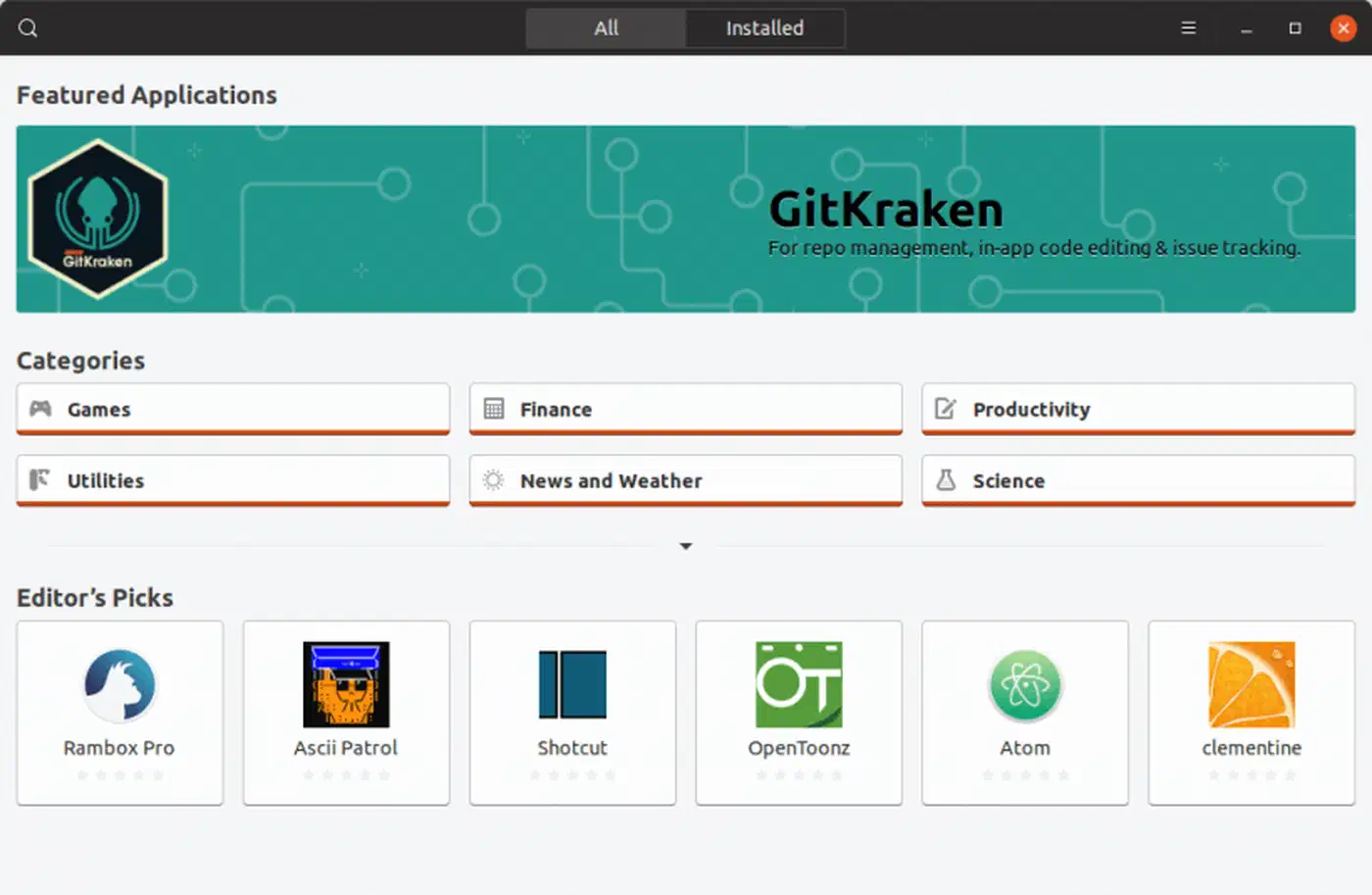
Snap ships packages as compressed SquashFS
images mounted at /snap/<name>/current. The snapd daemon runs the full lifecycle: install, update, confinement, and removal. On Ubuntu, confinement uses AppArmor profiles to limit what a snap can touch. The snap-confine tool sets up the mount namespace for each app.
All Snaps must go through the Canonical-run Snap Store. There is no official way to add third-party repos. You can host your own snap store by pointing snapd at a different backend, but this is not a supported path for most users.
AppImage
An AppImage is one executable file. It holds the app, its libraries, and a small runtime inside a SquashFS or ISO 9660 image. FUSE mounts the file at launch. You download the file, run chmod +x, and start it, with no install step, daemon, or package manager involved.
AppImage ships no sandbox by default. The app runs with your full user rights, just like any native binary. There is no built-in update system either. Some AppImages embed a zsync URL that appimageupdatetool can use for delta updates, but most need a full re-download when a new version drops.
Quick Architecture Comparison
| Feature | Flatpak | Snap | AppImage |
|---|---|---|---|
| Packaging format | OSTree refs + runtime | SquashFS image | Single executable (SquashFS/ISO 9660) |
| Installation | flatpak install | snap install | chmod +x and run |
| Background daemon | No | Yes (snapd) | No |
| Sandbox | Bubblewrap + seccomp + portals | AppArmor (Ubuntu) / partial elsewhere | None |
| Shared libraries | Shared runtimes (OSTree dedup) | Base snaps (core22/core24) | Fully bundled per app |
| Store/repository | Flathub (open, community-governed) | Snap Store (Canonical-controlled) | None (developer’s website/GitHub) |
Real-World Performance: Startup Time, Disk Usage, and RAM
Benchmark claims swing wildly on the internet, partly because test conditions vary so much. Here are typical numbers for common apps on similar hardware: NVMe SSD, modern AMD/Intel CPU, recent Fedora or Ubuntu install.
Cold Start Times
Cold start is timed after flushing filesystem caches. This is the worst case: the first launch after a reboot.
| Application | Native (RPM/DEB) | Flatpak | Snap | AppImage |
|---|---|---|---|---|
| Firefox | ~1.2 s | ~1.8 s | ~3.5 s | ~1.5 s |
| VS Code | ~2.0 s | ~2.4 s | ~4.2 s | ~2.2 s |
| GIMP | ~3.0 s | ~3.5 s | ~5.5 s | ~3.3 s |
| LibreOffice Writer | ~1.5 s | ~2.0 s | ~3.8 s | ~1.7 s |
Snap’s SquashFS decompression is the main cold-start choke point. Canonical has tried swapping XZ for LZO, which cut Firefox cold start from ~15 seconds to ~6 seconds in older Ubuntu builds. Snaps still default to XZ for its tighter compression.
On later (warm) launches, Snap performance climbs to roughly match Flatpak and AppImage. The filesystem cache wipes out the decompression cost.
Disk Usage
| Application | Native | Flatpak (app only) | Flatpak (+ shared runtime) | Snap | AppImage |
|---|---|---|---|---|---|
| Firefox | ~250 MB | ~350 MB | +800 MB shared GNOME runtime* | ~280 MB (compressed) | ~300 MB |
| VS Code | ~350 MB | ~400 MB | same shared runtime | ~320 MB (compressed) | ~370 MB |
*The shared GNOME runtime is spread across all apps that use it, and OSTree dedup means your second, third, and tenth Flatpak apps on the same runtime add zero runtime cost. Install 10 GNOME apps, and the per-app cost is far lower than 10 Snap packages with their own bundled libraries.
Snap’s SquashFS images look smaller on disk because they stay compressed, but they expand in RAM when mounted. AppImage files tend to be the largest single-file downloads since they bundle everything without sharing.
RAM Overhead
Flatpak adds about 15-25 MB per running app for the sandbox and portal processes. Snap adds about 10-20 MB for snap-confine and the mount namespace. AppImage adds about 0 MB on top of the app itself. On any system with 8 GB or more RAM, these gaps are too small to notice.
Update Sizes
Update bandwidth is where the three formats split the most:
- Flatpak uses OSTree delta updates that ship 5-50 MB per app update. It sends only the changed file blocks.
- Snap pulls a full new SquashFS image for each update, typically 50-300 MB per update based on app size.
- AppImage has no standard update path. The
appimageupdatetoolsupports zsync delta updates if the developer enables it, but most AppImages need a full re-download.
Over months of use, Flatpak’s delta updates download far less than Snap’s full-image replacements.
Security and Sandboxing in Practice
Safety is the most contested split between the three formats, and marketing copy often oversimplifies it.
Flatpak Sandboxing
Flatpak’s safety model is the most fine-grained of the three. By default, filesystem access is locked to XDG portals, network access can be denied, D-Bus access is filtered, and seccomp filters block risky syscalls. The Flatseal GUI tool lets you view and edit per-app permissions without touching the command line.
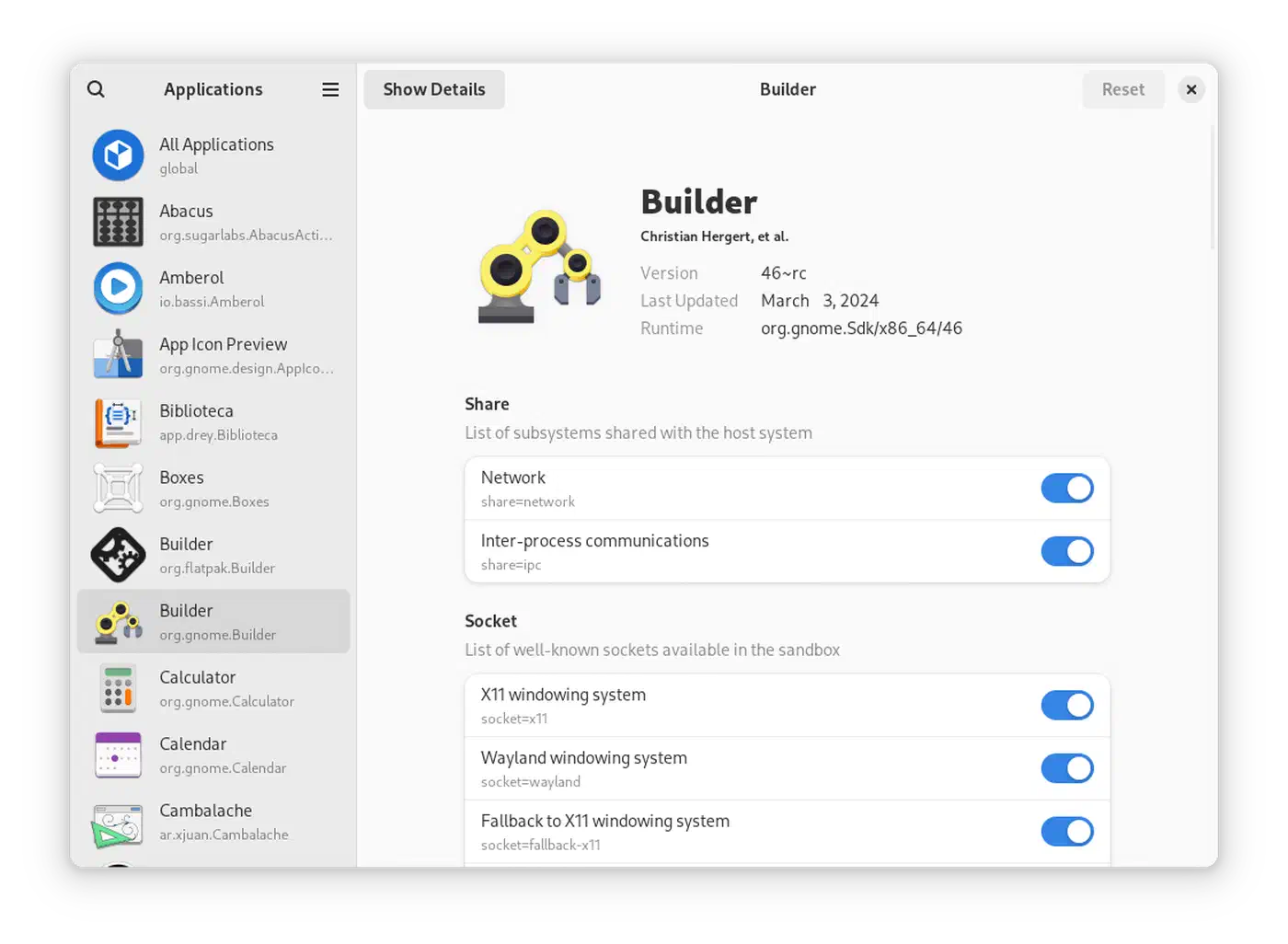
Many apps on Flathub ask for --filesystem=home or --filesystem=host, which bypasses the filesystem sandbox. You can check what an app asks for with flatpak info --show-permissions <app-id>. Also, X11 apps cannot be sandboxed against input snooping or screen capture. Wayland’s protocol-level isolation is needed for full safety. If you are still running X11
, Flatpak’s sandbox has a big hole for any GUI app.
Snap Confinement
Snap has three confinement levels. strict is the default and locks all access. classic opens full system access with no sandbox. devmode is for dev only. About 30% of Snap Store apps use classic, including IDEs, compilers, and system tools. Classic confinement gives you no more safety than a native package.
Snap’s strict confinement also leans on AppArmor, which is on by default on Ubuntu but not on Fedora (which uses SELinux) or Arch. On those distros, snapd falls back to partial confinement, which cuts the safety guarantees a lot. If you install Snaps on a non-Ubuntu system and expect Ubuntu-level sandboxing, you are likely not getting it.
AppImage Security
AppImage offers no sandbox at all. A bad AppImage has the same access to your files, secrets, and SSH keys as any binary you grab from the web and run. You can wrap an AppImage in Firejail
by hand (firejail --appimage app.AppImage) for basic isolation, but it is manual, fragile, and most users will never do it. For a deeper look at how Firejail and Bubblewrap stack up on Linux, see sandboxing untrusted apps with Bubblewrap
.
Supply Chain Trust
Flathub has app verify badges, takes apps via GitHub PRs with review, and is working toward reproducible builds. The Snap Store is Canonical-run with auto malware scans, but it has had cases of crypto miners slipping past review. AppImage has no central vetting. You trust whatever site or GitHub release page the developer points you to.
Update Mechanisms and Lifecycle Management
How fast security patches reach you, and how much say you have over updates, differ across all three formats.
Flatpak Updates
Running flatpak update updates all installed apps and runtimes. GNOME Software turns on a systemd timer (flatpak-update.timer) for auto background updates by default. Updates are delta-based through OSTree, so they ship only changed blocks. You can pin an app to a specific commit with flatpak pin to block unwanted updates, and Flathub supports both stable and beta branches.
When a bug is patched in a shared runtime (say, a glibc fix in org.freedesktop.Platform), every app on that runtime gets the fix in one update, without waiting for each app developer to rebuild.
Snap Updates
snapd checks for updates four times daily and applies them on its own. Updates are atomic. The old version is kept, and you can roll back with snap revert <name>. You cannot turn off auto updates for good. snap refresh --hold=72h defers them for up to 72 hours, but snapd will eventually force the update. Some desktop users drop Snap over these forced updates, while server and IoT rollouts, where unattended patching is the goal, depend on them.
AppImage Updates
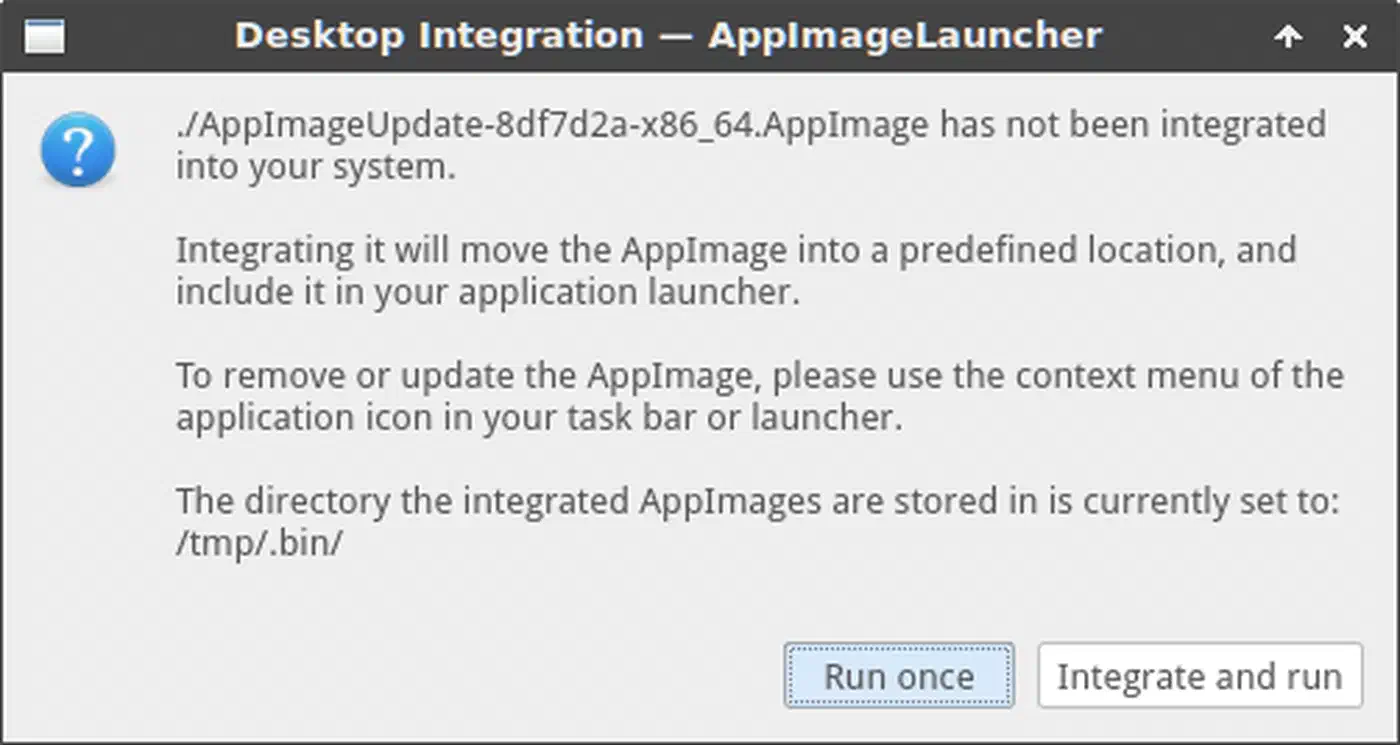
There is no built-in update path. The appimageupdatetool checks for updates if the AppImage embeds an update URL in zsync format. AppImageLauncher
can wire AppImages into your desktop menu and check for updates, but developers must opt in. In practice, most AppImage users grab new versions by hand.
CVE Response Comparison
Flatpak runtime updates patch shared libraries across all dependent apps at once. A single flatpak update can fix a CVE for dozens of installed apps. Snap base snaps (core22, core24) also patch shared libraries, though each snap may bundle extra libraries that need separate updates from the developer. AppImage-bundled libraries are only patched when the developer rebuilds and ships a new AppImage. If a developer drops a project, those bundled libraries never get patched.
Theming and Desktop Integration
A common gripe about universal packages is that they look out of place on your desktop. The theming story varies by format, and it is still a rough edge in 2026.
Flatpak apps cannot directly read your host system’s theme files. Inside the sandbox, /usr comes from the runtime, not the host. Instead, themes ship as extensions to the Freedesktop or KDE runtimes. Since Flatpak 0.10.1, Flatpak detects the active GTK theme on your host by reading the DConf key and installs the matching theme extension if it is on Flathub. This works well for popular themes like Adwaita, Breeze, and Arc. Custom or rare themes may not have Flathub extensions, so apps fall back to Adwaita.
Snap apps read host themes through the gtk-common-themes snap and the desktop interface. This works fine for the default Ubuntu theme but can be hit-or-miss for custom themes on non-Ubuntu distros.
AppImage apps bundle their own toolkit, so theming depends on what the developer included. Some AppImages look native, others do not, and there is no steady way to override this.
Which Format to Use: A Decision Tree
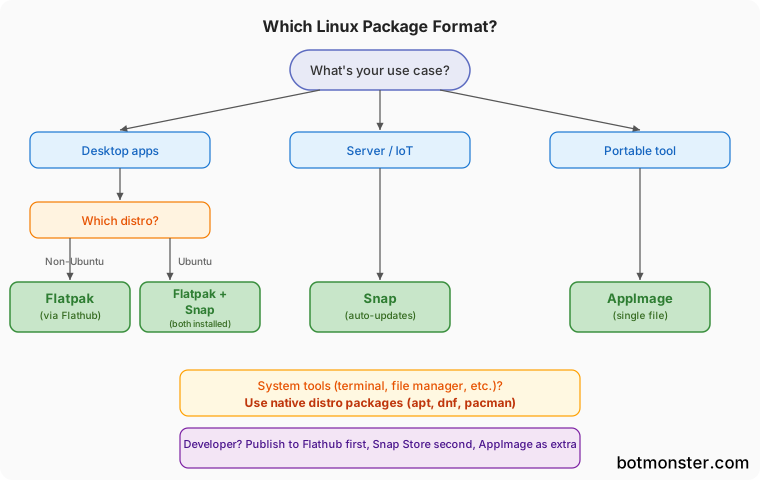
If you run Fedora, openSUSE, or any non-Ubuntu desktop distro, use Flatpak. It is the default or supported format on most non-Ubuntu distros. Flathub has the largest pool of desktop apps, GNOME Software and KDE Discover hook in natively, and the sandbox is the strongest.
On Ubuntu, Snap is pre-installed and tightly wired in. Ubuntu Software Center defaults to Snaps. But many Ubuntu users install Flatpak alongside it (apt install flatpak gnome-software-plugin-flatpak) for access to Flathub. A common pattern: use Snap for server tools and CLI utilities, and Flatpak for desktop GUI apps.
For server and IoT rollouts, Snap’s auto updates, transactional rollback, and IoT-focused features (Ubuntu Core, snap configs) make it the better pick. Headless and embedded systems need reliable unattended patching.
If you need to ship a portable tool, AppImage is hard to beat. Hand someone a single file that runs on any Linux distro with no install: internal tools, conference demos, or users on locked-down corporate systems where they cannot install packages.
Developers picking a delivery format should publish on Flathub first for the largest desktop reach. Consider the Snap Store second for the Ubuntu crowd. Offer an AppImage as an extra download for users who want portability. Skip AppImage-only delivery if your app handles sensitive data, since users get no sandbox cover. Whichever format you pick, building the artifact on every tagged release is an easy job to hand off to Gitea Actions on a runner you own.
For system tools like terminal emulators, file managers, and system utilities, native packages from your distro’s repo are still the best pick. They start faster, take less space, integrate deeper with the system, and get security updates from your distro’s security team.
A Note on Nix
Nix and Guix deserve a nod as other paths to reproducible packaging. Nix’s pure functional model gives you reproducible builds and lets many versions of the same package live side by side without clashes. The Nixpkgs repo holds over 100,000 packages, far more than Flathub or the Snap Store.
Nix is a full package and system config tool. Its packages run with full user rights like native packages and do not offer portal-based permission controls. For end users who want a sandboxed app-store feel, Flatpak is the better fit. For developers and power users who want reproducible environments , Nix is worth running alongside Flatpak.
Snap Store Controversy: The Open-Source Elephant in the Room
While snapd (the daemon) and snapcraft (the build tool) are open-source, the Snap Store backend is proprietary, closed-source software run by Canonical.
This means the community cannot fork or run an independent Snap Store without reverse-engineering or rebuilding the server. Canonical has acknowledged the frustration but has not committed to open-sourcing the store backend.
By contrast, Flathub is fully open-source and community-governed. Anyone can stand up their own Flatpak remote repo with standard tools. That openness is a big reason distros like Linux Mint, Fedora, and openSUSE have favored Flatpak over Snap as their go-to universal packaging format.
Final Verdict
For desktop Linux in 2026, Flatpak with Flathub is the strongest all-around pick. Its shared runtimes keep disk use reasonable as you add more apps. OSTree delta updates save bandwidth. The portal-based sandbox is the most mature permission model out there. Flathub is also open and community-governed.
Snap fits the server, IoT, and Ubuntu-specific space. If you run Ubuntu servers or deploy embedded devices, Snap’s auto updates and Canonical’s integration work outweigh its desktop flaws.
When you need a grab-and-go binary that works anywhere with zero setup, nothing beats AppImage. But for daily desktop use where you want safety, updates, and theme polish, it falls short.
The practical advice: install Flatpak. Use Flathub as your main app source. Fall back to Snap for anything not on Flathub. Keep AppImage in your toolkit for specific portability needs. Use native distro packages for system-level software.