 Botmonster Tech
Openship deploys your apps and holds your Docker socket

This post is open for corrections. Highlight any line of text to challenge it or ask for a clearer explanation and leave a comment.
The Openship self-hosted deployment platform points at a Git repository and handles the build, the container, the reverse proxy, and the certificate. Push-to-deploy, databases, mail, and backups live in one dashboard. One line in its Compose file decides where you can run it: the API container mounts your host Docker socket.
Key Takeaways
- Point it at a repo and it builds, runs, routes, and gets a certificate.
- You can drive it from a desktop app, a web dashboard, or a CLI.
- Solo users can run the control plane on a laptop with nothing exposed.
- The self-hosted stack hands your host Docker socket to a container.
- It’s early software, so expect the surface to keep moving.
What the Openship self-hosted deployment platform does end to end
Every project here calls itself the self-hosted Heroku, so the slogan tells you nothing. Openship runs five stages, and you can line each one up against whatever you deploy with today.
Detection comes first. Openship reads your package.json, your framework config, your lockfiles, and any docker-compose.yml or openship.json in the tree. From those it works out the stack, the package manager, the build and start commands, and the port. No config file is required, and an openship.json overrides the guesses when you want the last word.
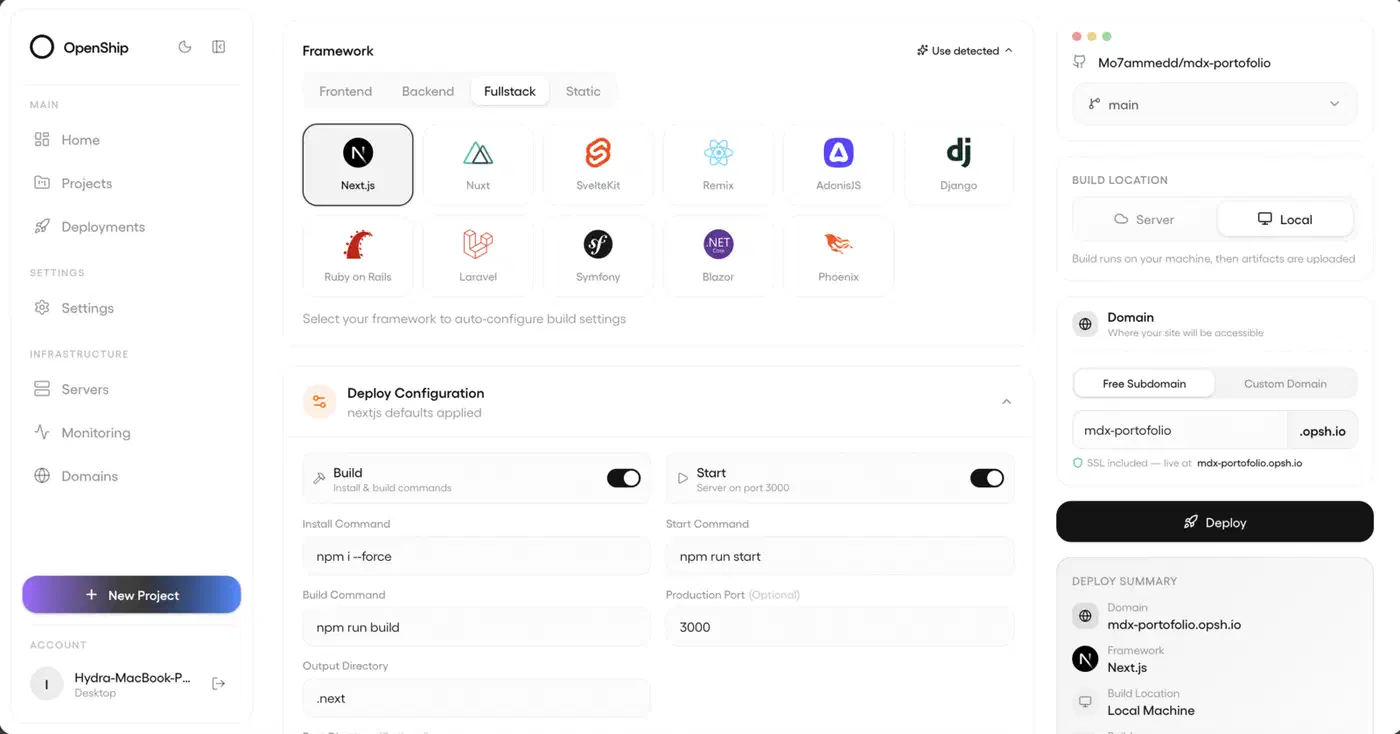
The build follows, on the target server or locally on the orchestrator, producing a Docker image or a bare release. The resolved config is frozen into a snapshot, so a redeploy or a rollback re-runs exactly what shipped instead of whatever the detector would guess today.
Then your app comes up, either as a supervised host process or as a container. Containers are published on loopback only, never on a public port.
Routing and TLS land last. An OpenResty edge writes a reverse-proxy virtual host for your domain and issues a Let’s Encrypt certificate over HTTP-01.
That ordering is the smartest thing in the design. Because routing and TLS happen after the app is already running, a bad DNS record or a stalled certificate shows up as an “action required” item. The deploy still succeeds and the live app stays up.
Push-to-deploy re-runs that whole pipeline for you. A GitHub webhook fires on every push to the tracked branch, and in a monorepo it rebuilds only the services that push actually touched.
Around that pipeline sits the usual platform furniture. You get Postgres, MySQL, MongoDB and Redis, plus domains with wildcard certificates. There’s a CDN layer with edge caching and Brotli, and a built-in SMTP server with DKIM, SPF and DMARC. Backups run on a schedule across databases and volumes, with one-click restore. Build logs and container metrics stream live.
For orientation, the repo is Apache 2.0 and written in TypeScript. It was created on 5 March 2026 and shipped v0.4.8 on 28 July 2026. Self-hosting is free, with no billing anywhere in it.
The Docker socket line in the Compose file
The self-hosting Compose file runs five services: Postgres, Redis, the API, the dashboard, and the edge. The API container binds the host’s /var/run/docker.sock. That lets the control plane build and run your apps as containers on the host.
Credit where it’s due: Openship discloses this itself. The project’s own comment in that file calls the API container host-privileged through the socket and says to run it only on a trusted host.
Anything that can talk to the Docker socket can start a new container with the host filesystem mounted inside it. Socket access is therefore root on that machine, whatever user the container itself runs as.
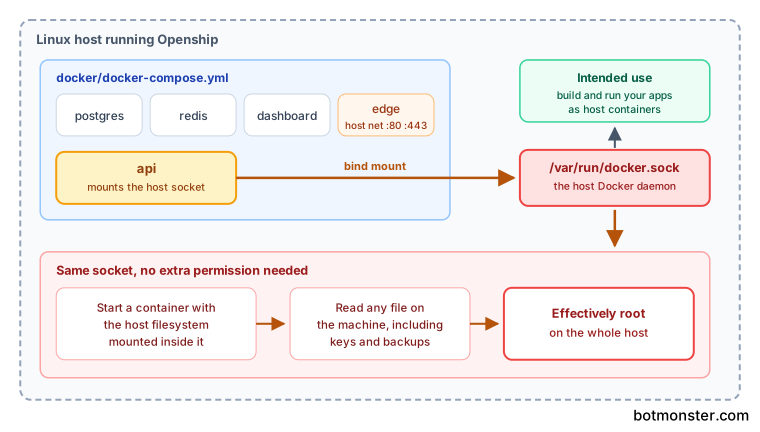
The edge service adds a second host-level detail. It runs with network_mode: host on ports 80 and 443, which is why Compose mode is Linux only. On macOS and Windows you get bare mode instead.
This isn’t a flaw unique to Openship. Every self-hosted platform that builds images on your box does some version of it. Put Openship on a machine dedicated to hosting, and keep it away from the box holding your backups, your password manager, or your personal files. Don’t co-locate it with unrelated production services either.
Two defaults do point the right way. A self-hosted instance always requires a login through the admin you create at setup. The desktop app, meanwhile, runs the control plane on your own machine only while the app is open, with nothing exposed publicly.
One last note on getting it installed. The project publishes a shell pipe from its own domain, but the npm package gives you the same CLI. Stick with npm i -g openship. A package-manager install is inspectable and revertible; piping a remote script into a shell is neither.
How Openship compares with Coolify and Dokploy
Every row below comes from reading each project’s own deployment file.
| Platform | How the control plane reaches Docker | Edge and TLS | Platform limits |
|---|---|---|---|
| Openship | API container binds the host socket read-write | OpenResty container on ports 80 and 443, Let’s Encrypt | Compose mode is Linux only |
| Dokploy | Swarm service binds the host socket read-write; Traefik gets a read-only copy | Traefik with Let’s Encrypt | Needs Docker Swarm |
| Coolify | No socket mount; it connects to the host over SSH as root | Traefik or Caddy with Let’s Encrypt | Root SSH must work against localhost |
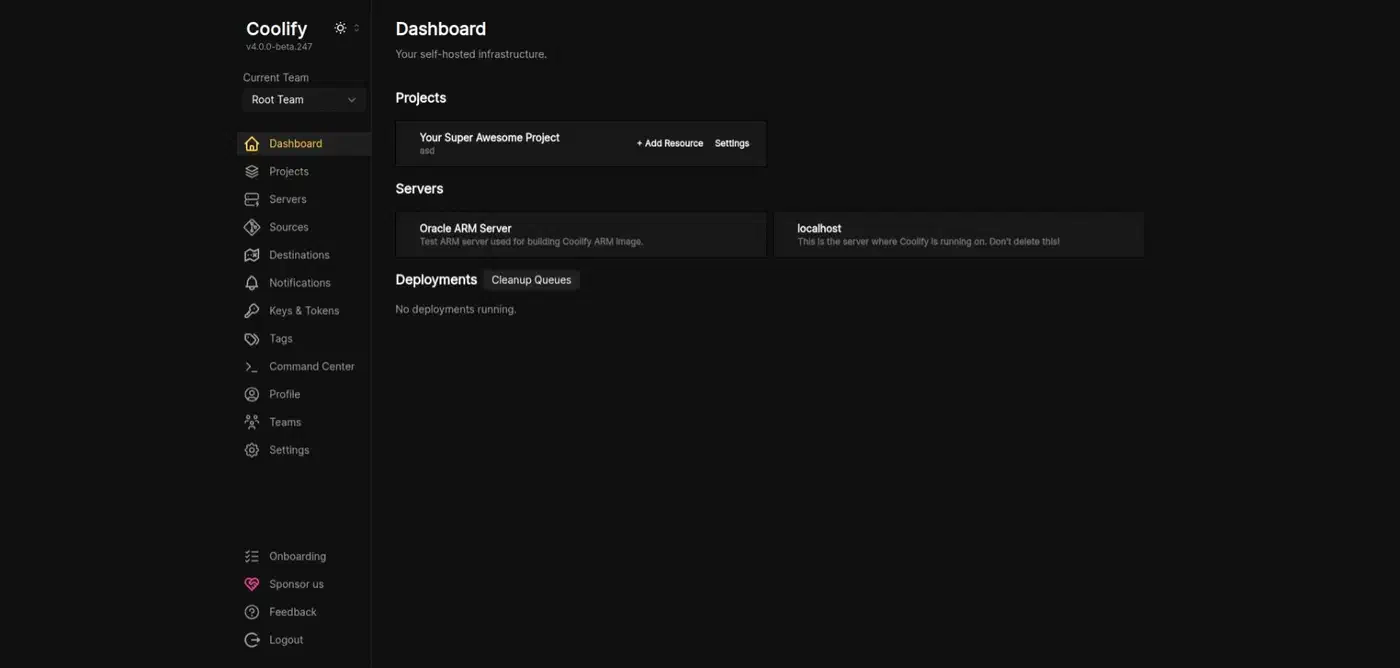
Coolify’s approach looks like the safe outlier until you check what root SSH buys. It carries the same power as the socket, just through a different door. It also creates a well-known class of setup pain, because the key has to authenticate as root against the very machine Coolify already sits on.
Pick your platform on features, support, and how much you trust the maintainers. Don’t pick one hoping to dodge host-level access.
Desktop, server, or cloud, and how to choose
Openship’s most unusual choice is that the control plane is portable across three shapes. Pick the wrong one and your first day goes badly, so decide before you install anything.
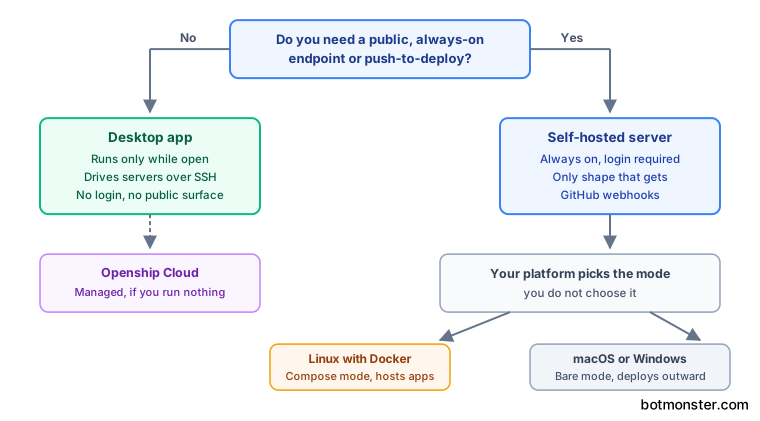
- Desktop app. The control plane runs on your own machine only while the app is open. It drives your servers over SSH, needs no login, and exposes no public surface. It won’t host public apps on your laptop.
- Self-hosted server. Always on, login required, and the only shape that can receive webhooks. This is what you need for push-to-deploy, team access, or hosting apps on that box.
- Openship Cloud. Managed sandboxes with zero setup, for people who would rather not run anything.
If you need a public, always-on endpoint, you need the server. Otherwise the desktop app gets you the same result with less machinery.
Your platform then picks Compose mode or bare mode for you, and you get no say in it. Linux with Docker gets Compose mode and hosts apps on that box. Everything else gets bare mode, a single always-on process with an embedded database that deploys out to a server or to Cloud.
Three interfaces drive the same backend: the desktop app with real-time logs, the web dashboard for teams, and a scriptable CLI. An MCP endpoint and a REST API round it out for automation.
Most projects bolt one on and move along. Here only routes that opt in become tools. Every call re-checks your permissions, and credential and token routes can never become tools at all. Deploy targets are plainer: Openship Cloud, any VPS, dedicated or colocated servers, homelab boxes, or several machines at once.
Stand up Openship on a Linux server and deploy your first app
This walks you from an empty Linux server to a repository building and serving on your own domain with TLS.
Pick the right control plane
If you’re working solo on one machine with no ops, use the desktop app and connect a server over SSH. If you’re in a team, want push-to-deploy, or plan to host apps on that box, use the self-hosted server.
Install the CLI on the server
Run npm i -g openship. That single package carries the API and the dashboard, so there’s nothing else to fetch.
Run the guided setup
Run openship with no arguments. The wizard creates the first admin, wires up your domain, and installs Openship as a boot service. Run it again later to manage the instance.
Or go headless
On a CI box or an unattended server, skip the wizard with openship up. Add --public-url https://openship.example.com to serve the dashboard on your domain with edge routing and TLS already handled.
Know which mode you got
On Linux with Docker you get Compose mode by default, and your apps run on the same box. Everywhere else you get bare mode. Force either one with --compose or --bare.
Link and deploy a project
From your project directory, run openship init to link it, then openship deploy.
Add push-to-deploy
Connect the GitHub repository so a webhook re-runs the pipeline on every push to the tracked branch. In a monorepo it rebuilds only the services the push touched.
Verify routing and TLS separately
Check that your domain resolves and the certificate issued before you call the deploy done. A DNS or certificate problem surfaces as “action required” rather than a failed deploy, so it’s easy to miss.
What version 0.4.8 means for your risk
The project describes its core as production-ready and actively developed. That’s a fair self-assessment, and the version number still says the surface is moving.
The build-run-route-TLS pipeline, push-to-deploy, databases, domains, backups, and all three interfaces are settled enough to lean on.
The project lists multi-node clusters, a load-balancing interface, private networking, advanced monitoring, and visual pipelines as still to come. Do not plan a multi-node architecture on Openship today.
The docs are still being filled in, which the project says plainly. For anything unusual, expect to read the CLI reference and the Compose file rather than a polished guide.
Portability is the best argument for adopting early. Your apps run as plain Docker containers, so leaving Openship means moving containers, not rewriting how you deploy.
Pin OPENSHIP_VERSION in .env so pulls stay reproducible. You then control when the upgrade happens.
Watch the two Compose files. The one under docker/ is the self-hosted stack that hosts your apps. The root docker-compose.yml is the from-source control plane, with no edge and no socket, and it self-hosts nothing. Confusing the two is the likeliest setup mistake in the whole project.
The security process is better than the version number implies. The security policy offers private GitHub advisories, a documented scope, response targets in business days, and safe harbour for good-faith research. That scope covers the build pipeline and the edge. The policy never names container escape through the mounted socket as a case it has weighed. Only the latest release gets fixes, so keep a self-hosted instance current.
The project also publishes no minimum spec. Five services on one box isn’t free, and two of them are Postgres and Redis. Budget a couple of gigabytes of RAM before you try this on the cheapest VPS in the catalogue.
The verdict: run it today on a dedicated host for personal projects and small teams. Wait on it for anything that needs multi-node or a formal compliance story.