 Botmonster Tech
Alacritty vs. Kitty: best high-performance Linux terminal
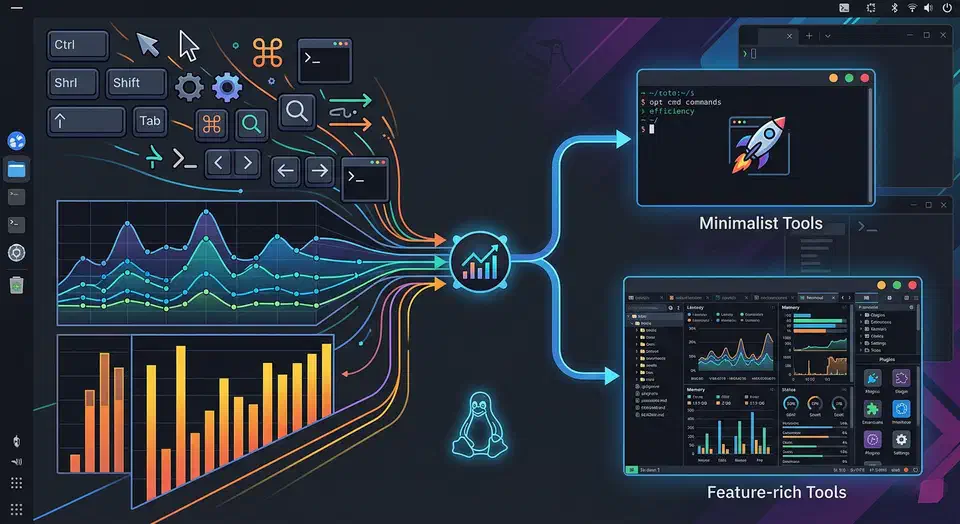
Alacritty and Kitty are both fast in 2026, so speed no longer decides it. The real split is how they draw text. Kitty renders emoji and glyphs that Alacritty mangles. Each project also has a very different lead developer. This guide tests both on real Linux work.
Key Takeaways
- Both terminals are fast now; the speed gap is too small to decide most setups.
- Kitty renders emoji and box glyphs cleanly, while Alacritty struggles with wide characters.
- Pick Alacritty for the lowest input lag plus tmux or zellij for panes.
- Pick Kitty for built-in splits, image previews, and a scripting API.
- Maintainer style and community drama differ, so check both before you commit.
GPU-Accelerated Terminals in 2026
Linux terminals got fast. Almost every good one feels quick now. So “fast versus slow” is the wrong question. In 2026 you choose by features and feel, not raw speed.
The field splits into three camps:
- OpenGL-first terminals: Alacritty and Kitty lead here.
- Wayland-native lean terminals: Foot is the top minimal pick.
- Cross-platform terminals: WezTerm and Ghostty aim wide.
Two newer names show up in searches too. Ptyxis is GNOME’s container-aware default. Rio is a Rust terminal on a WebGPU backend. Neither beats Alacritty or Kitty here.
GPU speed shapes how typing feels. It cuts input lag and keeps frames steady under heavy output. A terminal that stays smooth while logs fly by tires you less. All four clear that bar. What sets them apart is smaller stuff: startup time, memory use, render quality, project health, and built-in panes versus tmux.
Alacritty: The Minimalist Case
Alacritty is picky on purpose. It will not be a multiplexer, an IDE, or a kitchen-sink tool. That can feel limiting. It is also why many devs trust it for years. The idea is simple. Keep the terminal small and steady. Let other Unix tools shape your session. So there are no tabs, no splits, and no image support. You add panes with tmux or zellij. You preview files with CLI tools.
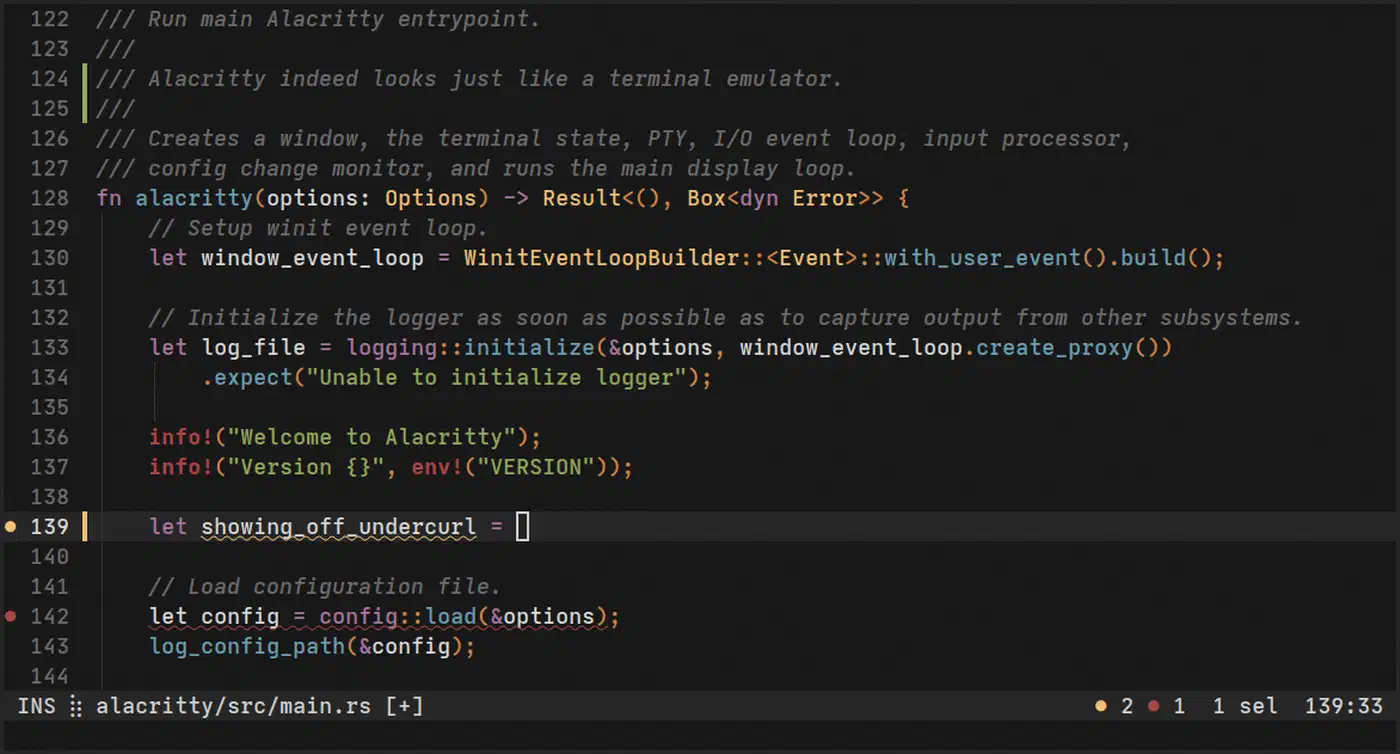
Render quality is great. The GPU path stays steady under heavy output. Typing stays snappy even when loud commands flood the screen:
journalctl -f
cargo test -- --nocapture
kubectl logs -f deployment/api
Config is simple and easy to track in Git. It all lives in one file:
[window]
opacity = 0.96
padding = { x = 10, y = 10 }

[font]
normal = { family = "JetBrains Mono", style = "Regular" }
size = 12.5

[scrolling]
history = 100000

[selection]
save_to_clipboard = true

[terminal]
shell = { program = "/usr/bin/zsh", args = ["-l"] }
That single file is a big win for dotfile users. One file plus a tmux config keeps every machine the same. Vi mode is another nice touch. It lets you scroll and select with the keyboard alone. That fits vim users and remote work.
Kitty: The Feature-Rich Case
Kitty takes the opposite view. A terminal can be fast and still do a lot. Instead of leaning on tmux, it builds the features in. You get tabs, splits, layouts, scripts, and extra protocols.
The star feature is the Kitty Graphics Protocol (KGP). It draws images right in the terminal. That helps in real work, not just demos:
yaziandrangershow images in a pane.- Neovim plugins show diagrams and media inline.
- You can check ML images without leaving the terminal.
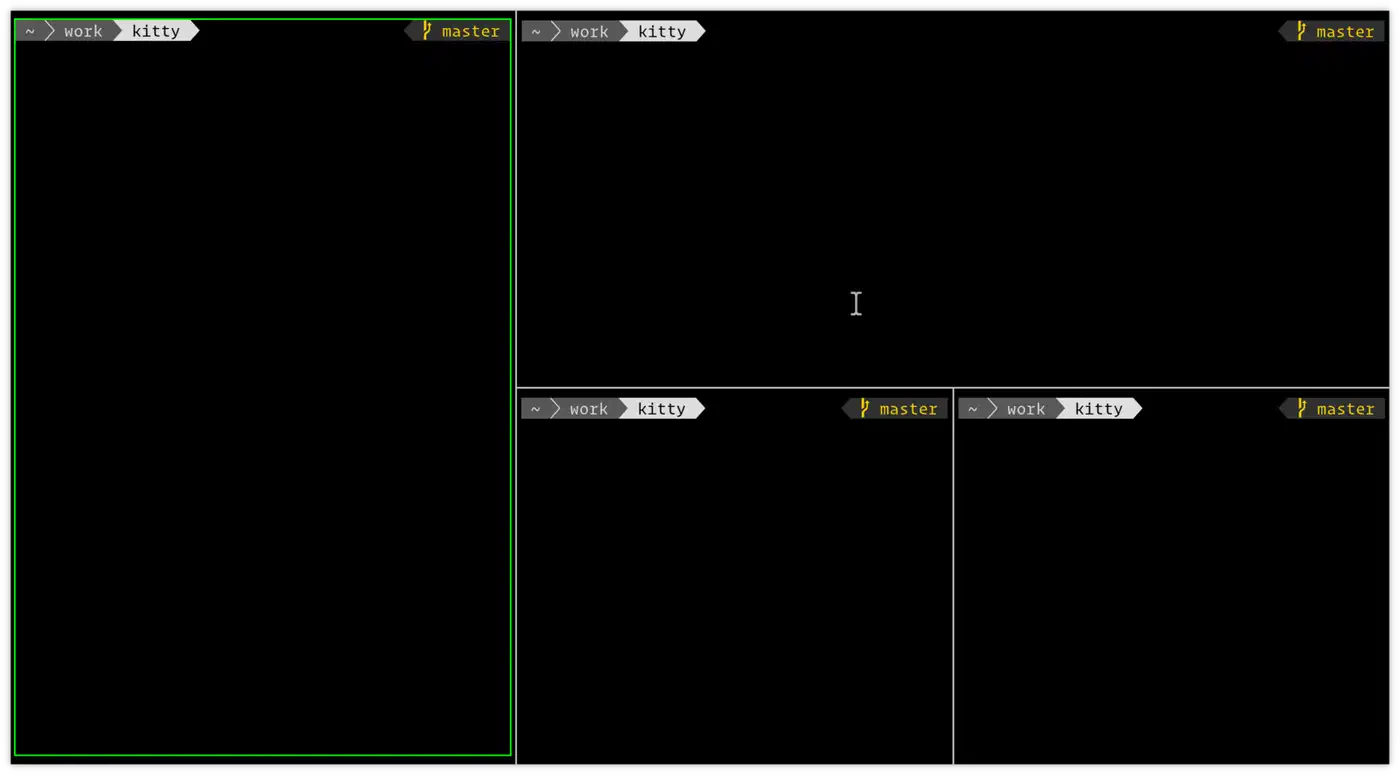
Kitty also handles sessions on its own. It gives you OS windows, tabs, and split panes. Skip tmux and it still works. Run a code pane, a test pane, and a logs pane in one window.
Its remote control API is another big plus. These commands drive scripts:
kitty @ ls
kitty @ send-text --match title:dev "npm run test\n"
kitty @ set-font-size 13
That makes Kitty great for scripts and tool hooks. Config stays clean in kitty.conf with includes. You split shared options from per-host tweaks:
include ~/.config/kitty/theme.conf
include ~/.config/kitty/keys.conf

font_family      JetBrains Mono
font_size        12.5
enable_audio_bell no
scrollback_lines 100000
Kitty also draws font ligatures. Coding fonts can fuse != and => into one glyph. Some devs like that, others turn it off. Kitty lets you choose.
Unicode, Emoji, and Font Rendering
This is where the two split most in daily use. Most speed-focused posts skip it. Kitty draws box, quadrant, sextant, and Powerline glyphs itself. It does not pull them from the font. So corners line up and Nerd Font icons stay crisp. It also sizes emoji right. Many terminals clip a wide glyph or push the cursor off by a cell. Nick Black wrote the Notcurses graphics library. He put it plainly:
Kitty draws the quadrant and sextant Unicode glyphs rather than taking them from the font. This leads to more regular appearance and more useful geometry.
Alacritty’s wide-character and emoji support is the common gripe in these threads. The same author called its emoji weak next to Kitty’s. Plain text and code glyphs look fine. But heavy emoji, CJK, or busy prompts show the gap.
Font feel is more personal. Some call Alacritty crisper and lighter. Some call Kitty a bit bolder or softer, mostly on light backgrounds. Both load the same fonts. So test your real font, prompt, and scaling in each before you pick.
Head-to-Head Performance Comparison
Speed put these two on top, so real numbers help. They shift with your distro, GPU, and font. Still, the table below tracks common 2026 Linux tests.
| Metric (Linux, Wayland) | Alacritty | Kitty | What It Means in Practice |
|---|---|---|---|
| Cold startup time | ~12-20 ms | ~30-55 ms | Alacritty feels snappier when launched frequently from scripts |
| Idle memory (single window) | ~20-35 MB | ~40-70 MB | Kitty spends more memory to support richer built-in features |
| Input-to-display latency | ~2.8-4.2 ms | ~3.2-4.8 ms | Both are excellent; Alacritty keeps a slight edge |
| Heavy output smoothness | Very high | Very high | Kitty often narrows the gap during high-throughput rendering |
| Long scrollback handling | In-memory | In-memory or persistent options | Kitty can fit workflows that want richer session persistence |
A quick bench script for your own box:
#!/usr/bin/env bash
set -euo pipefail

printf "Startup timing (20 launches each)\n"
for term in alacritty kitty; do
  total=0
  for _ in $(seq 1 20); do
    start=$(date +%s%N)
    "$term" -e true >/dev/null 2>&1 || true
    end=$(date +%s%N)
    delta=$(( (end - start) / 1000000 ))
    total=$(( total + delta ))
  done
  avg=$(( total / 20 ))
  printf "%s avg startup: %sms\n" "$term" "$avg"
done
For throughput stress tests, run something on purpose noisy:
time bash -c 'for i in $(seq 1 200000); do echo "line-$i $(openssl rand -hex 8)"; done' | cat >/dev/nullRun the same stream in each one. Watch input lag while you type during output. That beats fake micro-benchmarks. Real tests back up the small gap. One Garuda Linux thread ran a recursive ls / -lR in 26.31 seconds on Alacritty and 26.45 on Kitty. No one feels that. Startup and memory still favor Alacritty. Raw throughput is a tie.
Configuration and Customization
Daily comfort comes from small touches. Keybinds, fonts, colors, shell startup, copy and paste. Alacritty keeps this simple: one TOML file plus optional imports. That suits strict control and a small surface. Kitty adds more live knobs, which help if you tweak a lot.
A side by side:
| Area | Alacritty | Kitty |
|---|---|---|
| Main config format | TOML | kitty.conf directives |
| Live config reload | Yes | Yes |
| Built-in theme switcher | No (external files) | Yes (kitten themes) |
| Built-in tabs/splits | No | Yes |
| Automation protocol | Limited external hooks | Rich kitty @ remote control |
Both split shared colors from per-machine tweaks. Alacritty uses an import list:
import = [
  "~/.config/alacritty/themes/gruvbox-dark.toml",
  "~/.config/alacritty/local.toml"
]
Kitty uses includes:
include ~/.config/kitty/themes/gruvbox-dark.conf
include ~/.config/kitty/local.conf
Both work well with dotfile repos. Kitty’s live tools feel nicer when you try themes and layouts.
For themes, Kitty’s kitten themes picker previews 300+ schemes live. It writes your pick to current-theme.conf. Alacritty has no picker. But the alacritty-theme repo drops Catppuccin, Dracula, and Tokyo Night into your import list. For see-through windows, Alacritty uses window.opacity and Kitty uses background_opacity plus background_blur. Alacritty’s window.blur just asks the desktop for blur. Today that works on macOS and KDE Wayland.
Both support OSC 8 links, so programs can mark text as clickable. Kitty goes further. It spots bare URLs, makes rg results clickable with hyperlinked_grep, and binds URL hints to a key. Alacritty handles OSC 8 too. Its hints open URLs with no mouse.
Shell hooks split the same way. Kitty ships its own (shell_integration enabled) for prompt marks and directory tracking. Alacritty leaves that to your shell. Reach for starship or oh-my-posh for the prompt, plus the zsh autosuggestions and syntax-highlighting plugins.
On Wayland, both are solid. Wayland is the default on most Linux desktops now. Alacritty’s better scaling handles mixed-DPI screens. Kitty wins praise for IME input. The small snags are clipboard quirks and font hinting at odd scales. Neither is a blocker.
Project Health and Maintainer Reputation
The forums that outrank most articles talk as much about project culture as features. So it is worth a look. One developer runs Kitty: Kovid Goyal. He ships fast, defends his choices hard, and dislikes multiplexers. That pace ships features fast. It also bites when a bug report meets a blunt “won’t fix.”
Alacritty does the opposite. It keeps a narrow scope and ships slowly. Critics read that as a dead project. The sharpest jab lives in a long kitty issue thread. One developer wrote it off:
Alacritty is a gimmick TE. That’s why. Its authors are good at marketing. Its main gimmick is its alleged speed.
That comment links a longer rant about Alacritty and Rust. The “Rust circlejerk” jab pops up a lot too. Take it as heat, not fact. Alacritty still ships steady releases. It is still the default on setups like Sway. So weigh each project’s path and tone, not just today’s features, before you commit.
Other Terminals Worth Knowing
Alacritty and Kitty are not the only picks. Three more names come up a lot.
Ghostty
Ghostty sits between the two. It is quicker to set up than Alacritty plus tmux. It is lighter than Kitty’s full kit. Input lag is low and the UI feels native. It is also the only one here with GLSL shaders (custom-shader) for effects and cursor trails. The catch is a younger project and thinner docs.
WezTerm
WezTerm wins when your work spans Linux, macOS, and Windows. It has built-in panes, sharp key bindings, and Lua config for per-host logic. The costs are more memory and a slower start on weak gear.
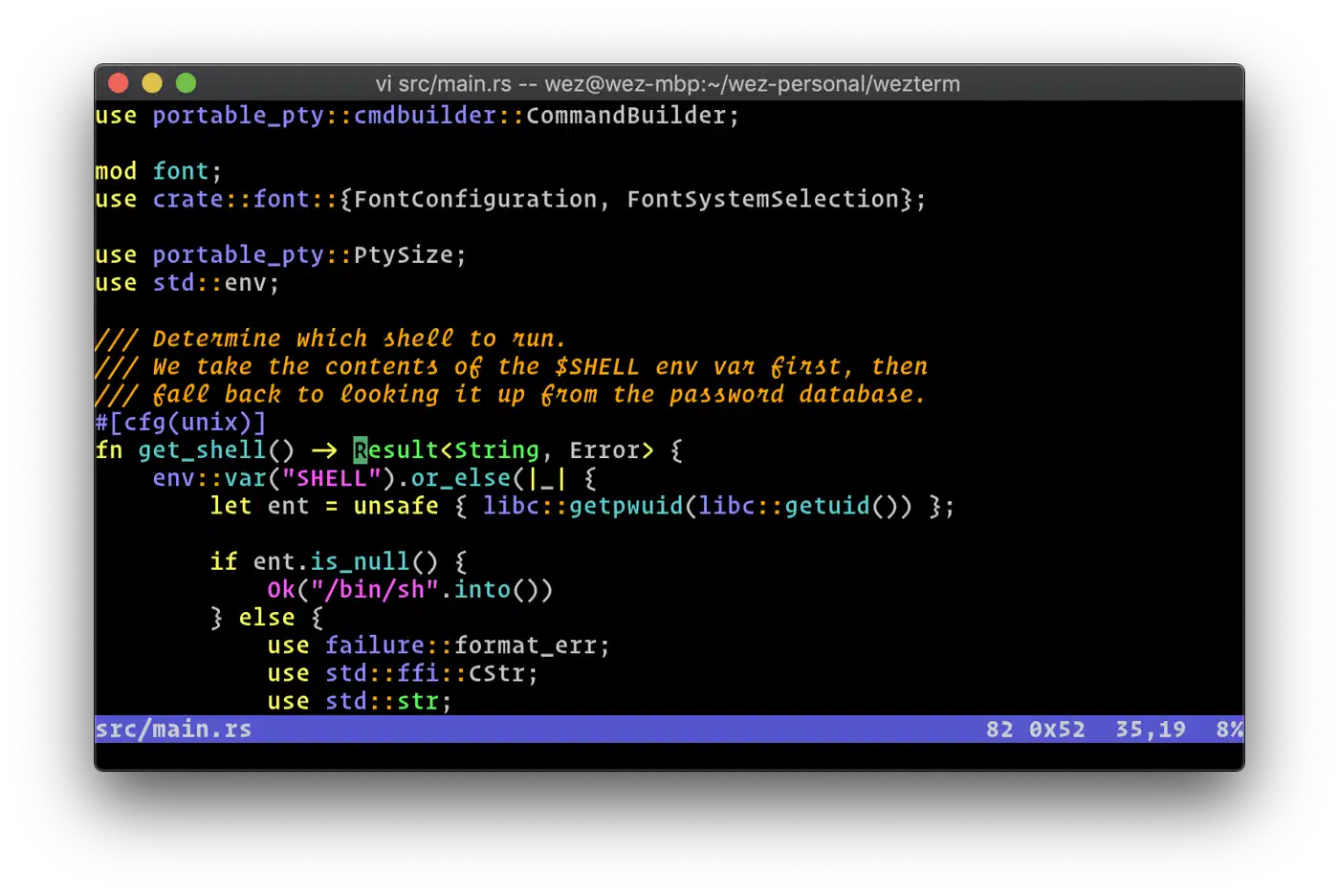
Konsole
On KDE Plasma, Konsole is the default many compare against. It is not GPU-first. But it fits Plasma well and supports ligatures and splits. It is also kinder to screen readers than the GPU terminals.
Multiplexer Integration Guide for Alacritty Users
Judging Alacritty alone and calling it bare is a common slip. It is built to pair with a multiplexer. So the fair test is Alacritty plus tmux or zellij.
Alacritty + tmux quick setup
Install tmux:
sudo apt install tmuxMinimal ~/.tmux.conf for modern feel:
set -g mouse on
set -g history-limit 200000
set -g base-index 1
setw -g pane-base-index 1
unbind C-b
set -g prefix C-a
bind C-a send-prefix
bind | split-window -h
bind - split-window -v
bind r source-file ~/.tmux.conf \; display "tmux reloaded"
Alacritty + zellij quick setup
Install zellij:
sudo apt install zellijMinimal config at ~/.config/zellij/config.kdl:
default_shell "/usr/bin/zsh"
simplified_ui true
pane_frames false
scrollback_lines 200000
Start with:
zellijtmux is the safer pick for long remote work and scripted sessions with plugins. zellij is easier to learn and ships cleaner defaults for local dev.
Drop-Down (Quake-Style) Terminal
A drop-down, or “quake-style,” terminal slides in from a screen edge on a global hotkey. It hides on the next press, with its session intact. It’s a common ask for Alacritty users.
Here the tools split. Ghostty has it built in, called the quick terminal. Neither Alacritty nor Kitty does. For those two, tdrop turns any terminal into a drop-down on a hotkey:
tdrop -a -h 45% alacrittyIf a drop-down is part of your daily flow, that alone is a fair reason to pick Ghostty.
Frequently Asked Questions
Does Alacritty support font ligatures?
No. Alacritty skips ligatures on purpose. Coding fonts like Fira Code show raw != or => instead of fused glyphs. Kitty draws them. So if you like those symbols, that favors Kitty.
Why does emoji and Unicode look better in Kitty?
Kitty draws box, quadrant, and Powerline glyphs itself and sizes emoji right. Alacritty pulls glyphs from the font and clips many wide ones. So for emoji, CJK text, or dense Nerd Fonts, Kitty looks cleaner.
Does Alacritty show images like Kitty?
No. Alacritty has no graphics protocol. So tools like yazi or Neovim image plugins can’t draw pictures in it. That is Kitty’s turf with the Kitty Graphics Protocol. One note: Alacritty does support the Kitty keyboard protocol, a separate spec for richer key reporting.
Is Alacritty still maintained, or is it dead?
It’s still maintained. The team ships slowly because the scope is small. Critics read that as dead. But Alacritty still ships tagged releases and stays the default on setups like Sway. So “stalled” is closer than “dead.”
Does Kitty run on Windows?
Not on its own. Kitty targets Linux and macOS. On Windows you run it inside WSL. Alacritty has native Windows builds. So pick Alacritty if you need a real Windows terminal here.
How do I install Alacritty and Kitty?
Both sit in most distro repos (apt, dnf, pacman). Both ship Flatpaks. On macOS, run brew install alacritty or brew install kitty. Prebuilt binaries also live on each project’s GitHub releases page.
What licenses do Alacritty and Kitty use?
Alacritty is Apache-2.0 and Kitty is GPLv3. The license only affects you if you ship a modified build.
The Verdict: Which Terminal for Which Workflow
Pick Alacritty if you want raw speed and a small, quiet tool. Pair it with tmux or zellij for panes. Keep the whole config in one file. The catch is weak emoji and wide-character rendering.
Pick Kitty if you want one tool that does it all. You get tabs, splits, image previews, and a script API. Emoji and Unicode also look better. The cost is more memory and a slower start.
Still torn? Run each one for a week on real work. Try it on code, logs, SSH, and builds. The best terminal is the one you stop noticing. A sharp display for CLI work can help even more than the terminal you pick.