 Botmonster Tech
Build a Thread device with ESPHome and the ESP32-H2
Thread is a low-power, IPv6-based mesh protocol for smart home devices. Since ESPHome
2025.6.0, you can flash Thread-native firmware onto any ESP32-H2 or ESP32-C6 board. No Zigbee2MQTT, no WiFi congestion. Grab an ESP32-H2-DevKitM-1, write a short ESPHome config with the esp-idf framework and the openthread component, then join it to a Thread border router
like Home Assistant Yellow or a HomePod mini. Your sensors show up over IPv6 with sub-second latency and battery life measured in months.
Why Thread Is the Right Fit for Smart Home Reliability
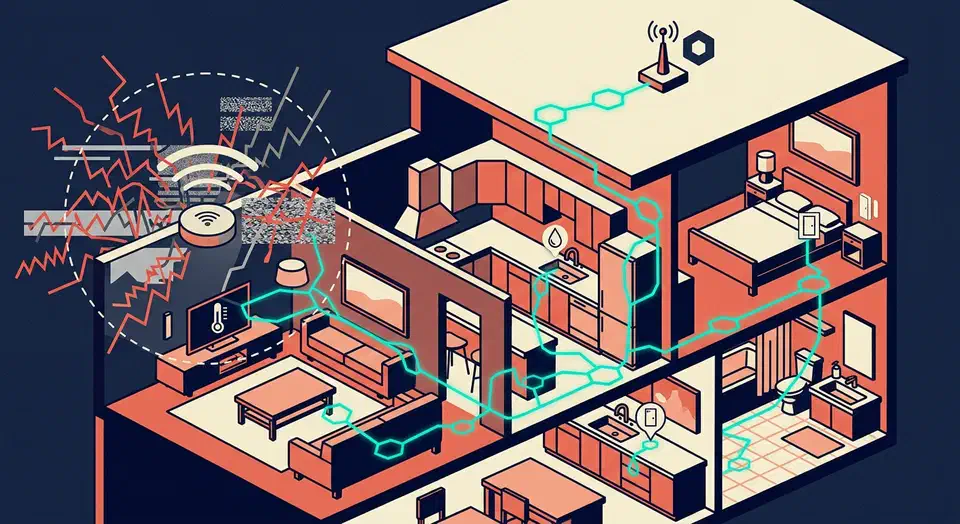
Thread is a mesh protocol built on IEEE 802.15.4 (the same radio layer as Zigbee) but with native IPv6 addressing and link-local routing. There is no single coordinator bottleneck. Every router-capable device extends the mesh, so a leak sensor in the basement can route through a mains-powered smart plug in the hallway instead of depending on line-of-sight to a central hub.
Reliability follows from a few concrete properties of the protocol. The topology is self-healing, so when a parent node drops off, sleepy children re-parent within seconds. Multiple border routers can coexist and share credentials, so losing one does not take down the mesh. Thread also runs on a separate radio band from WiFi. The classic “access point reboots and kills 40 devices” failure mode does not apply; your Thread sensors keep gossiping with each other while WiFi comes back up.
Battery life is the other reason people reach for this stack. A sleepy end device on ESP-IDF’s OpenThread stack idles at about 30 microamps between polls. It averages around 190 microamps over a minute when actively exchanging traffic, versus tens of milliamps for an always-on WiFi radio. Strip out power-hungry extras like RGB indicator LEDs and you can hit single-digit-microamp idle currents. Door sensors, leak sensors, and motion sensors spend 99% of their life in light sleep and still report state changes within a second. That’s why they are the obvious first candidates for Thread.
Spectrum separation helps too. Thread’s 802.15.4 radio uses channels 11 through 26 in the 2.4 GHz band, but its narrow 2 MHz channels slot in between WiFi’s 20 MHz channels 1, 6, and 11. A crowded WiFi environment does not directly degrade Thread the way it does ESPHome-over-WiFi sensors. You still want to pick a Thread channel that doesn’t sit on top of your main WiFi channel.
Thread is not a universal WiFi replacement. The 802.15.4 radio tops out around 250 kbps, which rules out cameras, audio streaming, and anything that needs real bandwidth. The border router is also a hard dependency: lose the last one on your network and the mesh is cut off from the LAN, even though devices still talk to each other locally. For comparison, Zigbee uses the same radio but a different network and application layer . It typically needs a dedicated coordinator like the Sonoff ZBDongle-P or the Home Assistant Connect ZBT-1. Thread skips that step. It treats every border router as a peer and uses IP-native addressing, so Matter, CoAP, and plain UDP all work without a translation layer.
ESP32-H2 vs ESP32-C6 Hardware Comparison
ESPHome 2025.6 supports both chips, but they target different use cases. Pick the wrong one and you either ship a sensor that eats its battery in a week or discover you needed a fallback WiFi path after the fact.
The ESP32-H2
is a single-core RISC-V chip at 96 MHz with 320 KB of SRAM, BLE 5.0 LE, and an 802.15.4 radio. No WiFi at all. The missing radio is the point. Nothing gets left powered during deep sleep, there’s no WiFi join overhead at wake-up, and no firmware path where a bad wifi: block drains the battery in the background. The ESP32-C6
runs at 160 MHz and pairs the same 802.15.4 radio with WiFi 6 on 2.4 GHz. That makes it the right pick for mains-powered devices where WiFi commissioning is handy, or where you want a fallback path if the Thread mesh goes offline.
The table below summarizes the trade-offs:
| Feature | ESP32-H2 | ESP32-C6 |
|---|---|---|
| Core | Single RISC-V, 96 MHz | Single RISC-V, 160 MHz |
| SRAM | 320 KB | 512 KB |
| WiFi | None | WiFi 6 (2.4 GHz) |
| Bluetooth | BLE 5.0 LE | BLE 5.0 LE |
| 802.15.4 | Yes (Thread, Zigbee) | Yes (Thread, Zigbee) |
| Usable GPIO | ~19 | ~22 |
| Light sleep with Thread | ~30 uA idle, ~190 uA avg | Higher, depends on WiFi state |
| Typical module price | ~$3 | ~$4-6 |
| Best for | Battery sensors | Mains-powered, dual-stack |
For reference hardware, the Espressif ESP32-H2-DevKitM-1 is the canonical pick: USB-C, exposed headers, and a USB-serial bridge that lets esphome run work without an external programmer. The Seeed XIAO ESP32-C6
is the easiest fit for custom PCBs thanks to its castellated pads. The M5Stack NanoC6
is a thumb-sized C6 module with a built-in LED for quick prototyping.
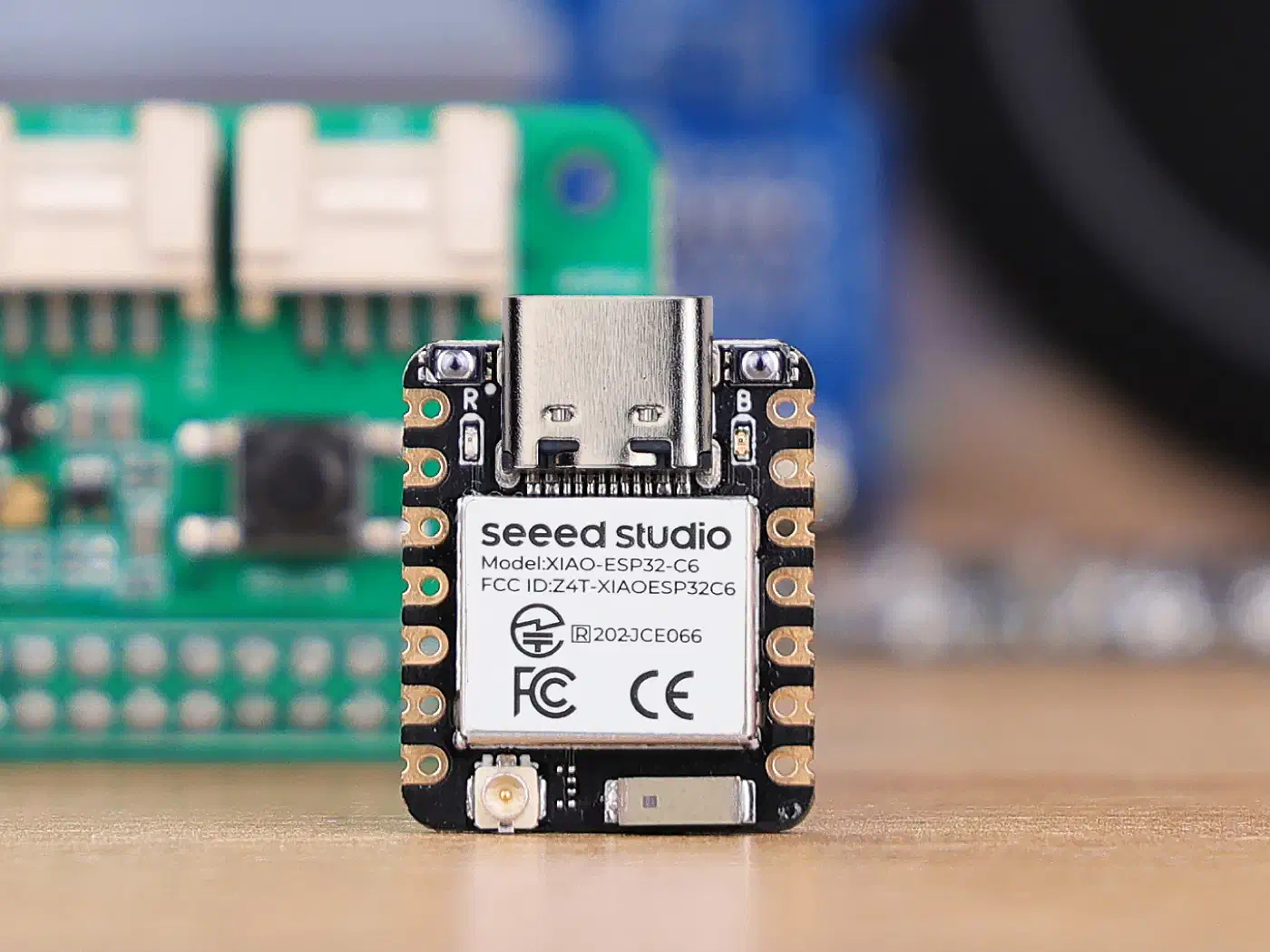
Two hardware details catch people out. The OpenThread plus Matter stacks are big. A 4 MB flash board is the minimum, and 8 MB is strongly preferred if you plan to run OTA updates without partition juggling. The ESP32-H2 also exposes fewer usable GPIOs than a classic ESP32. Plan your I2C bus and peripheral wiring before buying; there is no second UART to fall back on when the first one is busy with logging. For whole-house meshes, look for board variants with a u.FL connector so you can attach an external 2.4 GHz antenna instead of leaning on the PCB trace. For how the H2, C6, and S3 compare on power, see our deep-sleep board tests .
ESPHome Configuration for OpenThread
The OpenThread component documentation
lists the YAML options. One rule you can’t work around: OpenThread only compiles under the esp-idf framework, not Arduino. ESP-IDF 5.3.2 is where Espressif ships the OpenThread component, and the Arduino core does not expose it. Enable openthread: with framework: type: arduino and the build fails right away.
A minimum viable configuration for an ESP32-H2-DevKitM-1 looks like this:
esphome:
  name: thread-sensor-01

esp32:
  board: esp32-h2-devkitm-1
  variant: esp32h2
  framework:
    type: esp-idf
    version: 5.3.2

openthread:
  network_name: "home-thread"
  channel: 15
  device_type: MTD

logger:
api:
A few things to note. The openthread: block replaces the usual wifi: block. You can’t run both on the H2 because the chip has no WiFi radio. On the C6 you must pick one at build time, since both radios share antenna routing. The device_type: MTD setting marks this as a Minimal Thread Device, which fits battery-powered sensors. An FTD (Full Thread Device) can route for other nodes but burns more current.
Network credentials are the other decision point. You can hardcode network_name, channel, pan_id, network_key, and ext_pan_id in the YAML, but that ties the firmware to one network. The cleaner path: let the border router hand out credentials through the standard commissioning flow. Set only network_name and channel, and the device picks up the rest when it joins. Use the force_dataset: true flag if you change network parameters later and need to override the saved dataset on the device.
Build times are the first unpleasant surprise. The first compile of an ESP-IDF plus OpenThread project takes 10 to 15 minutes on a modern laptop. The full IDF toolchain and OpenThread sources have to be fetched and built from scratch. Later incremental builds finish in under a minute. On a free-tier GitHub Actions runner, expect about 20 to 25 minutes for a cold build. Budget for it in CI pipelines.
Flashing is easy on the DevKitM-1. It exposes a USB-serial bridge over USB-C, so esphome run handles the whole process. Bare H2 modules without a bridge need an external FTDI or CP2102 adapter wired to GPIO23 (TX) and GPIO24 (RX), plus the strapping pin dance to enter download mode. Check the pin labels on your specific board before soldering anything in.
Joining a Thread Border Router
A Thread device is inert without a border router bridging the mesh to your LAN. The good news in 2026 is that there are more border router options than most people realize, and Thread 1.3’s shared credential model means they cooperate rather than fight.
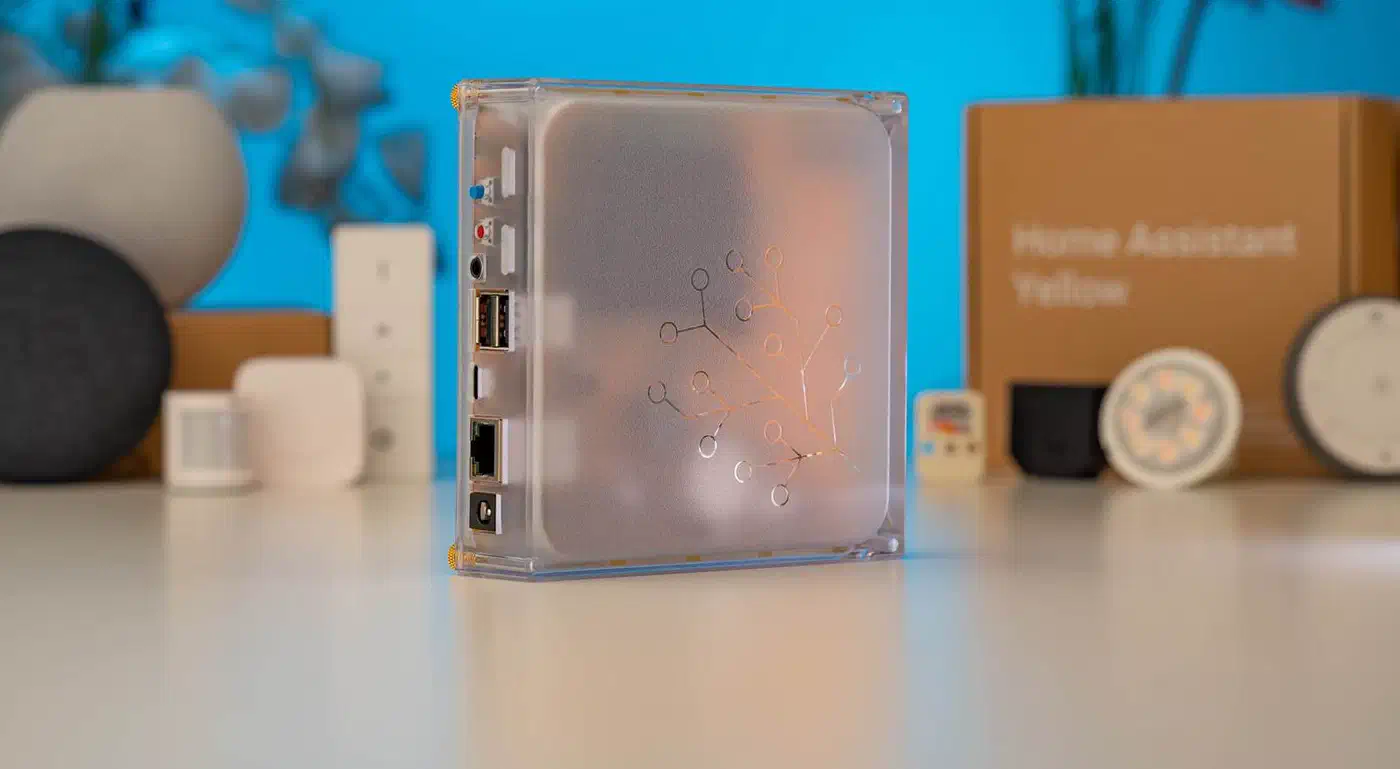
Home Assistant Yellow and Home Assistant Green with the Connect ZBT-2 dongle are the cleanest choice for Home Assistant users. Credentials flow through the Thread integration on their own. Apple TV 4K (2022 and later) and HomePod mini act as border routers too. They share credentials with Home Assistant through the shared Thread credential store in iOS and iPadOS, which makes dual-ecosystem setups practical. Google Nest Hub Max and the second-gen Nest Hub cover the Google Home side. Credential sharing with Home Assistant is more awkward there, and usually needs the Home Assistant Companion app on an Android phone. eero 6+ and eero Pro 6E mesh routers include a border router too, and help when you want Thread coverage without adding another box to the rack.
The commissioning flow itself is the same across most controllers. The Thread device advertises itself over BLE. The commissioner (either the border router directly or a phone app paired with it) reads a QR code or types a pairing code. The network credentials then get pushed over an encrypted BLE channel. No hardcoded keys in the YAML, which is a real improvement over the old Thread 1.1 static-key model.
Debugging failed joins follows a short checklist. First, watch the ESPHome log to confirm the chip comes up on the expected channel. A mismatched channel between the device and the border router is the single most common cause of silent failure. Second, confirm the border router is not at its device cap. Most consumer border routers support 30 to 60 Thread children, and Amazon eero models have been seen capping lower than advertised. Third, check that the device sits within two hops of a mains-powered router node during initial commissioning. Sleepy end devices can join but not route, so a lonely sensor at the edge of the mesh will time out.
Thread 1.3 supports multiple border routers on the same network through the shared credential store. An Apple TV plus HA Yellow plus eero combo all cooperate on the same mesh instead of each forming an isolated network. Thread 1.4 rolled out with tvOS 26 in late 2025. It adds better commissioning and TREL (Thread Radio Encapsulation Link) for cross-network backhaul over WiFi. ESPHome 2025.6 is built on a Thread 1.3 OpenThread release, so TREL is not yet exposed. Joining a Thread 1.4 border router still works, since 1.4 is backward compatible with 1.3 devices.
Exposing Sensors via Matter-over-Thread
Thread is only the transport. Matter is the application protocol that turns a Thread device into something Home Assistant, Apple Home, or Google Home can read without a vendor-specific integration. ESPHome’s current approach is a hybrid. The native ESPHome API runs over Thread’s IPv6 for Home Assistant users. A separate Matter integration, still flagged experimental in 2025.6 and maturing through the 2026 releases, wraps sensor, switch, and binary_sensor components as Matter endpoints for non-Home-Assistant controllers.
The device types that work in early releases map to the Matter 1.0 core set: on/off light, on/off plug, contact sensor, occupancy sensor, temperature sensor, and humidity sensor. Thermostats, window coverings, and locks are still a work in progress. They tend to expose their state correctly but fail to accept remote commands cleanly across every controller. For a battery-powered door sensor or a mains-powered smart plug, the early releases are solid. For a smart shade controller, give it another release cycle.
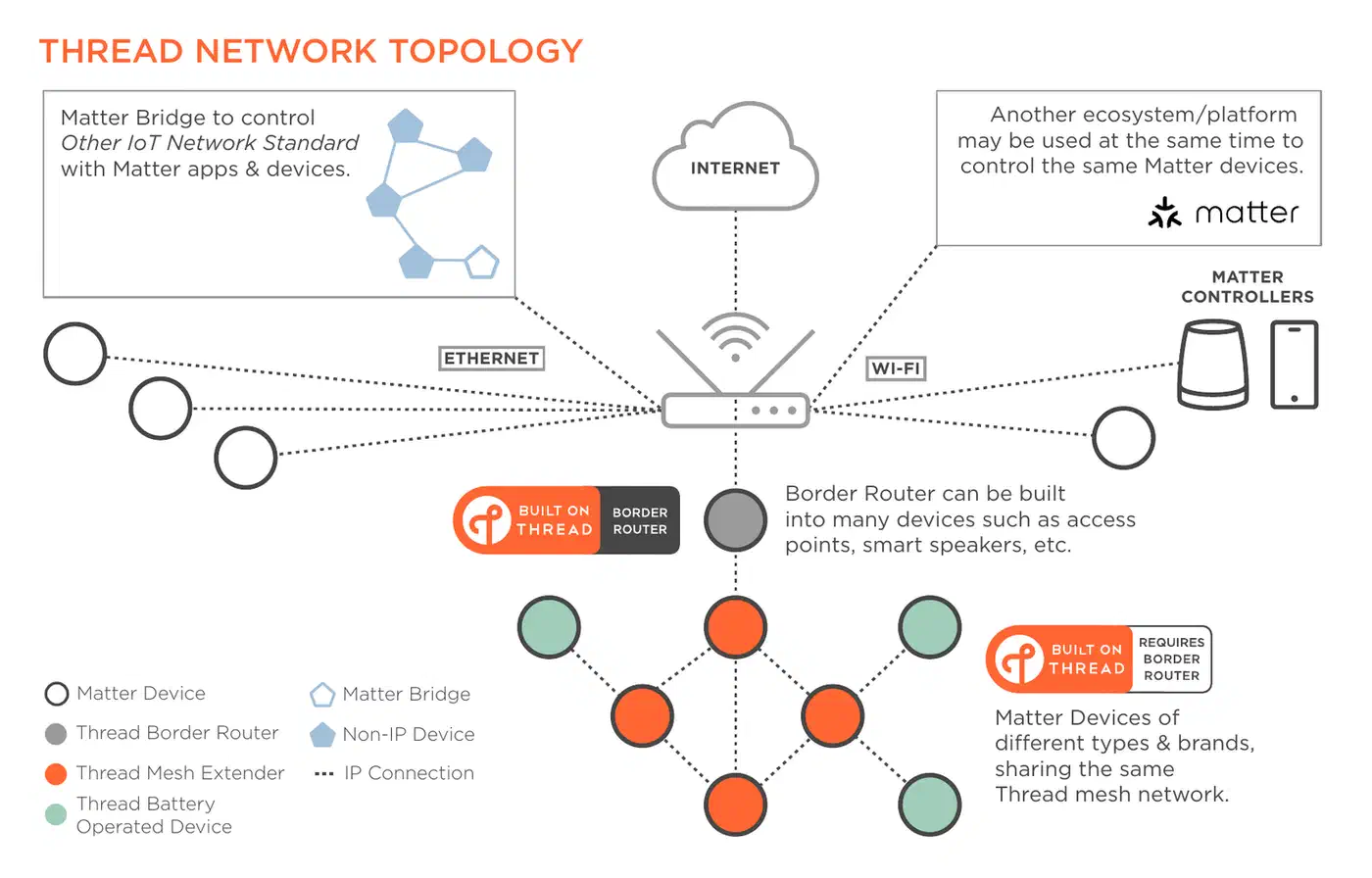
Commissioning to Apple Home or Home Assistant follows the standard Matter flow. The device advertises a Matter pairing code over BLE. You scan the QR code with the controller app. After commissioning, the device is visible in every controller that shares the Matter fabric. Multi-admin is the headline feature here. A single Matter device can be shared across Apple Home, Google Home, and Home Assistant at the same time. Each controller keeps its own fabric credentials, so commissioning into a second ecosystem is a separate step, not an automatic mirror.
Matter-over-Thread earns its complexity on constrained devices. Thread’s sleepy end device mode plus Matter’s subscription model lets a battery contact sensor run for over a year on a single CR2032 and still report state changes within a second. A Matter-over-WiFi contact sensor built on the same silicon usually runs for a few weeks at best. The WiFi join overhead at every wake-up eats most of the power budget. OTA updates still flow through ESPHome’s native API channel over Thread’s IPv6 addressing. That works as long as the border router routes IPv6 traffic onto the LAN. HA Yellow, HomePod mini, and Apple TV 4K all do, and eero did after a 2025 firmware update.
Everything stays on the LAN. Matter-over-Thread devices never need a cloud round-trip for state changes or commands. That’s the main reason to pick this stack over cloud-bound WiFi sensors. If the internet drops, your door sensor still trips the hallway light through Home Assistant automations. If Home Assistant itself reboots, the Thread mesh stays up. State picks back up where it left off when the controller comes back.
Where This Stack Goes From Here
ESPHome 2025.6 shipped the first usable Thread integration. The 2026 release train has been filling in the gaps. True sleepy end device support landed in 2025.11. Full Matter device type coverage for thermostats and covers is tracked for mid-2026. Thread 1.4 TREL support is on the roadmap once the underlying OpenThread release stabilizes. If you are building a new battery sensor today, the ESP32-H2 plus ESPHome plus Thread combo has the best power profile and the lowest latency available on commodity hardware. The chips are under $5. The YAML is familiar to anyone who has written an ESPHome config before. The resulting devices work with whichever smart home platform you happen to run, without exporting telemetry to a vendor cloud.