 Botmonster Tech
Does bitchat work as well on Android as on iPhone?
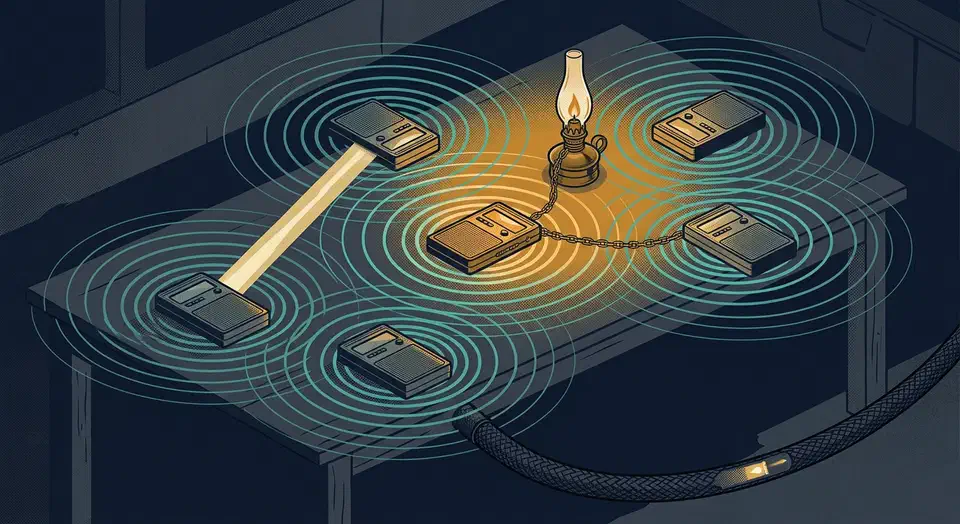
bitchat for Android runs the same Bluetooth mesh as the iPhone app. Put both in one room and they join a single network. The Android build adds two things the iPhone version doesn’t have: a Wi-Fi Aware transport and Tor built in through Arti. You pay for both with a notification you can’t dismiss.
Key Takeaways
- The Android app and the iPhone app join the same Bluetooth mesh.
- Android adds Wi-Fi Aware for faster local links, plus Tor built in.
- The mesh stays alive only while a permanent notification is showing.
- Bluetooth scanning asks for location permission, which looks alarming.
- You can rebuild the release yourself and check it byte for byte.
What bitchat for Android does differently
The protocol is the same on both sides. bitchat for Android speaks the same binary packet format as the iPhone and macOS build . A mixed room of phones therefore forms a single mesh.
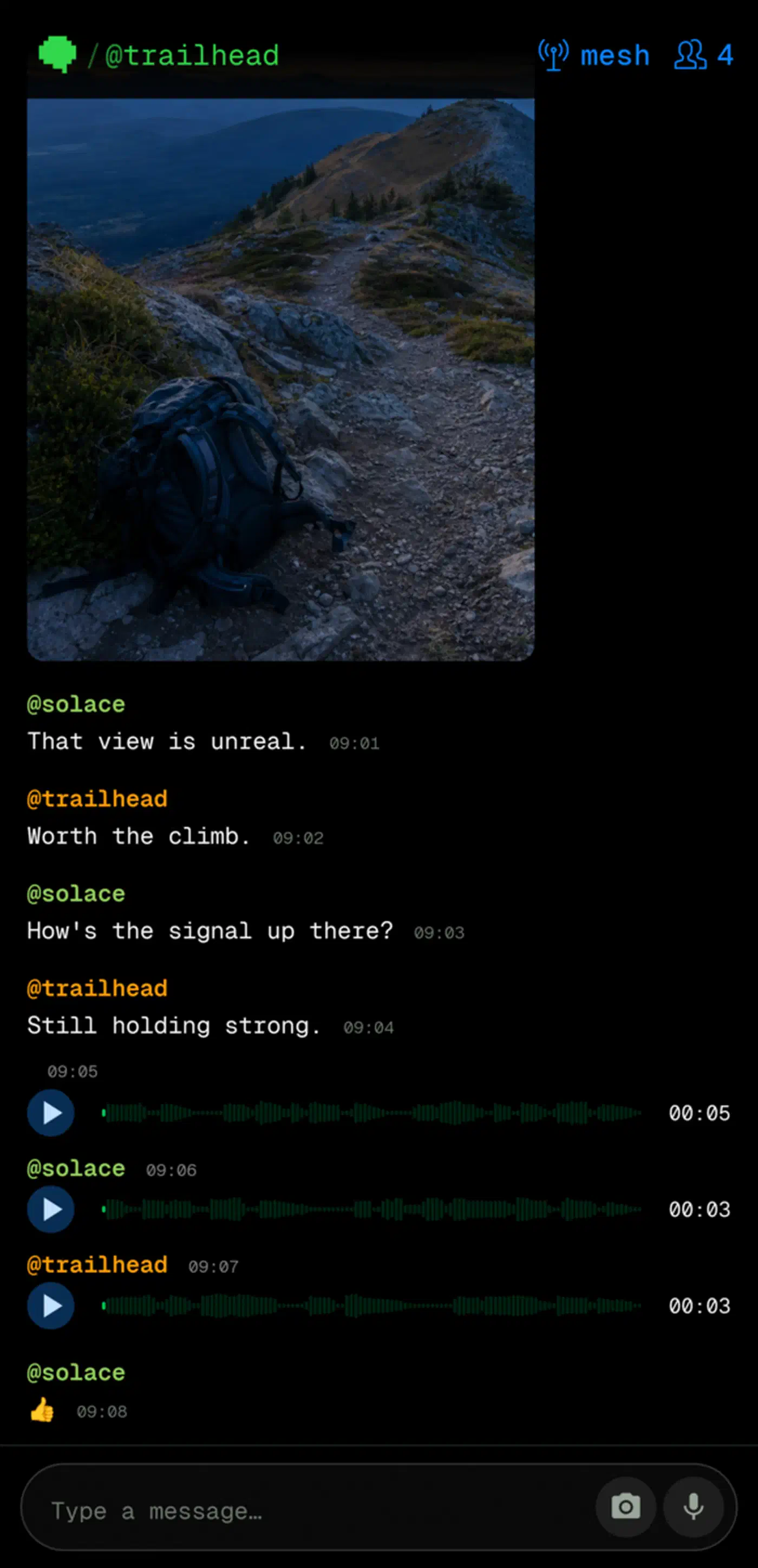
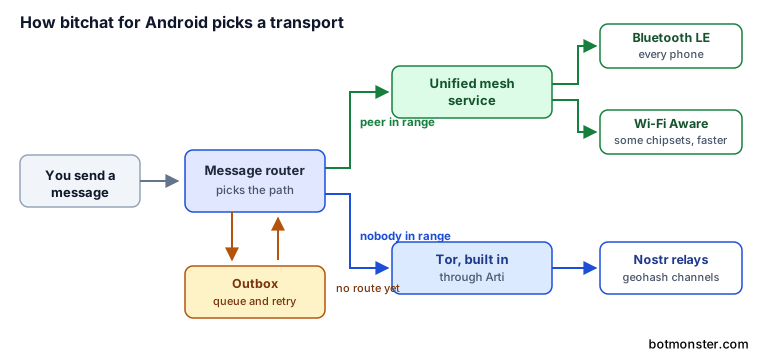
Wi-Fi Aware is the more interesting of the two Android-only additions. It lets phones on Android 8.0 and up find each other and connect directly, with no router and no Bluetooth in between. Bandwidth is higher than Bluetooth LE, and both radios run at once. Support depends on the chipset, so plenty of phones never get it.
The other addition is Tor. The app bundles Arti, the Rust version, so messages that fall back to the internet take a private route.
You never pick a transport by hand. A unified mesh service chooses between Bluetooth and Wi-Fi Aware. A message router then picks between the local mesh and Nostr relays. When a peer is out of reach, the router queues the message in an outbox and retries.
| Capability | Android build | iPhone build |
|---|---|---|
| Bluetooth LE mesh, 7 hop limit | Yes | Yes |
| Nostr relay fallback | Yes | Yes |
| Wi-Fi Aware transport | Yes, on supported chipsets | Not listed |
| Tor built in | Yes, through Arti | Not listed |
| Persistent notification | Required | Not needed |
| Emergency wipe | Triple-tap | Triple-tap |
The app is written in Kotlin with Jetpack Compose. There is a foreground service for connectivity, and one service each for Bluetooth and Wi-Fi Aware. A Noise session manager handles encryption, and a message router keeps the outbox.
Emergency wipe carries over from the iPhone app. A triple-tap clears everything on the device, for people who might have to hand their phone over.
The permanent notification, and why Android needs it
Android suspends background apps hard to protect battery life, and a suspended app can’t hold a Bluetooth radio open.
The only supported escape is a foreground service . Android makes such a service show a notification the user can see. So the mesh is alive exactly as long as that notification is. Swipe it away and your phone stops relaying for everyone nearby.
Battery cost follows directly. The app uses adaptive duty cycling and connection limits to keep the radio cheap. Even so, keeping a radio service running all day costs power. The project publishes no measured drain figure, so treat any number you read elsewhere as a guess.
The permission prompt catches people out too. Bluetooth scanning on Android has historically required location permission , because a list of nearby beacons can place you. The app doesn’t read your position for the mesh, though the prompt still reads alarming to anyone installing in a hurry.
For a real deployment, a protest or a festival, plan around this. Charge everything beforehand, and expect the phone sitting in the middle doing the most relaying to die first.
Apple’s background limits are stricter still, which is why no version of bitchat gives you a silent always-on mesh.
How to install bitchat on Android and confirm the mesh works
You need two phones to test anything useful.
Install from a source you trust
Take the app from Google Play . You can also grab an APK from the GitHub releases page if you would rather skip the store.
Or build it yourself
You need Android Studio and the Android SDK at API 26 or higher. Clone the repo, run ./gradlew assembleDebug, then install the result on a connected phone with adb install -r app/build/outputs/apk/debug/app-debug.apk.
Grant the permissions it asks for
The app requests Bluetooth, notifications, and location at runtime, and location is not optional.
Allow the persistent notification
Leave it in place, because dismissing it stops your phone relaying.
Turn off mobile data and Wi-Fi on both phones
With no internet on either device, anything that arrives came over the local radio.
Send a message between them
Two phones in the same room should find each other and connect directly. Add a third phone in between and it extends the range by relaying, up to seven hops.
Check the fallback path
Switch the internet back on and open a geohash channel. It should populate through public Nostr relays. That is the fallback when no peer is within radio range.
What the encryption covers on Android
Private messages over the mesh use the Noise protocol , XX pattern, with X25519 key exchange and ChaCha20-Poly1305. That gives forward secrecy on live sessions. Peer identity comes from static keys. You register no account or phone number, and no server holds a directory of who you are.
Channel chats are group messaging by topic, and a channel can carry a password. The README credits Argon2id and AES-256-GCM for that. However, the project’s own security review flags the channel code as using PBKDF2.
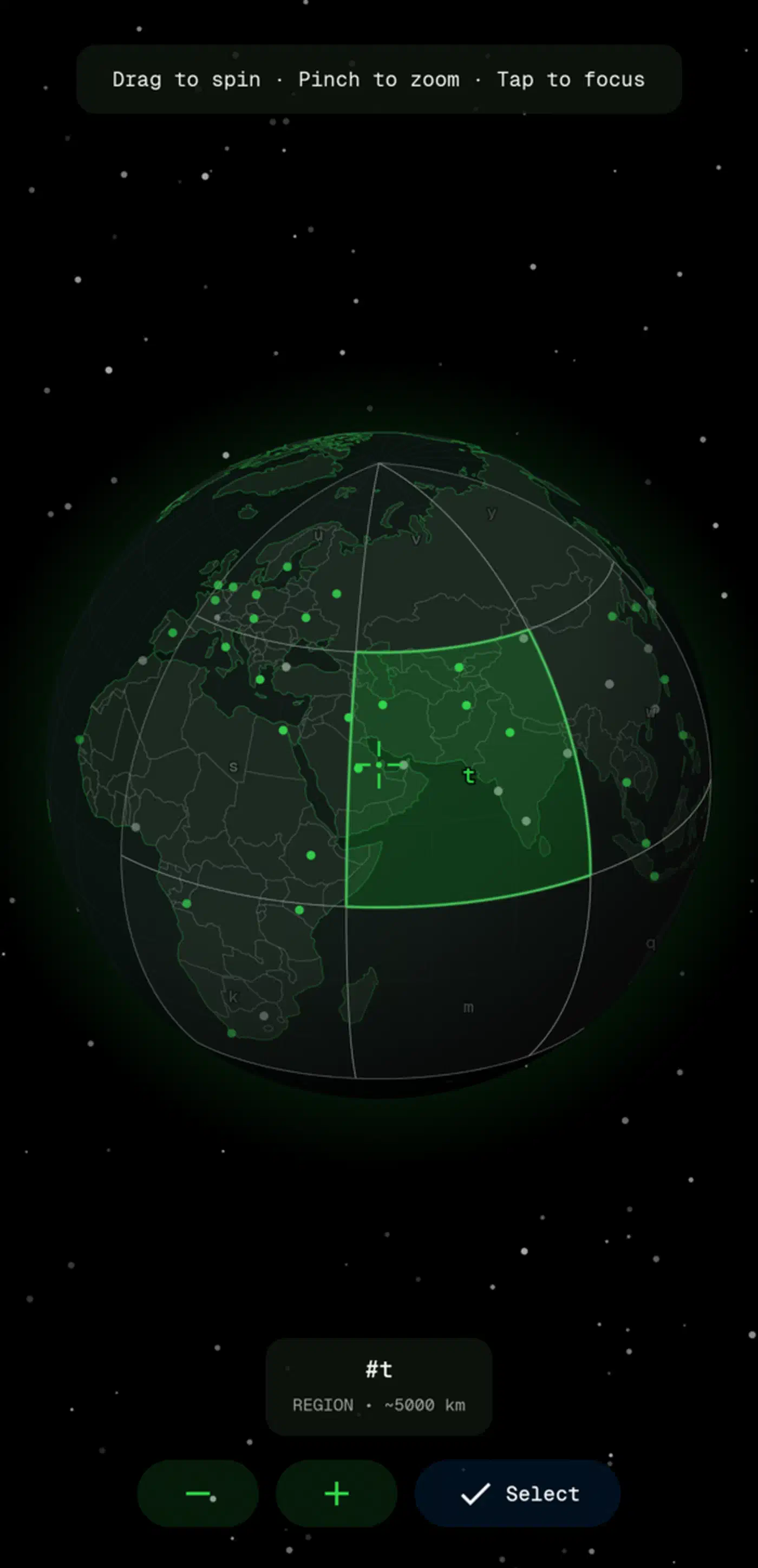
Mesh routing shapes what an observer learns. Packets use a compact binary format with fragmentation, time-to-live routing, and duplicate filtering. They die after seven hops. On the internet side, geohash location channels ride public Nostr relays, with throwaway keys per area. Private messages fall back to Nostr for mutual favourites.
Encryption does not hide that you’re running a Bluetooth mesh at all. Radio presence is observable to anyone nearby with the right equipment, on either platform. The iPhone app has the same shape of problem in its persistent per-device ID , which any radio in range can see.
The repo also carries a static security review that goes further than most projects publish about themselves. It landed alongside a fix for its worst finding, key material written to the Android log. Two other items look like deliberate design choices. Location notes publish a geohash accurate to roughly 30 metres, and the per-geohash identity never rotates. A patient watcher of one channel can therefore recognise the same person months later.
Check the licence before you reuse any of the code. The README says the project is released into the public domain. But LICENSE.md holds the full GPL-3.0 text, and GitHub reports it as GPL-3.0. Those grant very different rights, so trust the file over the summary.
Can you trust the build you installed?
Release APKs and the Android App Bundle rebuild byte for byte inside a pinned Linux container. The project’s reproducible builds document lists what gets pinned. That covers the Gradle wrapper and its hash, the dependency locks, the exact JDK, the builder image by digest, the Android build tools by checksum, and the Arti commit.
A build server compiles each release twice in separate jobs, and publishes the artifact only when every byte matches. Signing stays local, so no key ever reaches GitHub Actions.
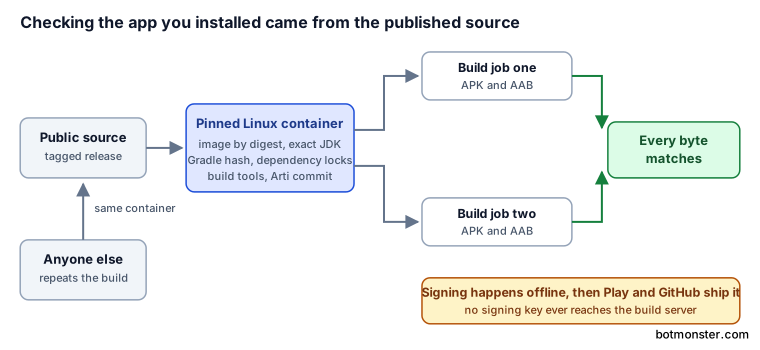
In practice, a stranger can compile the source and check the result against what Google Play and GitHub are serving. On Android that counts for more than on iPhone. The store binary is signed by a key you can’t inspect. A byte-for-byte rebuild is the only proof the shipped app came from the published source.
Unit tests cover the protocol and session logic. Radio behaviour needs real hardware, because Bluetooth LE mesh does not emulate well. The repo even publishes a device test matrix. It demands two phones from different makers, and at least one with Wi-Fi Aware.
As for maturity, release 1.7.4 has pulled roughly 28,500 asset downloads from GitHub. The repo sits at 291 open issues and pull requests. Most of that backlog comes from a mesh app colliding with every manufacturer’s Bluetooth stack and battery policy, and each collision arrives as a bug report from a real phone.