 Botmonster Tech
Raspberry Pi 5 vs Orange Pi 5 Plus: which ARM SBC is better for self-hosting

The Orange Pi 5 Plus is the better self-hosting board for Docker-heavy workloads thanks to its 8-core RK3588 CPU, up to 32GB RAM, and dual NVMe M.2 slots. The Raspberry Pi 5 wins for beginners and single-service setups with its superior software ecosystem and community support. Both boards draw under 18W and run Docker containers on ARM64 without issues, though the 2026 memory shortage has pushed both well above their launch prices. The right pick depends on how many services you plan to run and whether you value hardware expandability over software polish.
Hardware Specifications Head-to-Head
The Raspberry Pi 5 uses a Broadcom BCM2712 SoC with four Cortex-A76 cores at 2.4 GHz. The Orange Pi 5 Plus runs on Rockchip’s RK3588 with eight cores: four Cortex-A76 at 2.4 GHz and four Cortex-A55 at 1.8 GHz. That 8-core vs. 4-core difference directly impacts multi-container workloads.
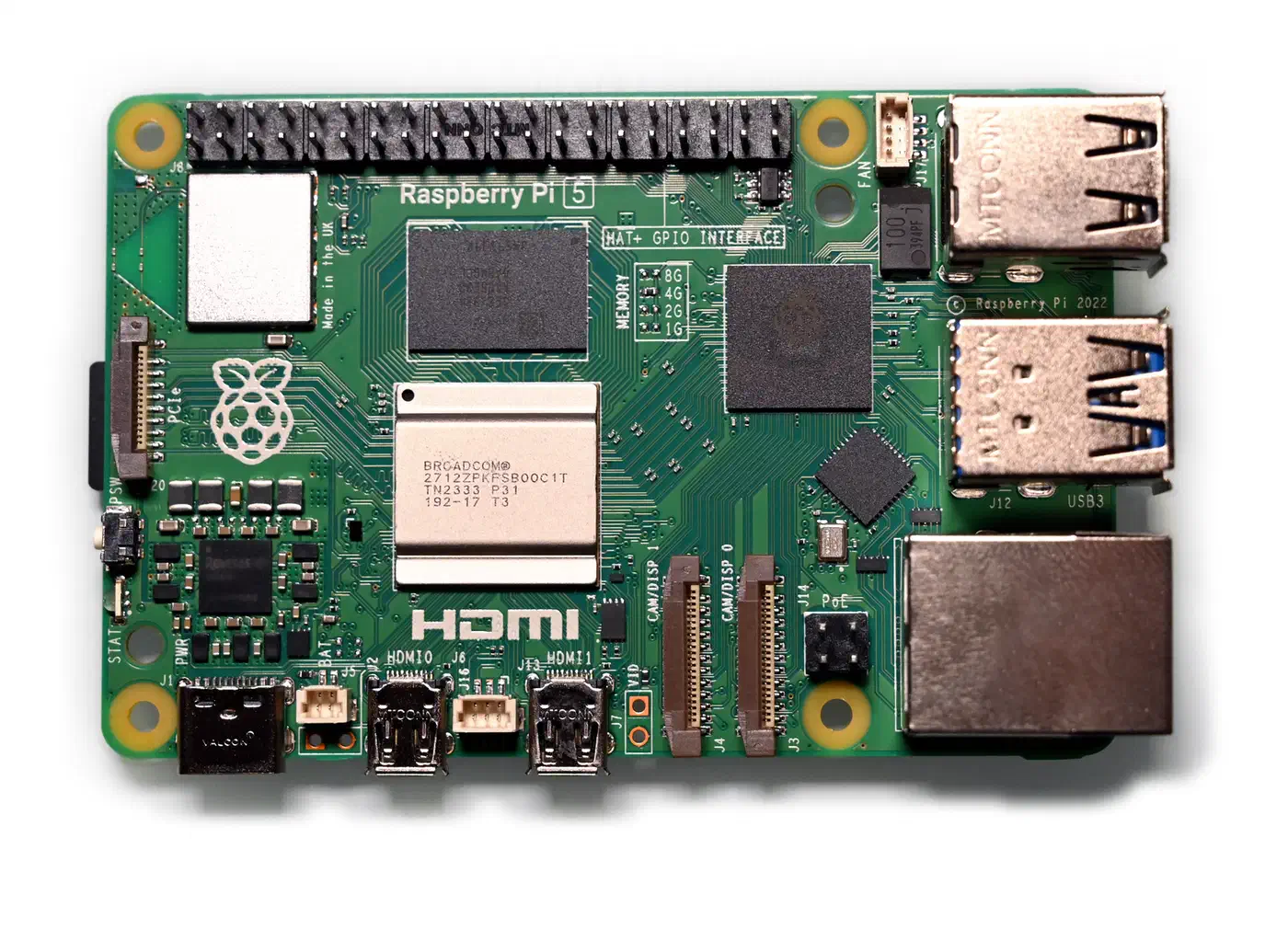
| Spec | Raspberry Pi 5 | Orange Pi 5 Plus |
|---|---|---|
| CPU | BCM2712, 4x A76 @ 2.4 GHz | RK3588, 4x A76 + 4x A55 @ 2.4/1.8 GHz |
| Process | 16nm | 8nm |
| RAM | 1/2/4/8/16 GB LPDDR4X | 8/16/32 GB LPDDR4X |
| Storage | microSD + PCIe 2.0 x1 (via HAT) | microSD + eMMC + dual M.2 NVMe (PCIe 3.0 x4) |
| Networking | 1 GbE + Wi-Fi 5 | 2x 2.5 GbE + Wi-Fi 6 (M.2 module) |
| GPU | VideoCore VII | Mali-G610 MP4 |
| USB | 2x USB 3.0 + 2x USB 2.0 | 2x USB 3.0 + 2x USB 2.0 + 2x USB-C |
| HDMI | 2x micro-HDMI (4Kp60) | 2x HDMI 2.1 out + 1x HDMI in |
| NPU | None | 6 TOPS (INT8) |
| Dimensions | 85 x 56 mm | 100 x 70 mm (Pico-ITX) |
RAM sets the ceiling for self-hosting. The Pi 5 now goes up to 16GB since late 2024, but the Orange Pi 5 Plus has offered 32GB from launch. For self-hosting with 10+ containers, 16GB is the practical minimum to avoid swap pressure, and 32GB gives headroom for databases and caching layers.
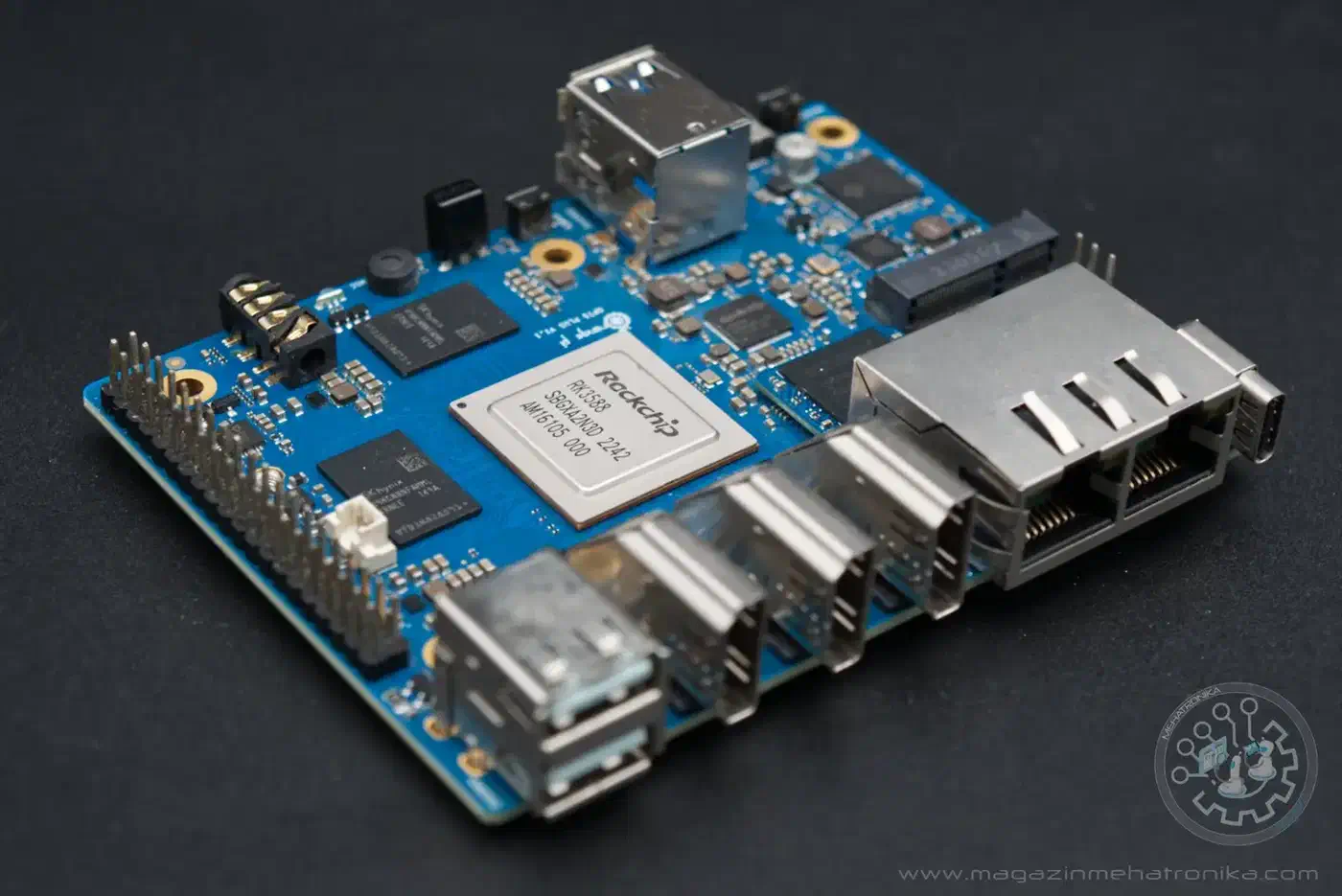
Storage connectivity separates these boards even further. The Orange Pi 5 Plus ships with a full M.2 2280 slot running PCIe 3.0 x4, so you can plug in an NVMe SSD and boot from it directly. The Pi 5 exposes PCIe 2.0 x1 through the FFC connector on the board, which requires an M.2 HAT adapter (sold separately) and maxes out at roughly 400 MB/s. The Orange Pi’s NVMe slot can push sequential reads past 500 MB/s with a decent SSD like the Crucial P3 Plus.
Dual 2.5 GbE ports on the Orange Pi 5 Plus open up use cases the Pi 5 cannot match: running it as a router, separating VLANs, or bridging a management network alongside your primary LAN.
Pricing in 2026
Memory prices have risen across the SBC market in 2025-2026, driven by LPDDR4 supply pressure from AI infrastructure buildout. Raspberry Pi raised Pi 5 prices three times between December 2025 and April 2026, and Orange Pi boards have climbed too.
| Board | Configuration | Approximate Price (USD) |
|---|---|---|
| Raspberry Pi 5 | 4 GB | $110 |
| Raspberry Pi 5 | 8 GB | $175 |
| Raspberry Pi 5 | 16 GB | $305 |
| Orange Pi 5 Plus | 16 GB | $390 |
| Orange Pi 5 Plus | 32 GB | $699 |
Pi 5 prices are the official list prices after the April 2026 increase. Orange Pi 5 Plus prices are from the official distributor, which lists no current price for the 8 GB board.
Orange Pi pricing varies more depending on the retailer: Amazon, AliExpress, and the official orangepi.net store all charge different amounts. The Pi 5’s pricing is fixed by the Raspberry Pi Foundation and consistent across authorized retailers.
At 16GB the Pi 5 lists at $305 and the Orange Pi 5 Plus at $390 from its distributor, where it is often out of stock. The Orange Pi 5 Plus adds I/O (dual NVMe, dual 2.5 GbE) for more money, while the Pi 5 is the tighter, better-documented package.
Docker and Container Performance
Both boards run Docker Engine and Docker Compose on ARM64 without issues. The ARM64 image ecosystem has matured - Nextcloud, Jellyfin, Home Assistant, Gitea, Pi-hole, Vaultwarden, and most other popular self-hosted applications publish official ARM64 images. With Gitea installed, either board can also act as an ARM build runner for builds that stay on hardware you own.
Benchmark Numbers
Geekbench 6 scores show how the two boards trade blows:
| Metric | Raspberry Pi 5 | Orange Pi 5 Plus |
|---|---|---|
| Geekbench 6 Single-Core | 903 | 778 |
| Geekbench 6 Multi-Core | 1,750 | 3,145 |
| HPL (GigaFLOPS) | ~30 | ~50+ |
| Linux Kernel Compile | ~2,000 sec | ~1,500 sec |
| 1080p Video Encode (fps) | ~18 | ~20+ |
The Pi 5 leads in single-core performance by about 16%, which means individual containers that are single-threaded will run slightly faster on the Pi. But the Orange Pi 5 Plus nearly doubles the multi-core score, and that score decides it when a dozen containers compete for CPU time.
Multi-Container Reality
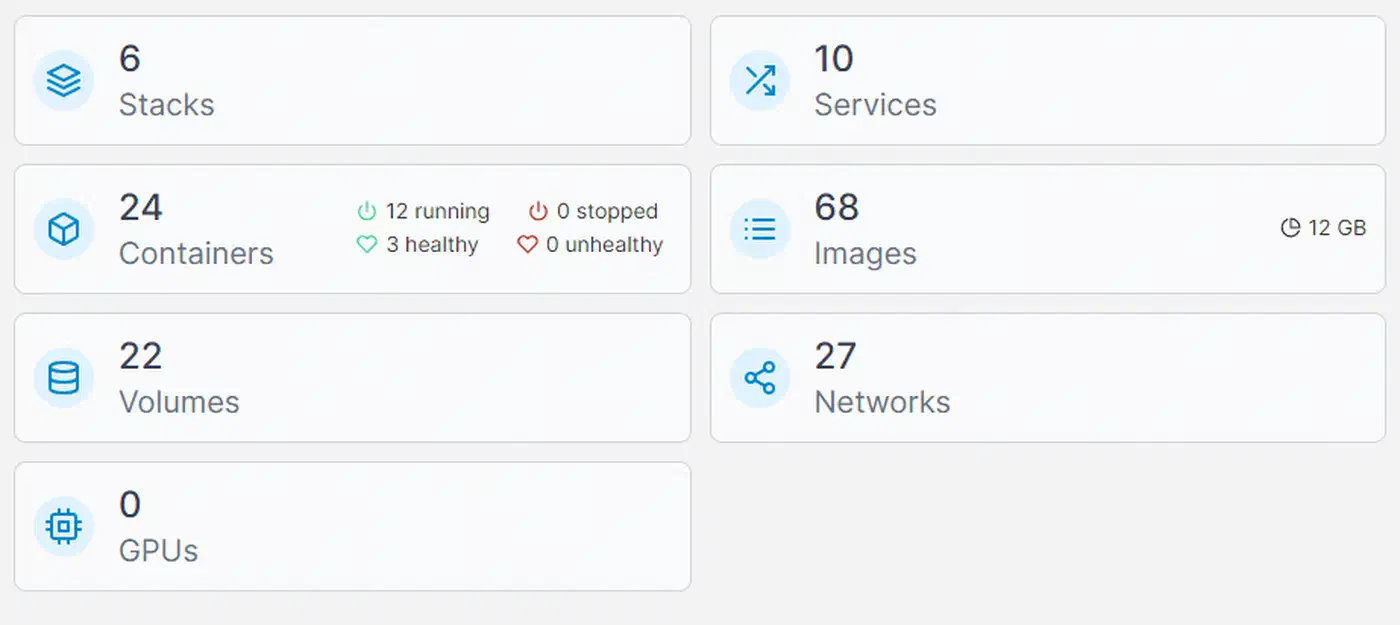
Running a 10-service stack (Nginx Proxy Manager, Nextcloud, Jellyfin, MariaDB, Redis, Gitea, Vaultwarden, Uptime Kuma, Pi-hole, Portainer):
On the Pi 5 with 8 GB, all 10 run but free RAM drops below 500 MB. Swap kicks in, and MariaDB queries slow down noticeably when Nextcloud is being hammered. The Orange Pi 5 Plus at 16 GB handles the same stack with roughly 5 GB free, plenty of room to add more services. At 32 GB, the Orange Pi 5 Plus is overkill for 10 services, but the extra memory pays off when running databases with large datasets, local AI inference with small models, or Nextcloud indexing a large photo library. Once Nginx Proxy Manager fronts that stack, a single wildcard TLS cert gives every service its own HTTPS subdomain without a separate cert per app. Portainer is not the only option for driving those containers either, and the Komodo and Dockge comparison covers the lighter picks.
If Portainer already runs on your board, plan the move now. The free edition gets only fixes on 2.x, since Portainer went Kubernetes-first with 3.x.
Storage I/O Impact
Container startup times and database performance depend heavily on storage speed. NVMe on the Orange Pi 5 Plus delivers over 500 MB/s sequential reads through PCIe 3.0 x4. The Pi 5’s PCIe 2.0 x1 HAT tops out around 400 MB/s, still respectable and far better than microSD. Running either board on a microSD card for anything beyond a toy setup is a bad idea; random I/O on microSD causes painful latency spikes under concurrent container writes. If NAS workloads are your primary goal, the Pi 5 vs N100 NAS comparison covers how PCIe storage speed differences translate to real-world NAS throughput.
Jellyfin 4K Hardware Transcoding
The Orange Pi 5 Plus has a decisive edge here. The RK3588’s Mali-G610 GPU paired with its video processing unit supports hardware-accelerated transcoding through Rockchip’s RKMPP. Jellyfin 10.11+ supports full RKMPP acceleration on RK3588, including 10-bit H.264, HEVC, VP9, and AV1 decoding. The RK3588 can handle 4K@120fps decode and has been benchmarked transcoding 4K Big Buck Bunny to 720p at over 200 FPS. There is no concurrent session limit on the Rockchip VPU, unlike NVIDIA NVENC.
The Pi 5’s VideoCore VII GPU has no meaningful hardware transcoding support for self-hosting codecs. Jellyfin on a Pi 5 falls back to CPU-based transcoding, which works for 1080p content with a few users but chokes on 4K.
Software Ecosystem and Community Support
Hardware specs lose their advantage when the software requires hours of debugging. The Raspberry Pi 5 closes the gap here.
Raspberry Pi 5 runs Raspberry Pi OS (Debian-based) with first-party support from the Raspberry Pi Foundation. Ubuntu 24.04, Fedora, and Armbian are also available. The community is massive - nearly every self-hosting tutorial on the internet assumes you are using a Raspberry Pi. When something breaks, you will find a forum thread or blog post with the fix within minutes.
Orange Pi 5 Plus runs best on Armbian, the community-maintained Debian/Ubuntu derivative that provides excellent RK3588 hardware support. The official Orange Pi OS exists but is less polished. The community is smaller. You will find fewer tutorials, and troubleshooting sometimes requires digging through Armbian forum threads or Chinese-language documentation.
Kernel support has diverged. The Pi 5 uses a downstream kernel with Raspberry Pi-specific patches, maintained by the Foundation’s engineers. The Orange Pi 5 Plus benefits from mainline Linux kernel support for the RK3588, available in kernel 6.10+, thanks to collaborative upstream development. In practice, Armbian handles this transparently: you install the image and it works.
The GPIO ecosystem heavily favors the Pi 5. HATs, cameras, sensor boards, and display modules designed for the Raspberry Pi form factor are abundant and cheap. The Orange Pi 5 Plus has a compatible GPIO header but fewer accessories built for it.
Power, Thermals, and 24/7 Reliability
Self-hosting boards run around the clock. Power draw and thermal management affect both electricity costs and long-term component life. You can check what a Pi costs to run 24/7 at your local electricity rate.
| Metric | Raspberry Pi 5 | Orange Pi 5 Plus |
|---|---|---|
| Idle Power | 2.7-4W | 5-8W |
| Load Power | 8-12W | 12-18W |
| Recommended PSU | USB-C PD (5V 5A / 27W) | USB-C PD or DC barrel (5V 4A) |
| Annual Idle Cost (~$0.12/kWh) | ~$3-4 | ~$5-8 |
Both boards throttle under sustained load without active cooling. The Pi 5 has the official Active Cooler ($5) and several third-party options like the Pimoroni Fan Shim that keep temperatures below 60 degrees C. The Orange Pi 5 Plus ships with a heatsink; adding a 40mm fan for sustained workloads is recommended.
For UPS protection, a USB-C power bank like the PiSugar provides 1-2 hours of backup. For longer outages, a small traditional UPS like the APC BE425M covers both boards.
Storage reliability outweighs board reliability. Both boards can boot from SD cards, but SD cards are not designed for the write patterns that databases and container logs produce. Use NVMe or a USB SSD for the root filesystem and data storage, keeping only the bootloader on the SD card if needed.
Heat-related failures are the most common cause of unplanned downtime. Boards mounted in enclosed cabinets, closets without ventilation, or anywhere ambient temperatures exceed 40 degrees C will thermal-throttle and eventually corrupt data during write operations. Ensure airflow regardless of which board you choose.
Verdict: Which Board for Which Use Case

Choose the Raspberry Pi 5 if you are running 1-5 lightweight services (Pi-hole, Home Assistant, Vaultwarden), you want broad community support and plentiful documentation, or this is your first self-hosting project. The 8 GB model at $175 is the sweet spot, and it has the headroom to run a Plausible container for privacy-friendly site stats.
Choose the Orange Pi 5 Plus (16 GB) if you plan to run 8+ Docker containers, want NVMe storage without adapter HATs, need 4K hardware transcoding for Jellyfin, or want dual 2.5 GbE ports for network separation. This is the board for people who have outgrown a Pi but are not ready for a full mini-PC.
Choose the Orange Pi 5 Plus (32 GB) if you are running memory-hungry services: large Nextcloud instances with preview generation, MariaDB or PostgreSQL with substantial datasets, or local AI inference with small models using the onboard NPU.
Choose neither if you need x86 Docker image compatibility, more than 32 GB RAM, or SATA/NVMe RAID. An Intel N100 mini-PC at $150-200 covers those requirements and runs everything the ARM boards can, plus the x86-only Docker images that still exist.
Starter Kit Costs
| Kit | Components | Approximate Total |
|---|---|---|
| Pi 5 Starter | 8 GB board + case + active cooler + 128 GB SD + 256 GB USB SSD | ~$240 |
| Orange Pi 5 Plus Starter | 16 GB board + case + 40mm fan + 256 GB NVMe SSD | ~$450 |
At current prices the Orange Pi 5 Plus kit costs close to double the Pi kit. If you know you will be running more than five containers, it can still pay for itself by delaying the inevitable migration to bigger hardware.