 Botmonster Tech
Automate code reviews with local LLMs: a CI pipeline integration guide

You can plug a local LLM into your Gitea Actions, or any CI system, to review pull requests on its own. The pipeline pulls the diff, feeds it to a model running on Ollama, and posts structured feedback as PR comments. No code ever leaves your network. The setup needs three parts: a self-hosted runner with GPU access, a review prompt template, and a short Python wrapper.
Why Local LLM Code Reviews Make Sense
Static analysis tools like ESLint, Ruff, and Semgrep are great at catching syntax errors, style slips, and known vulnerability patterns. What they miss are logic bugs, unclear variable names, missing edge cases, and design concerns. An LLM fills that gap because it reads code in context. It can tell you that a function does the wrong thing, not just that it’s formatted wrong.
Cloud AI review tools like CodeRabbit, Sourcery, or Copilot PR reviews work well enough. The catch is that they route your whole diff through a third-party API. For proprietary software, financial systems, or anything under data residency rules, that is a non-starter. Running review on your own machine with Ollama keeps the code at home.
The economics work in your favor too. A local 7B model like Qwen 2.5 Coder on a mid-range GPU can review a typical PR diff (under 500 lines) in 10 to 30 seconds. There are no per-review costs, no rate limits, and no leaning on a vendor’s uptime. The tradeoff is that you own the hardware. Still, if you already run a machine with a GPU in your homelab or office, the extra cost is just electricity. If you have a 24GB-class card free, Alibaba’s Qwen3.6-35B-A3B coding MoE is worth a look. It scores 73.4 on SWE-bench Verified while turning on only 3B parameters per token.
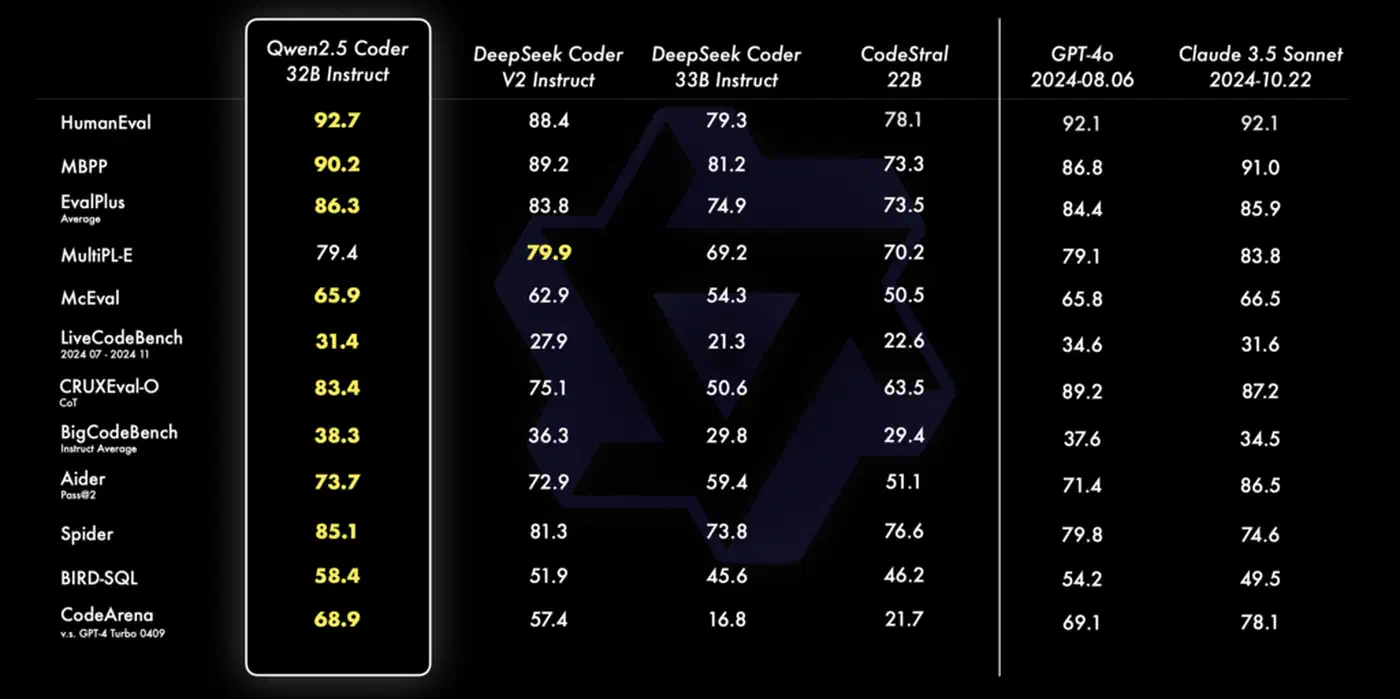
One framing helps with team adoption: treat it as a pre-reviewer, not a stand-in for humans. The LLM catches the obvious issues before a human reviewer sees the PR. Think off-by-one errors, unchecked return values, and SQL queries missing parameterization. That cuts review fatigue and lets the human focus on design and edge cases that a 7B model can’t reason about well. Alibaba tuned its open reviewer the same way, reporting fewer findings on purpose so the ones left are worth reading. For a more hands-on complement to CI review, AI pair programming tools like Aider work with local Ollama models to give real-time coding guidance before code even reaches the pipeline.
Setting Up a Gitea Actions Runner with GPU Access
The runner is a machine with an NVIDIA GPU that the CI system can send jobs to. Gitea Actions uses act_runner, a single Go binary from Gitea’s releases page. The setup takes about 15 minutes.
Install and register the runner:
# Download act_runner for your platform
wget https://gitea.com/gitea/act_runner/releases/download/v0.2.11/act_runner-0.2.11-linux-amd64
chmod +x act_runner-0.2.11-linux-amd64
mv act_runner-0.2.11-linux-amd64 /usr/local/bin/act_runner

# Register with your Gitea instance
act_runner register \
  --instance https://gitea.example.com \
  --token <registration-token> \
  --name gpu-runner-01 \
  --labels gpu,linux
The --labels gpu part is the key. It’s how your workflow file targets this runner rather than any generic one.
Install Ollama and pre-pull the model:
curl -fsSL https://ollama.ai/install.sh | sh
ollama pull qwen2.5-coder:7b-instruct-q4_K_M
Pre-pulling the model is important. If you wait until the first CI run to download a 4GB model, your first review will time out. The q4_K_M quantization gives a good balance of inference speed and review quality. On a GPU with 8GB VRAM, like an RTX 3070, the model loads in about 2 seconds and generates tokens at roughly 60 per second.
If you run the runner as a systemd service, make sure the service user can reach the GPU:
[Service]
User=cirunner
Group=video
Environment="CUDA_VISIBLE_DEVICES=0"
ExecStart=/usr/local/bin/act_runner daemon
Verify inference is working before wiring up the CI pipeline:
ollama run qwen2.5-coder:7b-instruct-q4_K_M \
  "What does this Python code do: x = [i for i in range(10) if i % 2 == 0]"
If you get a response in under 3 seconds, the GPU path is live and you’re ready to go.
Writing the Review Workflow
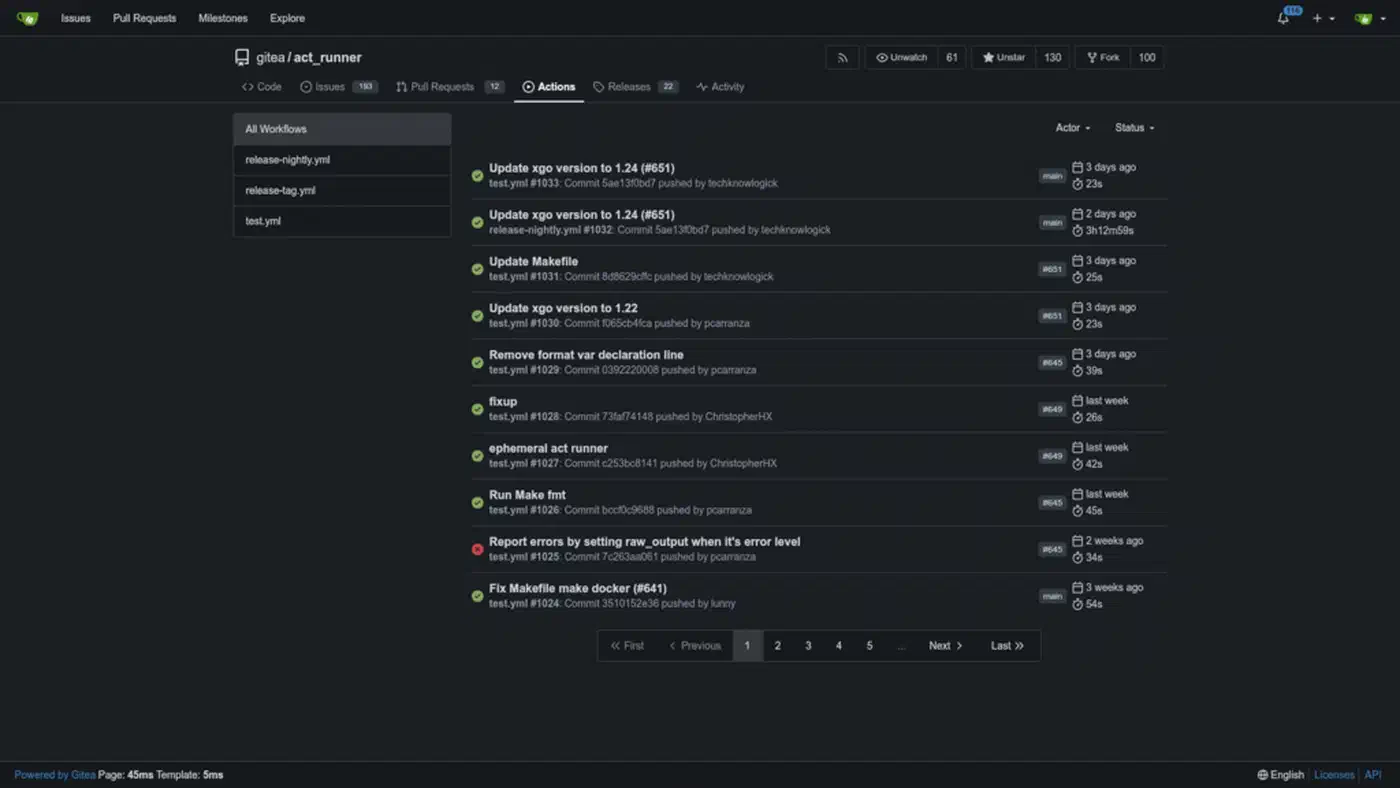
The workflow file lives at .gitea/workflows/llm-review.yaml in your repo. It triggers on pull requests and runs four steps: check out the code, build a diff, send the diff to Ollama, and post the reply as a PR comment.
name: LLM Code Review

on:
  pull_request:
    types: [opened, synchronize]

jobs:
  review:
    runs-on: [gpu]
    timeout-minutes: 5
    if: github.event.pull_request.draft == false
    steps:
      - name: Checkout
        uses: actions/checkout@v4
        with:
          fetch-depth: 0

      - name: Generate diff
        id: diff
        run: |
          DIFF=$(git diff \
            ${{ github.event.pull_request.base.sha }}...${{ github.event.pull_request.head.sha }} \
            -- '*.py' '*.ts' '*.js' '*.go' '*.rs' '*.java' \
            ':!*.lock' ':!*_pb.go' ':!*.min.js' \
            | head -c 32000)
          echo "diff<<EOF" >> $GITHUB_OUTPUT
          echo "$DIFF" >> $GITHUB_OUTPUT
          echo "EOF" >> $GITHUB_OUTPUT

      - name: Run LLM review
        id: review
        run: |
          REVIEW=$(python3 .gitea/scripts/review.py "${{ steps.diff.outputs.diff }}")
          echo "review<<EOF" >> $GITHUB_OUTPUT
          echo "$REVIEW" >> $GITHUB_OUTPUT
          echo "EOF" >> $GITHUB_OUTPUT

      - name: Post comment
        run: |
          curl -s -X POST \
            "https://gitea.example.com/api/v1/repos/${{ github.repository }}/issues/${{ github.event.pull_request.number }}/comments" \
            -H "Authorization: token ${{ secrets.GITEA_TOKEN }}" \
            -H "Content-Type: application/json" \
            -d "{\"body\": \"### AI Code Review\n\n${{ steps.review.outputs.review }}\"}"
A few decisions here worth explaining.
The diff is scoped to source files only (.py, .ts, .go, etc.) and skips lock files and generated protobuf code. Sending package-lock.json through the model wastes its context window on content it can’t really review. The head -c 32000 cap keeps the diff within the model’s working context. 32KB is roughly 8,000 tokens, depending on code density.
The timeout-minutes: 5 guard stops a runaway inference job from blocking the pipeline for good. It also catches a GPU OOM that makes Ollama hang.
The if: github.event.pull_request.draft == false check skips review for draft PRs. When a developer marks a PR as draft, they’re saying it isn’t ready for feedback. Automated comments on work in progress add noise without value.
The Python review script (.gitea/scripts/review.py):
import sys
import requests

OLLAMA_HOST = "http://localhost:11434"
MODEL = "qwen2.5-coder:7b-instruct-q4_K_M"

SYSTEM_PROMPT = """You are a senior code reviewer. Analyze the git diff below and identify:
1. Potential bugs or logic errors
2. Security vulnerabilities (injection, missing auth checks, unsafe deserialization)
3. Performance concerns
4. Readability improvements

Be specific. Reference line numbers when possible. Use Markdown with these sections:
### Bugs
### Security
### Performance
### Suggestions

If the diff looks correct and you have no concerns, respond only with: LGTM - No issues found."""


def review_diff(diff: str) -> str:
    if not diff.strip():
        return "LGTM - Empty diff, nothing to review."

    payload = {
        "model": MODEL,
        "prompt": f"{SYSTEM_PROMPT}\n\n```diff\n{diff}\n```",
        "stream": False,
        "options": {"temperature": 0.1},
    }

    try:
        resp = requests.post(
            f"{OLLAMA_HOST}/api/generate", json=payload, timeout=120
        )
        resp.raise_for_status()
        return resp.json()["response"]
    except requests.RequestException as e:
        return f"Automated review unavailable: {e}"


if __name__ == "__main__":
    diff = sys.argv[1] if len(sys.argv) > 1 else ""
    print(review_diff(diff))
The except block is not optional. If Ollama crashes or the GPU runs out of memory mid-run, the script returns a clean error message. Without it, the script would exit with a non-zero code that blocks the PR merge.
Crafting a Review Prompt That Gets Results
The system prompt sets most of the output quality. A vague prompt like “review this code” gives vague output. The structured prompt above does several specific things.
Role definition. “You are a senior code reviewer” primes the model to apply code-specific reasoning rather than general language skill. The same 7B model gives clearly different output with and without an explicit role.
Categorized output. Asking for four set sections (Bugs, Security, Performance, Suggestions) forces the model to think across angles rather than fixating on whatever caught its eye first. It also makes the comment easy to scan in the PR thread.
An escape hatch. The “LGTM - No issues found” line stops the model from inventing feedback on clean code. Without it, models sometimes generate weak suggestions just because the prompt structure implies they should find something. The escape hatch also keeps PR threads clean when there’s nothing to act on.
Temperature 0.1. Pure greedy decoding at temperature 0 is too rigid and now and then reads awkward. A small amount of randomness at 0.1 makes the feedback read more naturally while staying consistent enough for CI. Going higher (0.5+) adds too much variance. The same diff might produce different feedback on back-to-back runs.
A useful variant to keep around: a security-focused prompt that drops the Suggestions section and asks the model to be extra aggressive about OWASP Top 10 patterns. It is handy for repos that handle authentication, payments, or user data, where security review deserves its own pass.
Handling Edge Cases in Production
A few situations come up once you run this at any real scale.
Large diffs. When a PR changes 800 or more lines, the diff blows past the model’s working context window. The fix is to split the diff by file, review each file on its own, and join the results. Per-file review also tends to give sharper feedback. The model isn’t trying to hold a whole PR in context at once. Serving the review a code graph instead of raw files attacks the same problem from the other end, cutting what the model has to read by a large factor.
def split_diff_by_file(diff: str) -> dict[str, str]:
    files: dict[str, str] = {}
    current_file = None
    current_lines: list[str] = []

    for line in diff.splitlines():
        if line.startswith("diff --git"):
            if current_file:
                files[current_file] = "\n".join(current_lines)
            current_file = line.split(" b/")[-1]
            current_lines = [line]
        else:
            current_lines.append(line)

    if current_file:
        files[current_file] = "\n".join(current_lines)

    return files
Duplicate comments. If someone re-runs a workflow or pushes a fixup commit, you’ll get a second review comment for the same code. Guard against it: include the short commit SHA in the comment body and check for it before posting.
def has_existing_review(pr_comments_url: str, token: str, commit_sha: str) -> bool:
    resp = requests.get(
        pr_comments_url,
        headers={"Authorization": f"token {token}"}
    )
    return any(commit_sha[:8] in c.get("body", "") for c in resp.json())
GPU OOM and model errors. Ollama returns HTTP 500 when the model runs out of VRAM during inference. The try/except in the review script handles this cleanly at the script level, but you should also log failures. A simple approach: write failed reviews to a log file and alert if more than three fail within an hour. This pattern often surfaces another process that’s fighting for GPU memory.
Advisory vs. blocking. Start with advisory mode. The review posts a comment but doesn’t block the merge. Run it this way for a few weeks while you tune the prompt and build trust in the output. Once the team trusts the feedback, you can make the review a required status check in Gitea’s branch protection settings. That said, most teams find advisory mode is the right long-term setup anyway. No automated system should be the sole gate on merging code.
Scaling Across Repositories
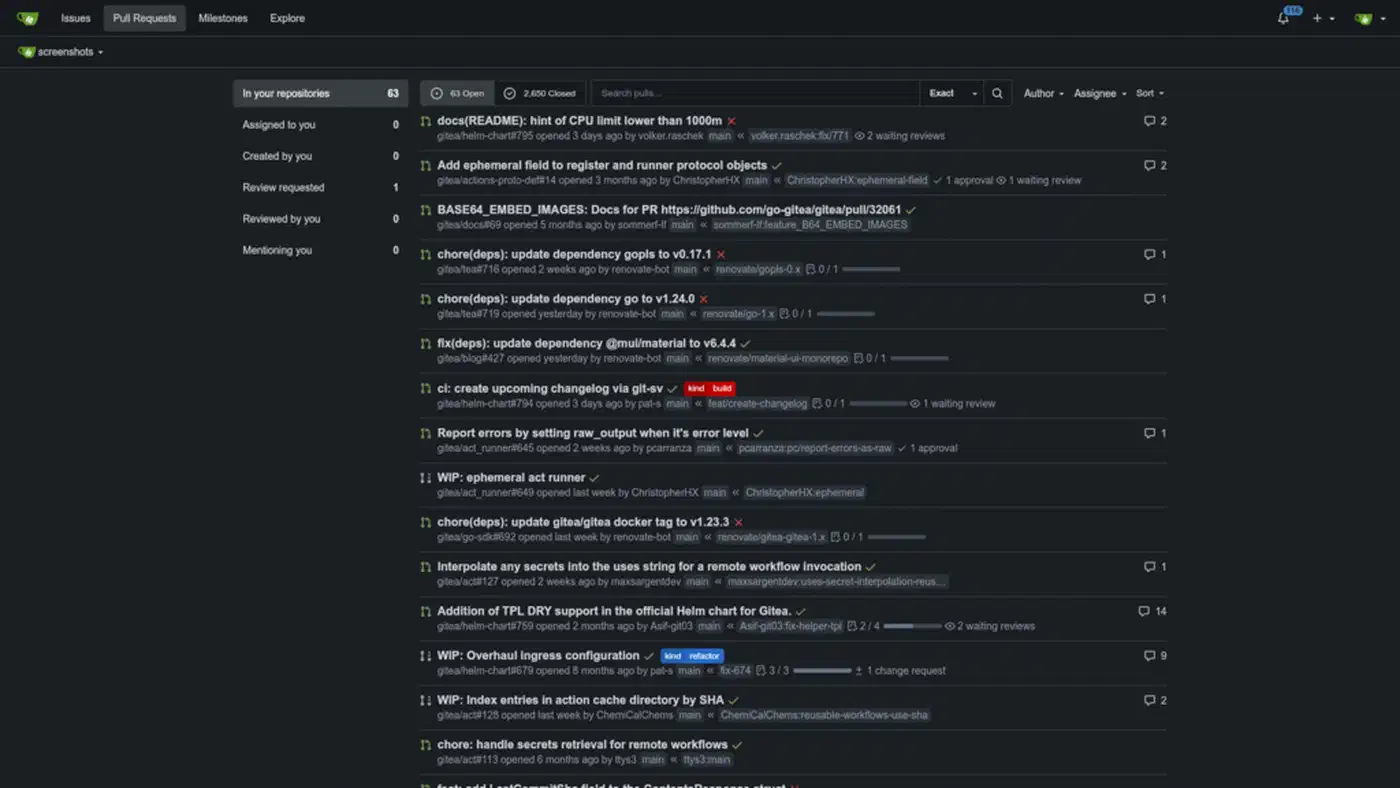
A single GPU runner handles review jobs from all your Gitea repos with no special config. This assumes the code already lives on Gitea; if it is still on GitHub, migtea can move every repo across in one pass so the review pipeline covers your whole account. Reviews are short, 15 to 30 seconds, so running them one at a time is fine for typical team speed. If the queue backs up during busy periods, Ollama’s OLLAMA_NUM_PARALLEL environment variable lets you run two or three inference sessions at once, at the cost of slightly higher per-review latency. Push past a handful of parallel jobs, though, and Ollama’s single-request default becomes the bottleneck. Under sustained concurrent load, vLLM outpaces Ollama by a wide margin thanks to its server-class batching.
# In /etc/systemd/system/ollama.service
Environment="OLLAMA_NUM_PARALLEL=2"
On a GPU with 16GB VRAM like an RTX 4080, two parallel 7B model instances fit fine. On 8GB, stick to one. If you run several models across different repos, say a coding model for review and a smaller model for changelog summaries, routing them through one OpenAI-compatible proxy makes endpoint management across CI workflows much simpler.
One metric is worth tracking from day one: review latency per commit. Log it to a SQLite table or expose it as a Prometheus counter. You’ll catch GPU slowdowns early, and the data helps when you justify hardware upgrades or explain value to management.
A local Ollama instance, a GPU-backed act_runner, and a focused review prompt give you a code review pipeline that runs fully on infrastructure you control. For teams shipping proprietary code or working under compliance rules, that kind of data sovereignty is often the deciding factor over any cloud alternative, model quality aside. If you would rather keep a hosted agent in the loop, Codex CLI and its codex exec mode run review steps non-interactively.