 Botmonster Tech
BLA makes AI reverse engineering agents give up on your app

This post is open for corrections. Highlight any line of text to challenge it or ask for a clearer explanation and leave a comment.
BLA protects your code and makes AI reverse engineering agents give up by pushing your files past the hard limits built into REA (Reverse Engineer Anything) skil. In live tests REA stopped with an error on nine file formats. BLA also says agents burn up to 2,800x more tokens, but this number was never independently confirmed.
Key Takeaways
- BLA changes your release files so AI agents like REA can’t read them.
- BLA bloats files past the size and nesting caps in REA’s analyzers.
- In live tests, nine file formats made REA stop with an error.
- Nobody has tested BLA’s claim that agents burn 2,800x more tokens.
- Before version 3.2.1,
bla verifyapproved files that crashed or had no protection.
What is BLA, the anti reverse engineering tool built against REA?
BLA stands for Blind LLM Agents. It is an open-source tool that slows down reverse engineering efforts by AI agents. It fills your app’s files with fake code and junk data. The fake code looks real, so the agent studies it like the real thing. What would be a quick, cheap job for the agent becomes a long one that costs far more time, tokens and money. BLA ships as the bla-agents npm package, with guides and a showcase on bla.tools.
REA is an MCP server that lets Claude Code, Codex or Cursor drive Ghidra, Hopper and IDA to take apart any app. BLA’s authors read REA’s source code to find the exact size and depth limits its analyzers enforce. Then they made BLA grow your files just past each of those limits. When a file goes over a limit, REA stops reading it, and the agent never gets to the code inside.
You can run it in three ways:
- CLI: one command hardens a build folder.
- MCP server: 25 tools your coding agent calls on its own.
- Bundler plugin: hooks for Vite, Rollup, Webpack and esbuild.
It covers at least 19 formats. These include JavaScript and TypeScript bundles, Electron .asar archives, WebAssembly, SQLite databases, and Safetensors and GGUF model files. Python, Go and native ELF binaries, Android DEX and .NET are on the list too.
BLA is for defense only. Its disclaimer limits use to software you own or are allowed to change. Your users never run the fake code. The app skips it every time. Only a tool that opens and reads the files finds it.
BLA vs REA, the attacker and the shield
| REA | BLA | |
|---|---|---|
| Side | Attack | Defense |
| Job | Read apps | Hide apps |
| Runs as | MCP + CLI | MCP + CLI |
| Targets | Others’ apps | Your apps |
| Licence | MIT | MIT |
Our REA review covered a test where an agent rebuilt Apple’s Preview app twice: once with REA, and once working only from screenshots. Both copies worked.
An agent that copies your app by looking at screenshots and clicking through it gets past BLA completely. BLA only changes the files inside your app. An agent that never opens those files never sees the fake code or hits the limits.
At least one REA user already sees BLA as a problem and opened a design request on REA’s tracker asking for a way to bypass or detect it:
Was created to make agents run in circles around trying to reverse engineer. Obviously we can’t have that.
Why classic code obfuscation fails against AI agents
Code obfuscation rewrites a program so it runs the same but is hard to read and hard to reverse engineer. The classic techniques are well known:
- Renaming variables to junk like
_0x1a2b. - Control flow flattening, which turns clean branches into one big switch.
- Junk instructions and dead code.
- String encryption, so readable text only appears at runtime.
- Packing, which compresses the program and unpacks it on launch.
Heavier software obfuscation wraps the program in a virtual machine, as VMProtect and Themida do. It can also add anti-debugging and anti-tamper checks. These slow a human down, but they can also slow the app itself and break cross-platform builds.
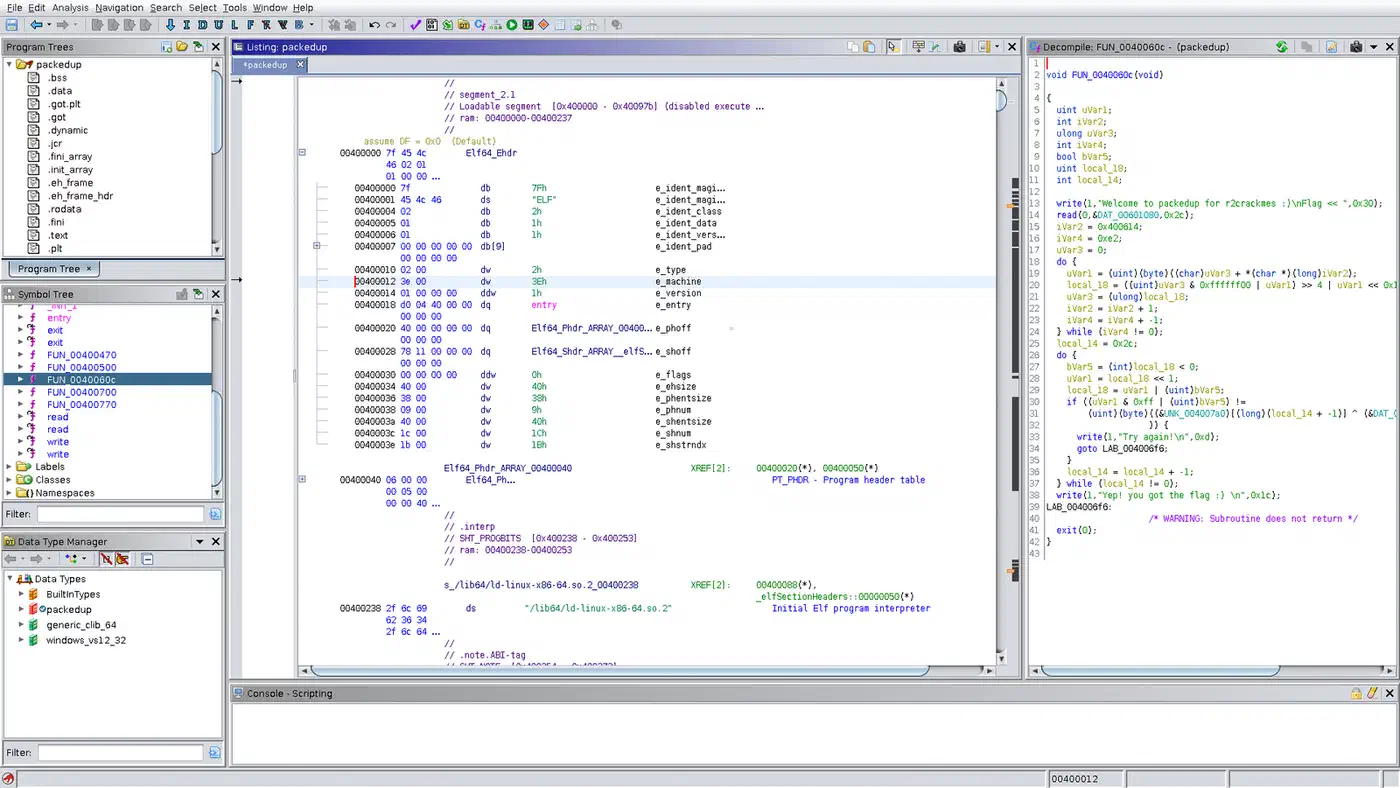
These tricks were built to slow human readers. A language model reads renamed variables and flattened branches without much trouble, one function after another at machine speed.
Every agent runs on a budget: a context window that holds only so much text, a token cost for every request, and hard size caps in its analysis tools. BLA attacks that budget instead of the code’s readability.
How BLA poisons, exhausts and entangles an AI agent
BLA is not only for Electron apps. Poison, exhaust and entangle work across the formats it covers, from web JavaScript to Python, native binaries and AI model files. Only the fuse settings in the runtime shield are specific to Electron.
- Poison plants decoys that look real. These include fake config files claiming your important code runs inside a sealed-off part of the processor, such as Intel SGX or Apple’s Secure Enclave, so the agent hunts for code that isn’t there. Other decoys are fake source maps that point to code that doesn’t exist, believable but unused state machines, and canary values. The agent spends its budget on leads that go nowhere.
- Exhaust inflates files just past the size and nesting limits in REA’s analyzers. In BLA’s test, a tiny 607-byte sample archive, not a real app, grew to 16.9 MiB. Most of that went into the archive’s file index, pushing it past REA’s 16 MiB limit for that index. A Safetensors model file gets its JSON header nested deeper than REA’s 32-level limit, yet the model still loads in Hugging Face. REA then marks the result
LIMITEDor stops with a capacity error, so the agent never sees the whole file. - Entangle makes the JavaScript, WebAssembly and native helper files of one app check each other’s SHA-256 hashes. If an agent strips a decoy or patches out one check, the hashes stop matching and the app breaks. An agent can update the hashes too, but it has to find every place one is stored, across several files, and miss none. This part is off by default. You turn it on with
--self-sealand--sidecar-entangle. - Runtime shield switches off Electron fuses such as
RunAsNodeandInspect, which would let a tool run or debug the app from outside. It also detects Frida, the Chrome DevTools protocol and WebDriver, then feeds fake data to the tool watching the running app.
Decoy code hides behind cheap math checks that always take the same branch at runtime, called opaque predicates. As a result, real users never run it. Hidden text that gives instructions to the agent’s model is off by default; the --llm-directives flag turns it on.

What BLA proved in live tests against REA
BLA’s maintainers ran REA’s own analyzers against hardened sample files on ordinary hardware.
| Format | Before | After | REA result |
|---|---|---|---|
| Electron archive | 607 B | 16.9 MiB | ❌️ Error |
| WebAssembly | 54 B | 6.56 MiB | ⚠️ Partial |
| JavaScript | 761 B | 116 KiB | ❌️ Error |
| SQLite | 12 KiB | 56 KiB | ❌️ Error |
| Safetensors | 128 B | 10.1 KiB | ❌️ Error |
| Go binary info | 50 KiB | 1.16 MiB | ❌️ Error |
Across all formats, nine ended in hard errors, where REA gave up on the file. Three more fell short of a clean failure. WebAssembly gave REA only a partial read, EVM bytecode was padded right up to REA’s 4 MiB input cap, and the Flutter result came from a copy of REA’s code rather than REA itself. Besides the five errors in the table, REA also failed on Erlang BEAM files, network captures, GGUF models and Electron fuses.
BLA’s 14-target benchmark claims an agent spends 300x to 2,800x more tokens on protected files. On its top target, that is about $0.20 per analysis job unprotected against $212.82 protected. The README calls these internal estimates. BLA worked them out from its list of REA’s limits without running REA, so treat them as BLA’s own forecast. Five of the 14 targets come in below that 300x floor, down to 106x for native ELF binaries.
Some shields went untested because the test machine lacked the native tools they need: Ghidra decompile depth, live Frida or LLDB sessions, the full Android APK pipeline and firmware. BLA’s claims for those remain unproven.
The bloat costs little in an Electron archive that sits on disk, but a web bundle that grows from 761 bytes to 116 KiB is extra download for every visitor.
To test your own agent against it, the CrackMe arena publishes four BLA-hardened challenges, v6 to v9, with only SHA-256 hashes of the answers in the repo, so nobody can look them up.
Can REA bypass BLA?
BLA’s exhaustion tricks aim at REA’s default limits, and REA can raise any cap in one commit. BLA watches for this with a check that compares 42 limit values in REA’s code against its own catalog, so it notices when REA changes one. It also has a test mode that attacks its own shields with REA’s limits raised, because a shield that wins only at default limits fails once REA raises them (BLA issue #73).
Some caps don’t even need a new REA release. When BLA’s bloated archive trips REA’s 16 MiB limit, REA’s own error message tells the agent how to raise it, up to 256 MiB, with the update_analysis_settings tool.
On REA’s side, the bypass request from rombodawg is still just an idea with no code behind it, so REA has no BLA bypass yet.
An independent tester, GitHub user AyobamiH, found holes in BLA itself and filed two reports against BLA 3.2.0:
- Broken output passed verify. When JavaScript used direct
evalor a parameter namedMath,bla protectturned a function that returned 42 into one that crashed with a ReferenceError.bla verifystill said the file worked as before, because it only checked that the file parsed (BLA issue #154). - A comment faked protection. Adding one BLA marker comment to an unprotected 87-byte GPU kernel (PTX) file made BLA score it 98/100 “protected” and pass
bla verify(BLA issue #155). BLA’s audit only searched the text for that marker, so any file with the marker counted as protected.
Both were fixed within a day. AyobamiH’s own pull request fixed the eval and Math cases and changed verify to say it checks only file structure, not behavior. A maintainer commit made the audit look for real decoy kernels, not just the marker, before it calls a file “protected.” The fixes shipped in bla-agents 3.2.1.
The same tester also ran the published REA 6.8.0 against a GPU kernel file that BLA had fully protected. REA read all 129 entry points in the 26 KB file and hit no limit, so BLA’s protection did not slow REA down on that format.
BLA raises the cost of an automated REA run, but it won’t stop a human with a debugger. No client-side scheme can promise secrecy against a patient analyst with hardware access, so anything secret belongs on a server.
How do I protect my app from AI reverse engineering with BLA?
There are three ways in, and all need Node.js 22 or 24.
One command
This finds your build output, such as dist/, .asar, .wasm and native binaries, then runs audit, protect and verify:
npx bla-agents harden .Through your coding agent
This registers the MCP server with Claude Code, Cursor, Codex, Gemini CLI, Windsurf and OpenCode:
npx bla-agents setupThen type “Harden my software against REA” and the agent runs audit, protect and verify for you.
At build time
The Vite plugin protects chunks and swaps your real source maps for decoys on each build:
import { defineConfig } from "vite";
import { blaVitePlugin } from "bla-agents/bundler";

export default defineConfig({
  plugins: [blaVitePlugin({ intensity: "bankrupt", enableHoneySourceMaps: true })],
});
Whichever path you pick, run your own test suite on the protected build. The two bug reports show that bla verify passing doesn’t mean the app still works.
Who should use BLA and who should skip it
- Try it if you ship an Electron app, a JavaScript bundle with business logic, or model files. It fits when you worry about someone cloning a feature with an agent. Test the protected build first.
- Wait if you ship a web bundle where size counts, or code that uses
evalor unusual globals. The bloat makes every visitor download more, and code withevalis wherebla protectbroke apps before 3.2.1. - Skip it if your secret already lives on a server, or you need protection from a determined human. Server-side logic, code signing and VMProtect for native code fit that job better.
For the other side of this fight, our REA review shows what these agents can take apart when nothing stands in their way.