 Botmonster Tech
Claude Code remote agents: dispatch, scheduled tasks, and /loop explained

Claude Code now ships four ways to run agents remotely: Dispatch, Remote Control, Scheduled Tasks, and /loop. Pick the wrong one and you either over-build a simple polling job or under-build something that needs real persistence. Each works at a different layer of the stack. Each has its own lifecycle, infrastructure needs, and rules for what survives a closed terminal or a sleeping laptop.
Dispatch: Send Tasks from Your Phone to Your Desktop
Dispatch launched on March 17, 2026 as a research preview inside Claude Cowork. Open the Claude mobile app, describe a task, and Dispatch routes it to your Claude Desktop instance on your dev machine. Claude Code runs the task locally with your file system, MCP servers, skills, connectors, and any other tools you’ve set up. The result comes back to your phone. Cowork is also where Claude drives the mouse and keyboard, asking before each step.
The shape of this is important. Dispatch is a relay layer, not cloud compute. Your desktop does the real work. So your Mac (or Windows PC, since Windows support shipped April 3, 2026 for Pro and Max subscribers) must be awake with Claude Desktop running. If your machine sleeps or loses network, the task fails. Linux users are out of luck for now: no Desktop orchestration layer ties the terminal Claude Code install to Cowork and Dispatch.
What sets Dispatch apart from a plain “run this script on my laptop” setup is the persistent thread. A task you send from your phone doesn’t exist in isolation. You can send “review the open PRs on the backend repo and flag anything that needs my attention,” wait for the reply, then follow up with “now draft a fix for the auth module issue you found.” Claude can still see everything it read in the previous turn.
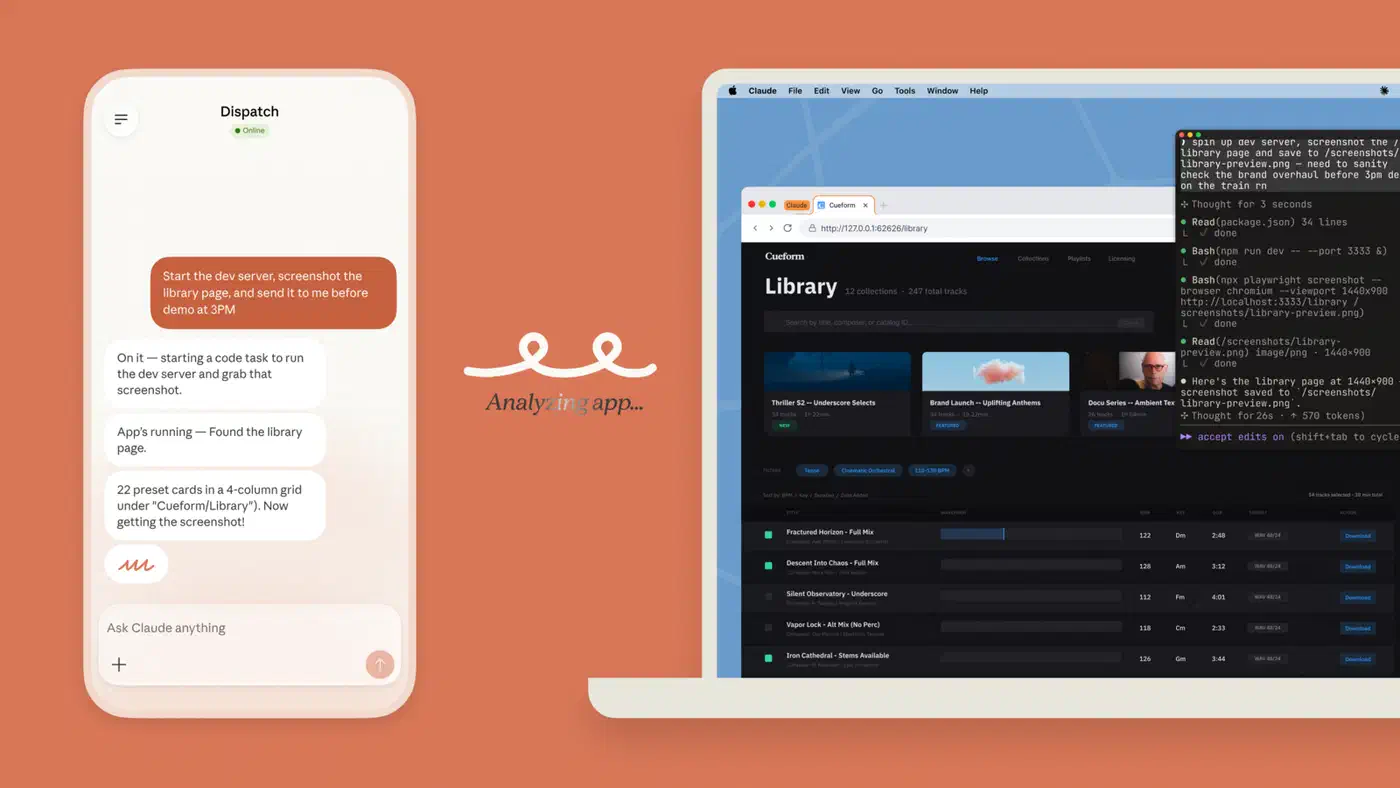
Dispatch can do a lot: full file system access, git repos, installed tools, running services, browser automation via Computer Use, and any MCP servers you’ve set up. That power has a flip side. A task sent from your phone can read, change, or delete local files. The attack surface is real and worth thinking about before you start sending heavy jobs to run unattended.
Practical Dispatch use cases:
- Review code and summarize open PRs while commuting
- Kick off a data migration from your phone and check back after a meeting
- Investigate a production alert while away from your desk
- Delegate documentation updates between calls
Remote Control: Attach to a Running Session
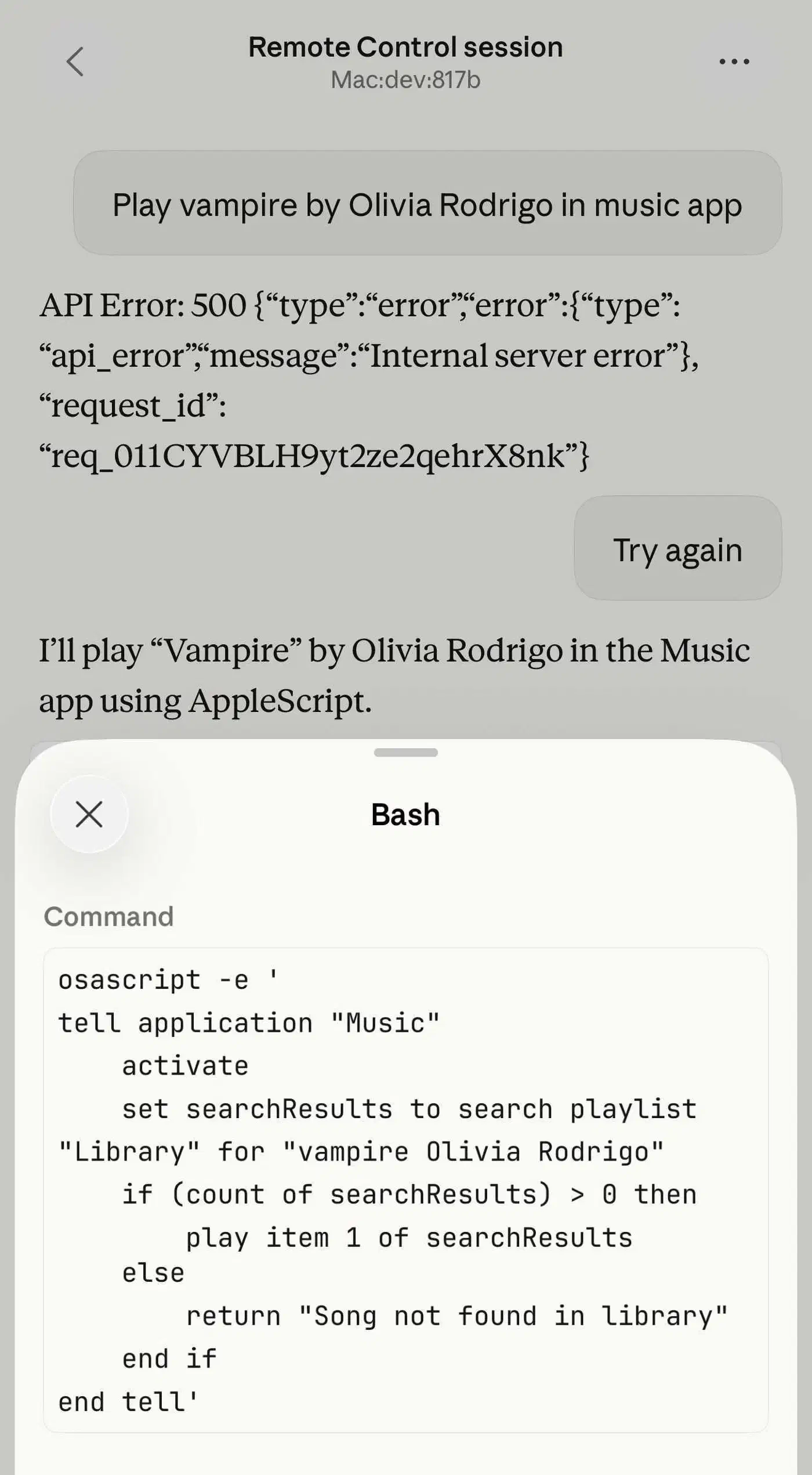
Remote Control differs from Dispatch in one key way. It attaches to a session that’s already running, rather than starting a new one. Released as a research preview in February 2026, it makes a live terminal session reachable from claude.ai/code, the iOS app, or the Android app.
The main use case is oversight. You start a big refactor on your desktop, walk away, then open the web app on your phone to watch what Claude Code is doing. If it’s about to delete a file you want to keep, you reject that tool call, give it new guidance, and let it continue. No need to touch your dev machine.
This is also a deliberate security design. The --dangerously-skip-permissions flag, which skips approval prompts in normal Claude Code sessions, doesn’t work with Remote Control. Every file edit, test run, and shell command needs explicit approval from the connected device. Anthropic chose not to allow unattended Remote Control sessions that make changes without human oversight.
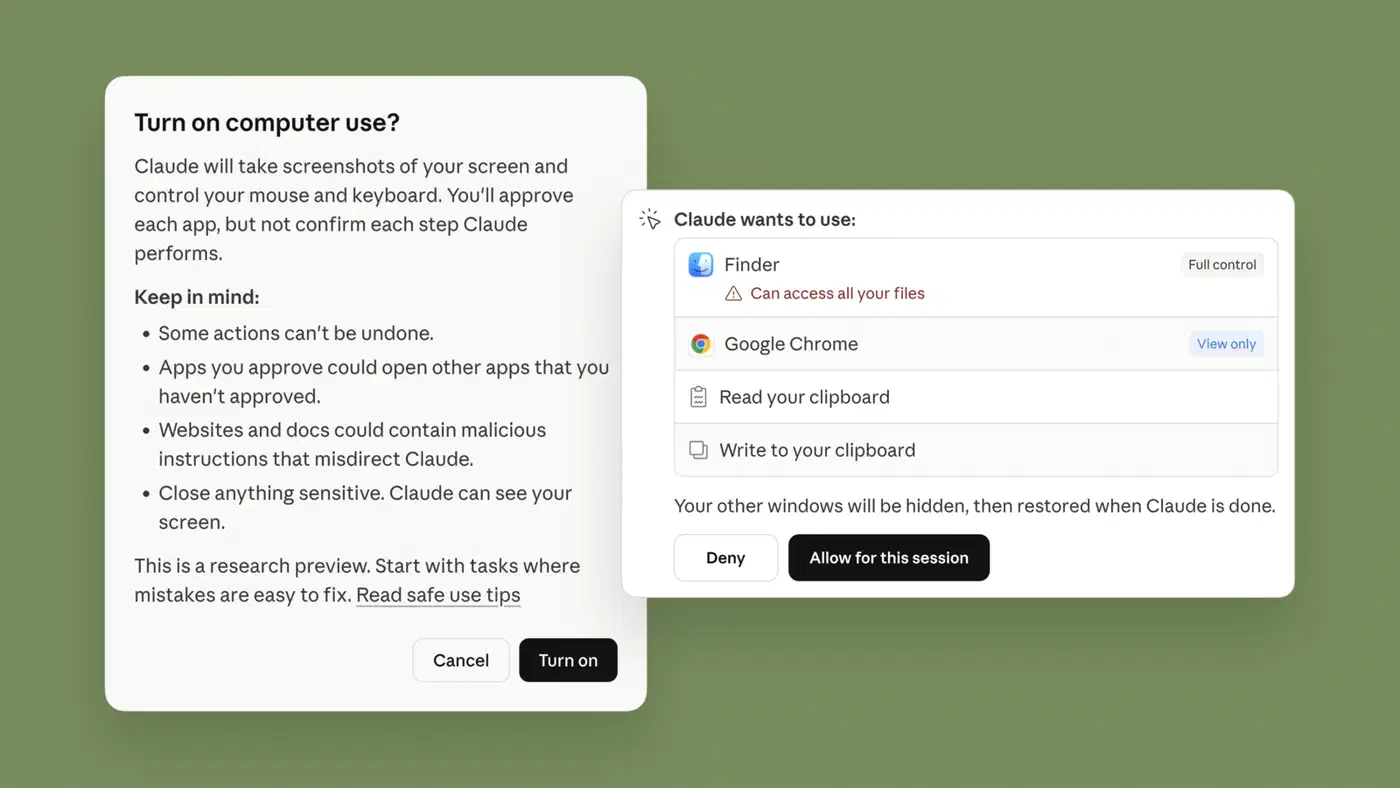
On the privacy side: your code never leaves your local machine. Only chat messages move through the encrypted bridge. Files, environment variables, MCP server configs, and project settings all stay local.
Remote Control is the human-in-the-loop layer. Use it when you have a session running that needs oversight or steering from another device. Don’t reach for it when you want to start a fresh task remotely. That’s what Dispatch is for.
MindStudio’s comparison sums up the three remote tools cleanly. Dispatch fires async one-off tasks. Channels keep a two-way connection open for real-time multi-turn chats. Remote Control lets human operators or external systems watch, pause, or steer a live agent mid-run.
Scheduled Tasks: Cron Jobs for Your AI Agent
Scheduled Tasks are the production automation feature. You define a prompt and a cadence, and the prompt runs on its own with no human kicking it off. Two flavors, each with its own tradeoffs.
Desktop scheduled tasks run locally on your machine. They survive app restarts and fire on a visual schedule as long as Claude Desktop is open. Each run starts a fresh Claude Code session with full access to your files, MCP servers, skills, connectors, and plugins. The interval floor is flexible for desktop tasks, and you get broad tool access.
Cloud scheduled tasks run on Anthropic’s infrastructure. Your machine doesn’t need to be on. This is real background work: a nightly cloud task fires at 2 AM whether your laptop is asleep under your desk or stowed in an airport bag. The tradeoff is real too. MCP support is limited to Connectors (Slack, Linear, and similar GUI-set-up integrations). Custom .mcp.json configs don’t load in the cloud runtime. Only GitHub repos are supported; GitLab and others are not. The minimum interval is 1 hour, and anything faster is rejected.
You create tasks via the web app, the Desktop app, or by running /schedule in the CLI. You give it a prompt, attach one or more repos, pick a frequency (hourly, daily, weekly, or a custom cron expression), and set up the environment.
| Feature | Desktop Tasks | Cloud Tasks |
|---|---|---|
| Runs without your machine | No | Yes |
| Local file system access | Yes | No (repos only) |
| MCP servers | All configured | Connectors only |
| Supported repos | All | GitHub only |
| Minimum interval | Flexible | 1 hour |
| Survives app restart | Yes | Always on |
Patterns that show up over and over in team setups:
- morning PR review: daily at 8 AM, review all open PRs, summarize status, flag stale ones (for a CI-native take on this, see automating PR reviews with GitHub Actions)
- overnight CI failure analysis: nightly, rerun failed CI tasks and open tickets for tests that keep failing
- weekly dependency audit: every Monday, check for outdated or vulnerable packages and submit upgrade PRs
- post-merge doc sync: fire after PR merges, update docs to reflect code changes
Scheduled Tasks turn Claude Code from an interactive tool into a background worker. That’s a different relationship with the software than most developers are used to. It sits on the top tier of the three tiers of AI pair programming: autonomous overnight work rather than interactive help. For unattended ML experiment loops, Karpathy’s AutoResearch and four other community repos run roughly 100 experiments overnight on their own.
/loop: Lightweight Recurring Execution in a Session
/loop is the simplest recurring run mode. For session-scoped watching of builds, deployments, or API endpoints, it’s usually what you want.
The syntax is flexible:
/loop 5m check if the deployment finished
/loop check the build every 2 hours
/loop check the build
Leading interval, trailing interval, or no interval at all: the parser handles all three forms. Skip the interval and the default is 10 minutes. Supported time units are s (seconds), m (minutes), h (hours), and d (days). Note that seconds round up to the nearest minute, since cron has one-minute granularity under the hood.
The agent running in loop mode is context-aware. It knows it’s running on a recurring beat. It can reason about what happened in prior cycles, refer back to previous outputs, and adapt. If the first cycle found 3 failing tests and the second found 1, it reports the gain rather than treating each run as fresh.
/loop tasks expire after 7 days. That’s a safety guard that caps how long a forgotten loop can burn API tokens. A session can hold up to 50 scheduled tasks at once, which pairs well with multi-session orchestration setups, where several coordinated sessions each own their own polling work.
The big limit: /loop tasks are session-scoped. They live in memory for the current terminal session only. Closing the terminal, ending the Claude Code session, or dropping the SSH connection kills all active loops on the spot, with no recovery. There’s no way to resume a loop after a disconnect.
That’s the core split from Scheduled Tasks: loops are temporary, tasks persist.
Good /loop use cases:
/loop 2m check deployment status and report any errors: watching a rollout/loop 5m is the CI pipeline finished yet: monitoring a long build/loop 30s check if the staging server is responding: polling during dev/loop 15m any new comments on my open PRs: tracking review status
Choosing the Right Remote Execution Model
Four features with overlapping surface areas. Here’s how they map to real workflows:
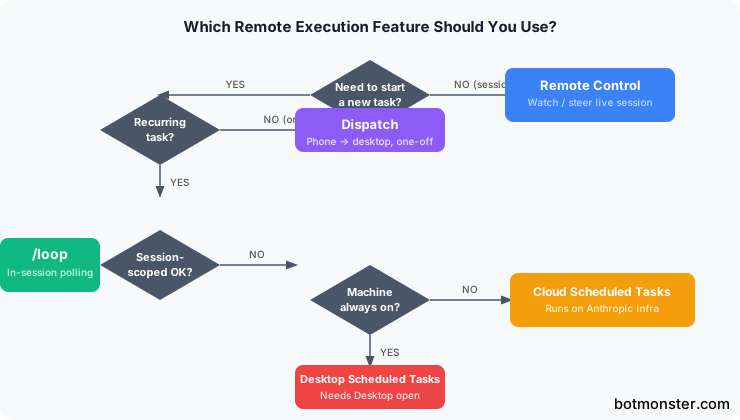
| Feature | When to Use | Key Requirement |
|---|---|---|
| Dispatch | Trigger a one-off task on your machine from your phone | Machine awake, Claude Desktop running |
| Remote Control | Oversight and steering of a live session | Session must already be running |
| Desktop Scheduled Tasks | Recurring work that needs local file access | Claude Desktop open |
| Cloud Scheduled Tasks | Recurring work that must run without your machine | GitHub repos, 1h minimum interval |
| /loop | Transient session-scoped polling while you work | Terminal session stays open |
Common misuse patterns to avoid:
- Using
/loopfor tasks that need to survive a terminal close (use Scheduled Tasks instead) - Using Dispatch for tasks that need live oversight (use Remote Control)
- Using Scheduled Tasks for one-off tasks (use Dispatch)
- Running cloud Scheduled Tasks for work that needs local-only resources like private network services or custom MCP servers
Token costs add up fast. A /loop running every 30 seconds for 7 days makes over 20,000 API calls. A Scheduled Task running hourly makes 168 calls per week. Dispatch tasks are billed like any other Claude Code session. Setting the lowest frequency that still works for you isn’t premature optimization. It saves real money. Token burn on long-running agents was also the dominant gripe in community reactions to Claude Opus 4.7, and it fed the same usage-limit revolt that hit 4.8.
One edge case that catches teams: if two developers each set up the same daily PR review Scheduled Task against the same repo, both will burn tokens and produce duplicate summaries. Teams going all-in on remote execution should assign task ownership up front, either by person or by a shared account. The same coordination habits that apply to running multiple AI coding agents in parallel, like file ownership, clear boundaries, and explicit handoffs, apply to scheduled automation too.
The three scheduling methods (desktop tasks, cloud tasks, and /loop) are laid out cleanly in DevelopersIO’s comparison by persistence, infrastructure need, and use case. It’s a useful reference if you’re trying to pick the right fit for a team workflow.
When the Wrong Choice Costs You
The wrong feature for the job doesn’t just add friction. It often fails quietly: at 2 AM, after burning several dollars in API calls, with nothing to show for it. A /loop that should have been a Scheduled Task dies when your terminal closes. A Dispatch task that needed live oversight runs alone and makes a change you didn’t want. A cloud Scheduled Task tries to load a private MCP server it can’t reach, and the job silently no-ops.
Getting the mental model straight before you wire things together is worth the time. The four features cover different ground: Dispatch for remote one-off work, Remote Control for oversight of a live session, Scheduled Tasks for ongoing recurring automation, and /loop for short session-scoped polling. They don’t overlap as much as they look like they do from the outside.
Rival terminal agents handle unattended runs differently. The Rust-built Codex CLI leans on its non-interactive codex exec mode for scripted and scheduled jobs. Teams that want this kind of scheduled autonomy without a cloud subscription can build the same loops on open frameworks that run on a local model, trading turnkey convenience for full control over where the agent runs.