 Botmonster Tech
Wand Enhancer refuses to ship a file scammers can fake
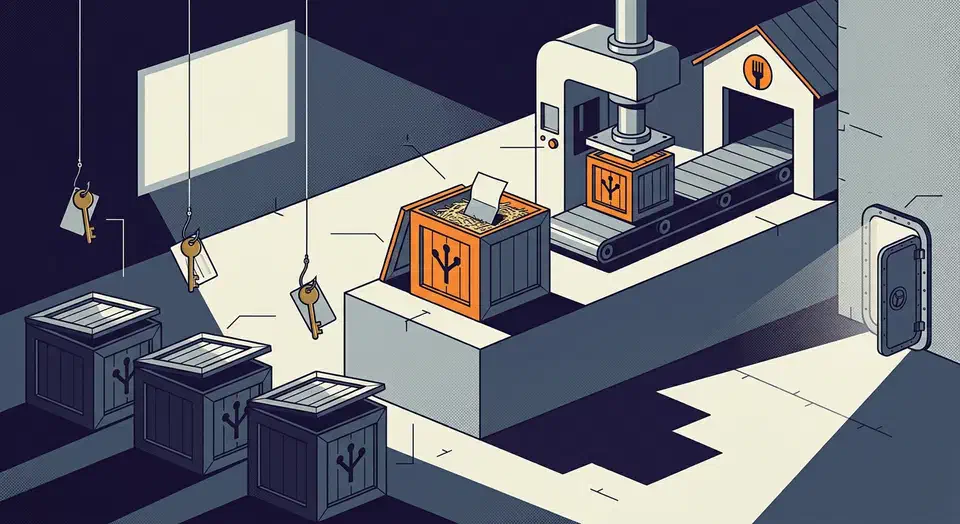
There is no Wand Enhancer download, and that is deliberate. Every official release on GitHub carries notes and a changelog file, never an executable. Instead you fork the repository and run its build workflow yourself. The project made that choice because scammers post fake install tutorials with password stealers attached.
Key Takeaways
- The project publishes no ready-made program file, on purpose.
- Fake tutorials use its name and link password stealers in the descriptions.
- The only supported route is building it yourself from your own copy.
- A build you made yourself still trips a Windows security warning.
- Its phone-control panel opens an unprotected port on your network.
Why there is no Wand Enhancer download
Wand Enhancer is a third-party patcher for Wand, the game-trainer client that used to be called WeMod. It edits the copy of the client already sitting on your PC, changing the interface layout, the themes, and how local settings get handled.
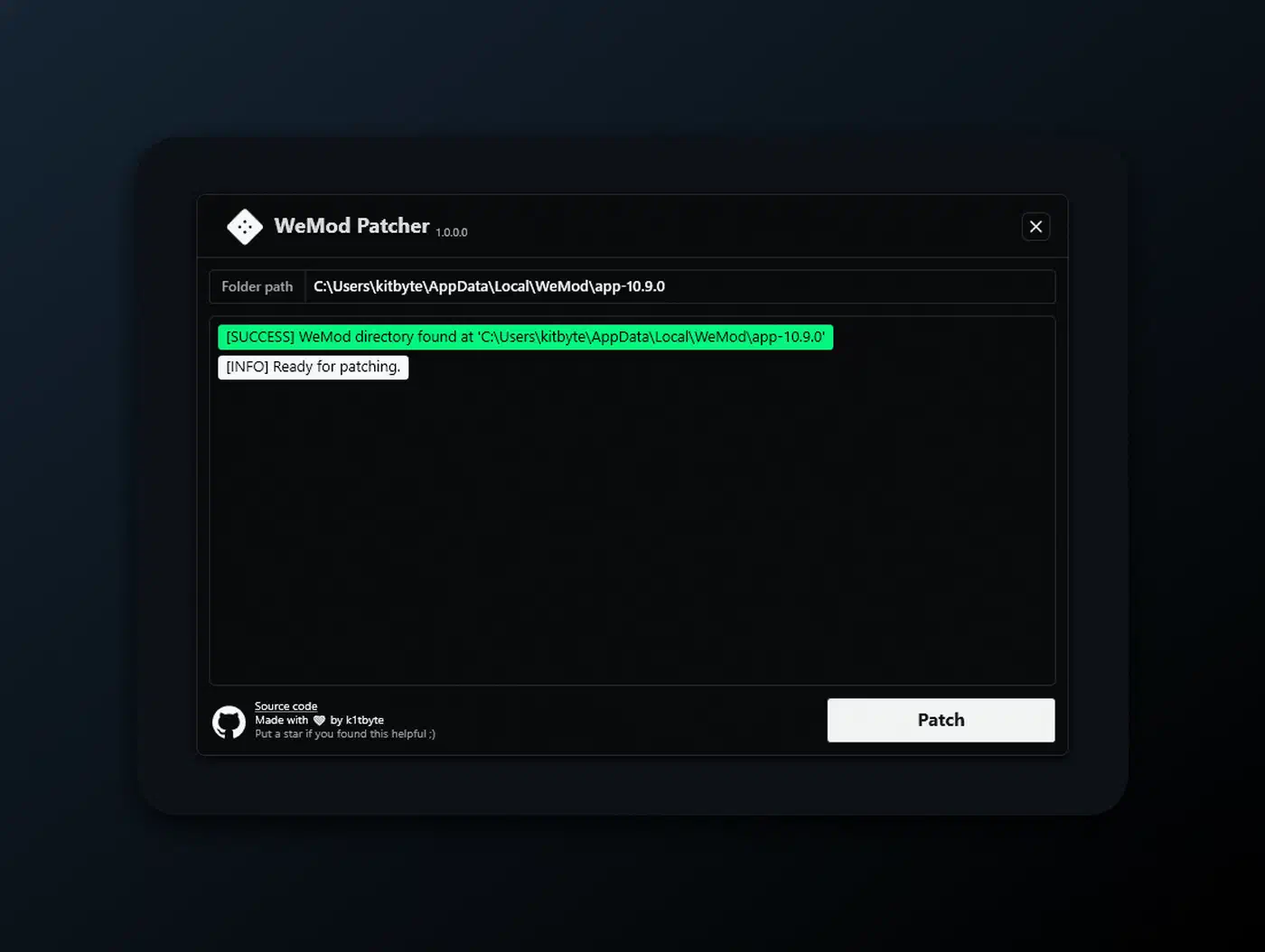
The three most recent tags each attach exactly one file: a CHANGELOG.md.
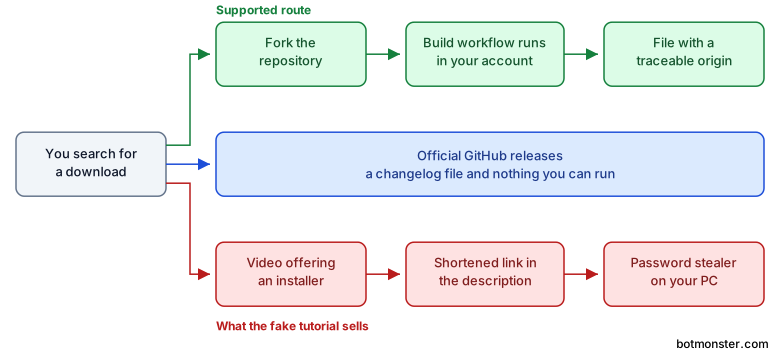
The project’s own Q&A explains why it stopped shipping ready-made files. Unsigned patching tools kept getting reuploaded, mislabelled, and flagged by outside scanners. The supported route runs through your own GitHub account instead. You fork the repository, run the Build executable workflow, and take the file that run produces.
Therefore any download link you find anywhere is, by definition, not from the project. That covers a mirror, a Discord attachment, and a video description alike. The repository’s warning banner says so at the top, and it’s the first thing anyone arriving from a search should read.
The code is Apache 2.0, written in C# with a WPF interface. C# runs far bigger game code than this too: RimWorld’s new engine is built on a free C# framework called BRUTAL. Five people have contributed, and 19 issues are open against 94 closed. A GitLab mirror is the one other source the maintainer runs. Third-party mirrors are somebody else’s copy.
The fake tutorial problem
The repository’s notice spells out the pattern: channels post videos dressed up as install tutorials, then drop a password-stealer link in the description. The project states plainly that it has no official videos and no ready-made downloads.
A viewer who searches for the file, comes up empty, then finds a video promising it will take whatever link appears next. The gap the project opened for safety is the same gap the scammer sells into.
People hunting for game-trainer tools already expect antivirus warnings and unsigned files. Years of false alarms have trained them to click straight through, which is exactly what a stealer needs.
What the malware actually takes
The payload is a credential stealer, several steps worse than a nuisance popup.
CloudSEK counted a 200 to 300 percent month-over-month rise in videos linking stealer malware. Five to ten crack-download videos went up every hour, carrying Raccoon, RedLine, and Vidar. Fortinet later traced a Lumma Stealer campaign run through hijacked YouTube channels. The links were shortened, and the zip files launched a PowerShell loader.
Those families collect saved browser passwords, session cookies that skip your two-factor prompt, and crypto wallet data. None of that gets undone afterwards, so you end up changing every password you own.
Two rules travel to the next tool you search for:
- When a project says it publishes no binaries, treat every binary claiming to be it as hostile. Don’t check the file size or read the comments first.
- A YouTube video is not a distribution channel. A description link has no relationship to the repository it names.
The project’s stated position is that it isn’t responsible for third-party downloads. That’s legally sensible, and it’s no comfort at all to someone who already ran one.
What building it yourself does and does not protect
Fork-and-build beats a mirror, and it gets oversold anyway, as though compiling something were the same as reading it.
| Risk | Signed release | Plain GitHub release | Fork and build | Random mirror |
|---|---|---|---|---|
| File swapped in transit | Covered | Covered | Covered | Not covered |
| Impersonated by a stranger’s upload | Covered | Weak | Covered | Not covered |
| Malicious code in the source | Not covered | Not covered | Not covered | Not covered |
| Windows security warning | Covered | Likely | Likely | Likely |
| Effort for the user | None | None | High | None |
The build protects provenance, meaning where the file came from. It came out of a workflow run in your own account, against code you can open and read. The code itself gets no such guarantee. Build bad source and you get a bad program with a perfect paper trail.
It also doesn’t make the warning go away. The project says so directly: a self-built file is unsigned and uncommon, so SmartScreen or Defender may still flag it. Expect the build step to buy silence and you will be tempted to switch the scanner off instead, which is the worse outcome by a distance.
Then there is the upkeep. You have to sync your fork before every build, or you compile whatever the code looked like the day you forked. There is no in-app update check either, so the project tells users to watch the repository for releases, which most people will never do.
Where the model breaks down
The weak spot is what other people do with their forks, and it is measurable. Among the 30 most-starred forks of the project, five carry commits ahead of upstream. One of them publishes its own tagged releases with WandEnhancer.exe and a zip attached, under the project’s name.
That fork’s release logged 1,127 downloads of the executable from a single tag. Over a thousand people took a stranger’s build of a tool whose maintainer refuses to build it. Fork copies also show up in ordinary web searches next to the real repository. Some are renamed, which makes the real one harder to spot.
A signed release from a real code-signing certificate would end most of this. It costs money, and it means putting your name on file. A project in this category is the least likely to accept either. So the model answers the people faking the project’s name, and the risk moves sideways to whoever trusts a fork.
The remote panel and the open port
Wand Enhancer includes a Remote Web Panel that lets you drive the application from your phone. You hover the Connect button, scan a QR code, and the phone controls the session over your Wi-Fi.
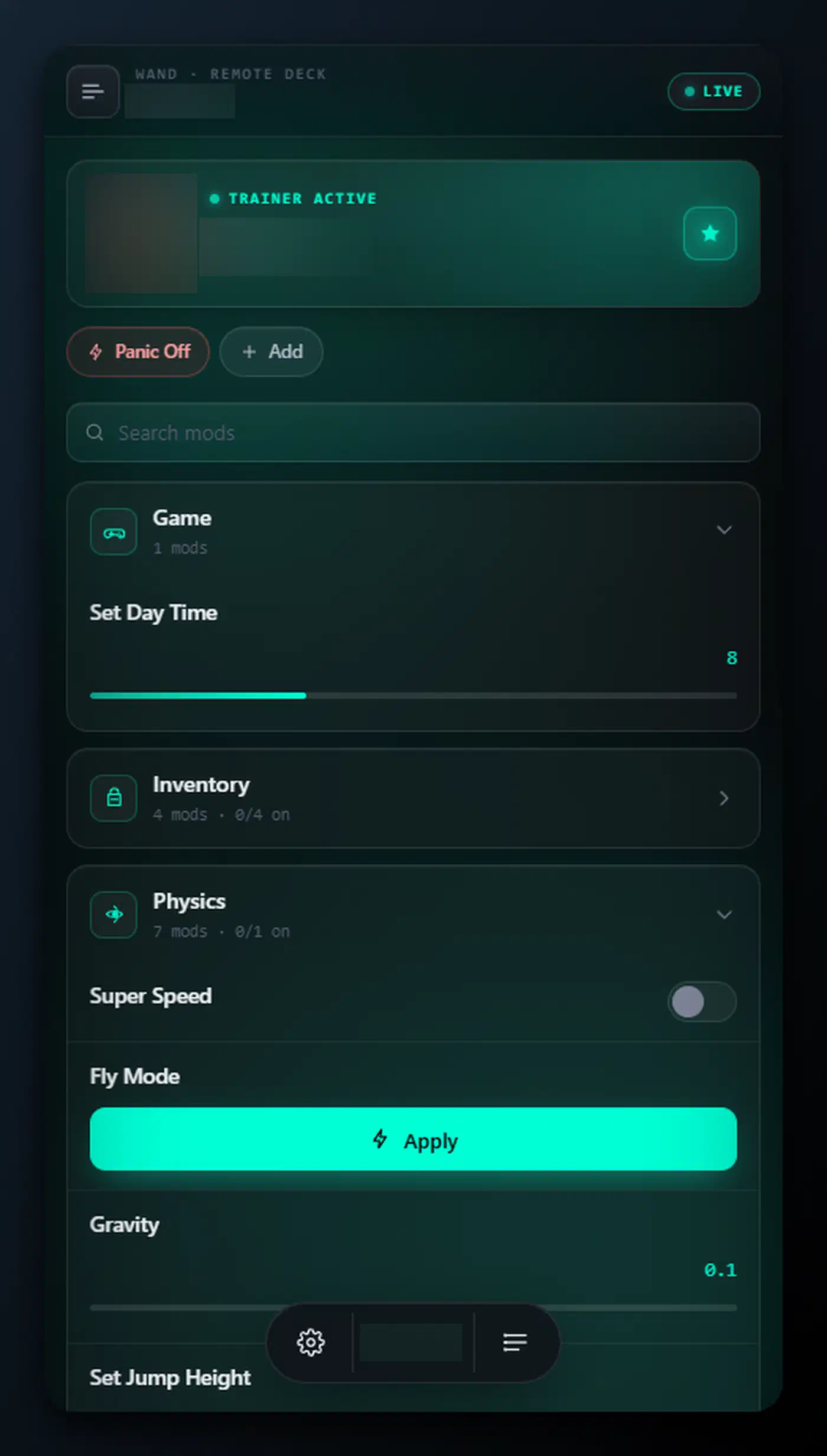
The project documents the weakness itself, which is to its credit. The panel serves plain HTTP on TCP port 3223 with no pairing code. Anyone who can reach that port can open the panel and control the active session. The one thing that softens it is scope: the panel protocol doesn’t carry your account bearer token or installation paths.
The advice attached to it is correct. Use it only on a network you trust, and never forward the port to the internet. For access from mobile data, the project points at a VPN such as Tailscale rather than a port forward.
The panel fails on guest Wi-Fi with client isolation, and on connections Windows has marked Public. Both failures push a frustrated user toward opening the firewall wider than the feature needs. A local-network feature with no password is fine until the laptop joins a café network with it still switched on.
A custom script feature injects your own JavaScript into the client, with full page access and Node require. The project warns about it for good reason: a script someone sends you is code you will run with the client’s privileges.
A checklist for tools distributed this way
You will meet this pattern again under a different name. Windows cleaners are a frequent target, and an open source cleaner such as FluentCleaner at least lets you read the code before you run it.
- Read the repository’s own distribution statement before you go looking for a file. If it says there are no binaries, your search is finished.
- Judge a file by where it came from rather than what it is called. A file built in your own account has a traceable origin, and a file behind a link has none.
- Expect the security warning on a real self-built file, and don’t answer it by turning off the scanner.
- Read which network services the tool starts. Any tool that opens a port should tell you the number and whether it asks for a password.
- Sync before every build, or you’re running whatever the code looked like the day you forked it.
- Anything that injects scripts, patches another program, or proxies a DLL holds the same privileges as the program it changes. Treat it that way.
If you aren’t willing to read some of the source, fork-and-build has changed where the file came from and nothing else.