 Botmonster Tech
The Hailo-10H beats the Coral TPU on speed and watts
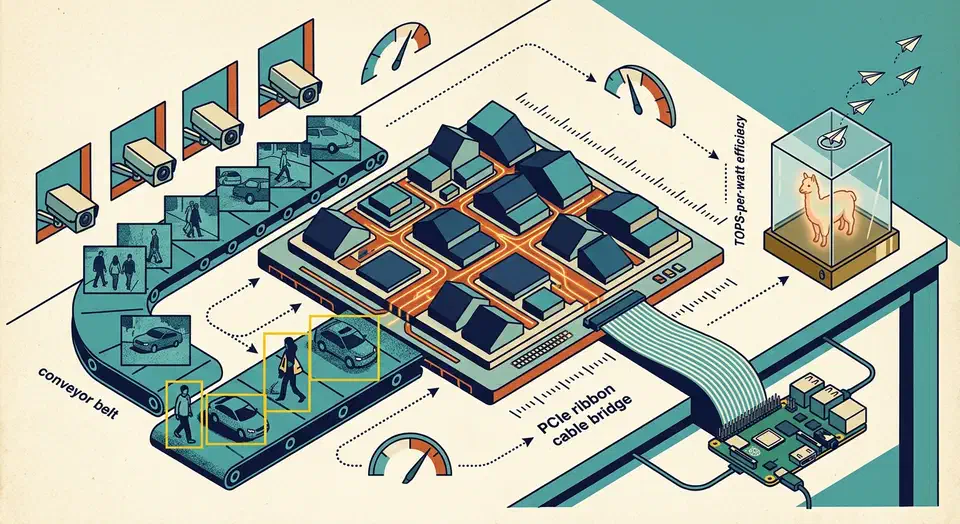
The Hailo-10H is a successor to the Google Coral Edge TPU for Frigate NVR and Home Assistant builders who need more than a handful of object-detection streams. It posts 40 TOPS of INT4 compute, or 20 TOPS INT8, inside a 2.5W typical power envelope. That works out to about 8 TOPS/W on INT8 against Coral’s ~2 TOPS/W, and it slots into a Raspberry Pi 5 M.2 HAT or a cheap N100 mini PC. Generative AI support is limited. You can run 4-bit Llama 3.2 1B, Qwen and DeepSeek-R1 distills of 1.5B to 2B parameters from Hailo’s GenAI Model Zoo, but token rates are in the single digits, and memory bandwidth is the choke point. It is a vision accelerator that dabbles in small LLMs, so do not buy it as an LLM box.
Key Takeaways
- One card watches eight 4K cameras and still leaves most of its capacity free.
- It draws about 2.5 watts, cheap enough to leave running all year.
- It can run small chat models, but the replies come out slowly.
- The older Hailo-8 is the smarter buy if you only want camera detection.
- A Coral stick still wins on price for one or two low-resolution cameras.
What the Hailo-10H is, and how it compares to Coral, Hailo-8, and Kinara
Edge AI silicon in 2026 is no longer a two-horse race between Coral and Jetson. The Hailo-10H belongs to a new mid-tier next to NXP’s Ara240 (the former Kinara Ara-2) and Axelera Metis.
The official Hailo-10H M.2 product page lists 40 TOPS INT4 or 20 TOPS INT8 on a second-generation Hailo neural core, with 4 GB or 8 GB of on-module LPDDR4/4X. The link is PCIe Gen3 x4, the body is M.2 Key M in either 2242 or 2280, and typical power is 2.5W. It runs at industrial temps, -40 to 85C. Hailo says the chip is qualified to AEC-Q100 Grade 2 for automotive designs that start production in 2026.
The table below compares the edge AI lineup for a Frigate-style vision workload.
| Accelerator | INT8 TOPS | Power (typ) | Efficiency | Form factor | Street price |
|---|---|---|---|---|---|
| Google Coral Edge TPU (M.2) | 4 | 2W | ~2 TOPS/W | M.2 A+E key | ~$40 |
| Hailo-8 | 26 | 2.5W | ~10 TOPS/W | M.2 2230/2242 | ~$170 |
| Hailo-10H | 20 (40 INT4) | 2.5W | ~8 TOPS/W INT8 | M.2 2242/2280 | ~$250 (module) |
| NXP Ara240 (ex-Kinara Ara-2) | 40 eTOPS | Not published | n/a | M.2 2280 | $699 (16 GB kit) |
| Jetson Orin Nano Super | 67 | 7-25W | ~2.7 TOPS/W at 25W | Dev kit SoM | $399 |
The design gap that shows up in benchmarks is dataflow vs. dispatch. Hailo maps each layer of the graph onto physical compute tiles on the chip. The compiler bakes in a fixed schedule, which keeps those tiles busy on newer models like YOLOv8 and YOLOv9. Coral’s TPU does well on the MobileNet family it was built around, then drops off hard on transformer-heavy detectors. That is why a single Hailo-8 often beats four stacked Corals on YOLOv8n, and why the Hailo-10H stretches the lead at higher resolution.
Hailo-8 is still sold next to the 10H. It fits a single-sided M.2 2230 body, draws about 2.5W, and costs less. If your job is pure computer vision and fits inside its 26 TOPS, there is no reason to pay for the 10H. The 10H earns its price when you need the 8 GB of LPDDR4 for generative work, or when you want headroom for YOLOv8m and YOLOv9s at 4K.
Hailo’s April 2024 Hailo-10 launch promised Llama2-7B at up to 10 tokens per second under 5W. What ships today is smaller. Hailo’s GenAI Model Zoo tops out at 2B-parameter models, and Raspberry Pi rates the AI HAT+ 2’s 8 GB for LLMs and VLMs up to about 6 billion parameters. Weights run at 4 bits, FP16 is out of reach, and so is anything close to chat speed.
Hardware and form factors: M.2 2242/2280, power, and PCIe
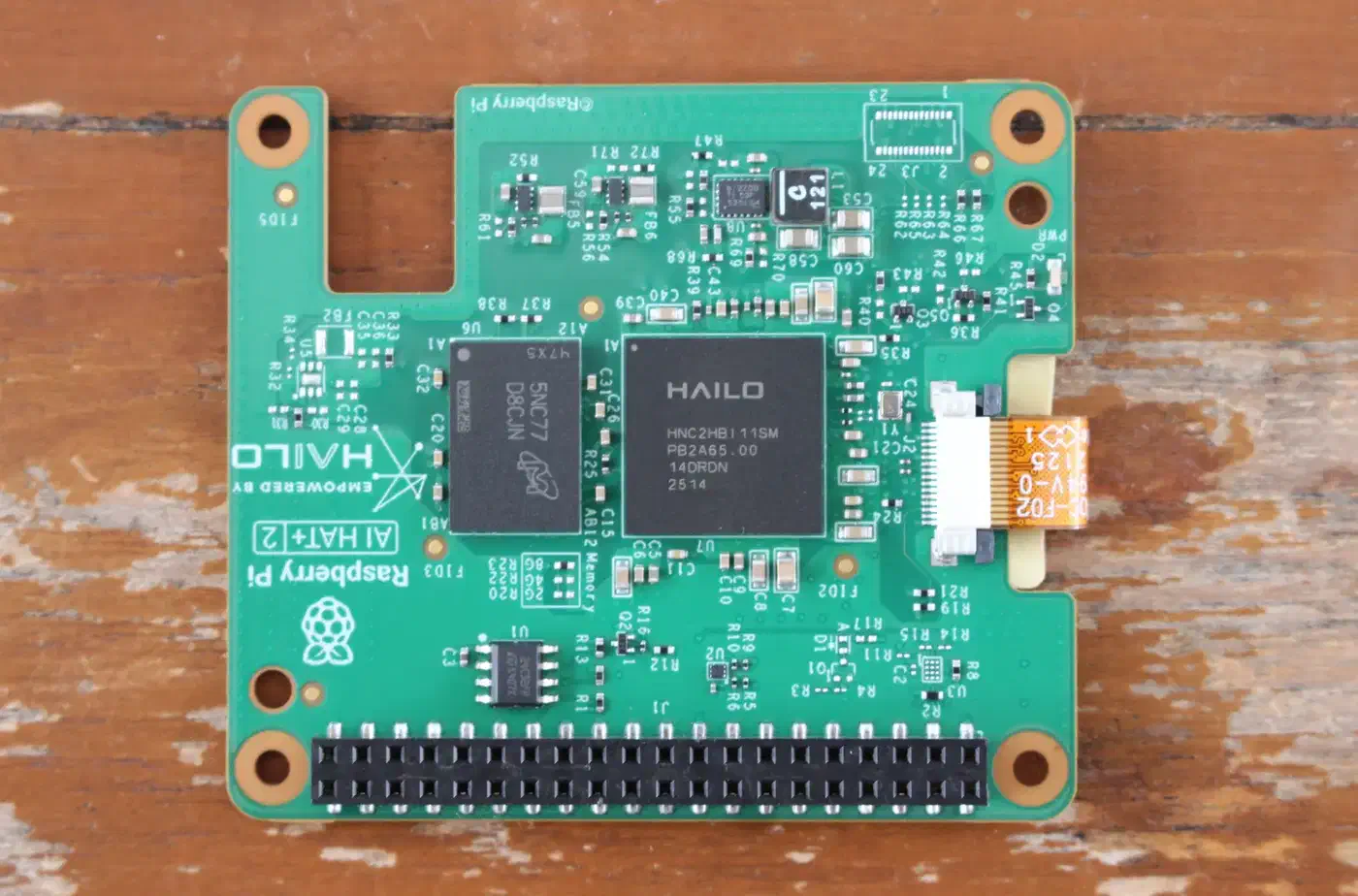
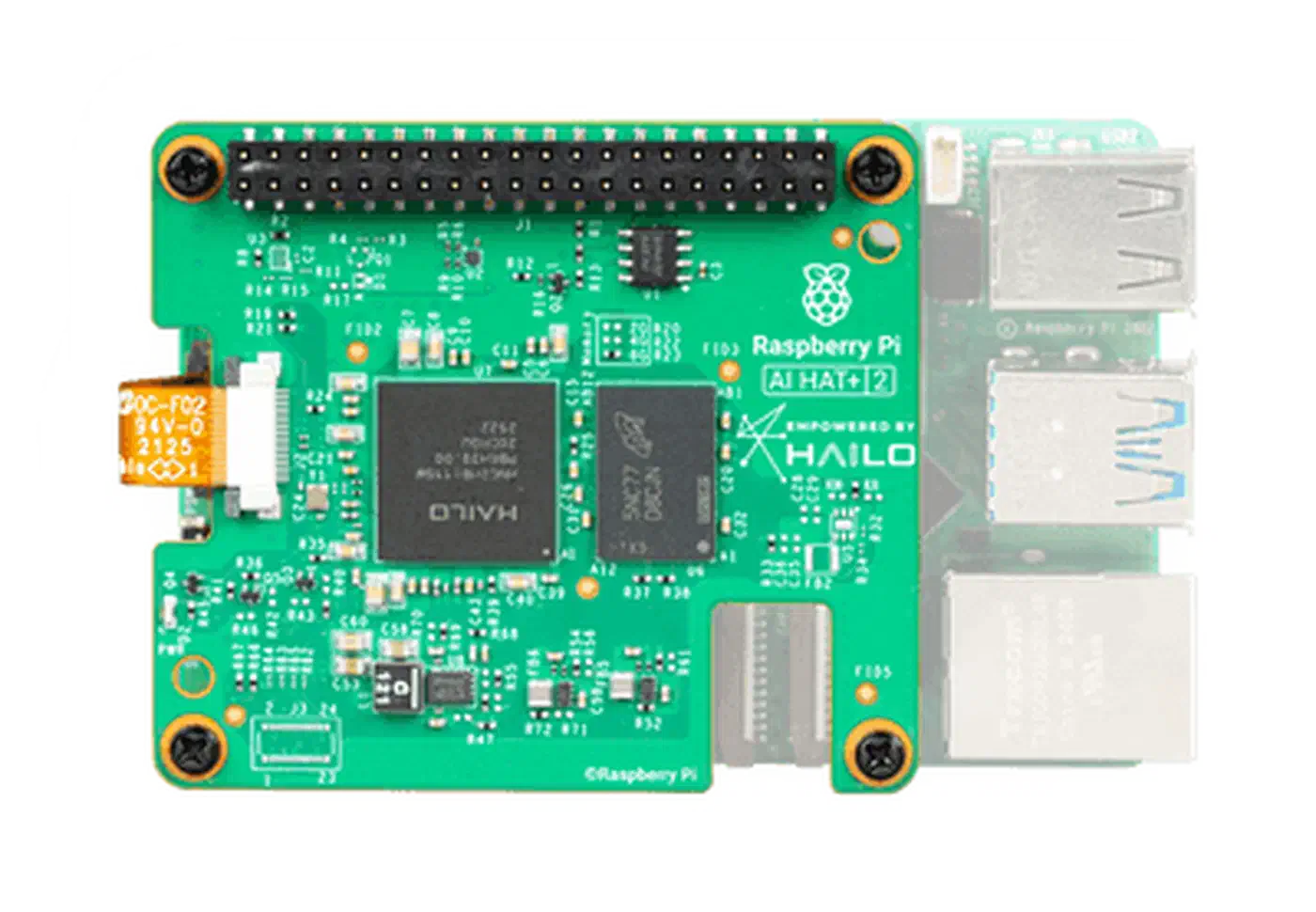
The shape of the 10H decides which hosts you can plug it into. The module is an M.2 Key M card in 2242 or 2280 length, and either size carries 4 or 8 GB of LPDDR4/4X next to the accelerator. The Raspberry Pi AI HAT+ 2 skips the M.2 card and puts the chip and 8 GB of memory on the HAT itself.
The PCIe interface is Gen3 x4, and it still works over the Raspberry Pi 5’s single PCIe lane. Hailo measures its published throughput figures on PCIe Gen3 x4, so expect a single-lane Pi 5 to land below them. A Gen4 slot gains nothing over Gen3 x4, since the module tops out at Gen3, and Intel N305 boards are Gen3 hosts anyway.
Heat is easier to handle than the 40 TOPS number implies. Full-load draw on the 10H is around 3-4W, and the 2.5W typical figure reflects mixed duty cycles. A passive aluminum heatsink is enough up to about 45C ambient. Above that, you want airflow. The Raspberry Pi AI HAT+ 2 ships with a heatsink, and Raspberry Pi recommends fitting it plus an Active Cooler on the Pi 5 for heavy AI work. Mounts from Pineboards and Pimoroni add a machined heatsink that holds the junction temperature in the 55-65C band under steady Frigate load.
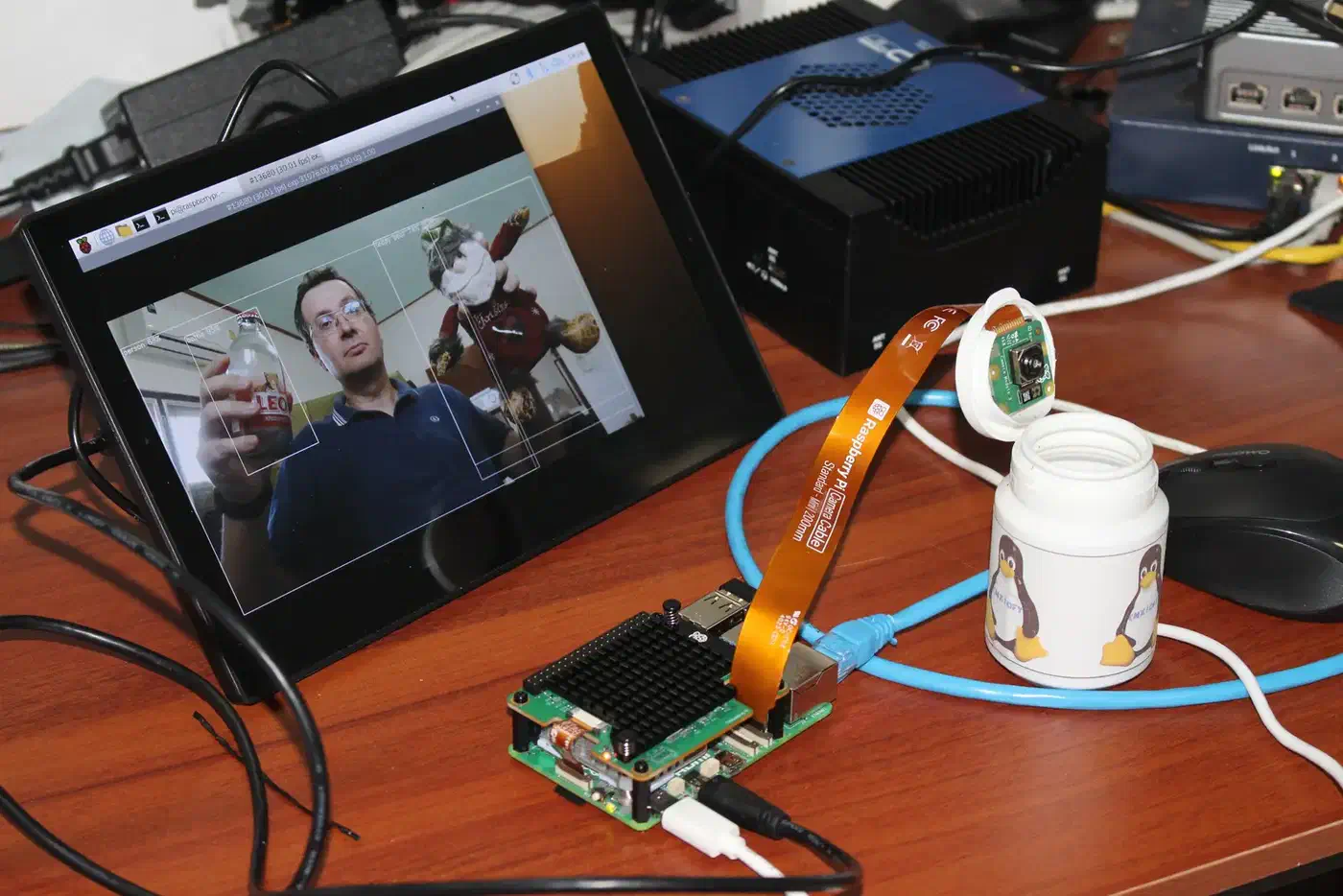
Hosts that work include the Raspberry Pi 5 with the Pimoroni NVMe Base or the AI HAT+ 2, Intel N100 and N305 mini PCs with a 2242 or 2280 M-key slot, the Khadas VIM4, and any x86 laptop with a free NVMe slot. The clumsiest fit is the Pi 5 itself. The wiring is fine, but the HAT stack is tall, so plan for that before you order a case. The same board can anchor very different builds, including this accelerator rig and a portable Kali Linux lab running on battery.
The Raspberry Pi AI HAT+ 2 board at $200 is the cheapest way into 10H ownership. Bare M.2 modules from Revinetech and regional sellers cost $220-$280, depending on whether you pick 4 GB or 8 GB of LPDDR4. ASUS also sells the UGen300, a USB-C box with the Hailo-10H and 8 GB, for $299. That is well above the $40 Coral M.2 street price.
The HailoRT SDK and Dataflow Compiler: ONNX to HEF
The Coral toolchain takes a TFLite file and produces an EdgeTPU build in one step. Hailo splits that work in two. You compile a model offline with the Dataflow Compiler into a .hef binary, then run that binary at deploy time through HailoRT. The extra stage is the price of the chip-specific scheduling that keeps the tiles busy.
Install HailoRT from the hailort GitHub repo. The 10H needs the 5.x releases on the master branch; Hailo-8 and 8L stay on the 4.x hailo8 branch. Debian and Ubuntu get .deb packages. They cover the hailo1x_pci kernel module, the user-space runtime, and the hailortcli tool. On the Pi, Raspberry Pi’s hailo-h10-all package pulls in the lot. Check the card with:
sudo modprobe hailo1x_pci
hailortcli scan
hailortcli fw-control identify
A healthy 10H reports a firmware version, HAILO10H as the device architecture, and a serial number. If the scan returns nothing, suspect the kernel module or a PCIe lane issue on the host before you suspect the card.
The Dataflow Compiler ships as a Docker image from the Hailo Developer Zone, behind a sign-up wall. A typical conversion from an ONNX model looks like this:
hailo parser onnx yolov8s.onnx \
    --net-name yolov8s --har-path yolov8s.har
hailo optimize yolov8s.har \
    --calib-set-path ./calib_images/ \
    --output-har-path yolov8s_opt.har
hailo compile yolov8s_opt.har \
    --hw-arch hailo10h \
    --output-hef-path yolov8s.hef
The .har file, short for Hailo Archive, lets you tune the quantization config without parsing the graph again each time. Quantization happens in the optimize stage. It reads 64 to 1024 sample images and gives you an INT8 model, or INT4 weight-only for LLMs.
Python inference with HailoRT runs async by design. That is why YOLOv8n hits 375 FPS at batch size 1 in Hailo’s own Model Zoo table. The pipeline overlaps the transfer in, the compute, and the transfer out instead of doing them in turn.
from hailo_platform import VDevice, HEF, InferVStreams, \
    ConfigureParams, HailoStreamInterface

hef = HEF("yolov8s.hef")
with VDevice() as target:
    configure_params = ConfigureParams.create_from_hef(
        hef, interface=HailoStreamInterface.PCIe)
    network_group = target.configure(hef, configure_params)[0]
    with InferVStreams(network_group,
                       input_vstream_params,
                       output_vstream_params) as pipeline:
        results = pipeline.infer({"yolov8s/input_layer1": frames})
The Hailo Model Zoo ships ready-made Hailo-10H HEFs for YOLOv5 through YOLOv11 and YOLO26, YOLOX, CenterNet, RetinaFace, PaddleOCR v5, and FastSAM. Whisper and the LLMs live in the separate GenAI Model Zoo. Using one of those skips the sign-up, but your own model still goes through the compiler.
ONNX opset 17+ with dynamic shapes needs --input-shape forced at parse time when you compile your own model, or the compiler rejects the graph. Resize ops with align_corners=True silently fall back to the CPU, which guts throughput. Export with align_corners=False, or patch the op before you parse.
For full video pipelines, Hailo ships the TAPPAS framework. It provides GStreamer plugins for decode, inference, and overlay chains. Frigate’s Hailo detector uses the same runtime parts underneath.
Frigate and Home Assistant: real-world FPS and config
Most Home Assistant users buy an AI accelerator to run Frigate security camera monitoring. Frigate 0.15 (February 2025) added the Hailo detector. In 0.16 the Hailo team rewrote it, the standard image gained Hailo support, and HailoRT moved to 4.21.0. The Frigate detector docs cover Hailo-8 and Hailo-8L only. As of Frigate 0.18.2 (15 October 2026), the 10H is not supported. It needs HailoRT 5.x and a different driver, and in July 2026 Frigate maintainer NickM-27 said support won’t come until 0.19 at the earliest, since the project is waiting on Hailo’s developers.
Until then, Hailo’s community team offers an unofficial proof of concept: a Home Assistant OS build with the 10H driver plus a “Hailo-10H for Frigate” add-on that swaps HailoRT 4.x for 5.2.0. It keeps the stock detector config and needs a custom path to a HEF compiled for the 10H.
The stock config for a Hailo-8 or 8L looks like this:
detectors:
  hailo:
    type: hailo8l
    device: PCIe

model:
  width: 320
  height: 320
  input_tensor: nhwc
  input_pixel_format: rgb
  input_dtype: int
  model_type: yolo-generic
  labelmap_path: /labelmap/coco-80.txt
The detector type reads hailo8l for both the Hailo-8 and the 8L. With no path set, Frigate downloads YOLOv6n from the Hailo Model Zoo on first start and caches it under /config/model_cache/hailo/. Frigate lists about 7 ms per frame on a Hailo-8 and 11 ms on a Hailo-8L for that model.
Since 0.16 the standard Frigate image carries Hailo support, so there is no separate Hailo tag. For a Hailo-8, load hailo_pci on the host and pass /dev/hailo0 into the container. The 10H driver, hailo1x_pci, creates /dev/h1x-0 instead, which is one reason stock Frigate does not see it.
Hailo publishes figures for every Model Zoo network, measured on an Intel Core i5-9400 host over PCIe Gen3 x4:
| Model | Resolution | FPS (batch 1) | FPS (batch 8) |
|---|---|---|---|
| YOLOv6n | 640x640 | 515 | 516 |
| YOLOv8n | 640x640 | 375 | 370 |
| YOLOv8s | 640x640 | 166 | 252 |
| YOLOv8m | 640x640 | 76.2 | 132 |
| YOLOv9c | 640x640 | 54.5 | 89.3 |
A typical Frigate setup with eight 4K cameras at 5 FPS motion detection needs about 40 inferences per second in total. One Hailo-10H running YOLOv8s leaves roughly three quarters of its budget free, so you can add a second classifier, license plate OCR, or a sharper primary model. The old “stack two Corals” trick adds up to 8 TOPS shared across two PCIe lanes, and those pairs often hit firmware quirks that a single Hailo avoids.
Frigate’s Hailo detector supports the Model Zoo networks that include HailoRT post-processing, the NMS step compiled into the HEF. Compile custom-trained YOLO models the same way, so retrain against a Model Zoo shape rather than bring a plain ultralytics export.
Routing Frigate events into Home Assistant works the way it always has. MQTT events feed per-camera binary_sensor entities through the Frigate integration. With the 10H you can also pair object detection with a local scene description model running on the same card.
Generative AI on the edge: small LLMs on 40 TOPS INT4
Hailo’s 2025 pivot was adding generative AI support, and the 10H went on general sale in July 2025. By 2026 the GenAI Model Zoo carries compiled LLMs and VLMs of 1B to 2B parameters. Results on a Pi 5 with the AI HAT+ 2 are mixed. Vision works well, small LLMs are usable, and anything bigger needs a GPU.
Supported LLMs include Llama 3.2 1B, Qwen2 1.5B, Qwen2.5 1.5B and its Coder variant, Qwen3 1.7B, and DeepSeek-R1-Distill-Qwen-1.5B, plus the Qwen2-VL and Qwen3-VL 2B vision models. They run with 4-bit weights plus 8-bit activations and KV cache, using Hailo’s QuaROT + GPTQ pipeline.
Memory sets the limit. Raspberry Pi’s 6-billion-parameter ceiling at 0.5 bytes each is 3 GB of weights, and the KV cache grows with context: Hailo puts it at 256 MB per extra 1K tokens on Llama2-7B with 8-bit activations. Every model in the zoo today ships with a 2048-token context. Qwen2-1.5B fits in 1.2 GB total with a 2048-token KV cache.
Token rates will let you down if you expect GPU numbers. Hailo’s GenAI Model Zoo lists its own speeds, and the CNX-Software review timed the same models on a Pi 5 with the AI HAT+ 2:
| Model | Hailo tokens/sec | Hailo first-token latency | CNX on Pi 5 tokens/sec |
|---|---|---|---|
| Llama 3.2 1B | 9.89 | 0.35 s | Not tested |
| Qwen2 1.5B | 8.06 | 0.32 s | 5.89 |
| Qwen2.5 1.5B | 7.35 | 0.37 s | 6.74 |
| Qwen2.5-Coder 1.5B | 8.13 | 0.32 s | 8.06 |
| DeepSeek-R1-Distill-Qwen 1.5B | 7.96 | 0.73 s | 6.72 |
| Qwen3 1.7B | 4.78 | 0.62 s | Not tested |
| Llama 3.2 3B | Not in current zoo | n/a | 2.60 |
Hailo’s July 2025 blog post measured Qwen2-1.5B at 9.45 tokens per second, with 289 ms to first token for a 96-token prompt.
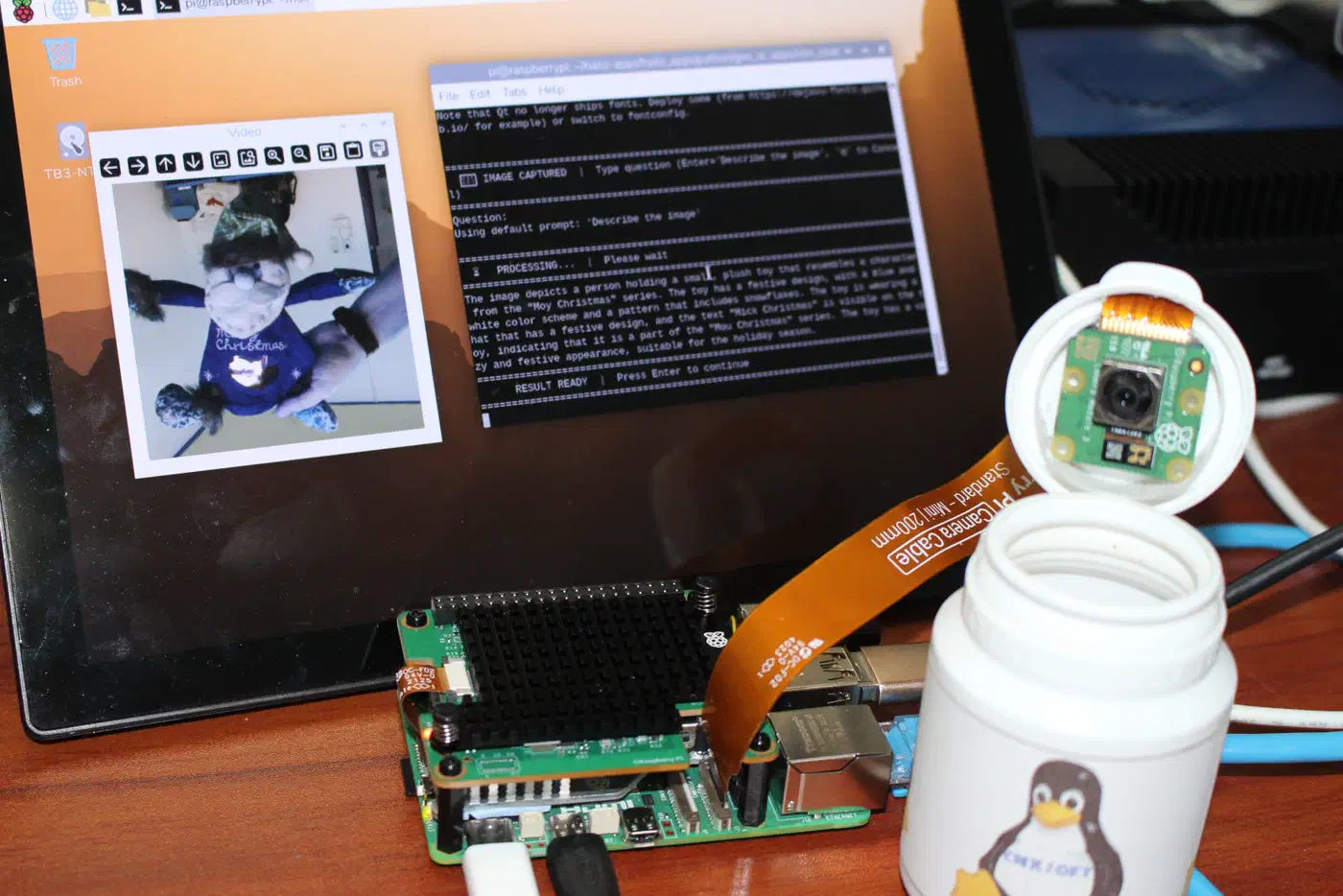
In the CNX-Software AI HAT+ 2 review, a CM5’s CPU running Ollama beat the Hailo-10H on all five models it tested, including DeepSeek-R1 1.5B at 9.04 tok/s against 6.72. The cause is memory bandwidth. Raspberry Pi’s Eben Upton told CNX that LLM speed is bandwidth-bound, and the Pi 5 and the Hailo-10H both use LPDDR4X-4267, so the card has no bandwidth edge for generation that reads the whole weight matrix for every token. The Hailo still wins on power, 7.2-7.6W for the system against 10.2-10.6W CPU-only, and it frees up CPU cycles.
The wait for the first token adds up too. Hailo lists 0.3 to 1.5 seconds even for its 1B-2B models, so live chat feels sluggish. The good jobs are the ones where a delay is fine: offline intent parsing for Home Assistant voice assistants, local RAG over a small document set, image captioning for Frigate snapshots, and Whisper-tiny transcription. Coding assistants, long-context summaries, and anything that needs FP16 accuracy will frustrate you.
Hailo measured 2.1W average draw while running Qwen2-1.5B, against a mini PC burning 25W for the same job. For a battery-backed voice assistant or a 24/7 Home Assistant scene describer, that is a tier Coral cannot reach.
Who should buy one
Buy a Hailo-10H if you run Frigate with four or more 4K cameras, if you want YOLOv8m or YOLOv9 headroom instead of cutting down to YOLOv5n, or if you want a taste of on-device small-LLM work without paying for a Jetson Orin. The Pi 5 AI HAT+ 2 at $200 is the cleanest entry point. Bare M.2 modules suit you better if you already own an N100 mini PC with a free slot.
A plain Hailo-8 is the better buy when your workload fits inside 26 TOPS, you won’t touch LLMs, and you want to keep the single-sided 2230 body. A Coral still wins on tight budgets with one or two cameras at 480p motion detection. It is the cheapest option at that size, though Google has archived the Coral runtime repos on GitHub and the last libedgetpu release dates from July 2021.
Look at a Jetson Orin Nano Super instead if you need to train or fine-tune on the edge, if you want CUDA, or if your models are odd enough that Hailo’s compiler will push half of them to the CPU. The 10H is a specialist for vision and small-LLM inference. The 10H is the first card that makes Coral’s long-running efficiency lead look beatable by someone other than Nvidia. It will not replace a GPU or drive a local Copilot. If you need to host a 70B model at home, a Strix Halo mini PC with 128GB of unified memory is the box for that job. The 10H will run a stack of vision pipelines and a small LLM side by side on a card rated at 2.5W typical, which nothing else in its class can do.