 Botmonster Tech
Home Assistant AI voice with a local LLM: what works in 2026

Home Assistant AI voice control with a local LLM as the brain is practical in 2026. No Amazon, no Google, no cloud. The Assist pipeline already handles the plumbing: wake word, speech-to-text, a conversation agent, and text-to-speech, all on your own hardware. Setting that up is the easy part. The hard part is picking a local model that calls Home Assistant’s tools without guessing. The loop also has to be fast, or it will never feel like a real assistant. This guide covers both: the 2026 stack, the models the community trusts, and the latency budget that makes it work.
Key Takeaways
- The 2026 stack is faster-whisper, Piper, and Ollama, glued by Home Assistant’s Assist pipeline.
- Pick a Qwen3-class model that supports tool calling; skip think-mode models.
- Local-first handling answers device commands in under a second without the LLM.
- Expose fewer entities: 30 of them already eat about 1,300 tokens of context.
- A Pi 5 runs the pipeline, a GPU runs the LLM, and $15 ESP32 satellites add rooms.
The Stack: Assist, Wyoming, and Ollama
Every voice assistant runs the same loop. A wake word detector fires and hands audio to a speech-to-text engine. The text goes to a conversation agent that picks an action. Then a text-to-speech engine speaks the result. Home Assistant’s Assist pipeline wires these stages together over the Wyoming protocol, a small open standard from the Rhasspy project. Each stage is a separate service. Swap faster-whisper for a better engine next year without touching the rest, or move the LLM to a bigger machine in the basement.
The conversation agent is what turns plain voice commands into an AI voice assistant. In 2026 the standard local host is Ollama, running on any machine on your network. Home Assistant ships a native Ollama integration, so there is no custom glue code to maintain. There is also no third-party add-on that can vanish in a year. That exact fate hit the HACS integration that older guides from 2024 still recommend.
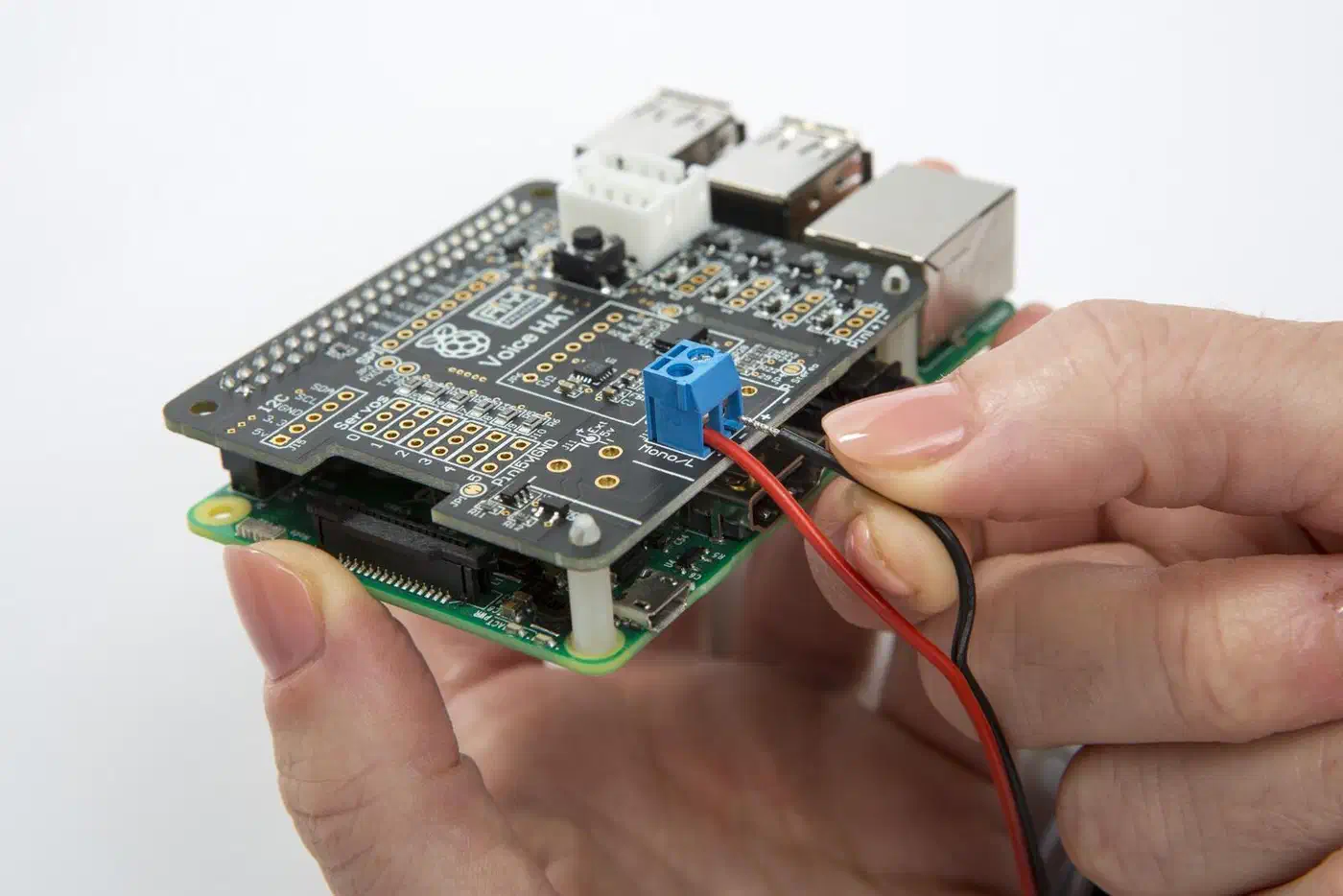
A Raspberry Pi 5 with 16GB RAM is the floor. It runs the full pipeline, but LLM inference crawls at 2 to 4 tokens per second on CPU, and after 2026’s memory-driven price rises the 16GB board lists at $305. A mini-PC with an Intel N100 or N305 costs $150 to $200 and runs 3 to 5x faster. A Ryzen AI Max box with unified memory is a rung above, running larger local models than an N305 without a discrete GPU. For replies that land in about a second, though, you want a real GPU. Builders in the most detailed community log report 1 to 2 seconds from an RTX 3090. A 16GB RTX 5060 Ti lands at 1.5 to 3 seconds. An 8GB RTX 3050 takes about 3 seconds and tops out at 4B models.
Install the Voice Services
The fastest path is Home Assistant OS: install the Whisper, Piper, and openWakeWord add-ons from the store and they register themselves. On a plain Linux box, the same parts run as Docker containers:
# Wyoming faster-whisper STT server
docker run -d \
  --name wyoming-faster-whisper \
  -p 10300:10300 \
  -v /data/whisper:/data \
  rhasspy/wyoming-whisper \
  --model medium \
  --language en

# Wyoming Piper TTS server
docker run -d \
  --name wyoming-piper \
  -p 10200:10200 \
  -v /data/piper:/data \
  rhasspy/wyoming-piper \
  --voice en_US-lessac-medium

# openWakeWord server
docker run -d \
  --name wyoming-openwakeword \
  -p 10400:10400 \
  rhasspy/wyoming-openwakeword
For the LLM, install Ollama on your GPU machine and give it a static IP. Then enable “Expose Ollama to the network” in its settings. Skip that toggle and Home Assistant will never reach it. Pull a model (more on which one below). In Home Assistant, go to Settings, Devices & Services, Add Integration, and pick Ollama. Enter the IP plus port 11434. Then build the pipeline under Settings, Voice Assistants. Point each stage at its Wyoming service and pick the Ollama agent as the brain. The official local pipeline guide covers the clicks.
Turn On Local-First Handling
The most useful setting in the whole build is the conversation agent’s “prefer handling commands locally” toggle. With it on, Home Assistant tries its built-in intent engine first. “Turn off the kitchen lights” never touches the LLM. It resolves in a few hundred milliseconds through the same intent engine the non-AI Assist uses. Only sentences the intents cannot parse fall through to the model.
This split is what makes a local build feel fast. One Level1Techs builder put it plainly: “Local parsing is way faster, but it requires the user to ask things in very specific ways.” Intents handle the rigid 90% of commands instantly. The LLM absorbs the weird phrasing and the compound questions, like “is the back door unlocked and did I leave the garage light on”. Keep the Ollama message history at 3 to 5 turns, since long histories confuse small models. And give the assistant a one-line persona prompt that tells it to answer in a single sentence.
Which Local LLM Works Best for Home Assistant
Every build thread circles this question. The community consensus, with sources:
| Model | VRAM class | Community verdict |
|---|---|---|
| Qwen3 30B (A3B MoE) | 24GB | Top answer (23 points) in the main r/homeassistant thread: “Qwen3 30b hasn’t missed a beat for me after I got it setup properly.” One detailed build log hit parsing errors with it, so test before trusting. |
| Qwen3-VL 8B | 8 to 12GB | “Its tool calling was much better than the non VL version” (same thread). The vision variant also answers camera questions. |
| Qwen3 4B Instruct | 6GB | “Smart enough and doesn’t use much vram.” The budget pick for 8GB cards. |
| GPT-OSS 20B (MXFP4) | 16GB | Rated all-green for multi-device tool calling in the most thorough community build log. |
| Gemma 4 26B-A4B (QAT) | 16 to 24GB | Top performer in that same log with thinking disabled. |
| Llama 3.x | any | Repeatedly beaten: “Qwen2.5 … a lot better than any Llama version” (Level1Techs). Llama 3.3 70B works but is slow to respond after an idle period. |
Every source agrees on three rules. The model must support tool calling: filter ollama.com/models by “tools” and ignore the rest, since a model without tool support cannot flip a single switch. Think-mode and reasoning models are out for voice. Builders say DeepSeek R1’s visible thinking delay “ruins the conversational aspect”, and one widely cited build watched a reasoning model narrate its own thoughts for five minutes over a light command. Speed counts too. One popular video guide pegs 50 tokens per second as the floor for voice replies. That is why a 4B model on modest hardware often beats a 30B model that crawls.
Tool Calling Is Where Builds Fail
Every complaint thread has the same shape: the model chats fine, then fumbles the actual smart-home action. One Reddit user asked for the band Sleep Token and got “now playing your shopping list” followed by Playboi Carti. On the Berkeley function-calling leaderboard, open models still start around 50% accuracy. The gap between a good and a bad local setup is mostly how much you help the model.
The biggest lever is entity exposure. Home Assistant prepends every exposed entity to the model’s context on each request. Around 30 entities already cost about 1,300 tokens, and Home Assistant’s Ollama integration defaults to an 8K context window. The integration docs recommend exposing fewer than 25 entities. Builders who exposed 50+ entities watched a reliable model start forgetting devices mid-conversation. Expose only what voice should control. Group bulbs into room-level light groups. Raise the context window if your VRAM allows it; one builder found Qwen2.5 needed a full 32K window before control became dependable.
The second lever is the system prompt. The community verdict is blunt: the prompt makes or breaks the experience. Spell out output formats. Tell the model to confirm actions in one sentence without explaining itself. Give it a scripted failure response. For Pi-class hardware, there is a different path entirely. The home-llm integration ships small models fine-tuned for Home Assistant control, down to a 270M Gemma-based one that runs on a Pi with no GPU.
Latency Is King: The Budget
Latency is the top reason DIY users give up and go back to Alexa. Alexa answers 400 to 700ms after you stop speaking. A naive build that waits for full transcription, a full LLM reply, and full speech synthesis can take 3 to 5 seconds. The fix is streaming at every stage. That produces this budget:
| Stage | Optimized Target | What Gets You There |
|---|---|---|
| Wake word detection | 0 ms perceived | Runs continuously in background |
| End-of-utterance detection | 300 ms | Silero VAD with 300ms silence threshold |
| STT (faster-whisper) | 150-250 ms | medium model on a GPU |
| LLM intent parsing (first token) | 200-400 ms | small tool-capable model, or local intents |
| TTS first audio chunk (Piper) | 100-150 ms | Sentence-boundary streaming |
| Total to first audio | ~750-1100 ms | All stages pipelined |
faster-whisper is Whisper rebuilt on CTranslate2. It runs up to 4x faster than OpenAI’s Whisper at the same accuracy. Piper streams its output, so playback starts the moment the first sentence is ready. With intents on device commands and the LLM on the hard questions, sub-second replies are realistic on a GPU. The Pi 5 gets there on the intent path. Piper stumbles on currency amounts, phone numbers, and addresses. Builders who read those aloud often swap the TTS stage to Kokoro.
Wake Words
The best open option in 2026 is still openWakeWord. It matches the acoustic shape of a phrase instead of brittle phoneme patterns. Training a custom wake word needs no recordings of your own voice: the official notebook generates synthetic clips with Piper and trains in about an hour, and the Wyoming pipeline keeps that detection off the cloud end to end. Drop the resulting .tflite file into /share/openwakeword on your Home Assistant server. On satellites, the newer microWakeWord runs detection on-device. Community builders report a custom model reaching roughly Google Home parity on false alarms after about 30 minutes of GPU training.
Tune sensitivity per room. Start the threshold at 0.5, live with it for a day, and push toward 0.7 in rooms where the TV keeps waking it. A false trigger that flips your lights mid-movie annoys people more than any latency number.
Multi-Room: ESP32 Satellites or Voice Preview Edition
Multi-room coverage does not mean five Raspberry Pis. Cheap ESP32-S3 boards work as satellite listening nodes. They stream mic audio to Home Assistant through the ESPHome integration while the server does the heavy lifting. A board plus a MEMS mic breakout runs $8 to $15 per room and draws under 200mW. Whole-home coverage costs under $100.
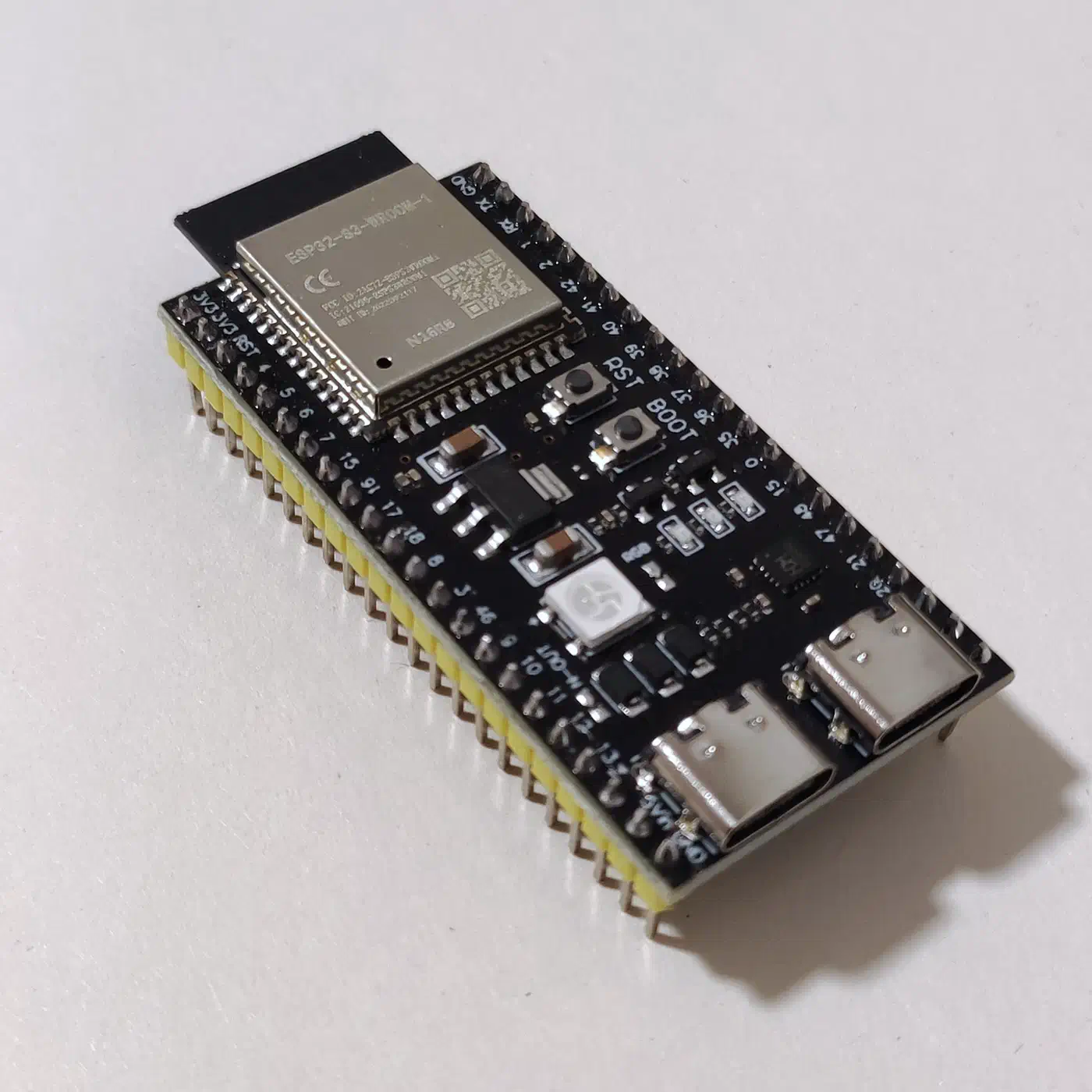
If you would rather buy than solder, the official Home Assistant Voice Preview Edition is a finished puck with a $69 MSRP, often $59 at retailers like Seeed Studio. It runs the same fully local pipeline with open firmware and hardware. It is the easiest on-ramp, and the puck works well in daily use despite its preview name. DIY satellites still win on price once you want more than two rooms.
Room awareness is a config setting. Assign each satellite to an area in Home Assistant, the same way you assign any device, and “turn on the lights” acts on the lights in that satellite’s area. For open-plan homes, mic beamforming plus a slightly higher threshold drops cross-room false triggers to near zero.
Prove It Is Private
An always-on microphone deserves verification. The DIY advantage is that you can check. Run a Pi-hole as your DNS sinkhole and watch for any voice process resolving outside domains. Then go to the packet level. Run tcpdump -i eth0 -n not host YOUR_HA_IP on the voice host while you speak commands. It should show zero outbound traffic. Repeat the capture after every software update.
A hardware mute switch is the only absolute guarantee. Wire a latching toggle in series with the mic power line, with an LED on the same circuit so you can see when the mic is live. No firmware bug or remote exploit can record through a dead microphone. Some mic arrays ship with a mute button and indicator LED, like Seeed’s ReSpeaker XVF3800, but check whether it cuts mic power or only mutes in firmware. And log events, never audio: wake timestamps, intent labels, entity IDs, error codes. No transcripts, no audio paths, weekly rotation, 30 days and gone.
Hardware Bill of Materials
A representative single-room setup in 2026:
| Component | Recommended Option | Approx. Price |
|---|---|---|
| Main compute | Raspberry Pi 5 (16GB) | $305 |
| MicroSD card | 64GB A2-rated card | $12 |
| Microphone array | ReSpeaker XVF3800 USB 4-Mic Array | $55 |
| Speaker | Small USB or 3.5mm powered speaker | $20-$40 |
| Power supply | Official Pi 5 27W USB-C PSU | $14 |
| Case | Argon NEO 5 BRED or similar | $19 |
| Total | ~$425-$445 |
The shortcut version: a $59-$69 Voice Preview Edition per room plus one Ollama-capable machine you already own. The LLM host is the real budget variable. An 8GB GPU you already own beats any amount of Pi tuning.
Frequently Asked Questions
How do I set up a Home Assistant voice assistant?
Install the Whisper, Piper, and openWakeWord add-ons, or run them in Docker. Then go to Settings, Voice Assistants, Add Assistant and point each stage at its service. The local LLM is one more step: install Ollama on a networked machine and pick it as the conversation agent.
Can I use a voice assistant with Home Assistant?
Yes. Assist is built into Home Assistant and works from the mobile app, the $59-$69 Voice Preview Edition puck, or DIY ESP32 satellites. It runs fully local, with no Alexa or Google account involved.
How do I use Home Assistant voice fully locally?
Use Wyoming services for every stage: faster-whisper, Piper, and openWakeWord. Host the LLM in Ollama on your own network and enable “prefer handling commands locally”. Then verify it with a tcpdump capture. No packets should leave your LAN during a voice command.
What is the best local LLM for Home Assistant voice?
The 2026 community consensus is the Qwen3 family: Qwen3 30B on 24GB cards, Qwen3-VL 8B in the mid range, and Qwen3 4B Instruct on 8GB cards. GPT-OSS 20B and Gemma 4 26B-A4B also test well. Whatever you pick must support tool calling. Think-mode models are too slow for voice.
Can a Raspberry Pi run the LLM for a Home Assistant voice assistant?
The Pi 5 runs the pipeline well, but it manages only 2 to 4 tokens per second on 3B models. That feels slow. Either point the conversation agent at an Ollama box elsewhere on the network, or use home-llm’s tiny fine-tuned models, which are built for Pi-class hardware.
Where to Go Next
A tuned version of this stack handles device control, timers, and real questions without touching the internet. Piper’s best voices pass casual listening. Because the same Pi can drive a display, the build drops neatly into a Pi-powered smart mirror. Wiring your music sources into Snapcast for synced whole-home playback closes the multi-room audio gap.
The goal is the certainty that the listening device in your home is yours: your models, your hardware, your data.