 Botmonster Tech
Pascal is a 3D building editor that runs in a browser
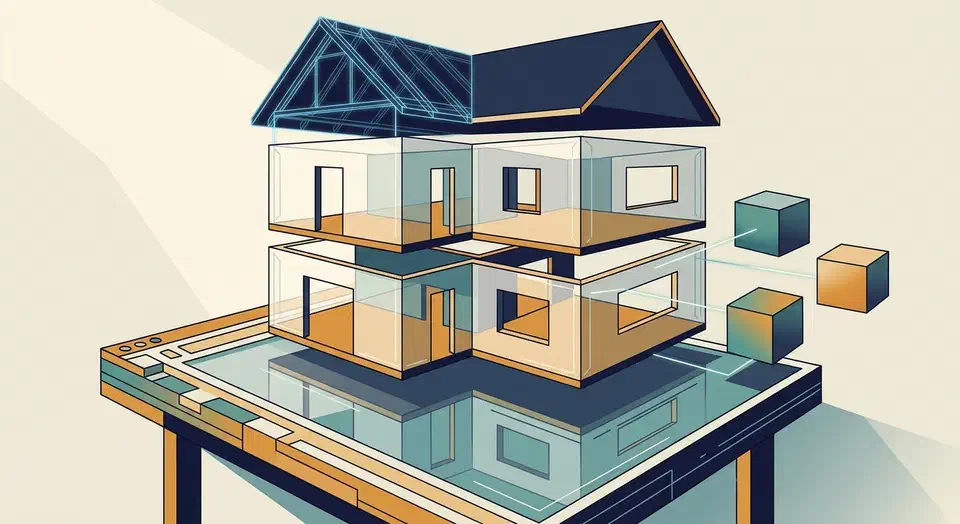
Pascal is an open-source 3D building editor that runs in a browser tab with nothing to install. You draw walls, floors, and roofs, then place doors and furniture. Its rendering runtime also ships as four npm packages, so the same wall and roof geometry can run inside your own React app.
Key Takeaways
- Pascal draws whole buildings in a browser tab, with nothing to install.
- Walls cut real openings for doors and windows instead of faking them.
- Scenes leave as GLB, STL, OBJ, or a printable floorplan PDF.
- The viewer and editor ship as npm packages for your own React app.
- Plugins add new object types through the same manifest the built-ins use.
What a browser-based 3D building editor gives you
Architectural modelling normally starts with a desktop installer and a seat licence, whereas editor.pascal.app opens a drawing canvas in a tab.
The first-scene walkthrough puts a furnished room at about five minutes of work. The wall tool starts in room mode. Click each corner, click back on the first one, and the loop closes. Pascal then adds a floor and a ceiling for the enclosed space by itself.
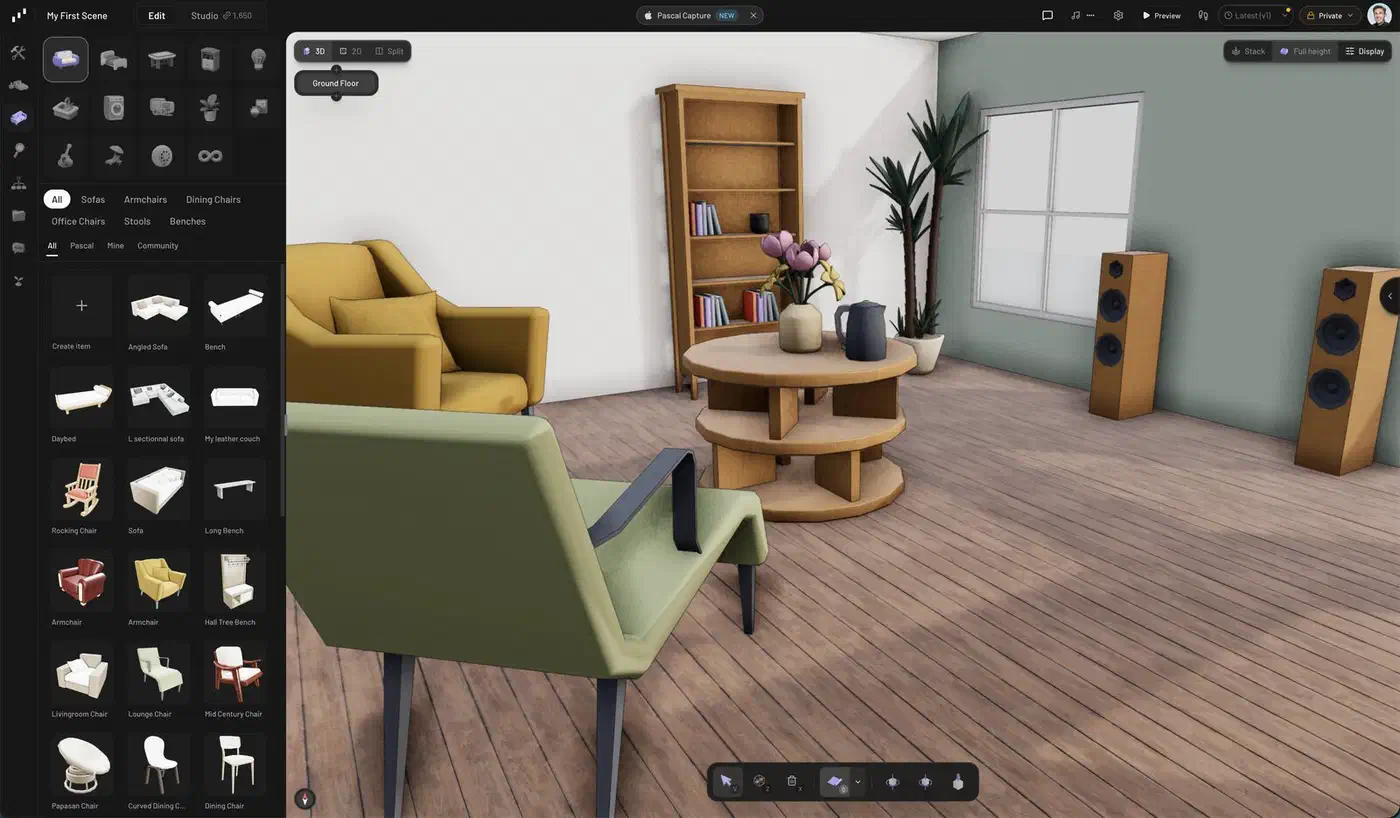
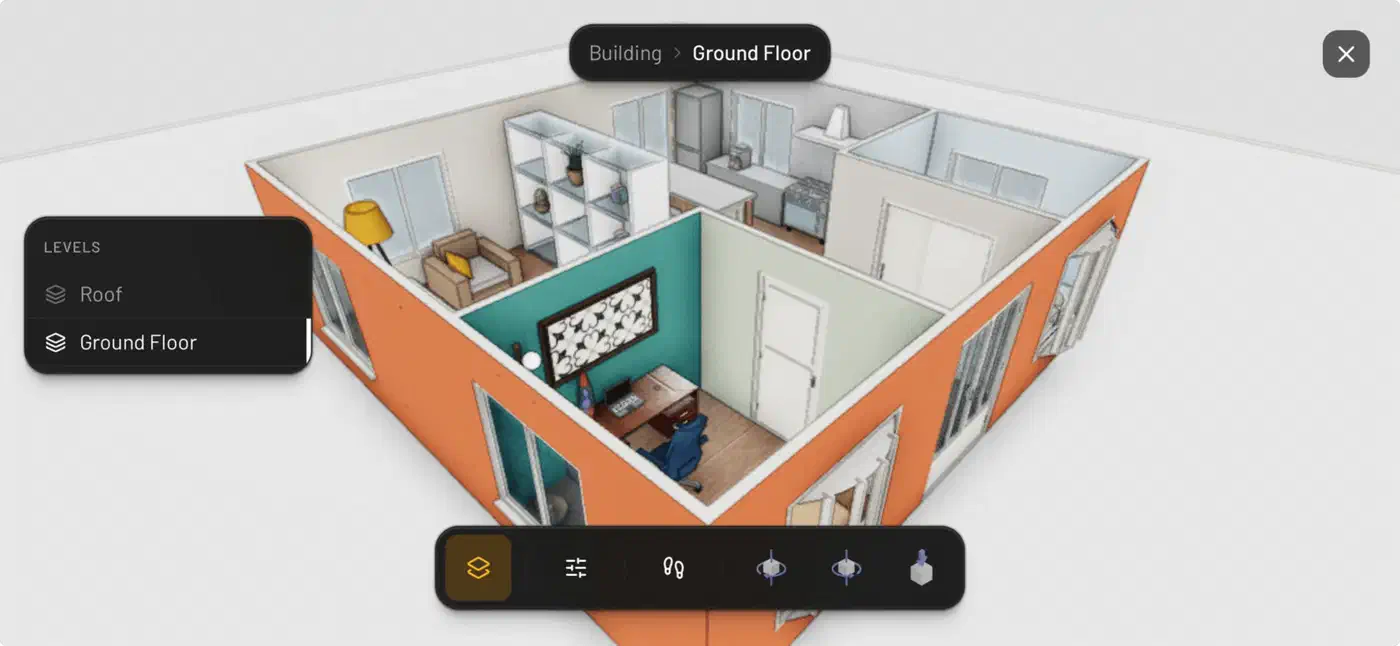
Sites hold buildings, buildings hold levels, and levels hold walls, slabs, ceilings, roofs, zones, and items such as doors, windows, lights, and furniture. Roofs take two clicks and come in seven shapes.
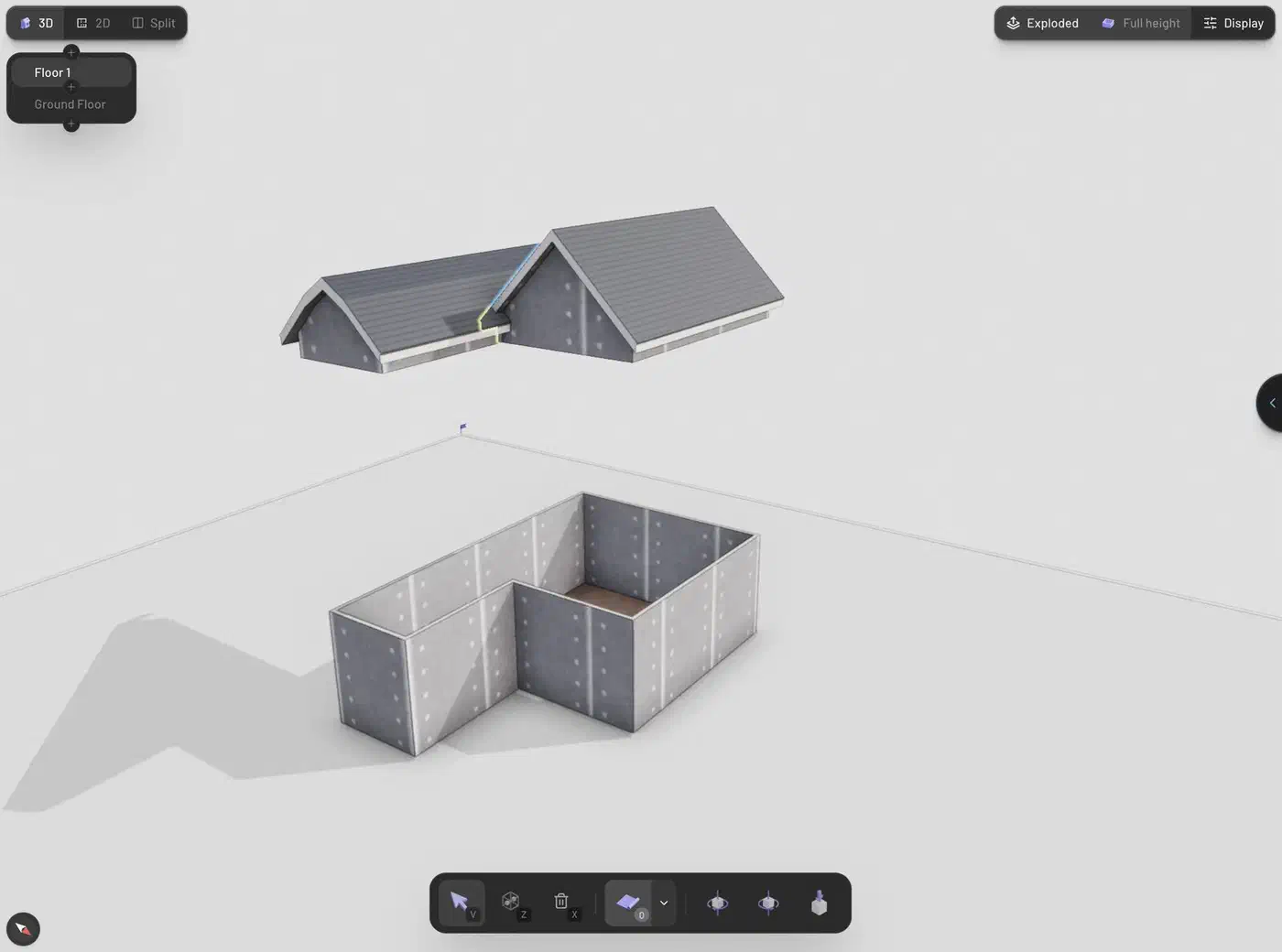
Multi-level work is built into the data model. Levels stack, explode apart for inspection, or show one at a time in solo mode. You can also drop a scanned room in as 3D reference, or slide a floor plan image under the grid and trace over it.
One thing to check before you sign up: the hosted app wants an account to create or save a project. Browsing public projects and walking through shared scenes works signed out. Sign-in is passwordless, through Google or an emailed code, though a passkey flow built on WebAuthn would skip the inbox round trip entirely.
Pascal models and presents buildings, and stops there. You get no schedules, no cost model, and no code compliance checking, so it will never stand in for a construction documentation package.
How walls, doors, and roofs get generated
A node is a data record, and it holds no geometry of its own. A wall is a record with a thickness, a path, and a parent level. Every node lives in one flat dictionary keyed by id, and each node points at its parent.
Renderers create a placeholder mesh and register it by id. Systems can then grab the 3D object straight from that registry, without walking the scene graph looking for it.
Those systems run inside the render loop and only touch dirty nodes. Edit one wall and that wall gets marked dirty; the rest of the level is left alone.
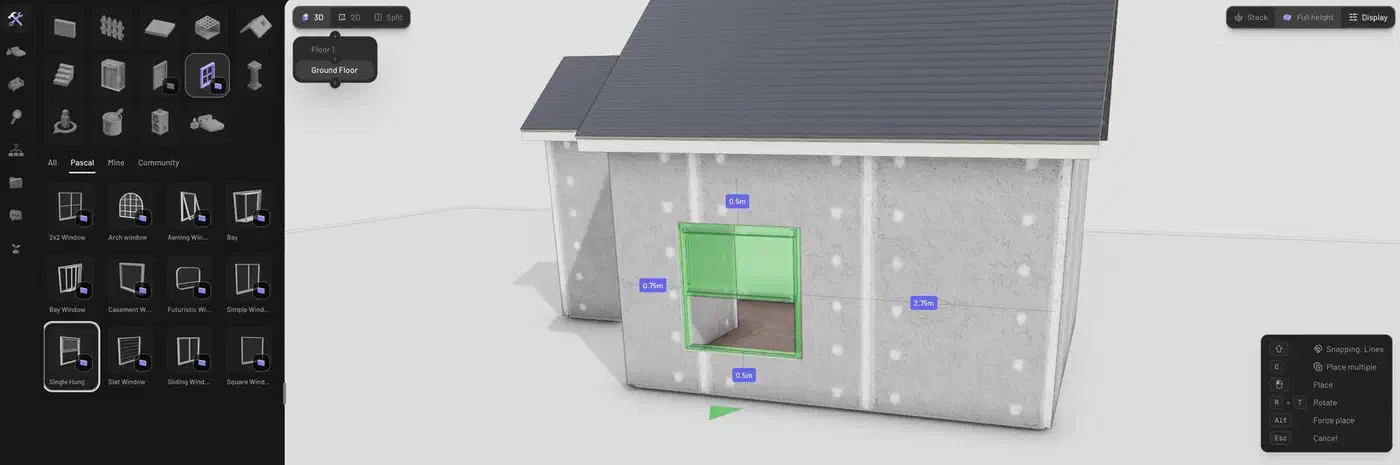
The wall system is what makes the output look like a building. It mitres the corners where two walls meet, and it cuts solid boolean holes for doors and windows instead of pasting a flat texture over the surface. The item system asks a spatial grid whether a spot is legal before it commits a sofa or a ceiling light.
The stack behind that is React 19 and Next.js 16, Three.js with its WebGPU renderer, and React Three Fiber on top. Zustand handles state, Zod handles schemas, and three-bvh-csg does the boolean geometry. The whole repository is TypeScript under an MIT licence.
WebGPU is the rendering path, so browser support decides whether Pascal runs well for you. Every major browser now ships WebGPU by default. Firefox was the last one over the line, enabling it in version 147 on Windows and ARM64 macOS, with Linux support still landing.
Frame rate on large scenes is shakier. An open issue reports lag and stuttering while dragging walls in Chrome on Windows. A few dozen other issues sit open alongside it.
Exporting a scene as GLB, STL, or a floorplan PDF
Your design does not get locked inside the app. The Export section of the Settings panel offers three model formats, and the export documentation is blunt about what each one carries.
| Format | What it carries | Good for |
|---|---|---|
| GLB | Geometry, materials, textures, door and window animation clips | Blender, game engines, web viewers |
| STL | Geometry only | 3D printing |
| OBJ | Geometry only | Older 3D tools |
| Floorplan PDF | Landscape A4, one page per level | Printing and sharing plans |
| Scene JSON | Raw node data, reloadable | Backups and moving a design |
GLB is the format that keeps the most. Every door and window carries an open and close animation clip. That clip plays in any standard glTF viewer, so nobody on the receiving end needs Pascal installed. The floorplan export comes in two flavours: the full plan with furniture, or structure only with walls, slabs, openings, and roofs.
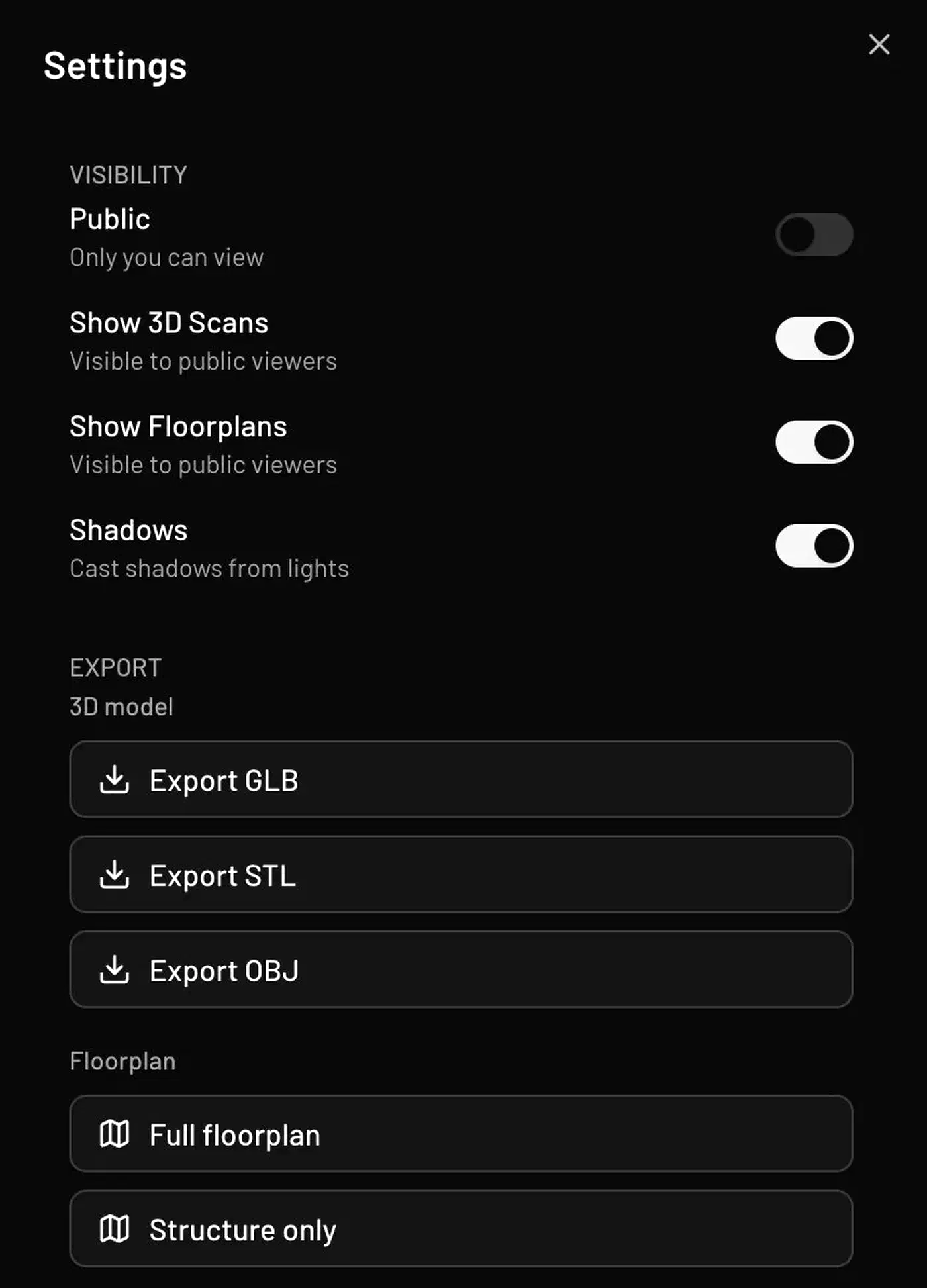
Imports go the other way through an alpha IFC converter, which turns a BIM model into an editable Pascal scene. Files are capped at 100 MB. The project is upfront that the mapping is rough, and there is no IFC export at all, so nothing goes back to your BIM tool.
Embedding the viewer instead of using the app
For a quick embed, drop in an iframe pointing at the project’s viewer page. The embedding guide documents hideHeader and hideBottomBar flags that strip the viewer chrome. The project has to be public, and no scripts or SDKs are involved.
For anything deeper, the runtime itself is published on npm as four packages with clean edges between them, the layer most browser design tools keep private.
| Package | Job |
|---|---|
@pascal-app/core | Node schemas, scene state, registry contracts, spatial queries |
@pascal-app/viewer | 3D rendering, shared systems, camera, controls, post-processing |
@pascal-app/editor | Tools, panels, selection, direct-manipulation UI |
@pascal-app/nodes | Built-in node definitions, renderers, geometry, systems |
A read-only embed pulls the viewer and skips the editing layer entirely. A property listing or a facilities dashboard can therefore render true building geometry without a bespoke engine behind it. State is public too, across three Zustand stores: scene data, viewer selection and display mode, and editor tool state.
Persistence and undo ride along as middleware on the scene store. An embedder inherits IndexedDB saving and a 50-step undo history without wiring either one.
The caveat is the version line. Core, viewer, and editor sit at 0.9.x on npm, while the nodes package is still on 0.1.x. A 1.0.0 beta sits under the beta tag. Public surfaces move between releases at that stage, so pin your versions.
How to embed the Pascal viewer in a React app
Install the packages
Run npm install @pascal-app/core @pascal-app/viewer @pascal-app/editor @pascal-app/nodes to pull the runtime, the rendering layer, the editing tools, and the built-in node definitions.
Load the built-in plugin
Call await loadPlugin(builtinPlugin) from @pascal-app/core once at startup, before anything mounts. The node registry is empty until a plugin registers kinds into it, so a viewer mounted first has nothing to draw.
Mount the viewer
Render the <Viewer> component from @pascal-app/viewer. It brings its own camera, controls, and post-processing defaults, so a basic embed needs no extra setup.
Read scene state
Subscribe with useScene((state) => state.nodes) inside React components. From callbacks and systems outside React, call useScene.getState() instead.
Create a node
Call useScene.getState().createNode(node, parentId). You pass the parent as an id, since the node dictionary stays flat.
Let the systems build the geometry
Creating or updating a node marks it dirty. The wall, slab, ceiling, roof, and item systems pick it up and regenerate geometry on the next frame, so you never build meshes yourself.
Add the editing layer only if you need it
Tools, selection, and panels come from @pascal-app/editor, and a read-only embed can leave that package out.
Writing a plugin for a new object type
A plugin adds new kinds of objects to a scene, and it does so through the same Plugin manifest the built-in nodes use. There is no privileged internal API to reverse-engineer. A manifest carries a namespaced id such as acme:garden, the plugin API version it targets, and an array of node definitions.
Each node definition starts with a Zod schema and a defaults function, then opts into only the parts of Pascal it needs. A definition can contribute inspector fields, a custom React Three Fiber renderer, plain Three.js geometry, and per-frame system work. It can also supply a 2D floorplan representation, placement tools, palette labels, and descriptions that AI tools read when they inspect the node.
Your plugin must declare the @pascal-app/* packages as peer dependencies. Bundling a second copy of @pascal-app/core creates a second node registry, and the plugin then fails to load with nothing obvious to point at.
Hosts control where plugins come from. Call setPluginDiscovery before importing the bootstrap module, and loading stays add-only for the browser session. Duplicate node kinds fail at startup rather than silently overwriting each other.
The developer guide also sets the boundary of version one. Plugins cannot add routes, application pages, host stores, or new material and floorplan primitive types. They can hold their own state and create materials inside a renderer.
Start from pascalorg/plugin-trees rather than the main repository. That repository is a standalone plugin that adds procedural trees, flowers, and grass. One package holds the manifest, node definitions, shared rendering systems, placement tools, an editor panel, and tests. It is the smallest complete plugin to copy from.