 Botmonster Tech
pdfcn renders your PDF invoice in 26 ms with no Chrome

pdfcn PDF components for React install with the shadcn CLI and land as source files inside your own repo. They render through Takumi or Forme, two engines that never launch a browser. The takumi-pdf invoice benchmark puts a warm render at 26 ms, against 198 ms through Puppeteer and Chrome.
Key Takeaways
- pdfcn is shadcn for PDFs: components land in your repo as source files you own.
- One
shadcn addcommand pulls a component and its renderer in together. - Takumi and Forme draw pages directly, so there is no Chrome to install.
- A warm invoice render takes about 26 ms, against 198 ms through Puppeteer.
- You get 24 components, 20 invoice and report blocks, and 9 themes.
What is pdfcn?
pdfcn is a registry of PDF components for React, distributed the shadcn way. You run one CLI command and the component source drops into your project. Nothing sits behind a package API, so you edit the file when the design is wrong.
The pdfcn docs call them designed, accessible, customizable PDF components built on Takumi and Forme. The pitch is the one shadcn/ui made for buttons and dialogs: you own the code, and the defaults work on the first render. Other React projects ship their rendering the same way. Pascal hands you its wall and roof geometry as four npm packages you drop into your own app.
Most teams treat a PDF layout as a one-off template blob. Someone bolts it together from renderer parts, styles it twice, and props it up with brittle page-break rules. Nobody wants to touch it a year later.
pdfcn moves that document into normal UI territory. The invoice becomes a tree of React components you review, diff, and refactor like any other screen. Prop types are fully typed and the same on both engines, so the code reads the same either way. The project is MIT licensed, written by Aniket Pawar, and lives at shadcn-labs/pdfcn .
How do I install pdfcn components?
You need a React project that can already run Takumi or Forme. After that, each component is one command, with a separate namespace per engine.
npx shadcn@latest add @pdfcn/takumi/text
npx shadcn@latest add @pdfcn/forme/text
npx shadcn@latest add @pdfcn/takumi/invoice-minimal
npx shadcn@latest add @pdfcn/takumi/theme-minimal
The registry also pulls in the matching renderer and the shared theme helpers, so there is no second install step. Components land under @/components/pdf/, and every document wraps in PdfcnThemeProvider.
The engines differ in exactly one import, documented on the installation page . Everything below that line is identical.
// Takumi
import { Document, Page } from "@/components/pdf/pdf-primitives";
// Forme
import { Document, Page } from "@formepdf/react";

import { PdfcnThemeProvider } from "@/components/pdf/theme-provider";
import { Text } from "@/components/pdf/text";

export function Invoice() {
  return (
    <Document>
      <Page size="A4">
        <PdfcnThemeProvider>
          <Text variant="title">Invoice</Text>
        </PdfcnThemeProvider>
      </Page>
    </Document>
  );
}
pdfcn also publishes an MCP server and an agent skill at /.well-known/agent-skills/site-skill.md, so a coding agent can add components on its own without you naming registry paths.
What you get from pdfcn PDF components for React
Each engine ships the same 24 components: Stack, Section, Keep Together, Page Break, Page Header, Page Footer, Page Number, Text, Heading, Link, List, Card, Divider, Table, Data Table, Key Value, Form, Alert, Badge, Graph, PDF Image, QR Code, Watermark, and Signature.
Keep Together stops a table row splitting across a page break, which is the bug every hand-rolled invoice ships with. Data Table, QR Code, Signature, and Watermark are the other four that save serious work.
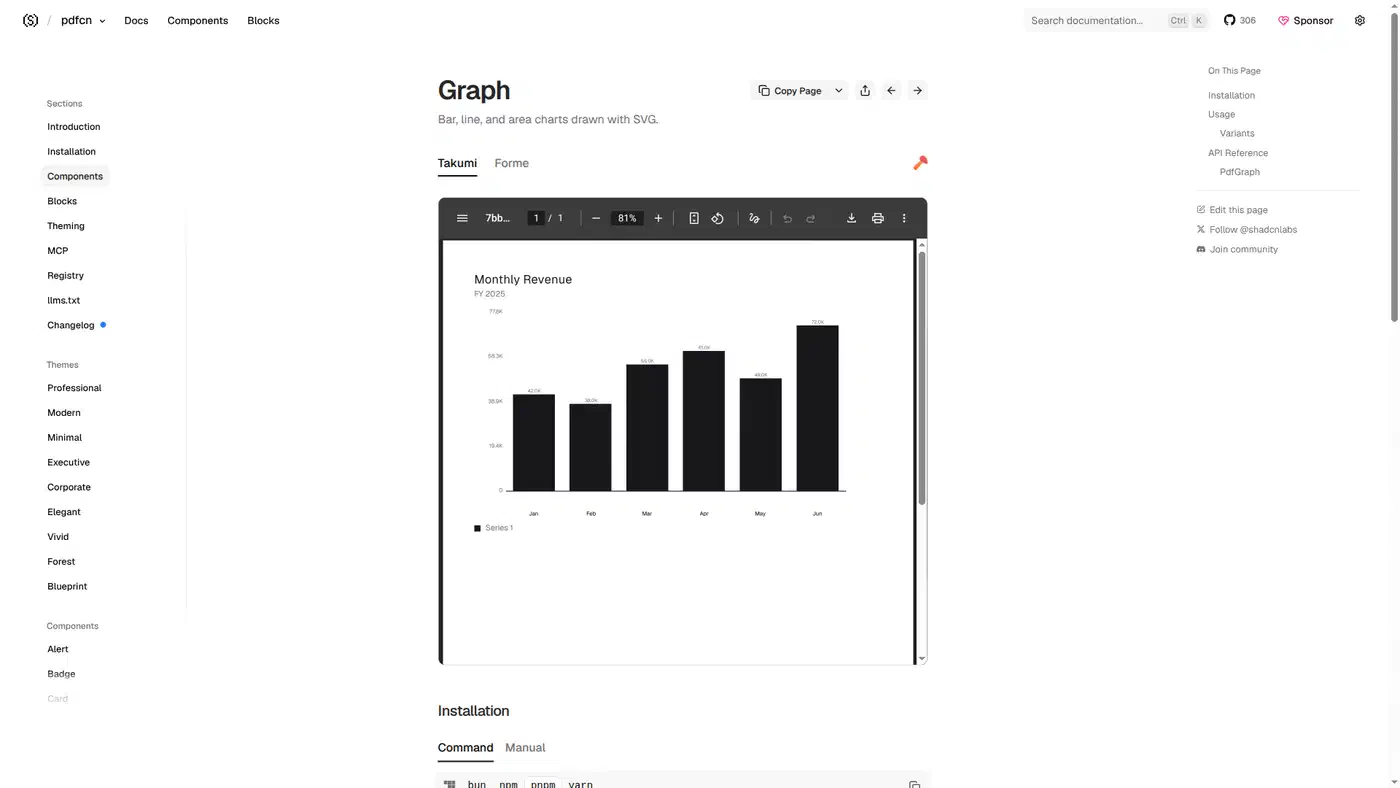
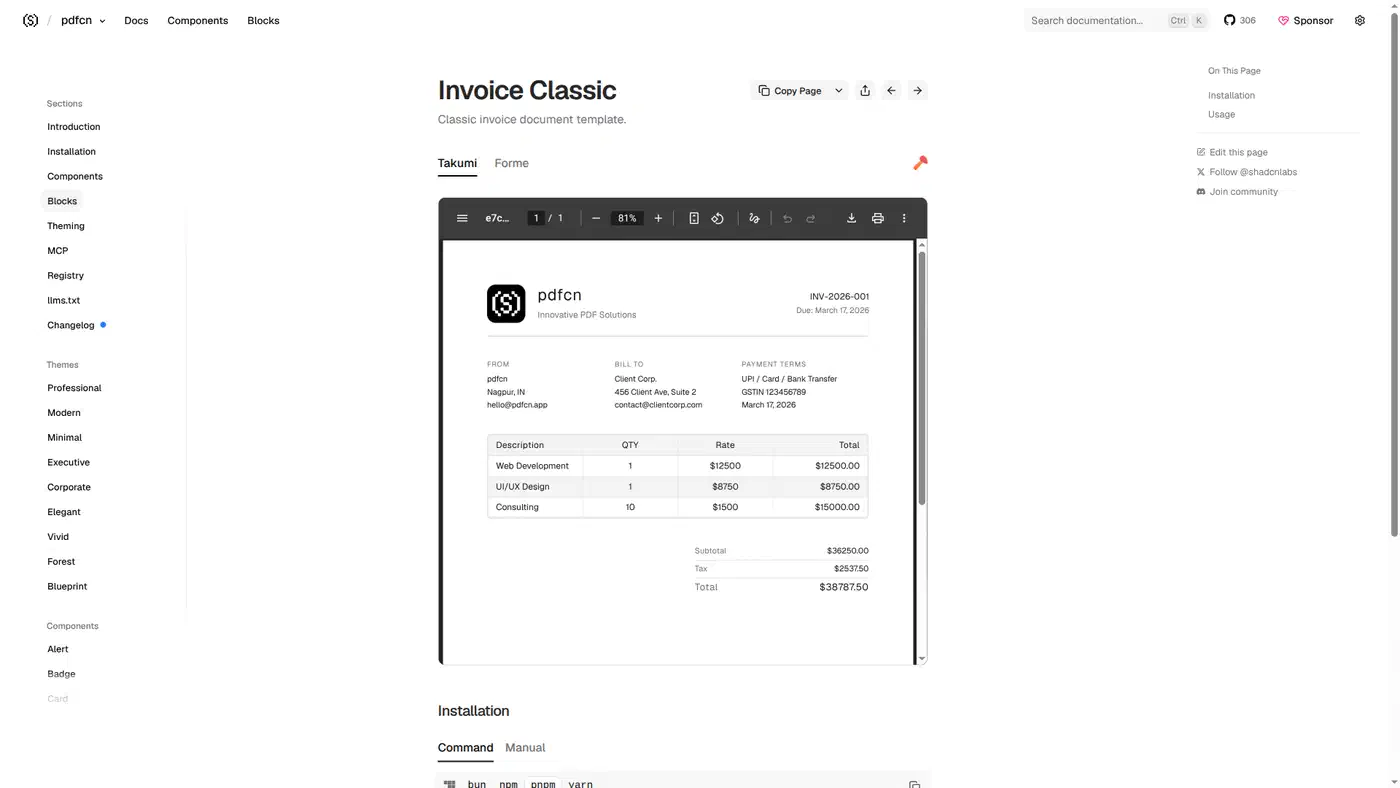
On top of the components sit 20 prebuilt blocks, ten per engine. Six are invoice styles: Classic, Consultant, Corporate, Creative, Minimal, and Modern. Four are report types: Financial, Marketing, Operations, and Security.
Nine themes cover the styling layer: Professional, Modern, Minimal, Executive, Corporate, Elegant, Vivid, Forest, and Blueprint. Each carries its own typography, color palette, and spacing, so a company palette is set once and inherited by every document.
Takumi or Forme, which renderer should you pick
Both engines are Rust compiled to WebAssembly, and neither one needs a browser.
Takumi renders paged PDFs and OG images from JSX, HTML, CSS, and Tailwind classes. It runs on Node, in browsers, and on Cloudflare Workers. Its WASM binary is 1.52 MB gzipped, about half of Cloudflare’s 3 MB free-plan bundle cap. The output is a paged vector PDF with selectable text, and Arabic and other right-to-left text needs no manual direction flags.
Forme is MIT licensed and leads with page breaks. Content flows into pages instead of onto one endless canvas that gets sliced afterward. Sizing therefore works against the real page, and table headers repeat on their own. The source sits at danmolitor/forme , with about 153 GitHub stars and roughly 3.9k weekly npm downloads. Its maker also sells a hosted API for redact, merge, certify, and archive calls. The library itself stays open source.
Pick Takumi if you deploy to the edge, or if you want to reuse existing Tailwind and HTML markup. Pick Forme if long documents that break cleanly across many pages are your main problem. Because the pdfcn props are the same either way, switching later means re-adding the components rather than rewriting them.
The no-Chrome numbers, and where the approach breaks
The takumi-pdf comparison times an 80-line invoice that runs to two pages with a page-number footer. Warm figures are the median of 20 renders on an Apple M1 Pro. Each tool writes the invoice in its own template language, with the same layout and the same embedded Inter font.
| Renderer | Cold start | Warm render | Output | Deploy weight | Edge runtimes |
|---|---|---|---|---|---|
| pdfcn on takumi-pdf 0.4 | 176 ms | 26 ms | 19 KB | 1.5 MB gzip WASM | yes |
| @react-pdf/renderer 4.5.1 | 495 ms | 236 ms | 16 KB | pure JS | no |
| Puppeteer + Chrome | 0.7-2.8 s | 198 ms | 52 KB | hundreds of MB | no |
Puppeteer boots a browser process and lays out a web page before printing it, and that browser is where the gap comes from. Takumi and Forme are layout engines built for pages, so no browser sits in the path at all.
Forme publishes no equal third-party benchmark. Its homepage advertises a roughly 0 ms render for a four-page report. That is a marketing figure with nothing published behind it, so treat the Takumi column as the safe floor for both engines.
Puppeteer still has the fullest CSS support of the three, so a document that must match a live web page pixel for pixel belongs there. You pay for it in hundreds of megabytes of Chrome per deploy. Takumi’s PDF output drops filter: blur(), drop-shadow(), and backdrop-filter outright. @react-pdf/renderer stays pure JavaScript with no WASM step, which is the real argument for it inside locked-down runtimes.
Takumi writes tagged PDF by default, and those tags are the structure tree screen readers follow. They cost about 4 KB on that invoice. Setting tagged: false drops the file to 15 KB and drops the tags with it.
When to skip pdfcn
- You need pixel-perfect PDFs of pages that already exist on the web. Puppeteer’s full CSS support wins there.
- Non-developers write your documents in a visual editor. pdfcn ships React source and has no template designer.
- You need to read, fill, or edit existing PDFs. These engines only write documents.
- You are not on React. The whole registry is JSX.
- You want a vendor to own upgrades. Copied-in components are yours to maintain, and upstream fixes never reach you on their own.
That last point is the shadcn trade in its usual form, and pdfcn is new enough that upstream will keep moving. A team already shipping shadcn/ui has taken that cost before.